






experte
Experte: an intelligent tool specialized in removing backgrounds from images.
Tags:AI image background removalWhat is EXPERTE Background Remover?
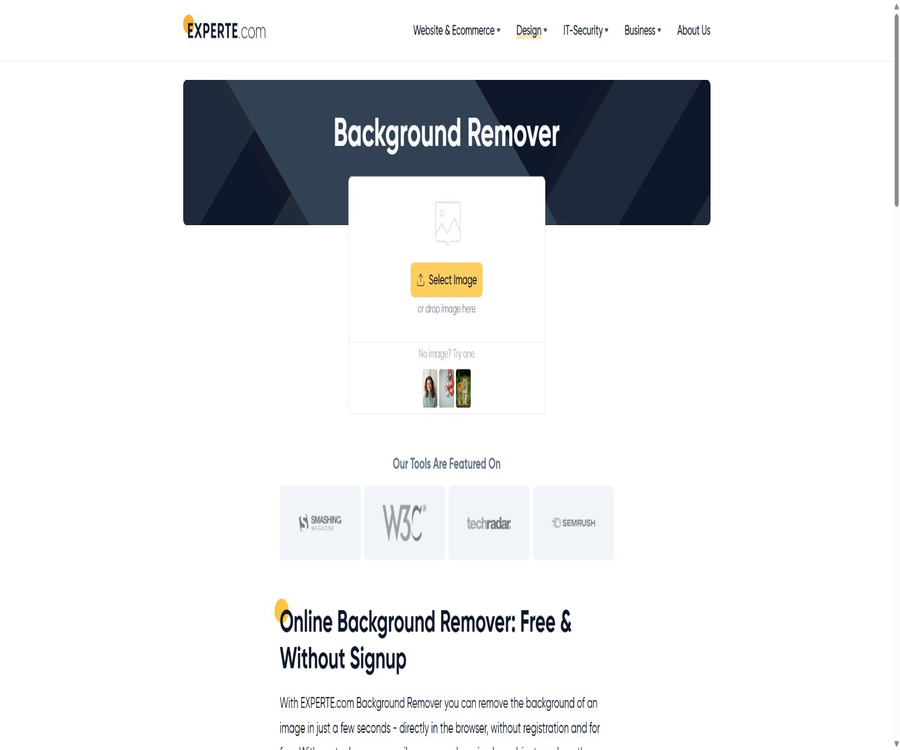
EXPERTE Background Remover is a free online tool for removing backgrounds from images, provided by EXPERTE.com. Once users upload photos of people, animals, or objects, the system automatically identifies the foreground elements and replaces the remaining area with a transparent background.
No registration is required for this tool, nor is it necessary to install Photoshop or know how to work with masks. It is permitted for both personal and commercial use, and downloads of the images in their original resolution are available.
How does it achieve automatic image masking?
The service uses the U-2-Net model for object detection to identify the most important foreground elements in an image. Once the model has identified these foreground areas, the website removes the irrelevant background and returns a transparent result.
U-2-Net is good at identifying the outlines of objects, but it does not understand the commercial purpose of an image. It may make mistakes when dealing with hair, transparent materials, thin lines, or situations where the colors in the foreground are similar to those in the background.
Core functions
One-click background removal
After uploading an image, there is no need to select the subject or add outlines; the server will carry out the segmentation automatically. The usual processing time is around 5 to 10 seconds, with the actual time depending on the image, the network connection, and the server load.
Drag and drop to upload
Users can submit images by selecting files or by dragging and dropping them. When no own materials are available, the page provides examples of people, animals, and objects for testing purposes.
Output with transparent background
After processing is complete, you can preview the main content and the transparent areas, and download the result in its original resolution using Download HD. Transparent images are suitable for use in posters, product images, and presentations.
No registration required
To use the core image extraction feature, there is no need to create an account, verify an email address, or link a payment method. It is suitable for users who occasionally need to process a small number of images.
For personal and commercial use
The official FAQ states that the tool can be used free of charge for both personal and commercial purposes. Users must still have legitimate rights to use the original images, portraits, as well as any materials related to products and brands.
List of main functions
- Automatically identifies the main people, animals, or objects in an image.
- Delete the background with one click to create a transparent area.
- It supports both click selection and drag-and-drop methods for uploading.
- No registration, login, or purchase of points is required.
- The results in the original resolution can be downloaded.
- Officials permit use for private and commercial purposes.
- Example images are provided for users to conduct quick testing.
- Regular images are usually processed within 5 to 10 seconds.
- Each user can process a maximum of 10 images per minute.
What use cases are suitable?
- E-commerce sellers create product images with a white background or a uniform background.
- The designer selects people and objects for use in poster layout.
- Social media users create avatars, stickers, and covers.
- Teachers and students prepare transparent materials for slides and presentations.
- Recruiting and individual brand managers to handle ID photos or professional headshots.
- Partial elements used in creating promotional graphics for the real estate and services industries.
- Small and medium-sized enterprises can quickly process small amounts of marketing materials.
- Developers and researchers have experienced the excellent target segmentation performance of U-2-Net.
It’s not very suitable for which scenarios
- Professional compositing that requires control over every individual hair strand as well as film-grade edge handling.
- Images with transparent glass, chiffon, smoke, and elements that provide a lot of translucent reflection.
- Images in which the main subject and the background share high similarities in color and texture.
- Tasks that involve multiple complex entities and require separate export.
- Organizations that require offline processing of confidential images on-site.
- Development teams that need an API for batch integration into automated production processes.
- Users who wish to manually trim edges, change backgrounds, and arrange content in batches within the same tool.
Steps for using online image masking
- Prepare images with a clear subject, sufficient resolution, and a well-defined background.
- Click Select Image to choose a file, or drag the image into the upload area.
- Waiting for the image to be uploaded and for the server to automatically recognize it usually takes a few seconds.
- View the hair, edges, holes, and transparent areas in the preview.
- Once the result is satisfactory, click Download HD to obtain the file in its original resolution.
- Import transparent images into design, presentation, or e-commerce tools for further editing.
- After processing is complete, close the page and save the original local image as well as the result properly.
Steps to improve the quality of image masking
- Choose an original image with even lighting, a complete subject, and clear edges.
- Avoid excessive compression, low resolution, and large-area motion blur.
- Ensure that there is a clear difference between the subject and the background in terms of color or brightness.
- For hair and small objects, it is best to shoot against a simple background.
- Process the original image first; do not apply filters or sharpening effects before uploading it.
- Use magnifying glasses to examine earrings, wheels, and the internal holes of objects.
- When the automatic results are unsatisfactory, use specialized software with a manual masking function for correction.
Free rules and usage restrictions
EXPERTE Background Remover does not offer any paid plans or subscriptions; its core services are completely free. To prevent abuse, the developers have set a limit of 10 images per minute per user.
| Project | Current rules | Explanation |
|---|---|---|
| Usage price | Free | No points or subscription required |
| Registration requirements | No registration required | Upload images directly |
| For personal use | Allow | Image copyright and portrait rights still need to be respected. |
| Commercial use | Allow | It does not mean that the website obtains permission for the use of materials on behalf of the users. |
| Download quality | Original resolution: HD | The actual quality is limited by the original image. |
| Frequency limit | Up to 10 per minute | Used to prevent the abuse of automation. |
| Batch processing | No official batch interface is provided. | Suitable for processing one image at a time |
| Developer API | Not provided | It cannot be integrated as a public interface. |
Input and output suggestions
- It is recommended to upload images in common browser formats such as JPEG and PNG; the specific compatibility details are indicated on the page.
- Keep the original image; do not replace the unique source file with the downloaded version.
- A transparent background requires a subsequent design process that supports the Alpha channel.
- When importing a format that does not support transparency, the background may appear white or black.
- Used to check pixel size, color, and output resolution during printing.
- Before uploading to an e-commerce platform, check its rules regarding images with a white background and transparent images.
Common failure scenarios
| Problem | Possible reasons | Handling suggestions |
|---|---|---|
| The hair was cut off. | Fine hair, complex background, or insufficient contrast | Switch to a solid-color background image or manually adjust the edges. |
| The interior of the main body becomes transparent. | The color of the clothing or objects is similar to that of the background. | Increase the contrast or use the mask tool to restore it. |
| Background residue | The model misidentifies the background as the subject. | Crop the image or select one with a more prominent subject. |
| Transparent objects disappear. | The model has difficulty distinguishing between glass and the background. | Use professional color keys or manual transparency masks. |
| A halo appears at the edges. | Reflections, compression, or background color contamination in the original image | Perform edge removal and color cleanup. |
| The processing speed has slowed down. | Network, image, or server load | Try again later and avoid uploading large amounts of data in succession. |
| Trigger frequency limit | Submit more than 10 images in one minute | Wait before proceeding to avoid automated requests. |
Product advantages
- It’s completely free and requires no registration; getting started is very straightforward.
- The automated processing process is simple and does not require any specialized skills in image editing.
- People, animals, and common objects can all be recognized.
- Downloading at the original resolution does not force a reduction to a smaller preview size.
- Officials have explicitly allowed private and commercial use.
- A standard processing speed of 5 to 10 seconds is suitable for temporary tasks.
- The U-2-Net model, which is based on publicly available research, has a clear origin.
- The restrictions are calculated on a per-minute basis, so they have little impact on normal manual use.
Usage restrictions and precautions
- There is only an automatic recognition process; no detailed manual masking for corrections.
- Complex hair, transparent materials, and images with low contrast are prone to errors.
- The images need to be uploaded to the EXPERTE server for processing; it is not an offline tool that operates locally.
- Each user can process a maximum of 10 images per minute.
- There are no public batch APIs, team management tools, or enterprise-level service level agreements available.
- Websites and models may be updated in the future, so the results are not guaranteed to remain consistent.
- The commercial use license does not cover the original images that the user is not entitled to use.
- The fact that website services are free does not mean that the U-2-Net model and training data can be reused without any restrictions.
Privacy and image processing
The official FAQ states that images are transmitted to a server for processing, and they are deleted immediately after processing is complete; they are not stored for an extended period. At the website level, access logs, Cookies, as well as analysis and security mechanisms, may still be used to handle general access information.
- Do not upload identification documents, medical records, or screenshots containing passwords.
- Photos of customers and employees must first obtain authorization for uploading and processing.
- For unreleased product images and confidential materials, local tools should be used preferentially.
- Remove location and device information from the image’s EXIF before uploading.
- After completion, check the browser’s download directory and cloud synchronization settings.
- Please read the current privacy policy and cross-border data rules before using the organization’s services.
The relationship between U-2-Net and GitHub
EXPERTE’s official FAQ states explicitly that its image segmentation model is U-2-Net, and it provides a link to the official GitHub repository of that paper. The old link used the name NathanUA; now it redirects to the repository of the author, Xuebin Qin.
U-2-Net is a deep learning network used for the detection of prominent objects; it includes code for training, inference, person segmentation, as well as example scripts, and is licensed under the Apache-2.0 license. This repository is maintained by the researchers who developed it, and it is not the source code for the EXPERTE.com website.
Open-source status
| Components | Is it open source? | Explanation |
|---|---|---|
| U-2-Net model code | Yes | The official research repository uses the Apache-2.0 license. |
| U-2-Net paper and examples | Public | It can be used to understand significant object detection methods. |
| EXPERTE web frontend | Not open source | No official complete source code repository was found. |
| EXPERTE server processing workflow | Not open source | Deployment, preprocessing, and postprocessing are not made public. |
| Online services | Closed-source free service | Private deployment cannot be carried out solely based on the open-source nature of the model. |
Differences from local U-2-Net deployment
| Project | EXPERTE online tool | Self-deploy U-2-Net |
|---|---|---|
| Installation | No installation required | Python, PyTorch, and model weights are required. |
| Image location | Upload to server for processing | It can be processed locally. |
| Manual operation | One-click image extraction on web pages | Commands, scripts, or a custom interface are required. |
| Maintenance | Handled by EXPERTE. | Users are responsible for dependencies, models, and security. |
| Frequency | Up to 10 per minute | Restricted by local hardware and implementation. |
| Commercial use | The website states that it is permitted. | You need to verify the licenses for the code, models, and data by yourself. |
Basic information
| field | Content |
|---|---|
| Tool name | EXPERTE Background Remover |
| Develop a website | EXPERTE.com |
| Tool type | Online AI image masking and background removal tools |
| Core model | U-2-Net |
| Price pattern | Completely free |
| Is registration required? | No |
| Usage restrictions | Each user can have up to 10 cards per minute. |
| Commercial use | Official permission is granted. |
| Whether API is provided | No |
| Is it open source? | The online services are not open source; the underlying U-2-Net code is open source. |
Recommendation score
4.3 / 5. EXPERTE Background Remover is free, does not require registration, and allows the download of results in their original resolution; it is suitable for quick, everyday image masking tasks. However, its automatic edge detection capabilities are limited, sensitive images must be uploaded to a server, and there is no batch API available.
Frequently Asked Questions
Is EXPERTE Background Remover free?
It is completely free and no registration is required. Official use for both personal and commercial purposes is permitted; each user can process up to 10 images per minute.
Will the image be saved?
Officials state that the images are used only temporarily during processing on the server, and are deleted immediately after that. For sensitive data, it is still recommended to use local tools.
Can I download high-resolution images?
The original-resolution results can be downloaded using Download HD; the final quality depends on the quality of the original image uploaded.
What AI model does it use?
The U-2-Net robust object detection model is used to automatically identify the foreground and remove the background.
Is batch processing or API support available?
There is no public batch interface or developer API; it is mainly suitable for users to upload files one by one.
Is EXPERTE Background Remover open source?
The online website is not open source; the U-2-Net research code it uses is made available under the Apache-2.0 license.
Tools similar to Experte



 Guigong Network Security Registration No. 45132202000164