






What is one-click image masking?
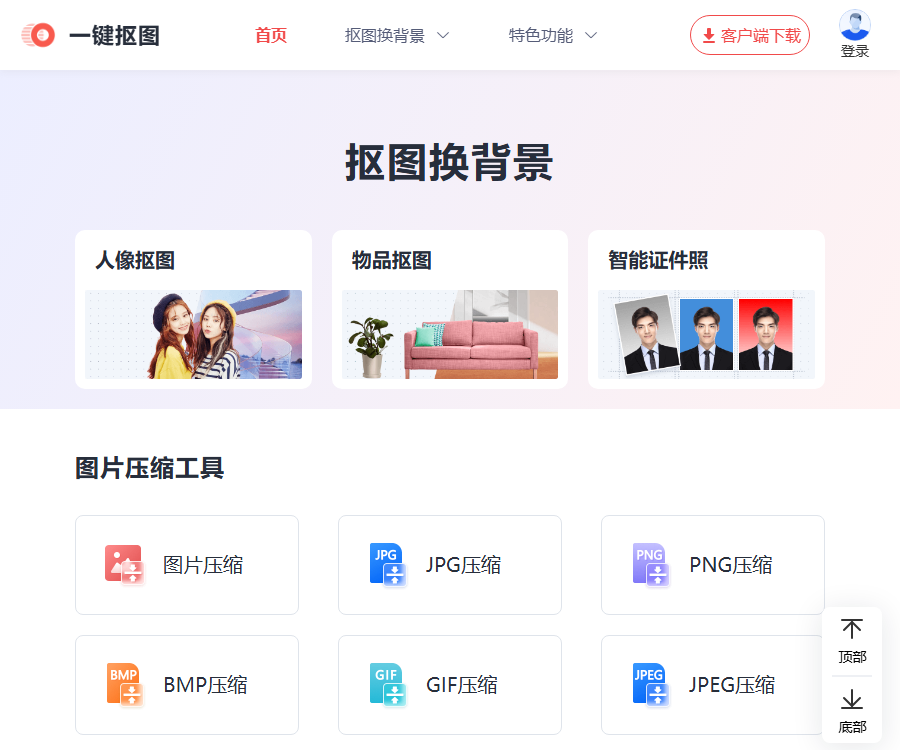
One-Click Image Extraction is an online AI-based image extraction and comprehensive image processing platform developed by Shanghai Lijie Information Technology.
After a user uploads an image, the subject and background can be automatically separated, allowing the user to change the background, edit the image, compress it, or convert it to another format.
Core functions
| Functions | Main function | Suitable scenarios |
|---|---|---|
| Portrait masking | Identify faces and remove the background. | Profile pictures, posters, and creative composites |
| Object extraction | Extract products, animals, or objects | E-commerce main images and product display |
| Smart ID photos | Adjust the background color and common sizes | Registration and photo submission |
| Image editing | Crop, resize, and add watermarks | New media and office images |
| Photo restoration | Fix blur, coloring, and faces | Organizing old photos |
| Image conversion | Convert format, OCR, or generate PDF | Data submission and document organization |
Portrait masking
Portrait masking automatically detects the edges of the subject and separates them from the background.
- Ideal for ID photos, profile pictures, posters, and social media images.
- It can output a transparent background, or it is possible to replace it with a solid color, a template, or a custom image.
- It performs intelligent recognition of hair strands, folds in clothing, and details of contours.
- When the automatic results are not satisfactory, the edges can be manually removed to make corrections.
- When the background and the colors of the characters are similar, it is necessary to zoom in to check for missed areas that need to be included and for any jagged edges.
Removing objects and items from images
Object extraction is suitable for non-portrait subjects such as products, animals and plants, graphics, and everyday items.
- E-commerce users can quickly create images with a white background or scene display images.
- Stores and social media platforms can include products in posters or promotional materials.
- Natural results are usually easier to achieve when the edges of the subject are clear and the background is simple.
- Transparent, reflective, fuzzy, and hollow objects may still require manual edge trimming.
- The color and details of the product must not be presented in a misleading manner as a result of processing.
Change background and create smart ID photos
After the image extraction is complete, the transparent background can be retained, or it can be replaced with another color.
- A transparent background is suitable for subsequent formatting, design, and combining product images.
- A solid-color background can be used for ID photos and standardized document images.
- Background templates are suitable for quickly creating posters or everyday scenes.
- Custom backgrounds can be created by uploading local images for creative compositing.
- The requirements regarding the size of ID photos and the background color should be in accordance with those set by the issuing authority.
Image editing tools
In addition to image masking, the platform also offers a set of common online image editing functions.
- Comprehensive editing: cropping, filters, parameter adjustment, borders, stickers, and text.
- Resize image: Supports zooming in, zooming out, or entering the target pixel size.
- Image cropping: Common sizes are available, and it is also possible to define custom cropping ranges.
- Adjust resolution: DPI values such as 72, 96, 150, and 300 can be set.
- Add watermarks to images: Supports text or image watermarks, and allows adjustment of their position and transparency.
- Image rotation: Quickly change the orientation of the image to correct the shooting angle.
Image compression and format conversion
One-click image extraction supports common image compression, format conversion, and conversion of images to PDF.
- Compressible formats such as JPG, PNG, BMP, GIF, and JPEG.
- Supports conversion between JPG, PNG, BMP, WEBP, GIF, and ICON.
- Converting HEIC to JPG is suitable for processing photos taken with Apple devices.
- When converting images to PDF, it is possible to set the paper size, orientation, margins, and the method of merging pages.
- The batch processing entry point and the available quantity may vary depending on the website or client.
Photo restoration and AI creativity
| Tools | Uses | Precautions |
|---|---|---|
| Restoration of old photographs | Improve the clarity of old photos | Details that may not exist in the original image could be generated. |
| Colorizing black and white photos | Predicting colors for grayscale photos | Colors do not represent the actual historical conditions. |
| Blurred face restoration | Improve the appearance of the face | The facial features may differ from those of the individual. |
| Turn photos into comics | Generate stylized character images | It is necessary to verify the portrait and the usage scenario. |
| AI painting | Generate images based on the text description. | The model and style are determined by the page. |
| Convert document to long image | Convert Word, PPT, or PDF to images | Check the layout and font integrity. |
Tutorial for using one-click image extraction
- Go to the official website for one-click image masking, and select either portrait masking or object masking.
- Upload JPG, PNG, or other image formats supported by the page.
- Wait for the system to automatically identify the subject and remove the original background.
- Switch between the original image and the resulting image, and zoom in to examine the hair strands, edges, and hollow areas.
- Use manual removal or retention tools as needed to adjust the selection range.
- Choose a transparent background, a solid-color background, a template, or a local image as the new background.
- Adjust the canvas size, DPI, cropping area, and export format according to the intended use.
- Before downloading, check the image quality, file size, licensing, and the requirements for submission.
How to improve the quality of image masking
- Give priority to uploading original images with clear subjects and sufficient resolution.
- There should be a clear difference in color and contrast between the characters or products and the background.
- Avoid severe motion blur, strong backlighting, and overly compressed images.
- Complex hair patterns, transparent materials, and reflective edges need to be manually refined.
- After changing the background, adjust the light direction, color temperature, perspective, and shadows.
- High-resolution source files should be retained for e-commerce or printing purposes.
Supported platforms
- Web version: It allows for direct image cropping, compression, conversion, and basic editing.
- Windows client: The official website provides a download link for the desktop version.
- Mac client: The official website’s navigation provides the corresponding download link.
- Mobile version: The official website provides a QR code for the app as well as a download link for Android.
- There are many apps with the same name; when installing, it is necessary to verify the official website link and the entity responsible for its development.
The web version is suitable for temporary processing; for batch or more advanced functions, a client application may be required.
Prices and memberships
As of August 30, 2026, the official website does not provide a unified membership package and price list that can be verified in its entirety.
| Project | Public status | Verify the location |
|---|---|---|
| Basic web tools | It can be experienced directly. | Upload pages for each feature |
| Member packages | Not yet made public | After logging in or on the client’s purchase page |
| Batch processing quota | Not yet made public | Specific feature submission page |
| Limits on high-definition export | Not yet made public | Download or Settlement Page |
| Enterprise authorization | Not yet made public | Subject to customer service or the contract. |
The number of free uses, member benefits, automatic renewal options, and promotional prices may change; the terms that apply are those stated on the settlement page and in the current agreement.
File privacy and security
Multiple upload pages on the official website state that the files uploaded by users will be automatically deleted after 1 hour.
- The automatic deletion prompt does not mean that the image is processed only on the local device.
- ID cards, contracts, customer information, and unreleased product images should still be uploaded with caution.
- Permission to record, edit, and publish someone’s portrait must be obtained before handling it.
- After downloading the result, check whether metadata or sensitive background details have been retained.
- For highly sensitive projects, offline tools or approved corporate solutions should be used preferentially.
API, SDK, and open-source status
- API: As of the time of verification, no public developer API documentation was found.
- SDK: No verifiable official SDK has been found.
- GitHub: No product code repository that corresponds directly to the main website was found.
- Open source: No complete source code for the platform, model weights, or open license were found.
- Deployment: Currently, it is primarily used through web pages and the official client.
The use of AI-based image extraction and restoration technologies on a website does not mean that its models or server systems are open source.
Which users are it suitable for
- E-commerce operation: Creating product images with a white background, scene images, and images in a uniform size.
- Photo studios and photographers: handling portraits, ID photos, and background replacement.
- New Media Editor: Creates covers, posters, watermarks, and social media images.
- Students and office users: format conversion, converting images to PDF, and extracting text.
- Home users: Fix old photos, add colors, and create creative images.
- Beginners in design: It is possible to carry out basic compositing without needing to master complex layers.
Usage restrictions and precautions
- Automatic object removal may produce errors in hair, transparent elements, and edges with similar colors.
- AI restoration relies on speculation regarding details, and therefore cannot be used as a basis for identity, records, or historical facts.
- Changing the DPI does not add real image details out of thin air.
- The file size, number of files, and export restrictions for web tools are determined by the live page.
- When using images of people, brands, artistic works, and products, it is necessary to verify the authorization.
- The final output should be checked at the target device size or print size before official release.
Frequently Asked Questions
What can one-key image extraction mainly do?
It can automatically remove the background of people or objects, and then continue to change backgrounds, edit, compress, and convert images.
Does one-click image extraction support transparent backgrounds?
Supported: After image extraction, the transparent background can be retained, or it can be replaced with a solid color, a template, or a local image.
What to do if the edges of the image cutout are not accurate?
The image can be enlarged, and manual selection or retention tools can be used to make precise adjustments to the hair strands and transparent edges.
Can one-click image extraction be used for free?
Some functions of the web page can be tried out directly; the specific number of free uses and the restrictions regarding high-definition exports are indicated on the page itself.
How long are uploaded images stored?
The upload page on the official website indicates that files are automatically deleted after about 1 hour, but it is still not recommended to upload sensitive information.
Which platforms do one-click image extraction support?
The official website provides access options for Web, Windows, Mac, and mobile devices; it is necessary to check the official redirection link during installation.
Does one-click image extraction provide APIs or open-source code?
As of the time of verification, no public APIs, official SDKs, product source code, or open licenses were found.
Similar to a one-click image extraction tool



 Guigong Network Security Registration No. 45132202000164