






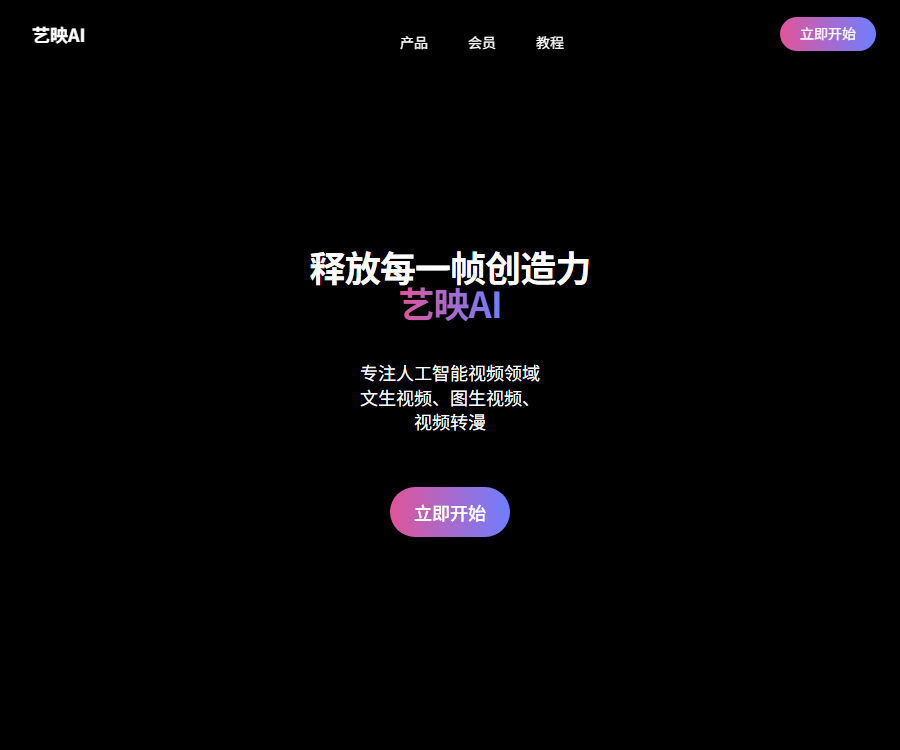
Yiying AI
Yiyin AI is a powerful and user-friendly AI video creation tool. Its main function is to generate videos based on textual descriptions; users can describe the scenes they want in the video, and the tool will create unique videos that match those descriptions.
Tags:AI video toolsWhat is Yiying AI?
Yiying AI is an online tool dedicated to AI-powered video creation; its English-language version is related to GoEnhance AI.
The official Chinese website currently highlights three types of creation methods: video-to-video conversion, text-to-video generation, and image-to-video generation.
Core functions
| Functions | Enter content | Main results |
|---|---|---|
| Video to video conversion | Video and style options are available. | Stylized or animated videos |
| Text-to-video | Text prompt | Generate dynamic shots from descriptions |
| Tusheng Video | Static images and motion descriptions | Make the main element of the image move. |
| International creative platform | Text, images, or videos | More capabilities for creation, enhancement, and editing |
| Open API | Structured requests and asset addresses | Generate images or videos asynchronously |
Video to video conversion
Video to video conversion allows existing clips to be transformed into different visual styles; the official Chinese website emphasizes the anime-style effects.
- Suitable for adapting short films, stylizing characters, and animating real-world footage.
- The original video should have a clear subject, stable footage, and proper lighting.
- When choosing a style, consider the characters, background, and complexity of the actions.
- After generation, it is necessary to check the consistency of the character’s face, clothing, and background in each frame.
- Fast movement, occlusion, and camera changes can easily cause flickering or distortion.
Text-to-video
Text-to-video generates short videos based on textual descriptions; it is suitable for those who are starting out and want to explore different visual styles and camera angles.
- The prompt should include the subject, action, environment, camera angle, and lighting.
- First, create a single shot, and then break down the complex story into multiple segments.
- Indicating the shot size, camera position, and direction of movement can reduce random outcomes.
- The character’s identity and appearance need to be specified again in different shots.
- AI-generated content still requires editing, voice-over, and fact-checking.
Tusheng Video
Tusheng Video converts static images into animated sequences, which can be used for characters, illustrations, and product visuals.
- Choose an image with sufficient resolution and clear edges of the subject.
- The motion description should indicate who is moving, how they are moving, and whether the camera is following them.
- Avoid requesting multiple complex actions that conflict with each other at the same time.
- For portraits, it is necessary to pay close attention to the eyes, mouth, hands, and overall body structure.
- For product videos, it is necessary to ensure that the shape, color, and brand information remain unchanged.
Relationship with GoEnhance AI
The page metadata of the Chinese content creation interface and the entry points for international languages both point to GoEnhance AI; they belong to the same product ecosystem.
- The official Chinese website of Yiying AI focuses on three core video generation capabilities.
- International platforms offer a wider range of videos, images, and enhanced tools.
- On the international side, it also integrates various third-party video and image models.
- The functions, accounts, pricing, and licensing for the Chinese version and the international version may differ.
- Before using it across different sites, it is necessary to check the purchase and service terms for the respective region.
Capacity for expanding on international platforms
| Ability | Primary uses | Precautions |
|---|---|---|
| AI video generation | Generate shots from text or images | The model parameters and costs vary. |
| Video to drawing conversion | Change the style of an existing video | Check inter-frame consistency |
| Image generation | Create concept maps and visual materials | Check the text and details. |
| Face swap | Replace the face of the person in the image or video. | Personal authorization must be obtained. |
| Character animation | Drive the movement of characters or figures. | Check the movements and lip shapes. |
| Image enhancement | Zoom in and improve clarity | False details may be generated. |
ArtView AI Usage Guide
- Enter the Yiyin AI Chinese creation platform and log in to your account.
- Choose video to video, text to video, or image to video.
- Ensure that the text, images, and video materials have legitimate rights for use.
- Enter the subject, action, scene, camera angle, and style requirements.
- Set the duration, resolution, quality, and other parameters provided on the settings page.
- Check the estimated consumption of tokens or points before submitting the task.
- Compare the generated results and select the version with the most stable structure and motion.
- Redescribe the actions for abnormal shots or replace the reference materials.
- Add subtitles, voiceovers, music, and transitions in the video editing software.
- Before publishing, check the copyright, permissions for using the individuals’ images, commercial usage rights, and AI identifiers.
Video-to-animation workflow
- Cut out the blurry, heavily obscured, and irrelevant sections from the original video.
- Standardize resolution, format, and frame rate to reduce input differences.
- First, select a 5 to 10-second segment to test the target style.
- Check whether the face, clothing, background, and edges of the figure are stable.
- Once the quality meets the requirements, the entire video is then processed by splitting it into individual clips.
- During the editing phase, unify the color, rhythm, and audio.
- Keep the original video as well as the generated version, so that it is possible to revert to the original in case of problems.
Prompt writing format
- Subject: Identify the key characteristics of a person, animal, product, or environment.
- Action: Use specific verbs and indicate speed and direction.
- Lens: Indicates close-up, wide shot, push/pull, pan, or tracking shot.
- Environment: Add elements such as time, weather, location, and background.
- Lighting: Describes soft light, backlighting, neon lights, or film lighting.
- Style: Use an understandable visual language and avoid stacking conflicting words.
- Restrictions: Specify the objects, text, and structural issues that should not appear.
Free and membership plans
As of August 30, 2026, it has been officially confirmed that free packages and various membership tiers are available, but the real-time amount in Chinese is not made publicly available.
| Plan | Public price status | Primary uses and rights |
|---|---|---|
| Free version | Free quota | Experience the core features; the quota is limited. |
| Basic | Check after logging in. | More tokens and basic payment benefits |
| Standard | Check after logging in. | Supports some relaxation modes and commercial use |
| Pro | Check after logging in. | More tokens, concurrency, and advanced features |
| Mega | Check after logging in. | Designed to meet higher-frequency generation needs |
| Open API | Pay by token | No subscription is required; the price of each model varies. |
The Chinese and international versions of the site may use different currencies, as well as different promotions and offers; the terms that apply are those stated on the purchase page, the invoice, and the current regulations.
Fast mode and relaxed mode
- Quick mode gives priority to using GPU resources and consumes tokens.
- The relaxed mode does not consume tokens in terms of support functions, but it may result in waiting in line.
- The Relax mode is available for subscribers of the Standard, Pro, and Mega plans.
- Not all video or image features support the relaxation mode.
- For projects with tight delivery deadlines, costs associated with the rapid creation of tokens should be taken into account.
- Batch tasks can place low-priority drafts in relaxed mode.
How to determine a commercial license
| Account level | Official public use | Still needs to be verified. |
|---|---|---|
| Free version | Personal use | Output watermark and platform terms |
| Basic | Personal use | Specific member benefits |
| Standard | Commercial use is permitted. | Materials and third-party model rules |
| Pro | Commercial use is permitted. | Character, trademark, and music licensing |
| Mega | Commercial use is permitted. | Customer project and distribution platform rules |
The commercial license for members does not cover unauthorized celebrities, characters, trademarks, music, or other people’s works.
Supported platforms
- Web version: Both the Chinese and international creation platforms can be used through a browser.
- Mobile browser: The official instructions indicate that it can be used on both PCs and mobile devices.
- iOS: The official international FAQ provides instructions for managing App Store subscriptions.
- Native Chinese client: The official website does not currently provide a distinct download link.
- Accounts and benefits: Whether the entry points are accessible across different regions depends on the page that appears after logging in.
Open API
The associated GoEnhance open platform provides video and image generation models through a unified REST interface.
- The current platform publicly aggregates 35 models and 11 providers.
- After creating an API Key, authentication is performed using the Bearer method.
- When a task is submitted, its identifier is returned first; the generation process is carried out asynchronously.
- The application can poll the task status or configure a callback address.
- Different models support various inputs, durations, resolutions, and aspect ratios.
- APIs are billed based on the amount of tokens used, and there is no need to purchase a subscription in advance.
API Integration Tutorial
- Register on the open platform and create a dedicated API key.
- Select a video or image model from the model list.
- Check the input format, file size, duration, and resolution limits.
- Submit the generation request from the server side; do not expose keys on the frontend.
- Save the task identifier, and use polling or HTTPS callbacks to retrieve the status.
- Provide idempotent handling for success, failure, timeouts, and repeated callbacks.
- Record the model, parameters, tokens, and actual cost for each request.
- Proceed to the production environment only after completing quality, security, and stress tests.
How are API prices calculated?
- The platform uses tokens for billing, with a public reference price of $0.02 per token.
- Some video models calculate tokens based on the number of seconds of generation and resolution.
- Image models may be charged based on the number of images, quality, or specific tasks.
- Before submitting a task, check the real-time unit price on the current model page.
- The rules for returning failed tasks depend on the specific model specifications.
- The production budget should also take into account retries, storage, bandwidth, and manual review.
SDK, GitHub, and open-source status
- SDK: No official public SDK code repository that can be confirmed at present has been found.
- GitHub: The artink-sdk repository that is circulating on the internet cannot be verified as existing at present.
- API: The official REST interface is available, allowing access without the need for a specific SDK.
- Open source: YiYing AI, the GoEnhance platform, and the custom-developed models are not made available publicly as open source.
- Third-party models: The licensing and usage scope of each model need to be checked separately.
- Private deployment: The official website does not provide information on standard private deployment solutions.
Copyright and security considerations
- Only upload images, videos, and audio that are your own or for which you have authorization.
- Face swapping and character animation require the explicit consent of the person whose image is being used.
- It is not allowed to use the generated content to impersonate real persons or to create misleading information.
- Avoid using unauthorized celebrities, cartoon characters, and registered trademarks.
- For customer projects, the source of materials, licensing information, and creation records should be retained.
- When publishing publicly, it is necessary to comply with the AI labeling requirements of the local area and the platform.
- Sensitive or confidential materials should have their risks associated with cloud processing assessed before being uploaded.
Which users are it suitable for
- Short-video creators: Produce stylized footage and animated short films.
- Illustrator: Adds movement to static characters and scenes.
- Brand marketers: Quickly test video ad concepts.
- Educational creators: Produce animated demonstrations and narrative content.
- Film and television preview team: Converts text or storyboards into draft short scenes.
- Developer: Access to multiple video and image models through a unified API.
Usage restrictions and precautions
- The features, prices, and licensing for the Chinese version and the international version may vary.
- Video retouching can cause flickering, distortion, and inconsistencies in the characters.
- Complex prompts cannot guarantee that all details will be executed correctly.
- Token consumption varies depending on the model, duration, and resolution.
- Works created with free and Basic accounts cannot be used for commercial purposes.
- AI-generated content cannot replace editing, quality checking, and copyright verification.
- The old prices and SDK information from third-party navigation systems cannot be used as a basis for the current situation.
Frequently Asked Questions
What are the main functions of Yiying AI?
The official Chinese website offers three types of AI-based video creation capabilities: video-to-video conversion, text-to-video generation, and image-to-video generation.
What is the relationship between ArtDisplay AI and GoEnhance AI?
The metadata on the official page of the Chinese creation tool points to the GoEnhance international version; both belong to the same product series.
Is Yiying AI free?
A free quota is provided; paid members can obtain more tokens, higher speeds, greater concurrency, and advanced features.
How much does the Yiyin AI membership cost?
The official Chinese website does not display verifiable real-time amounts at the moment; these can be seen on the upgrade and settlement page after logging in.
Can AI-generated works from Yiying be used for commercial purposes?
International rules permit only Standard, Pro, and Mega for commercial use, and authorization for the materials, characters, and trademarks is still required.
Does Yiying AI provide APIs?
The associated open platform offers unified REST APIs for videos and images, supports task polling and callbacks, and is billed on a token basis.
Is Yiying AI an open-source project?
No, no confirmed official public SDK repository or open-source licensing platform has been found.
Tools similar to Yiying AI




 Guigong Network Security Registration No. 45132202000164