






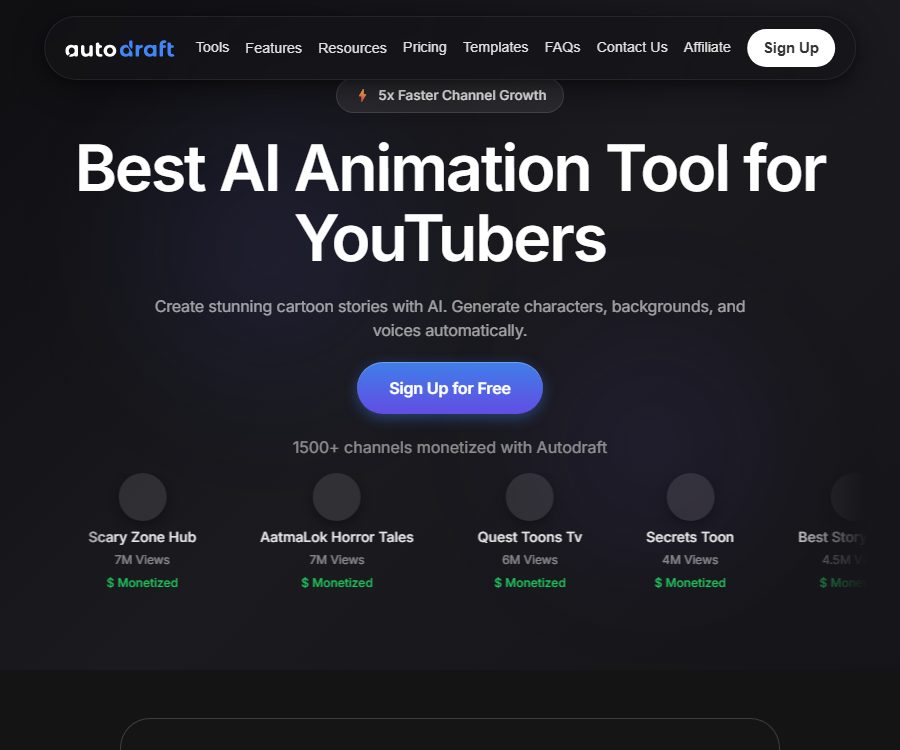
Autodraft
Autodraft – makes working with AI videos more efficient and simpler.
Tags:AI video toolsWhat is Autodraft?
Autodraft is an AI-based 2D animation creation platform developed by All Bots Technologies Private Limited. It is designed for YouTube channels, story creators, educators, and marketing teams, offering functions for asset creation, character animation, voiceover recording, and video editing all within a browser.
Unlike generators that produce only short video clips lasting a few seconds, Autodraft places more emphasis on reusable characters, scene assets, and timeline control. Users can first create characters and backgrounds, and then arrange actions, expressions, dialogue, music, and camera shots.
Main functions of Autodraft
AI character generation
Users can create characters, animals, or fantasy beings by using textual descriptions, and they can adjust the clothing, facial features, colors, and poses. The platform also generates reverse-facing versions of these characters, which helps to maintain a consistent appearance across different scenes.
Character animation tool
The official website lists over 1,000 motion control options as well as more than 100 different expressions and lip shapes. Users can make characters walk, wave, speak, or perform predefined actions without having to draw each frame manually.
AI background and scenarios
The platform allows for the creation of backgrounds based on prompts, storyboards, sketches, flat illustrations, and reference images. Creators can choose from over 100 different styles, while also maintaining a consistent visual style across a series of videos.
AI voice synthesis synchronized with lip movements
Autodraft offers hundreds of preset voices that can be used to convert scripts into narration or character dialogue. The generated voice can be synchronized with the movements of the characters’ mouths, but names, numbers, emotions, and multilingual pronunciations still require listening and adjustment.
Timeline editing
The built-in editor allows for arranging characters, backgrounds, sounds, music, actions, and transitions, as well as providing layer management. Creators can adjust the length of each segment and the order in which they appear, rather than having to accept the results generated in one go.
Special effects and keying
Editing tools offer visual effects, color keying, and layer controls, allowing for the combination of external materials to create content. Complex compositing, precise masking, and advanced color grading may still require professional video software.
Prop and expression control
Users can add props, main actions, secondary actions, and facial expressions to characters, thereby making the narration and the story more natural. The preset actions need to be reviewed again in light of the length of the shot and the proportions of the characters.
Video explaining the whiteboard
The Independent Whiteboard Studio can automatically create scripts based on prompts or documents, design vector graphics, generate voiceovers, and arrange for the creation of animations. It supports 75 languages, various whiteboard styles, and professional timelines.
Use across multiple devices
The official website states that the platform is compatible with Android, iOS, as well as desktop and laptop devices, and its main functionality relies on online accounts. The mobile version is more suitable for viewing and making minor adjustments, while complex timelines are easier to manage on larger screen devices.
Autodraft usage tutorial
- Register for a free account and decide whether you want to create cartoon stories, explanatory videos, or slide-show animations.
- First, write a short script by breaking down the characters, locations, dialogue, and actions according to the shots.
- Select an existing character template, or use prompts to create new characters and faces.
- Generate a background for each shot, and unify the style, colors, and composition.
- Add characters, backgrounds, and props to the scene and timeline.
- Select preset actions, expressions, and lip movements, and adjust the start and end times.
- Generate narration or dialogue, then add music, sound effects, and transitions.
- Check for mistakes in each scene, as well as consistency in characters, pronunciation, and mouth movements.
- Before exporting, verify the resolution, watermark, commercial license, and point consumption.
Ways to maintain consistency in character portrayal
- Fix the character description, clothing, hairstyle, color scheme, and drawing style keywords.
- Give priority to reusing the saved characters; avoid generating new random ones for each shot.
- Prepare front, side, and back references for the protagonist.
- First complete the character setup, then generate backgrounds and actions in bulk.
- After completing each scene, check the facial features, clothing, and body proportions.
Which users are it suitable for
- YouTube creators who produce cartoon stories, children’s content, and channels without any live footage.
- Marketing teams that need product descriptions, process explanations, and promotional videos.
- Teachers who convert course content into animations or whiteboard videos.
- Designers who create character prototypes, storyboards, and animation previews.
- Individual animators who wish to reduce the amount of manual drawing, binding, and lip-sync work.
- Corporate training teams that need videos with multilingual subtitles.
The advantages of Autodraft
- Characters, backgrounds, voices, actions, and editing are all gathered on the same platform.
- Pre-set actions and expressions lower the barrier to getting started with 2D animation.
- Supports character face switching and assets with consistent styles.
- It provides a timeline and layer controls to facilitate further manual adjustments.
- The free version can be used to verify the operational process.
- The Independent Whiteboard Studio covers automated scripts, vector graphics, and voiceovers.
Usage restrictions and precautions
- In long videos, the generated characters may still exhibit variations in face shape, clothing, and proportions.
- Pre-set actions may not be suitable for all characters and camera angles, and manual adjustments are required.
- The quotas of the free version, the points-based version, and the Whiteboard Studio cannot be interconnected by default.
- AI voice synthesis may mispronounce names, numbers, abbreviations, and dialect words.
- The output resolution, watermark, download options, and commercial usage rights vary depending on the package.
- Before releasing a video, it is necessary to verify the licensing for characters, music, sounds, and reference images.
- The cases of channel growth and monetization highlighted by the platform do not constitute any guarantee of earnings.
- Cloud-based generation relies on networks, queues, and points; long-term projects should have local backups.
Price of the Autodraft main platform
The prices for the main platforms listed below are taken from the official product brochure published in January 2026, and were verified again on August 26, 2026. The dynamic pricing page does not disclose all amounts in full; regional differences, taxes, points rules, and promotions are subject to those shown on the real-time pricing page after logging in.
| Plan | Reference price | Integration | Suitable scenarios |
|---|---|---|---|
| Starter | Free | 20 points | Testing characters, scenarios, and basic animation workflows |
| Base | 10 dollars per month | 1,000 points per month | Individual creators and conventional short films |
| Pro | 39 dollars per month | 4,000 points per month | Production of content in higher frequency series |
| Enterprise | Contact sales | Customization | Team, brand, and custom model requirements |
The price page on the official website offers the option to switch between monthly and annual payment; it indicates that annual payment can save 20%, though the exact amount varies depending on the region and account. The amount of points consumed for different tasks involving images, audio, and animations also varies.
Whiteboard studio prices
The video explanations for whiteboards are available as a separate package. The prices listed below are those published by the Whiteboard Studio on August 26, 2026; it is necessary to check whether these prices are shared with the account on the main platform, as well as with the points and asset library, before making a purchase.
| Plan | Price | Video quota | Style and functionality |
|---|---|---|---|
| Free | $ | 30-second video | 1 style, 75 languages, with Autodraft watermark |
| Pro | 10 dollars per month | 10 minutes, 1,000 points | 6 styles, 75 languages, custom branding |
| Advance | 30 dollars per month | 30 minutes, 3,000 points | 6 styles, 75 languages, custom branding |
| Custom | Contact sales | As required | Agents, high throughput, and API integration |
The Whiteboard Studio page also states that students and educators can apply for a 50% discount. The eligibility criteria, email requirements, and actual discount amount are subject to confirmation by customer service.
Data, copyright, and commercial use
Users submit prompts, scripts, reference images, audio files, and project materials to the platform. Before uploading customer data, unreleased characters, or personal voices, it is necessary to review the latest privacy policy and ensure that the organization permits the use of third-party cloud services.
The content that is generated can be used in commercial projects, but this does not mean that all the input materials and accompanying assets automatically receive authorization. Using copyrighted characters, celebrity voices, trademarks, music, and specific artistic styles can still lead to copyright infringement issues or complaints from the platform.
Is Autodraft open source?
No official public source code repository for the Autodraft core animation platform has been identified; it should therefore be considered a closed-source commercial service. The online editor, generation models, material library, and account system cannot be downloaded and deployed on one’s own.
Frequently Asked Questions
Can Autodraft be used for free?
Yes. The main platform offers a free Starter plan, and the Whiteboard Studio provides a 30-second free version as well; however, there are restrictions on watermarks, points, and features.
Can Autodraft create complete animations?
2D animations can be created by combining characters, backgrounds, actions, voiceovers, music, and timelines, but complex shots still require manual adjustment.
Does Autodraft support Chinese voiceovers?
The language list in the whiteboard studio includes Chinese, and the main platform also offers a variety of voices; the actual timbre and pronunciation should be tested using short texts first.
How much is Autodraft?
The official article states that the Base version costs $10 per month, while the Pro version costs $39 per month; Whiteboard Studio offers plans at $10 and $30 per month, with the final price depending on the payment page.
Can the generated video be used for commercial purposes?
Before commercial use, it is necessary to verify the authorization of the current package and ensure that the scripts, characters, voices, music, and reference materials do not infringe on third-party rights.
Is Autodraft an open-source tool?
No. At present, no official source code repository for the core platform has been identified; it should therefore be used as a closed-source online service.
Tools similar to Autodraft




 Guigong Network Security Registration No. 45132202000164