






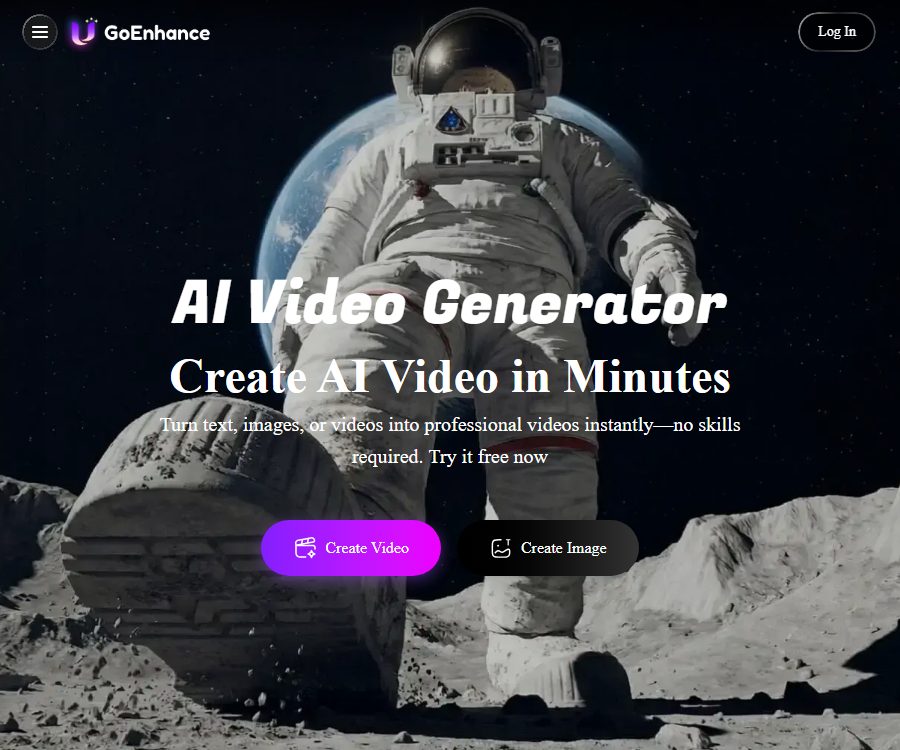
GoEnhance AI
AI Video Generator & Video to Video AI – making AI-based video processing more efficient and simpler
Tags:AI video toolsWhat is GoEnhance AI?
GoEnhance AI is an online visual creation platform that combines capabilities for text, image, and video generation; it is operated by MEWX LLC. Users can create videos from prompts or static images, and they can also alter the style of existing videos, repair them, or reinterpret them.
The platform offers both a web-based workspace for ordinary creators and an Open API for developers. Although both make use of the GoEnhance brand, the account benefits, the ways in which points can be purchased, and the pricing for the APIs may differ; it is necessary to check each of these aspects separately when evaluating them.
Main functions
Text-to-video generation
After the user enters the scene, subjects, actions, lighting, and camera techniques, a short video clip can be generated. It is suitable for creating concept shots, content for social media, and storyboard previews; however, in cases of complex character interactions, inconsistencies in actions or identities may still occur.
Convert images to videos
Static photos, illustrations, and product images can be converted into videos with motion effects. Prompts can be used to specify camera movements, character actions, or changes in the environment; the clearer the composition of the original image, the more stable the resulting video will usually be.
Video to video conversion
The video conversion feature allows the original actions to be preserved, while simultaneously changing the characters, art style, and visual quality. Vid2Vid is considered by the developers to be a core capability; it is suitable for converting real people into anime characters, experimenting with different styles, and creating new versions of existing materials.
Character animation
The platform allows for the combination of character images with action assets in order to create animated characters or virtual personas. When real people’s portraits are used, consent must be obtained; it is not allowed to create content that misrepresents others or could cause harm to them.
AI image and enhancement tools
In addition to videos, GoEnhance also offers tools for generating images from text, enhancing images, face swapping, and other visual processing functions. Creators can produce covers, reference images, and video materials in the same workspace, thereby reducing the need for frequent imports and exports.
Fast mode and relaxed mode
Quick mode gives priority to the allocation of GPU resources and consumes tokens; it is suitable for tasks that require results as quickly as possible. Relax mode does not consume tokens, but waiting times may be longer; it is available only to subscribers with Standard, Pro, or Mega subscriptions, as well as for certain supported features.
Which users are it suitable for
- Individual creators who produce short videos, animations, and content for social media
- Visual designers who need to convert real-person actions into an anime style
- Marketing teams that create dynamic conceptual materials for advertisements and products
- A small studio that wishes to test various video and image models
- Developers who need to generate visual content in bulk through APIs
GoEnhance AI Usage Guide
- Register an account to receive free tokens; first check the points required and the input restrictions for the desired feature.
- Choose between video generation from text, video generation from images, or video conversion; do not mix different tasks together.
- Upload your own materials or those that have been licensed, and select the aspect ratio appropriate for the target platform.
- Create concise prompt words that include the subject, action, scene, shot, and style.
- First, test the composition using a shorter duration or standard quality, and then decide whether to invest more tokens.
- Check for consistency in the characters, image flickering, text errors, and camera transitions; regenerate if necessary.
- After downloading the result, complete editing, voice-over, subtitles, and content labeling before using it for publication.
Suggestions for video prompts
- First, write down the main subject and setting, then add actions, lighting, and camera movements.
- A segment should contain only one main action, in order to avoid conflicts between them.
- When generating videos, it is specified which elements must remain stable.
- For video-to-painting conversion, it is necessary to use a source video with clear outlines and minimal obstruction.
- In the same series, the fixed character descriptions and color keywords are retained.
- First, conduct tests at a low cost; then improve the quality or extend the duration of the solution that meets the requirements.
Price and version
The package structure listed below was verified on August 25, 2026, in accordance with the official FAQ. The official FAQ does not show the current amounts and token counts for each pricing tier; therefore, old prices from third parties are not used. The specific monthly/annual fees, taxes, and points are to be determined based on the upgrade and settlement page available after logging in.
| Version | Publicly confirmed rights and interests | Relax mode | Commercial use |
|---|---|---|---|
| Free | Includes a small amount of free tokens to allow you to experience the platform’s features. | Not supported | For personal use only |
| Basic | More tokens and paid features are available; the specific limits can be found on the account page. | Not supported | For personal use only |
| Standard | More tokens, faster generation, greater concurrency, and advanced features | Some features are supported. | Allow |
| Pro | Higher limits and concurrency for high-frequency creators | Some features are supported. | Allow |
| Mega | Higher limits and concurrency for intensive production. | Some features are supported. | Allow |
Subscriptions are managed through Stripe, and common payment methods such as credit cards and Alipay are supported. Monthly subscriptions are renewed on the date corresponding to the initial subscription date, and the tokens for annual subscribers are also refreshed on a monthly basis at the appropriate date; unused monthly tokens are not carried over.
The official FAQ states that no refunds are provided for GPU tasks, and it is recommended to use the free trial before making a purchase. Users can switch or cancel their plan through the billing settings; the actual date on which the cancellation takes effect as well as the remaining benefits will be indicated in the billing portal.
Open API developer capabilities
The GoEnhance Open API aggregates video and image processing models under a single REST interface, and it supports authentication using Bearer tokens. After submitting an asynchronous task, developers receive a task identifier; they can then check the status of the task or set up a callback address to receive the results.
- It can invoke models for text-to-video, image-to-video, and video-to-video conversion.
- It provides interfaces for generating images from text, face swapping, and video effects.
- The official platform currently displays various providers of video and image models.
- The API uses a pay-as-you-go token system; there is no need to subscribe to a creator plan.
- The console allows for the creation of keys, viewing usage levels, and purchasing interface tokens.
For example, the Wan 3.0 interface charges based on the number of seconds it takes to generate the output and the resolution of the result; the official website indicates that each token is worth 0.02 dollars. Different models have varying rates, input types, and rules regarding refunds in case of failures, so it is necessary to review the details of each model before starting development.
How to choose between web subscriptions and APIs
| Comparison items | Web page creation platform | Open API |
|---|---|---|
| Primary users | Creators, designers, and operators | Developers and product teams |
| Usage method | Upload materials on the visualization page to generate it. | Submit asynchronous tasks through a program |
| Billing | Free quota and multiple subscription tokens | Pay-as-you-go interface tokens |
| Suitable scenarios | Handmade production and careful selection of materials | Batch generation, integration, and automation |
Product advantages
- It covers text-to-video, image-to-video, and video retouching at the same time.
- Video and image tools are located in the same browser workspace.
- Provides visual tools for creators at various skill levels
- Some features of the premium paid packages offer a relaxed mode that does not require tokens.
- There is also a unified Open API, suitable for extending to products and workflows.
- Accessible from computers and mobile devices; flexible location for creation.
Usage restrictions and precautions
- The token consumption varies significantly among different models; generally, the longer the video duration and the higher the resolution, the more expensive it is.
- The relaxed mode supports only some functions, and long queues may occur due to system load.
- The free version and the Basic version are only suitable for personal use; commercial projects require the Standard plan or a higher tier.
- Monthly tokens are not carried over; it is necessary to estimate the required amount based on the actual volume of production before subscribing.
- No refunds are provided for GPU generation tasks; it is necessary to first use free tokens to verify quality and compatibility.
- AI-generated videos may exhibit flickering, distortion, and identity drift; the final output must be inspected manually.
Copyright and commercial use
The official FAQ states that users retain the right to use the results of their creations, but commercial use is only permitted for subscribers to the Standard, Pro, and Mega plans. Free and Basic users can download these results, but they should not use them in commercial projects.
The platform requires that the use of celebrities, cartoon characters, and other protected content covered by copyright or trademark laws be avoided. For commercial releases, it is also necessary to ensure that the original images, videos, music, fonts, and portraits have the necessary permissions.
Open-source status
As of the time of verification, no official documentation indicating that the GoEnhance core web platform or the generation models are released under an open-source license was found. The existence of public API documentation means that programmatic access is possible, but the fact that APIs can be called does not imply that the products or the underlying models are open source.
Frequently Asked Questions
Can GoEnhance AI be used for free?
Yes. The free tier provides a limited number of tokens that can be used to try out various functions on the platform; the exact amount and the cost per generation are indicated on the account page.
What is the effect of video animation?
The quality of the result depends on the clarity of the source video, whether there is any occlusion of the characters, the intensity of their movements, and the style chosen. For official projects, it is recommended to use short clips to test character consistency before processing the full footage.
Is the relaxed mode really unlimited?
Standard, Pro, and Mega users can use the Relaxation Mode as many times as they want among the supported functions; however, the fact that a task does not consume tokens does not mean it is completed immediately – there will be a queue during busy periods.
Can the generated content be used for commercial purposes?
Subscribers to the Standard, Pro, and Mega plans can use the created content for commercial purposes, while those on the Free and Basic plans can only use it for personal use. Regardless of the plan chosen, third-party materials and protected characters still require proper licensing.
Whether API is provided
Available. The GoEnhance Open API supports a variety of video and image generation tasks; it operates on a pay-per-token basis, and its budget should be separated from that allocated for web-based subscription benefits.
Summary
GoEnhance AI is suitable for creators who wish to carry out video generation, image conversion, and image creation on a single platform, especially for the production of animated content and short-video materials. When choosing a package, it is important to consider commercial licensing, monthly tokens, and the relaxation mode; development teams, on the other hand, should evaluate the model costs associated with the Open API as well as the concurrent processing requirements.
Tools similar to GoEnhance AI




 Guigong Network Security Registration No. 45132202000164