






AI Video API
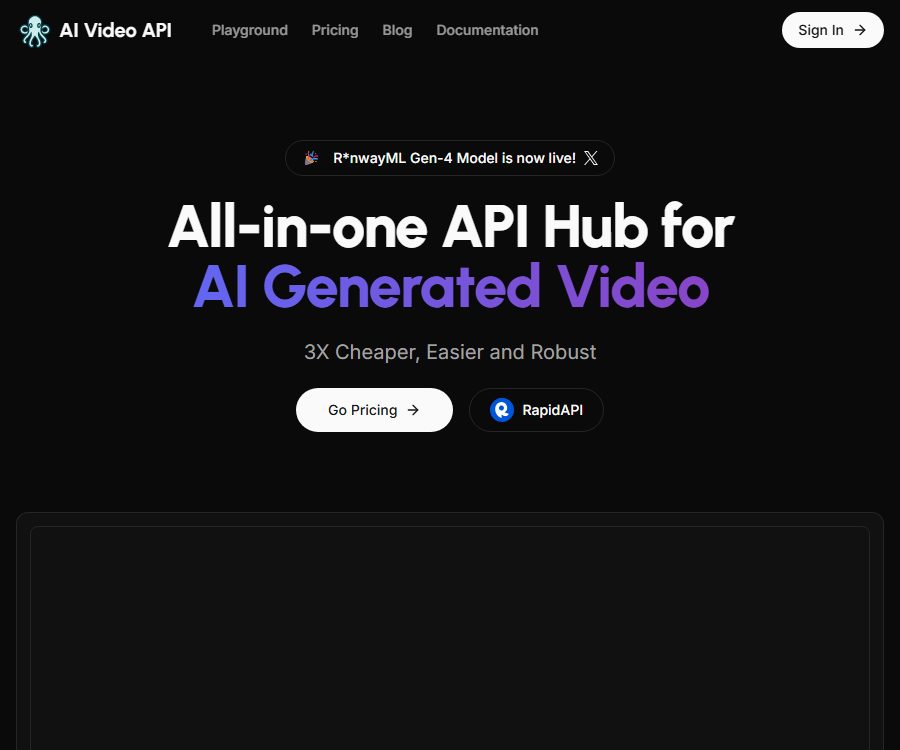
AI Video API – makes working with AI videos more efficient and simpler.
Tags:AI video toolsWhat is the AI Video API?
The AI Video API is an online AI video generation service designed for developers and enterprises. It encapsulates the underlying video models into a unified interface, allowing applications to submit text or images, check the status of tasks, and receive the generated results.
The platform is positioned as an aggregation point for AI video interfaces, rather than a traditional timeline-based video editor. It is better suited for integrating video generation into websites, content tools, and automated workflows; however, tasks such as final editing, subtitles, voiceovers, and compliance checks still typically require other tools.
Main functions
Text-to-video generation
Developers can submit natural-language descriptions, enabling the model to generate video clips related to the subject, scene, style, and camera movement. The specificity of these prompts has a direct impact on the stability of the composition, the logic of the actions, and the continuity of the footage.
Animated video with rotating images
The platform allows the uploading of static images to create dynamic effects; it is suitable for adding motion to product photos, illustrations, or concept art. The uploaded images must be clear, and the user must possess the appropriate copyright or authorization.
Longer segments and extensions
The official website claims that videos of up to 36 seconds in length can be created; the actual length depends on the model, parameters, and package chosen. Even in longer videos, issues such as changes in the appearance of characters, movement of objects, and interruptions in actions may occur. It is advisable to test shorter videos first before scaling up production.
Dual output of video and GIF
The service provides high-quality videos and optimized GIFs, which can be used for display on web pages, sharing on social media, or as previews in messages. The actual file formats, resolution, and available parameters are specified in the API documentation available after logging in.
Task query and callback
Video generation is a time-consuming asynchronous task, and the platform offers functions for checking the status of such tasks as well as sending callback notifications. Developers can retrieve the results automatically once the task is completed, thereby avoiding continuous blocking of the frontend page while it waits.
Multi-language development integration
The official website lists support for common programming languages such as Python, Node.js, JavaScript, and PHP. Since the documentation page is currently accessible only after logging in, the authentication methods, request fields, error codes, and rate limits should be referred to in the console documentation once an account has been created.
Suitable for which scenarios
- Add text-to-video or image-to-video functions to content creation websites.
- Batch create drafts for social media videos and advertising materials
- Add dynamic effects to product images, character illustrations, and concept designs.
- Generate video clips based on articles or data within automated workflows.
- Develop AI video prototypes for customers as well as internal creation tools.
Access process
- Register and log in to the platform, then create API keys in the console and store them securely.
- Go to the online demonstration area and use a few prompts and images to test the model’s output.
- Read the interface documentation available in the account to understand the requirements regarding authentication, file size, duration, and parameter limits.
- Submit the generation request on the backend; do not include long-term keys directly in the browser code.
- Save the identifier of the returned task, and use the query interface or callback address to retrieve its status.
- After the task is completed, download the results and check the clarity, consistency of the individuals depicted, and content safety.
- Record the cost of each call, the reasons for failure, and the waiting time, then gradually increase the level of concurrency.
Suggestions for optimizing prompts
- Specify the subject, environment, time, lighting, composition, and style of the image.
- Use clear cinematographic language to describe zooming in, panning, following the subject, or staying in a fixed position.
- A short video should feature only one main action, in order to reduce conflicting instructions.
- When generating a video, specify the areas that are to move and the elements that must remain unchanged.
- Start with short-term, low-cost tests, then create the official version.
- Avoid directly imitating living artists or unauthorized brand characters.
Prices and packages
The prices listed below were verified on August 25, 2026, based on the official price page. The monthly payment amounts shown in the table are based on the average monthly fee and the one-time annual charge indicated on the official website; fees, additional charges, and the availability of certain models are subject to the information provided on the settlement page.
| Package | Monthly payment | Average monthly amount for annual payment | Includes the amount generated | Excess fees |
|---|---|---|---|---|
| Starter | $ | $ | Generate 5 AI videos for free | Not disclosed |
| Ultra | 39.9 dollars | $ | Up to 250 videos per month | $ |
| Mega | 99.9 dollars | $ | Up to 750 videos per month | $ |
The Starter and Ultra pages currently indicate that the RunwayML engine is used; Ultra also mentions Minimax as an alternative option. The Mega version lists RunwayML, while other engines such as Sora, Stable AI, and Pika Labs are labeled as upcoming options, so these names should not be considered as guarantees that they will be available for use right away at the time of purchase.
The page with public information does not provide a clear explanation of how the \"one video\" included in the package is calculated, nor does it indicate whether failed tasks, retries, or videos of different lengths or resolutions incur additional costs. It is necessary to test the billing process in the control panel before going live, and to consult the support team regarding rules for refunds and handling of abnormal tasks.
Key points for technical integration
- API keys are stored only on the server side or in a secure key management service.
- Assign an internal task number to each request in order to prevent duplicate submissions and repeated charges.
- The callback interface should verify the source and provide idempotent handling for repeated notifications.
- Set a maximum number of retries for cases of generation failure, timeout, and model busyness.
- Download the finished product in a timely manner and save it to your own object storage.
- Track the number of calls and costs by user, project, and model.
Product advantages
- A unified process for video generation using text and image drivers
- It supports asynchronous queries and callbacks, making it suitable for background automation.
- Free generation credits are provided to facilitate the initial testing of technical solutions.
- The official website lists support for connecting with various common programming languages.
- Both video and GIF can be obtained simultaneously, which facilitates use in various display scenarios.
- Paid plans clearly specify the included volume and the price per additional unit, making it relatively easy to estimate the budget.
Usage restrictions and risks
- The underlying models and available engines may change; the statement “to be released soon” as mentioned in the promotions does not mean that they are available for use at present.
- AI-generated videos may exhibit distorted characters, corrupted text, physical errors, and discontinuous shots.
- The generation speed is affected by the queue, duration, model load, and network conditions.
- The platform claims that videos are stored privately by default, but sensitive business materials still require an assessment of the data policies first.
- It is necessary to obtain the required authorization before using portraits of people, trademarks, film and television characters, and copyrighted images.
- Public documents require login; it is not possible to determine all parameters and service restrictions solely from the homepage of the website.
Privacy and content compliance
The official website states that the generated videos are stored securely on servers, and only the user himself can access them. Nevertheless, developers should check the rules regarding data retention, deletion, and processing by third-party services, and avoid uploading sensitive materials without permission.
When providing generation services to the public, it is necessary to implement input filtering, age restrictions, complaint handling, and output verification. In cases involving real people, news events, or advertising material, it is important to avoid misleading deep fakes, as well as to label AI-generated content in accordance with the requirements of the relevant region.
Explanation of open source and GitHub
As of the time of verification, no open-source core platform repository that is officially maintained by the AI Video API and that corresponds one-to-one with the current commercial interfaces was found. The website offers hosted API services, and development examples or third-party wrappers do not constitute proof that the underlying services are open source.
Frequently Asked Questions
Can the AI Video API be tried out for free?
Yes. The Starter plan allows for the free creation of 5 AI videos; the actual model, parameters, and account requirements are determined by the console after logging in.
Is video generation from text and video generation from images supported?
Supported. The official website explains both text-to-video generation and image animation creation, and provides an online demonstration interface for uploading images and entering API keys.
Which models are supported?
The current package page primarily highlights the RunwayML engine; Ultra also indicates Minimax as an alternative option. The various other models listed under Mega are marked as “coming soon,” and it is necessary to verify their actual availability in the console before using them.
How to know when video generation is complete
The platform offers task querying and callback notifications. In a production environment, it is recommended to rely primarily on callbacks and use periodic queries as a supplement, while also handling duplicate notifications and tasks that exceed the time limit.
Is it suitable for direct invocation on the frontend?
It is not recommended to include long-term API keys in web pages or mobile application packages. A safer approach is to have your own backend verify user permissions, limit the number of requests, and forward those requests.
Summary
The AI Video API is suitable for developers who wish to quickly add AI video capabilities to their products. Its advantages include a unified interface, asynchronous task handling, and clear subscription plans. Before going live, it is essential to verify the range of available models, the pricing structure for tasks, the stability of video generation, and compliance with relevant regulations; thereafter, one can choose between the Ultra or Mega plan based on the monthly volume of videos to be generated.
Tools similar to the AI Video API




 Guigong Network Security Registration No. 45132202000164