






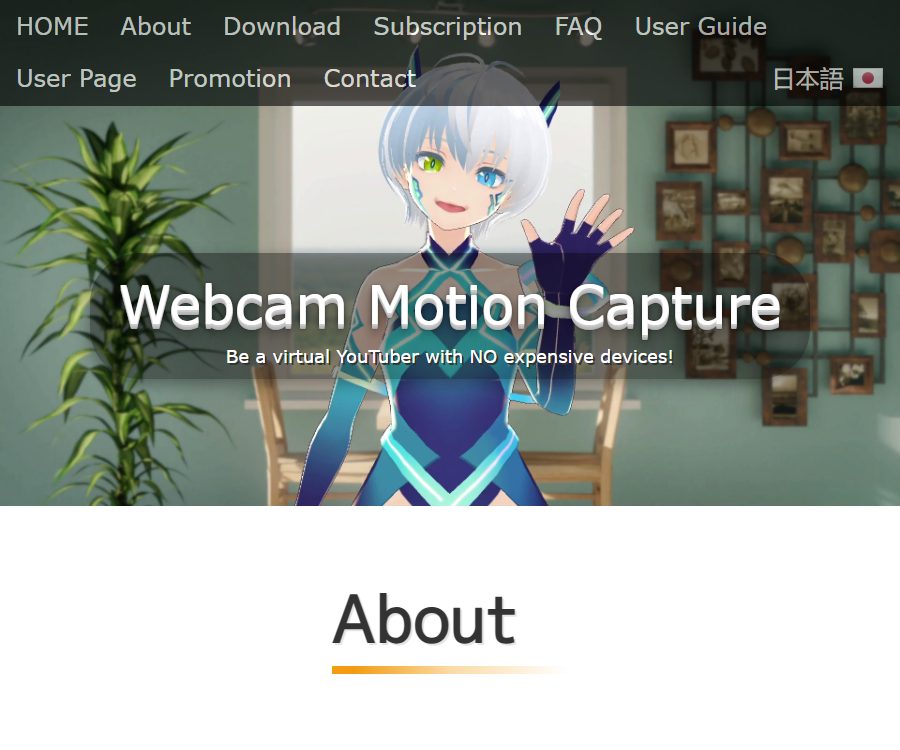
Hand Tracking with Only Webcam
Hand Tracking with Only Webcam – makes AI video processing more efficient and simpler
Tags:AI video toolsWhat is Webcam Motion Capture?
Webcam Motion Capture is an AI-based camera motion capture software developed by KWCL Inc.; it enables the creation of 3D virtual avatars in VRM format using a computer camera or a smartphone’s screen feed.
It focuses on hand and finger tracking, while also covering the head, facial expressions, gaze direction, blinking, lip movements, as well as movements of the upper body and the whole body; it is suitable for virtual live streaming, video recording, and basic character animation creation.
Main functions
1. Hand and finger tracking
The software is able to detect movements of the arm, palm, and fingers without the need for special gloves or trackers. A bright background, with the elbows and forearms fully visible, usually helps to obtain more accurate results.
2. Facial and body capture
The system supports tracking of the head, facial expressions, eye direction, blinking, lip movements, the upper body, and the entire body; it also allows for the setting of automatic expressions as well as custom BlendShapes.
A single camera is subject to obstruction and limitations in depth estimation; it may experience shaking when turning quickly, when the hands are crossed, or when the legs are outside the frame.
3. VRM virtual avatar
Users can import their own VRM models; the Webcam Motion Receiver captures the tracking data and renders the characters. If the model lacks standard human skeleton or finger bones, some movements may not be mapped correctly.
4. VMC protocol and external applications
Paid users can use the OSC/VMC protocol to send action data to compatible tools such as VSeeFace, Unity, and Unreal Engine, thereby enabling camera tracking to be integrated into live streaming or development workflows.
5. FBX animation export
The software can save the captured data as FBX files, making it easy to continue editing in 3D software such as Blender, Maya, and 3ds Max. It is necessary to test bone mapping, frame rate, and flexible bone recording before exporting.
6. OBS live streaming and transparent background
Users can hide the camera feed and set a transparent background, then use OBS to conduct virtual live broadcasts or record videos. Hiding the software interface is available only as part of a paid license.
Supported platforms
- Windows 10 or a later version.
- macOS Catalina or later.
- Installation packages for Apple silicon and Intel Macs are provided separately.
- Official iPhone and iPad helper apps can transfer the tracking calculations to mobile devices.
- Android phones can use third-party camera apps as a video input source.
As of August 24, 2026, the desktop version of the official website is 1.11.3. Before downloading and installing it, it is necessary to check again the current version, the source of the file, and the system security warnings.
Price and version comparison
The prices listed below were verified on the website’s dynamic page as of August 24, 2026; the currency used is the US dollar. Taxes, payment methods specific to certain regions, discounts, and any subsequent adjustments will be in accordance with the details shown on the actual payment page.
| Version | Price | Validity period | Primary permissions |
|---|---|---|---|
| Free trial | $ | Unpublished restrictions | All tracking functions can be used for testing, but it is not possible to hide the interface, send data to external applications, or export FBX files. |
| Subscribe | $ | Renew monthly | Hidden interface, VMC export, FBX export, and future updates |
| 90-day advance payment | 6.99 dollars | 90 days | One-time payment, including payment functionality and periodic updates |
| 360-day advance payment | $ | 360 days | One-time payment, including payment functionality and periodic updates |
| Lifetime license | 99.80 dollars | for life | One-time payment, including payment features and future updates |
According to the official website, existing subscribers who purchase a lifetime license can have the amount they have already paid as a subscription fee deducted from the cost, with a minimum charge of $1 after the deduction. The service can still be used until the end of the current billing cycle even after canceling the subscription.
Usage tutorial
- Download the installation package that matches the Windows or Mac chip architecture from the official website.
- After installation, start both Webcam Motion Capture and Webcam Motion Receiver at the same time.
- Grant permissions to the camera, select the device, and first use 640×360 to test the smoothness.
- Import characters that comply with the VRM specifications, and check to ensure that the skeleton of the body and each finger is complete.
- Place the camera at a height near that of the head, so that the face, chest, elbows, and palms are clearly visible.
- Calibrate the expressions, blinking, lip movements, and body movements, then gradually increase the resolution and image quality.
- When streaming, configure a transparent background and use OBS; when connecting to other software, set the VMC address, port, and reception plugin.
- Before official recording, conduct tests involving rapid movements, obstruction, and prolonged operation, and prepare a manual switching scheme.
Improve tracking stability
- Use even lighting, and avoid backlighting, strong shadows, and cluttered backgrounds.
- Keep the camera stable and ensure that the user is facing the lens.
- When tracking the hand, expose the forearm and elbow to avoid obstruction by long sleeves.
- When performance is insufficient, reduce the capture resolution and speed, or lower the graphics quality of the receiver.
- The full-body mode can be tested starting from 1280×720, making sure that the legs and feet remain within the frame.
- When it is necessary to use two tracking apps simultaneously, the second camera, a smartphone, or a compatible virtual camera can be used.
Which users are it suitable for
- Virtual hosts and beginners in live streaming who lack professional motion capture equipment.
- Users of virtual avatars such as VSeeFace who need manual gestures to complement them.
- Content creators who produce short videos, explanations, and character animations.
- Developers who wish to pass actions into Unity or Unreal Engine using VMC.
- 3D designers who need to save the basic movements as FBX files in order to carry out further refinements.
Product advantages
- Ordinary cameras are sufficient for tracking multiple locations, resulting in low hardware requirements.
- The free version allows for a full assessment of the tracking quality, before deciding whether to proceed with a paid version.
- It supports Windows, Intel Macs, and Apple silicon Macs.
- The VMC protocol and FBX export facilitate integration into external production processes.
- Monthly payments, short-term prepaid options, and lifetime licenses offer different cost choices.
Usage restrictions and precautions
- A single-camera system cannot achieve the spatial precision of professional multi-camera setups or inertial motion capture.
- Obstructions, moving out of frame, low light, and similar backgrounds reduce the stability of finger and body tracking.
- Higher resolution increases the load on the CPU and GPU, and a higher image quality does not necessarily guarantee smoother tracking.
- The free version allows for testing purposes related to tracking, but sending data to external sources, hiding the interface, and exporting in FBX format require a license.
- When streaming a person or capturing someone else’s facial movements, explicit consent must be obtained and the recorded data protected.
- When antivirus software blocks something, security measures should not be disabled indiscriminately; instead, it is necessary to first verify the source of the download and the file’s signature.
GitHub and the boundaries of open source
EasyVirtualMotionCaptureForUnity, abbreviated as EVMC4U, is a standalone plugin designed for Unity to receive data in VMC format; it is licensed under the MIT license. It can process data generated by webcam motion capture systems, but it is not the source code of the desktop motion capture applications themselves.
The main Webcam Motion Capture application does not have an open-source license that is publicly available; it should therefore be treated as commercial software. Similarly, the fact that the VMC protocol and the receiver plugins are open source does not mean that the entire tracking system is open source.
Frequently Asked Questions
Can it be used without paying?
It is possible to test all tracking functions. To hide the interface for live streaming, to send it to external applications via VMC, or to export it in FBX format, it is necessary to subscribe or purchase a prepaid license.
What kind of camera is needed?
A regular computer camera will do; a smartphone can also be used as a camera. The quality of tracking depends more on lighting, framing, frame rate, and obstructions in the movement, rather than just on resolution.
Does it support full-body tracking?
It supports full-body tracking via camera, but the accuracy for tracking the feet, movements of turning, and objects that block the view is limited. When professional production is required, it is necessary to consider using multiple cameras or specialized motion capture equipment.
Can it be exported to Unity?
Paid licenses can be exported via the VMC protocol, and Unity can use reception plugins such as EVMC4U. It is necessary to check the ports, firewall settings, model skeletons, and network configurations.
Summary
Webcam Motion Capture is suitable for tracking the fingers, face, and body of virtual avatars at a low hardware cost; the free trial version along with various paid subscription options make it easy to assess its performance. Its accuracy is still limited by the use of a single camera, so it is important to test real-world movements, computer performance, model compatibility, and external output requirements before making a decision.
Tools similar to Hand Tracking with Only Webcam




 Guigong Network Security Registration No. 45132202000164