






Cascadeur
Cascadeur: makes AI video processing more efficient and simpler.
Tags:AI video toolsWhat is a Cascadeur?
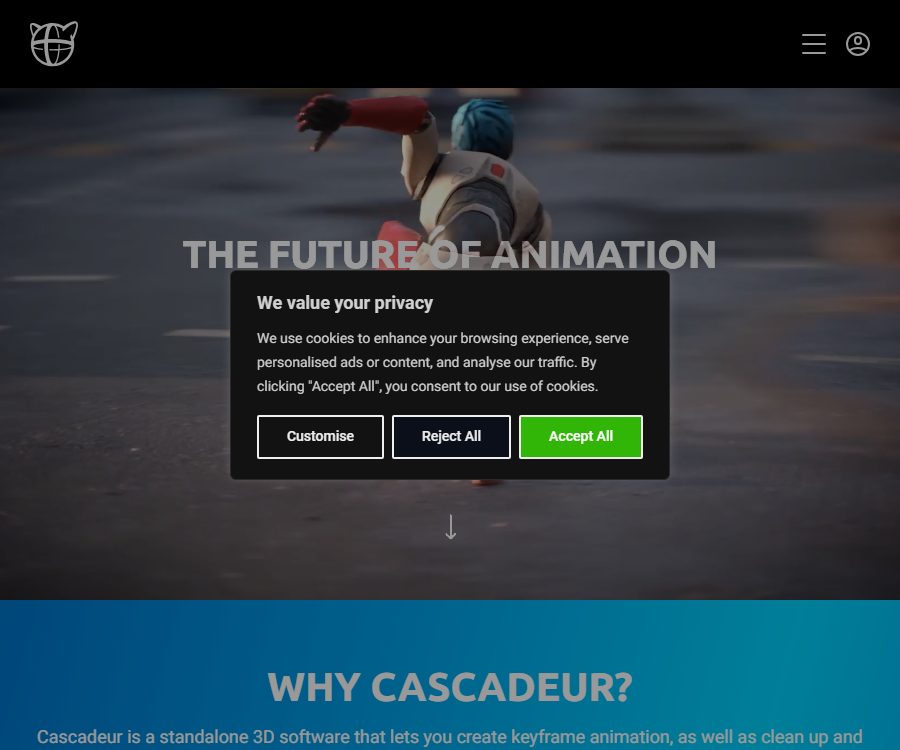
Cascadeur is an independent 3D keyframe character animation software developed by Nekki; it allows for the creation of new animations, as well as for the cleanup and editing of imported motion capture or asset animations. It combines traditional manual control with AI-driven posing, AI interpolation, and physics-based motion correction.
The software focuses on animation and character skeletons; it is not a complete solution for modeling, texturing, rendering, or game development. In practice, it is usually used in conjunction with tools such as Blender, Maya, Unreal Engine, Unity, or other 3D software.
A one-sentence summary
Cascadeur is a cross-platform software that utilizes AI for pose setting, intelligent interpolation, and physical correction to accelerate the creation of keyframe animations for 3D characters.
Main functions
AutoPosing intelligent pose setting
AutoPosing uses machine learning to predict the body poses desired by the animator. When the user moves a few control points, the system adjusts the other parts of the body accordingly, but the final pose can still be adjusted manually.
Posing of fingers and four-legged characters
Smart finger controllers can simplify gestures and grasping actions. Advanced solutions such as Pro also offer AutoPosing for quadruped characters, which is useful for creating the poses of animal characters.
AI Inbetweening
AI interpolation can automatically generate intermediate movements based on the key poses set by the user. It is suitable for starting, stopping, turning, and creating cyclic transitions; after it has been generated, it is still necessary to check for issues such as foot slippage, overlapping joints, and rhythm.
AutoPhysics
AutoPhysics analyzes the created animation and provides a version that is more in line with physical laws. This tool strives to preserve the original intent of the movements, while improving the center of gravity, trajectory, momentum, and points of force application.
Environmental interaction
Advanced physics tools enable characters to interact with the ground, walls, and other objects. If the settings for contact points, support surfaces, and collision volumes are incorrect, the physical behavior may also appear unnatural.
Secondary action
Users can add effects such as vibration, rebound, and overlap to actions like waiting, jumping, and attacking. Such adjustments can enhance the vitality of these actions, but excessive intensity can undermine the sense of weight of the character.
Animation unbaking
Animation Unbaking allows for converting animated sequences that contain keys for each frame into versions with fewer keyframes and editable interpolation intervals. This feature is particularly useful for cleaning up motion capture data, store animations, and assets exported from engines.
Animation redirection
Redirection allows animations to be transferred to characters with different proportions or skeletal structures. The source character and the target character must have proper bone mapping established, and hand and foot contacts need to be adjusted after the transfer.
Quick binding
Users can drag and drop character joints to create control bindings suitable for the Cascadeur tool. Standard skeletons can be bound with just one click, while non-standard characters require verification of their axes, naming, and deformation results.
Addition animation layer
Version 2026.2 introduces an addition animation layer in the Alpha phase, which allows for the layered application of corrections to different movements. This feature is still in its early stages; it is important to keep backups and test exports for critical projects.
How do AI tools determine their position?
The AI in Cascadeur primarily assists with posing and the transitions between keyframes; it does not generate the entire 3D film directly from text. Animators remain responsible for determining the camera targets, key poses, timing, character personality, and the overall quality of the animation.
The developers state that the AI tools are trained using Nekki’s own animation data, as well as third-party animation data that has been legally purchased and verified as suitable for use by AI. This does not mean that users can pass on the training data or models.
Supported import/export and workflows
| Format or target | Primary uses | Precautions |
|---|---|---|
| CASC | Cascadeur’s native engineering and scene exchange | The Free version can only export in this format. |
| FBX | Exchange with DCC software and game engines | Check bones, frame rate, axis, and scaling. |
| DAE | Collada workflow | Different software provides varying support for materials and skeletons. |
| USD | General scenario description and production pipeline | Check the compatibility of the target software before exporting. |
| GLB or GLTF | Web, mobile, and lightweight 3D assets | Check textures, materials, and animation tracks. |
| Blender | Modeling, materials, rendering, and compositing | Through a universal format or third-party bridging tools |
| Unity and Unreal Engine | Real-time games and interactive content | Use the preset of the target engine and check the root movement. |
Which users are it suitable for
- Game animator: Creates animations for battles, movements, standby states, and transitions.
- Independent developers: Create character animation workflows at a lower cost.
- 3D short video creator: Quickly create key poses and physical transitions.
- Motion capture editor: Reduces the number of keys in baking animations, redirects them, and makes corrections.
- Animation students: Understand movements through trajectories, centers of gravity, and physical cues.
- Studio: Manage seats, roles, and team permissions through Teams.
- Mobile creators: Edit animations on iPhone, iPad, or Android devices.
Desktop version packages and prices
As of August 24, 2026, Cascadeur’s public desktop plans include Free, Indie, Pro, Teams, and Educational. Monthly, annual, promotional prices, as well as taxes and regional pricing, may vary; the final details are subject to the settlement page and licensing terms.
| Package | Monthly payment | Annual payment | Commercial use and export | Main differences |
|---|---|---|---|---|
| Free | $ | $ | Only for non-commercial use; only CASC is exported. | Complete basic animation, binding, and physics tools |
| Indie | 19 dollars | 96 dollars | Annual income or financing amount is less than $100,000; export in multiple formats is supported. | Priority support is provided; annual payment entitles you to the permanent version. |
| Pro | 49 dollars | 396 dollars | There is no income limit for commercial use. | Redirection, environmental interaction, scene linking, quadruped pose adjustment |
| Teams | $ | $ | There is no income limit for commercial use. | 2 to 6 seats, centralized user management and role permissions |
| Educational | Not applicable | The listed price is $49. | For educational use only; not for commercial purposes. | Only teachers, professors, and educational institutions may apply. |
Pro and Teams offer a 14-day trial period for free, but the details regarding the trial benefits and payment information must be confirmed at the time of activation. As for the Educational version, whose price is $49, the billing cycle is not specified in the official FAQs; schools should refer to the actual pricing provided.
Annual subscription for the permanent version
Indie and Pro subscribers, with an annual subscription, can obtain a permanent license version after a minimum period of 12 months. Even after the subscription ends, they can continue to use the versions that were released during the subscription period and are listed in their account, but they will no longer receive subsequent versions or personal support.
| Subscription type | Is it possible to cancel? | Permanent version | Updates and support |
|---|---|---|---|
| Monthly Indie or Pro | Manage on a monthly basis | Not available | Available during the subscription period |
| Annual Indie or Pro | Annual management | Available after 12 months. | Main version and support during the validity period |
| Teams | Manage by contract | Annual payment does not include | Updates and team support during the subscription period |
Price for mobile version
Cascadeur Mobile can be downloaded for free on iPhone and iPad, with paid features available through in-app purchases. As of the date of verification, the Pro version costs $7.99 per month or $49.99 per year on the US App Store; availability and prices on Android vary depending on the respective app stores.
| Mobile solution | Prices in American stores | Notes |
|---|---|---|
| Free download | $ | Some advanced features require in-app purchases. |
| Pro monthly plan | $ | Recharge through the app store |
| Pro annual subscription | $ | Recharge through the app store |
The purchasing options for mobile and desktop devices may differ in terms of functionality and account benefits. It is necessary to check on the account and payment page whether cross-platform sharing is available before making a purchase; one should not rely solely on the same product name to draw conclusions.
System requirements
| Platform | Minimum software requirements | Key hardware requirements |
|---|---|---|
| Windows | Windows 10 1809 or later, as well as Windows 11 | 64-bit multi-core CPU, SSE4.1, 4GB of RAM, OpenGL 3.3 graphics card |
| Linux | Ubuntu 20.04 or later versions | 64-bit multi-core CPU, SSE4.1, 4GB of RAM, OpenGL 3.3 graphics card |
| macOS | macOS 13.3 or later | Apple’s M-series ARM processors; Intel Macs are not supported. |
| iPhone and iPad | iOS or iPadOS 16.0 or later | Actual performance depends on the device model and the complexity of the scenario. |
| Android | The current list of compatible devices on Google Play shall apply. | Large scenes and complex characters require higher performance. |
The minimum requirements for the desktop version also include a frequency of 2.4 GHz or higher, as well as a GPU such as the NVIDIA GTX 550 Ti or one that supports OpenGL 3.3. The minimum specifications are only sufficient for basic operation; longer animations, multiple characters, and high-resolution meshes require more memory and better graphics performance.
Getting started guide
- Select the license based on commercial needs, revenue scale, export format, and team size.
- Install the version corresponding to your system, log in to your account, and activate your seat.
- Create a new scene, or import characters with skeletons and animations.
- Use the quick binding tool to create a Cascadeur controller.
- Set the main key poses and action rhythms on the timeline.
- Use AutoPosing to correct the pose, and then employ AI interpolation to create transitions.
- Enable AutoPhysics to view physical suggestions, accepting only those that are in line with the creative intent.
- Check the trajectory, pivot points, center of gravity, foot sliding, interweaving, and rhythm of the movements.
- Select the preset export option for the target software, and then read it back in the target engine or DCC software to verify it.
Motion capture cleanup process
- Import the baked animation using the correct frame rate, units, and axis.
- Map the source skeleton to the target character and complete the redirection.
- Use Animation Unbaking to identify keyframes and interpolation intervals.
- Manually correct foot slipping, hand contact issues, joint jumps, and vibrations.
- Use trajectories and ghost images to compare the original action with the edited result.
- Use AutoPhysics to improve momentum when necessary, while preserving the performance characteristics.
- Fix the root bone, cyclic boundaries, frame rate, and desired tracks before exporting.
Product advantages
- AI posing and interpolation can reduce the need for repetitive intermediate frames.
- Physical tools make the center of gravity, trajectory, and fulcrum more intuitive.
- It can handle both new keyframes and existing motion capture assets simultaneously.
- It supports Windows, Linux, Macs with Apple chips, and mobile platforms.
- The paid version supports a variety of common formats and game engine workflows.
- The Free version has no time limit and is suitable for getting to know the interface and tools.
- Annual Indie and Pro subscribers can retain their respective permanent versions once the requirements are met.
Usage restrictions and precautions
- The Free version is intended for non-commercial use only, and it does not allow exporting in common formats such as FBX or DAE.
- Indie requires that the licensee or its parent company have an annual total revenue or financing amount of less than 100,000 dollars.
- One license can be installed on up to 3 desktop devices, but it can only be used by the user who purchased the account.
- Monthly Indie and Pro plans cannot be upgraded to permanent versions, and annual Teams plans do not include this option either.
- AI-generated poses and transitions may exhibit joint distortion, overlapping, slipping feet, and incorrect rhythm.
- AutoPhysics provides suggestions for animating corrections; it is not a general-purpose simulator for rigid body or fabric physics.
- The animation layer in 2026.2 will still be based on the Alpha functionality, and its integrity and compatibility may change.
- The official language for maintaining the software interface, documents, and legal texts is English; Chinese documents can be translated using machine translation.
- Larger characters, longer animation sequences, and complex collision objects can place strain on memory and the graphics card.
Data and Privacy
The Cascadeur account and software can handle names, email addresses, IP addresses, activation codes, devices, subscriptions, usage patterns, animation information, as well as files sent by users. Users should delete any unauthorized assets, customer data, and confidential files before sending projects to the support team.
The privacy policy states that personal data is generally retained until the purpose for which it was collected has been fulfilled; it can be deleted once consent is withdrawn or the account is closed, except in cases where legal requirements dictate retention. Payment information, data from app stores, website analytics, and third-party services may also be processed separately.
Open source and licensing status
Cascadeur is commercial software distributed under an end-user license agreement; it is not an open-source 3D animation project. The free version, available at no cost, only implies a free license – it does not mean that the source code, AI models, or training data are made available to the public.
On GitHub, there are third-party Cascadeur bridge plugins and tutorial resources; their authors, maintenance status, and licensing terms are separate from those of the main product. Before installing such plugins, it is necessary to check the author of the repository, the distribution package, and the licensing text.
Basic information
| Project | Content |
|---|---|
| Tool name | Cascadeur |
| Developer | Nekki |
| Tool type | AI-assisted 3D keyframe character animation |
| Current main version | 2026.2 |
| Desktop platform | Windows, Ubuntu Linux, and Macs with Apple chips |
| Mobile platforms | iPhone, iPad, and Android |
| Core AI features | AutoPosing and AI Inbetweening |
| Core physical functions | AutoPhysics, center of gravity, trajectory, and pivot adjustment |
| Price pattern | Free version, individual subscription, team subscription, and educational license |
| Is it open source? | No |
| Recommendation score | 4.6 points |
Frequently Asked Questions
Is Cascadeur free?
The Free version allows unlimited, free use of basic animation, binding, and physics tools. It is intended for non-commercial use only, and exports are available in only the CASC format.
Can the Indie version be used for commercial purposes?
It is possible, but the annual total revenue or financing amount of the user or their company must be below 100,000 dollars. If this limit is exceeded, Pro or Teams should be chosen instead.
Is there a permanent version available after annual payment?
Subscribers on an annual plan for Indie and Pro versions can obtain the corresponding permanent version after meeting a minimum of 12 months of subscription. This benefit is not available for those on a monthly plan or for the Teams version.
Can Cascadeur create complete animations?
AI can assist with posing and creating transitions between key poses, but it does not carry out all the tasks related to performance, filming, and quality control automatically. Animators still need to modify the keyframes and the physical outcomes.
Does it support Intel Macs?
The current desktop version of Mac requires an Apple M-series ARM processor along with macOS 13.3 or a newer version; Macs equipped with Intel processors are not supported.
Is Cascadeur open-source software?
No, it is distributed under a commercial end-user license agreement. Third-party bridging projects on GitHub do not mean that the main Cascadeur program is open source.
Summary
Cascadeur is suitable for users who wish to maintain manual keyframe control while using AI and physical tools to improve the efficiency of character animation. The aspects that are most easily overlooked when making a purchase are the restrictions on free exports, the income requirements for accessing the Indie version, the conditions associated with the annual permanent subscription, as well as the differences between desktop and mobile subscriptions.
Tools similar to Cascadeur




 Guigong Network Security Registration No. 45132202000164