






MagicPic
MagicPic, a smart tool focused on AI-powered video processing.
Tags:AI video toolsWhat is MagicPic?
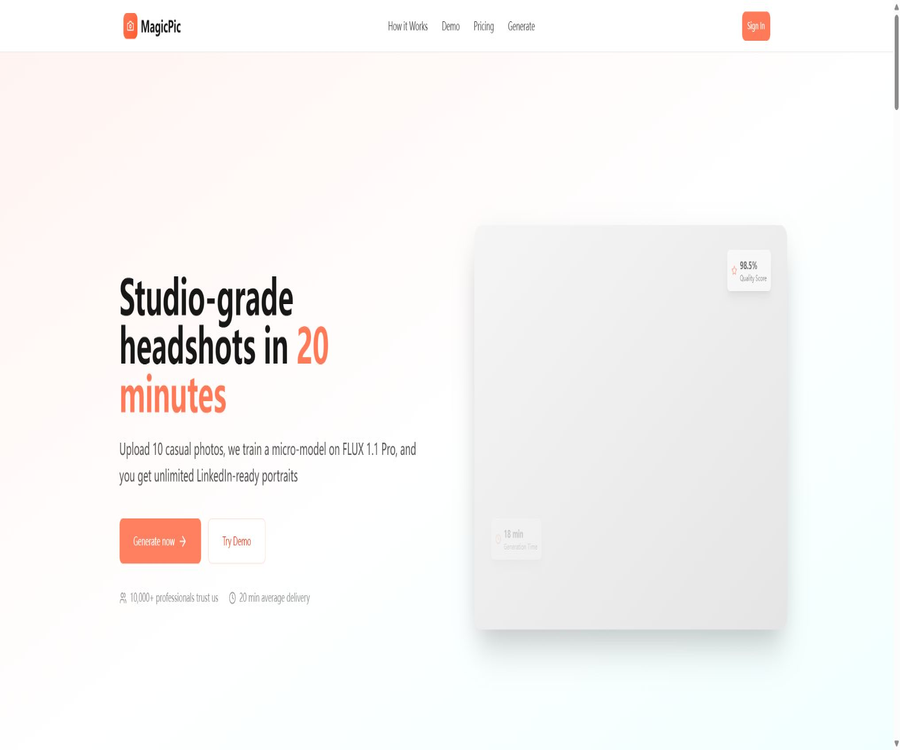
MagicPic is currently positioned as a service for creating AI-generated professional headshots; it helps users transform their regular selfies or everyday photos into professional images suitable for use in resumes, professional networking profiles, company presentations, and marketing materials. It is not the general AI video platform described on public websites.
Users need to upload multiple photos of themselves; the system uses these to train a personalized model, which then generates a profile picture based on predefined styles or custom instructions. The website claims that the training process takes around 15–20 minutes on average, but the actual time taken depends on factors such as the queue length, the quality of the photos, and the status of the service.
Verified core functions
- Training with multiple photos: It is recommended to upload 10–20 photos of oneself from different angles, showing various expressions and under different lighting conditions, so that the model can learn the facial features. There are also 10–15 explanatory photos in different areas on the page; therefore, it’s wise to prepare 10–20 photos in total.
- Professional avatar creation: After the training is complete, you can choose between business, creative, or casual portrait styles to generate square avatars suitable for use in professional profiles and marketing purposes.
- Style presets: The Starter version offers 5 style presets, while the Pro version includes all of them; the specific list of presets and the frequency of their updates are not disclosed.
- Custom prompts: The Pro version provides options for custom prompts, which allow for further description of the clothing, background, lighting, and overall visual style. It is not clear whether negative prompts, the importance of reference images, or partial adjustments are supported.
- Batch generation: The Pro version includes a batch generation feature, which is useful for obtaining multiple candidate avatars at once; the public version does not specify the number of items per batch nor the rules for retrying in case of failures.
- Team delivery: The Team option includes team management, brand guidelines, custom models, white labeling, service levels, and on-premises deployment; all of these require contacting sales for confirmation through demonstrations and contracts.
Input and output
| Project | Public requests or outcomes | Usage suggestions | It has not been clarified yet. |
|---|---|---|---|
| Enter the number of photos | About 10–20 photos of the individual | Covers the front, sides, various expressions, and natural lighting | Minimum number of valid images and determination of duplicate photos |
| Input resolution | It is recommended to use at least 1000×1000 pixels. | Use the original image, which is clear, unobscured, and not overly enhanced. | Supported formats, single file size, and overall upload limit |
| Starter output | 50 profile pictures, 1024×1024 pixels | Suitable for individuals to choose a professional avatar. | Generation date, download deadline, and file format |
| Pro output | 200 profile pictures per month, 2048×2048 pixels | Suitable for multiple scenarios and frequent updates | Is the quota carried over at the end of the month? |
| Team output | The page indicates that no restrictions apply regarding avatar usage. | First, confirm the members, brands, and review process. | Fair use, concurrency, and member limit |
The Pro page refers to a resolution of 2048×2048 pixels as “4K”, but this square dimension is not the same as that of standard 4K video resolutions. When making a purchase, it is necessary to evaluate based on the actual pixel count and sample images, rather than relying solely on quality labels.
Suggestions for preparing photos
- Use recent photos of the same person; avoid including group photos, photos of children, or images of different individuals in the training set.
- Preserve the natural skin tone and facial features, while reducing the use of strong filters, excessive sharpening, exaggerated expressions, sunglasses, masks, and large areas of coverage.
- Prepare angles such as the front view, side views, a slight top-down view, and a bottom-up view, while keeping the identity of the person consistent.
- Give priority to photos that are bright, clear, and have a uncluttered background; avoid severe backlighting, motion blur, and faces that are too small.
- Do not upload photographs for which you do not have permission to use, nor train avatar models for others without their consent.
Usage steps
- First, determine in the public examples whether the overall style is suitable for professional use, and then check the number of packages, avatar counts, and pixel dimensions.
- Create an account and prepare 10–20 photos of yourself; before uploading, remove any unnecessary location data, device information, or other sensitive metadata.
- Select the package and style, and check whether the order is for a one-time purchase or automatic renewal; for Team plans, an official quote and details of the services provided should be obtained first.
- Upload the photos and start the training process, waiting for the personalized model to be ready. Do not make additional payments or start similar projects for the same person during the training phase.
- Generate various versions of the clothing, backgrounds, and lighting, and check each image for common errors such as eyes, teeth, ears, hair, accessories, and collars.
- Download the required avatar and keep a local copy of it, then resize it to the appropriate dimensions for use in resumes, professional networking platforms, team pages, and email signatures.
- After use, try to delete the uploaded photos, the generated content, and the personal models; if there is no option for deletion in the account, consult support in writing regarding the procedure to follow before making a payment.
Packages and prices
| Package or version | Price | Billing cycle | Core benefits or quota | Suitable for users |
|---|---|---|---|---|
| Starter | 19 dollars | One-time use | 50 profile pictures, 5 styles, 1024×1024 pixels, commercial usage rights and email support | Individuals who can create a professional avatar just once |
| Pro | 49 dollars | Monthly | 200 avatars per month, in all styles, 2048×2048 pixels, custom prompts, batch generation, commercial use rights, priority support, and API access. | Professional users who continuously create portraits |
| Team | Contact sales | Customization | The page lists options such as unlimited avatar choices, team management, brand guidelines, custom models, white-labeling, service levels, dedicated support, and local deployment. | Company teams and institutions |
- The public page does not provide information on taxes and fees, currency conversion, the date for automatic Pro renewal, the time when cancellation takes effect, or the rules regarding the carryover of unused credits.
- Starter is a one-time solution, while Pro is billed on a monthly basis; do not mistake Starter for a permanently free account, nor think that the 200 items available in Pro can be generated indefinitely.
- There is no readable official policy regarding refunds or satisfaction guarantees; before making a payment, it is necessary to ask for clarification on how issues such as failed training sessions, repeated avatar images, unsatisfactory quality, and service interruptions will be handled.
- The “unlimited” aspect of Team should be defined in the contract regarding fair usage, concurrent users, the number of employees, data isolation, and any additional costs.
Commercial use and copyright
- All public packages include commercial usage rights that can be applied to professional profiles, company pages, and marketing materials; however, the page containing the full terms of authorization currently has no text, and the specific scope of permission still needs to be confirmed in writing.
- Users must have the right to upload photos and must obtain the consent of the person being photographed. Photos taken by a photographer may be subject to both copyright laws regarding photographic works and privacy laws regarding portraits.
- AI avatars may differ from a person’s actual appearance, and they might also be similar to other content that has been generated. The platform’s commercial use indicators do not guarantee that the resulting content will have independent copyright protection in all regions.
- When it comes to regulated professions, identity verification, media coverage, or any use that could mislead the public, generated avatars should not be regarded as real photographs of a particular location or as valid identification documents.
API, application, and open-source status
- The Pro package includes API access, but no documentation on the readable endpoints, authentication methods, rate limits, request structure, SDKs, or development examples are available.
- In the absence of development documentation, the API capabilities available on the page cannot be considered a verified, general-purpose development platform; test keys and technical documentation should be requested before making a purchase.
- The GitHub account referenced in the footer is an unrelated personal account; it cannot be considered the official code repository for MagicPic, nor can it be used as evidence to indicate that the product is open-source.
- No open-source license for the source code of the MagicPic platform was found; therefore, it should be considered a proprietary online service.
- No official iOS or Android apps or browser extensions have been confirmed; the only available entry point at present is a web page.
Privacy and security risks
- To train professional avatars, it is necessary to submit a large number of clear photos of the face; these are highly sensitive identity-related materials. Users should first verify the location where the photos, personal models, generated results, and backups are stored, as well as the expiration dates for their deletion.
- The home page uses general phrases such as “encrypted and not shared,” but the pages related to privacy, terms, cookies, and data protection do not contain any readable text; as a result, it is impossible to determine the scope of encryption, the third parties involved in data processing, the purposes for which the data is used, whether data is transferred across borders, or the rights of data subjects.
- The footer displays labels indicating SOC 2 compliance, GDPR readiness, and 99.9% availability, but no public audit reports, scope of certification, or evidence of service status are available; therefore, these labels cannot be considered as proof of actual certification.
- The page does not reveal the legal name of the company operating it, its registered address, or the identity of the data controller; moreover, the contact information provided consists of obvious sample phone numbers. It is necessary to verify the identity of such entities before handling sensitive information or engaging in corporate purchases.
- The presence of both MagicPic and PhotoAI as copyright names on the website, along with empty pages in sections such as Company Information, Help Center, Status, and Legal Notices, indicates that the available public information is still incomplete.
Pre-purchase checklist
- The operator is required to provide the company’s legal name, the entity responsible for issuing invoices, the privacy policy, the terms of service, the rules regarding refunds, and the data processing agreement.
- Confirm the retention period for the original images uploaded, the models used for training, and the avatars generated; as well as the mechanisms for deletion, backup procedures, the purposes of training, and the third-party providers of models.
- Use a small number of non-sensitive test photos to verify the actual number of outputs, pixel size, generation time, style, and download process.
- If an API is required, functional documentation, test keys, example calls, error codes, rate limits, and service levels are needed; text from the package page alone is not sufficient.
- For team or on-premises deployment, it is necessary to ensure data isolation, member permissions, logging, model ownership, fault support, and arrangements for exiting the migration process.
Capacity boundaries
- AI avatars may result in faces that do not resemble the actual person, changes in age, excessive processing of the skin, or errors in hairstyle or clothing details; it is not possible to guarantee that every generated image will be usable.
- Training with multiple photos cannot compensate for poor image quality or inconsistencies in the subjects; uploading the same angle repeatedly also reduces the variety of styles and poses that can be achieved.
- The number of users shown on the website, the quality rating, the time of creation, and the support commitments lack independent audit evidence, and therefore should not be used as the sole criteria for making a purchasing decision.
- Incomplete legal and corporate information can increase the risks related to payments, refunds, data deletion, and compliance with regulations; extra care is required when handling facial photos of employees or customers.
Summary
MagicPic’s public features are suitable for quickly creating professional headshots from multiple personal photos; the number of headshots, their pixel resolution, and prices for the Starter and Pro plans are also clearly specified. The main issues at present are the lack of clarity regarding the company behind the service, legal policies, data handling practices, refund procedures, and API documentation. Individual users should start by trying out the service on a small scale, while businesses and those working with sensitive facial data should wait until they receive complete written information before making a purchase.
Tools similar to MagicPic




 Guigong Network Security Registration No. 45132202000164