






EBsynth
EBsynth, an intelligent tool focused on AI-generated video.
Tags:AI video toolsWhat is EbSynth?
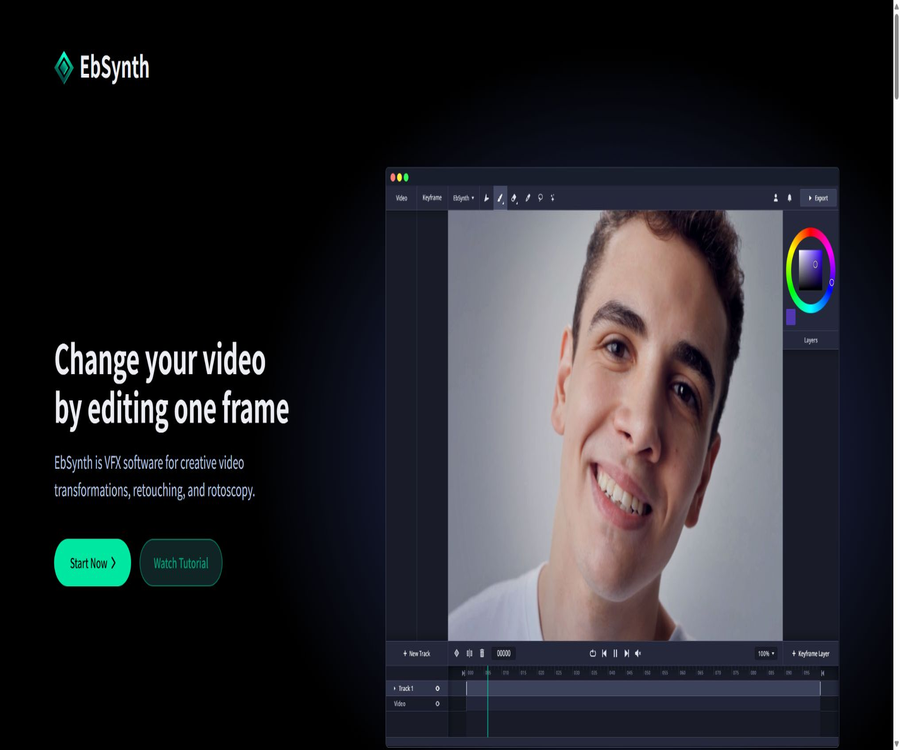
EbSynth is a tool for conveying video styles and visual effects, developed by Secret Weapons; it was created by Šárka Sochorová and Ondřej Jamriška. Users only need to modify one or a few key frames in a video, and the software will propagate the textures and visual changes to the adjacent frames.
It is often used for converting videos into hand-drawn animations, making local edits, applying digital makeup, coloring old films, and performing digitization. The official website is primarily accessible via desktop browsers, while the mobile version indicates that a computer is required.
Is EbSynth a generative AI?
EbSynth’s core keyframe propagation does not rely on generative AI nor on external training data. It employs example-driven, non-parametric texture synthesis and optical flow methods to determine the results based on the user’s video and keyframes.
The platform also offers an optional \"Generate Image\" function, which uses SDXL 1.0 to create keyframes. When using this function, the creation of keyframes and the final video must comply with the relevant model licenses.
Core functions
Keyframe style propagation
After a user draws or modifies a key frame, EbSynth propagates its color, stroke, and texture to the other frames in the video. When the range of the motion is large, additional key frames can be used to correct the error areas.
Video hand-drawn animation
Artists can redraw key scenes in drawing software, after which EbSynth generates a consistent style. This reduces the need to redraw each frame individually, but critical poses and complex movements still require manual control.
Image editing and digital makeup
Users can modify details such as skin, clothing, props, or background at key frames, and then apply those changes to the video footage. Obstructions, rapid turns, and drastic changes in lighting can cause stretching or flickering effects.
Coloring and color adjustment
EbSynth can apply the colorization results of a single frame to black-and-white or low-saturation videos. For stable results, clear textures, soft lighting, and a high enough frame rate are required.
Transparent layer workflow
Keyframes can have a transparent background, containing only the elements that need to be displayed. Separate areas such as the eyes, face, and background, which move independently, can be assigned to different tracks for separate processing.
AI keyframe generation
Generate Image allows the creation of style keyframes based on the input provided; the Pro version includes 100 credits for generating images. When the AI-generated results contain errors in the form of fingers, edges, or structural issues, the official recommendation is to first use the painting tool to make corrections and then try again with a lower intensity.
List of main functions
- Apply the visual style of one or a few keyframes to the entire video.
- Convert live performances into hand-drawn, oil painting, or other artistic animations.
- Perform local editing, digital makeup, and element replacement on videos.
- Colorize black-and-white footage or unify the color style of an entire video.
- Use transparent keyframes to handle the eyes, face, and background separately.
- Obstructions, turns, and motion errors are corrected by adding keyframes.
- It is optional to use SDXL to generate keyframe sketches.
- Free export in 720p MP4 format; the Pro version supports 4K and PNG sequences.
- Studio offers fully offline processing and command-line automation.
What use cases are suitable?
- Animators convert real-person reference videos into hand-drawn animations.
- Short-video creators adopt a consistent style for illustrations and comics.
- VFX artists quickly test makeup, costumes, and various visual adjustments.
- Fix the colors of old videos or add color to black-and-white footage.
- Independent film teams create experimental footage and concept proofs.
- Artists use a small number of keyframes to explore various visual directions.
- The studio handles fixed processes in batches via offline command lines.
- Educate users on the concepts of keyframes, optical flow, and texture propagation.
It’s not very suitable for which scenarios
- A fully automated workflow for converting long videos into flicker-free final versions.
- Users who lack clear guidance videos or are unable to create keyframes.
- Materials with motion blur, heavy occlusion, and very frequent camera changes.
- Special effects that require 3D geometry, true depth, and physical consistency.
- Creators who require all editing and rendering to be done on the mobile device.
- Free or Pro users cannot temporarily upload materials to the cloud for processing.
- Teams that need open-source code and the freedom to modify existing commercial applications.
Basic production tutorial
- Choose short clips of a few seconds in length, giving priority to footage that is clear, stable, and has minimal motion blur.
- Select a representative frame that shows the subject’s complete posture and textures as the first key frame.
- Edit the keyframes in drawing or photo-editing software, ensuring that the outlines remain aligned with those of the original video.
- Import the guide video and keyframes into EbSynth, and set the times corresponding to those keyframes.
- Run the propagation and preview the results, marking errors such as flickering, stretching, and occlusion.
- Create new keyframes at the locations where the errors are most apparent to make corrections.
- Repeat the propagation and checking process, and export the final video only after stability is confirmed.
Multiple keyframe optimization steps
- First, create a preliminary version using a key frame; avoid drawing too many frames from the start.
- Identify the location in the synthesized results where significant damage first appears.
- Based on this frame, the eyes, edges, textures, and occlusion relationships are repaired.
- Add the repaired frame as a new keyframe to the timeline.
- When the background, face, and eye movements are not synchronized, they are separated into separate tracks.
- Each track is synthesized separately and then combined in a video editing software.
- Check the transitions between keyframes to avoid sudden changes in style.
Suggestions for creating guidance videos
- Use soft and even light to reduce moving hard shadows.
- Choose clothing and objects with traceable textures.
- Avoid large areas of reflection, solid colors, and rapidly changing highlights.
- Fast movements utilize a higher frame rate to reduce motion blur.
- Try to maintain the integrity of the main subject, minimizing long periods of obstruction and parts that are outside the frame.
- The camera cuts are processed in segments and do not propagate across editing points.
- First, test short segments, and then proceed with the creation of keyframes for longer sequences.
Suggestions for creating keyframes
- Choose frames with complete content and clear poses, rather than the fastest intermediate frames.
- The edited outline should be as similar as possible to the shape of the original video.
- Excessive changes to the structure of the facial features and limbs can lead to wrinkles and stretching.
- Use transparent background keyframes only when correcting a localized area.
- Separating different motion areas helps to reduce mutual contamination.
- The key frames generated by AI need to have their structure and edges manually corrected before they can be disseminated.
- Keep the original keyframes and versions for easy rollback and comparison.
Package and price comparison
The following are the plans disclosed on the official website during verification. The Pro plan does not include any possible sales tax or value-added tax; for the Studio plan, it is necessary to contact the official party to obtain a quote based on the requirements for offline deployment and support.
| Equity | Free | Pro | Studio |
|---|---|---|---|
| Reference price | $0 | $ | Custom quote |
| Spread of core style | Support | Support | Support |
| Maximum export resolution | 720p HD | Up to 4K | According to the deployment plan |
| MP4 output | Support | Support | By workflow |
| PNG sequence | Not supported | Support | Support |
| AI-generated images | It can be experienced; the amount is determined by the account. | 100 pieces | According to the agreement |
| Processing priority | Standard | Treat with priority | Dedicated process |
| Fully offline | Not supported | Not supported | Support |
| Command-line automation | Not supported | Not supported | Support |
| Dedicated support | Not included | Routine support | Includes |
The official website states that the free version has no limits regarding time or core functions, but there are differences in terms of export resolution, output format, and advanced features. Prices may change; subscription fees and taxes are as indicated on the payment page.
How to choose a version
- For learning, short-video testing, and 720p videos, Free can be used first.
- Choose Pro when 4K delivery, a PNG sequence, and additional AI keyframes are required.
- When handling confidential or unreleased film and video materials, Studio should be given priority in terms of evaluation.
- Studios that require batch rendering and pipeline integration opt for the command-line approach.
- Occasionally, when working on a project, first check whether the monthly subscription can be completed within that period.
- Before purchasing Pro, use the free version to test whether the materials are suitable for texture mapping.
Subscription, cancellation, and refunds
- Pro is available on a monthly subscription basis; additional taxes and fees may apply.
- You can go to the user menu in the upper right corner to access Manage Subscription and cancel it.
- Once canceled, the benefits remain valid until the end of the current billing cycle.
- Once the period ends, the account automatically returns to the free version.
- The official terms state that payments made are non-refundable.
- Price changes generally take effect for existing subscriptions in the next billing cycle or 30 days after notification.
- Before making large-scale or bulk purchases, it is necessary to verify with the authorities the terms of the Studio contract and the scope of support provided.
Cloud processing and the offline version of Studio
The project files for the Free and Pro versions remain on the local device, but the videos and keyframes are temporarily uploaded to a server for processing. The company states that once the result is sent back to the browser, the input data is immediately deleted; the files are not shared nor used for internal purposes or AI training.
Studio operates entirely offline in a local environment, and it offers command-line automation as well as dedicated support. For confidential footage, customer materials, and corporate workflows, Studio is better suited to meeting data security requirements than cloud-based solutions.
Copyright and commercial use
If the user owns the copyright to the guide videos and keyframes, the official terms state that the user retains full ownership of the video generated by EbSynth. Secret Weapons does not claim ownership over the media that is input or output by the user.
- Obtain the necessary authorization before using others’ videos, characters, trademarks, and portraits.
- Real-person digital makeup and costume changes should be used to avoid deception or unauthorized use.
- When using custom keyframes, the creation process and authorization records are retained.
- When AI keyframes are generated by SDXL 1.0, the entire resulting video is subject to the corresponding license terms.
- Check the copyrights of fonts, materials, music, and training references before commercial delivery.
- The customer’s project specifies the formats for uploading, deleting, and delivering content to the cloud in the contract.
Product advantages
- Artists have direct control over keyframes, which provides greater control compared to videos based solely on prompts.
- Core dissemination does not rely on generative models or external training data.
- A small number of keyframes is sufficient to cover a segment of the video, reducing the need for frame-by-frame rendering.
- It is suitable for a variety of uses such as hand-drawn animation, photo editing, coloring, and experimental video.
- Transparent keyframes and track separation methods facilitate local fine-tuning.
- The free version includes the core functions and allows for the export of 720p videos.
- Pro offers 4K, PNG sequences, and priority handling.
- Studio supports fully offline operation as well as command-line automation.
Usage restrictions and precautions
- The quality of the result depends highly on the alignment between the keyframes and the outline of the original video.
- Fast movement, blurring, occlusion, and significant changes in lighting can easily cause artifacts.
- Long shots usually require multiple keyframes and a great deal of manual editing.
- Browsers use more memory and graphics processing resources when handling high-resolution, long items.
- Free and Pro versions temporarily upload videos and keyframes to the server.
- The free version only exports 720p MP4 files and does not provide PNG sequences.
- AI keyframes may contain structural errors, which can lead to additional licensing requirements.
- The service is provided as it is, without any guarantee of complete uninterrupted operation or error-free performance.
Performance and browser recommendations
- The official recommendation is to use the desktop version of Chrome for handling large and high-resolution projects.
- The laptop should ensure that the browser uses a dedicated graphics card rather than a low-power graphics card.
- Close unnecessary tabs to free up memory and GPU resources for synthesis.
- First, create a test version with a lower resolution, and then render it using the final specifications.
- Long videos are broken down into individual shots to reduce the need for repeated processing in case of errors.
- Keep backups of keyframes, the source video, and project versions before rendering.
Official GitHub and open-source status
Ondřej Jamriška, the creator of EbSynth, has made available on GitHub early versions of ebsynth along with the source code, build scripts, and examples. This repository does not specify a standard open-source license, and the last time the code was uploaded was before the current commercial web application was developed.
The current terms of service for EbSynth state clearly that it is proprietary software, and reverse engineering is prohibited. Therefore, the previously available public code cannot be considered equivalent to the fully open-source versions of the Free, Pro, or Studio products available today.
Differences between the old version and the current version
| Project | Early desktop or research implementations | Current EbSynth service |
|---|---|---|
| Usage method | Local programs and research code | It is a desktop browser application; Studio can be deployed offline. |
| Core algorithm | Example-driven texture synthesis | Retain keyframe propagation and enhance the productization process |
| AI keyframes | Does not include current business features. | Optional SDXL Image Generation |
| Price | The rules for historical versions are different. | Free, Pro at $20/month, Studio custom version |
| Open-source status | The source code is public, but there is no explicit license. | Current commercial software are proprietary products. |
| Support methods | Community and warehouse information | Official website, subscriptions, and exclusive support for Studio |
Basic information
| field | Content |
|---|---|
| Tool name | EbSynth |
| Development team | Secret Weapons |
| Creator | Šárka Sochorová, Ondřej Jamriška |
| Tool type | Video style dissemination, VFX, tracing, and photo editing tools |
| Core technology | Non-parametric texture synthesis and optical flow guidance |
| Optional AI | SDXL 1.0 keyframe generation |
| Price pattern | Free, Pro monthly subscription, Studio customization |
| Use the platform | Desktop browser; Studio offline command line |
| Is it open source? | The current product is not open source; the code from earlier research stages is available publicly, but there is no explicit license. |
Recommendation score
4.5 / 5. EbSynth enables artists to control the style of an entire video using just a few keyframes, offering great flexibility in creation; however, complex movements still require significant manual adjustments. The cloud version has upload limits, and 4K as well as sequence output come at an additional cost.
Frequently Asked Questions
Can EbSynth be used for free?
Yes. The free version has no limits regarding time or core functions; it allows exporting in 720p MP4 format, but 4K format, PNG sequences, and priority processing require the Pro version.
Does EbSynth rely on AI for its core functions?
Keyframe propagation does not rely on generative AI; instead, it uses texture synthesis algorithms. Only the optional “Generate Image” keyframe feature utilizes SDXL 1.0.
Will the project files be uploaded?
The Free and Pro versions upload videos and keyframes temporarily to carry out rendering; the company states that these files are deleted as soon as the results are available. To avoid any uploading at all, the offline version of Studio is required.
Does EbSynth support 4K?
Pro supports up to 4K rendering and PNG sequence output, while the free version is limited to 720p MP4.
Can I cancel the Pro subscription?
It can be canceled through subscription management in the user menu; the benefits remain valid until the end of the current period, and any payments made cannot be refunded according to the terms.
Is EbSynth open source?
Current commercial products are proprietary software. Early versions of these products had open-source code, but the repositories did not specify an open-source license, so this cannot be considered equivalent to the open-source nature of the current services.
Tools similar to EBsynth




 Guigong Network Security Registration No. 45132202000164