






ChatAvatar
ChatAvatar, an intelligent tool focused on AI-generated videos
Tags:AI video toolsWhat is ChatAvatar?
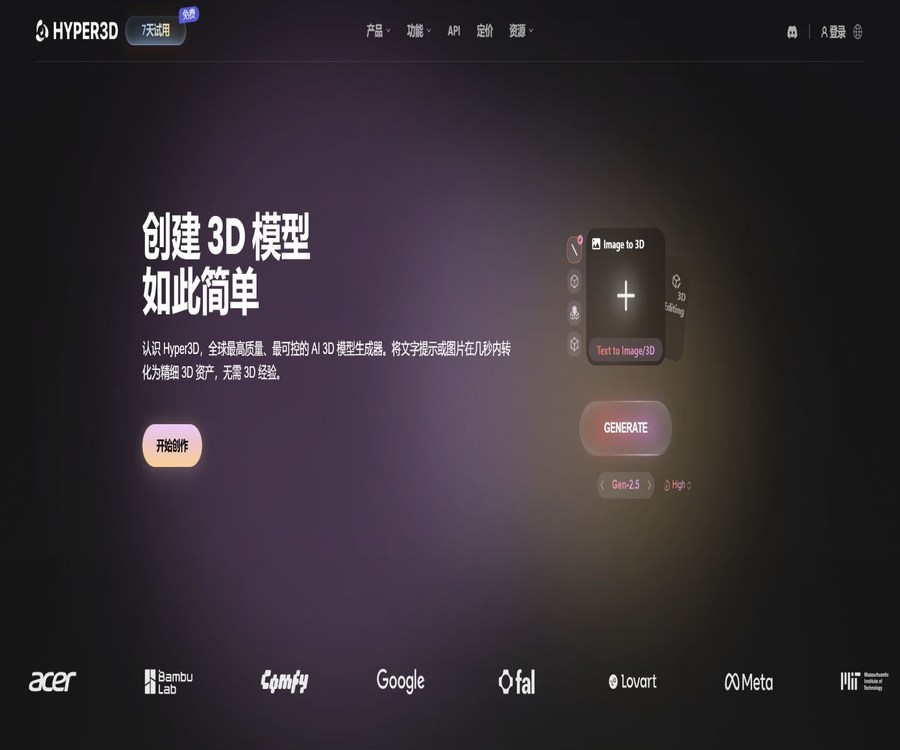
ChatAvatar is an AI-based 3D facial asset generator within the Hyper3D platform, developed by the Deemos team. It can create realistic, animated 3D facial assets based on textual descriptions or images of people, and it provides meshes and PBR textures suitable for use in CG workflows.
ChatAvatar is primarily designed for creating high-quality character heads and facial assets; it is not the same as Rodin’s tool for generating 3D models of general objects. The official website now includes ChatAvatar, Rodin, and OmniCraft within the Hyper3D product portfolio, and the old HyperHuman entry should no longer be used as the main access point to these products.
What is the difference between ChatAvatar and Rodin?
| Products | Main goal | Input method | Typical output |
|---|---|---|---|
| ChatAvatar | Realistic 3D facial and character face assets | Images of the people or textual descriptions | Animated faces, grids, and PBR textures are available. |
| Rodin | Generic 3D objects, characters, props, and scene assets | Single image, multiple images, or text prompt | 3D models such as GLB, FBX, OBJ, STL, USDZ, etc. |
| OmniCraft | Generated images, textures, HDRI, and model assistance tools | Images or existing assets | Enhanced maps, textures, environment maps, and editing results |
If the goal is to create facial features for characters, digital avatars, or realistic headshots, ChatAvatar should be used first. Rodin is more suitable for creating products, furniture, props, buildings, and ordinary character models.
Core functions
1. Generating 3D faces from images
After the user uploads a clear, front-facing portrait, ChatAvatar analyzes the shape of the face, the features, and overall appearance to create a three-dimensional facial model. The official website recommends using photos with bright lighting, few shadows, and a clear image of the person.
2. Generating character faces from text
Users can also describe gender, age, face shape, skin tone, hairstyle, and character style in words. Text can be used to create original character concepts, but the more vague the description, the harder it is to maintain consistency in terms of identity and details.
3. PBR textures
ChatAvatar provides PBR textures for CG production, enabling skins and surfaces to exhibit more realistic material responses under different lighting conditions. The quality of these textures still needs to be verified in the target engine, lighting setup, and renderer.
4. Animatable facial assets
The product focuses on the gradual creation of animated 3D faces, and it is suitable for integrating additional elements such as expressions, lip movements, or character animations. The fact that animated faces can be generated does not mean that they can be used in all projects; binding, Blendshape, and facial control features still need to be verified in accordance with the specific workflow being used.
5. Purchase after 3D preview
The Business package includes a 3D preview of ChatAvatar as one of its features; users can view the result first before deciding whether to proceed with downloading it or exporting it. However, this preview cannot replace a thorough professional inspection of the topology, UVs, textures, and animation effects after the file has been downloaded.
List of main functions
- Generate realistic 3D facial assets from a single clear portrait.
- Create original character avatars through textual descriptions.
- Generate PBR skin textures suitable for physical rendering workflows.
- Facial models that can be further bound and used to create emoji animations are provided.
- View the 3D result before confirming the purchase or export.
- Continue to import assets into production environments such as Unity, Unreal Engine, and Maya.
- Import ChatAvatar assets into NVIDIA Omniverse Kit using official tools.
- Continue to work on textures, images, and general 3D assets using other Hyper3D tools.
Which users are it suitable for
- Developers who create realistic facial prototypes for game characters quickly.
- Teams that need digital humans, virtual hosts, or interactive character assets.
- Artists who create character prototypes for film and television previews, virtual production, and VFX.
- Technical teams that develop AR, VR, social spaces, and real-time experiences.
- Designers who wish to obtain a 3D facial starting point quickly from a role concept diagram.
- Enterprise customers who need bulk character assets, APIs, or private deployment.
- Creators who build digital human workflows in NVIDIA Omniverse.
Which tasks are not suitable for ChatAvatar
- Generate non-face assets such as furniture, products, buildings, and ordinary props.
- Only editing of 2D profile pictures, ID photos, or social media images is required.
- Projects that require a single generation to achieve the final quality of the video footage.
- Tasks that involve planning to replicate the appearance of real individuals without having permission for their portraits.
- One-stop character creation that requires complete costumes, complex body binding, and a library of actions.
- Scenarios that require precise identity reconstruction, medical measurements, or forensic-level accuracy.
How to create 3D faces from photos
- Confirm that you have the authorization to upload, create, and use photos and portraits of people.
- Choose portraits that are clear, positive, unobstructed, with even lighting and few shadows.
- Log in to Hyper3D and go to the ChatAvatar workspace.
- Upload an image and select the desired generation or preview settings from the interface.
- Wait for the system to complete the generation of facial assets and textures.
- Check the facial features, side profile, ears, hairline, and skin in the 3D preview.
- After confirming the package, points, and commercial license, export the appropriate assets.
- Check the topology, UVs, materials, bindings, and expression deformations in the target DCC or engine.
How to design original characters using text
- First, specify the age range of the characters, their facial features, temperament, and the artistic style.
- Avoid using real people’s names, protected characters, or misleading descriptions of identity.
- Enhance the skin tone, eyes, hair, makeup, and overall visual style.
- Generate multiple candidate versions; do not spend all your effort refining the first result.
- Examine the silhouette, proportions, and recognizability of the character from the front and side.
- After selecting the direction, use professional software to complete the details such as hair, teeth, eyes, and materials.
- Create a character profile sheet and save the prompt details along with version history.
Export and production software workflow
Hyper3D provides options for exporting assets for common CG environments such as Unity, Unreal Engine, and Maya. The specific download package, topology, texture resolution, and optional components of ChatAvatar shall be determined based on the export panel that appears after generation.
- Game engine: Check bones, facial Blendshapes, material nodes, and performance budget.
- Maya or Blender: Continue to refine the topology, UVs, hair, eyes, teeth, and binding.
- Unreal Engine: Test skin textures, lighting, LOD, and real-time expression effects.
- Unity: Verify the rendering pipeline, texture channels, Avatar settings, and performance on mobile devices.
- NVIDIA Omniverse: Use the official import tool to select textures, topology, and the components needed.
- Film and VFX: Re-evaluating skin details and deformation quality in high-resolution shots.
Price and package comparison
ChatAvatar is now included in Hyper3D’s unified subscription system. On the current pricing page, only the Business plan lists ChatAvatar 3D previews and commercial licenses; the Free and Creator plans are intended for use with Rodin and other creative tools.
| Package | Monthly payment | Annual payment conversion | Benefits related to ChatAvatar |
|---|---|---|---|
| Free | $0 | $0 | No preview of ChatAvatar or commercial licensing is listed; Rodin allows for creation first and confirmation afterward. |
| Creator | $ | $ | The commercial benefits associated with ChatAvatar are not listed separately; it is suitable for individual Rodin workflows. |
| Business | $ | $ | ChatAvatar 3D preview, commercial licenses, full API, and enhanced capabilities |
| Enterprise | Custom quote | Custom annual fee | Team control, private deployment, custom customization, bulk pricing, and production support |
| Education | Displayed after authentication | Displayed after authentication | For eligible students, teachers, classrooms, and learning programs |
The official website states that free users can purchase points at a rate of $1.5 per point, while subscribed users’ points are updated on a periodic basis. The actual amount of points required for each ChatAvatar asset is not specified on the public pricing page; it should be based on the confirmation screen that appears after creation.
What needs to be confirmed before making a purchase?
- The Business package specifies the number of subscription points included, as well as the amount consumed per use of ChatAvatar.
- Is there a charge for 3D preview, downloading, redoing, as well as for different textures or topologies?
- Does the commercial license cover customer delivery, game distribution, and the redistribution of assets?
- Rules for automatic renewal on a monthly or annual basis, balance top-ups, and unused points.
- Are real people, brand characters, and industries with high risks subject to additional licensing restrictions?
- Whether the number of team members, API concurrent connections, and private assets meets the requirements for production.
Commercial licensing and portrait rights
The Business package includes a commercial license for ChatAvatar, but such license does not grant rights to use any portraits, copyrighted characters, trademarks, or private data. The user remains responsible for any legal consequences related to the input materials and their intended use.
- Obtain clear, verifiable permission for the portrait and its commercial use before replicating a real person’s appearance.
- Photos of minors require the consent of their guardians, and any high-risk or inappropriate use must be avoided.
- Do not use generated avatars to pretend to be real people, create fraudulent identities, or produce misleading evidence.
- Well-known characters, actors, and brand images can still be protected by copyright, trademarks, and personality rights.
- The client’s project should specify in the contract whether it was generated using AI, the source of the assets, as well as the permissions and scope of use.
- Disclose that the content was generated by AI when required by applicable laws or platform rules.
API and developer integration
Hyper3D offers asynchronous Web APIs that use Bearer tokens for authentication; the official documentation currently focuses on Rodin v2 generation, as well as the downloading of task status and results. Business version provides full standard API permissions, while the enterprise version allows for further negotiations regarding deployment options, concurrency levels, and customization capabilities.
| Project | Current situation | Precautions |
|---|---|---|
| Standard API package | Business | Used for production automation and high request frequencies |
| Authentication method | Bearer API Key | Keys should be stored only on secure servers. |
| Request pattern | Asynchronous tasks | After submission, it is necessary to poll the status before downloading the results. |
| Rodin input | Text or up to 5 reference images | File requests use a multipart form. |
| Rodin output | GLB, USDZ, FBX, OBJ, STL | The default format and material can be selected based on the interface parameters. |
| ChatAvatar API | The product is documented in the official API documentation. | The specific available endpoints and account permissions should be confirmed in the console. |
Official GitHub repository and open-source scope
DeemosTech offers on GitHub plugins for Rodin, as well as for Unreal and Godot, along with an NVIDIA Omniverse import tool for ChatAvatar. These repositories are used for integration, prompting, and asset import; they do not contain the source code for the core generation models of ChatAvatar or Rodin.
- ChatAvatarImportTool-Omni is used to import downloaded assets into Omniverse Kit.
- Rodin3D Skills provides guidance and examples of API calls.
- The Rodin Bridge plugin helps integrate asset generation into the Unreal Engine workflow.
- The Godot plugin provides the necessary Rodin integration interface for Godot projects.
- The licenses and maintenance status of each warehouse need to be checked separately.
- The release of official plugins does not mean that the training data, model weights, and the online platform are made open source.
Product advantages
- It focuses on creating realistic 3D facial assets, with a clearer goal than that of general-purpose 3D generators.
- It supports both image and text input, making it suitable for tasks related to restoring existing characters as well as creating original ones.
- It provides PBR textures and animatable directions, facilitating entry into professional CG workflows.
- Integration with Rodin and OmniCraft allows for handling more 3D tasks on the same platform.
- Business offers preview, commercial licensing, and API capabilities.
- It covers ecosystems such as Unity, Unreal Engine, Maya, and NVIDIA Omniverse.
- The official GitHub provides several plugins and integration references.
Usage restrictions and precautions
- ChatAvatar focuses solely on facial assets; it is not a one-stop tool for creating complete characters, costumes, and animations.
- The Business version has a higher price; individual users who use it infrequently need to first assess the actual output of their assets.
- The public price page does not list the points required for each ChatAvatar asset in a fixed manner.
- Photo quality, shadows, occlusions, and angle affect the reconstruction of identity and geometry.
- The hairstyle, ears, teeth, eyes, and side profile may still require manual adjustment.
- Being animatable does not mean that all requirements regarding face capture, lip synchronization, and engine integration are met.
- High-quality films and games, as well as 3D-printed objects, often still require detailed refinement of their topology and materials.
- The core model and the online platform are closed-source, and the official plugins cannot be used to replicate those capabilities offline.
Privacy and data security
- Person photos are highly sensitive biometric and portrait data, and their uploading should be minimized.
- Do not upload identification documents, photos of unauthorized employees, or images containing personal background information.
- For enterprise projects, it is necessary to check the terms regarding data storage, deletion, processing, as well as those related to third-party services.
- API keys must be stored in a server-side key management system and cannot be uploaded to public repositories.
- After downloading the assets, store them according to the project’s permissions; do not share models that could reveal a person’s identity publicly.
- For highly confidential projects, private deployment and data isolation solutions can be discussed with the Enterprise team.
Platform and open-source status
| Project | Current situation |
|---|---|
| Web version | The Hyper3D workspace offers products such as ChatAvatar and Rodin. |
| Developer API | Business offers a complete set of APIs; the public documentation focuses on Rodin. |
| Enterprise deployment | Enterprise allows for negotiated private deployment and customized fine-tuning. |
| DCC and engine | Designed for Unity, Unreal Engine, Maya, and Omniverse workflows |
| GitHub | Official plugins, skills, and import tools are provided. |
| Is it open source? | The core ChatAvatar model and the platform are not open source. |
Basic information
| field | Content |
|---|---|
| Tool name | ChatAvatar |
| Platform affiliation | Hyper3D |
| Development team | Deemos |
| Tool type | AI 3D facial assets and digital avatar generators |
| Input method | Text descriptions, character images |
| Key points of the output | Realistic 3D faces, animated meshes, and PBR textures |
| Business packages | Business and Enterprise |
| Whether API is provided | Yes, the specific permissions for ChatAvatar need to be confirmed in the console. |
| Is it open source? | The core products are not open source. |
Recommendation score
4.3 / 5. ChatAvatar offers professional value for realistic facial assets, digital avatars, and game character prototypes, and can be integrated into common CG workflows; however, the entry barriers are high, there are significant risks associated with using real-person portraits, and the final assets still require 3D artists to handle tasks such as topology creation, material handling, rigging, and quality checking.
Frequently Asked Questions
What is the relationship between ChatAvatar and Hyper3D?
ChatAvatar is a product within the Hyper3D platform designed for creating 3D facial assets, while Rodin is used for converting various texts or images into 3D formats.
Can ChatAvatar be used for free?
The current price list does not list the ChatAvatar features under the Free or Creator plans; the Business plan includes 3D previews and a commercial license. Whether a temporary trial version is available depends on the workspace after logging in.
Does ChatAvatar generate a complete body?
Its core focus is on 3D facial assets. Some download packages or import tools may offer options for the body, the back of the head, or other elements, but it cannot be considered a comprehensive character system that includes complete clothing, skeletons, and animations.
Can the generated assets be used for commercial purposes?
The Business package includes a commercial license for ChatAvatar, but users still need to have the necessary rights to upload photos, portraits, characters, and brands, and must comply with the latest terms of service.
Does ChatAvatar provide an API?
The Hyper3D developer documentation covers ChatAvatar and Rodin; the Business version provides full API access. The specific ChatAvatar endpoints and account permissions can be checked in the API console.
Is ChatAvatar open source?
The core generation models and online platforms are not open-source. The Omniverse import tool and other plugins available on the official GitHub are merely components for integrating workflows.
Tools similar to ChatAvatar




 Guigong Network Security Registration No. 45132202000164