






Autopod
Autopod, a smart tool focused on AI-powered video processing.
Tags:AI video toolsWhat is AutoPod?
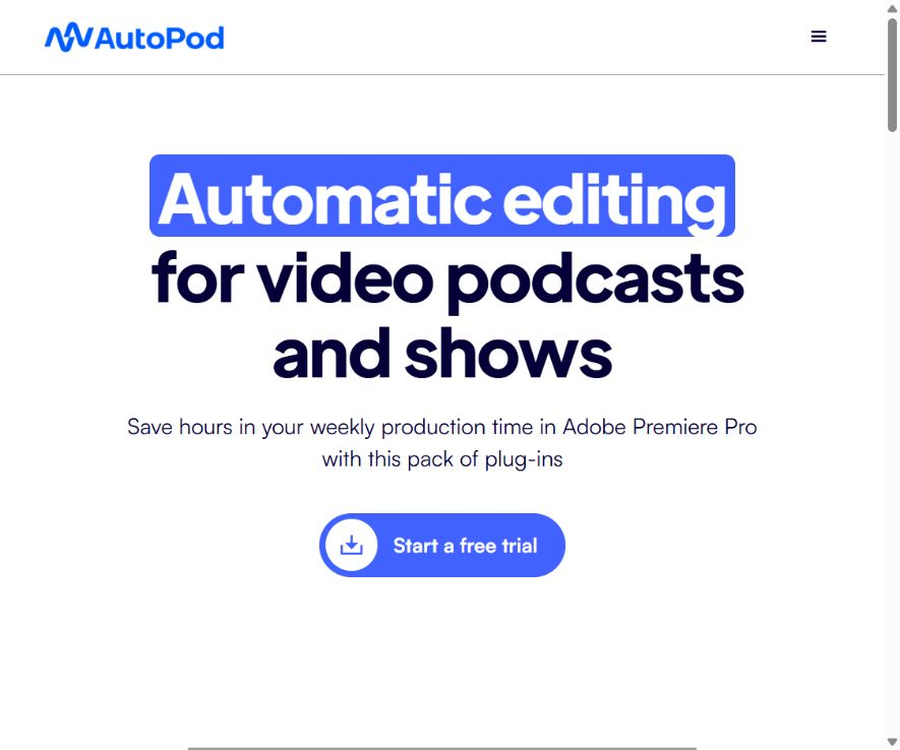
AutoPod is a set of automated editing plugins designed for video podcasts, interviews, and talk shows; it is used primarily in Adobe Premiere Pro to handle repetitive post-production tasks. It can switch between shots based on the speaker tracks, camera layout, and standard editing rules for such programs, and it can also create versions suitable for social media as well as remove silent segments.
AutoPod is not an online video editor that allows for complete automation from raw materials to the final video; users still need to carry out tasks such as synchronizing the materials, organizing the tracks, setting parameters, selecting the content to include, adding subtitles, fixing audio issues, adjusting the color grading, and performing a final quality check.
What plugins are included in AutoPod?
1. Multi-Camera Editor
The multi-camera editor can handle up to 10 cameras and 10 microphones, and it supports common composition styles such as close-ups of a single person, shots of two, three, or four people, as well as panoramic views. The system automatically generates the appropriate transitions based on the current speaker and the layout of the scene.
- It supports standard cutting, multi-camera editing, as well as enabling or disabling segments.
- It is possible to adjust the frequency at which panoramic shots appear, in order to avoid too monotonous image transitions.
- Common parameters can be saved as presets to ensure a consistent style across a series of programs.
- Suitable for multi-camera timelines that have already completed synchronization and possess separate speaker tracks.
2. Social Clip Creator
The social video creator creates new sequences based on the start and end points of the timeline, and automatically adjusts the size of the sequences as well as the dimensions of the footage. It supports the common social media formats such as landscape, portrait, and near-square shapes.
- You can create 1920×1080 landscape clips.
- Vertical information stream segments of 1080×1350 can be created.
- Full-screen vertical clips of 1080×1920 can be created.
- You can choose to add automatic restructuring, watermarks, and end pages.
- The generated segments are stored in a folder, and batch export is supported.
3. Jump Cut Editor
The jump cut editor creates cuts automatically based on the silent sections in the audio, making it suitable for fast-paced narration and short videos. Users need to set a decibel threshold for their microphone, as this setting directly influences whether pauses are retained or not.
Which users are it suitable for
- Studios and editors that produce multi-camera video podcasts on a regular weekly basis.
- Social media teams that need to break down long interviews into horizontal and vertical format content.
- Use a separate microphone to record interviews between the host and guests.
- Professional editors who aim to reduce the time required for switching between basic lenses while still maintaining the step of manual editing.
- Content organizations that need to produce program segments of uniform specifications in bulk.
Which materials are not suitable for AutoPod
- A simple narration with just one speaker, one camera, or one mixed audio track.
- Multi-camera recording without separate tracks reserved for each speaker.
- Films that rely primarily on plot, acting, and emotional assessment for creative editing.
- Projects that require automatic identification of highlights, automatic captioning, or removal of filler speech.
- Only teams that use Final Cut Pro, Avid, or editing software not supported by the official website.
How to install AutoPod
- Ensure that the computer can run the target editing software, and have a valid AutoPod license ready.
- Premiere Pro users should use version 2023 or later.
- Download the official installer corresponding to the operating system and video editing software.
- Close the video editing software, run the installer, and then open the software again.
- Open the specific project in Premiere Pro; do not stay on the home screen.
- Go to Extensions via the window menu and open the AutoPod tool that needs to be used.
- Enter the license and use a test project to verify that the plugin can read the timeline correctly.
How to automatically edit podcasts recorded with multiple cameras
- Import all camera and audio files to first achieve synchronization between audio and video.
- Maintain a separate and clear audio track for each speaker.
- Create a sequence with multiple camera positions, and verify the correspondence between the cameras and microphones.
- Select the editing method, camera layout, panorama frequency, and other parameters.
- First, copy a copy of the timeline, then run the Multi-Camera Editor.
- Watch the automatic edit from the beginning and correct interruptions, pauses, reaction shots, and incorrect transitions.
- Continue with completing the work on subtitles, audio, color grading, packaging, and checking the delivery specifications.
How to create social media videos
- On the long program timeline, determine the content that is to be outputted and set the start and end points.
- Select target specifications such as landscape mode, 1080×1350, or 1080×1920.
- Enable automatic restructuring, watermarks, and end pages as needed.
- After generating the new sequence, check whether the character remains within the safe area of the frame at all times.
- Add subtitles, titles, and call-to-actions required by the platform.
- Place the qualified segments in the batch export queue for unified encoding and output.
Price and license
Currently, AutoPod offers only one Individual package, with pricing based on the number of licenses. The official website does not list any enterprise-tier pricing options, but it is possible to purchase multiple keys using the same email address.
| Plan | Price | Trial or discount | Included content |
|---|---|---|---|
| Individual monthly payment | $ | 30-day free trial | Three AutoPod plugins |
| Individual annual payment | Real-time prices on the checkout page | Pay 1 month less throughout the year | Three AutoPod plugins |
| Multiple licenses | Purchase according to the number of licenses. | No public corporate discounts available | Multiple keys can be purchased using the same email address. |
The license can be used on several computers.
Each license allows activation on only one computer; the device on which it is activated for the first time becomes associated with that key. When changing to a different computer, it is necessary to use the official process for device switching, rather than using the same key on multiple devices at once.
Supported by Premiere Pro and DaVinci Resolve
| Editing platform | Support status | Explanation |
|---|---|---|
| Adobe Premiere Pro | Official support | A version of 2023 or later is required; it can be used through the extension menu. |
| DaVinci Resolve | Beta version available | Windows and Mac have separate downloaders, and the original license can be used. |
| Final Cut Pro | Not supported | The official website states that there are no plans for an increase. |
| Avid and other NLEs | Not supported | It is necessary to continue using manual processes or other tools. |
Product advantages
- It can be integrated directly into professional editing software, without the need to upload the entire program to a web platform.
- Combine multi-camera switching, social media-sized clips, and silent edits in one subscription.
- It supports up to 10 cameras and 10 microphones, covering common interview setups.
- Presets can be saved, which helps to maintain a consistent editing rhythm for consecutive programs.
- Social video clips support automatic restructuring, watermarking, end credits, and batch export.
- The monthly plan offers a 30-day trial period, allowing users to evaluate the time savings in a real-world project setting.
Usage restrictions and precautions
- A multi-track editor relies on multiple separate audio tracks; a single mixed track is not capable of identifying the speaker properly.
- The official FAQ clearly states that the single-speaker mode is not suitable for this multi-camera feature.
- Automatic switching is unable to understand all emotions, reaction shots, and program narratives, so manual review is required.
- Each license is tied to only one computer; teams that use multiple devices need to purchase additional keys.
- The version of DaVinci Resolve is still labeled as Beta; its workflow and stability need to be tested first.
- Final Cut Pro, Avid, and other editing software that are not listed are not supported.
- The subscription does not include the licensing fees for Adobe Premiere Pro or DaVinci Resolve itself.
Privacy and data processing
AutoPod handles projects as a plugin for video editing software; its official website does not describe it as a platform that requires uploading the entire program to the cloud. However, account creation, payment processing, license management, and website usage still involve personal and device information, and the specific details can be found in the privacy policy in effect at that time.
- When dealing with unpublished interviews, first test the plugin using non-sensitive material.
- Before installation, verify the source of the download, the file signature, and system permissions.
- Before running the automated operation, copy the timeline and save a version of the project.
- After completion, check the video, audio, and character licenses section by section.
API and open-source status
| Project | Current situation |
|---|---|
| Product format | Premiere Pro plugin suite; DaVinci Resolve Beta |
| Developer API | No public API documentation was found. |
| GitHub | No official code repository that can be confirmed as belonging to the AutoPod product was found. |
| Is it open source? | No, it is proprietary commercial software. |
| Project with the same name | The repository with the same name on GitHub has nothing to do with this podcast clipping product. |
Basic information
| field | Content |
|---|---|
| Tool name | AutoPod |
| Tool type | Video podcast auto-editing plugin |
| Main tools | Multi-Camera Editor, Social Clip Creator, Jump Cut Editor |
| Supported scale | Up to 10 cameras and 10 microphones |
| Main platforms | Adobe Premiere Pro 2023+ |
| Other platforms | DaVinci Resolve Beta |
| Price pattern | Monthly or annual payment per license |
| Whether an API is provided | No |
| Is it open source? | No |
Recommendation score
4.1 / 5. AutoPod is very useful for editors who need to produce multi-camera video podcasts; it reduces the need for manual operations significantly. However, it relies on standardized recording, separate audio tracks, and manual editing, so it isn’t suitable for all video projects.
Frequently Asked Questions
Is there a free version of AutoPod?
There are no long-term free plans available. The monthly subscription offers a 30-day free trial; after the trial period ends, the pricing will be as indicated on the payment page.
Can a single-person video be edited using a multi-camera editor?
It is not suitable. The official FAQ states that this feature is designed for multiple cameras and multiple separate audio tracks, and it does not support workflows with a single speaker.
How many computers can a license cover?
It can only be linked to one computer. If you need to change to another device, you can use the official process for device switching, but multiple devices cannot be activated at the same time.
Does AutoPod support DaVinci Resolve?
Beta version is supported; downloaders for Windows and Mac are available, and the original license can be used. Important projects should first have their compatibility and stability tested.
Will AutoPod automatically identify the best moments?
The official website explains that social clips are created based on entry and exit points, but it does not guarantee that the content will be automatically understood or that all the best moments will be selected; the selection of topics and the evaluation of the content still require manual intervention.
Is AutoPod open source?
No. No official open-source repository for this product has been found, and the GitHub projects with the same name that were discovered cannot be considered as the source code for the AutoPod editing plugin.
Tools similar to Autopod




 Guigong Network Security Registration No. 45132202000164