






Wink
A domestic AI video upscaling tool that offers image quality restoration, portrait refinement, and creative special effects.
Tags:AI video toolsWhat is Wink?
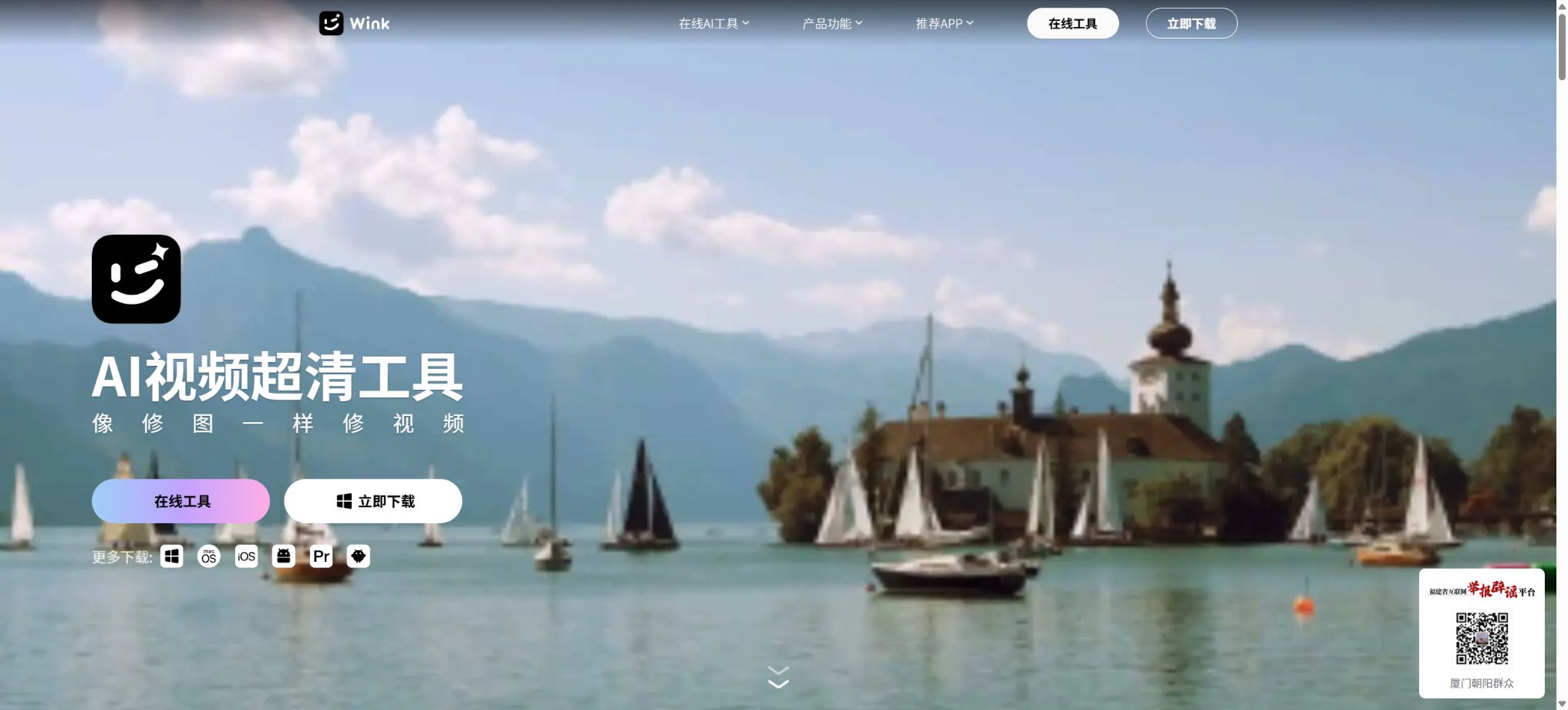
Wink is an AI-powered tool for enhancing video quality and improving image aesthetics, developed by Meitu; it is available on smartphones, tablets, computers, and web browsers. It extends the functions used in photo editing – such as quality improvement, portrait beautification, color adjustment, and noise removal – to videos and live streams, allowing users to edit moving images in a similar manner to how they edit photos.
The Wink App is designed for quick fixes, beautification of images, and creating social media content on mobile devices, while Wink PC is aimed at content creators who need timeline editing, batch processing, and high-quality output. The web version offers a cloud-based processing option that requires no installation, making it suitable for temporarily fixing images or short videos.
Wink’s main functions
- Fix blurry, noisy, out-of-focus, compression-induced losses, and low-resolution videos;
- Upgrade photos, live streams, and videos to 1080P, 2K, or 4K;
- Make adjustments to the appearance in portrait videos, such as skin tone, facial features, body shape, hair, and makeup.
- Frame interpolation is used to improve the smoothness of animated content, and it can be combined with image stabilization;
- Perform AI color grading, color enhancement, night scene improvement, and noise reduction;
- Use editing tools such as video erasers, watermark removers, and background processors;
- Restore old photos and optimize them for portraits, concerts, games, and anime;
- Convert short videos to Live streams, or enhance each frame of a Live stream;
- Use creative effects such as AI animations, AI moving images, and dynamic wallpapers;
- On the computer, perform batch editing and customize the resolution, frame rate, and bitrate.
Video quality restoration
Image quality restoration identifies issues such as shaking, low pixel count, noise, blur, and compression caused by the platform, and then applies different algorithms depending on the context of the image. The official website offers specialized settings for portraits, concerts, games, animations, heavily blurred images, and text charts, and it also allows users to adjust the intensity of the restoration process.
The result of the processing is an enhanced image predicted by AI; it is not possible to restore those details that were never recorded in the original material. Important figures, text, product textures, and historical images should be examined closely to avoid mistaking the generated textures for real content.
Super-resolution and 4K output
Super-resolution allows low-resolution content to be enhanced to 1080P, 2K, or 4K, with pixel details added through algorithms. 1080P is suitable for everyday social sharing, while 2K and 4K are better suited for use on large screens, as wallpaper, and for high-quality video editing; however, this process may increase processing time, file size, and energy consumption.
An increase in resolution does not necessarily mean an equivalent increase in the amount of original information; severe blurring, overexposure, or motion blur may still not be fully corrected. It is recommended to keep the original file and then compare the level of naturalness and edge detail across different settings.
Portrait beautification and body shaping
Wink allows for beautifying dynamic portraits by adjusting the features, makeup, proportions of the head, neck, and shoulders, as well as the overall body shape. The desktop version emphasizes editing one frame at a time while taking the whole video into account, which is useful for standardizing the appearance of the characters in long videos; it also enables saving beauty settings for reuse.
Automatic tracking can drift in situations such as occlusion, rapid movement, multiple people moving around each other, or changes in lighting. Before publishing, it is necessary to check each section for issues related to facial edges, background distortions, as well as hand and clothing textures, in order to avoid excessive modifications that would result in unnatural appearances.
Frame interpolation, noise reduction, and night scene enhancement
Video frame interpolation improves the smoothness of videos with a low frame rate by generating intermediate frames; official examples include converting content with 30 frames per second into content with 60 frames per second. The high-performance mode is suitable for sports and presentation videos, while the basic mode offers faster processing and results in smaller file sizes.
Fast turns, complex water surfaces, flashing lights, and small objects can cause duplication or distortion. For videos with significant shaking, use image stabilization first, followed by frame interpolation, noise reduction, and color processing.
Live Streaming and Creative AI
Wink enables the repair of live streams, the conversion of videos into live streams, the capture of key moments, and the export of videos to different devices. AI-generated animations, animated wallpapers, and AI motion graphics are ideal for quickly creating the creative effects commonly seen on social media platforms.
Different mobile operating systems have varying degrees of compatibility with the Live format; when sharing across platforms, it can be exported as a regular video. AI-based stylization significantly alters the appearance of people and scenes, making it unsuitable for content that requires a realistic, documentary-style presentation.
How to choose between different versions
| Version | Main positioning | Suitable for tasks | Main limitations |
|---|---|---|---|
| Wink App | Quick video and photo editing on mobile devices | Beauty enhancement, live streaming, image quality improvement, creative effects, and social sharing | Long videos and batch professional processes are not as good as those on the computer version. |
| Wink iPad | Large-screen mobile editing | Touch-based refinement, material browsing, and mobile creation | Some benefits depend on being VIP or SVIP. |
| Wink PC | Desktop video editing and trimming | Batch processing, global beautification, high-quality export, and cloud storage | Some AI cloud processing tasks result in additional consumption of soybeans. |
| Wink Web | Browser-based online processing | Temporary image quality improvement, upscaling, color correction, and common AI tools | Upload speed, browser, and cloud quota affect the experience. |
Wink members and prices
Wink offers a free tier as well as paid options for VIP, SVIP, and Meidou memberships. The official website outlines the benefits and cloud storage quotas associated with each membership level, but the agreement specifies that the actual amounts, any promotions, and renewal prices are subject to what is displayed on the purchase page at the time of purchase.
| Plan | Use the terminal | Batch limit | Cloud processing benefits | Gifted monthly |
|---|---|---|---|---|
| Free users | Activated by function | It is subject to the real-time page limits. | Some tiers offer a limited number of free uses. | Free soybeans can be obtained by completing tasks. |
| VIP | Available on both smartphones and iPads | Up to 9 items per session | Each segment lasts 5 or 10 minutes; 50 images and 20 minutes of video per day | 100 US beans |
| SVIP | Available on PC, web, mobile phones, and iPad | A maximum of 20 items per session. | A single segment can last up to 60 minutes; 100 images and 60 minutes of video per day. | 300 US dollars per bushel |
| Top up US soybeans | Used for the supported cloud processing functions | Based on functional consumption | It can handle requests that exceed the amount offered as a gift or for free. | It is a one-time purchase and does not fall under the subscription period. |
On the computer version, SVIP members can also enjoy benefits such as a 50% discount on the cost of cloud-based processing for beans; however, even with a membership, some AI cloud processing services may still require an additional amount of beans. Before making a purchase, it is necessary to check the price of the membership, the beans that come as a bonus, the cost per service, and the details regarding automatic renewal.
The key difference between VIP and SVIP
| Comparison items | VIP | SVIP |
|---|---|---|
| Terminal coverage | Mobile phones, iPads | PC, Web, mobile phone, iPad |
| Material permissions | VIP materials | SVIP content and the corresponding premium benefits |
| Single batch | Up to 9 | Up to 20 |
| Single-stage cloud processing | 5 minutes or 10 minutes, depending on the specific function | Up to 60 minutes |
| Free cloud processing daily | 50 images, 20-minute video | 100 images, 60-minute video |
| Monthly gift of premium beans | 100 | 300 |
| Suitable for users | It mainly focuses on editing photos and videos on mobile phones. | Multi-device, long-video, and bulk content creators |
Notes on U.S. soybeans and automatic renewal
- American beans can be obtained through mission activities or official top-ups;
- The validity period and usage rules for free soybeans and soybeans purchased with funds may differ;
- Top-up with US dollars for soybeans is considered a virtual product, and once the top-up is completed, refunds or conversion back to RMB are generally not allowed.
- The free soybeans provided to members cannot replace all the costs associated with cloud processing;
- When purchasing both VIP and SVIP at the same time, the system will first use up the validity period of the SVIP.
- Subscriptions with a recurring cycle are automatically renewed in accordance with the rules on the purchase page, and it is necessary to cancel them through the respective channel.
- Members and Meidou should purchase through official channels approved by Wink.
Wink usage tutorial
Online restoration of blurry videos
- Go to the Wink website, select video quality restoration, and log in with your account.
- Upload the backed up original video; do not compress or re-encode it repeatedly first.
- Choose between portrait, concert, game, or other scene modes based on the material;
- Starting with a lower level of restoration intensity, compare natural details with AI-generated textures;
- Preview characters, text, edges, and fast-motion segments;
- After confirming the quota and the amount of soybeans used, export the desired resolution.
Batchly refine videos on a computer.
- Install the Wink desktop version suitable for the system and import all the materials;
- Standardize the resolution, frame rate, color, and output target of the project;
- First, set the image quality restoration and beautification parameters for the representative segments;
- Save the recipe and apply it to materials with the same lighting and characters;
- Check segment by segment for tracking issues, occlusions, background distortion, and frame interpolation artifacts;
- After selecting the bitrate, format, and save location, export in batches.
Fix and share live streams
- Import short videos that are already in Live format, or those that need to be converted to Live format, on the mobile device.
- Select image quality restoration, portrait beautification, and the necessary image stabilization features;
- Control the intensity of beautification, and examine the face and background in each frame;
- Select the most appropriate dynamic range and key frames for the cover;
- Select whether to export in Live format or standard video format based on the target platform.
- After publishing, check whether platform compression affects clarity.
The advantages of Wink
- It can handle videos, photos, and live streams simultaneously, with a fairly comprehensive range of formats supported;
- Image quality restoration is optimized for scenarios such as portraits, concerts, games, and animations;
- The repair intensity can be adjusted, which makes it easier to achieve a balance between clarity and natural texture.
- Video portrait beautification is closely integrated with the photo-editing capabilities of the image enhancement ecosystem.
- Mobile phones, tablets, computers, and web versions cater to different workflows;
- It supports batch processing and the ability to define custom parameters for high-quality exports;
- The free tier allows you to first test whether the material is suitable for AI restoration.
Usage restrictions and precautions
- AI-generated high-definition images create inferred details, and they cannot be used as evidence or a basis for identifying someone’s true identity.
- Excessive restoration can result in a fake appearance, sharp edges, repeated textures, and text errors.
- The processing speed in the cloud is influenced by the video’s length, resolution, level of blur, and the network connection.
- Exporting in 2K, 4K, and high frame rates significantly increases the file size;
- Some premium features, long videos, and AI functions still consume US dollars;
- Memberships are virtual services, and refunds or exchanges are usually subject to strict restrictions after a purchase is completed.
- The functions on mobile devices, computers, and web browsers are not exactly the same.
Privacy, copyright, and content security
According to the official terms of service, functions such as image quality improvement, AI-based color adjustment, upscaling, noise removal, frame interpolation, and translation require authorization; the photos or videos must be uploaded to the backend server in order to carry out cloud-based processing. The terms state that such data is used solely for providing these functions, and it is automatically deleted by the system once the processing is complete.
- Sensitive documents, unpublished business materials, and private images are not recommended for uploading.
- It is necessary to obtain the required authorization before uploading others’ portraits, videos, and Live streams.
- Removing watermarks is only possible for content for which one has rights or has obtained permission.
- When using AI to change a person’s appearance, it is necessary to avoid deception, impersonation, and damage to reputation;
- When publishing content generated by AI or significantly modified, it must be labeled in accordance with relevant regulations.
- The rights to the original user’s pictures and videos remain with the user or the original rights holder.
The automatic deletion feature does not mean that it is appropriate to upload highly sensitive data in all scenarios; the team should also check account permissions, terminal caches, and locally exported files. For business projects, it is necessary to verify the copyright of the materials, music licensing, portrait rights, as well as the customer’s requirements regarding data processing.
Information on supported platforms, APIs, and open source solutions
Wink is compatible with iOS, Android, iPad, Windows, macOS, and the web. The system requirements listed on the official website are a 64-bit version of Windows 7, 8.1, 10, 11 or later, as well as macOS Catalina or a newer version.
During the verification, it was found that Wink does not provide a public video repair API for ordinary developers, nor is there any official open-source repository related to its core products. The smart home API named Wink on GitHub, as well as third-party projects, are not the same product as Meitu Wink.
Frequently Asked Questions
Can Wink be used for free?
Some free features are available, as well as a limited number of free usage sessions; for image quality improvement, there are both free and paid options. Advanced materials, longer videos, multi-device access, and additional cloud processing capacity require VIP, SVIP, or Meidou subscriptions.
What is the difference between Wink VIP and SVIP?
VIP covers smartphones and iPads primarily, while SVIP covers PCs, the web, smartphones, and iPads, offering increased limits for batch processing, per-session duration, and daily cloud processing. SVIP also provides more free soybeans per month.
Do I still need US beans after activating SVIP?
It might be necessary; the official agreements specify that certain AI cloud processing tasks still require an additional amount of soybeans. SVIP members receive soybeans as a gift along with various discounts, but this does not mean that all processing can be carried out indefinitely for free.
Can Wink restore videos to 4K?
Super-resolution support enables output in 1080P, 2K, and 4K formats. 4K is the highest output resolution; AI is not capable of restoring all the true details that were originally present in the video.
Is Wink an open-source tool?
No, Wink is part of the commercial imaging services offered by Meitu. There is no official connection between the GitHub repository with the same name online and this video repair tool.
Tools similar to Wink




 Guigong Network Security Registration No. 45132202000164