






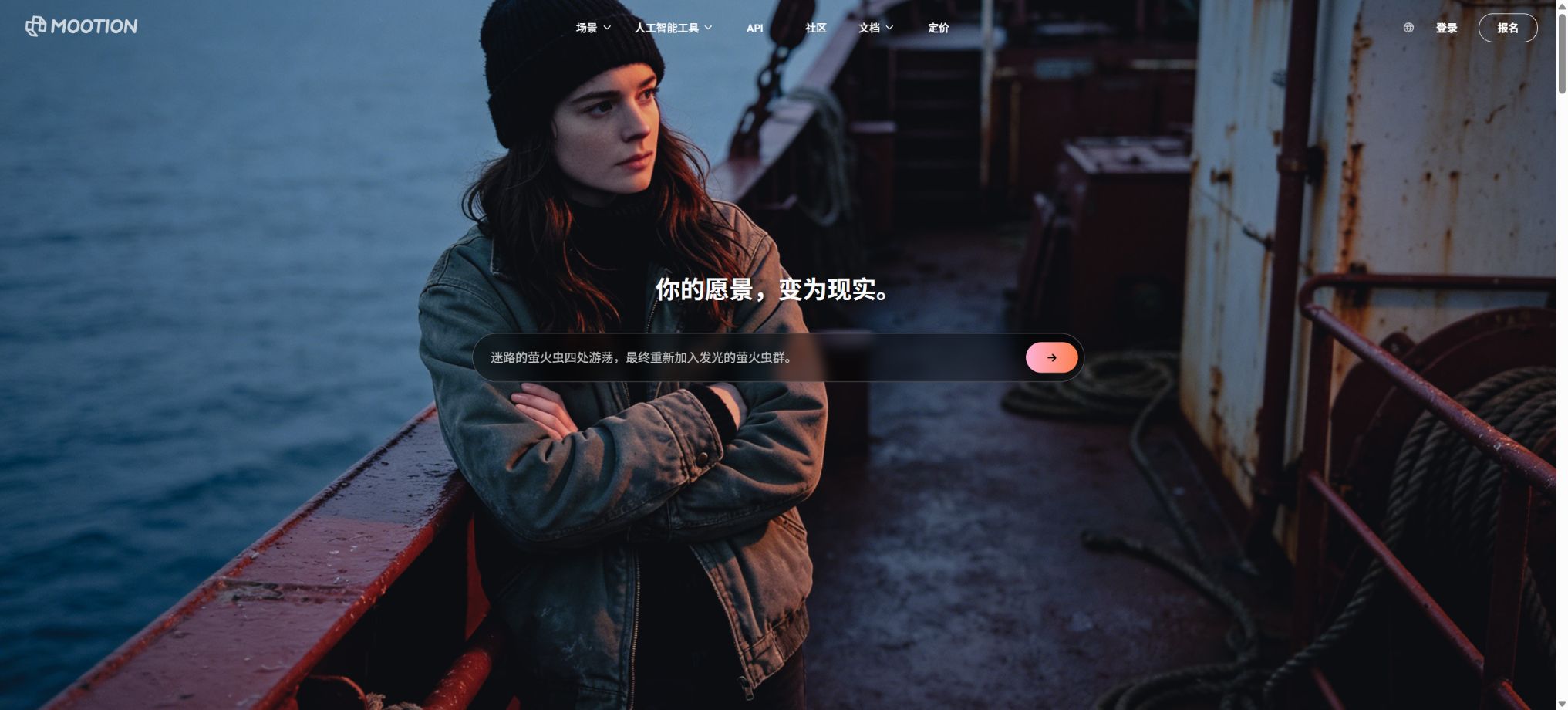
Mootion
An AI narrative platform that automatically generates storyboards, visuals, and complete videos from a story idea.
Tags:AI video toolsWhat is a Mootion?
Mootion is a multi-modal AI video generation platform that focuses on stories and storyboards. Users can start with an idea, a complete script, static images, audio recordings, or existing videos; the system will then plan the narrative and generate the scenes, actions, sounds, and the final video.
The platform combines text, images, audio, video, and 3D models within a single workflow. It is suitable for creators who are not familiar with traditional editing software, and it can be used for creating short videos, educational content, advertisements, and social media videos on a large scale.
Mootion’s main functions
- Idea to Video:Enter a brief idea; the AI will write a script and create a complete video.
- Script to Video:Paste your own scripts; retain narrative control while the visuals and voiceovers are generated automatically.
- Recording to Video:Upload audio or video recordings to generate synchronized visual content based on the original audio.
- Image to Video:Enable static images to exhibit character movements, camera movements, and scene changes.
- Storyboard editor:Add, split, merge, or delete scenes, and adjust the descriptions, dialogues, sound effects, and duration.
- Multi-model selection:Select models such as Seedance and Kling based on the scenario to balance quality, speed, and cost.
- Original audio-visual:Some models can generate synchronized dialogue, sound, and visuals at once, or subtitles can be added later.
- AI music and voiceovers:Generate multilingual voiceovers and use commercially available background music libraries.
- Smart templates:It offers template scenarios for short videos without showing the face, children’s stories, as well as topics related to history, science, religion, and healing.
Three main creative modes
| Pattern | Enter content | Suitable uses |
|---|---|---|
| Idea to Video | One or a few creative descriptions | Quickly generate scripts, storyboards, and finished videos from scratch. |
| Script to Video | The complete script written by the user | It is necessary to control the lines, order, and key messages. |
| Recording to Video | Voice or video recording | Oral content, podcast reuse, and live narration |
| Image to Video | Static images and action cues | Character animation, product visuals, and camera movement |
| Smart Template | Fields required for themes and templates | Mass production of short videos of a fixed type |
Mootion price
Mootion is currently a paid service; creating and downloading videos requires a subscription. The official pricing page offers options such as Standard, Plus, Pro, Max, as well as the EDU plan for qualified users.
| Package | Monthly payment | Average monthly amount for annual payment | Monthly credits | Primary interests |
|---|---|---|---|---|
| Standard | 15 dollars | 12 dollars, 144 dollars for the whole year | 1500 | Business model, all styles, multimodal input, AI editing, 10GB, no watermark |
| Plus | 25 dollars | 20 dollars, 240 dollars for the whole year | 3000 | Up to 64 scenarios, hyper-realistic voiceovers, 2x priority generation, 20GB |
| Pro | 50 dollars | 40 dollars, 480 dollars for the whole year | 8000 | Idea mode: 50,000 characters, 5x priority, unlimited ultra-realistic voiceovers, 100GB |
| Max | 200 dollars | 160 dollars, 1920 dollars for the whole year | 32000 | Up to 5,000 video clips, highest priority, 400GB, and personalized support |
| EDU | 6 dollars | 5 dollars, 60 dollars for the whole year | 1000 | Teacher or student verification is required, including Standard capability and 2x priority. |
The annual fee is displayed on a monthly basis but is paid in a lump sum; the specific taxes and discounts are indicated on the Stripe payment page. The amount of credits available in a plan is updated at the end of each billing cycle, and the annual fee should not be construed as granting all credits for the entire year at once.
How to choose between Standard, Plus, Pro, and Max?
| Usage requirements | Recommended package | Reason for selection |
|---|---|---|
| Occasionally create short stories and social media videos. | Standard | 1500 credits, no watermarks, and the business model covers basic creation needs. |
| Stories for multiple scenarios and better voiceovers | Plus | 64 scenarios, 3000 credits, and faster generation |
| Long scripts and high-frequency professional content | Pro | 50,000 characters, 8,000 credits, 5x priority, and 100GB |
| Massive video production | Max | 32,000 credits, highest priority, and large storage capacity |
| School teaching and student programs | EDU | After passing the qualification check, full functionality can be obtained at a lower price. |
Video tutorials on creating ideas
- Specify the video’s theme, target audience, key message, duration, platform format, and call to action at the end.
- Select Idea to Video, and set the output language, tone, visual style, and narration direction.
- After generating the script, verify the facts, characters, dates, and narrative structure before proceeding with image creation.
- In the storyboard, modify the descriptions, dialogue, duration, sound effects, and camera movements for each scene one by one.
- Select different video models based on the importance of each scenario, to avoid using the most expensive models for everything.
- Preview the full video, check the rhythm, subtitles, synchronization of audio and video, as well as character consistency, before exporting it.
Generate videos from scripts or recordings
- Organize the scripts or recordings for which usage rights exist, and remove sensitive information as well as irrelevant sections.
- Script to Video is used for scripts, while Recording to Video is used for personal narration or podcast content.
- Identify which exact phrases must be retained, and which parts can be compressed, rewritten, or reordered by AI.
- Check whether the automatic scene breakdown has missed any key arguments, and break down overly long scenes into shorter shots.
- Choose the native audio-video model or the Voiceover Only mode to check the pronunciation and proper nouns.
- Export the entire audio of the previous listening session to prevent the AI from adding facts or commitments that are not present in the recording.
Tusheng Video and Character Consistency Tutorial
- Upload clear images of the characters or products, and ensure they are free of copyright issues; avoid low resolution as well as complex obstructions.
- Describe the subject’s actions, camera movements, changes in the environment, and the elements that need to remain unchanged.
- Select models such as Base, Seedance, or Kling, and check the credits consumed per second.
- Generate short videos to test the stability of the face, clothing, logo, and background.
- Use the same references, style, and character descriptions to create subsequent scenes, then manually unify the colors.
- Download the original image, video clips, script, and audio together; if necessary, use professional software for further editing.
Credits consumption rules
- The reference rate for Base videos is 6 credits per second;
- The reference value for Seedance 1.5 Pro is 10 credits per second;
- The reference rate for Seedance 2.0 Mini is 25 credits per second;
- The reference value for Kling 3.0 is 30 credits per second;
- The reference rate for Seedance 2.0 is 40 credits per second, while for Seedance 2.5 it is 64 credits per second.
- Subscribed credits are refreshed at the end of each billing cycle, and any additional purchase of credits is usually valid only for one or two cycles.
- The system first uses the subscription quota, and then the purchased packages and recommended rewards.
Download, Language, and Publishing
- The final video can be downloaded, and the script, images, and video clips can all be packaged together into a ZIP file;
- It supports common landscape, portrait, and square aspect ratios, and is compatible with platforms such as YouTube and TikTok;
- The current output language includes Chinese, English, Japanese, Korean, Spanish, French, German, Portuguese, Arabic, and more;
- It allows for the creation of various publishing materials such as titles, subtitles, thumbnails, descriptions, and tags;
- The official AI music library documentation states that it can be used in commercial content without paying royalties.
Which users are it suitable for
- Short-video creators:Quickly generate faceless stories and social media content from a theme.
- Teachers and students:Create videos on children’s stories, history, science, and bilingual learning.
- Marketing Team:Create drafts for ads, product descriptions, and brand narratives.
- Screenwriter and Director:Convert the script into storyboards, previews, and concept videos.
- Podcast and oral history creators:Automatically convert recordings into visual content.
- Large-scale operations team:Use Max or APIs to set up scalable video processing workflows.
Product advantages
- It supports multiple modalities of input, including creativity, scripts, images, audio, and video;
- Automatically generate scripts, storyboards, visuals, narration, music, and release materials;
- The storyboard allows for segmentation, merging, and modification at the scene level, facilitating manual control;
- For the same project, models can be selected based on the specific scenario, allowing for a flexible balance between quality and credits.
- The complete set of materials can be downloaded to third-party editing software for further processing;
- Offers educational discounts and API solutions.
Usage restrictions and precautions
- Mootion no longer offers a long-term free option that allows for creation and downloading;
- High-end video models consume a large number of credits per second, which can lead to rapid increases in the cost of long videos.
- Scripts, facts, and historical content generated by AI must be manually verified;
- There may still be variations in the characters’ faces, clothing, hands, and the continuity of the scenes.
- Additional credits are not valid indefinitely; it is important to pay attention to the expiration period indicated at the time of purchase.
- Requests that are NSFW or violate the model’s policies may be rejected and may not yield any results.
- Before commercial release, it is still necessary to verify the input materials, character portraits, trademarks, and model licenses.
Commercial, API, and open-source information
The official FAQ states that the content generated is licensed under the Creative Commons 4.0 license, and it specifies that the AI music library can be used for commercial purposes without any royalties. Users must still possess the necessary rights to the scripts, images, recordings, as well as any character or brand materials they upload.
Mootion offers a video generation API; for details on prices, quotas, and availability, please visit the API page or contact the official team. The core platform is not an open-source product, and the old code from the Mootion video site on GitHub has nothing to do with the current AI-based video service.
Frequently Asked Questions
Is Mootion free?
The official FAQ states that this product is now paid; subscription is required to create and download videos. Users can view the product page first, but the previous free usage quota cannot be considered part of the current paid plan.
How much is Mootion Standard?
The monthly fee is $15, and the annual fee is $144, which amounts to $12 per month; this includes 1500 monthly credits. Taxes and prices for events are as indicated on the payment page.
Can Mootion create videos with sound?
Yes, by choosing a model that supports native audio and video, it is possible to generate dialogue, sound effects, and visuals simultaneously. Other models can also have AI narration and music added after generation.
Can Mootion videos be used for commercial purposes?
The official instructions relate to the commercial release of music, but users must ensure that all incoming materials, as well as any characters and trademarks or third-party intellectual properties involved, have proper authorization.
Is Mootion open source?
No, the current AI video platform is a commercial online service. The old project with the same name on GitHub is a different product and cannot be considered the source code for Mootion AI.
Tools similar to Mootion




 Guigong Network Security Registration No. 45132202000164