






Rask AI
An AI localization platform for video translation, dubbing, and lip-syncing
Tags:AI video toolsWhat is Rask AI?
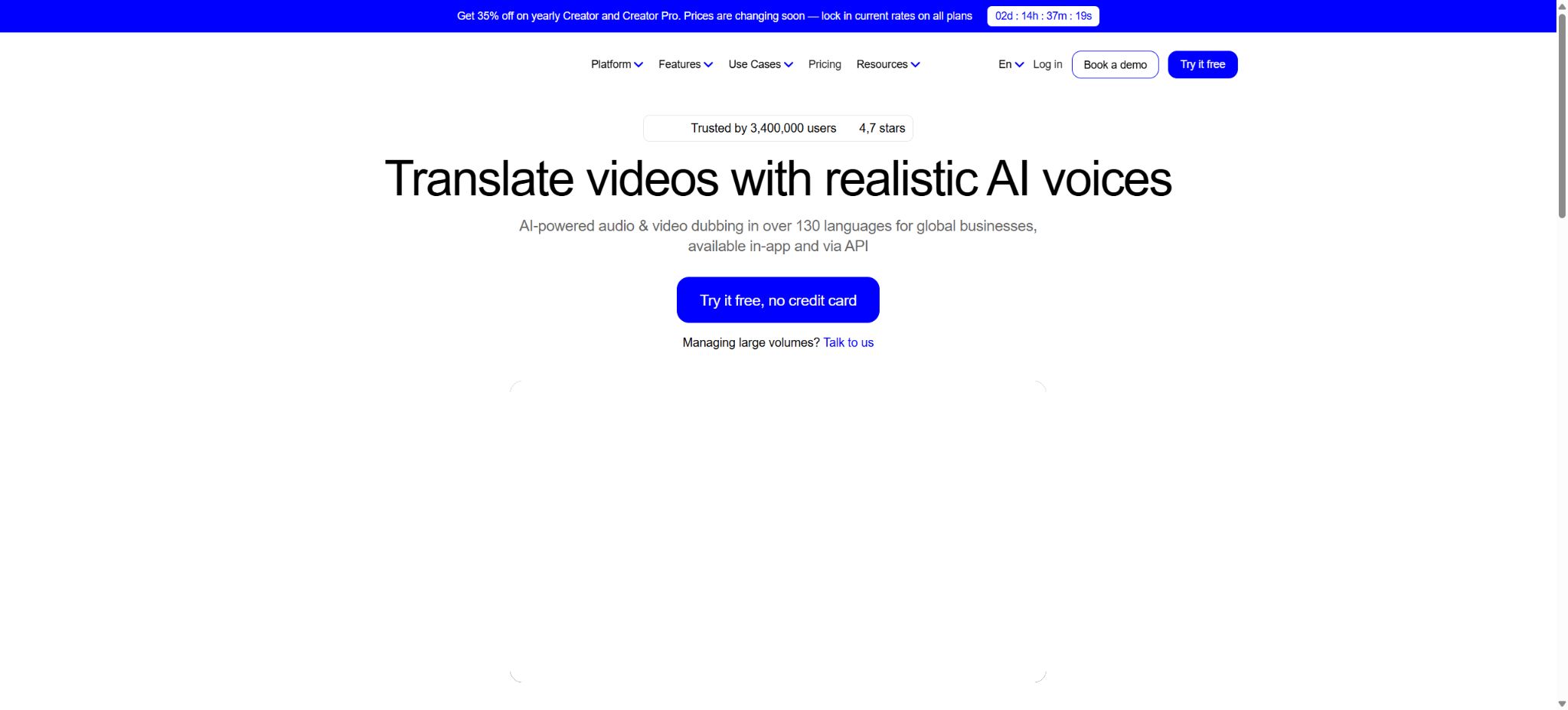
Rask AI is an AI tool designed for the localization of video and audio content. After users upload videos, audio files, or import online materials, the platform carries out speech recognition, text translation, and dubbing in the target language; it also integrates subtitles, speakers, audio, and the timeline into a single editing process.
It is suitable for creating multiple language versions of courses, interviews, podcasts, product demonstrations, marketing videos, and internal training materials.
Unlike translation tools that only generate subtitles, Rask AI focuses on delivering fully localized content: in addition to translating the text, it can automatically replicate the original speaker’s voice, assign different voices to various speakers, redo the dubbing, and create a version with synchronized lip movements within the available packages. For important projects, it is still necessary for native speakers to review proper nouns, numbers, tone, and cultural expressions.
Core functions of Rask AI
AI video and audio translation
The platform first identifies the speech in the original material, then translates it into the target language and generates a voiceover. The official API and SDK documentation list over 130 target languages and dialects.
Whether a particular language supports voice cloning, preset voices, or lip synchronization depends on the options available when creating the project.
Chinese can be used as a language for translation and voice cloning.
Multi-person speech recognition and segment-by-segment editing
The system is able to identify the speakers in the audio material and split the transcribed content into editable segments. Users can modify the original text or the translation, change the speakers, select different voices, and redub the modified segments.
Thanks to materials from interviews, roundtable discussions, and class conversations, it is not necessary to create an entire audio track from scratch.
Voice cloning
Instant voice cloning generates a dubbed version in the target language based on the speaking samples from the original video, striving to preserve the characteristics of the original speaker. The official documentation lists 32 different voice cloning model languages, with the possibility to cover additional regional variants as well.
If a particular language does not support cloning, the project can usually use the preset sounds provided by the platform.
Creator Pro and higher tiers also offer a custom voice cloning library. Users can upload samples of 1 to 10 minutes long, featuring a single speaker with minimal background noise, in order to save reusable voices and adjust their similarity and expressiveness.
Creator Pro allows the storage of up to 3 custom sounds, Business allows up to 10, while the number allowed in Enterprise is determined based on the contract. It is necessary to obtain explicit permission before cloning sounds that do not belong to one’s own account.
Lip sync
Lip-syncing adjusts the movements of the characters’ mouths to match the translated speech, and it is suitable for content shot from the front, with stable lighting and no obstructions on the face. This feature is available in packages such as Creator Pro, Business, and Enterprise.
According to the official pricing rules, separate charges are applied for lip-syncing and voice translation: translating a 1-minute video into one language and adding lip-syncing typically requires a total of 2 minutes.
Subtitles, glossaries, and batch workflows
Users can proofread subtitles and translations in the editor, while the glossary is used to standardize the translations of brand names, product names, and industry-specific terms. Business is designed for teams that need to produce content on a continuous basis, offering features for collaboration, consistency in brand terminology, as well as bulk uploading/translation.
Enterprise offers additional services such as security and compliance, SLAs, custom integrations, and managed quality assurance.
API and official Python SDK
Rask provides developer APIs and an official Python SDK. This SDK enables authentication and balance checking, media uploading, project creation and generation, editing of transcription segments, management of glossaries, and initiation of lip-syncing; it is suitable for integrating localization processes into content management or video production workflows.
APIs represent enterprise-level capabilities; the actual scope of access and usage limits are determined by the account or sales plan in place.
The API client code made available on the official GitHub repository is not indicative of the fact that Rask’s voice, translation, or lip-syncing models are fully open-source; it also cannot be used to deploy a complete platform on one’s own.
Comparison of Rask AI prices and packages
Rask offers subscriptions based on the number of video minutes that can be processed. The official website displays monthly, annual payment options as well as time-limited discounts; the prices offered may vary depending on the region and time period.
The prices listed in dollars on the official website at the time of verification are provided below; the price on the settlement page should be taken as the reference before making a purchase.
| Package | Monthly price | Includes minutes | Suitable use cases and key capabilities |
|---|---|---|---|
| Free Trial | 0 dollars | 3 minutes | No credit card required for a trial; video translation, voice cloning in 32 languages, built-in editing tools |
| Creator | 60 dollars per month | 25 minutes/month | Individual creators and a small number of projects: carry out basic translation and voice-over work. |
| Creator Pro | 150 dollars per month | 100 minutes/month | Ongoing releases; more precise translation and voice control, lip-sync, workflows for small teams |
| Business | $ | 500 minutes/month | Team collaboration, terminology and brand consistency, batch uploading and translation |
| Enterprise | Contact sales | Customization | Security and compliance, SLAs, custom integrations, APIs, and managed quality assurance |
During verification on the official website, the limited-time annual pricing is also shown: Creator costs $396 per year and includes 300 minutes; Creator Pro costs $936 per year and includes 1,200 minutes.
The Business plan costs $6,000 per year and includes 6,000 minutes of usage. The page detailing this plan states that additional minutes can be purchased at any time, and that the content can be edited and redubbed as many times as needed; it is also emphasized that the minutes allocated under the annual plan are not lost at the end of the month.
The deadline for the promotion and the price for renewal are subject to the terms of the order.
How to calculate the number of minutes
- Typically, minutes are deducted based on the length of the source video and the number of target languages to be generated; translating the same material into multiple languages is calculated separately for each language.
- The time required for lip-syncing is deducted separately, in minutes equal to the duration of the video segment, and it is not included in the basic voice-over costs.
- Whether an additional fee is charged for redubbing the text after modifications depends on the current package details and the prompts displayed before generation.
- The rules for carrying over minutes differ between monthly and annual subscriptions; do not rely solely on the average monthly price of the plan to determine the available balance.
- The price per additional minute, older plan options, and promotional benefits may vary depending on the account status.
Rask AI Usage Guide
- Prepare materials:Try to use videos with clear voices, light background music, and speakers who do not speak at the same time.
- New project:Upload a file or import materials, and select the source language as well as one or more target languages.
- Select sound:Select instant voice cloning, saved custom voices, or preset voices based on language and licensing status.
- Proofread the text:First, check the original text for accuracy, then proofread the translation; include brand names, abbreviations, and technical terms in a glossary.
- Generate voiceover:It is generated after confirming the speaker and the segment; special attention is paid to numbers, pauses, stress, and the pronunciation of names.
- Generate lip shapes as needed:The content shown on the front side can be further processed to achieve lip-sync, and attention should be paid to the amount of time required for it.
- Review before exporting:Check the punctuation of subtitles, the synchronization between audio and video, the volume of music, and the expression habits of the target market.
Rask AI Usage Guide
Create reusable professional workflows
- Create scripts, shot lists, brand assets, and a list of elements that are prohibited from use;
- Save unified parameters for AI video and audio translation, multi-speaker recognition and segment-by-segment editing, as well as voice cloning;
- First, use representative shots to test the model and the quota;
- Transfer the failed shots to manual editing or regenerate them;
- Uniformize subtitles, volume, colors, and end credits;
- Record the version and reviewer before publishing in batches;
Which users are it suitable for
- Content creators who need to expand YouTube, short videos, and podcasts into overseas markets;
- Education teams that create multilingual courses, training programs, and knowledge products;
- A marketing team responsible for localized product demonstrations, advertisements, customer success stories, and help videos;
- Companies that need batch processing, multi-member review, and consistency in brand terminology;
- Video platforms and content technology teams that aim to use APIs to automatically create translation projects.
Advantages and precautions
- RaskAI integrates transcription, translation, multi-person voiceovers, voice cloning, subtitle editing, and lip-syncing into one platform, making it suitable for the repeated creation of multilingual videos.
- Glossaries, custom sound libraries, batch workflows, and APIs also help maintain consistency within the team;
- It is not a fully automated process that allows content to be published with just one click;
- Automatic systems may misidentify proper nouns, and machine translation can also alter the tone or omit context;
- Lip-syncing performs poorly in side-view shots, scenes with obstructions, and rapid head turns.
- Medical, legal, financial content, brand statements, and formal training materials should be reviewed by professionals in the target language.
- Voice cloning also relates to personality rights, privacy, and authorization – it cannot be used to impersonate others or create misleading content.
Frequently Asked Questions
Is Rask AI free?
A 3-minute free trial is available without the need for a credit card; ongoing use requires purchasing the Creator, Creator Pro, Business, or Enterprise plans.
Does Rask AI support Chinese?
It supports translation into Chinese as well as voice cloning. The text and voice outputs may vary depending on the different Chinese dialects; therefore, they should be reviewed by native speakers before official release.
How is the fee calculated for translating a video into multiple languages?
It is usually calculated by multiplying the video length by the number of target languages. If lip-syncing is also generated, it will require an additional amount of time in minutes.
Does Rask AI have an API?
Yes. Official API documentation and a Python SDK are provided, which enable automatic uploading of media, creating projects, editing transcripts, managing glossaries, and handling lip-syncing.
Specific qualifications and prices are subject to the corporate plan.
Is Rask AI an open-source tool?
The complete platform and the core AI models are not made available under an open-source license. The official GitHub repository provides Python client code for the Rask API; this is intended for developing integration tools, and it does not allow for the private deployment of a full video translation system.
Tools similar to Rask AI




 Guigong Network Security Registration No. 45132202000164