






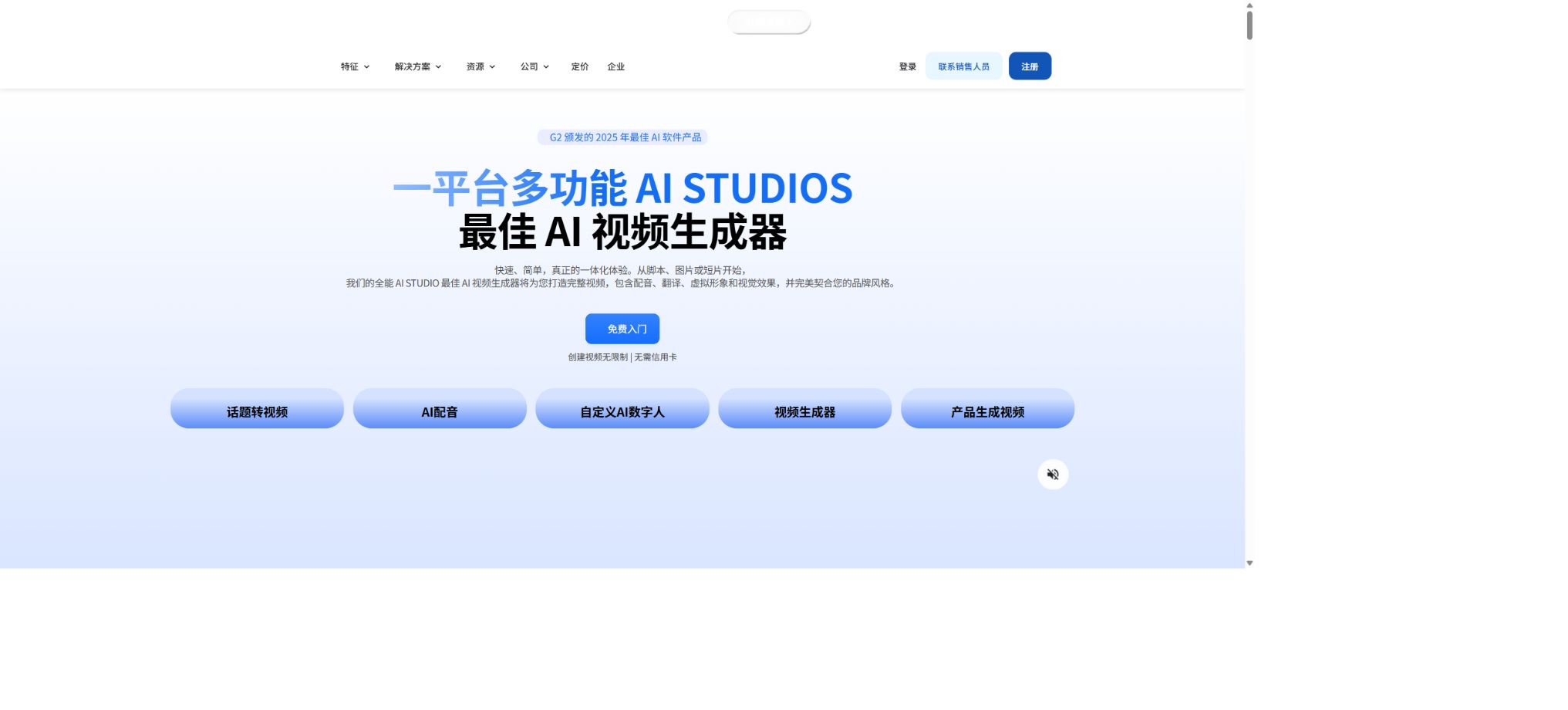
AI Studios
An AI digital human video platform designed for training, marketing, and interactive applications
Tags:AI video toolsWhat is AI Studios?
AI Studios is a cloud-based platform for creating video content with AI avatars, developed by DeepBrain AI; it is also sometimes referred to as AI Studio. Users can enter scripts, themes, or URLs, or upload PPTs, PDFs, and other documents, and the system will then generate scripts, audio narration by virtual avatars, subtitles, and visual elements automatically.
The platform offers traditional digital human video editing, generative image and video models such as Veo and Sora, AI Dubbing, as well as Interactive Avatars for real-time conversations. It is suitable for use in training, courses, marketing, corporate communication, multilingual localization, and customer service scenarios.
AI digital human videos
Users can select characters, clothing, and voices from over 2,000 AI Avatars, enter a script in the scene editor, and thereby create video narration. These digital avatars can be used for solo presentations, multi-person conversations, product introductions, and presentations.
AI-generated characters may still exhibit issues with lip movements, tone of voice, eye expressions, and gestures. In medical, financial, legal, and news contexts, such synthetic characters must not pretend to be real experts or witnesses.
Converting scripts and themes into videos
Topic to Video makes use of large language models to understand topics, web pages, or text; it automatically divides the content into different scenes and generates narration as well as visual elements. It is suitable for turning initial ideas into editable videos quickly, but it cannot replace fact-checking and creative oversight.
The input should specify the target audience, duration, tone, structure, and call to action. After generation, it is necessary to check that the data, quotes, product statements, and shots are consistent with the script.
URL to video conversion
After the user pastes a link to a blog, article, or product page, the system extracts the content and creates a video structure. Dynamic web pages, login-related content, complex tables, and expired promotions may not be read correctly; it is therefore necessary to check the source page before and after video generation.
Convert PPT to video
When importing into PowerPoint, the slides and speaker notes are read, and the pages are converted into video scenes; avatars, audio, and subtitles are then added. It is suitable for use in courses, sales presentations, and corporate training.
Complex animations, macros, special fonts, and embedded media may not be preserved in their entirety. After importing, it is necessary to check the layout, the clarity of charts, the page loading time, and the sequence of narration.
Converting PDFs and documents to video
Docs to Video allows PDFs, PPTs, and text-heavy documents to be converted into scripts, visual content, and explanations provided by digital avatars. For long documents, it is advisable to select the key sections first, so as to prevent automatic summaries from overlooking specific conditions or treating appendices as core conclusions.
Custom Avatar
Users can upload recorded videos to create digital avatars. The official recommendation is to record videos lasting at least 3 minutes, including footage from both the front and side angles; shorter videos may result in less smooth movements.
Free includes 1 custom Avatar direction, Personal has 3, Team has 5, and Enterprise offers unlimited directions.
Real-life Avatars require explicit authorization, with specified uses, regions, time limits, as well as procedures for withdrawal and deletion. Unauthorized use must cease when employees leave the company or their contracts come to an end.
Photo Avatar and Product Avatar
Photo Avatar transforms static photos into talking characters, while Product Avatar is used for marketing and product presentation. They are suitable for creating content quickly, but AI may alter faces, packaging, logos, and product proportions; therefore manual verification is necessary before official release.
Multilingual voice and pronunciation control
The platform offers support for over 110 languages and a large number of voices; it allows users to adjust the speech speed, tone, and pronunciation. The Custom Dictionary is used to correct brand names, personal names, abbreviations, and terms.
Multilingual videos should still be reviewed by native speakers to ensure semantic and cultural appropriateness.
AI Dubbing video translation
AI Dubbing allows for the translation of existing videos, with synchronization of voice and lip movements. The Personal plan includes 120 minutes per month, the Team plan offers 240 minutes per user per month, while the Enterprise plan provides additional usage credits.
Teams and above can proofread and optimize translation scripts.
Translation involves the uploading of the original video, audio, and subtitles. For sensitive customer data, it is necessary to first verify the policies regarding data processing, storage, and deletion.
Generative image and video models
AI Studios integrates models such as Seedance, Veo, Sora, Kling, and Nano Banana into a unified platform. Users can create backgrounds, illustrations, and short video clips for videos, and they can also use the base models in the editor without consuming Generative Credits.
Advanced independent generators consume Generative Credits; the cost varies depending on the model, duration, and resolution. The entry points for basic models and advanced models are different, and it is necessary to check the available credit amount before generating content.
Comparison of AI Studios video packages
| Package | Price | Videos and exports | Dubbing and generation quotas |
|---|---|---|---|
| Free | $ | Up to 3 AI videos; each video is 1 to 3 minutes long, depending on the regional page; 720p resolution; 1 custom Avatar | 3 AI dubbing sessions; 16 generative credits per session; limited number of models |
| Personal | $ | No limit on the number of videos; each video can be up to 30 minutes long; 1080p resolution; 3 customizable Avatars; 50 priority videos per month | 120 minutes of lip-syncing per month; 60 Credits per month or 720 Credits per year; complete model generation. |
| Team | $ | No limit on the number; each video can last up to 60 minutes; 4K quality; 5 customizable Avatars; 150 priority videos per month | 240 minutes of voiceover time per seat per month; 150 Credits per month or 1800 Credits per year, available for sharing among team members. |
| Enterprise | Custom quote | Unlimited duration and custom Avatars; 4K; always given priority in processing | Enterprise voice-over and generation quotas; SSO, SCORM, interactive quizzes, bulk generation |
The official website indicates that an annual payment can result in savings of around 20%. The duration for a free subscription varies between different language versions – it is either 1 minute or 3 minutes – and this difference may be due to regional differences or updates to the pages; the actual duration is determined by the restrictions set for the account after logging in.
Comparison of Interactive Avatar packages
| Package | Price and Credits | Session capability | Concurrency |
|---|---|---|---|
| Free | $ | 1080p preset Avatar; real-time communication via URL; up to 10 minutes per session | 1 concurrent user |
| Standard | $ | URL and API sessions; built-in LLM and TTS; 1 credit is consumed every 5 minutes; maximum duration of 20 minutes per session | Up to 20 concurrent users |
| Enterprise | Custom quotes and Credits | Customize session duration, quota, support, and deployment requirements | Custom concurrency |
Interactive Avatar is a real-time conversation product; its Credits are different from those of video generation packages, and cannot be calculated using Personal or Team Generative Credits.
Interactive videos and quizzes
Team offers the option of interactive videos, while Enterprise provides additional support for interactive quizzes and SCORM export. It is suitable for use in course delivery and employee training; however, it is necessary to check in the target LMS whether the required functions such as record-keeping of answers, subtitles, and mobile compatibility are available.
Team collaboration
A team includes a shared workspace as well as various tools for collaboration control. The generation quota is allocated based on the number of members and shared within the team. Administrators are responsible for setting member permissions, managing brand assets, controlling Avatar usage, and establishing budget limits to prevent unauthorized generation of content or misuse of resources.
Video editor
The editor supports templates, scenes, subtitles, images, videos, music, and digital avatar layouts. SRT Upload and Download facilitate the handling of professional subtitles.
Before exporting, preview the transitions, volume level, subtitle safety zones, and mobile device scaling.
Give priority to handling the number of videos.
There is no limit on the number of AI videos that can be labeled as Personal or Team, but 50 videos are processed first on a monthly basis for the Personal category and 150 for the Team category; any additional videos will likely end up in the regular queue. The fact that there is no limit on the number of videos does not mean unlimited concurrent processing, unlimited use of GPUs, or exemption from the policies regarding fair usage.
Generative Credits additional package
Individuals and teams can purchase additional generation credits. These credits are used for advanced image and video models, and they are not equivalent to regular Avatar videos or AI dubbing minutes.
Before making a purchase, check the single-use cost of the target model as well as the validity period of its quota.
AI Studios API
DeepBrain AI offers the AI Studios V3 API, which enables the creation of videos using templates or projects, the modification of projects, and the retrieval of results. Enterprise customers also have access to capabilities for bulk generation and integration on a larger scale.
API keys should be stored on the server side; the application is responsible for handling asynchronous generation, polling, Webhooks, retrying in case of failures, and downloading the output. Even when generated automatically, the content still needs to go through the approval process.
AI Human SDK
The official development documentation also covers the AI Human SDK for Web, Android, iOS, Unity, and Windows; this SDK is used to integrate real-time digital human players and conversation capabilities into applications, exhibition halls, customer service systems, and virtual environments. The licensing fees and service costs depend on the specific corporate solution.
GitHub and the open-source status
DeepBrain AI provides official GitHub pages with development documentation and examples of the Studio V3 API to help developers understand the interfaces; however, the core Avatar generation model, the Web editor, as well as voice and cloud services are not open-source products.
The official documentation repository uses its own licensing terms, and it cannot be considered equivalent to the open-source version of the core platform or to a version that allows private deployment.
Commercial use and privacy
When using digital avatars, voices, images, and generated videos, users must possess the appropriate rights. Customizing Avatars and conducting interactive sessions may involve biometric data, customer conversations, and corporate knowledge; it is necessary to determine the rules for training, storage duration, deletion, logging, and the use of sub-processors.
AI Studios usage tutorial
Complete a basic task.
- Identify the audience, platform, format, duration, and the information that needs to be conveyed;
- Prepare scripts, shots, or reference materials that can be used in AI Studios;
- Select the AI digital human video to create a low-cost preview;
- Use scripts and theme-based video conversion tools to adjust the visuals, pacing, subtitles, and audio;
- Check each frame for characters, text, logos, lip movements, and factual accuracy;
- Export in the desired format after confirming the licensing for music, portraits, and materials;
Create reusable professional workflows
- Create scripts, shot lists, brand assets, and a list of elements that are prohibited from use;
- Save unified parameters for AI digital human videos, scripts, theme-to-video conversions, and URL-to-video conversions;
- First, use representative shots to test the model and the quota;
- Transfer the failed shots to manual editing or regenerate them;
- Uniformize subtitles, volume, colors, and end credits;
- Record the version and reviewer before publishing in batches;
Which users is it suitable for?
- Companies and educational institutions that produce training and course videos;
- Teams that need content converted from PPT, PDF, and web pages into videos;
- Brands that create multilingual marketing materials and product descriptions;
- Creators who wish to create custom digital avatars;
- Customer service and exhibition projects that require real-time interactive Avatars;
- Developers who integrate digital humans in bulk through APIs and SDKs.
Main advantages
- It can be generated from multiple sources such as scripts, themes, URLs, PPTs, and PDFs;
- Centralized editing of digital avatars, audio, subtitles, and visuals;
- Supports AI dubbing with lip-sync;
- Aggregate models such as Veo, Sora, Kling, etc.;
- Two comprehensive solutions are offered: video and real-time interactive Avatars;
- Open APIs, cross-platform AI Human SDK, and official examples.
Restrictions and Precautions
- Video generation, AIDubbing, and advanced models have different quotas, and these quotas cannot be mixed when calculating costs.
- Free has limitations regarding the number of videos, duration, resolution, and model type.
- Team charges are based on the number of seats;
- Errors may occur in digital population modeling, translation, document summarization, and image generation.
- Real Avatars require authorization, and real-time sessions need to address privacy, content security, and concurrent capacity issues.
Frequently Asked Questions
Is AI Studios free?
There is a Free plan that allows for the creation of up to 3 short videos in 720p quality, as well as one-time Generative Credits and limited dubbing options.
How much is AI Studios Personal?
The current price on the official website is $24 per month; it allows for an unlimited number of Avatar videos, 1080p resolution, 3 custom Avatars, and 120 minutes of voice-over time per month.
Can PPTs be converted into video of digital avatars?
Yes, PPT pages and notes can be imported into the editor, after which Avatars, sounds, and subtitles can be added.
How much does an interactive digital human cost?
The standalone Standard interactive Avatar plan costs $99 per month and includes 100 Credits; 1 Credit is consumed for each 5-minute session.
Are APIs provided?
It provides the AI Studios V3 API, as well as AI Human SDKs for web, mobile devices, Unity, and Windows.
Is AI Studios open source?
The core platform is not open source; what is available on the official GitHub account are development documentation and API examples.
Tools similar to AI Studios




 Guigong Network Security Registration No. 45132202000164