






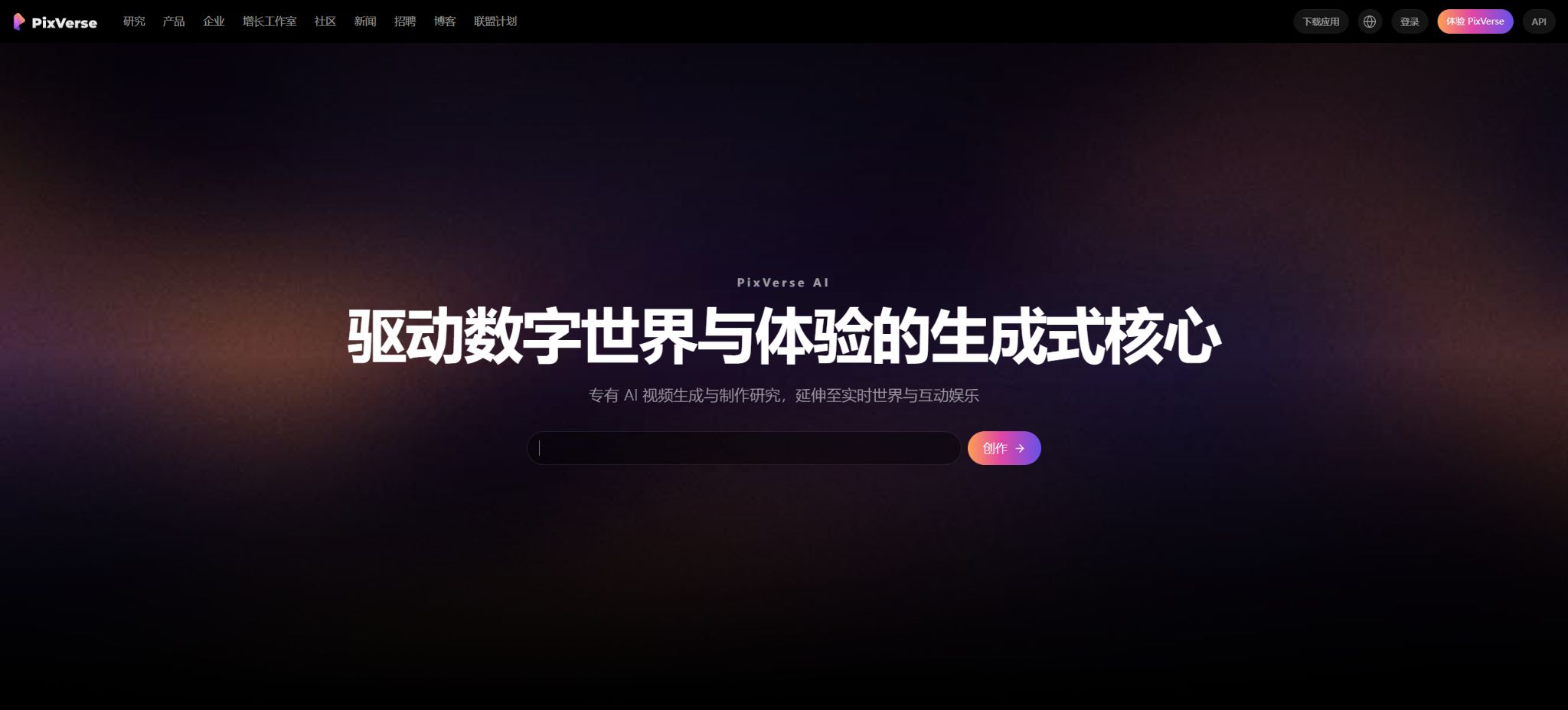
PixVerse
An AI creation platform that enables the generation of dynamic videos from text or images
Tags:AI video toolsWhat is PixVerse?
PixVerse is an AI-based visual content creation platform designed for creators around the world. Its core functionality lies in converting text prompts, images, and reference materials into short videos. The platform offers a web interface, mobile applications, developer APIs, and official command-line tools; it is suitable for creating special effects for social media as well as creative short films, and can also be integrated into automated content production processes.
PixVerse is no longer just a single tool for generating video from text. Its official website brings together functions such as converting text and images into video, providing templates, ensuring consistency in characters, handling starting and ending frames, controlling movements, managing lip sync, adding sound effects, offering a customizable canvas, supporting marketing workflows, and enabling AI-driven creation, all within one platform. Pricing is based on points, taking into account factors such as the model used, duration, resolution, and additional features.
PixVerse V6 model
The official command-line documentation lists PixVerse V6 as the default video model developed in-house; it supports video lengths of 1 to 15 seconds, resolution levels from 360p to 1080p, as well as aspect ratios such as 16:9, 9:16, 1:1, 4:3, 3:4, 3:2, 2:3, and 21:9. The actual parameters available on the website may vary depending on the account, region, and the interface used.
V6 is suitable for creating individual shots from prompts or images. When generating a longer story, it is necessary to break the shots into smaller parts while maintaining consistency in terms of characters, costumes, locations, lighting, and photographic style; thereafter, traditional editing software can be used to handle timing, dialogue, and sound mixing.
Text-to-video
Text-to-video generates dynamic visuals based on textual descriptions. Users can describe the subject, actions, scene, camera angle, composition, lighting, and style; they can also choose the model, duration, aspect ratio, and clarity, after which they submit the request for asynchronous generation.
The prompt should first clarify who is doing what in what environment, and then details such as camera movements and artistic style can be added. Including multiple time jumps and complex actions at once can lead to character inconsistency; it’s better to create each element separately, shot by shot.
Convert images to video
Converting images to video transforms photos, illustrations, product images, or character portraits into dynamic footage. It allows for the addition of camera movements, character actions, changes in the environment, and physical effects; it is often used to create animated posters, product presentations, short videos featuring characters, and content for social media.
The text, logos, fingers, and product layout in the input image may deform during movement. For brand-related elements, it is necessary to use high-resolution, clean graphics, control the extent of motion, and check each frame individually.
Start and end frame transition
The start and end frame feature allows users to upload the initial image and the final image, and the model generates the movements and transitions between them. It is suitable for scene changes, product transformations, character rotations, and camera transitions, and it provides better control over the final state compared to using just one reference image.
When there are significant differences in composition, perspective, and main elements between the initial and final images, the model may use effects such as dissolving, warping, or jumping to create a transition. It is best to place the key elements in similar positions first, and then use text to describe the process of change.
Roles and multiple reference diagrams
The reference template allows the upload of multiple images of characters, objects, or scenes, and it is possible to specify which reference materials should be used through the accompanying prompts. On mobile devices, up to 7 reference images can be used, which is suitable for scenarios involving multiple people, series of content, and maintaining consistency in brand assets.
Referencing images can help improve consistency, but it does not mean an exact replication. Permission must be obtained for real-person portraits, and the colors of products, the text on packaging, and the costumes of characters still need to be checked manually.
Motion control and Mimic
Action control allows the uploading of character images and reference videos showing specific actions, so that the generated characters can imitate those actions. The official API refers to this functionality as Mimic, and requires that the reference videos feature a person as the main subject.
Dancing, rapid turns, blocking, and movements involving multiple people often lead to errors in body positioning. When using videos of others’ movements or their portraits, it is also necessary to address the copyright issues related to those performances, portraits, and materials.
Video continuation
The continuation function generates the next sequence of frames based on the existing video, in order to extend a shot or continue an action. It helps to avoid sudden ends to shots, but the new segments are still the result of model inference, not a restoration of the actual filmed content.
The more times it is rewritten, the more likely it is that the appearance of the characters, the background, and their direction of movement will deviate from the original. For long videos, it is necessary to keep each segment of the original file, and use editing, color correction, and sound effects to hide any differences at the junctions between these segments.
Video modification and local editing
The Modify function allows for targeted adjustments to existing videos, such as replacing characters, clothing, backgrounds, or specific areas. Local editing saves time compared to recreating the video from scratch, and it is suitable for use in advertising versions and creative experiments.
Complex occlusions, transparent materials, and fast movements can reduce the stability of the mask. The entire clip should be checked before final delivery; it’s not sufficient to rely only on the preview of the first frame.
Lip-syncing and digital humans
Users can add scripts to images or short videos, use text-to-speech functionality or upload audio files, in order to generate video clips with speech that matches the movements of the lips. The API also provides separate functions for lip-syncing and a list of TTS speakers.
The official API currently awards additional points for lip-syncing based on the length of the video; there are also separate rules applicable to external audio and TTS. Sound cloning, character portraits, and voice-over content require authorization and must not be used for impersonation, fraud, or false endorsement.
Sounds and sound effects
PixVerse enables the addition of sound effects related to the visuals when creating videos, and it also offers capabilities for generating voice and music. The API documentation indicates that sound effects can be used as a switch for video tasks, or they can be processed separately after video generation.
Sound effects do not always match the rhythm of the actions, and the commercial use of music and sounds is determined by the relevant models and terms. It is necessary to check the volume, loop points, content recognition aspects, as well as the policies of third-party platforms before releasing anything.
AI special effects and templates
Special effect templates are one of PixVerse’s most popular features. After uploading a photo, users can quickly apply popular effects such as hugs, kisses, muscle changes, mechanical transformations, dancing, mini worlds, wings, and fashion photos.
Templates lower the barrier to creating prompts, but they lead to a high degree of homogenization; moreover, they may alter faces and bodies in an excessive manner. When real people are involved, it is necessary to obtain their consent first, and it is important to avoid creating synthetic images that are humiliating, pornographic, or misleading.
4K zoom
The mobile app currently allows for zooming in on images and videos; videos can be processed in 4K resolution, though there is a limit on their length. Zooming improves the visual quality, but it cannot restore details that were not present during filming.
The highest resolution available in the paid plans varies, and it is also necessary to distinguish between the output provided by the model in its original form and the image after scaling up. Before delivering the content to large screens or for use in advertisements, it is essential to download sample images in order to check the level of sharpening, any changes in the faces, and the degree of compression.
AI creation agents and canvases
AI Video Agent can convert natural language requests into prompts, reference materials, and generation settings, thereby reducing the need for repeated parameter adjustments. Canvas is suitable for organizing multiple nodes and materials into an iterative video workflow.
Agents can help to develop creative approaches, but it is still the creators who are responsible for defining the brand’s positioning, ensuring the accuracy of information, controlling the pace of development, and guaranteeing the final quality. In particular, marketing content requires manual verification of product details and statements.
Marketing videos and Mini Apps
Marketing Hub and Mini Apps package common ads, social videos, and individual tools into guided workflows, eliminating the need for users to start from blank prompts. They are ideal for quickly creating promotional content, content related to holidays, new product launches, and other platform-related topics.
Just because a template is ready does not mean it can be used immediately. Companies should replace the standard wording, check the prices, benefits, and disclaimer statements, and ensure that the materials and AI-generated content comply with the advertising guidelines of the target platform.
Personal free quota
PixVerse allows users to register for free and try out some of the generation features, but the free credits, those offered to new users, the daily credits allocated, as well as the settings related to clarity, watermarks, and waiting times can change dynamically. The 90 credits available for registration or the 60 credits per day that were common in previous versions are only for reference; they are not guaranteed to remain the same in all regions or for all accounts.
Free users should first use test prompts and actions in low resolution to decide whether to spend more credits. Insufficient credits, a busy queue, and permissions for new models may trigger subscription suggestions.
Price and version comparison
| Package or version | Prices, quotas, and core benefits |
|---|---|
| Individual subscription price | For individual users, subscription tiers such as Standard, Pro, Premium, and Ultra are available. The official Creator Program for 2026 specifies that the Pro plan costs $30 and includes 6,000 membership points per month; the pricing page shows the current rates based on region, as well as whether payment is made monthly or annually. Other tiers, annual discount rates, monthly points, the number of simultaneous connections, watermark removal, and the highest quality settings may vary, so the prices listed by third parties should not be considered as fixed commitments. It is advisable to save the pricing page when making a purchase and to confirm the automatic renewal option. |
| Member points and additional purchase points | Members usually receive points on a periodic basis; the amount of points earned depends on factors such as the model used, quality, duration, and any additional sounds included. The official creator’s guide distinguishes between member points and those obtained through rewards or purchases, and it explains that the validity period of points from different sources may vary. One should not focus solely on the number of points per month. It is better to first create a sample using the desired model, calculate the actual cost associated with each 5-second, 10-second, or 15-second video, and take into account the costs related to retries, scaling, and adding sounds. |
| API price | API points and the points associated with a personal website membership are part of different products, and therefore cannot be used interchangeably. The official API pricing table shows the cost based on the model, resolution, duration, and mode used; the fast motion mode may result in double the point cost compared to normal mode. Taking the specifications for the V5 series as an example, a 5-second video costs 45 points, 720p videos cost around 60 points, while 1080p videos cost about 120 points. Longer durations generally result in higher costs, and audio effects and lip synchronization are charged separately. For the V6 series and other models, the prices are indicated in the real-time API table. |
| Billing for lip shape and sound effect APIs | The official API documentation states that for external audio, 4 points are charged per second of video, while TTS is billed based on UTF-8 character blocks; sound effects incur a charge of 10 points every 5 seconds, rounded up. The calculation method may vary depending on the endpoint, model, and version used. For batch tasks, it is necessary to estimate the maximum cost before submission, and to monitor consumption through the balance interface in order to avoid repeated charges due to retry attempts. |
Individual subscription price
For individual users, there are tiered subscription options such as Standard, Pro, Premium, and Ultra. The official Creator Program for 2026 specifies that the Pro plan costs $30 and includes 6,000 membership points per month;
The public pricing page displays real-time prices by region, as well as for monthly or annual payments.
Other tiers, annual payment discounts, monthly points, the number of simultaneous connections, watermark removal, and the highest quality level may change; therefore, the prices listed by third parties should not be considered as fixed commitments. It is advisable to save the payment page at the time of purchase and to confirm the automatic renewal option.
Member points and additional purchase points
Members usually receive points on a periodic basis; the amount of points earned depends on factors such as the model used, quality, duration, and any additional sounds included. The official creator’s guide distinguishes between member points and those obtained as rewards or through purchases, and it explains that the validity period of points from different sources may vary.
Do not focus solely on the number of points per month. First, use the target model to create samples and calculate the actual cost associated with each video of 5 seconds, 10 seconds, or 15 seconds in length; also take into account the costs related to retries in case of failures, scaling, and audio.
Developer API
The PixVerse Platform offers independent API keys, account balances, text-to-video and image-to-video generation, support for starting and ending frames, special effects, content continuation, video editing, reference integration, face swapping, action replication, lip synchronization, sound effects, Webhooks, and the ability to check task status.
API tasks operate in an asynchronous mode. For production use, a unique tracking identifier must be generated, keys must be stored securely, and mechanisms such as rate limiting, retry attempts, status polling, Webhooks, result downloading, and handling of expired entries must be implemented.
API price
API points and the points associated with a personal website membership are part of different products, and cannot be used interchangeably. The official API price list shows the costs based on the model, resolution, duration, and mode of use.
The fast movement mode may result in twice as many points deducted as in the normal mode.
Taking the publicly available V5 series as an example, a 5-second video costs 45 points, a 720p video is around 60 points, and a 1080p video is about 120 points; longer videos generally incur higher costs in proportion, while sound effects and lip synchronization are charged separately.
V6 and other models should be based on the real-time API table.
Billing for lip shape and sound effect APIs
The official API documentation states that for external audio, 4 points are charged per second of video, while TTS is billed based on UTF-8 character blocks; for sound effects, 10 points are charged every 5 seconds, rounded up.
Different endpoints, models, and versions may alter the calculation method.
For batch tasks, an upper limit should be estimated before submission, and consumption should be monitored through the balance interface to prevent repeated charges due to retry logic.
Official command-line tool
PixVerse offers an official CLI that can be installed using a Node.js package. It utilizes browser-based authentication, supports structured JSON output, task waiting, material downloading, and scripted batch generation; it requires Node.js version 20 or higher.
CLI uses the same points as the personal website, and it is currently available only to subscribed users. Login tokens have a valid period of time; automated environments should safeguard local credential files and avoid storing tokens in code repositories.
Official MCP service
The official GitHub repository also provides the PixVerse MCP server, which enables AI applications that support MCP to utilize APIs for tasks such as text-to-video conversion, image-to-video conversion, transition effects, content continuation, lip-syncing, and audio effects. The MCP code is licensed under the MIT license, and a separate PixVerse API key along with API credits are required.
The open source nature of MCP means that the connector code can be viewed and modified, but it does not imply that the models generated by PixVerse, its web platform, or its cloud services are open source.
Is it open source?
PixVerse’s core video models, training data, web applications, and API services are closed-source commercial products. The official version provides a CLI, an MCP server, and an agent skill library; some of these components are available under the MIT license.
The catalog should indicate that \"the product is not open source, while some of the official development tools are\", to prevent the open-source client from being mistakenly described as something that allows model weights to be deployed locally.
Supported platforms
Ordinary creators can use web, Android, and iOS apps; developers can use HTTP APIs, the official CLI, and MCP.
Google Play shows that the number of downloads has exceeded 50 million, and the mobile features will be continuously updated through new versions of the app.
The account privileges, points, and feature access options for web pages, mobile apps, personal CLI tools, and developer platforms are not exactly the same; before using these platforms across different devices, it is necessary to check whether the balance and subscription details are shared.
PixVerse Usage Guide
Complete a basic task.
- Identify the audience, platform, format, duration, and the information that needs to be conveyed;
- Prepare scripts, shots, or reference materials that can be used in PixVerse;
- Select the PixVerse V6 model to create a low-cost preview;
- Use Video Generation to adjust the visuals, pace, subtitles, and audio;
- Check each frame for characters, text, logos, lip movements, and factual accuracy;
- Export in the desired format after confirming the licensing for music, portraits, and materials;
Create reusable professional workflows
- Create scripts, shot lists, brand assets, and a list of elements that are prohibited from use;
- Uniform parameters are saved for the PixVerse V6 model, as well as for text-to-video and image-to-video conversion.
- First, use representative shots to test the model and the quota;
- Transfer the failed shots to manual editing or regenerate them;
- Uniformize subtitles, volume, colors, and end credits;
- Record the version and reviewer before publishing in batches;
Which users is it suitable for?
- Individuals who create content for social media, short videos, and popular AI effects;
- A operations team that is capable of quickly turning photos, posters, and product images into animations;
- Creators who need opening and closing frames, reference characters, and action control;
- A team that creates voice-over characters, marketing videos, and creative ads;
- Developers who generate assets in bulk using APIs, CLI, or MCP.
Product advantages
- The self-developed V6 and various external models are integrated on a single platform;
- Complete functions for text-to-image, image-to-image generation, handling of start and end frames, as well as reference and modification options;
- Popular templates and Mini Apps are suitable for rapid dissemination;
- It supports imitation of lip movements, voice, sound effects, and actions;
- Provides public API documentation, price lists, CLI, and MCP;
- It has wide coverage on the web and mobile devices.
Restrictions and Precautions
- Video generation may still suffer from character drift, physical errors, garbled text, and camera jumps;
- High resolution, long duration, external models, as well as lip movements and sound effects significantly increase the amount of resources consumed; moreover, personal subscriptions and APIs operate as separate systems.
- Real people, voices, brands, copyrighted characters, and advertising content must have their usage rights verified;
- Popular special effects can be used for entertainment, but they cannot be used to create misleading videos of people without their consent;
Frequently Asked Questions
Is PixVerse free?
Some features can be tried out for free, but the bonus points, daily limits, watermarks, image quality, and queue options will vary. Frequent generation and advanced models usually require a subscription or the purchase of points.
How much is PixVerse Pro?
The official Creator Program for 2026 assigns a value of $30 to the Pro tier, along with 6,000 membership points per month. The actual local prices, taxes, and annual payment discounts are specified on the settlement page.
How long can a video be generated with PixVerse?
The official CLI indicates that version V6 supports a duration of 1 to 15 seconds per segment. Longer content is usually created by using multiple shots, followed by additional editing steps.
Does PixVerse support 4K?
Some images and videos can be enlarged to 4K resolution, and certain external models offer even higher resolutions. Availability depends on the model, package, and device.
Can personal points be used with APIs?
Mixed use is not allowed by default. The developer API operates under a separate plan and point system; it must be purchased separately through the Platform console, where the balance can also be checked.
Does PixVerse have an official API?
Yes, it covers video generation, transitions, continuation of videos, references, editing, lip synchronization, sound effects, action imitation, Webhooks, and task querying.
Is PixVerse open source?
The core models and platform are not open source; the official CLI, MCP, and skill library are publicly available development tools, some of which are licensed under the MIT license.
Tools similar to PixVerse




 Guigong Network Security Registration No. 45132202000164