






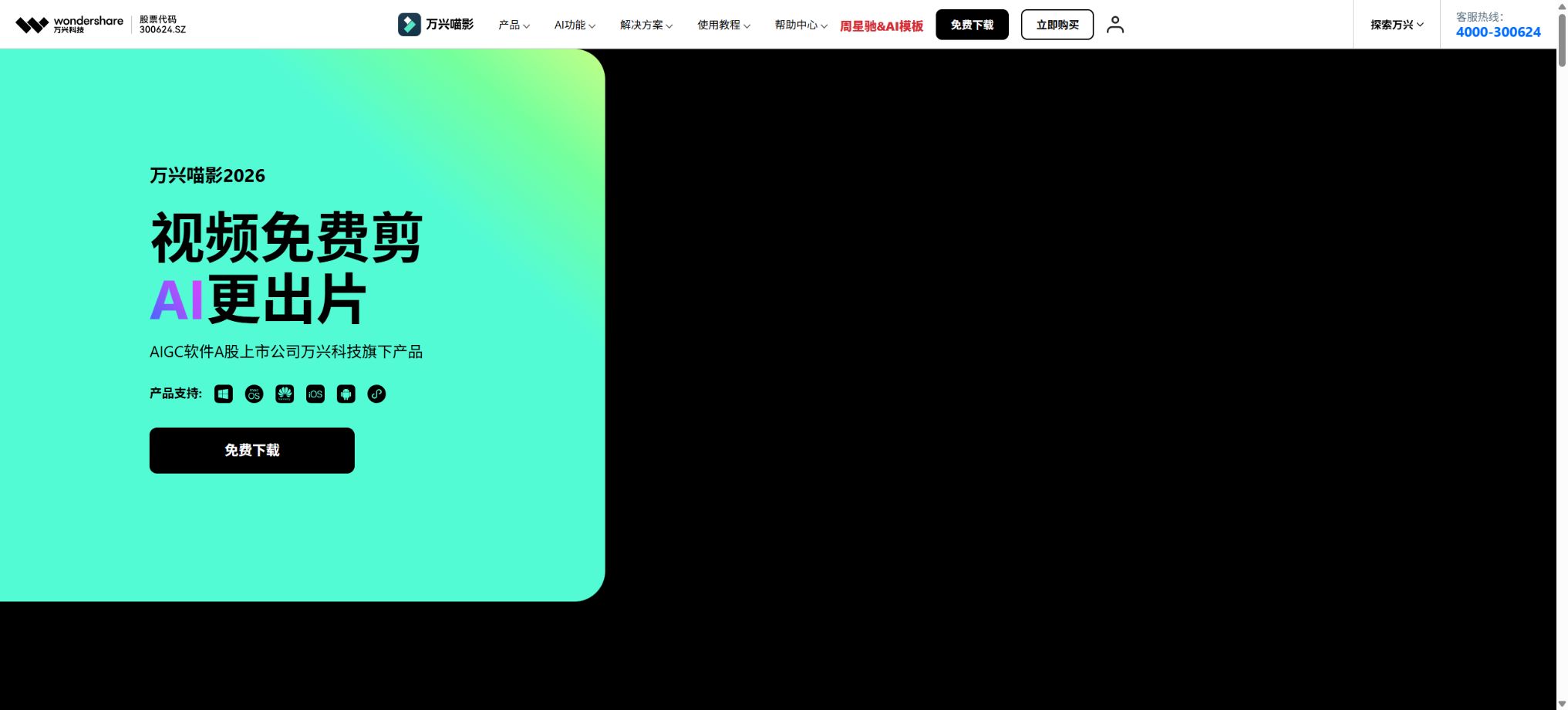
Wanxing Meow Shadow
Video editing software that combines AI-powered editing, subtitles, keying, and generation capabilities.
Tags:AI video toolsWhat is Wanxing Meiying 2026?
Wondershare Filmora is a cross-platform video editing software developed by Wondershare Technology; its name abroad is Wondershare Filmora. Version 2026 of this software represents the 15th generation in its product line. It combines traditional features such as multi-track timelines, keyframes, color correction, audio handling, subtitles, and special effects with generative AI tools, making it suitable for use in Vlogging, content creation for social media, educational purposes, marketing activities, and for small to medium-sized business videos.
Its position lies between mobile template editing tools and professional video post-production software: it offers more comprehensive timeline and parameter controls than those one-click video creation tools, yet it places greater emphasis on drag-and-drop functionality, templates, and AI automation compared to large-scale professional software. The price, asset library, AI points, and account benefits of the Chinese version differ slightly from those of the international Filmora version.
New features of Wanxing Meiying 2026
The current version includes a pen tool, planar tracking, data-driven templates, dual timelines, support for importing multiple projects, as well as anchor points and keyframe paths. It also features improved AI-based content extension, high-definition processing, intelligent portrait extraction, and capabilities for removing and creating elements. It allows for precise control over the movement of elements in a scene, and it can generate new shots from text, images, and reference materials.
The designation “2026” on the official website refers to the annual product name for the Chinese market; within the client application, the version number remains V15.x. It is important to keep track of the exact version number when working in a team, as AI models, project compatibility, and scoring rules change with each version update.
Multi-track timeline editing
Users can import videos, audio files, images, and subtitles, and on the multi-track timeline they can perform tasks such as cutting, splitting, merging, cropping, adjusting speed, playing in reverse, freezing frames, using picture-in-picture, mixing elements, and adding transitions. Features like magnetic alignment for the main track, ripple editing, as well as marking and grouping help to prevent misalignment of the media elements.
For complex projects, it is necessary to standardize the frame rate, color space, proxy files, and project scale first. Moving or renaming the source materials can cause the project to become unusable; therefore, project packaging should be used or the file structure maintained before delivery.
Keyframes, anchors, and the Pen tool
Keyframes allow control over changes in position, scaling, rotation, transparency, color, and effects over time. The anchor points and curve paths in version 2026 enhance motion control, while the Pen tool enables the creation of precise paths, masks, and animation trajectories.
Too many keyframes can cause motion jitter and make it difficult to make adjustments. It is first necessary to design the starting and ending poses as well as the rhythm, then adjust the easing effects and path curves, and finally preview the result at the actual frame rate.
Multiple cameras and dual timelines
Multi-camera editing allows for the synchronization of different shots from the same event; by aligning them using audio or time information, it’s possible to switch between angles quickly. Dual timelines and source monitors help in comparing footage, selecting start and end points, and assembling complex narratives.
Automatic synchronization relies on a clear common audio signal or time code. For long-duration activities, it is necessary to first back up, use proxies, and adjust the clock, in order to prevent misalignment in the latter part of the activity due to drift in one of the recording devices.
AI-generated video
AI text-to-video technology can generate short video clips based on given prompts or turn written text into complete drafts; it is suitable for use in creative transitions, social media videos, concept presentations, and as a way to supplement content when there isn’t enough material available. Different models require different amounts of points depending on the length and quality of the video produced.
The generated images may show issues such as drifting characters, text errors, and abnormal physical movements. Real photographs of products, news reports, and evidence-based scenes cannot be replaced by AI-generated content; for commercial use, it is necessary to check the models and the licensing conditions for the output.
AI video generation from images
Tusheng Video enables static images to exhibit camera movements, character actions, or style changes. Under the current scoring system, approximately 60 to 1500 points are consumed per use, depending on the model and the duration of generation. It can be used to make posters dynamic, as well as for presenting product concepts and starting social media posts.
The logos, text, characters, and product details in the images may become distorted during movement. For important brand elements, it is necessary to use approaches that ensure greater consistency, and to check each frame individually.
AI video continuation
AI continuation can create additional footage before and after the original video, thereby extending the sequence or adding transitions. According to the official scoring system, each such operation earns around 600 to 2000 points, with the exact amount depending on the model used and the duration of the generated content.
Continuation does not involve restoring the actual content that was not captured by the camera; rather, it is a result of the model’s predictions. At the points where shots are connected, there may be sudden changes in the subject, lighting, and direction of movement, which requires cutting, color correction, or re-creation.
AI-inspired film footage
Inspiration generates scripts, storyboard references, characters, sound effects, and video clips based on a theme or story, after which these elements can be modified on the timeline. It is ideal for turning vague ideas into tangible audiovisual concepts that can be discussed.
Points are deducted based on the various stages of creation; for example, references, sound effects, and different animation techniques all incur separate costs. For longer stories, it is necessary to first determine the script and characters before proceeding with mass creation, in order to avoid having to redo work frequently.
AI Intelligent Text Quick Editing
Smart Text Quick Cut first converts video audio into text; users can delete sentences, adjust subtitles, and locate segments just as they would edit a document. It is suitable for interview, course, voice-over, and podcast videos. The current desktop score system awards 16 points per minute.
Transcription errors can affect the cutting points. Before deleting anything, it is necessary to check names, numbers, pauses, and tone; keep the original file so that the mistakenly deleted content can be restored.
Speech-to-text and dynamic subtitles
Text-to-speech converts speech into text automatically, and dynamic subtitles allow for effects such as word-by-word display, adjusted pacing, and emphasis. The official scoring system currently assigns 4 points per minute for simple transcription, while 20 points per minute are given for transcription combined with AI translation.
Multiple overlapping voices, dialects, noise, and technical terms can reduce accuracy. Formal subtitles should be manually reviewed to check punctuation, line length, the timeline, and the safe area for mobile devices.
AI video translation
Video translation can handle audio, subtitles, and dubbed content in the target language; it also offers text translation alone and lip-syncing. The current pricing is 64 points per minute for audio along with text translation, 20 points per minute for text translation alone, and 84 points per minute for lip-syncing.
Automatic translation and lip-syncing do not equate to complete localization. Brand terminology, character relationships, regulations, and cultural expressions require review by native speakers, and permission must be obtained for voice cloning as well.
Text-to-speech and voice tone cloning
Text-to-speech allows the generation of various voices from scripts; currently, 1 point is awarded for every 400 characters. Voice cloning is used to create customized voices, with the official rate being 100 points per operation, though additional credits may still be required for the actual synthesis process.
Voice cloning must be carried out with the explicit authorization of the individual in question or their rights holder. It is not allowed to create content that is intended to deceive or manipulate others, and companies should keep records of such approvals and control access to the relevant models.
AI music and sound effects
AI music generates background music based on emotion, style, and duration, while AI sound effects create ambient sounds and action sounds according to textual descriptions. The cost of music is currently around 120 to 2000 points per piece, and the cost of sound effects is around 120 to 280 points per piece.
Smart music scoring may require 8 to 5,800 points, depending on the model and duration.
The fact that something is “AI-generated” does not automatically mean it can be used for commercial purposes on all platforms without any restrictions. It is necessary to review the relevant terms and conditions before publishing, and to pay attention to restrictions related to Content ID, platform identification, and brand advertising.
AI voice separation, noise reduction, and enhancement
Voice separation allows for the extraction of vocal sounds from music or ambient noises; it also helps to reduce noise such as wind sounds, reverberation, and background noise, while enhancing the quality of the vocals by improving their clarity and volume. Audio restructuring enables the adjustment of the length of music tracks to match the duration of videos.
Excessive noise reduction can result in metallic sounds and damage to consonants; moreover, when separating the vocal track, background music may remain. Important dialogues should be kept in their original format, and checked using headphones on various devices.
AI intelligent keying and masking
Smart portrait isolation, smart image extraction, and AI masks allow for the separation of people or objects without the need for a green screen; these tools can be used in conjunction with background replacement, outlining, and compositing. Plane tracking and motion tracking enable text, stickers, and images to follow a target.
Hair, transparent objects, motion blur, and complex backgrounds can easily cause edge problems. For professional projects, it is still necessary to manually edit the masks or use a green screen.
AI removes facial blurring/masking
AI can remove pedestrians, objects, or text from videos. The current point system assigns 400 points per operation. Face masking allows for the detection and concealment of faces, which is useful for ensuring privacy.
The larger the area to be removed and the more complex the motion, the more likely it is that background reconstruction will result in smearing and flickering. It is necessary to check each frame for any missed errors, especially in cases of side profiles, occlusions, and rapid movements.
AI ultra-high definition and flicker removal
AI Super HD is used to improve the quality of low-resolution videos; the cost is 80 points per use. Flash elimination is used to remove flickering in lighting and in time-lapse videos, and its cost is 120 points per use.
The GPU and the length of the material affect the processing time.
Ultra-high definition versions generate inferred details and cannot be used to prove the original facts. Highly compressed footage may show sharpened edges and changes in facial features; it is advisable to test such footage first.
Digital templates and creative assets
Data-driven templates can be used to import data and create dynamic charts, which are suitable for reports, courses, and marketing presentations. The platform also offers templates, transitions, filters, LUTs, stickers, fonts, music, and video materials; according to its official website, the number of these resources amounts to millions.
Not all materials are suitable for commercial use. The editor will mark those that can be used commercially, and users must filter based on the type of material and its intended purpose.
Commercial use license for materials
The official guidelines classify materials as either suitable for commercial use or not. Materials marked as suitable for commercial use can be used in scenarios such as platform revenue sharing, brand sponsorship, online advertising, e-commerce promotion, and live streaming sales.
In addition to audio, some of it can also be used for offline advertising and training.
The materials cannot be resold separately from Miaoying, nor used to create trademarks, templates, wallpapers, products, or training data; all materials must be created and exported within Wanxing Miaoying.
Audio cannot be used in offline scenarios, and its use in movies, TV shows, and similar applications is not covered by the standard licensing terms.
Price and version comparison
| Package or version | Prices, quotas, and core benefits |
|---|---|
| Free version and export | The Wanxing MeowVideo editor can be downloaded for free and tried out; a large number of basic editing functions as well as some materials are available for testing. Whether watermarks are included, what types of materials can be used, whether export in 4K or 8K is possible, and whether AI features are available all depend on the device used, the membership status, and any current promotions. It is advisable to test the decoding performance, subtitle functionality, color handling, and export quality using actual materials before making a purchase. VIP status for mobile devices, desktop membership, material services, and AI credits represent different benefits, and it cannot be assumed that all features will be available just because one is a member. |
| Changes to the member points policy | In the older versions, from V14 to V15.2.6, one-time trial credits were provided to individual VIP users, while SVIP and corporate members received different amounts of credits on a monthly basis. In the current version V15.2.16 and later, only separate credit packages are listed; users can no longer assume that new members will receive credits on a monthly basis according to the old rules. The settlement page still shows that corporate members receive 8,000 table points per month along with benefits worth 59 yuan per month, but individual plans are displayed dynamically. It is necessary to save the order page and verify which version applies at the time of purchase. |
| Price for mobile devices | The App Store in China currently offers a variety of in-app purchases: a monthly subscription costs 9.9 yuan, while a weekly subscription is 15 yuan; an annual subscription costs 88 yuan, and a yearly membership fee is 108 yuan. There are also other options with prices of 78 yuan, 178 yuan, 268 yuan, etc., representing different plans or benefits, as well as AI point packages ranging from 5.8 yuan to 18.8 yuan. These figures are provided as real-time references on the iOS mobile platform and do not reflect the prices for desktop versions on Windows or Mac. The actual available options, promotions, auto-renewal features, and cross-platform benefits can be found on the application’s payment page. |
| Corporate members and cloud storage | Enterprise members benefit from compatibility across Windows, Mac, Android, and iOS, as well as features such as corporate invoicing, procurement documents, multi-device logging in, and the ability to switch devices freely. The current public page shows that enterprise AI points amount to 8,000 points per month at a cost of 59 yuan per month; access to Wanxing Cloud is available for 19 yuan per year. For more advanced functions such as team management, asset sharing, and security controls, it is necessary to consult a sales representative. Teams need to clarify aspects such as the number of seats allowed, device restrictions, commercial use of materials, ownership of AI points, project handover, cloud storage, SSO, and data deletion; personal accounts cannot be used as a substitute for enterprise authorization. |
Free version and export
The Wanxing MeowVideo editor can be downloaded for free and tried out; a large number of basic editing tools as well as some materials are available for testing. Whether watermarks are included, what types of materials can be used, whether export in 4K or 8K is possible, and whether AI functions are available all depend on the platform, membership status, and any current promotions.
Before making a purchase, it is necessary to test the decoding, performance, subtitles, colors, and export functionality using actual materials. VIP benefits for mobile devices, desktop members, material services, and AI points are distinct privileges; one cannot assume that all features will be available just because someone is already a member.
Desktop AI scoring rules
AI credits are the unit used in Wanxing Meiyin 2025 and later versions for generating content with generative AI; they are currently available only for the desktop client. In Wanxing Meiyin 2026 V15.2.16 and later versions, it is possible to purchase packs of 1,000, 5,000, and 10,000 credits, with each pack being valid for one year from the date of purchase.
Once the points are used up, the advanced AI functions stop working and it is necessary to purchase more points. Points can be accumulated, but they cannot be given as gifts or shared; each purchase has its own expiration date, and unused points do not get extended or refunded when their deadline arrives.
Changes to the member points policy
In the older versions, from V14 to V15.2.6, one-time trial credits were provided to individual VIP users, while SVIP and corporate members received different amounts of credits on a monthly basis. In the current version V15.2.16 and later, only separate credit packages are listed; users can no longer assume that new members will automatically receive credits on a monthly basis according to the old rules.
The settlement page still shows that corporate members receive 8,000 table points per month as well as benefits worth 59 yuan per month; however, the options available for individual plans are loaded dynamically. It is necessary to save the order page at the time of purchase and verify the scope of application of the relevant version.
Price for mobile devices
The App Store in China currently offers a variety of in-app purchases: a monthly subscription costs 9.9 yuan, while a weekly subscription is 15 yuan; an annual subscription costs 88 yuan, and a yearly membership fee is 108 yuan. There are also other subscription options with different prices such as 78 yuan, 178 yuan, and 268 yuan, as well as AI point packages priced between 5.8 yuan and 18.8 yuan.
These are real-time references for iOS mobile pages and do not represent the prices for Windows or Mac desktop versions. The available SKUs, promotions, auto-renewal options, and cross-platform benefits are as indicated on the application’s payment page.
Corporate members and cloud storage
Corporate members benefit from compatibility across Windows, Mac, Android, and iOS, as well as features such as corporate invoicing, procurement documents, multi-device logging in, and the ability to switch devices easily. The current public page shows that corporate AI points amount to 8,000 points per month, at a cost of 59 yuan per month; there is also an option to use Wanxing Cloud for 19 yuan per year.
For more advanced personnel management, asset interoperability, and security control, please consult the sales team.
The team should clarify the number of seats, equipment limitations, the use of materials for commercial purposes, ownership of AI credits, project handover, cloud storage, SSO, and data deletion; personal accounts cannot be used as a substitute for official corporate authorization.
Platform and system requirements supported
The product is available for Windows, macOS, iOS, Android, and HarmonyOS. For Windows, it is recommended to use a 6th generation Intel Core processor or a Ryzen 3 1300X, along with 8GB of RAM and 2GB of video memory.
For 4K projects, it is recommended to use 16GB of RAM, 4GB of video memory, and an SSD.
Mac is compatible with Apple’s M series.
AI, material downloading, as well as registration and subscription verification require an internet connection. Complex projects in 4K, 8K, AI ultra-high definition formats, or those involving multiple cameras demand higher performance from GPUs, as well as greater disk throughput and cache capacity.
Input output format
The desktop version supports videos in formats such as MP4, MOV, MKV, AVI, MTS, WebM, as well as audio files in formats like MP3, WAV, FLAC. It also handles image files in JPEG, PNG, HEIC, WebP, RAW, and SVG formats, in addition to SRT and LRC subtitle files. Export options include MP4, MOV, MKV, WebM, GIF, and MP3.
The Mac section lists some 8K output options, while the Windows section primarily shows 4K options. The file format extension does not guarantee compatibility with all coding methods; for materials from special cameras, 10-bit formats, HDR content, and variable frame rate content, it is necessary to create sample clips first.
Are APIs provided and is the code open source?
Wanxing Miao Ying is a commercial software for desktop and mobile devices; it does not provide a unified video editing API available to ordinary users, nor is it an open-source project. The developers have not released the source code of the full editor or the weights of the AI models.
For requirements related to enterprise automation, SDKs, or privatization, please contact the business department of Wanxing Technology. The functions of Filmora’s international version or third-party scripts cannot be regarded as the official API for the Chinese version.
Wanxing Meiying 2026 User Guide
Complete a basic task.
- Identify the audience, platform, format, duration, and the information that needs to be conveyed;
- Prepare scripts, shots, or reference materials that can be used in Wanxing Meiying 2026;
- Select the new features of Wanxing Meiying 2026 to create a low-cost preview;
- Use a multi-track timeline for editing to adjust the visuals, rhythm, subtitles, and audio;
- Check each frame for characters, text, logos, lip movements, and factual accuracy;
- Export in the desired format after confirming the licensing for music, portraits, and materials;
Create reusable professional workflows
- Create scripts, shot lists, brand assets, and a list of elements that are prohibited from use;
- Save unified parameters for the new features of Wanxing MeowVideo 2026, such as multi-track timeline editing, as well as keyframes, anchors, and the pen tool.
- First, use representative shots to test the model and the quota;
- Transfer the failed shots to manual editing or regenerate them;
- Uniformize subtitles, volume, colors, and end credits;
- Record the version and reviewer before publishing in batches;
Which users is it suitable for?
- Creators who need something more powerful than mobile templates but do not want to learn complex professional software;
- Individuals who create Vlogs, voiceovers, courses, e-commerce content, and short social media videos;
- Teams that need subtitles, translation, keying, removal of unwanted elements, and AI-generated content;
- Advanced users who utilize multiple cameras, keyframes, dynamic charts, and complex timelines;
- Organizations that require enterprise authorization, commercially usable assets, and cross-platform management.
Product advantages
- Traditional timelines and generative AI within the same workflow;
- Text-to-video, image-to-video, continuation of content, text summarization, and translation – all of these functions are available;
- Professional capabilities such as pen usage, planar tracking, multi-camera recording, and dual timelines have been enhanced;
- It has wide coverage on Windows, Mac, mobile devices, and HarmonyOS;
- There are abundant Chinese language tutorials, resource libraries, and templates;
- Publicly list the AI score system and the rules for commercial use of materials.
Restrictions and Precautions
- Members, materials, AI points, as well as mobile and desktop versions represent different types of benefits.
- The current 2026 version of the points policy differs from the previous one, and the points awarded to former SVIP members cannot be applied directly.
- The consumption of generative AI can be high;
- There are strict limitations on the scope for which the materials can be used commercially, especially regarding audio, offline use, films and videos, as well as the use of the materials alone.
- AI-generated, translated, cloned voices and the resulting outputs must be manually checked;
Frequently Asked Questions
Is Wanxing Miao Ying free?
Basic editing can be downloaded and tried for free, but exporting without watermarks, access to certain materials, advanced features, and generative AI require a corresponding membership or points.
How much does the Wanxing MeowShadow membership cost?
The prices vary depending on the platform. On iOS, the available options include a monthly subscription at 9.9 yuan and an annual subscription at 88 yuan, among others.
The individual desktop price is displayed dynamically; the enterprise version is currently listed at 59 yuan per month.
The actual settlement page shall prevail.
Do AI points expire?
Yes. The current standalone credit package is valid for one year from the date of purchase; each purchase is counted separately. It does not get extended upon expiration, no refund is provided, and it cannot be transferred to others.
Can Wanxing Miao Ying generate AI videos?
Yes, it supports text-to-video, image-to-video, idea-to-video, and video continuation functions, and allows further editing on the timeline. Different models and video lengths require different amounts of credits.
Can all the materials be used for commercial purposes?
No. Only those materials marked as commercial-use are allowed to be used within the scope of the granted license; there are additional restrictions on reselling audio files, physical products, video content, and templates, as well as on using them independently of Miaoying.
Is Wanxing Meiying open-source?
It is not open source. It is a proprietary commercial video editing software developed by Wanxing Technology, and its core code as well as the weights of its AI models are not made public.
Tools similar to Wanxing Miaoying




 Guigong Network Security Registration No. 45132202000164