






Lumen5
A platform that helps teams convert text and brand materials into social media videos
Tags:AI video toolsWhat is Lumen5?
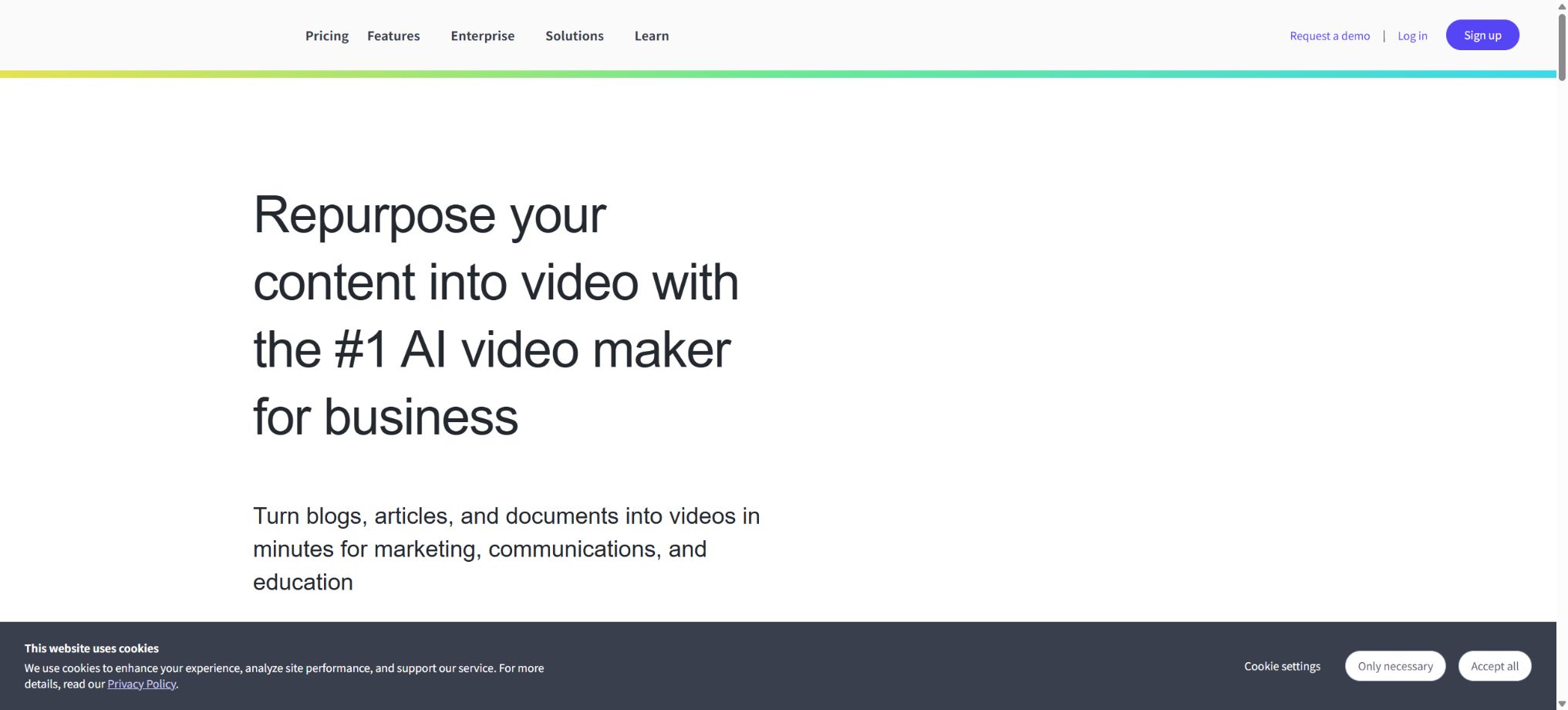
Lumen5 is an online AI video production platform designed for use in branding, marketing, corporate communication, and educational contexts. Once users provide a link to an article, paste a script, upload a document, or describe a topic, the system generates a script, breaks down the scene into various components, selects appropriate stock footage or AI-generated images, adds subtitles, narration, music, and animations, and finally exports the video using brand-specific templates.
Its editing method relies on scene cards and drag-and-drop functionality; there is no need to master traditional timeline editing. It is suitable for creating social media content on a continuous basis, adapting blogs, producing corporate announcements, offering training, and writing product descriptions. However, it is not appropriate for projects that require multi-track mixing, detailed color grading, or complex visual effects.
Blog to Video – Converting blogs into videos
After pasting a link to a blog or news article, Lumen5 extracts the text, identifies the key sentences, creates a simplified script, and finds relevant images and videos. Users can delete paragraphs, adjust the order of scenes, replace media elements, and add logos and brand styles.
Automatic extraction may miss footnotes, limitations, and sources, and it might also rewrite third-party opinions as the brand’s own stance. Users must have the rights to modify the article and its accompanying images, and they need to check against the original text before publishing.
Idea to Video: Prompt generation for videos
After the user enters the topic, target audience, platform, and tone, the AI generates a script, selects visuals, creates subtitles, and produces narration. It is suitable for creating explanatory videos, list-based content, and social media clips from scratch.
AI scripts may generate incorrect facts and exaggerated claims. Medical, legal, financial, policy-related information, product specifications, and customer cases must be reviewed manually; system-generated results should not be considered authoritative sources.
Converting Scripts and Documents to Videos
Existing scripts, marketing copy, and documents can be imported directly; the system creates scenarios based on paragraphs or sentences and recommends media sources based on keywords. Users can keep the original text, or they can ask the AI to compress it or rewrite it in language that is more suitable for videos.
Converting a long text directly into a video can result in too much content; it is necessary to first determine the objectives for each segment of the video as well as its duration. The text on the screen should be concise, with detailed information provided through narration, subtitles, or accompanying articles.
AI Script Generation
The script generator can create an introduction, a main body, and a conclusion based on the given instructions, and it can adjust the structure for use in social, educational, or business communications. Once generated, the script can still be edited section by section in the editor.
Scripting tools are primarily responsible for handling expression and structure; they do not automatically verify data, copyrights, or compliance requirements. For official videos, manual approval and version tracking are necessary.
AI Voiceover
Lumen5 offers over 1,000 AI voices that can be used to generate multilingual narration for scripts. The Basic plan includes 240 minutes of AI voice time per year, the Starter plan provides 720 minutes, the Pro plan offers 2160 minutes, while the Team plan is configured according to the terms of the contract.
Free currently costs about 24 minutes per year.
Voice minutes are only deducted at the time of final release, allowing users to create drafts, change voices, and preview content freely. The monthly subscription plan resets on a monthly basis, while the annual subscription plan provides a quota on an annual basis.
Different languages, accents and voices have varying levels of naturalness; brand names, numbers and technical terms must be heard aloud.
Voice cloning
Basic and Starter plans allow for the creation of 1 Voice Clone, Pro plans permit up to 3, while Team plans offer customizable options. Voice Clones are useful for ensuring that founders, instructors, or brands use a consistent voiceover, without the need to record each time.
Cloning must be authorized by the individual in question; the team is responsible for specifying which persons are allowed to use it, what types of content can be created, through which channels it can be published, and what procedures should be followed to deactivate such clones. It is not permitted to use cloned voices to impersonate customers, public figures, or employees in order to make unauthorized statements.
Video translation
Lumen5 uses AI to translate video content into other languages. The Basic and Starter plans allow for about 12 translations per year, the Pro plan allows for around 60 translations per year, while the Team plan offers unlimited translations or a number determined by the contract terms.
The number of translation attempts is not equal to the number of languages. Automatic translation systems must check terms, numbers, dates, cultural expressions, and subtitle formatting; corporate training materials and regulatory content should be reviewed by native speakers.
Automatic subtitles
All options provide automatic subtitles, which can be generated from narration or Talking Head recordings; it is also possible to adjust the font, color, and layout. Subtitles are useful for watching without sound as well as for enabling accessible dissemination.
Automatic transcription may misidentify accents, overlapping speech from multiple speakers, as well as proper names and technical terms. It is necessary to review each sentence before publishing, and to ensure that the subtitles are not obscured by the interface of the social media platform.
AI image and video generation
The paid plans allow the use of generative assets such as Premium AI Images to create images or animation clips of concepts that do not exist. Different packages come with limits on the number of minutes of animation and on the amount of AI model usage: Basic provides 12 minutes per year, Starter offers 24 minutes, Pro provides 60 minutes, and there is also a custom Team plan.
AI-generated content may contain errors in text, logos, images of people, products, and facts. News articles, case studies, and scientific content should not rely on such generated images as genuine evidence; it is also necessary to check for similarities among the depicted people and to consider the conditions for commercial use.
Animated Explainer – animated video explanations
Lumen5 allows the creation of explanatory videos using scenario templates, graphics, text animations, icons, and AI-generated content; it is suitable for illustrating processes, concepts, data, and product features. The number of minutes available for animation represents a limited resource that is distinct from the duration of regular stock video materials.
For complex animations, it is first necessary to create a storyboard and reduce the number of elements on the screen. Too many automatic animations can hinder readability and undermine brand consistency.
Talking Head recording
The Talking Head feature allows users to record live narration, and it can be enhanced with script assistance, automatic subtitles, cropping, Callout elements, Cutaway sections, and brand visuals. Speaker clips can also be inserted into videos generated by AI.
The quality of the recordings is still affected by factors such as the camera, microphone, lighting, and environmental conditions. Elements like eye contact, pauses, and slips of the tongue require manual inspection; it’s not possible to rely on AI to fix all of these issues automatically.
Convert long videos into short ones
The platform can extract segments from longer recordings to create short videos suitable for social media. It is useful for repurposing interviews, webinars, courses, and Talking Head content.
Automatic slicing may truncate the premise or alter the original meaning. When dealing with expert opinions and controversial content, it is necessary to review the context and obtain permission before publishing the edited version.
Inventory media library
Starter currently offers around 50 million stock images and videos, while the Pro version includes Shutterstock Editorial Media; the pricing page also mentions that the platform has access to hundreds of millions of media resources in total.
Free and Basic have a more limited range of available materials.
Stock materials are subject to a licensing arrangement rather than a transfer of ownership. Editorial-style materials generally cannot be used for commercial advertising, and sensitive uses, portraits of individuals, and trademarks require verification in accordance with the license terms.
Templates and Blueprints
All plans offer over 100 Premium Templates and Blueprints for use in social media, brand storytelling, announcements, education, and advertising. Blueprints allow common structures to be saved as reusable processes.
Templates can enhance consistency, but they do not guarantee that all visuals are suitable for the brand. Users should check the logo safety zone, the readability of subtitles, font licensing, and adjustments required for different platforms.
Brand kit
Starter offers a customizable Brand Kit; Pro allows for the use of custom watermarks, fonts, and multiple Workspaces, while Team provides Bespoke Branded Templates. Basic enables customization of colors and fonts and removes the Lumen5 brand.
Brand assets should have their versions managed centrally, with approval processes in place for releases. Old logos, incorrect colors, and unauthorized fonts may be copied along with templates when they are duplicated in bulk.
Free trial version
Free is a permanently free community plan that allows up to 5 videos to be created per month; each video can be no longer than 2 minutes, in 720p resolution at most, and must include a Lumen5 brand watermark. It provides basic templates, automatic subtitles, Blueprint features, as well as a limited amount of AI voice credits.
Free is suitable for testing workflows, but not for official brand output. Free versions offer limited materials, AI models, and brand control; they also do not include voice cloning or advanced translation features.
Price and version comparison
| Package or version | Prices, quotas, and core benefits |
|---|---|
| Basic price | The Basic annual plan costs $19 per month; with this subscription, users can create an unlimited number of videos, remove the Lumen5 brand from them, and customize colors and fonts. Each video can be up to 10 minutes long and in 720p resolution. The plan also includes 12 minutes of animated content per year, 240 minutes of AI voiceover, 12 translation services, and 1 voice cloning option. The option to create an unlimited number of videos is subject to the Fair Use policy. The help center states that creating more than around 500 videos per month under the Basic plan may trigger scrutiny regarding abnormal usage, and there are still separate limits on the use of AI voiceover, animated content, and translation services. |
| Starter price | The Starter plan, when paid annually, costs $59 per month and includes all the features of the Basic plan. It offers upgrades to 1080p resolution, access to around 50 million stock media assets, a customizable Brand Kit, 24 minutes of animated content per year, 720 minutes of AI-generated voice content, 12 translation services, and one voice cloning option. The Starter plan is suitable for professional creators who need to produce content regularly for social media. According to the help center, uploading more than about 1500 videos per month may trigger Fair Use reviews. |
| Pro price | The Pro annual plan costs 149 dollars per month; it includes the features of the Starter plan, as well as access to Shutterstock’s editorial media, the ability to use custom watermarks and fonts, multiple workspaces, 60 minutes of animation time per year, 2160 minutes of AI voice time, 60 translation attempts, and 3 voice cloning options. The Pro plan is suitable for multiple brands or small content teams, but full collaboration tools, approval processes, SSO functionality, and enterprise support are available only with the Team plan. |
Basic price
The basic annual plan costs $19 per month; with this subscription, users can create an unlimited number of videos, remove the Lumen5 brand from the videos, and customize colors and fonts. Each video can be up to 10 minutes long and in 720p resolution. The plan also includes 12 minutes of animated content per year, 240 minutes of AI-generated voiceovers, 12 translation services, and 1 voice cloning option.
\"Unlimited videos\" are subject to the Fair Use principle. The help center states that more than around 500 videos per month under the Basic plan may trigger reviews for abnormal usage, and there are also separate limits on AI-generated voice, animations, and translations.
Starter price
The annual version of Starter costs $59 per month; it includes all the features of the Basic version. Upgrading to this version provides 1080p resolution, around 50 million stock media assets, a customizable Brand Kit, 24 minutes of animated content per year, 720 minutes of AI-generated voice content, 12 translation sessions, and one voice cloning option.
Starter is suitable for professional creators who need to produce content on social media on a regular basis. The help center states that more than around 1,500 videos per month may trigger Fair Use scrutiny.
Pro price
The Pro annual plan costs 149 dollars per month; it includes the features of the Starter plan, in addition to access to Shutterstock’s editorial media, the ability to use custom watermarks and fonts, multiple workspaces, 60 minutes of animation time per year, 2160 minutes of AI voice time, 60 translation attempts, and 3 voice cloning options.
Pro is suitable for multiple brands or small content teams, but full collaboration, approval processes, SSO, and enterprise support are still available in Team.
Team enterprise team solution
Team offers an annual subscription with customized pricing; it provides unlimited or customizable video and AI quotas, exclusive brand templates, video translation services, collaboration tools, approval processes, SSO functionality, customer success managers, enterprise security measures, professional support, and invoice settlement options.
When making a purchase, it is necessary to clarify the aspects such as seats, Workspace, AI voice, animations, translation, storage, data retention, service level, and rights to the generated content; one cannot assume that an unlimited amount is available just because the option is labeled “Custom”.
Monthly, annual payments and refunds
The official website indicates that an annual payment plan can save around 25%. The amounts of $19, $59, and $149 for the Basic, Starter, and Pro plans respectively represent the average monthly cost when paying annually; the monthly payment rates are higher, and these rates are shown on the payment page after switching to a monthly billing option.
Subscriptions can be canceled, but the already published videos can still be downloaded and retained.
According to the help center, if the requirements are met, a refund can be requested within 7 days after purchase. After cancellation or downgrading, copying and editing old videos will be subject to the restrictions of the Free plan; for example, rejoining the Lumen5 brand is not allowed.
Resolution and video length
Free and Basic support up to 720p, while Starter, Pro, and Team support up to 1080p. The maximum length of a video in the Free plan is 2 minutes; for all paid plans, the maximum length is currently 10 minutes.
At the time of publication, the system uses by default the highest resolution permitted by the package.
1080p will not improve the quality of low-resolution uploaded content. When exporting in portrait, square, or landscape format, it is necessary to check the pixel dimensions, subtitle placement, and compression applied by the platform.
Technical requirements and mobile devices
Lumen5 is a browser-based web application that relies on WebGL 1 or 2 for editing and previewing. It should be used with supported modern browsers and desktop devices equipped with hardware acceleration.
Some functions are available on mobile devices, but complex editing is better suited for desktops.
The interface and media search primarily support English; the availability of various languages for video captions, AI scripts, translations, subtitles, and voiceovers is not consistent across all cases. The help center states that videos can be created in more than 35 different languages, but specific features need to be verified one by one.
Is an API provided?
At present, there are no publicly available pricing details or complete documentation for Lumen5’s video generation REST API aimed at ordinary subscription users. The APIs mentioned on the official website refer mainly to underlying WebGL technologies or internal rendering techniques.
Companies that need programmatic bulk generation, Webhook integration, or CMS integration should contact the Team sales team for confirmation; it cannot be assumed that Pro includes a public API.
Is it open source?
Lumen5’s core editor, AI-based processing tools, asset management system, and cloud rendering services are not open-source projects. The official GitHub repository contains components related to Framefusion, video preview functions, the Shutterstock SDK, as well as infrastructure-related repositories, but it is not possible to deploy the full Lumen5 platform using these resources.
The so-called Lumen5 Mac download or clone projects available online are not official desktop versions; one should be cautious regarding account security and the risk of malware when installing third-party programs.
Lumen5 Usage Guide
Complete a basic task.
- Identify the audience, purpose, tone, length, and the facts that must be included;
- Enter the topic and the verified reference materials in Lumen5;
- Use the Blog to Video tool to create an outline from a blog post, and then employ the Idea to Video prompts to generate a video that serves as a preliminary draft with segmented sections.
- Replace generic content with your own data, examples, and terminology;
- Verify facts, citations, keywords, repetitions, and brand tone;
- It is published only after manual editing, plagiarism checking, and approval have been completed.
Create reusable professional workflows
- Create a brand term list, prohibited expressions, and approved sample texts;
- Establish standardized procedures for converting Blog to Video content into videos, generating videos from Idea to Video prompts, and turning Scripts and Documents into videos.
- Designate responsible persons for research, the first draft, editing, and fact-checking respectively;
- Randomly check whether the model fabricates numbers, sources, or examples;
- Compare readability, conversion rates, search performance, and rework time;
- The templates and rules are continuously updated based on actual outcomes;
Which users is it suitable for?
- A content marketing team that continuously transforms blogs and articles into video content;
- Small businesses that create social media videos, announcements, and product descriptions for their brand;
- International teams that need AI narration, subtitles, and translation;
- Instructors who record knowledge content using Talking Head and a teleprompter;
- Corporate communication teams that need templates, brand kits, and approval processes.
Product advantages
- Article links, scripts, documents, and prompts can all have a first version generated quickly;
- The threshold for editing scenes using drag-and-drop is low;
- Stock materials, AI-generated content, subtitles, narrations, and brand templates are all gathered in one place;
- Supports Talking Head and long-video segmentation;
- The paid plan allows an unlimited number of videos, making it suitable for high-frequency content creation;
- Team offers brand templates, approval processes, SSO, and professional services.
Restrictions and Precautions
- “Infinity Videos” does not equate to unlimited AI voice services, translation capabilities, animation functions, or model generation.
- The maximum duration for a paid video is 10 minutes; longer courses and extended YouTube content need to be split into smaller sections.
- Automatic scripts, article summaries, media matching, subtitles, translation, and slicing can all malfunction;
- It is necessary to verify the commercial licenses and authenticity of the inventory as well as the AI-generated images.
- There are no publicly available video generation APIs, and the interfaces and media search functions are primarily in English; professional multilingual workflows should first be tested using actual content.
Frequently Asked Questions
Is Lumen5 free?
There is a permanent free plan that provides 5 clips per month; each clip can be up to 2 minutes long, with a resolution of up to 720p. The exported videos carry the Lumen5 brand watermark.
How much is Lumen5?
The average monthly cost for an annual subscription is $19 for Basic, $59 for Starter, and $149 for Pro; custom quotes are available for Team plans.
The monthly price is higher; please refer to the settlement page for details.
Can it convert Chinese articles into videos?
It is possible to enter text in Chinese and have videos generated, but the interface and media search functions are mainly in English; Chinese scripts, subtitles, keywords, and the AI voice still require manual verification.
Can videos be generated indefinitely after payment?
The Basic, Starter, and Pro plans do not impose any limits on the number of videos, but each video can be up to 10 minutes long. Additionally, there are separate quotas for AI voice, translation, animation, and generation models, and these are subject to the Fair Use principles.
Does it support 1080p?
Starter, Pro, and Team support 1080p; Free and Basic support up to 720p.
Does Lumen5 have an API?
Currently, there are no public API documentation or pricing details available for general users to use for video generation. For enterprise integration needs, it is necessary to contact the sales team.
Is Lumen5 open source?
The core platform is not open source. The official GitHub repository contains some rendering and infrastructure components, but it does not allow for self-hosting of a complete video production service.
Tools similar to Lumen5




 Guigong Network Security Registration No. 45132202000164