






Pictory
An AI platform that converts articles, scripts, and long videos into marketing short videos
Tags:AI video toolsWhat is Pictory?
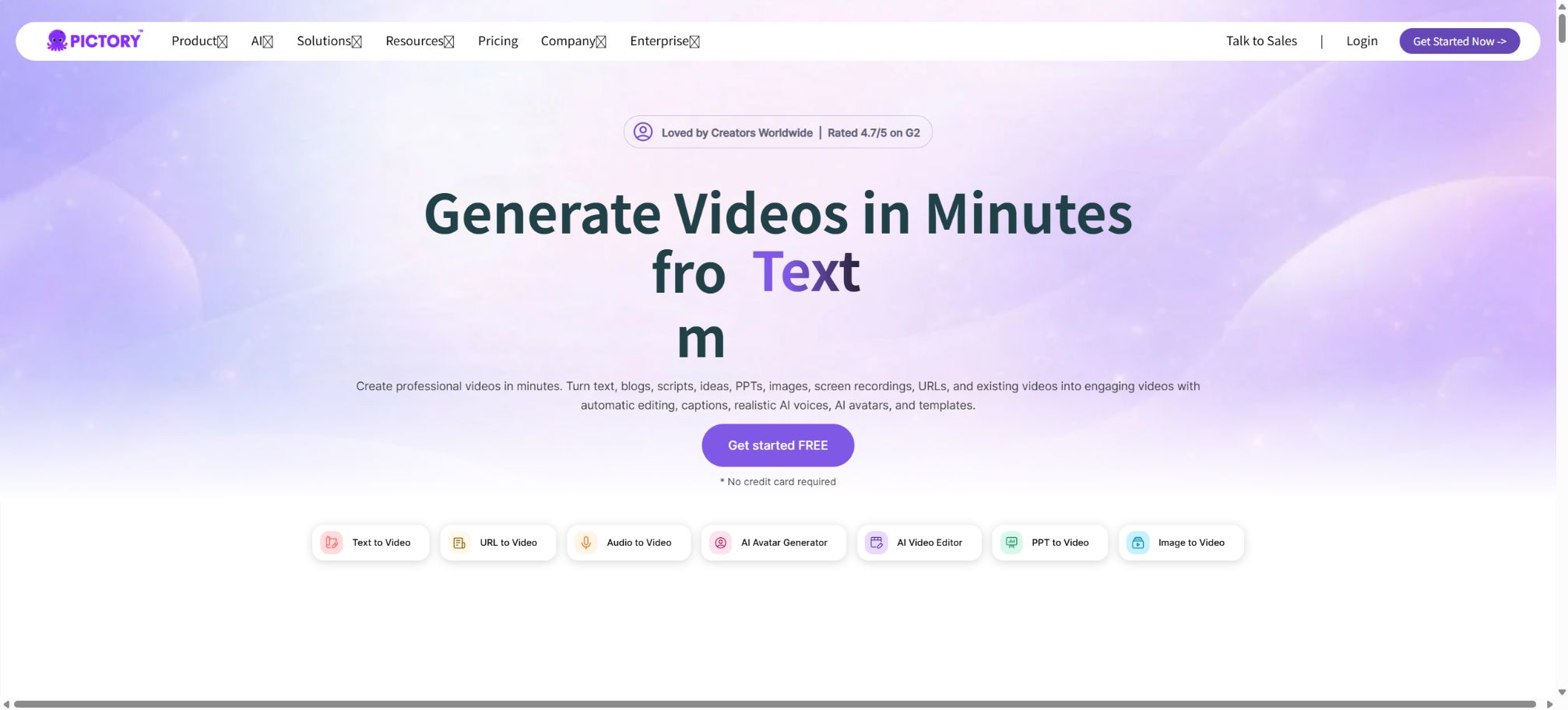
Pictory is an AI-based video creation and content reuse platform that operates in a browser. Users can start with prompts, scripts, blog URLs, PowerPoint files, images, recordings, or existing long videos; the system then generates a script, splits the scenes, selects appropriate stock footage or AI-generated images, adds subtitles, narration, music, and brand styling, before exporting the result as an MP4 video.
Pictory 2.0 builds on the traditional approach of converting text into video content; it adds features such as generative images, generative videos, AI avatars, custom avatars, voice cloning, and a more comprehensive set of APIs. It is suitable for use in marketing, educational courses, training materials, knowledge-based content, and social media videos, but it cannot replace professional video editing, fact-checking, or brand review processes.
Idea to Video: Prompt generation for videos
After the user specifies the theme, objectives, platform, tone, format, and duration, a script-generation tool powered by GPT creates a preliminary draft. The script can then be further revised, shortened, expanded, or have its tone adjusted; after that, the Video Preferences section allows the selection of a brand, visual source, AI voice, or digital avatar.
Scripts generated may invent facts, as well as cite sources and present data. Product claims, as well as information related to medicine, law, investing, policies, and training, must be reviewed by professionals; it is not acceptable to rely solely on models to draw conclusions.
Script to Video – Converting scripts into videos
Existing scripts can be converted directly into videos divided into different scenes. Pictory splits the content into scenes based on sentences or line breaks, extracts keywords and matches them with corresponding visuals; users can modify the text, scene boundaries, materials, layout, subtitles, and narration.
Automatic matching often uses symbolic stock images, which may not correspond to specific products, locations, or people. Before official release, it is necessary to verify the meaning of each image and replace those that could mislead the audience.
URL and converting articles to videos
After pasting a blog post, press release, or website address, Pictory can extract the main text, summarize the key points, and create a video. It is ideal for converting existing articles into content for YouTube, LinkedIn, and social media videos, as well as for adding video versions to content marketing efforts.
The fact that a webpage is accessible does not mean it can be freely modified. Users should have the rights to the articles and images, and it is necessary to check whether the system has missed any footnotes, restrictions, authors’ opinions, or source information.
Convert PPTs, images, and documents to videos
Pictory allows the creation of videos from PowerPoint presentations, images, and other types of content; it enables the addition of subtitles, narrations, stock footage, and digital avatars to training slides. Currently, the maximum length for a single video in the Text to Video, URL, Images, and PPT workflows is 30 minutes.
PPT animations, embedded objects, charts, fonts, and speaker notes may not be converted completely. After importing, it is necessary to check the page order, image proportions, text overflow, and the pacing of the narration.
AI Video Editor for editing long videos
After uploading recordings of interviews, podcasts, Zoom sessions, Teams meetings, webinars, or courses, AI will transcribe the audio. Users can delete text just as they would edit a document in order to trim the corresponding video, and the AI can also automatically remove silent parts and filler words, generating subtitles and summaries.
The maximum length of video that can be imported with AI Video Editor varies depending on the plan: the free trial allows around 15 minutes, the Starter plan permits up to 1 hour, while the Professional and Team plans allow up to 3 hours. Videos that might cause jumps or changes in context are automatically deleted; those requiring a more detailed analysis must be viewed using the original video.
Automated extraction of highlight clips
Pictory can identify the key sections of long videos and create short clips suitable for social media, which can be used for previews, promoting courses, creating segments from podcasts, and summarizing events. The system can also generate summaries automatically.
Highlight clips are not a guarantee of effective dissemination. When dealing with interviews, controversies, or complex arguments, it is necessary to ensure that such clips contain all the relevant information; the original meaning of the speaker should not be distorted in order to attract more clicks.
Automatic subtitles
The system generates synchronized subtitles automatically based on transcriptions or scripts, and it allows for adjustments to the font, color, position, and style of highlighting. The subtitles can be directly embedded in the video, making them suitable for viewing with silent audio.
Automatic subtitles may miswrite names, numbers, accents, and specialized terms. Accessibility projects also require consideration of reading speed, color contrast, speaker identification, and the need for separate subtitle files.
AI voices and ElevenLabs
Pictory offers Standard Voices as well as Premium Voices supported by ElevenLabs. The standard voices for Professional and Team plans are available in 7 languages without any limit on usage;
ElevenLabs offers voice support in 29 languages, but the number of minutes available is determined by the package chosen.
The Starter plan offers 60 minutes of ElevenLabs audio per month, with 720 minutes available under the annual plan; the Professional plan provides 120 minutes per month and 1440 minutes per year.
The Team plan includes 2,880 minutes per year. The Premium voice minutes are reset at the start of each calendar month and are not carried over; they are separate from the video minutes and the Generative AI Credits.
Recording and automatic synchronization of narration
Users can record audio within the app, upload pre-recorded audio, or have a narration automatically synchronized to the entire video. Auto-sync adjusts the duration of the scenes based on the length of the voice narration, making it suitable for instructional and explanatory videos.
Automatic synchronization may cause certain scenes to remain displayed for too long or to switch too quickly; it is necessary to check the readable duration of each scene. The audio uploaded must be authorized as either recorded sound, music, or spoken content.
AI digital humans
Pictory 2.0 enables the addition of realistic AI Avatars to scenes. These digital avatars can have their position and size adjusted, and they can appear in various scenarios; moreover, they can read text using AI-generated voices.
Lip-sync is automatically generated during the final download.
Stock Avatars consume AI Credits based on the total length of the video, while custom avatars require more credits. Digital humans are not experts in the real world; they cannot imply that fictional characters possess relevant qualifications or real-world experience.
Custom avatars and voice cloning
Users at the Professional level and above can take advantage of Custom Avatars and Voice Cloning to create brand ambassadors, instructors, or characters for internal communications. It is necessary to obtain explicit consent from the actual persons whose appearance and voice are to be used, and rules must be established regarding the content, individuals involved, and duration of use.
There should be procedures for deleting and disabling digital avatars of former employees, external instructors, and customers. Account leaks can lead to the widespread misuse of identities, so companies need to restrict access rights.
AI Studio generative images
AI Studio offers chat-based image generation and editing, allowing the use of models such as Flux Schnell, Amazon Titan, ByteDance Seedream, Google Nano Banana, and Amazon Nova Canvas. Users can have images generated automatically from scripts, or they can upload reference images and request modifications.
Each image model requires approximately 0.6 to 4 Credits, depending on the model. The generated results may contain errors in terms of text, logos, facial features, and product details; it is necessary to check them before using them for commercial purposes.
Generative video
The platform can use models such as PixVerse and Google Veo to generate video clips. According to the current rate chart, PixVerse in 720p format requires approximately 1.6 Credits per second, Veo 3.1 Fast in 1080p format needs around 10 Credits per second, while Veo 3.1 demands 20 Credits per second.
High-quality models are consumed quickly. For example, using Veo 3.1 for ten seconds may require around 200 Credits.
The “number of minutes that can be generated” shown on the pricing page is an estimate based on specific models only; it is not a universal upper limit for all models.
How are AI Credits calculated?
AI Credits are intended for creating generative images, videos, and digital avatars, and they cannot be used for traditional stock footage or ordinary video clips. It costs about 15 Credits per 30 seconds for Stock Avatars, while custom Avatars require about 35 Credits per 30 seconds.
Images and videos are charged separately based on the model.
Monthly subscribers receive monthly Credits on the renewal date, while annual subscribers get the credit amount for the entire year at once. The current documentation states that unused Credits can be carried over and do not expire as long as the subscription remains valid.
The Credits of a Team are shared in the workspace.
Buy more AI Credits
Users who use generative video frequently can purchase Credits. The current pricing for additional purchases is 500 Credits for $25, 1000 Credits for $49, 1500 Credits for $70, 3000 Credits for $135, and 5000 Credits for $199.
The one-time prepaid options include 500, 1500, and 3000 Credits.
Recurring purchases are automatically renewed as part of the subscription; upgrades take effect immediately and are charged proportionally, while downgrades take effect in the next billing cycle. It is necessary to calculate the actual number of seconds based on the model being used before making a purchase.
Stock materials and copyrights
The current pricing page for Starter indicates around 5 million assets from Getty Images and Storyblocks, while Professional and Team plans offer around 18 million assets. Some older documentation still states that Starter does not have access to Getty images; however, it is possible that the rights to these assets have been updated with Pictory 2.0, so it is necessary to rely on the crown icon in the account and the billing page for accurate information.
Pictory has granted permission to use its stock footage for video creation; users generally do not need to pay additional royalties, but they must still have the rights to the script, logos, characters, music, and any files they upload.
Brand kit
The Starter version includes 1 Brand Kit, the Professional version includes 5, the Team version includes 10, and the Enterprise version offers an unlimited number of Brand Kits. These kits allow you to save logos, colors, fonts, and templates in order to maintain consistency across different videos.
Brand kits cannot replace oversight; automatic subtitles, generated images, and stock footage may still violate brand guidelines, so a release checklist should be established.
Price and version comparison
| Package or version | Prices, quotas, and core benefits |
|---|---|
| Starter price | The starter plan costs $29 per month; the annual version currently costs around $25 per month, with payment made on an annual basis. It includes 1 user, 200 video minutes per month (or 2400 minutes per year), 5GB of storage, 1 brand kit, 60 minutes of ElevenLabs audio per month (or 720 minutes per year), and 100 AI credits per month (or 1200 credits per year). With 1200 credits per year, it is possible to generate approximately 2000 low-cost model images, 12.5 minutes of AI-generated video, or 40 minutes of Stock Avatar – though the amount of content that can be created varies depending on the specific functions used. |
| Professional price | The professional plan costs $59 per month; the annual version currently costs around $35 per month, with payment made on an annual basis. It includes 1 user, 600 video minutes per month or 7200 minutes per year, 20GB of storage space, 5 brand kits, unlimited use of standard voices, 120 minutes of ElevenLabs voice service per month or 1440 minutes per year, the ability to create custom avatars, voice cloning, and advanced AI tools. With the annual plan, 12,000 AI credits are provided as a bonus; based on the basic models, this amounts to approximately 20,000 images, 125 minutes of video, or 400 minutes of Stock Avatar content. The monthly plan shows 500 credits per month, while the annual plan offers significantly more credits. |
| Team price | The monthly fee for Team is 199 dollars; the annual fee is currently around 119 dollars per month, with payment made on an annual basis and a minimum of 3 users required. This plan includes 1800 video minutes at the monthly rate or 21600 video minutes at the annual rate, 100GB of storage space, 10 brand kits, unlimited use of standard audio effects, 2880 minutes of ElevenLabs audio effects at the annual rate, a shared workspace, training to get started, and team collaboration tools. The annual plan also includes 28800 AI credits, which correspond roughly to 48000 images, 300 minutes of video, or 960 minutes of Stock Avatar content. The actual amount available depends on the number of users, any promotions in effect, and the configuration of the workspace – details can be found on the payment page. |
Starter price
The starter plan costs $29 per month; the annual plan currently costs around $25 per month, with payment made on an annual basis.
It includes 1 user, 200 video minutes per month or 2400 minutes per year, 5GB of storage, 1 brand kit, 60 minutes of ElevenLabs audio per month or 720 minutes per year, and 100 AI credits per month or 1200 credits per year.
With 1200 Credits per year, it is possible to generate approximately 2000 low-cost model images, 12.5 minutes of video using specific AI technologies, or 40 minutes of Stock Avatar content; however, the amount of resources required for different functions varies significantly.
Professional price
The Professional plan costs 59 dollars per month; the annual plan currently costs around 35 dollars per month, with payment made on an annual basis.
It includes 1 user, 600 video minutes per month or 7200 minutes per year, 20GB of storage, 5 brand kits, unlimited standard voices, 120 minutes of ElevenLabs voice service per month or 1440 minutes per year, custom avatars, voice cloning, and advanced AI tools.
With an annual subscription, 12,000 AI Credits are provided free of charge; based on the basic model, this amounts to approximately 20,000 images, 125 minutes of video, or 400 minutes of use for Stock Avatars. The monthly subscription option shows 500 Credits per month, while the discount offered with an annual subscription is significantly higher.
Team price
Team costs $199 per month; the annual plan currently costs around $119 per month, with payment made on an annual basis, and it requires at least 3 users.
It includes 1,800 video minutes per month or 21,600 minutes per year, 100GB of storage, 10 brand kits, unlimited standard voices, 2,880 minutes of ElevenLabs voices per year, a shared workspace, onboarding training, and team collaboration features.
The annual plan includes 28,800 AI Credits, which corresponds to approximately 48,000 images, 300 minutes of video content, or 960 minutes of Stock Avatar usage. The actual amount available depends on the plan type, any promotions in effect, and the settings of the workspace; these details can be found on the settlement page.
Enterprise business solution
Enterprise is designed for organizations with 10 or more members; it offers customized options for video duration, storage space, AI credits, and Premium Voice quotas. It also provides brand-agnostic solution packages, SSO, user management, a dedicated success manager, custom templates, an indexing service for uploaded materials, video consultation services, and production services on demand.
Companies can also use Pictory Central to host interactive videos, which include automatic chaptering, quizzes, knowledge checks, clickable CTAs and links, as well as SCORM export for use in LMS platforms.
14-day free trial
Pictory offers a 14-day free trial during which advanced features can be tried out. After the trial period ends, the account remains accessible, but videos cannot be downloaded without a subscription.
The trial download includes a Pictory watermark; after purchase, you need to download the original file again in order to remove the watermark.
The free trial is not a permanently free option. Before starting, it is necessary to check whether payment information is required, as well as the rules regarding project retention and the limits on generative Credits.
Pictory API
Pictory provides public development documentation; it is possible to create Storyboards using APIs, generate content in bulk by leveraging templates, add brand elements, text styles, stock images or AI-generated visuals, as well as digital avatars and multiple layers of voiceover, with video rendering taking place asynchronously. API keys should be stored on the server side.
To generate tasks, it is necessary to poll the job status or use callbacks. API clients also require AI Credits; the exact prices, number of concurrent operations, video duration in minutes, and available features depend on the API plan – it cannot be assumed that a regular Web subscription entails unlimited API usage.
Pictory Central and SCORM
Enterprise allows videos to be hosted on Pictory Central, where chapter markers are generated automatically; quizzes, knowledge checks, buttons, and links can be added, and the content can be exported in SCORM format for use in LMS systems. Regular MP4 files do not retain interactive elements, so a supported hosting player or SCORM package is required.
Supported platforms
Pictory is primarily used in web browsers, with Chrome for desktop being the version recommended by the developers. The help center makes it clear that there is no traditional mobile app; although it is possible to register on mobile devices, creating and editing content fully should be done using a PC or desktop device.
All videos are exported as MP4.
Is it open source?
The Pictory editor, the generation models, digital avatars, and rendering services are not open-source projects. The official GitHub repository does not mean that the source code of the platform is available to the public.
Unofficial repositories on the Internet that claim to provide Pictory’s desktop installation package pose a risk, as the official version of the product is a web service.
Pictory usage guide
Complete a basic task.
- Identify the audience, purpose, tone, length, and the facts that must be included;
- Enter the topic and the verified reference materials in Pictory;
- Use the “Idea to Video” prompt to create a video production outline, and then employ the “Script to Video” tool to turn that outline into a preliminary version of the video, with the content divided into segments.
- Replace generic content with your own data, examples, and terminology;
- Verify facts, citations, keywords, repetitions, and brand tone;
- It is published only after manual editing, plagiarism checking, and approval have been completed.
Create reusable professional workflows
- Create a brand term list, prohibited expressions, and approved sample texts;
- Establish a standardized process for generating videos from Idea to Video prompts, converting scripts into videos with Script to Video, and turning URLs and articles into videos.
- Designate responsible persons for research, the first draft, editing, and fact-checking respectively;
- Randomly check whether the model fabricates numbers, sources, or examples;
- Compare readability, conversion rates, search performance, and rework time;
- The templates and rules are continuously updated based on actual outcomes;
Which users is it suitable for?
- Content creators who convert articles, scripts, and PPTs into explanatory videos;
- The team that extracts short clips from podcasts, Zoom sessions, and course recordings;
- Marketers in need of automatic subtitles, brand templates, and multilingual voiceovers;
- Companies that use digital avatars for training and internal communication;
- Departments that need SCORM, quizzes, and interactive hosting;
- A platform that enables the bulk creation of brand videos through APIs.
Product advantages
- It supports various input methods such as prompts, scripts, URLs, PPTs, images, recordings, and long videos;
- A collection of stock materials, subtitles, ElevenLabs sounds, and brand tools;
- Pictory 2.0 includes multi-model capabilities for generating images and videos;
- Supports Stock and Custom Avatars, as well as voice cloning;
- Text-based editing of long videos and extraction of highlights are suitable for the reuse of content;
- Enterprise covers interactive videos, SCORM, and APIs.
Restrictions and Precautions
- Video minutes, PremiumVoice minutes, and AICredits are three separate quotas.
- The consumption of generative video can be much higher than that of images and digital avatars, and it is not possible to estimate the costs simply by using the total number of minutes included in a package.
- Automatic scripts, summaries, excerpts, subtitles, translations, inventory matching, and AI-generated visuals can all contain errors.
- Content related to persons, copyrights, and facts must be reviewed;
- The official recommendation is the desktop version of Chrome; there is no complete native mobile app.
- After the free trial period ends, downloading is not possible, and there is no permanent free option for exporting.
Frequently Asked Questions
Is Pictory free?
A 14-day free trial is available to allow users to experience the advanced features; however, the videos exported during this trial come with watermarks. After the trial period ends, videos cannot be downloaded if no subscription is purchased, and there is no clear option for permanent free export.
How much is Pictory?
Monthly rates: Starter at $29, Professional at $59, Team at $199; annual rates are approximately $25, $35, and $119 per month, with custom options available for Enterprise.
Can it convert Chinese articles into videos?
It is possible to import Chinese scripts or articles and use AI voices that support Chinese, but the keywords in the material, subtitle punctuation, translations, and technical terms still require manual verification.
Can long videos be automatically shortened?
Sure. AI Video Editor can transcribe long videos, remove the frames corresponding to the text, and extract the highlights.
Starter can handle tasks for up to about 1 hour, while Professional and Team can handle them for up to about 3 hours.
Are AI Credits the same as video minutes?
It’s different. Video minutes are used for regular creation and processing;
AI Credits are used to create images, videos, and digital avatars; ElevenLabs offers audio services as well as separate minutes of voice time.
Does Pictory have an API?
Yes. The API supports workflows such as Storyboard, templates, branding, Voice Over, digital avatars, assets, status management, and rendering; the specific costs and quotas depend on the API plan.
Is Pictory open source?
It is not open source. It is a commercial Web platform; there is no official, fully self-hosted version of it, nor is it necessary to download any third-party desktop installation packages.
Tools similar to Pictory




 Guigong Network Security Registration No. 45132202000164