






Fliki
A platform that converts text into video and audio content using multilingual AI voices.
Tags:AI video toolsWhat is Fliki?
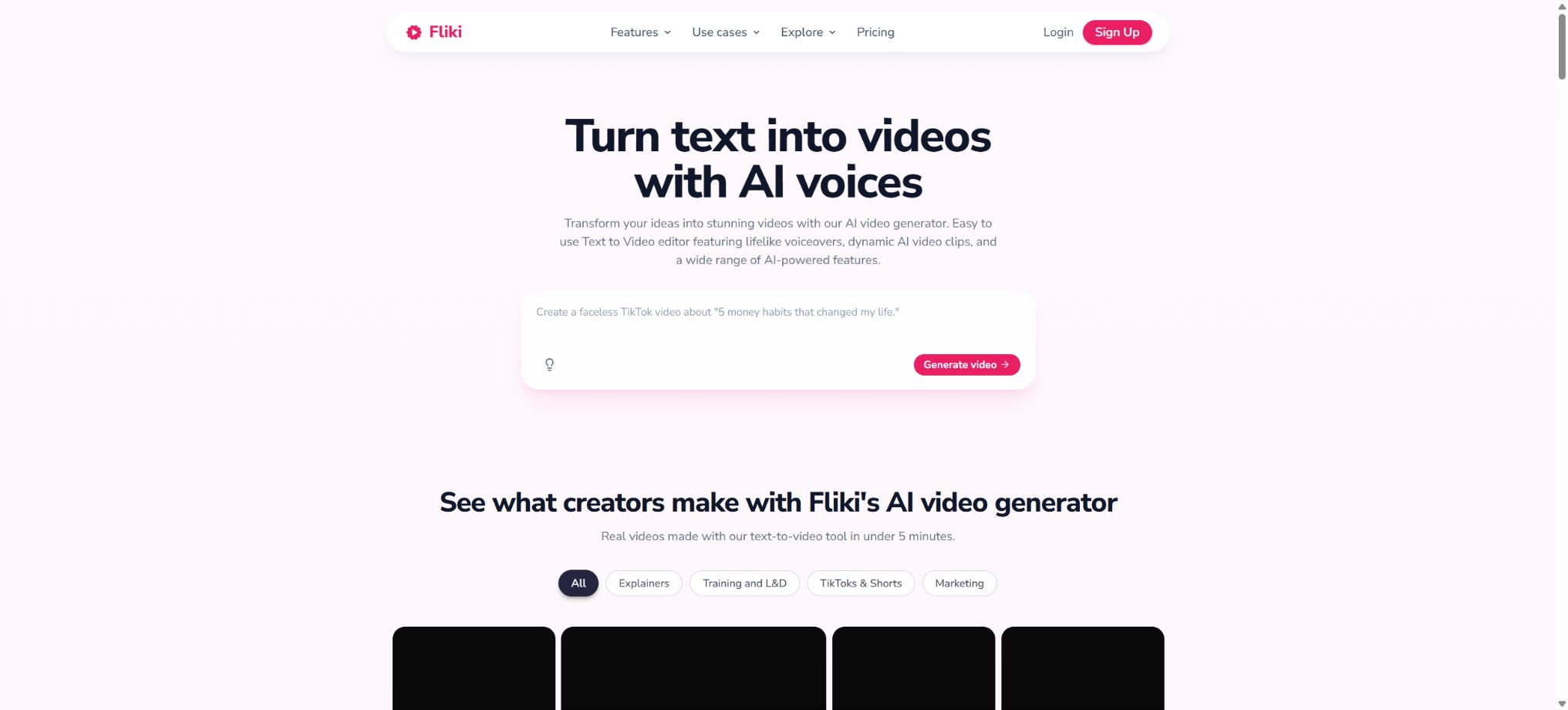
Fliki is an online AI creation platform that converts text content into videos and audio. Users can enter a topic, paste a script, or import blog posts or PowerPoint files; the system then automatically divides the content into different scenes, selects the appropriate visuals, and generates narration, subtitles, music, and transitions. The resulting video can be exported for use on YouTube, TikTok, Instagram, in educational courses, or for corporate communications.
Fliki offers functions such as text-to-speech, AI digital avatars, voice cloning, video translation, lip-syncing, image generation, video clip creation, thumbnails, slide shows, and presentations. It is better suited for explanatory content that relies on narration, rather than for film or video projects that require complex multi-track editing, professional color grading, and intricate special effects.
Idea to Video: Prompt generation for videos
After the user enters the topic, target audience, tone, and duration, the AI generates a script, scenes, narration, subtitles, animations, and background music. It is suitable for creating product introductions, educational videos, list-based videos, and social media clips quickly.
The facts, examples, and figures generated by the prompt tools may be inaccurate. Medical, legal, financial, policy-related information, as well as product specifications and business commitments, must be verified manually; automated scripts cannot be used as authoritative sources of information.
Script to Video – Converting scripts into videos
Existing scripts can be directly pasted into the editor; the system splits the content into sentences or paragraphs and matches appropriate stock materials, AI-generated images, AI videos, digital avatars, and narration for each segment. Users can adjust the boundaries of the segments, as well as the visuals, subtitles, audio, and pauses.
Automatic storyboard creation can easily break down a coherent idea into too many small parts, and it may also pair abstract concepts with irrelevant visuals. Before starting the actual production, it is necessary to first organize the script in a more concise form, and then examine the visual meaning of each scene individually.
Blog to Video – Converting blogs into videos
Fliki can read the content of blogs or articles, identify the key points, and transform them into video scripts; it is suitable for converting existing SEO articles, press releases, and knowledge base content into videos. The automatic summarization feature saves time that would otherwise be needed for reproducing and organizing the content.
Users must possess the rights to adapt the articles and accompanying images. The system may overlook certain constraints, footnotes, and citations; it may also mistake third-party opinions for the views of the brand. It is necessary to verify each element against the original text before publishing.
Convert PPT to video
After a user uploads a PowerPoint file, Fliki identifies the content of the slides, creates a script for it, and adds AI avatars, voiceovers, and music. It is ideal for quickly turning courses, training materials, sales presentations, and internal documentation into viewable videos.
Complex animations, embedded objects, charts, fonts, and speaker notes may not be retained in their entirety. After importing, it is necessary to check the page order, text overflow, subtitle overlay, and the readability of the charts; it is not sufficient to simply read through each page one by one.
Text-to-speech and AI voiceovers
Fliki currently offers more than 2,000 different voices, covering over 80 languages and 100 accents, and it integrates services from various voice providers. Users can choose the gender, age, region, tone, and speed of the voice to create narrations for videos, podcasts, audiobooks, courses, and applications.
Standard offers around 1,000 sounds, of which about 500 are Ultra-Realistic; Premium provides more than 2,000 sounds, with over 1,000 of them being highly realistic or multilingual sounds.
The number of languages includes accents and regional variants; it does not mean that all languages have the same quality.
Voice cloning
Fliki allows users to create custom voices using clear recordings that last anywhere from about 30 seconds to 2 minutes, and these voices can be used in more than 30 different languages. The Standard version includes 1 voice clone and 1 custom voice, while the Premium version offers multiple clones as well as up to 3 custom voices. The Enterprise version enables the creation of professional-grade brand voices.
Voice cloning requires explicit permission from the individual concerned. It is not allowed to impersonate celebrities, customers, colleagues, or management, nor can it be used to create unauthorized statements.
Companies should establish rules regarding the duration of authorization, the users permitted to use it, the channels through which it can be disseminated, and how it should be deactivated after a employee leaves the company.
AI digital humans and Photo Avatars
The platform offers AI Avatars based on inventory, and it also allows photos to be converted into talking digital avatars. The Standard version provides only a limited number of avatars, while the Premium version includes all AI avatars as well as Photo Avatars, and it supports various voice cloning options.
Digital avatars based on photos may exhibit abnormalities in mouth shape, teeth, eye expression, and hands. Users must have permission for both the photo and the portrait of the person in question; fictional avatars must not give the impression that they are endorsed by real experts or carry customer reviews.
Video translation and AI dubbing
Fliki can translate existing videos into over 80 different languages, generate subtitles and voiceovers in the target language, and adjust the speaker’s mouth movements using lip sync. According to the official examples, the translation and lip-sync processing of a video lasting about 60 seconds can be completed within a few minutes; the actual time required depends on factors such as queue length, video duration, and the model used.
Automatic translation requires checking proper nouns, numbers, dates, brands, cultural expressions, and sensitive content. Lip-syncing only improves visual alignment; it does not guarantee accurate translation, nor can it replace review by a native speaker.
AI images and video clips
Fliki allows users to utilize AI-powered image and video models within a timeline to create visual content; the official website lists Flux, Qwen, Nano Banana, Seedream, GPT Image, as well as various video models. Users can also combine existing images, videos, and music to produce content.
Generative assets increase the consumption of Credits, and they may lead to distorted products, incorrect text, similar-looking individuals, as well as copyright issues. In cases related to news, science, history, and customer success stories, it is necessary to distinguish between illustrative images and actual evidence.
Automatic subtitles and styles
The system generates synchronized subtitles based on the narration; it supports keyword highlighting, preset styles, and various frame sizes. These subtitles are suitable for viewing in silent mode as well as for sharing on social media platforms. However, speech recognition and translation may result in errors in terms, names, and punctuation, so manual verification is necessary.
AI Reel, thumbnails, and slideshows
In addition to regular landscape videos, Fliki can generate vertical Reels, social clips, thumbnails, Social Carousels, and presentation content. Standard allows up to about 50 publications per month, while Premium allows up to 100 publications; it also provides 1 series respectively and 3 series for Premium users.
The number of releases and the credits required for video creation are subject to different restrictions. The cover image, title, and platform-specific text still need to be optimized for each target platform, to avoid mechanically copying the same content across all channels.
Media library and commercial assets
The paid plan offers access to advanced stock media and music. According to the officials, paid users who create content gain commercial rights to use it; the stock materials are from royalty-free or licensed sources and can be used to generate income on social media and YouTube.
Business licenses still require users to have the rights to the scripts, logos, characters, uploaded media, and third-party content. The absence of royalty fees does not mean unlimited use; there may be additional restrictions on sensitive uses, trademarks, and character portraits.
Free trial version
Free is a permanently free option that does not require a credit card. The current pricing scheme provides 3 Credits per month, access to around 300 different sounds, support for over 80 languages, video quality of up to 720p, a maximum duration of 1 minute per video, and a limit of 50 scenes; it also offers limited capabilities for converting Ideas, Scripts, Blogs, and PPTs into videos.
Free exports include the Fliki watermark, but no commercial rights, video translation, sound cloning, or advanced models are provided. Some FAQs on the official website still state “5 minutes per month”, while the new pricing scheme specifies 3 Credits.
The actual duration that can be generated depends on the Credits calculation and the selected features; it should be determined based on the account balance.
Price and version comparison
| Package or version | Prices, quotas, and core benefits |
|---|---|
| Standard prices and quotas | The standard monthly subscription costs $28 per month, while the annual subscription is equivalent to about $14 per month. With an annual payment, 2160 Credits are provided, which amounts to roughly 180 Credits per month. This plan includes 1080p resolution, videos of up to 15 minutes in length, a maximum of 100 scenes, 1000 different sounds, 500 highly realistic sound effects, translation in over 80 languages, 1 voice clone, a limited number of avatars, 1 brand kit, and commercial rights. According to the provider, 180 Credits are sufficient to create around 60 videos of 1 minute each, 12 videos of 5 minutes each, or 6 videos of 10 minutes each. However, repeated edits to the script, re-generation of audio, and use of AI-generated materials increase the amount of Credits required; therefore, Credits cannot be directly equated with the number of minutes of video produced. |
| Premium price and quota | The monthly premium fee is usually 88 dollars per month; when paid annually, it amounts to about 44 dollars per month. The annual plan includes 7200 Credits, which is equivalent to around 600 Credits per month. This package offers more than 2000 different sounds, over 1000 highly realistic sounds, recordings of up to 40 minutes in length, a maximum of 150 scenarios, AI avatars, Photo Avatars, 3 voice clones, 3 brand kits, custom fonts, priority support, AI Copilot, Web Research, Bulk Create, as well as API access. The old FAQ on the official website states that the maximum duration for recordings is 30 minutes, but the current pricing table shows 40 minutes; therefore, the actual limitations set by the software should be taken as the standard. Prices may vary depending on the payment region, taxes, and any promotions in effect. |
Standard prices and quotas
The standard monthly subscription costs 28 dollars per month, while the annual subscription is equivalent to about 14 dollars per month; the annual plan provides 2160 Credits, which is roughly 180 Credits per month.
The package includes 1080p resolution, a maximum duration of 15 minutes per clip, up to 100 scenes, 1000 different sounds, 500 highly realistic sound effects, translation in over 80 languages, one option for voice cloning, limited avatar options, one brand package, and commercial rights.
Official estimates suggest that 180 Credits are sufficient to produce around 60 videos of 1 minute each, 12 videos of 5 minutes each, or 6 videos of 10 minutes each. However, repeated adjustments to the script, re-generation of audio, and use of AI-generated materials increase the resource consumption; therefore, Credits cannot be directly equated with the number of minutes of video produced.
Premium price and quota
The premium rate for a monthly subscription is usually 88 dollars per month, while the annual subscription costs around 44 dollars per month; the annual plan includes 7200 Credits, which amounts to about 600 Credits per month.
The package includes over 2,000 different sounds, more than 1,000 highly realistic sounds; each audio clip can be up to 40 minutes long, with a maximum of 150 scenarios available. It features AI avatars, Photo Avatars, 3 voice clones, 3 brand kits, custom fonts, priority support, AI Copilot, Web Research, Bulk Create, as well as an API interface.
The old FAQ on the official website still states that Premium lasts up to 30 minutes, but the current package comparison table shows 40 minutes; it is the actual limitations set by the editor that should be taken as reference. Prices may vary depending on the payment region, taxes, and promotions in effect.
Enterprise business solution
Enterprise offers an annual subscription with customized pricing; it includes options such as Credits, bulk discounts, invoice-based billing, unlimited or custom seats, personalized digital avatars, professional voice cloning, brand templates, team collaboration, SSO, dedicated account managers, and API integration.
When making purchases for business use, it is necessary to clarify the aspects related to video and voice models, concurrency levels, data retention periods, purposes of training, content moderation, service levels, permissions regarding voices and avatars, any additional costs, and rights related to the outputs.
How are credits calculated?
For converting plain text into speech or using videos with uploaded or existing images, the basic cost can be as low as around 0.5 Credits per minute. The creation of AI videos, AI avatars, AI images, special voices, and advanced models incurs additional costs based on the number of times they are used or on the complexity of the models involved; the current detailed guidelines indicate that creating certain AI videos can require several Credits per operation.
Modifying the script, sounds, or pauses will result in the audio being generated anew, which will incur additional charges. For official production, it is advisable to first test the sounds and style using short scenes; once the script is approved, then proceed with batch rendering to avoid unnecessary repeated work.
API capabilities
Fliki offers enterprise APIs such as text-to-speech, long audio generation, video creation, template generation, status queries, and Webhooks. Its video interface allows for the creation of videos from scripts, themes, or blog addresses; it supports resolutions of 16:9, 9:16, or 1:1, as well as quality levels ranging from 360p to 1080p. It also provides options for using stock footage or AI-generated images, subtitle templates, voiceovers, music, and video segmentation, and it supports batch submissions.
The current pricing page lists API Access under the Premium plan, but the developer onboarding documentation requires Enterprise privileges; the interface page also states that an application must be submitted or support must be contacted to enable access to the API. Therefore, Premium users should not assume that they will receive the keys immediately after payment – they first need to verify their eligibility in the Automation section of their account.
API asynchronous tasks
Audio and video generation are asynchronous tasks. After submission, a File ID is returned; developers can poll the status interface or use Webhooks to receive notifications of success or failure.
The production system needs to verify callbacks, handle duplicate events, limit the polling frequency, and store API keys on the server side.
Supported platforms
- Web applications in desktop and mobile browsers;
- Google Chrome is the officially recommended browser;
- YouTube publishing along with Make and Zapier automation;
- Bulk Create and API for Premium or Enterprise;
- Enterprise team collaboration and brand workflows.
Fliki does not require any traditional desktop editing software to be installed; all creation and export tasks rely on network and cloud services, and it lacks a full offline mode.
Is it open source?
The Fliki editor and the voice and video generation systems are not open-source projects, and there is no official, fully self-hosted version available. The repositories with the same name on GitHub are usually related to other projects.
Even if there are official accounts or API examples, it does not mean that the platform’s core models and code are made available to the public.
Fliki usage guide
Complete a basic task.
- Identify the audience, platform, format, duration, and the information that needs to be conveyed;
- Prepare scripts, shots, or reference materials that can be used in Fliki;
- Select the “Idea to Video” prompt to create a video and obtain a low-cost preview;
- Use the Script to Video script to convert content into a video and adjust the visuals, pace, subtitles, and audio;
- Check each frame for characters, text, logos, lip movements, and factual accuracy;
- Export in the desired format after confirming the licensing for music, portraits, and materials;
Create reusable professional workflows
- Create scripts, shot lists, brand assets, and a list of elements that are prohibited from use;
- Unified parameters are saved for generating videos from Idea to Video prompts, converting scripts into videos with Script to Video, and turning blogs into videos with Blog to Video.
- First, use representative shots to test the model and the quota;
- Transfer the failed shots to manual editing or regenerate them;
- Uniformize subtitles, volume, colors, and end credits;
- Record the version and reviewer before publishing in batches;
Which users is it suitable for?
- Content creators who convert blogs and scripts into YouTube videos;
- International teams that require multilingual narration and video translation;
- Teachers and companies that convert PPTs into videos for courses and training;
- Marketers who create explanatory videos, Reels, and product content without the use of live humans in them;
- Instructors and brands that need voice cloning and AI digital avatars;
- Enterprise development teams that use APIs to generate videos and audio in bulk.
Product advantages
- Video and audio workflows are consolidated in the same browser tool;
- A wide range of options: over 2,000 sounds and more than 80 languages;
- It supports various types of input such as topics, scripts, blogs, and PPTs;
- It also offers digital avatars, voice cloning, translation, and lip-syncing;
- It allows for the combination of inventory assets with various AI image and video models;
- Free plans, commercial licenses, and enterprise APIs are available.
Restrictions and Precautions
- Credits are not simply video minutes;
- Rewriting scripts, generating sound anew, and using AI videos and digital avatars all increase consumption;
- Free offers only 3 Credits and a duration of up to 1 minute;
- Standard lasts up to 15 minutes; longer courses require Premium.
- Automated scripts, visuals, subtitles, and translations may contain errors;
- Voice cloning, photo avatars, and video lip-syncing require the authorization of the individual in question, while content that involves facts or commercial promises needs to be reviewed manually.
- The pricing page and the old FAQ differ in terms of the number of free minutes, the maximum duration for Premium plans, and API access rights; it is the information on the current account and billing page that should be taken as reference.
Frequently Asked Questions
Is Fliki free?
There is a permanent free option: 3 Credits per month, which allow for the creation of videos lasting up to 1 minute, in 720p resolution and with watermarks; this option is suitable for trying out text-to-speech and basic text-to-video functions.
How much is Fliki?
Standard costs about 28 dollars per month, or 14 dollars per month when paid annually; Premium costs about 88 dollars per month, or 44 dollars per month when paid annually.
Custom quotes for Enterprise. The actual price is subject to the settlement page.
Does Fliki support Chinese?
It supports Chinese voice, subtitles, and translation. Different accents in Mandarin result in varying sound effects, and Chinese names, numbers, English abbreviations, and technical terms still need to be heard and checked for accuracy.
Can one make money on YouTube using Fliki?
The paid plans offer commercial rights and licensed stock materials that can be used to generate revenue on YouTube and social media, but users must possess the relevant rights to the scripts, the uploaded materials, as well as the characters and brands involved.
Is it possible to clone one’s own voice?
Yes. Standard usually includes 1 voice clone, while Premium allows for multiple clones that can be used in various languages, but this requires the owner’s authorization.
Does Fliki have an API?
There are audio, video, templates, status, and Webhook APIs available. The Premium pricing page lists these APIs, but the development documentation requires that one obtain Enterprise permissions; it is necessary to contact support for confirmation before activation.
Is Fliki open source?
It is not open source. It is a commercial cloud-based platform for video and audio generation, and there is no official fully self-hosted version available.
Tools similar to Fliki




 Guigong Network Security Registration No. 45132202000164