






Munch
AI tools for identifying interesting moments from long videos and adapting them for social media platforms
Tags:AI video toolsWhat product is Munch now?
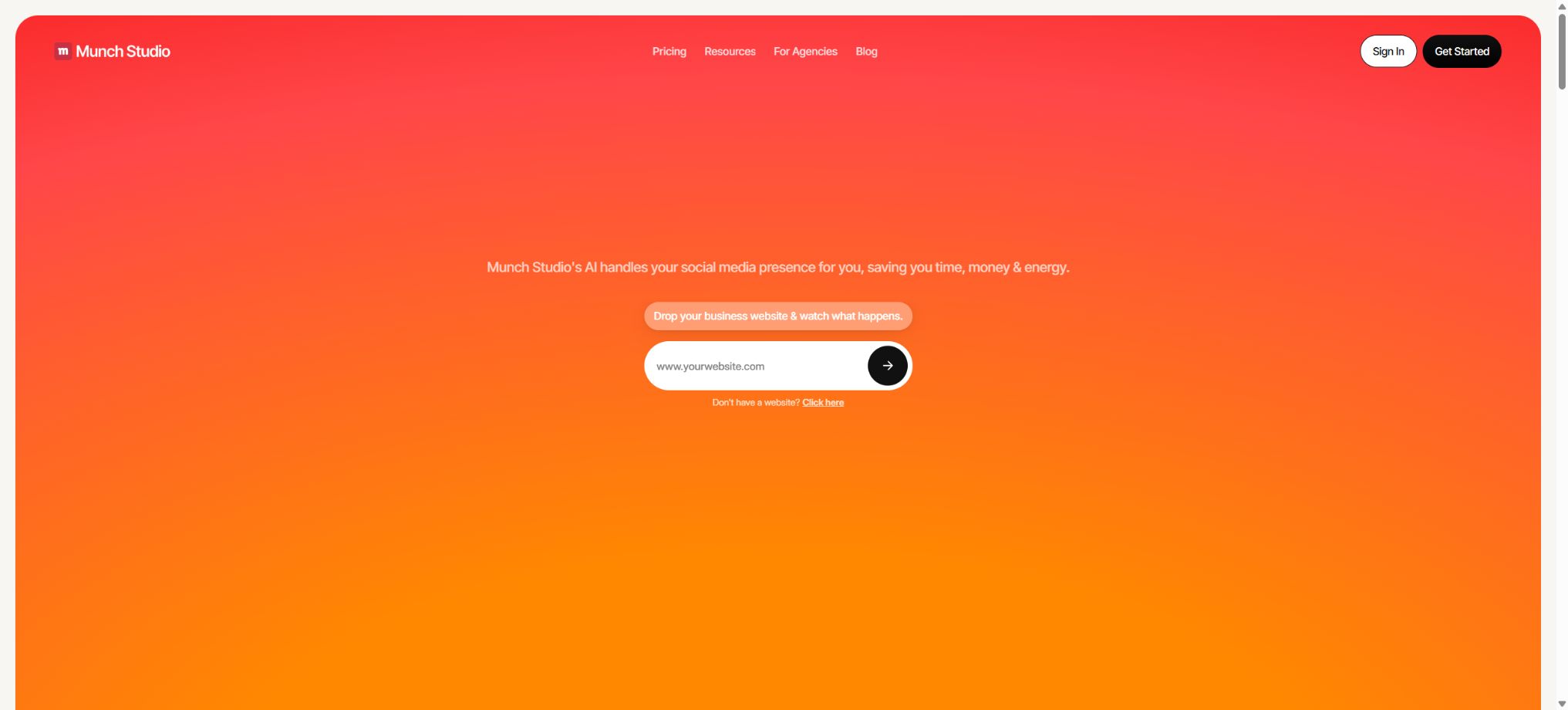
Munch has evolved from a simple “tool for automatically splitting long videos” to Munch Studio, an AI-powered social media management platform designed for business owners, marketing teams, and agencies. The core process on its official website involves reading the information on a company’s website and its brand assets, developing content strategies, creating posts, slideshows, video scripts, and actual videos, organizing a content calendar for various platforms, and then monitoring the performance of each piece of content.
The ability to reuse long videos remains an important feature of the current packages, but it is no longer the only aspect of these products. The categories such as Pro, Elite, Ultimate that appeared in previous evaluations, along with prices of 49 dollars, 116 dollars, 220 dollars, etc., refer to the older version of Munch slicing services; they cannot be used as references for the current pricing of Munch Studio packages.
Learning about the Business Deep Learning brand
Users can submit corporate websites, past social media posts, images, videos, Zoom meeting recordings, and brand materials, so that the system can understand the business, products, target audience, communication style, and visual assets. Munch Studio will use this information to develop a brand content strategy, rather than creating text based on just a single individual prompt each time.
The so-called “learning process” does not mean that the model has understood all the facts related to the products. Expired prices, old policies, third-party reviews, and inaccurate descriptions on the website may also be included in the content generated.
Before official use, the source material should be cleaned up, and prohibited terms, product boundaries, regional restrictions, as well as sensitive topics that require manual approval should be identified.
AI Social Media Content Strategy
The platform helps to plan content themes based on the company’s goals, brand tone, and target audience, and it assists in determining the appropriate platforms for publication, as well as the types of content and the timing for their release. It is suitable for small businesses that do not have a dedicated social media team, and it can also be used by agencies to manage multiple client brands.
The AI strategy serves as a starting point for action, not as a conclusion derived from market research. The team still needs to make adjustments based on the sales cycle, seasons, promotional events, inventory levels, regional cultural factors, and data from actual accounts; it is not sufficient to rely solely on the system’s automatic recommendations for long-term content publication.
Creation of posts and slide shows
All current packages include unlimited creation of posters and slideshows. The system can generate titles, text, image combinations, and multi-page structures based on the website, brand assets, and content plan; users can edit these elements before approving their publication.
\"Unlimited generation\" does not mean unlimited automatic publishing, nor does it imply that each resulting output can be used for commercial purposes. Errors in the text may appear in the images, and the people and products depicted might be distorted; moreover, the descriptions could contain claims about effects that cannot be verified.
The brand owner should check each element individually: the trademark, price, date, product appearance, and call to action.
Video script generation
Essential includes 5 video scripts per week, while Premium, Studio, and Scale offer an unlimited number of scripts. These scripts can be used for Reels, TikTok, YouTube short videos, product introductions, and informational content; they are created in line with the brand’s tone and thematic guidelines.
Unlimited scripts do not mean unlimited video generation. Scripts and the final videos are covered by separate quota limits; before starting the generation process, it is necessary to determine the target length, the opening section, the key information, and the call to action at the end, in order to avoid using low-quality drafts and thus consuming too many generation attempts.
AI-generated videos
Essential allows for the creation of 10 videos per month, Premium enables 30 videos, Studio supports 50 videos, and Scale permits 150 videos. The platform can combine scripts, brand assets, and AI-generated visuals to produce videos suitable for social media.
The number of videos that can be generated is limited on a monthly basis. The duration of the videos, their format, and the relevant rules regarding the materials used are determined by the account settings. Errors may occur regarding the characters, products, locations, and subtitles included in the videos.
Real cases, customer reviews, and industry data must have their sources and proper authorization.
Reuse of long videos
Munch first became famous for converting long videos into shorter ones, and this capability is still available in Munch Studio under the name Video Repurposing. The system can analyze podcasts, interviews, live broadcasts, courses, meetings, and Zoom recordings, identify the segments that are suitable for independent release, restructure them, and generate subtitles as well as content for social media.
Currently, Essential offers 500 minutes of video for reuse per month, Premium provides 1000 minutes, Studio offers 2500 minutes, and Scale provides 7500 minutes. The number of minutes mentioned refers to the amount of input video that can be analyzed or reused; it should not be interpreted as indicating that a new video of the same length can be created.
Intelligent segment recognition
The older version of Munch would evaluate segments based on semantics, keywords, topics, and social trends, automatically selecting those with strong beginnings and relatively complete themes. The current workflow still allows the use of long video clips to create short videos and posts, but the focus of the official website has shifted toward comprehensive social media management.
Automatic segmenting may truncate the background audio, which can lead to misinterpretations, especially in interviews, legal, medical, financial, and policy-related content. It is necessary to review the context of the original video before publishing, and to obtain permission from both the speaker and the copyright holders.
Subtitles adapted to the image frame
The video reutilization process allows for the addition of subtitles to short videos, the adjustment of the vertical layout, and adaptation to various social media platforms. Subtitles are useful for watching videos with sound off and to improve accessibility; however, automatic transcription may misinterpret names, numbers, brands, and terms, so manual review is necessary.
When changing from landscape to portrait mode, it is also necessary to check character tracking, the text size in presentations, the layout for two-person interviews, and the safe area for subtitles. Automatic restructuring cannot replace frame-by-frame previewing.
Smart Content Planner content calendar
The Intelligent Content Planner allows users to plan the schedule of publications for a week, a month, or a quarter, by adding posts, Stories, Reels, and other content to a calendar. Users can view suggestions, edit the content, and set the timing for its publication.
The content calendar should take into account actual marketing milestones and inventory levels. For accounts located in different regions, it is necessary to consider time zones, holidays, and the times when the target audience is most active; automatic planning also requires mechanisms for manual approval and suspension in case of emergencies.
Automatic publishing platform
Munch Studio currently allows users to post content on Instagram, Facebook, LinkedIn, YouTube, and TikTok. After selecting the desired version, users can post it immediately or schedule it for a later date, thus avoiding the need to repeat the same actions across multiple platforms.
Third-party platform tokens may expire, and the permissions for the interfaces as well as the content format can change. Before publishing, it is necessary to check the account details, cover image, privacy settings, tags, music licensing, links, and the platform’s advertising policies; one should not assume that the settings will remain valid indefinitely.
Analysis of the Performance Dashboard’s effectiveness
The platform provides a centralized view of the reach, interaction levels, number of followers, and performance of individual posts across various social accounts, and it allows for the comparison of data over a certain period. It helps identify effective topics, platforms, and content formats, which can then be used to inform future content planning.
Social media metrics are not equivalent to sales or profits. Teams should use website analytics, lead information, transaction data, and customer lifecycle data in their evaluations, so as to avoid focusing solely on views and engagement rates.
Single-brand and multi-brand workspaces
Essential and Premium are designed for single brands. Studio supports up to 5 brands, while Scale supports up to 15 brands; each brand has its own strategy, tone, assets, and content calendar, which helps to prevent the use of shared materials among different clients by the same agency.
The quota for multiple brands is usually shared across the entire account, rather than each brand receiving its own full quota. Before making purchases, agents should determine how the number of brands, the number of video minutes, the number of generations, storage space, and member permissions will be allocated.
Team collaboration
Essential comes with 1 account owner by default, while Premium, Studio, and Scale allow an unlimited number of team members.
The team can review content together, manage the calendar, and approve releases.
Even in an open-membership model, it is still necessary to define roles and assign minimum permissions. Customers, contractors, and internal employees should not, by default, have access to all brands, publishing accounts, and analytical data.
Essential price
| Package or version | Prices, quotas, and core benefits |
|---|---|
| Essential | Essential costs $48 per month for a monthly subscription, or $456 per year, which is equivalent to $38 per month. |
| Pro | This plan is intended for 1 brand and 1 account owner; it includes 5 video scripts per week, 100 GB of storage space, 500 minutes of video reuse per month, 10 generated videos per month, as well as Pro-level support. |
Essential costs 48 dollars per month if paid on a monthly basis, or 456 dollars per year, which is equivalent to 38 dollars per month. This plan is intended for one brand and one account owner; it includes 5 video scripts per week, 100GB of storage space, 500 minutes of video usage per month, 10 generated videos per month, as well as Pro-level support.
Essential is suitable for small businesses or individual brands. The annual payment option indicates a savings of 240 dollars, but it is still necessary to check the taxes, currency, and automatic renewal options before making the purchase.
Premium price
The premium subscription costs $75 per month if paid on a monthly basis, or $720 per year, which is equivalent to $60 per month. This plan is intended for one brand; it allows an unlimited number of team members, no limit on the number of video scripts, 1TB of storage space, 1,000 minutes of video usage per month, 30 videos that can be created each month, as well as priority support in the Ultimate version.
Premium is suitable for single brands that require multiple people for review and maintain a steady volume of video content. It does not increase the number of brands that can be managed; agents should opt for the multi-brand option instead.
Studio price
The current monthly fee for Studio is 148 dollars; it allows management of up to 5 brands, has no limit on the number of team members or on the number of scripts that can be used, provides 400GB of storage space, 2500 minutes per month for video reuse, 50 videos to be generated each month, as well as Ultimate support.
The storage capacity of Studio is lower than the 1TB indicated on the single-brand Premium page; therefore, it cannot be assumed that a higher price necessarily means better performance in all aspects. Its main advantages lie in multi-brand isolation and higher processing capacity.
Scale price
The current monthly price for Scale is 398 dollars per month; it allows management of up to 15 brands, with no limit on the number of members or scripts, 1TB of storage space, 7500 minutes per month for video reuse, 150 videos that can be generated each month, as well as Ultimate support. It is also possible to customize the number of brands and the associated quotas.
Scale is intended for larger agencies and content teams. High quotas should still be determined based on the number of clients, the approval processes, and the capabilities related to social media account authorization; otherwise, it may lead to an abundance of content that cannot be reviewed and published in a timely manner.
7-day free trial
Currently, the single brands Essential and Premium offer a 7-day free trial. Whether a credit card is required, as well as the number of videos that can be created and the duration in minutes, will be specified on the settlement page after registration.
Agents can arrange customized trials for multiple brands through official reservations.
Upon the expiration of the trial period, it may automatically convert to a paid subscription; users should check in advance the renewal date and the methods for cancellation.
Cancellation and refund
Munch’s payment policy states that monthly subscriptions are automatically renewed, and cancellation takes effect at the end of the current billing cycle. The company recommends contacting them at least 3 business days before the renewal date to avoid a charge for the next period.
The fees paid that month are generally not refundable, but can still be used until the end of the cycle.
The current terms of Munch Studio may specify different rules for various packages and annual subscription plans; it is necessary to read the payment page before making a purchase. Upon cancellation, it is also important to ensure that the content, materials, data, and any connections to social media accounts are exported or deleted.
Supported platforms
- The Munch Studio workspace in the web browser;
- Share links on Instagram, Facebook, LinkedIn, YouTube, and TikTok;
- Input of content such as websites, images, videos, and Zoom recordings;
- Single-brand and multi-brand team spaces;
- Custom onboarding and support for agents.
There is currently no evidence indicating the availability of a self-hosted version or public developer APIs. Companies that need to integrate this solution into their internal CMS systems or for use in automated bulk generation processes should first consult the official sources, rather than relying on assumptions from previous evaluations.
What are the differences between the old version of Munch and Munch Studio?
The older version of Munch primarily broke down long videos into multiple shorter videos, selecting segments based on trends and semantics. Munch Studio integrates this functionality into a broader social media management process, adding features such as brand analysis, strategy development, creation of posts and slideshows, video generation, content scheduling, publishing across multiple platforms, analytics, and multi-brand management.
It is the actual account status that determines whether old accounts, plans, and packages have been migrated. The prices of the old Pro, Elite, and Ultimate versions cannot be used for comparison in current purchases.
Is an API provided?
The current official website and documentation do not disclose the pricing for the general developer API nor provide complete interface documents. Munch Studio focuses on hosted Web workspaces and integration with social platforms.
Organizations that require API, Webhook, white-labeling, or CMS integration should contact sales to confirm contract availability.
Is it open source?
Munch Studio is not an open-source project; its services for brand analysis, video analysis, content creation, as well as publishing and analysis are all commercial cloud-based services. Any code on GitHub that contains the name “Munch”, or projects related to fitness or other areas, have no connection to this product, and there is no official fully self-hosted version available.
Munch usage tutorial
Complete a basic task.
- Identify the audience, platform, format, duration, and the information that needs to be conveyed;
- Prepare scripts, shots, or reference materials that can be used in Munch;
- Choose the Business Deep Learning brand to learn and create low-cost previews;
- Use AI-driven social media content strategies to adjust visuals, pacing, subtitles, and audio;
- Check each frame for characters, text, logos, lip movements, and factual accuracy;
- Export in the desired format after confirming the licensing for music, portraits, and materials;
Create reusable professional workflows
- Create scripts, shot lists, brand assets, and a list of elements that are prohibited from use;
- Save unified parameters for learning under the Business Deep Learning brand, as well as for AI-based social media content strategies and for creating posts and slideshows.
- First, use representative shots to test the model and the quota;
- Transfer the failed shots to manual editing or regenerate them;
- Uniformize subtitles, volume, colors, and end credits;
- Record the version and reviewer before publishing in batches;
Which users is it suitable for?
- Small businesses that do not have a dedicated social media team but need to post content on a regular basis;
- Teams that wish to reuse content from podcasts, live streams, and Zoom recordings;
- Marketing agencies that manage the marketing for multiple client brands at the same time;
- Brand teams that require unified strategies, content calendars, as well as tools for publishing and analysis;
- Managers who wish to use AI to create video scripts, posters, slider displays, and short videos.
Product advantages
- It forms a complete closed loop, covering brand learning, strategy, production, release, and analysis;
- Maintain the capability for intelligent segmentation of long videos and reuse of subtitles;
- All packages include unlimited generation of posters and slideshows;
- It covers five major social platforms;
- Studio and Scale support independent workspaces for multiple brands;
- The number of minutes during which videos from the current package can be reused is higher than that of many standalone video slicing tools.
Restrictions and Precautions
- MunchStudio cannot replace brand managers, fact-checking, design reviews, and community interaction.
- AI may replicate outdated information from websites, resulting in inaccurate images, exaggerated claims, and inappropriate publication times;
- The fact that there are no restrictions on posters, slide shows, or scripts does not mean that there are no restrictions on creating videos;
- The number of videos per month, the minutes during which videos are reused, and the storage capacity remain limited.
- The credit limits for multi-brand solutions may be shared, and it is necessary to calculate them based on each customer’s actual needs before making a purchase.
- Current public information does not indicate the presence of universal APIs or self-hosting capabilities;
- Enterprises that require advanced permissions, compliance, SSO, data residency, or automated interfaces must confirm this in the contract.
Frequently Asked Questions
Is Munch still a tool for splitting long videos?
Long-video slicing remains part of Munch Studio’s Video Repurposing capabilities, but the product has now evolved into a full-fledged AI-powered social media management platform.
Is there a free version of Munch?
A 7-day free trial is available at the moment; there is no clear option for permanent free use. Whether a credit card is required and what its credit limit should be are specified on the registration and payment page.
How much is Munch?
The monthly prices are 48 dollars for Essential, 75 dollars for Premium, 148 dollars for Studio, and 398 dollars for Scale. The annual rates for Essential and Premium are 38 and 60 dollars per month, respectively.
Which social media platforms are supported?
Currently, content publishing and management are supported for Instagram, Facebook, LinkedIn, YouTube, and TikTok.
How many long videos can be processed per month?
Essential provides 500 minutes, Premium offers 1000 minutes, Studio provides 2500 minutes, and Scale offers 7500 minutes of video reuse quota.
Is it suitable for agents?
It’s suitable. Studio can handle up to 5 brands, while Scale can handle up to 15 brands; in addition, an individual strategy, tone, set of materials, and content calendar are created for each customer.
Does Munch have an API?
Currently, there are no public API documentation or standard pricing available. To obtain API, Webhook, CMS, or white-label integration services, it is necessary to contact the official sales team for confirmation.
Is Munch open source?
It is not open source. Munch Studio is a commercial cloud service; other GitHub projects with the same name available online have nothing to do with it.
Tools similar to Munch




 Guigong Network Security Registration No. 45132202000164