






Captions
A creation platform that offers AI actors, automatic editing, subtitles, and voiceovers.
Tags:AI video toolsWhat are captions?
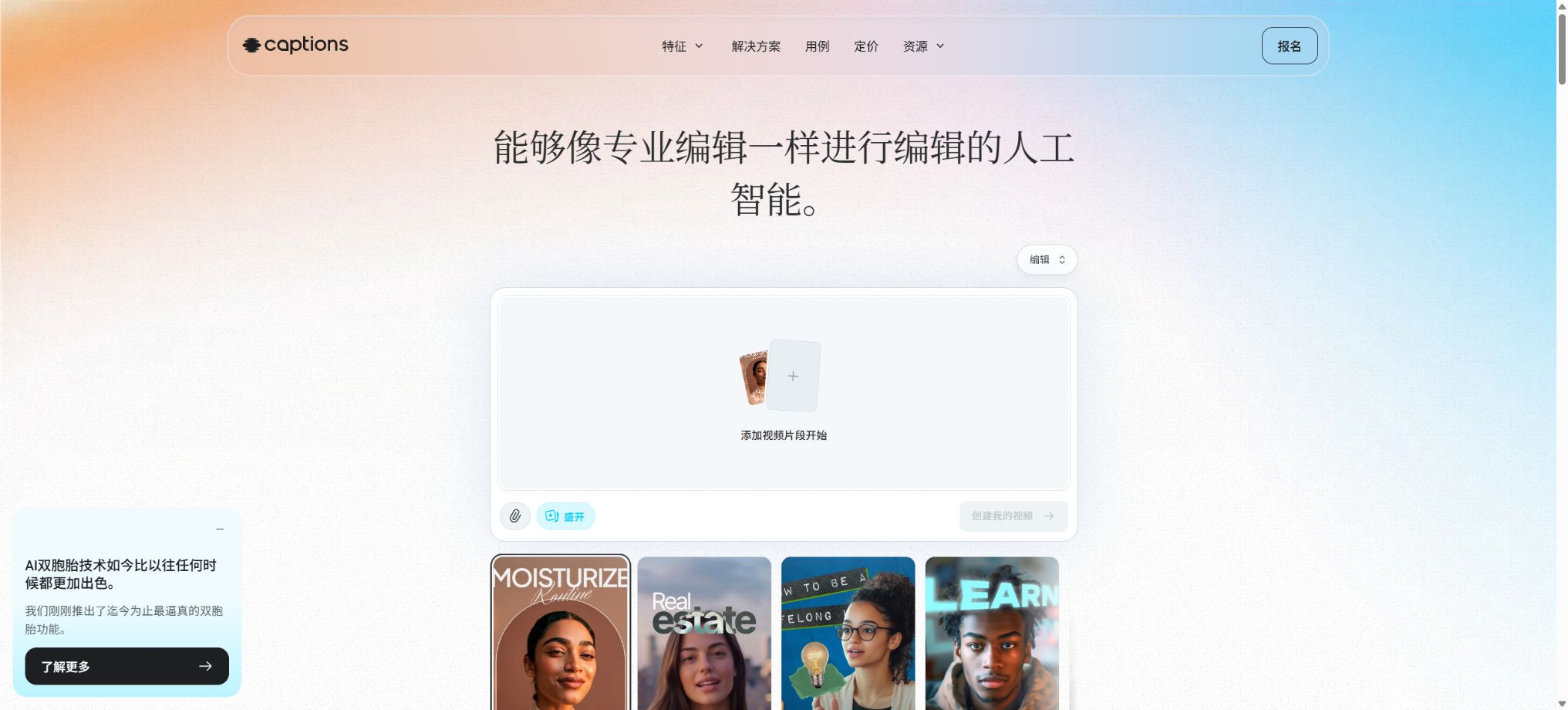
Captions is an AI-based video creation and editing platform designed for short-video creators, marketing teams, and corporate content departments. It initially focused on automatic subtitles and editing for mobile devices, but it has since expanded to include functions such as generating videos from text prompts, using AI actors, creating personal digital avatars, automating video editing, providing voice translation, synchronizing lip movements, generating supplementary footage, and adding music and sound effects.
Users can either import footage shot by real people and use AI to add subtitles, remove pauses, zoom in on scenes, reduce noise, and enhance the visual appearance of the video; or they can generate videos featuring AI actors directly from scripts. The platform currently uses both the Captions and Mirage platforms: Captions provides tools for creation and editing, while Mirage represents its own developed audio and video models, enterprise solutions, as well as developer resources.
AI Edit automatic editing
AI Edit can analyze the original audio content and automatically add subtitles, transitions, zoom effects, images, additional shots, music, and sound effects to the entire video. After the user selects a visual style, the system creates a first draft of the edited video, after which the user can return to the timeline to make further adjustments.
This feature is useful for quickly turning ordinary selfie videos into content suitable for TikTok, Instagram Reels, YouTube Shorts, and feed ads; however, the materials, pacing, and key phrases chosen automatically may not correspond to the brand’s tone. It is necessary to check the meaning of the visuals, the appearance of the product, music licensing, subtitle formatting, and the key messages before publishing.
Chat to Edit – Interactive editing
Plans starting with Max include a conversational editor that allows users to give instructions in natural language in order to make adjustments to the footage – such as deleting certain segments, changing the pace, adding subtitles, altering the visual style, or including generated content. This tool reduces the complexity of working with the timeline, making it suitable for quickly testing different versions.
Dialogue instructions may still affect content that should not be removed. Important business videos should retain their original materials and project versions, and it is necessary to play them from the beginning after each batch of changes to verify everything.
Automatic subtitles
Captions can be generated automatically from the audio in videos as synchronized subtitles; more than 100 languages and over 100 subtitle styles are supported. Users can adjust the font, color, layout, emphasis animations, word-by-word display, and automatic emojis, and export the subtitles in formats suitable for different social media platforms.
Subtitles are usually burned directly into the video, making them suitable for viewing without sound and for sharing on short videos. Speech recognition can be affected by accents, multiple voices speaking at once, noise, as well as specialized terms and names; therefore, it is necessary to verify terms, numbers, brand names, and punctuation.
When accessible subtitles or separate subtitle files are required, it is also necessary to verify the target player and the export format.
Camera and teleprompter
The mobile version comes equipped with a built-in camera and a speech prompter, allowing users to record while viewing the script. AI Script can generate speeches based on a given theme, while Eye Contact helps to adjust the gaze so that the speaker appears to be looking straight at the camera.
Eye correction is suitable for minor deviations; it should not be expected to correct large-angle head turns, occlusions, or frequent movements. AI scripts may also generate false data, so marketing claims, health advice, legal statements, and product specifications must be verified manually.
Converting AI Creator scripts to videos
AI Creator can generate a complete video from a prompt or an existing script. After the user selects the AI actors, voices, and style, the system creates the spoken narration along with the visual elements needed, making it suitable for product introductions, ad testing, knowledge dissemination, and social media content.
Generative video is not based on deterministic templates; the same prompt can yield different character movements, scenes, and pacing. When creating official advertisements, it is necessary to first develop reusable prompts, brand checklists, and review processes, before scaling up production.
AI actors and the Mirage model
Captions offers AI actors created by the Mirage model, which are capable of generating voices, facial expressions, eye movements, actions, and lip movements based on a script. Compared to approaches that merely use audio along with static avatars, its goal is to create a more natural audio-visual performance by combining all these elements together.
AI actors are not real employees or experts; they must not give the impression that fictional characters are using or recommending certain products. Content related to healthcare, finance, law, politics, and materials intended for minors requires more stringent disclosure and review processes.
AI Twin – personal digital avatar
AI Twin enables users to create digital avatars using samples they record themselves, and by entering new scripts, videos similar to those filmed by the original person can be generated. Max currently allows the creation of up to 30 AI Twins, making it suitable for founders, instructors, and content creators to produce audio recordings repeatedly.
Creating digital avatars requires clear authorization from the individual in question. The team should determine who is allowed to use them, on which platforms they can be published, whether commercial advertising is permitted, how to deactivate them after an employee leaves the company, and what actions should be taken in case the accounts are compromised.
The model can mimic appearance and voice, but it cannot replace the individual’s own final endorsement of the content.
AI Ads and AI Skits
The platform offers a quick way to create advertisements and short scenarios; it enables the creation of various variations such as hooks, characters, or performance versions based on products, their features, and scripts. Marketing teams can use it to test different creative approaches and A/B tests, without having to shoot new versions for each draft.
Bulk production does not equate to bulk deployment. For each version, it is necessary to verify the price, discount conditions, product visuals, the platform’s advertising policies, character licensing, and the consistency of the landing page, in order to avoid creating features that do not exist or exaggerated effects.
Dubbing, translation, and Lipdub
Caption & Dub allows for the translation of subtitles as well as the replacement of audio. The company states that AI Dubbing supports more than 30 languages.
Advanced Lipdubs not only translate the audio but also reshape the speaker’s mouth movements to match the lip shapes of the target language.
Lipdub can retain the original speaker’s vocal characteristics, while regular dubbing can use synthesized voices.
When localizing videos, it is necessary to check for proper nouns, units of measurement, date formats, prohibited words, and lip-sync artifacts. Voice cloning and lip-sync editing can only be used for authorized speakers, and they must not be used to create statements without consent.
AI Voiceover and voice cloning
Users can record voiceovers, use various voice generation options, or apply their own voice characteristics in suitable functions. Basic plans and higher tiers currently offer access to voice models such as Google Chirp, ElevenLabs, Cartesia, and OpenAI; the specific models available may vary depending on the plan and region.
Different models perform differently in terms of Chinese and English, emotion, speech speed, and technical terminology. For formal projects, it is necessary to listen to each sentence individually, and keep the original audio as well as alternative versions with human narration available.
Create images, videos, music, and sound effects
Max and higher versions allow images to be created within the editor, along with the addition of videos, music, and sound effects.
The optional models listed in the official help documentation include Flux, Luma Photon, Stable Diffusion, Ideogram, Imagen, DALL-E, GPT-4o, Ray, Veo, Pika, Kling, MiniMax, Soundraw, and ElevenLabs; the list may continue to be updated.
Multiple model options make it easy to compare different styles, but each generation consumes Credits; moreover, third-party models have varying content limitations and quality levels. Users still need to check for copyright issues, trademarks, similarity to existing characters, and commercial licensing requirements.
Reddit to Video and linked content
Plans starting from Basic offer features such as Reddit to Video, which allow posts or web content to be converted into short videos. Automated conversion helps to create content quickly, but just because something is visible to the public does not mean it can be copied freely.
The original posts, images, comments, and stories may still be subject to copyright, privacy, and platform rules.
Traditional editing capabilities
In addition to its generative features, Captions also offers tools such as cutting, automatic removal of blank spaces, scaling, keyframes, transitions, text and image overlay, music, sound effects, frame adjustment, audio extraction, noise reduction, silencing of sensitive words, and title cards. The free version allows for some basic editing tasks and comes without watermarks.
It is more suitable for fast-moving platforms and social video workflows; it is not equivalent to professional non-linear editing software designed for feature films, multiple cameras, complex color grading, and precise audio mixing.
Supported platforms
- Web and desktop browser editors;
- iOS apps for iPhone and iPad;
- Android apps;
- Apply for Mirage API testing;
- Shared workspaces for teams and Enterprise services.
Subscriptions and features available on different platforms are not fully interoperable. Android Lite can only be used after Android has been restored to normal operation.
Even if the same account can be logged in from a desktop or an iPhone, Basic, Max, or Scale are required in order to take advantage of the corresponding paid features on those platforms.
Free trial version
Free offers the ability to create and export basic projects without watermarks; it also provides functions such as subtitles, camera controls, cutting, scaling, audio handling, media integration, narration, transitions, and frame adjustment. The official documentation states that new accounts may receive 60 to 200 credits for use once, valid for life, but the free version does not support the creation of complete videos, automatic editing, or advanced AI-based editing.
Lifetime Credits are not refreshed on a monthly basis. Once a user utilizes features other than those offered in the free version of the service, they may be asked to upgrade when exporting data.
Price and version comparison
| Package or version | Prices, quotas, and core benefits |
|---|---|
| Lite price | Lite is available exclusively for Android; its current price is 4.99 dollars per month. It offers features such as manual editing on mobile devices, subtitles and translation, video dubbing, a script assistant, AI-generated scripts, Eye Contact functionality, noise reduction, automatic trimming, and basic video processing. Lite does not provide all the features available on iOS or desktop versions, nor is it a cheaper alternative to Max’s generative video capabilities. Users who want to use this platform across different devices must confirm the device they will use for payments as well as the features they need. |
| Basic price | Basic, formerly known as Pro, currently costs $9.99 per month. It includes 200 Credits refreshed each month, export without watermarks, the Reddit to Video feature, script generation, camera and teleprompter functions, Caption & Dub, as well as AI editing tools such as Eye Contact, noise reduction, sensitive word handling, scaling, narration, titles, text formatting, and cutting. Basic is suitable for individual creators who already have video footage and mainly need subtitles and basic enhancements; it does not include the features of Max-level AI Creator, AI Twin, AI Edit, or full generative actor capabilities. |
| Max price | Max currently costs $24.99 per month, providing 500 Credits per month; it includes the Free and Basic features, as well as additional options such as Chat to Edit, AI Edit, Mirage actors, up to 30 AI Twins, AI Creator, generative media, music and sound effects, and up to 2 simultaneous video generation tasks. Max is suitable for creators who need to use AI actors and automated editing on a regular basis. The number of videos that can be created with 500 Credits depends on the model, duration, resolution, and available functions, so it cannot be directly equated to 500 minutes. |
| Scale price | The current price of Scale is 69.99 dollars per month, with 1400 Credits available each month; it also offers faster AI Creator generation and a higher volume of processing capacity. Scale 2x costs 139.99 dollars per month and provides 2800 Credits; Scale 4x costs 279.99 dollars per month and offers 5600 Credits. Scale is suitable for advertising agencies and teams that need to produce content frequently. When choosing a plan, it is important to assess the actual resource consumption per video, the number of retries in case of failures, as well as the requirements for translation versions and concurrent processing, rather than focusing solely on the total number of Credits. |
Lite price
Lite is available exclusively for Android; its current price is 4.99 dollars per month. It offers features such as manual editing on mobile devices, subtitles and translation, video dubbing, a teleprompter, AI-generated scripts, Eye Contact, noise reduction, automatic trimming, and basic video processing tools.
Lite does not offer full functionality on iOS or on desktop devices, nor is it a cheaper version of Max’s video generation capabilities. Users who want to use the app across different platforms must confirm the device they will use for payments as well as the features they need.
Basic price
Basic, formerly known as Pro, currently costs $9.99 per month; it includes 200 Credits refreshed each month, export without watermarks, the Reddit to Video feature, script generation, camera and teleprompter functions, Caption & Dub, as well as AI editing tools such as Eye Contact, noise reduction, sensitive word handling, scaling, narration, titles, text processing, and cutting.
Basic is suitable for individual creators who already have real-person footage and who primarily need subtitles as well as mild enhancements; it does not include features such as Max-level AI Creator, AI Twin, AI Edit, or full generative actor capabilities.
Max price
At the moment, Max costs $24.99 per month; it provides 500 Credits per month and includes the Free and Basic features. In addition, it offers Chat to Edit, AI Edit, Mirage actors, up to 30 AI Twins, AI Creator, generative media, music and sound effects, as well as support for up to 2 simultaneous video generation tasks.
Max is suitable for creators who want to make use of AI actors and automated video editing on a regular basis. The number of videos that can be created with 500 Credits depends on the model, duration, resolution, and various features; it cannot be equated directly to 500 minutes.
Scale price
Scale currently costs $69.99 per month, with 1400 Credits available each month, and it offers faster AI Creator generation as well as a higher volume of usage. Scale 2x costs $139.99 per month and provides 2800 Credits.
At scale 4x, the cost is $279.99 per month, along with 5600 Credits.
Scale is suitable for advertising agencies and teams that handle high-volume of content. When choosing a plan, it is necessary to take into account the resource consumption per video, the number of retries in case of failures, as well as the number of translation versions and concurrent tasks, rather than focusing only on the apparent number of credits.
Enterprise business solution
Enterprise offers customized pricing that includes discounts for bulk Credits, custom seats, dedicated customer management, onboarding training, priority support, and access to new features. The official pricing page also provides an option to exclude certain training data; enterprises should include provisions regarding data processing, model training, retention periods, security, and rights related to the generated content in the contract.
Annual payment, cancellation, and Credits
Basic, Max, and Scale offer monthly or annual billing options; the annual plan comes with an automatic discount compared to 12 monthly payments, and the exact amount is indicated on the account settlement page. The documentation states that subscriptions can be canceled at any time, but cancellation usually only prevents further charging for the next period, and it does not mean that the amounts already paid will be refunded proportionally.
Paid Credits are renewed on a monthly basis as part of a package, while the small amount of free Credits is usually available for use only once. Creating actors, additional footage, music, sound effects, and different models requires varying amounts of Credits, and redoing tasks also increases the cost.
Old Teams or Business customers may receive additional seats and Top-up Credits; the details depend on their account benefits.
Mirage API
The Mirage API is designed for the automated creation of realistic spoken-word videos; it allows videos to be generated from scripts, reference images, or Actor IDs. Tasks can be monitored using status interfaces, and the results can be downloaded once they are completed. It is suitable for use in creating ad variations, for training purposes, for product demonstrations, as well as for integrating with virtual hosts and creative tools.
The current official documentation labels this API as an Early Access Beta version that requires an application; not all subscribers to Captions receive access to it automatically. Before starting development, it is necessary to determine the requirements for access, the price of Credits, rate limits, concurrency levels, content moderation policies, callback mechanisms, data retention rules, and the level of service provided.
Is it open source?
The Captions app, the Mirage model, AI actors, and generation systems are not open-source projects, and there is no official, fully self-hostable version available. Projects with similar names on GitHub do not represent the official source code for Captions.
The fact that an API is callable does not mean that the platform is open source.
Tutorial for using Captions
Complete a basic task.
- Identify the audience, platform, format, duration, and the information that needs to be conveyed;
- Prepare scripts, shots, or reference materials that can be used in Captions;
- Select AI Edit for automatic editing and to create a low-cost preview;
- Use Chat to Edit for interactive editing to adjust the visuals, pacing, subtitles, and audio;
- Check each frame for characters, text, logos, lip movements, and factual accuracy;
- Export in the desired format after confirming the licensing for music, portraits, and materials;
Create reusable professional workflows
- Create scripts, shot lists, brand assets, and a list of elements that are prohibited from use;
- Uniform parameters are set for AI Edit’s automatic editing, Chat to Edit’s interactive editing, and automatic subtitle generation;
- First, use representative shots to test the model and the quota;
- Transfer the failed shots to manual editing or regenerate them;
- Uniformize subtitles, volume, colors, and end credits;
- Record the version and reviewer before publishing in batches;
Which users is it suitable for?
- Creators who produce voice-over short videos and content to build a personal brand;
- Marketing teams that need to quickly test multiple ad concepts;
- Beginners in video editing who want to add dynamic subtitles, noise reduction, and visual enhancements to their videos;
- A team that translates the same video into multiple languages while synchronizing the lip movements;
- It is hoped that AI Twins can help reduce the need for instructors and founders to appear repeatedly on screen.
- A product team that uses APIs to generate digital human videos in bulk.
Product advantages
- From shooting, script reading, subtitles to AI generation and export – everything is integrated in one tool.
- AI Edit can quickly complete the formatting of an entire social video;
- Automatic subtitles support over 100 languages and a wide range of visual styles;
- AI Twin, Mirage actors, voiceovers, and Lipdub – covering the entire process for creating digital humans;
- A variety of popular image, video, audio, and music models can be utilized within the editor;
- The free version allows basic editing without watermarks; the paid tiers offer everything from simple subtitles to more sophisticated, high-quality output.
Restrictions and Precautions
- The advanced features of Captions rely on Credits; creating videos, adding additional footage, translating content, and making repeated iterations can quickly deplete this quota.
- AndroidLite differs from iOS and web-based solutions; it cannot be assumed that a subscription is valid across platforms just because one can log in using the same account.
- Automatic subtitles, translation, eye movement correction, lip-syncing, and AIEdit can all lead to recognition or visual errors;
- AITwin, voice cloning, and realistic actors pose risks related to identity fraud and misrepresentation; therefore, authorization is required, and the requirements regarding labeling synthetic content set by the platform where it is published must be complied with.
- The API is still in the application and testing phase;
- Professional feature films, multi-track audio, complex color grading, and projects with multiple cameras may still require traditional desktop editing software.
Frequently Asked Questions
Are captions free?
There is a free version that allows for basic subtitle addition, recording, cutting, scaling, adding narration, using transitions, and exporting videos without watermarks; however, full AI generation, AI editing, and automatic video creation features require payment.
How much are captions?
Android Lite costs $4.99 per month; Basic costs $9.99 per month and includes 200 Credits.
Max costs $24.99 per month and includes 500 Credits; Scale costs $69.99 per month and includes 1400 Credits. There are also options for twice and four times the usual usage volume, as well as a custom Enterprise solution.
Where has the Pro package gone?
Pro has been renamed Basic; according to the official statement, its functions and price remain unchanged. The Pro version mentioned in previous reviews corresponds to the current Basic version, rather than the Max version.
Can captions be automatically added in Chinese?
It supports automatic transcription and multilingual subtitles, but Chinese names, brands, numbers, and terms still require manual editing. Subtitles can be directly embedded in videos and their style can be customized.
What is the use of AI Edit?
It analyzes the spoken video and automatically adds subtitles, transitions, zoom effects, visual elements, music, and a specific visual style, thereby quickly creating a preliminary version of the video that can still be edited.
Does Captions support video translation?
It supports subtitle translation, AI Dubbing, and Lipdub. Dubbing replaces the voice with the translated version, while Lipdub adjusts the mouth movements to match the target language.
Does Captions have an API?
There are Mirage API documents available, but to use them one needs to apply for Early Access Beta. It allows for the programmed creation of voice-over videos from scripts, reference images, or actor IDs.
Is Captions open source?
It is not open-source. Its applications, AI actors, and the Mirage base model are all part of commercial cloud services; the online subtitle repository with the same name is not an official source code platform.
Tools similar to Captions




 Guigong Network Security Registration No. 45132202000164