






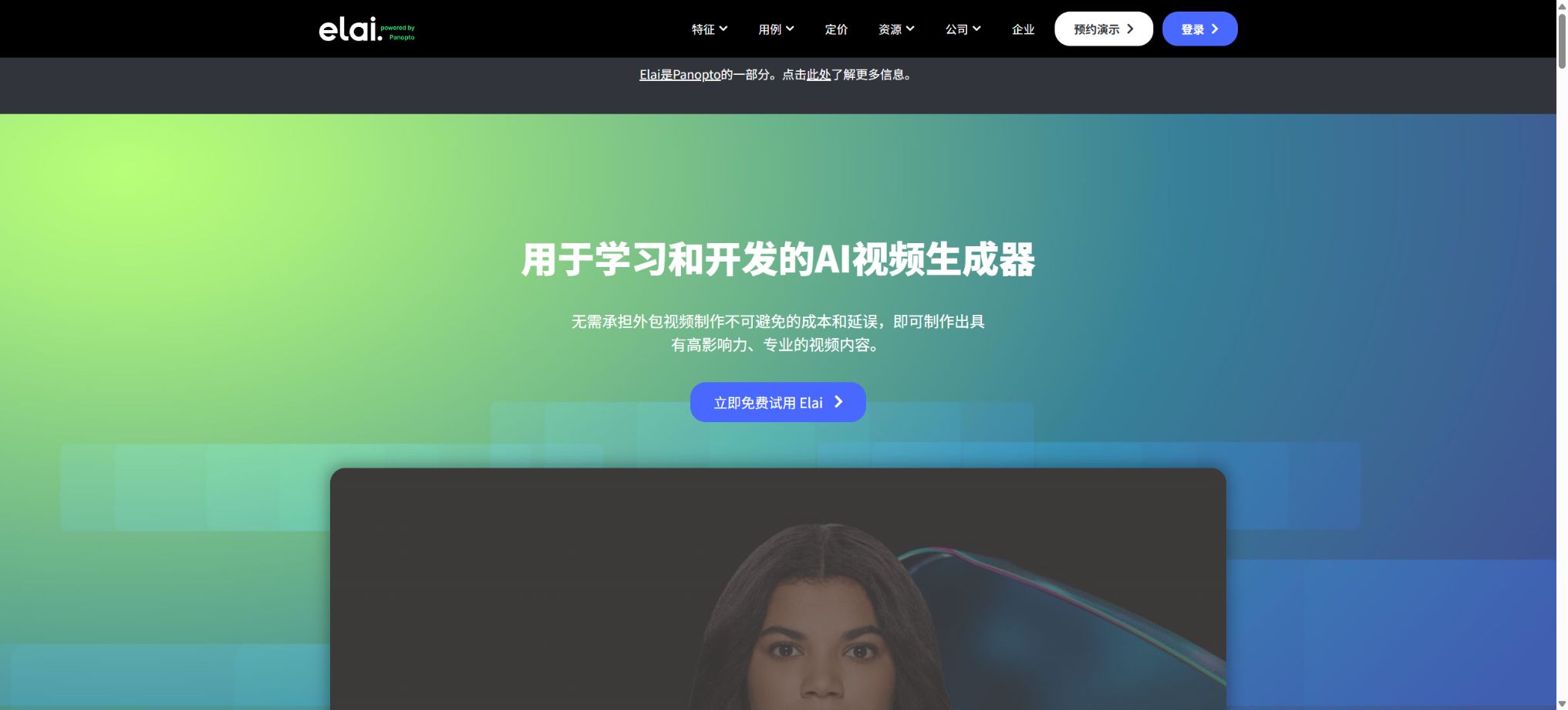
Elai.io
A platform that converts text, slides, and course materials into digital human videos
Tags:AI video toolsWhat is Elai.io?
Elai.io is an online platform that converts text, slides, and learning materials into videos featuring AI digital avatars. It is used primarily for corporate training, higher education, product documentation, internal communication, and multilingual courses. Users do not need a camera, actors, or a recording studio; they simply need to import the content and select an avatar and voice to create videos with subtitles, media elements, and interactive features.
In October 2024, Panopto acquired Elai; the products resulting from this acquisition are now referred to as Elai powered by Panopto or Panopto AI Video Studio. The standalone editor of Elai, along with its standalone packages, continue to be in use, while they are gradually being integrated with Panopto’s video library, search functions, LMS capabilities, and analysis tools.
Generating videos from text and prompts
Users can paste scripts, or they can use themes and prompts to have the AI generate storyboards, scenes, and scripts. The editor organizes the content in a slide-like format, making it easy to modify the digital characters, backgrounds, text, and media page by page, without the need to know traditional timeline editing techniques.
AI scripts may generate false facts, fictional examples, or unrealistic promises. Training in security, healthcare, finance, law, and compliance must be reviewed by subject matter experts.
Convert PPT to digital human video
Elai can be imported into PowerPoint to convert slides into editable video scenes, and it allows for the creation of narration using speaker notes or new scripts. Users can retain the original layout, replace the avatars and voices, add subtitles, and then produce training or presentation videos.
After importing, it is necessary to check for font replacements, lost animations, chart resolution, and the order of notes. Complex SmartArt elements, embedded media, and macros will not be converted automatically in an equivalent manner.
Documents, PDFs, and course materials
Long documents, course notes, and PDFs can be broken down into separate sections, with the key points identified and a narrative structure created. It is suitable for converting SOPs, policies, and lecture materials into micro-lectures, and it can also be integrated with Panopto’s hosted video library as well as LMS delivery systems.
Automatic extraction may miss footnotes, exceptional clauses, and table relationships. It is necessary to first determine the learning objectives and the desired duration before removing content, rather than reading each page one by one.
Over 80 digital humans
All available options support the use of over 80 different avatars, including real people, photos, and animated characters. Avatar Dialogues enables two characters to take turns speaking and listening in various scenarios, simulating interviews, sales conversations, customer service interactions, and scenario-based training.
The avatar in stock is not a real expert or spokesperson. It must not give the impression that the person truly supports a certain brand, nor should fake customer reviews be created using synthetic characters.
Custom avatar
Elai offers various customization options such as Selfie Avatar, Studio Avatar, Photo Avatar, and Animated Mascot. A Team plan includes 1 Selfie Avatar, while an Enterprise plan includes 3; Premium Avatars and brand characters can also be added as needed.
Custom avatars must be submitted with the individual’s authorization and in accordance with the specified recording guidelines. Lighting, composition, pronunciation, and background can affect the mouth shapes as well as the quality of repeated use of such avatars.
After an employee leaves, it is still necessary to handle authorization and deactivation.
Sound and Voice Clone
The platform offers more than 300 standard voices and over 100 advanced voices, covering a variety of accents and tones, and it also allows users to upload their own recordings. The Team plan includes 1 Voice Clone, while the Enterprise plan includes 3.
Some features allow the cloned voice to be used for multilingual narration.
Explicit consent must be obtained for voice cloning. Brand names, abbreviations, names of people, numbers, and technical terms should be heard individually; synthetic voices must not be used for deception, unauthorized imitation of celebrities, or false statements.
Over 75 languages and automatic translation
Elai supports over 75 languages and a wide range of accents; it allows for one-click translation of the narration, subtitles, and screen content in videos. The platform also enables adjustment of the voice in the target language, making it suitable for training across different regions and for international communication.
Automatic translation cannot replace proofreading by a native speaker. Changes in the length of the text may cause the layout to become disrupted, and terms, policies, and test answers must also remain consistent.
Subtitles, frame size, and image quality
The editor supports automatic subtitles as well as subtitle files; videos can be created in 16:9, 9:16, and 1:1 aspect ratios. Creator allows resolution up to 1080p, while Team and Enterprise support 4K, making them suitable for horizontal courses, vertical short videos, and square-shaped social media content.
4K increases rendering and storage costs, but it does not automatically improve the quality of low-resolution imported materials. Before exporting, it is necessary to check the subtitle safety area, readability, contrast, and accessibility requirements.
Interactive video
Elai supports buttons, click hotspots, text quizzes, multiple-choice questions, and branching paths. Learners can choose different routes, answer questions, or jump to relevant scenarios, turning the training process from a passive viewing experience into an interactive one.
Free and Creator allow for experiencing some basic interactions, while Team offers AI-generated images, more complex question types, and a fuller range of interactive features. It is necessary to test each link, the correct answers, the areas that can be clicked on mobile devices, as well as ensure keyboard accessibility before releasing the product.
Branching logic
The branches allow the subsequent content to be altered based on the learner’s choices, making them suitable for use in making secure decisions, developing sales scripts, providing customer service, and conducting role-playing exercises. Incorrect answers can guide the user back to the relevant knowledge points so that they can attempt the question again.
Complex branches often lead to dead ends and redundant loops; it is necessary to first create a flowchart and verify all endpoints, return paths, and the logic related to outcomes.
Video analysis
The platform offers analyses such as the number of views, viewing duration, and interaction levels, which help teams identify scenarios with high dropout rates and other challenges. When combined with Panopto, it also enables centralized video management, searching, and more comprehensive organization-wide analysis.
Learning analysis involves personal behavior data; access rights and retention periods must be controlled, and individual video recordings cannot be used directly as a basis for evaluating employees as high-risk.
Brands, templates, and media
The platform offers over 100 templates, stock images, videos, Lottie animations, GIFs, stickers, and royalty-free music. Team includes the option for custom images, fonts, and 4K content, while Enterprise provides a Brand Kit, custom templates, Workspaces, and organization-level styles.
Royalty-free materials are still subject to the constraints of their licensing terms. Brand templates should specify the logo, safety margins, fonts, and colors, and retain the approved version.
Free trial version
The Free version costs $0, requires no commitment, and includes 1 user, a one-time allowance for 1 minute of video playback or usage within the account, over 80 avatar options, support for more than 75 languages, and all the basic editing functions available for creators. It is suitable for testing avatars, sounds, and workflow processes.
The free quota is very limited, making it unsuitable for completing full courses; the conditions regarding commercial use, data retention, and export are subject to those specified on the account page and in the current terms.
Price and version comparison
| Package or version | Prices, quotas, and core benefits |
|---|---|
| Creator price | The Creator plan costs $29 per month, or $276 annually, which is equivalent to $23 per month. It provides 15 minutes of usage per month; this works out to approximately $1.93 per minute on a monthly basis and $1.53 per minute on an annual basis. The plan includes 1 user, 1080p resolution, full avatars, sound and language libraries, as well as public APIs. It is suitable for individual instructors and those who produce content infrequently; however, it does not include the features offered by the Team plan such as 4K resolution, advanced sound options, custom fonts, Selfie Avatars, and Voice Clones. |
| Team price | The Team plan costs $125 per month; when paid annually, the cost is $1200, which amounts to $100 per month. The basic package includes 50 minutes of usage per month, with the option to choose between 100 or 150 minutes; it also provides access to 3 Editors and 3 Guests, 4K quality, custom images and fonts, advanced sound features, 1 selfie avatar, and 1 voice clone. The Team plan offers additional features such as AI-powered image generation, enhanced interaction options, sharing capabilities, and team functions. The actual price for different usage amounts is indicated on the payment page. |
| Enterprise price | Enterprise offers customized quotes; it supports an unlimited number of users, customizable time periods, 3 Voice Clones, 3 Selfie Avatars, Premium Avatars, a Brand Kit, Workspaces, SSO, Premium Support, custom templates, and organization-level deployment. When purchased together with Panopto, Elai also allows for discussions regarding video libraries, search functions, LMS systems, data retention, auditing, accessibility features, and analytics. The specific benefits are outlined in the contract. |
Creator price
The Creator plan costs $29 per month; when paid annually, the cost is $276, which equals $23 per month. It provides 15 minutes of usage per month, which translates to approximately $1.93 per minute on a monthly basis and $1.53 per minute on an annual basis. This plan includes 1 user, 1080p resolution, full avatar support, sound and language libraries, as well as access to public APIs.
Creator is suitable for individual instructors and those who produce content infrequently; it does not include features such as Team collaboration, 4K quality, advanced audio options, custom fonts, Selfie Avatars, and Voice Cloning.
Team price
The Team plan costs $125 per month; when paid annually, the cost is $1200, which amounts to $100 per month. The basic package includes 50 minutes of usage per month, with options to add 100 or 150 more minutes.
It includes 3 Editors and 3 Guests, 4K resolution, custom images and fonts, advanced sound features, 1 selfie avatar, and 1 voice clone.
The Team version also offers AI-powered image generation, more advanced interaction features, sharing capabilities, and team functions. The real-time prices for different time periods are indicated on the settlement page.
Enterprise price
Enterprise offers on-demand pricing and supports an unlimited number of users, customizable time periods, 3 Voice Clones, 3 Selfie Avatars, Premium Avatars, Brand Kit, Workspaces, SSO, Premium Support, custom templates, and organization-level deployment.
When Elai places orders jointly with Panopto, topics such as video libraries, search functions, LMS systems, data storage, auditing, accessibility, and analytics can also be discussed. The specific rights and benefits should be specified in the contract.
How is time in minutes calculated?
Minute or Credit indicates the amount of video time that can be used for rendering under the current plan. These values are deducted only when rendering takes place; the monthly quota is updated on a monthly basis, while in the case of an annual subscription, the allocation is determined in accordance with the terms of the contract or the account rules.
Unused minutes usually expire.
Translating into multiple language versions and rendering again increases consumption. It is advisable to preview the text, visuals, and interactions before final production in order to reduce unnecessary rendering.
Public API
Creator and higher tiers offer a Public API that enables the creation of videos, checking of status, management of templates, and downloading of results within applications or automated processes. It is suitable for generating digital human content in bulk, based on course, product, or personnel data.
APIs utilize the same minute-based quota and are subject to account permissions. Keys must be stored on the server, and developers are responsible for handling asynchronous tasks, retrying failed attempts, verifying variables, as well as managing concurrency and personal data.
Value of Panopto integration
Elai is responsible for creating digital human content from prompts, lecture notes, and PPTs, while Panopto handles secure hosting, centralized searching, chaptering, subtitles, LMS delivery, and viewing analytics. Universities and enterprises can manage generative content creation alongside their existing video knowledge bases within the same lifecycle.
An Elai subscription does not automatically equate to a full Panopto license; the combined features and prices need to be confirmed separately.
Canva, Thinkific, and LMS
Elai offers integration options for Canva, Thinkific, and various learning platforms, as well as support for public sharing and embedding. Whether interactive elements can be preserved intact depends on the target player or LMS; it cannot be assumed that a regular MP4 file will contain buttons and branching options.
Refunds, cancellations, and auto-renewal
The updated terms of service for 2026 stipulate a no-refund policy, applicable both to the initial payment and to subsequent automatic renewals. Users can cancel future renewals, but the amounts already paid and the unused minutes are generally not refunded.
It is recommended to first use Free to test the avatar and language options; before subscribing on an annual basis, verify the number of minutes required, the applicable taxes, and the date of automatic renewal.
Copyright, Commercial Use, and Security
Users must have the rights to the scripts, PPTs, images, music, brands, and live-action materials, and must obtain permission for custom avatars and sounds. The commercial licensing terms for free and paid plans are determined by the pricing and conditions specified.
Enterprise offers SSO, workspaces, support, as well as enhanced security controls. Elai’s public security policy emphasizes data protection; however, sensitive courses and customer information still need to be reviewed with regard to retention, deletion, use by third-party processors, and purposes related to model training.
Support for platforms and open-source status
- Desktop browser Web editor;
- Public REST API;
- Panopto video platform and LMS workflows;
- Third-party apps and embeddables.
Elai is a commercial cloud service; its platform, digital avatar models, and rendering systems are not open source, and there is no official fully self-hosted version available. The presence of public APIs does not mean that the source code is made available.
Elai.io Usage Guide
Complete a basic task.
- Specify the presentation topic, objectives, duration, and number of pages;
- Import reliable data into Elai.io and remove any irrelevant or sensitive information;
- When using text and prompts to create videos, it is necessary to first develop an outline rather than going straight to the final version.
- Select templates, illustrations, and visual hierarchy by converting PPT content into digital human videos;
- Check each page for numbers, citations, charts, font sizes, and layout;
- Perform a full-screen preview before exporting in the desired format;
Create reusable professional workflows
- Create brand templates, title hierarchies, and a library of common pages;
- The sequence for generating videos from fixed text and prompts, converting PPTs into video versions of digital avatars as well as documents, and creating PDFs and course materials;
- Specify one key point per page and control the text density;
- Assign the review of facts, visuals, and presentation logic to respective responsible persons;
- Test fonts, animations, and proportions on different devices;
- Save the source files, versions, and records of final approval;
Which users is it suitable for?
- University teachers who convert PPTs and lecture notes into course videos;
- Create a training team responsible for developing content related to onboarding, compliance, and SOPs;
- Multinational companies that need to communicate with multilingual digital avatars;
- Instructional designers who use buttons, quizzes, and branching to increase engagement;
- A platform that uses APIs to generate personalized videos in bulk.
Product advantages
- Scenes can be created quickly using PPT, PDF, documents, and prompt words;
- Interactions, branches, and quizzes are directly integrated into the editor;
- Supports multiple languages, voice cloning, and various custom avatars;
- Team provides 4K content, collaboration tools, and brand materials;
- After being acquired by Panopto, it enables integration across the entire video learning lifecycle;
- A Creator means providing an open Public API.
Restrictions and Precautions
- Free offers only 1 minute, while Creator provides 15 minutes per month; repeated rendering and translation tasks will quickly deplete this time limit.
- Interactive content may lose its interactivity after downloading the MP4 file; therefore, a hosted player or an appropriate LMS is required.
- The terms of service apply a no-refund policy.
- Custom avatars, voices, automatic translation, and AI scripts all must undergo authorization and manual review;
Frequently Asked Questions
Is Elai.io free?
There is a free plan that includes 1 user and 1 minute of video time, allowing testing with over 80 different avatar options and more than 75 languages.
How much is Elai.io?
Creator: 29 dollars per month or 276 dollars per year; Team: 125 dollars per month or 1200 dollars per year.
Custom quote for Enterprise.
Can PPT be converted into a video?
Yes. It is possible to import slides, maintain their layout, and use notes or scripts to create narration for digital avatars; subtitles and interactive elements can also be added.
Does it support quizzes and branching?
It supports buttons, hotspots, text or image-based questions, multiple-choice questions, and branching – making it suitable for interactive training.
Does Elai belong to Panopto?
Yes. Panopto acquired Elai in October 2024, and it is now available as Panopto AI Video Studio.
Is there an API? Is it open source?
Creators and higher tiers offer Public APIs; the platform and digital avatar models are not open-source, and API calls still rely on Elai cloud services as well as time quotas.
Tools similar to Elai.io




 Guigong Network Security Registration No. 45132202000164