






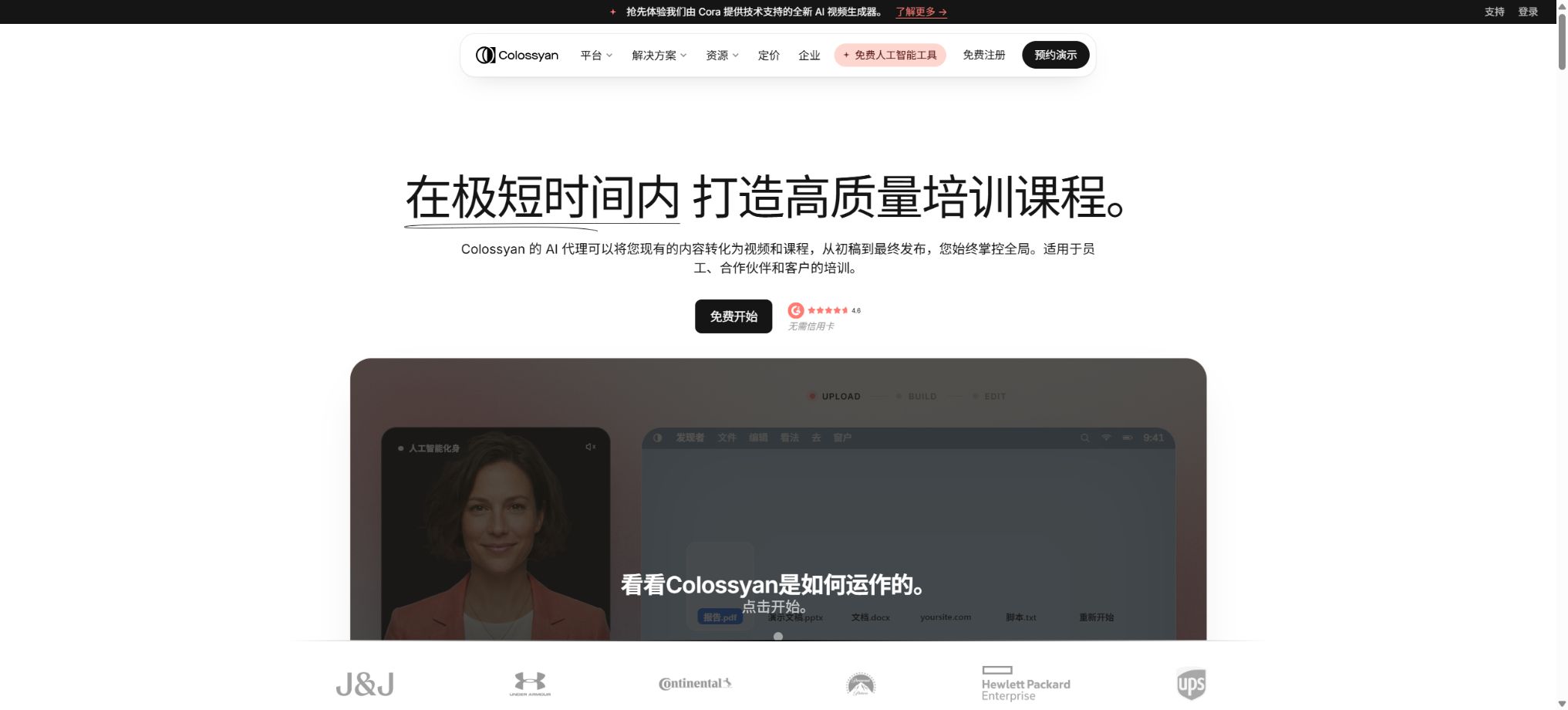
Colossyan
AI digital human video generator for training and corporate communication
Tags:AI video toolsWhat is Colossyan?
Colossyan is an AI-driven digital avatar video and course platform focused on corporate training, onboarding, compliance, sales empowerment, and knowledge dissemination. Users can start with text, scripts, PPTs, PDFs, DOC files, templates, or screen recordings; the AI will then create the scenario, narration, and presentation structure, after which digital avatars, brand assets, subtitles, quizzes, and interactive elements can be added.
Unlike digital tools that only output MP4 files with audio, Colossyan combines video production with course creation. The resulting content can be downloaded as a video, or it can be integrated into an LMS in the form of SCORM packages; the data related to viewing, completion, and quizzes can then be used for training analysis.
Convert documents, PPTs, and PDFs to video
Users can import PPT, PDF, DOC, and TXT files. The platform can preserve the original appearance of the slides, or it can generate video drafts, scenes, and scripts automatically after reading the documents, applying templates suitable for the learning content.
Converting documents into videos can significantly reduce the need for copying and pasting, but AI may misinterpret tables, footnotes, disclaimers, and the sequence of steps. Content related to compliance, healthcare, safety, and technology must be reviewed by subject matter experts before being published.
AI courses and Course Outline
Colossyan Learn allows the creation of an unlimited number of courses, enabling the organization of multiple videos, chapters, interactive elements, and assessments into structured learning paths. The Course Outline Editor helps in planning course objectives, modules, and content; it is suitable for breaking down long SOPs or training manuals into smaller lessons.
The course structure still requires teaching design. Simply adding audio to each page of the document will result in an excessive information load; it is advisable to define clear learning objectives, exercises, feedback mechanisms, and criteria for success.
More than 300 AI digital humans
The platform currently offers over 300 preset avatars, covering various ages, appearances, clothing styles, and expressions. Users can place multiple avatars in the same scene, and they can also use side-angle views and Conversation Mode to simulate conversations between two people, thereby enabling role-playing and scenario-based training.
Digital avatars are suitable for consistent reuse, but their eye movements, gestures, mouth shapes, and emotions may still appear unnatural. Using pre-existing avatars does not convey any information regarding their true identity, qualifications, or level of approval for a product.
NEO and NEO 2 avatar models
The packages offer NEO and NEO 2 video minutes respectively. NEO is suitable for efficient, routine video generation, while NEO 2 focuses on next-generation realism and expressiveness, and requires separate minutes for its use.
Free offers a large amount of NEO for use, but only a small amount of NEO 2; Professional increases the monthly quota for NEO 2.
When selecting a model, one should first consider the intended use and budget. NEO can be used for internal knowledge updates, while NEO 2 is appropriate for scenarios where the content is visible to customers or is of particular importance; this helps to avoid wasting high-quality time on trial and error.
Custom avatars and voice cloning
All active plans allow the creation of Instant Custom Avatars, which are usually created within a few minutes using a smartphone or a camera for a short recording. The Starter plan permits up to 15 custom avatars and 3 voices, the Professional plan allows up to 20 avatars and 5 voices, while the Enterprise plan has no limit on the number of avatars and voices.
Custom Studio Avatar makes use of professional recording techniques and is offered as an additional service; its standard price is $1,000 per year, with a yearly subscription required for access. Enterprise versions include one such avatar.
All real-person avatars and voices must have the individual’s consent, and there should be a process to deactivate them once the person leaves the job or has their authorization revoked.
More than 700 dictionaries of sounds and pronunciations
The platform offers over 700 different pre-recorded voices and accents, and it supports features such as Voice Clone as well as settings for speech speed and pronunciation. The Pronunciation Library allows users to save the correct way of pronouncing brand names, technical terms, abbreviations, and names, which helps to ensure consistency across various videos.
Automatic voice systems require the ability to pronounce numbers, units, and mixed languages. Voice cloning cannot be used for impersonation, deception, or to represent public figures without permission.
Over 120 languages and automatic translation
Colossyan supports over 120 language variants; it can translate captions, on-screen text, interactive elements, and quizzes simultaneously, and it matches the voice and lip movements to the target language. The Starter version provides 15 automatic translations per month, the Professional version offers 20 translations per month, while the Enterprise version has no limit on the number of translations.
Language versions are influenced by text length, terminology, and cultural differences. Before publication, it is necessary to have native speakers review the titles, subtitles, test answers, and branching logic.
Interactive quizzes
Users can add multiple-choice questions, knowledge checks, and scoring to videos or courses, and set passing scores as well as progress indicators. The interaction data is retained in the Streaming SCORM export, which helps LMS systems to track completion status and grades.
The questions should truly correspond to the learning objectives, and explanations should be provided for incorrect answers. Questions generated by AI may have multiple correct options or ambiguous phrasing, so human verification is necessary.
Branching scenario
Branching enables learners to make choices and move on to different scenarios, making it suitable for training in areas such as customer service, sales, management, security, and compliance decision-making. Each path shows the consequences of those choices, provides feedback, and allows the learner to return to subsequent quizzes, thus creating a Scenario-Based Learning environment.
The number of branches increases rapidly; therefore, it is necessary to create path diagrams during design and to test all return conditions, end points, and scoring criteria, in order to prevent learners from getting stuck in dead ends.
Conversational Avatars and Role-Playing
Enterprise offers Conversational Avatars, which enable more flexible AI-based role-playing and practice sessions; a public comparison table shows a benchmark of 1000 minutes. These avatars can simulate customers, employees, or managers, allowing learners to practice conversations and receive feedback.
Generative conversations may deviate from training policies or provide unsafe recommendations. Companies should limit the access to knowledge, prompts, and tools, record sessions, and offer avenues for manual review and escalation.
Screen recording, animation markers, and branding tools
The built-in Screen Recorder allows for the recording of software operations, with digital avatars providing explanations alongside them. Animation Markers help to align visual elements with the timing of the narration.
The Brand Kit stores logos, colors, fonts, and styles; the templates can be reused in multiple courses.
Screen recordings may contain account, customer, or internal information, which should be obscured before they are published. When updating templates, it is also necessary to check whether older projects will automatically inherit the changes.
SCORM and LMS deployment
Professional allows for the export of 5 SCORM packages for courses and 5 SCORM packages for videos per month, using the Streaming mode; Enterprise offers unlimited exports in Streaming and Self-contained formats, and it supports both SCORM 1.2 and SCORM 2004 4th Edition.
The Streaming package relies on Colossyan-hosted content, and updates ensure that the embedded version remains synchronized; Self-contained is more suitable for independent delivery.
Before going live, it is necessary to test the target LMS for its functionality, scores, bookmarks, cross-domain capabilities, and mobile playback.
MP4, Sharing, and Embedding
The Professional plan and above offer unlimited MP4 downloads, watermark removal, HTML embedding, and the possibility to create custom branded sharing pages. The Starter plan allows videos in up to 1080p resolution, but the watermark remains, and full MP4 download options are not available.
Enterprise can reach up to 4K.
MP4 cannot retain branching and quiz interactions; if training requires scores and tracking of the learning path, SCORM or a hosted player should be used, rather than simply uploading video files.
Collaboration, comments, and workspaces
Professional support includes shared workspaces, comments, drafts, and video sharing, with up to 3 editing slots. The annual plan includes 1 editor; additional members cost $30 per month.
Enterprise allows for the configuration of the number of users that can edit content, team permissions, as well as multiple workspaces and roles.
Permissions for editors, reviewers, and viewers should be separated to prevent unauthorized persons from modifying approved compliant content. Access for former employees and external suppliers must be revoked promptly.
Analysis and training effectiveness
Enterprise offers video analysis capabilities, allowing users to view playback details, viewing duration, quiz scores, completion rates, and performance along specific paths, with the option to export this data. Teams can identify scenarios that lead to high dropout rates and common errors, and then adjust the content accordingly.
Learning data, which constitutes information on employee behavior, must be handled in accordance with privacy and labor policies; it should not be used for making high-risk personnel decisions based on individual interactions.
Starter free plan
Starter is currently available permanently and free of charge, without the need for a credit card; the official website states that its value is equivalent to $27 per month. It includes 20 minutes of use of NEO per month, 0.5 minutes of use of NEO 2, over 300 avatars, more than 700 sounds, up to 20 minutes for each video and 40 different scenarios, 15 custom avatars, 3 sounds, 10 interactive videos, 15 instances of automatic translation, as well as unlimited access to courses and viewers.
The Starter version offers only one editing slot; the videos come with watermarks, and it does not provide SCORM export, full MP4 downloads, analysis tools, or APIs. It is suitable for testing digital avatars and course workflows.
Price and version comparison
| Package or version | Prices, quotas, and core benefits |
|---|---|
| Professional price | The professional plan costs $59 per month when paid annually; the website indicates that this represents a savings of around 34% compared to monthly payment. Additional editing services are available at $30 per month, with up to 3 editing slots. The package includes 30 minutes of use for NEO, 10 minutes for NEO 2, up to 50 minutes for video playback, 20 custom avatars, 5 sound effects, 15 interactive videos, and 20 instances of automatic translation. This plan also offers watermark-free content, no restrictions on the number of MP4 files, 5 courses and 5 videos available for streaming in SCORM format each month, a shared workspace, commenting capabilities, embedding options, a brand-specific page, and 360 minutes of API usage per year. It is advisable to check the current monthly price and the total cost for annual payment at the time of purchase. |
| Enterprise price | Enterprise offers quotes on demand; NEO provides unlimited usage in terms of minutes. NEO 2 is configured according to a contract, with most usage limits removed. It includes unlimited options for custom avatars, voices, translation, interaction features, SCORM support, and editing tools; 4K output, analysis capabilities, brand avatars, 1 Custom Studio Avatar, SSO/SAML integration, SOC 2 Type II compliance, data storage options in the EU or the United States, a dedicated customer success manager, and 24/7 priority support. |
Professional price
For Professional, the annual payment is $59 per month; the website indicates that this represents a savings of around 34% compared to monthly payments. Additional edits cost $30 per month, with up to 3 editing slots available.
It includes 30 minutes of NEO per month, 10 minutes of NEO 2, videos up to 50 minutes long, 20 custom avatars, 5 voices, 15 interactive videos, and 20 instances of automatic translation.
This plan includes no watermarks, no restrictions on MP4 files, 5 courses and 5 videos per month for Streaming SCORM, a shared workspace, the ability to leave comments, embedding options, a brand sharing page, as well as 360 minutes of API usage per year. When purchasing, it is necessary to check the real-time price for monthly payment and the total cost for annual payment.
Enterprise price
Enterprise offers quotes on demand; NEO provides unlimited usage in terms of minutes. NEO 2 is configured according to a contract, with most usage limits removed. It includes unlimited options for custom avatars, voices, translation, interaction features, SCORM support, and editing tools; 4K output, analysis capabilities, brand avatars, 1 Custom Studio Avatar, SSO/SAML integration, SOC 2 Type II compliance, data storage options in the EU or the United States, a dedicated customer success manager, and 24/7 priority support.
API
The Colossyan REST API enables the programmed creation, querying, and downloading of digital avatar videos; it also supports the use of avatars, AI-generated voices, and automatic translation. It is suitable for generating content in bulk based on product data, employee information, or templates. The Professional version includes 360 minutes of API usage per year, while the Enterprise version offers customizable usage rights.
API keys must be stored on the server side. When generating data in bulk that includes personalized fields, it is necessary to verify the data and templates, as well as to handle asynchronous operations, retry attempts in case of failures, rate limitations, Webhooks, and the storage of results.
Free tools
The official website also offers free tools such as course objectives, quizzes, course outlines, and SOPs; some of these can be used without registration. Features like converting PowerPoint files to videos, video dubbing, and integration with Canva will be made available gradually, and those labeled as “Coming Soon” should not be considered already available.
Refunds and cancellations
In principle, the terms consider any fees that have been paid as non-refundable, but there is a separate Refund Policy that allows users to contact support in order to request a full or partial refund, subject to approval by the platform. It is advisable to use the free version before making a purchase in order to test the avatar, language settings, and SCORM functionality.
When choosing the annual payment plan, do not place your order solely based on the promotional page.
Copyright, Licensing, and Data Security
Users must have the rights to import documents, images, audio files, as well as brands and characters, and must obtain written consent for using custom avatars and audio files. Digital avatars cannot be used for deception, impersonation, or giving false testimony.
Enterprise offers SOC 2 Type II, GDPR, SAML SSO, as well as options for data storage in the EU or the United States. When handling sensitive training materials with standard solutions, it is also necessary to examine the provisions regarding retention, deletion, sub-processors, and model improvements.
Support for platforms and open-source status
- Desktop browser Web applications;
- Hosted players and HTML embedding;
- SCORM 1.2 and SCORM 2004;
- REST API.
Colossyan is a commercial cloud platform; it is not an open-source digital avatar or LMS system. The availability of official API documentation does not mean that the avatar models, course editors, and rendering services are open source, and as of now there is no official fully self-deployable version available.
Colossyan usage guide
Complete a basic task.
- Identify the audience, platform, format, duration, and the information that needs to be conveyed;
- Prepare scripts, shots, or reference materials that can be used in Colossyan;
- Select documents, PPTs, and PDFs to convert them into videos and create low-cost previews;
- Use AI courses and Course Outlines to adjust the visuals, pacing, subtitles, and audio;
- Check each frame for characters, text, logos, lip movements, and factual accuracy;
- Export in the desired format after confirming the licensing for music, portraits, and materials;
Create reusable professional workflows
- Create scripts, shot lists, brand assets, and a list of elements that are prohibited from use;
- Uniform parameters are saved for converting documents, PPTs, and PDFs into videos, as well as for AI courses and course outlines, and for more than 300 AI digital avatars.
- First, use representative shots to test the model and the quota;
- Transfer the failed shots to manual editing or regenerate them;
- Uniformize subtitles, volume, colors, and end credits;
- Record the version and reviewer before publishing in batches;
Which users is it suitable for?
- The L&D team responsible for creating courses on onboarding, compliance, and SOPs;
- Corporate training departments that require SCORM and assessment data;
- Train teams of customer service, sales, and management staff using scenario-based approaches;
- Organizations that translate global training into multilingual versions;
- A platform that generates digital human content in bulk through APIs.
Product advantages
- Integration of videos, interactive courses, SCORM, and analytics;
- Over 300 avatars, more than 700 voices, and over 120 languages;
- Documents and slides can be directly converted into course drafts;
- Built-in quizzes, branches, dialogues, and role-playing;
- The free version offers a fairly complete creation experience;
- Professional allows you to test Streaming SCORM and APIs.
Restrictions and Precautions
- NEO and NEO2 are calculated separately, with the free plan offering only 0.5 minutes of NEO2 time;
- SCORM and MP4 are available only for the Professional tier and above; Starter is not suitable for use in official LMS platforms.
- Automatic translation, quizzes, and branching may contain logical errors;
- AI avatars cannot replace the review by real experts;
- Before any training content is made available, tests regarding the topic, legal aspects, accessibility, and the LMS must be completed;
Frequently Asked Questions
Is Colossyan free?
There is a permanently free Starter version; no credit card is required. It provides 20 minutes of use of NEO per month and 0.5 minutes of use of NEO 2, but the content comes with watermarks, and neither SCORM format nor a full MP4 download is available.
How much is Colossyan?
The professional annual plan amounts to 59 dollars per month, with an additional 30 dollars per month for extra editing services; custom quotes are available for the enterprise plan.
The monthly real-time price is subject to the settlement page.
Is it possible to export SCORM?
Professional offers 5 SCORM courses and 5 SCORM videos per month, while Enterprise provides an unlimited number of courses and supports both Streaming and Self-contained formats.
Is support for branches and quizzes available?
Yes, it is possible to incorporate selections, feedback, ratings, and passing criteria into videos or courses, and to transmit the results to the LMS via SCORM.
Is there an API?
There is a REST API available. The Professional version includes 360 minutes per year, while the Enterprise version is configured according to the contract terms.
Is Colossyan open source?
It is not open source. It is a hosted commercial service; the availability of APIs does not mean that the avatar models or the code of the course platform are made available to the public.
Tools similar to Colossyan




 Guigong Network Security Registration No. 45132202000164