






LTX Studio
An AI film workstation designed for story development, storyboard creation, character design, and final film production
Tags:AI video toolsWhat is LTX Studio?
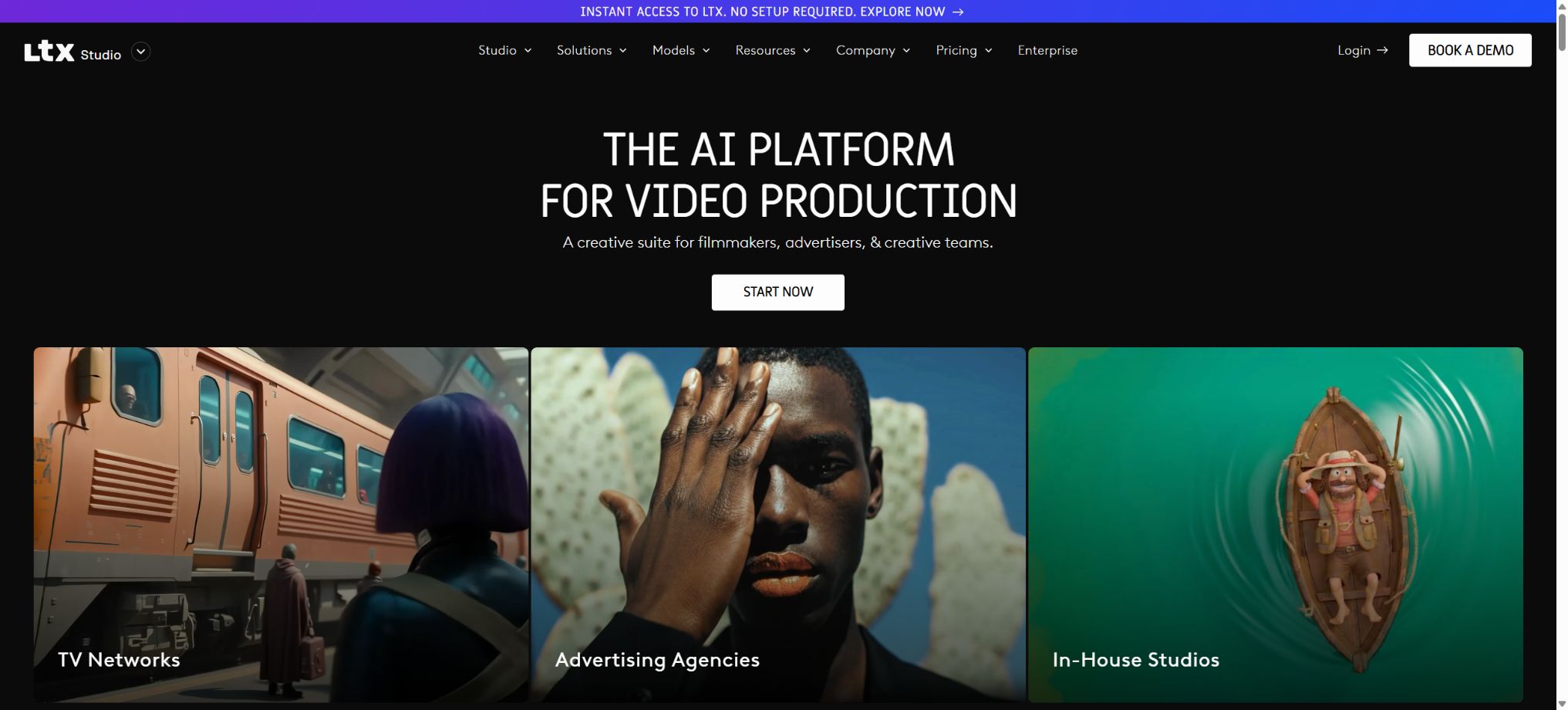
LTX Studio is an AI-based platform for film and advertising production, launched by Lightricks, designed for filmmakers, creative agencies, brand teams, and content creators. It integrates story development, script breakdown, character and scene design, storyboarding, shot creation, audio handling, editing, and proposal preparation within a single project environment; its goal is to enable users to move from textual ideas to fully realized multi-shot films, rather than just creating individual short videos.
The core of this platform is to ensure that characters, locations, and visual elements remain as consistent as possible across different shots. Users can first plan out the storyboard, then select various images and video elements to create the key shots; they can rearrange, revise, and export these shots in the editing environment. It is suitable for use in advertising previews, short films, music videos, animations, Pitch Decks, and various pre-production stages for films and TV shows.
Script and story development
Users can start with an idea, a story outline, or a complete script. The AI identifies the characters, scenes, actions, and narrative pacing, breaks the text down into scenes and shots, and generates a description for each shot.
Existing scripts can also be imported and further adjusted, without the need to create a new project from scratch.
Automatic breakdown can speed up the initial stages, but it cannot replace the screenwriter’s judgment. Character motivations, narrative continuity, legal facts, and brand information may be misinterpreted; therefore, the shot list and dialogue need to be revised before production begins.
AI Storyboards
Plans at Standard and above include AI Storyboards, which allow scripts to be converted into storyboards, shot compositions, and visual references. Users can first assess the pacing, shot sizes, and scene arrangements at a low cost, before deciding which shots need to be turned into videos.
Free and Lite versions still allow for manual planning using Blank Storyboards. Storyboards are useful for communicating concepts, but they do not represent the final visuals.
The production team should specify the camera positions, lens movements, duration, dialogue requirements, and special effects needs.
Consistency between Elements characters and scenarios
- Elements are used to store characters, objects, locations, and other visual assets, which can then be reused in various shots;
- Users can use reference images to define the appearance of characters, and then apply the same elements to different scenarios and actions, thereby avoiding the need to change a character’s face, clothing, or shape each time it is generated.
- Elements are available starting from Standard;
- It can improve consistency, but it does not guarantee pixel-level accuracy; facial features, fabric textures, logos, left-right orientation, and props still need to be checked frame by frame.
- For real-person references, permission for the use of portraits is required;
Multi-camera and timeline production
The generated footage can be arranged, cropped, and replaced in the editing space to create a cohesive story. Users can redo individual shots without having to recreate the entire video, while maintaining the association between the script, storyboards, assets, and versions within the project.
For multi-camera projects, rules for naming, versioning, and locking should be established. Any redo of the model can change the positions of action points, lights, and characters; therefore, it is necessary to check the continuity between consecutive frames before editing.
Text-to-video, image-to-video, and keyframes
LTX Studio enables the creation of videos from textual descriptions; it can also use one or more reference images as a starting point. The LTX series of models supports multiple keyframes, image expansion, video-to-video conversion, as well as control over the opening and closing scenes, and can be used for camera movements, character actions, and visual transitions.
Keyframes can help to control the composition, but objects may still experience deformation, overlapping, and changes in identity during the intermediate movements. Complex shots are best broken down into multiple shorter shots, which are then combined on the timeline.
Audio-to-Video
All current solutions support the conversion of audio to video; users can input dialogue, music, or sound materials, and the LTX model will generate visuals that match the rhythm and content of those inputs. The LTX-2 series focuses on simultaneous generation of audio and video, making it suitable for use with dialogue performances, musical excerpts, and audio-driven footage.
Automatic synchronization does not guarantee complete accuracy in terms of dialogue semantics, lip movements, and actions. Rights to use music and sound materials are necessary, and explicit permission must also be obtained for the cloning of voices.
Video-to-Video Control
The video control function allows for the transformation of style or the reconstruction of images based on existing actions and structures, while maintaining motion through considerations of posture, depth, edges, and key frames. It is suitable for converting rehearsals, real-life actions, or rough animations into different visual styles.
The conversion may alter the identity of the individuals, as well as the details of their hands and the objects around them; moreover, uploading videos of real people involves issues related to portrait rights and performance rights. When such videos are used in commercial advertisements, they must be reviewed frame by frame.
Advanced lens control
The platform offers controls for camera position, shot angle, and movement, allowing for adjustments such as panning, tilting, tracking, pitching, and changes in focus. Structured camera language makes it easier to convey the director’s intentions compared to plain natural language; however, different models still respond differently to the same parameters.
Automation of Flows nodes
Flows is a node-based generation and automation environment that allows prompts, reference diagrams, models, roles, controls, scaling, and outputs to be combined into reusable workflows. The Free and Lite versions enable users to experience basic node-based workflows, while the Standard version and higher offer more advanced automation features.
Node flow is suitable for batch variations and repeated production, but each branch consumes Credits. Before starting actual operations, it is necessary to use a small number of samples to verify the version, size, and cost of the nodes.
Image generation and editing
In addition to videos, the platform integrates image models such as Z-Image, Nano Banana, FLUX.2 Pro, and ChatGPT Images, which can be used to create character designs, scene concepts, product images, and keyframes. The Lite version offers tools for enlarging and editing images and videos, as well as watermark-free output, while the Standard version provides access to more professional models.
Pitch Deck and brand proposal
Versions Standard and above allow stories, characters, scenes, and storyboards to be organized into a Pitch Deck, making it easier to present the creative concept to clients, producers, and the team. The Enterprise version offers additional features such as centralized brand management, multi-language support, and organization-level controls.
In AI proposal forms, the budget, data, schedule, and copyright information must be entered and verified manually; the generated content cannot be considered as an approved production commitment.
Multi-model video generation
Currently, LTX Studio offers Fast and Pro modes for LTX-2.5 and LTX-2.3, and provides models such as Kling 2.6 Pro, Kling 3.0 Pro, Seedance 2.0, Veo 3.1, Veo 3.1 Fast, and Veo 3.1 Lite as part of various packages. Different lenses allow users to switch between these models based on their requirements regarding speed, quality, audio, and control.
The authorities explicitly reserve the right to update, replace, or remove models. The list of models and the cost associated with each generation are not fixed; it is necessary to check the current Credits before creating something.
Free plan
The free version costs $0 and provides 800 Credits for one-time use; it allows access to LTX-2.5, LTX-2.3, Z-Image, tools for creating images and videos, advanced camera control, blank storyboards, Audio-to-Video conversion, SDR to HDR conversion, basic Flows functions, and Video-to-Video Control.
The free plan is only authorized for personal, non-commercial use; it cannot be applied to businesses, marketing purposes, paid customers, or any situation involving direct or indirect compensation. Once the credits are used up, an upgrade is required.
Price and version comparison
| Package or version | Prices, quotas, and core benefits |
|---|---|
| Lite price | Lite costs $15 per month; when paid annually, the cost is $144, which translates to $12 per month, with 8,000 Credits available each month. It includes the features of the Free version, plus tools for enlarging and editing images and videos as well as the option to obtain output without watermarks. However, it is intended for personal use only. Lite is suitable for individual creative work and learning, but not for brand promotion, sponsored content, client projects, or managing commercial accounts. For commercial use, the Standard version should be chosen. |
| Standard price | The Standard plan costs $35 per month; when paid annually, the cost is $336, which translates to $28 per month. This plan includes 28,000 Credits per month. It also provides access to Nano Banana 2 and Pro, FLUX.2 Pro, Kling 2.6 Pro, Kling 3.0 Pro, Seedance 2.0, ChatGPT Images 2.0, Elements, AI Storyboards, advanced Flows, Pitch Deck, as well as the option to purchase additional Credits and a license for commercial use. The pricing page also indicates a special offer of an additional 28,800 Computing Seconds per month for the first three months. Such promotions may expire, so they should not be considered as a permanent fixed quota. |
| Pro price | The Pro plan costs $125 per month; when paid annually, the cost is $1200, which equates to $100 per month. It includes the features of the Standard plan, as well as access to the Veo 3.1 series with the highest quality and level of control. Three collaborators can work on each project, and additional Credits can be purchased as needed. This plan is suitable for professional production teams. |
| Enterprise price | Enterprise offers customized quotes; it provides custom Credits, LTX model training, centralized brand management, organization-wide usage allocation and reporting, multilingual video versions, AI creative strategists, unlimited collaborators, SSO, training and dedicated account managers, SLAs, SOC 2, ISO, GDPR, centralized billing, and enhanced data privacy. |
Lite price
Lite costs $15 per month; when paid annually the cost is $144, which equals $12 per month, with 8,000 Credits available each month. It includes the features of the Free version, in addition to tools for enlarging and editing images and videos as well as the option for output without watermarks. However, it remains a license for personal use only.
Lite is suitable for individual creation and learning, but not for brand promotion, sponsored content, client work, or managing business accounts. For commercial use, it is necessary to start with Standard.
Standard price
The Standard plan costs $35 per month; when paid annually, the cost is $336, which is equivalent to $28 per month. This plan provides 28,000 Credits per month.
It adds support for Nano Banana 2 and Pro, FLUX.2 Pro, Kling 2.6 Pro, Kling 3.0 Pro, Seedance 2.0, ChatGPT Images 2.0, Elements, AI Storyboards, Advanced Flows, Pitch Deck, as well as the option to purchase additional credits and obtain licenses for commercial use.
The pricing page also shows a temporary benefit of an additional 28,800 Computing Seconds per month for the first three months. Such promotions may expire and should not be considered as a permanent entitlement.
Pro price
The Pro plan costs $125 per month; when paid annually, the cost is $1200, which equates to $100 per month. It includes the features of the Standard plan, as well as access to the Veo 3.1 series with the highest quality and level of control. Three collaborators can work on each project, and additional Credits can be purchased as needed. This plan is suitable for professional production teams.
Enterprise price
Enterprise offers customized quotes; it provides custom Credits, LTX model training, centralized brand management, organization-wide usage allocation and reporting, multilingual video versions, AI creative strategists, unlimited collaborators, SSO, training and dedicated account managers, SLAs, SOC 2, ISO, GDPR, centralized billing, and enhanced data privacy.
How to use Credits?
Credits are used for video and image generation, changing character appearances, creating new shots, rendering, editing, and other computational tasks. Different models, durations, resolutions, and operations require different amounts of credits, and the balance is updated in real time at the top of the application.
The platform has changed the original term “Computing Seconds” to “Credits”; essentially, they refer to the same type of calculation balance. Whether the monthly payment quota is carried over, how failed tasks are refunded, and the validity period for additional purchases are all determined by the account’s current rules.
Upgrade, downgrade, cancellation, and refund
The upgrade takes effect immediately, with the difference in cost calculated based on the remaining time of the current cycle; the downgrade takes effect at the end of the cycle.
Users can cancel this option in their account settings; the benefits remain valid until the last day of the current payment cycle.
Refunds are generally available for requests made within 14 days after payment and involving the use of no more than 1200 Credits; in such cases it is necessary to contact support for review. Requests that exceed the specified usage limit or time frame may not be eligible for a refund. It is advisable to test the workflow first using the free credits before purchasing the premium Pro version.
Individual and commercial licenses
Free and Lite are intended for personal use only; they can be used on personal social media accounts and personal websites, but not for promoting businesses, products, services, sponsorship deals, or paid work. Standard, Pro, and Enterprise include a license for commercial use, allowing them to be applied in branding, marketing, customer engagement, and for creating content that generates revenue.
A business license does not automatically grant permission to use uploaded music, actors, trademarks, and third-party works. All input materials and the final product still require separate authorization.
Enhance data privacy
Enterprise’s Enhanced Data Privacy policy specifies that user input and output data will not be used for training models. Ordinary solutions do not offer similar guarantees on their pricing pages; therefore, when dealing with unpublished scripts, customer materials, and confidential brand assets, it is necessary to examine the data policies or negotiate specific terms with the company.
LTX API
LTX offers separate developer APIs and a console that allow for programmatic invocation of LTX models to create video from text, video from images, synchronize audio and video, and carry out other generation tasks. The APIs come with their own pricing structures and usage limits; it should not be assumed that the Studio subscription credits can be used interchangeably with them.
LTX Desktop
LTX Desktop is intended for users who wish to run workflows on local hardware, and it integrates with public models as well as the ComfyUI ecosystem. It differs from Studio’s hosted Credits, third-party models, as well as its team collaboration and enterprise features.
GitHub and open models
Lightricks has made LTX-2, the older version of LTX-Video, as well as the training tools and ComfyUI integrations available on GitHub. LTX-2.3 offers a Dev version that prioritizes quality and a Distilled version that focuses on speed; it enables local inference, LoRA training, handling of multiple keyframes, audio and video generation, and workflow management.
It is important to make a clear distinction: the LTX Studio commercial platform itself is not open source; what is made available publicly are the LTX models and related tools.
Starting from August 11, 2026, LTX-2.5 and future versions of LTX-2.x will be governed by the LTX-2.x Community License, which is not an unrestricted license of the Apache or MIT type.
Entities with an annual revenue of 10 million dollars need to obtain a paid commercial license in order to use it for commercial purposes; there are also specific restrictions on redistribution, creation of derivative versions, development of competitive products, and the use of security markers.
Earlier warehouses and model versions may use different licenses; before deployment, it is necessary to consult the relevant files based on their specific weights and release dates, and it is not possible to infer the license for a new model from that of an older version.
LTX Studio Usage Guide
Complete a basic task.
- Identify the audience, platform, format, duration, and the information that needs to be conveyed;
- Prepare scripts, shots, or reference materials that can be used in LTX Studio;
- Select a script and story development option to create a low-cost preview;
- Use AI Storyboards to adjust the visuals, pacing, subtitles, and audio;
- Check each frame for characters, text, logos, lip movements, and factual accuracy;
- Export in the desired format after confirming the licensing for music, portraits, and materials;
Create reusable professional workflows
- Create scripts, shot lists, brand assets, and a list of elements that are prohibited from use;
- Unified parameters are maintained for script and story development, as well as for AI Storyboards and Elements, to ensure consistency in characters and scenes;
- First, use representative shots to test the model and the quota;
- Transfer the failed shots to manual editing or regenerate them;
- Uniformize subtitles, volume, colors, and end credits;
- Record the version and reviewer before publishing in batches;
Which users is it suitable for?
- The film and animation teams involved in script development, storyboarding, rehearsals, and the final production of the film;
- Advertising agencies that require consistency in characters and scenes across different shots;
- Creatives who create Pitch Decks, MVs, trailers, and brand videos;
- Production companies that need multiple models, node automation, and team collaboration;
- Developers who build video workflows using APIs or local open-source models.
Product advantages
- It covers the entire process, including scripts, storyboards, characters, shots, editing, and proposals;
- Elements help maintain consistency between the characters and the scene;
- Multiple keyframes, video control, and advanced camera enhancements to improve the director’s control;
- The Audio-to-Video and LTX-2 series support synchronized audio;
- It is possible to switch between LTX, Veo, Kling, and Seedance within the same project;
- It also provides Studio, API, Desktop, and public models.
Restrictions and Precautions
- Multi-camera consistency is still not absolutely guaranteed; the characters’ faces, clothing, props, spatial relationships as well as the transitions between actions require manual inspection.
- Third-party models have high resource consumption and may be removed from service;
- Free and Lite versions are not allowed for commercial use;
- Standard is only available for commercial use;
- The public release of the LTX-2.5 model is also subject to the revenue thresholds and usage restrictions associated with the CommunityLicense; therefore, the fact that it can be downloaded from GitHub cannot be taken to mean that it is an unconditional open-source product suitable for commercial use.
Frequently Asked Questions
Is LTX Studio free?
There is a free option that includes 800 Credits for one-time use along with a personal license; an upgrade is required once those credits are used up, or when commercial use is needed, or for Elements and AI Storyboards.
How much is LTX Studio?
The monthly rates are $15 for Lite, $35 for Standard, and $125 for Pro; the annual rates correspond to $12, $28, and $100 per month respectively, with custom quotes available for Enterprise.
Which package is suitable for commercial use?
Standard, Pro, and Enterprise include commercial licenses, while Free and Lite are only suitable for personal, non-commercial projects.
Can you maintain consistency in the character?
Versions Standard and above allow Elements to be saved, enabling the reuse of characters, objects, and locations across different shots; however, it is still necessary to verify identities and clothing details for each shot.
Is LTX Studio open source?
The Studio platform is not open-source; Lightricks has made the LTX-2 model, as well as the tools for inference, training, and ComfyUI, available publicly.
LTX-2.5 uses a community license with income thresholds and usage restrictions.
Is there an API?
There is a separate LTX API and developer console; the costs are separate from those of the Studio subscription, and they are calculated based on real-time API pricing.
Tools similar to LTX Studio




 Guigong Network Security Registration No. 45132202000164