






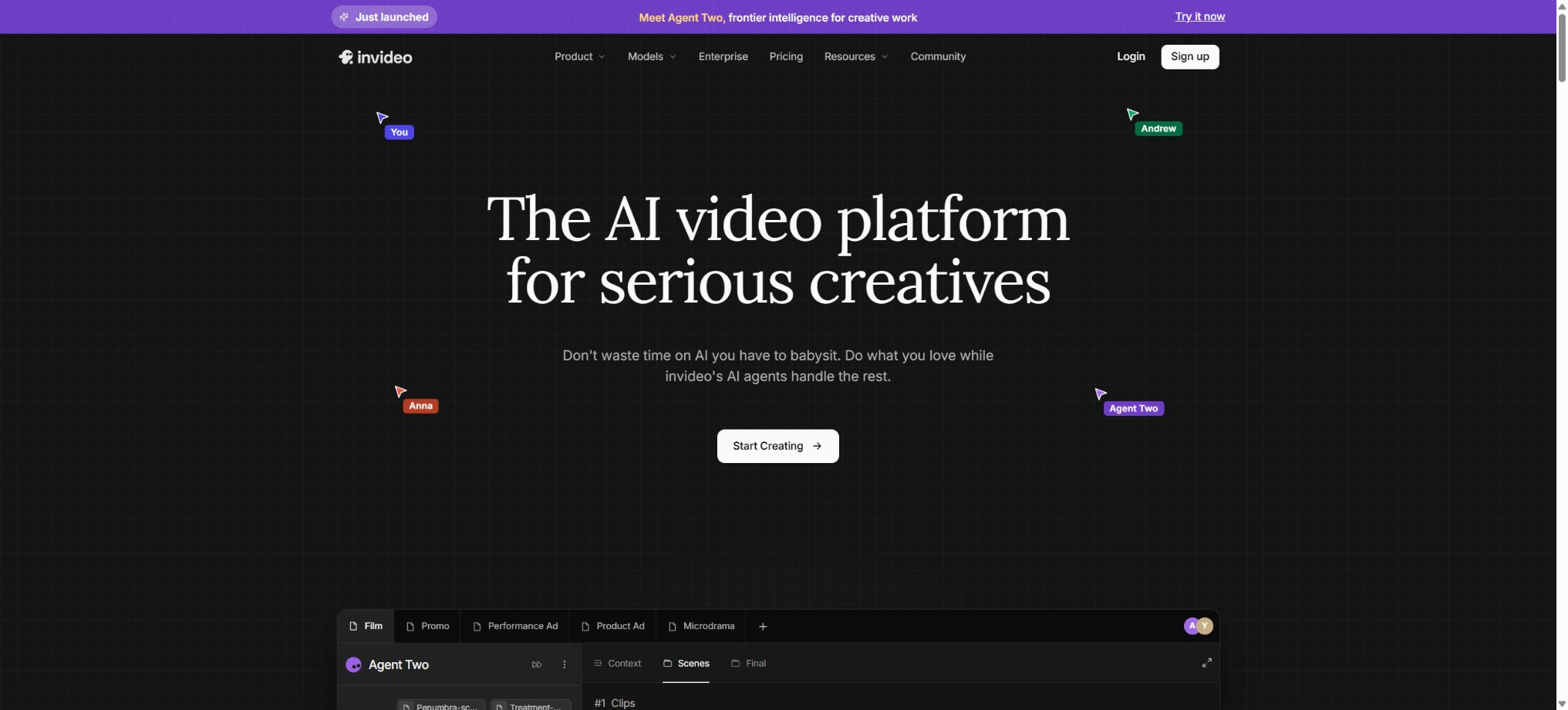
InVideo AI
Platforms that automatically generate narration, visual content, and subtitle videos from prompts or scripts
Tags:AI video toolsWhat is InVideo AI?
InVideo AI is an online AI video creation platform that handles everything from the initial idea to the final video. Users can enter a theme, detailed prompts, a script, a blog link, or a YouTube link; the system then automatically plans the content, writes the script, selects appropriate stock footage or generated visuals, adds voiceovers, subtitles, music, and transitions, resulting in a video that can still be further edited.
It is a separate product from InVideo Studio. InVideo AI focuses on automated generation through dialogue and intelligent workflows, while Studio relies on templates and manual timelines; currently, separate subscriptions are required for each of them.
When making a purchase, ensure that you are opting for the AI version with its pricing, and not the old template editor package.
Generate a complete video from prompts
After the user describes the video’s theme, target audience, length, platform, tone, and visual style, the AI generates a script and storyboards; it then combines footage from existing media libraries or generated models to create narration, subtitles, and background music automatically. This approach is suitable for YouTube videos, Shorts, Reels, advertisements, training materials, product presentations, and news summaries.
The more specific the hints, the closer the initial results will be to the target. Scripts related to facts, people, prices, healthcare, finance, and policies must be verified manually;
Automatic materials may also be related only to the surface aspects of the narration, and smooth footage cannot be used as evidence to verify the truth.
Converting scripts, blogs, and links into videos
Existing scripts can be converted directly into video sequences; blog and website content can be organized into video narratives, and YouTube links can also serve as a starting point for this conversion process. AI handles the task of compressing lengthy content, structuring it into chapters, and selecting appropriate media elements, thereby reducing the time required for manual searching for materials.
Before converting someone else’s articles and videos, it is necessary to verify the rights related to adaptation, extraction, and use of those materials. Automatic summaries may omit certain constraints; therefore, before publishing officially, the script should be compared paragraph by paragraph with the original text.
Quality of output at Autopilot level 3
Autopilot offers three levels of generation quality: Basic, Pro, and Ultra. The Basic version uses only existing media to create compositions without generating any new images; it costs 2 points per minute and is suitable for background materials and ordinary narration.
Pro uses generative models such as Veo 3.1 Fast and Sora 2 to create all pixels, costing 80 points per minute; Ultra employs top-tier models to enhance performance, emotions, brand integration, and props, at 160 points per minute.
The quality tier represents the strategy for generating a single video; it is not the name of a subscription plan. Users with plans Plus, Max, or Generative must use credits according to the selected tier and duration.
Before proceeding with the official production, it is necessary to first use Basic to test the script, and then upgrade the key scenes, in order to avoid exhausting the quota with a single long video.
Over 200 generation models
The paid plan currently offers more than 200 models for images, videos, audio, and music, including Seedance 2.5, Veo 3.1, Kling 3.0, Nano Banana Pro, and ElevenLabs Music. In the Agents & Models section, it is possible to use different models at their original API prices; resolution, duration, sound quality, and input type all affect the points earned.
Models are frequently launched, updated, or removed from service; the names listed on the page do not constitute a permanent guarantee. The authorities also reserve the right to adjust the costs associated with models and Agents, so it is necessary to check the real-time estimates before submitting tasks.
Stock materials and iStock
The platform connects to sources such as iStock, Storyblocks, Shutterstock, Pexels, and Pixabay. The paid plans allow unlimited use of standard stock media, and they also provide a fixed number of premium assets from iStock.
Deductions are made only at the time of export, based on the actual number of iStock elements used in the video; if the same video is exported again, those same iStock elements are not counted again, but their use in a new video will consume additional quota.
Users can restrict, replace, or remove iStock in the generation settings or Magic Box. When iStock is not available, the system can switch to similar materials from Storyblocks or Shutterstock.
Inventory licenses come with certain conditions; the fact that they are available on the platform does not mean that the original materials can be resold separately.
Magic Box natural language editing
After the video is generated, modification commands can be entered in Magic Box; for example, it’s possible to rewrite the opening part, change the tone, shorten sections, replace visuals, remove iStock elements, and adjust subtitles and music. This tool facilitates rapid iteration, as there is no need to carry out actions one by one along the timeline.
Natural language editing can affect multiple shots; after making changes, it is necessary to recheck the script, visuals, subtitle timing, and brand elements. iStock materials that were added manually may not be replaced automatically by the “Remove all iStock” command.
AI digital avatars, voice cloning, and UGC advertising
The platform supports Express Clone, AI Avatar, Voice Clone, as well as Human or Pro Actor, allowing digital avatars to appear on screen according to scripts and with multilingual voices. When using Human or Pro Actor from the material library, an additional 20 credits per minute are charged in addition to the cost associated with the selected generation model.
Digital avatars are suitable for product demonstrations, educational purposes, and UGC-based advertising; however, it is necessary to obtain permission for the use of real people’s portraits and voices. It is also important to avoid fabricated customer reviews, expert endorsements, or news interviews. There may still be discrepancies in lip movements, gestures, product logos, and text on the screen.
Subtitles, voiceovers, and multiple languages
InVideo AI can generate voiceovers and subtitles automatically; the MCP page indicates that subtitles are available in over 50 languages. Users can choose the voice, language, and pace, and they can also use cloned voices to maintain consistency with the brand’s voice.
Automatic subtitles can reduce editing time, but names, terms, numbers, and mixed languages require manual correction.
Workflows, Agents, and video trends
The built-in workflows are designed for explanatory videos, list-based videos, news articles, short videos, UGC advertisements, and other fixed-type tasks. AI Agents will employ multiple models depending on the complexity of the task; the cost is determined by the actual models and steps used in the background, and it is not necessarily equal to Autopilot’s fixed price per minute.
The platform also offers an AI Video Trends feature that helps users reuse popular formats. These trend templates are useful for getting started quickly, but they cannot replace originality, copyright verification, or the platform’s content rules.
InVideo MCP Server
The official MCP server enables the InVideo video workflow to be connected to AI clients that support MCP. Once a user specifies a topic in a conversation, the server can create scripts, select appropriate assets, generate visuals, add narration, subtitles, and music – making it suitable for batch-producing YouTube Shorts and themed videos.
MCP calls are still subject to the constraints related to InVideo accounts, plans, points, and content rules; it is not a free developer API. Manual approval should be maintained before automated publishing, in order to prevent unverified videos from reaching public channels.
Free plan
InVideo AI offers a free version for testing prompts, the generation process, and the editing experience. Free exports usually carry the InVideo brand or stock media watermark, and there are limits on the amount that can be generated and downloaded.
The free benefits may change in line with product strategies; the information provided on the Usage page after logging in should be taken as reference.
After payment, it is necessary to re-export the old project in order to remove the watermark; videos that were exported during the free trial period will not automatically become watermark-free files.
Price and version comparison
| Package or version | Prices, quotas, and core benefits |
|---|---|
| Plus price | The current price of Plus is $20 per month, or $200 for an annual subscription, which amounts to approximately $16.67 per month. The package includes 75 points per month, 4 AI avatars or voice clones, 20GB of storage space, 100 credits for iStock content, and unlimited watermark-free exports, with a resolution of up to Full HD. It is suitable for exploratory use or occasional utilization. |
| Max price | The current price for Max is $100 per month, or $1,000 annually, which translates to approximately $83.33 per month. This plan includes 390 credits per month, 16 AI avatars or voice clones, 100GB of storage space, 200 iStock credits, twice the concurrent usage capacity compared to the Plus plan, and the ability to export content in 4K without watermarks – making it suitable for occasional but higher-quality productions. |
| Generative price | At present, Generative costs $200 per month; when paid annually, the cost is $2000, which is equivalent to about $166.67 per month. The package includes 800 points per month, 40 digital avatars or voice clones, 2TB of storage space, 1000 iStock credits, 10 times more concurrent usage than the Plus version, and the ability to export videos in 4K format without watermarks – making it suitable for creators who use generative video on a daily basis. |
| Elite price | Elite currently costs $1,000 per month; the annual subscription amounts to $10,800, which is equivalent to $900 per month. It includes 4,250 points per month, 200 digital avatars or voice clones, 10TB of storage space, 5,000 iStock credits, 20 times more concurrent usage than the Plus plan, and unlimited 4K exports – all of these features are intended for professional creators who work on a high volume of projects. |
| Team price | Team is suitable for groups of 2 to 30 people, and it allows a combination of Standard and Premium seats. The Standard seat costs $50 per seat per month, or $480 per year, which is equivalent to $40 per month; each such seat comes with 160 points, 10 digital avatars or voice clones, 40GB of storage, and 100 iStock credits. It also provides access to all models, workflows, Agents, unlimited 4K exports without watermarks, as well as round-the-clock premium support. The Premium seat costs $500 per month or $4800 per year; it includes 1600 points per seat. As the prices for team packages and seat combinations are relatively high, it is necessary to check the minimum payment amount, sharing rules, and the specific benefits of each seat type on the payment page before making a purchase. |
| Enterprise price | Enterprise offers customized quotes starting from 10 seats, and provides SOC 2 and GDPR compliance, SSO and SCIM, access control for models and agents, role-based permissions, usage analytics, audit logs, administrator spending controls, DPA, training, technical support, a dedicated success manager, Slack communication, as well as payment via invoice or purchase order. |
Plus price
Plus currently costs $20 per month, or $200 for an annual subscription, which is equivalent to about $16.67 per month. The package includes 75 points per month, 4 AI avatars or voice clones, 20GB of storage space, 100 credits for iStock images, and unlimited watermark-free exports in resolution up to Full HD.
It is suitable for exploration and low-frequency use.
Max price
The current price for Max is $100 per month, or $1,000 annually, which translates to approximately $83.33 per month. This plan includes 390 credits per month, 16 AI avatars or voice clones, 100GB of storage space, 200 iStock credits, twice the concurrent usage capacity compared to the Plus plan, and the ability to export content in 4K without watermarks – making it suitable for occasional but higher-quality productions.
Generative price
At present, Generative costs $200 per month; when paid annually, the cost is $2000, which is equivalent to about $166.67 per month. The package includes 800 points per month, 40 digital avatars or voice clones, 2TB of storage space, 1000 iStock credits, 10 times more concurrent usage than the Plus version, and the ability to export videos in 4K format without watermarks – making it suitable for creators who use generative video on a daily basis.
Elite price
Elite currently costs $1,000 per month; the annual subscription amounts to $10,800, which is equivalent to $900 per month. It includes 4,250 points per month, 200 digital avatars or voice clones, 10TB of storage space, 5,000 iStock credits, 20 times more concurrent usage than the Plus plan, and unlimited 4K exports – all of these features are intended for professional creators who work on a high volume of projects.
Team price
Team is suitable for groups of 2 to 30 people, and it allows a combination of Standard and Premium seats. The Standard seat costs $50 per seat per month; when paid annually, the cost is $480 per seat, which is equivalent to $40 per month.
Currently, each seat includes 160 points, 10 digital avatars or voice clones, 40GB of storage, and 100 iStock credits; it also provides access to all models, workflows, Agents, unlimited 4K exports without watermarks, as well as round-the-clock premium support.
The Premium tier costs $500 per month or $4,800 per year; each seat in this tier comes with 1,600 points. The team pricing options and seat combinations are relatively high, so it is necessary to check the minimum payment amount, sharing rules, and the specific benefits associated with each seat on the settlement page before making a purchase.
Enterprise price
Enterprise offers customized quotes starting from 10 seats, and provides SOC 2 and GDPR compliance, SSO and SCIM, access control for models and agents, role-based permissions, usage analytics, audit logs, administrator spending controls, DPA, training, technical support, a dedicated success manager, Slack communication, as well as payment via invoice or purchase order.
Points, reset, and additional purchases
Points are used for video creation, model generation, AI functions, and Agents, rather than just for downloads. The subscription points are reset on the monthly renewal date, and any unused portion is not carried over.
Additional points purchased separately are valid for 12 months, provided that a valid subscription is in place.
Plus and Max can have their capacity increased by 5 times, while Generative can have its capacity increased by 10 times. It is also possible to purchase additional credits or Stock Packs at once;
Stock Pack adds 10 minutes and 10 iStock credits, but they become invalid at the end of the current billing cycle.
Upgrade, downgrade, cancellation, and refund
The upgrade is charged based on the proportion of the remaining period; any unused points from the old plan can be carried over to the upgraded plan. Downgrades and cancellations generally take effect at the end of the current period, and the monthly quota is not retained permanently.
Whether a refund is eligible is determined through the official refund process; orders that have already used up a large portion of their allocated quota are usually subject to restrictions.
Export, watermarking, and project visibility
The paid plan allows for unlimited watermark-free exports; however, the watermark indicating the source of the material may still be visible on the preview page, and it is removed in the final export. Videos can be shared with settings of Private, Unlisted, or Public.
The default sharing setting is usually Public; for items that contain customer information, the default visibility should be modified first.
After unsubscribing, the media that has been generated can still be downloaded from the Generative Media section of the project. Users can also select and delete the exported videos in bulk from the Downloads page.
Copyright and Commercial Use
AI-generated media can be downloaded and used, while stock images, videos, and music must be utilized in accordance with the licensing terms of their respective libraries. Even music marked as royalty-free can trigger automatic copyright complaints on platforms such as YouTube; publishers should keep proof of authorization and use the official complaint procedures.
Brands, characters, music, and third-party videos uploaded by users must have proper authorization. AI cannot guarantee that the generated content will not be similar to existing works; advertisements and commercial materials still need to be reviewed before being published.
Support for platforms and open-source status
- Web applications for desktop and mobile browsers;
- iOS and Android mobile apps;
- Team workspace;
- Official MCP server.
InVideo AI is a commercial cloud service, not an open-source video generation tool. The official MCP interface allows for the invocation of workflows that are governed by the account and subscription plan; it does not mean that the underlying models, editors, or the source code of the platform are available in open source form, nor can it be used as a solution for private deployment.
InVideo AI Usage Guide
Complete a basic task.
- Clarify the code tasks to be carried out in InVideo AI, the scope of the repository, and the acceptance criteria.
- Connect to or import the test project, and first back up the current branch;
- First, use the prompt to create a complete video production plan, and then confirm the modified files.
- Make minor changes using scripts, blogs, and link-to-video tools;
- Run tests, static checks, and builds; unverified code is not accepted directly.
- Manually check permissions, keys, dependencies, and handle exceptions before merging;
Create reusable professional workflows
- Select a low-risk, real-world project as a template;
- Fixed prompt for generating complete videos, scripts, blogs; options for converting links into videos; and three quality levels for Autopilot – the order in which these options are used;
- Record the environment, model, prompts, and failure conditions;
- Set up manual approval for write, deploy, and delete actions;
- Compare speed, cost, test pass rate, and the amount of rework;
- Expand to a team or production environment only after stability has been verified;
Which users is it suitable for?
- Creators who produce explanatory videos and Shorts from prompts or scripts;
- Marketing teams that create social media, advertising, and product content in bulk;
- Companies that need digital avatars, voice cloning, and multilingual subtitles;
- Education teams that wish to create training videos quickly using existing materials;
- Automated users who invoke video workflows within the AI client through MCP.
Product advantages
- Tips, scripts, and links can be turned directly into complete videos;
- Automatically handles scripts, materials, voiceovers, subtitles, and music;
- Aggregates over 200 types of models for images, videos, audio, and music;
- Stock materials and generated media can be used together;
- Magic Box supports modification via natural language;
- It covers digital avatars, voice cloning, UGC advertising, and MCP;
- Offers tiered solutions for individuals, teams, and enterprises.
Restrictions and Precautions
- Pro and Ultra consume 80 and 160 points per minute respectively, so the cost of uploading long videos is high.
- Different models are also charged separately based on seconds, resolution, and audio;
- Unused subscription credits are not carried over, so it is very important to plan the quota carefully.
- Errors can occur in the selection of automatic scripts, subtitles, and materials, and generated characters, products, text, and logos may also be distorted.
- A formal release requires manual verification of facts, copyrights, branding, and image quality;
Frequently Asked Questions
Is InVideo AI free?
There is a free option for access, but creation and export are restricted, and the results usually contain brand or material watermarks. Removing watermarks, obtaining more credits, and getting higher resolution require payment.
How much does InVideo AI cost?
Currently, the monthly fees are 20 dollars for Plus, 100 dollars for Max, 200 dollars for Generative, and 1000 dollars for Elite. Team Standard costs 50 dollars per seat per month; custom quotes are available for the enterprise version.
The annual price is lower.
How many points are consumed by a video?
Autopilot Basic earns 2 points per minute, Pro earns 80 points per minute, and Ultra earns 160 points per minute; the creation of individual models and Agents is priced based on the actual number of calls.
Is InVideo AI the same as Studio?
They are different. The AI version relies on prompts and automated workflows, while Studio is a template-based tool with manual timeline editing; currently, different subscriptions are required for each of them.
Is MCP supported?
Supported. The official MCP server can generate scripts, visuals, voiceovers, subtitles, and music from dialogue calls, but it still consumes account credits.
Is InVideo AI open source?
It is not open source. The MCP and application interfaces do not imply that the underlying video platform or the model code are made available to the public.
Tools similar to InVideo AI




 Guigong Network Security Registration No. 45132202000164