






VEED
An online AI video creation, editing, and collaboration platform designed for marketing and teams
Tags:AI video toolsWhat is VEED?
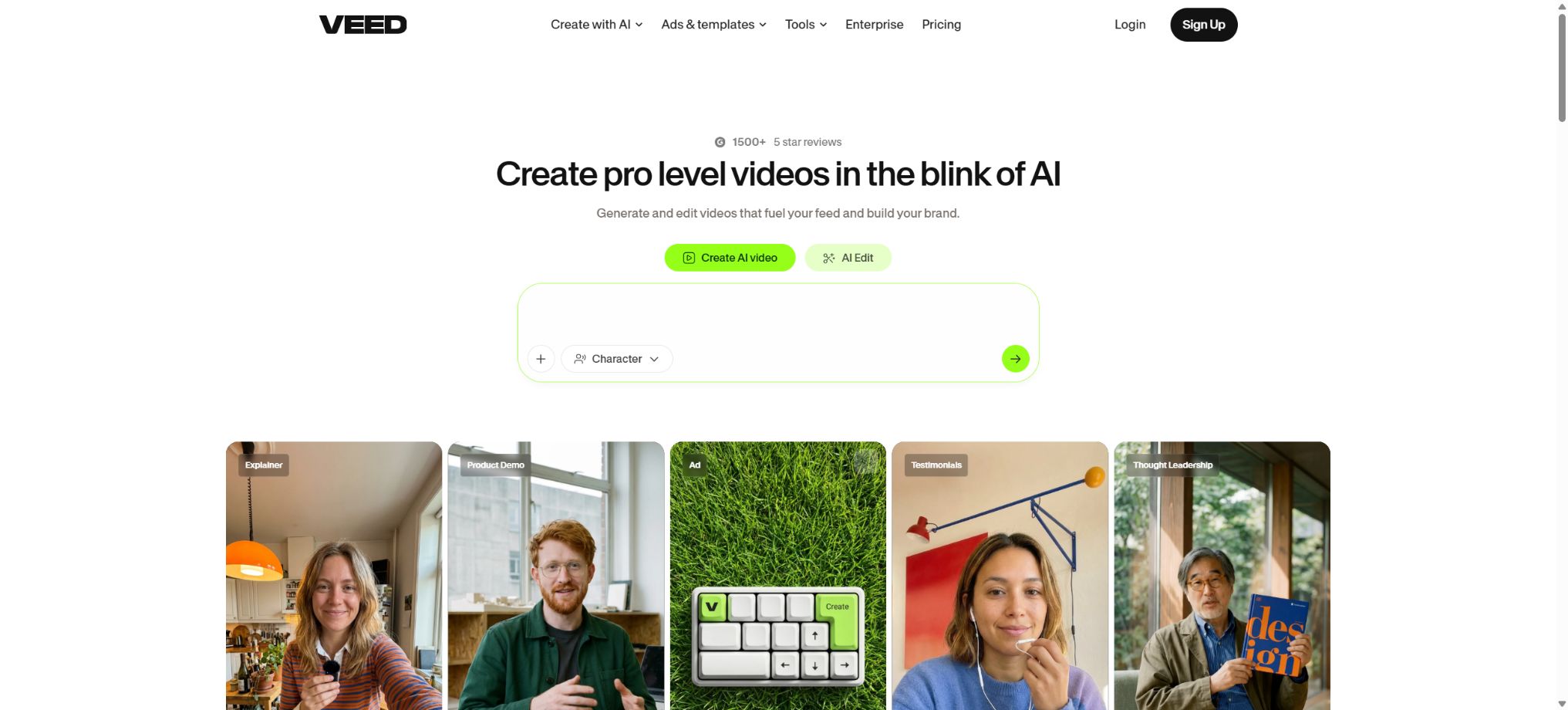
VEED is an online AI-based video production and collaboration platform that relies on a browser as its core. Users do not need to install any traditional professional editing software; they can simply upload or record footage, and then carry out tasks such as cutting, adjusting visuals, processing audio, adding subtitles, applying brand styles, and exporting the videos.
It brings together automatic subtitles, voice translation, AI voice synthesis, digital avatars, long-video segmentation, script generation, and generative video in a single workspace, making it more suitable for fast-paced scenarios such as marketing, training, social media use, and corporate communication.
Core functions
- Online video editing:Cropping, stitching, size adjustment, text and image handling, transitions, filters, background processing, and audio processing are all carried out in the browser.
- Subtitles and translation:Automatic transcription of speech, editing of the subtitle timeline, import and export of SRT files, as well as generation of subtitles in multiple languages; dynamic subtitle styles are available in both free and paid plans.
- AI voice synthesis and voice:It offers text-to-speech, voice translation, voice cloning, noise reduction, and eye alignment; the available languages and usage limits are determined by the plan.
- AI videos and Playground:Models such as Veo, Kling, Luma, Seedance, and Minimax can be invoked through a unified interface; the required AI Credits are displayed before generation, and no credits are deducted for failed tasks.
- Gen-AI Studio:It uses existing stock footage, avatars, and voiceovers to create a complete video based on a script; it is not the same as AI Playground, which generates images from scratch.
- Content reuse:It converts long videos into shorter clips, removes pauses, adds subtitles automatically, and adjusts the aspect ratio for optimal viewing – ideal for podcasts, interviews, and webinars.
- Recording and sharing:Record the screen, camera, and presentations, then review, comment on, and embed them in web pages via links.
- Team brand:Shared workspaces, Brand Kits, custom templates, review modes, and permission controls help ensure visual consistency among multiple people.
Prices and billing methods
VEED offers a free version as well as multiple paid plans designed for individual users, professional creators, teams, and businesses. The pricing displayed on the purchase page varies depending on the region, currency, taxes, and whether the payment is made on a monthly or annual basis. Since the public pages do not show the same fixed prices across all regions, it is not appropriate to use the old dollar amounts mentioned in third-party articles as the current global prices.
When choosing a plan, it is important to compare factors such as export clarity, watermarks, subtitles and translation time, storage options, the Brand Kit, the number of collaboration seats available, and AI Credits – rather than focusing only on the initial monthly fee.
| Package or version | Prices, quotas, and core benefits |
|---|---|
| Free | It is suitable for trying out editing, subtitles, and limited AI-generated content; the quality of the exports, watermarks, duration, as well as storage options and usage limits are all restricted. |
| Pro or Studio | Designed for high-frequency content creation, it offers translation services, brand-related tools, additional AI credits, stock media, and advanced editing capabilities. |
| Business and Enterprise | It offers team collaboration, brand management, increased credit limits, secure purchasing options, priority support, and customized solutions; for the enterprise version, please contact sales for a quote. |
AI Playground charges Credits based on the tasks carried out, with the amount of Credits determined by the model used, the duration of processing, the resolution, and the mode selected. Unused Credits under the monthly payment plan expire at the end of the month, while the credits allocated under the annual payment plan are reset in accordance with the annual rules.
No fee is deducted in case of generation failure.
Web subscription and the iOS version of VEED Captions are not the same product: purchasing Mobile Pro on iOS does not automatically grant access to the web version; it is necessary to check the comparison table to determine whether the web version includes mobile capabilities.
VEED also offers a separate subtitle API that is hosted and billed through third-party modeling platforms, and no VEED account is required for its use. The cost for the basic style is around 0.10 dollar per minute at a resolution of up to 1080p, while the cost for dynamic styles is about 0.20 dollar per minute; higher resolutions such as 4K result in higher fees.
Each task is charged at a minimum of 1 minute.
This API is only used for subtitle rendering; it does not represent a full editor API.
Platform and open-source status
VEED mainly operates through a desktop browser, and it also offers an iOS app for adding captions. The browser version reduces the need for installation, but uploading, processing, and exporting files require a stable internet connection; large 4K files and complex projects may be affected by bandwidth limitations, browser memory constraints, and the time required for rendering in the cloud.
VEED is a proprietary SaaS solution; it is not an open-source video editing tool, and the complete editing platform cannot be deployed privately by users. The examples, API SDKs, and front-end components provided by the vendor or third parties do not indicate that the core services are open source.
When a company has specific requirements regarding data residency, SSO, retention periods, and vendor evaluation, these should be specified during the Enterprise procurement phase.
VEED Usage Tutorial
Complete a basic task.
- Identify the audience, platform, format, duration, and the information that needs to be conveyed;
- Prepare scripts, shots, or reference materials that can be used in VEED;
- Select online video editing to create a low-cost preview;
- Use subtitles and translations to adjust the visuals, rhythm, subtitles, and audio;
- Check each frame for characters, text, logos, lip movements, and factual accuracy;
- Export in the desired format after confirming the licensing for music, portraits, and materials;
Create reusable professional workflows
- Create scripts, shot lists, brand assets, and a list of elements that are prohibited from use;
- Uniform parameters are established for online video editing, subtitles and translation, as well as AI voiceovers and audio recording;
- First, use representative shots to test the model and the quota;
- Transfer the failed shots to manual editing or regenerate them;
- Uniformize subtitles, volume, colors, and end credits;
- Record the version and reviewer before publishing in batches;
Which users are it suitable for
- Creators and managers who can quickly produce social videos with subtitles
- Corporate teams that need multilingual subtitles, voiceovers, and training videos
- The content team that edits interviews, podcasts, and live streams into short videos
- Marketing and sales teams that need screen recording, brand templates, and online reviews
Privacy, Copyright, and Restrictions
- Uploading materials, generating subtitles, cloning voices, and using digital avatars may involve handling faces, voices, customer data, and unreleased content;
- It is necessary to obtain the consent of the persons appearing on camera and of those whose voices are used; one must not pretend to be real or famous individuals, and sharing permissions as well as deletion policies should be set in accordance with the requirements of the business.
- Videos, subtitles, and translations generated by AI may contain errors; technical terms, numbers, and names of people must be checked manually.
- The commercial use of stock materials, music, fonts, and AI-generated content is governed by specific licensing and usage terms.
- A free or paid subscription does not grant unlimited rights to resell all content;
- When using the material for advertising, customer delivery, or public dissemination, it is necessary to keep records of the licensing details and to check the platform’s rules.
Frequently Asked Questions
Is VEED free?
You can try out the editing, subtitle addition, and limited AI features for free, but there are restrictions on watermarks, exporting, storage, and the amount of AI resources available; regular use requires payment.
Is VEED needs to be downloaded and installed?
The core editor runs in the browser; iPhone users have the Captions app available, and mobile subscriptions as well as web subscriptions need to be confirmed separately.
Will AI Credits be retained?
The monthly quota usually expires at the end of each month, while the annual quota is reset according to annual rules. The actual balance and expiration date can be viewed under Plan Limits.
Tools similar to VEED




 Guigong Network Security Registration No. 45132202000164