






Synthesia
Create corporate videos using AI digital avatars and multilingual voiceovers
Tags:AI video toolsWhat is Synthesia?
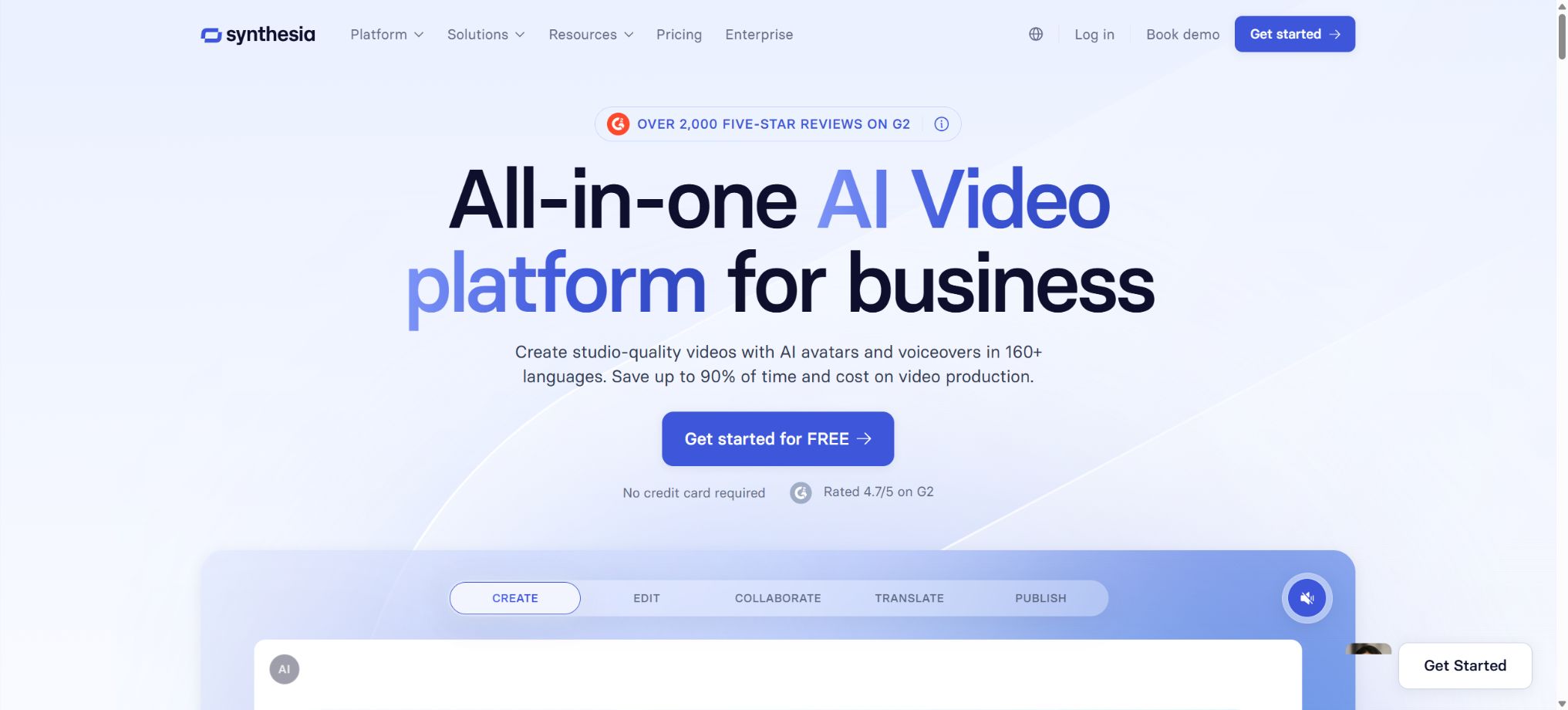
Synthesia is an AI-based digital avatar video platform designed for corporate training, product demonstrations, knowledge dissemination, and internal communication. Users do not need a camera, actors, or a recording studio; they only need to enter a script and select a digital avatar and voice to create videos narrated by virtual hosts.
The platform also allows for the creation of scenarios from documents, web pages, or PowerPoint files; it enables the use of brand templates, screen recordings, subtitles, a material library, translation services, and interactive elements. Its strengths lie in structured narration and the ability to carry out large-scale updates in multiple languages, rather than in generating video content at a film-quality level or handling complex timeline edits.
Core functions
- AI digital humans:It offers various types of digital avatars such as Express-1, Express-2, and Synthetic, each designed for stable long-duration speech, natural gestures, and customizable clothing scenarios.
- Personal digital avatar:The paid plan allows users to create a personal avatar from photos or videos, and requires real-time consent verification; it is not permitted to copy the images of public figures or other people without authorization.
- Multilingual voices:It offers over 160 languages, accents, and voice options, as well as automatic subtitle generation, making it suitable for localizing the same courses or product descriptions.
- Translation and AI Dubbing:It is possible to translate existing videos, preserving the speaker’s voice tone and accent while synchronizing the lip movements; advanced features such as lip synchronization require additional credits.
- AI Video Assistant:Scripts, scenes, and preliminary videos are generated from prompts, documents, or web pages, after which the user can adjust the digital avatar, layout, and media elements.
- PowerPoint and screen recording:PPTX files of up to 1 GB or 150 pages can be imported, but the animations will not be included in the import. The AI screen recorder is suitable for creating software tutorials and operation demonstrations.
- Interaction and learning:It supports buttons, branching, quizzes, role-playing, and feedback; enterprise versions allow SCORM packages to be exported for integration with learning management systems.
- Teams and APIs:It offers comments, real-time collaboration, brand kits, workspaces, and video APIs; the Creator and Enterprise tiers provide more comprehensive automation capabilities.
Price and quota
| Package or version | Prices, quotas, and core benefits |
|---|---|
| Basic | It’s free, no credit card required; 1,200 points per month, which can be used for up to 10 minutes of video content or around 25 AI-generated video clips; it also includes 9 AI digital avatars. |
| Starter | The monthly fee is 29 dollars, while the annual fee is 264 dollars, which amounts to 18 dollars per month. The annual plan includes 14,500 points that can be used for up to 120 minutes of video or voice recording; it also provides access to more than 125 digital avatars, 3 personalized digital avatars, as well as the option to download content and remove brand identifiers. |
| Creator | The monthly fee is 89 dollars, while the annual fee is 804 dollars, which amounts to 64 dollars per month. An annual payment entitles you to 44,000 points that can be used for up to 360 minutes of video or voiceover content; these points also include access to more than 180 digital avatars, 5 personalized digital avatars, a brand video page, interactive features, the ability to have multiple digital avatars appear together, and API access. |
| Enterprise | Customized prices and points are available; there is no limit on the number of video minutes, over 240 pre-made digital avatars at disposal, unlimited use of personalized digital avatars, real-time collaboration, brand-specific packages, SAML/SSO integration, SCORM compatibility, as well as dedicated customer success and implementation support. |
Synthesia uses a shared credit pool to calculate the costs associated with videos, voiceovers, and AI-generated assets; different functions have varying conversion rates. For the Starter and Creator plans, an annual quota of minutes is provided when paying on an annual basis, and the page indicates 10 minutes and 30 minutes per month to help users understand this quota.
Generation will be suspended once the quota is exhausted, and users can upgrade their plan; any unused quota will not carry over to the next billing cycle.
Minutes are deducted only when the video is officially created; no deduction is made for draft previews. When editing a already created video, only the number of seconds added in the new version is taken into account.
The prices, temporary dubbing services, and the number of digital avatars may change; the figures listed in the catalog should be considered as the current official references.
Platform, API, and open-source status
The full editor is designed primarily for desktop browsers; mobile devices can be used to view content, schedule demonstrations, or access some simplified interfaces, but it should not be considered a complete mobile editing application. The output format supports full HD MP4 files, as well as options for sharing content, embedding it in other pages, and using multilingual players.
SCORM export is an enterprise capability.
The API can automatically apply templates and generate videos in bulk; the specific rates, minute quotas, and any additional usage for enterprises are determined based on the chosen plan.
The Synthesia platform, as well as the digital human technology, models, and editors, are not open source. The official GitHub repository provides some SDKs, examples, and integration code, which are intended solely for calling the services; the core models cannot be downloaded for offline use.
Organizations that require internal data isolation, SSO, auditing, or supplier evaluation should use enterprise solutions and review the contract and data processing terms.
Synthesia usage guide
Complete a basic task.
- Identify the audience, platform, format, duration, and the information that needs to be conveyed;
- Prepare scripts, shots, or reference materials that can be used in Synthesia;
- Select an AI digital avatar to create a low-cost preview;
- Use a personalized digital avatar to adjust the visuals, rhythm, subtitles, and audio;
- Check each frame for characters, text, logos, lip movements, and factual accuracy;
- Export in the desired format after confirming the licensing for music, portraits, and materials;
Create reusable professional workflows
- Create scripts, shot lists, brand assets, and a list of elements that are prohibited from use;
- Save unified parameters for AI digital avatars, personal digital avatars, and multilingual voices;
- First, use representative shots to test the model and the quota;
- Transfer the failed shots to manual editing or regenerate them;
- Uniformize subtitles, volume, colors, and end credits;
- Record the version and reviewer before publishing in batches;
Which users are it suitable for
- An enterprise learning team responsible for providing training on onboarding, compliance, security, and products.
- Global organizations that need to continuously update multilingual instructional videos
- Courses and operational staff who require a consistent voice-over presence but are unable to appear on camera in person
- Development and marketing teams that use templates and APIs to create personalized videos in bulk
Advantages and limitations
- The advantage of Synthesia is that it provides a complete production workflow that includes digital avatars, templates, translation, collaboration, and enterprise governance – allowing the video to be updated simply by modifying its script, without the need for re-shooting.
- The limitation is that the gestures and emotions of these digital avatars based on inventory data can still appear robotic, and complex performances, interactions in real-world scenarios, and movie-style shots are not their main purposes.
- Pauses, proper nouns, and lip movements in languages such as Chinese need to be checked through listening;
- PPT animations are not retained in their original form; they need to be rearranged after being imported.
- To create a personal digital avatar or clone a voice, explicit consent from the individual is required;
- When releasing content to the public, it is necessary to disclose synthetic elements in accordance with local regulations, and avoid creating content that constitutes impersonation, misrepresentation, defamation, or uses unauthorized portraits.
- The scripts used in training in medical, legal, financial, and compliance areas must be reviewed by professionals;
Frequently Asked Questions
Can the free version of Synthesia be used to download videos?
The free version allows users to experience video content with digital avatars, but it comes with limitations regarding brand identifiers, the number of avatars that can be used, and the usage quota; for official releases, a Starter plan or a higher-tier plan is usually required.
Is Chinese supported?
It supports the creation of audio and video in Chinese, as well as multilingual translation. It is recommended to listen to the output before generating content for proper pronunciation of proper nouns, numbers, and industry-specific terms.
Can PPT files be imported?
PPTX files can be imported, with a maximum size of 1 GB or 150 pages; however, animations are not included in the import. If fonts are missing, they need to be replaced or uploaded using supported formats.
Tools similar to Synthesia




 Guigong Network Security Registration No. 45132202000164