






Luma Dream Machine
Create and edit videos and images using natural language and reference materials.
Tags:AI video toolsWhat is Luma AI?
Luma AI is a platform designed for creative teams, aimed at the production of videos, images, and multi-step content. It enables concept exploration, video shot creation, visual adjustments, and the delivery of final materials, starting from text, images, reference materials, or existing videos.
Many users still search for this product using the name Dream Machine, but the official team considers it an old name. The current consumer workspace is called Luma App; the video model in use is Ray3.2, while the image and multimodal models are UNI-1.1.
Main functions of Luma AI
- Ray3.2 supports creating videos from text as well as from images;
- Modify Video V2 allows for the redrawing of existing performances, environments, costumes, and visual styles;
- Multi-Keyframe allows up to 16 keyframes to control a single segment;
- Reframe can change the aspect ratio of existing videos while preserving motion and performance;
- Supports output in multiple resolutions: Draft, 540p, 720p, and 1080p.
- Native HDR, 16-bit color, and EXR output are suitable for color grading and VFX workflows;
- UNI-1.1 supports text, reference images, multi-image understanding, and image editing;
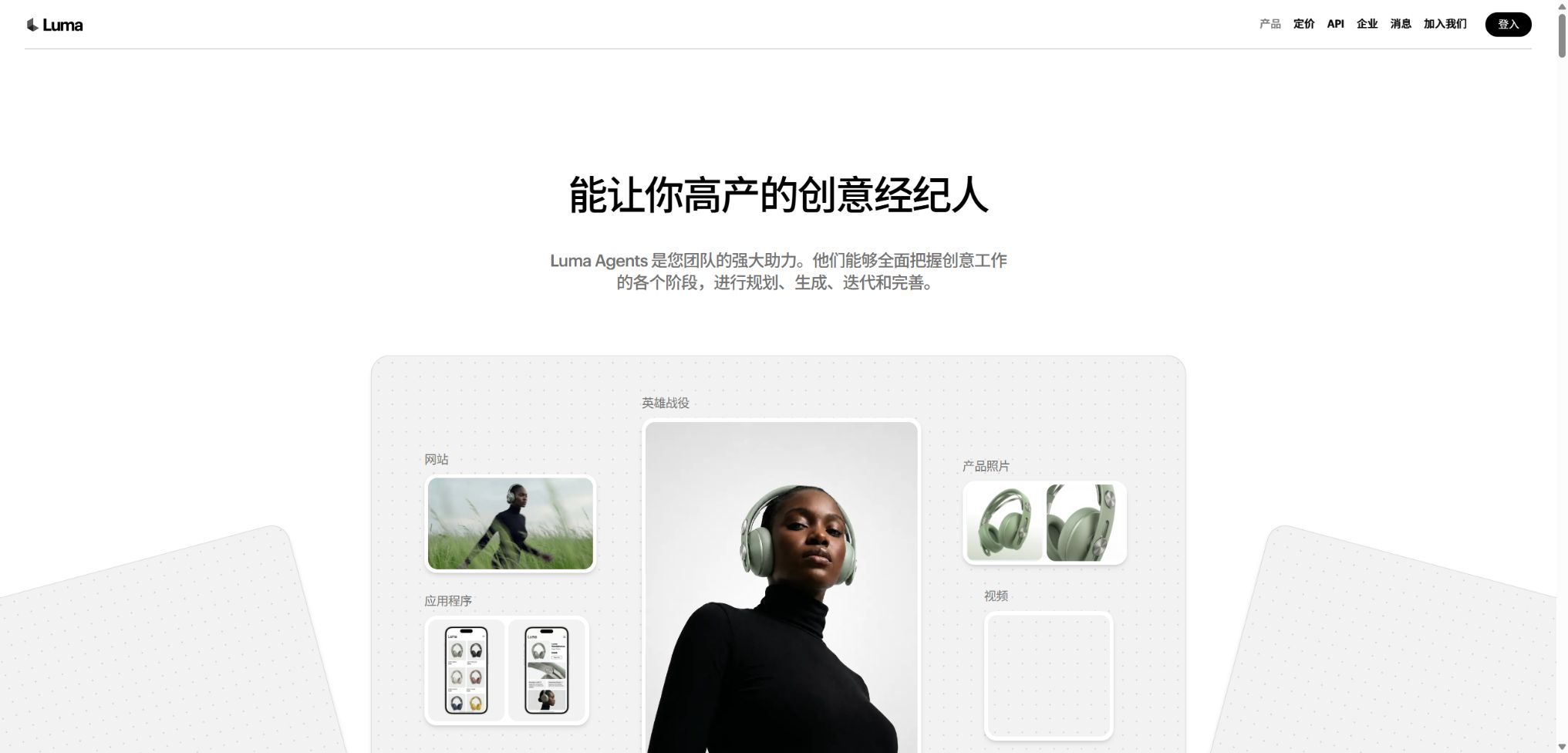
- Luma Agents can plan, generate, iterate on, and maintain project contexts;
- The platform integrates third-party video, image, and audio models;
- The official API together with Python and TypeScript SDKs are suitable for automated production.
Ray3.2 video generation
Ray3.2 is Luma’s current video model, used for generating videos from text, from images, and within controlled video workflows. It focuses on camera continuity, creative directing capabilities, and scalable production, rather than producing only one-off short videos.
Users can first explore composition and motion at a low cost using the Draft version, and then generate versions in 540p, 720p, or 1080p resolution. The higher the resolution and duration, the more points will be consumed.
Modify Video V2
Modify Video is used to give new life to existing footage of real people or animations; it allows for changes to the background, clothing, appearance of characters, lighting, and overall style, while striving to preserve the original acting and camera movements as much as possible. Currently, it supports workflows with a duration of up to about 20 seconds and a resolution of up to 1080p.
The modification is not carried out through traditional pixel-by-pixel synthesis; small props, hands, occlusions, and fast movements may still change. For professional projects, it is necessary to examine each frame individually and keep the original footage as a reference for the synthesis process.
Multiple keyframes and camera continuity
Multi-Keyframe allows up to 16 keyframes per segment, which are used to control the characters, composition, actions, and changes in the scene. Even when there is a large difference between keyframes, jumps may still occur; it is therefore important to maintain spatial relationships and a consistent visual style.
Reframe and multi-platform aspect ratios
Reframe is not simply about cropping; it involves adding elements to fit a new frame while striving to maintain motion, composition, and facial expressions. It is suitable for converting horizontal ads into vertical short videos, square social media content, or other formats with different aspect ratios.
The new areas are determined by AI, and this may result in objects and edges that do not fit the original scene. Brand elements, subtitles, and product details should be checked again after the reconstruction.
Professional output in HDR and EXR formats
Ray3.2 can generate HDR content and export it in 16-bit EXR format, providing more flexibility for color grading, visual effects, and high dynamic range processing. The processing required for HDR is calculated based on the scale of the underlying SDR content, while working with HDR+EXR requires even more resources.
High-bit-depth output is only valuable when it is used in post-production processes with proper color management. For regular social media posts, it is sufficient to use SDR or low-resolution previews in order to avoid unnecessary costs.
UNI-1.1 Images and Multimodal Creation
UNI-1.1 is Luma’s current image and multimodal model that supports text-to-image generation, reference guidance, scene completion, and multi-image control. It is suitable for first creating characters, products, environments, and key visual elements, and then using Ray to produce dynamic shots.
Luma Agents and third-party models
Luma Agents is able to understand the objectives of a project, select actions such as creation, modification, and organization across different steps, and retain the creative context. Luma App also integrates various third-party video, image, and audio models, allowing teams to compare different outputs for the same project.
Third-party models may differ in terms of capabilities, pricing, and data policies; therefore, not all outputs can be considered as those generated by Ray or UNI. Before choosing a model, it is necessary to check its name, licensing terms, and commercial usage requirements.
Comparison of Luma AI’s capabilities
| Ability | Main inputs | Main output | Suitable scenarios |
|---|---|---|---|
| Generated by Ray3.2 | Text or images | New video footage | Concepts, Advertising, and Short Films |
| Modify Video | Existing videos and references | Keep the redrawn video of the performance. | Scene changes, costume changes, and stylization |
| Multi-Keyframe | Up to 16 keyframes | Controlled continuous segments | Storyboarding and complex transitions |
| Reframe | Existing video to target ratio | Expanded new frame size | Cross-platform compatibility |
| HDR and EXR | Create or modify tasks | High dynamic range footage | Color grading and VFX |
| UNI-1.1 | Text and multiple reference images | Images and editing results | Characters, scenes, and key visuals |
Luma AI price
The Luma App offers Personal plans in the Plus, Pro, and Ultra versions; for Team and Enterprise plans, contact sales for details. The table below shows the current prices in USD on the official website, with annual subscriptions available as a one-time payment, resulting in a discounted monthly rate.
| Package | Monthly payment | Annual payment | Points and benefits |
|---|---|---|---|
| Plus | 30 dollars per month | $ | 10,000 points, Luma and third-party models, commercial use, visitor editing |
| Pro | $ | $ | 40,000 points; the usage of Luma Agents is approximately 4 times that of Plus. |
| Ultra | $ | $ | 150,000 points; the usage of Luma Agents is about 15 times that of Plus. |
| Team | Contact sales | Contractual agreement | Member management, project organization, shared points, analytics, and SSO |
| Enterprise | Contact sales | Contractual agreement | Corporate commitments, training, and customized fine-tuning |
Ray3.2 integration cost
| Task | Draft | 720p | 1080p |
|---|---|---|---|
| Text or image generation in 5 seconds | 20 points | 100 points | 400 points |
| Generate text or image in 10 seconds | 60 points | 300 points | 1,200 points |
| Video-to-Video | 36 points per second | 72 points per second | 144 points per second |
| Reframe | 10 points per second | 40 points per second | 120 points per second |
| HDR | Ray3.2 HDR is twice the value of SDR integration, while HDR+EXR is three times that value. | ||
Older versions such as Ray3.14, fast models, UNI images, and third-party models all have their own pricing. The cost table may change as the models are updated; it is necessary to calculate the cost of each individual item as well as the total cost for the entire batch on the generation page before starting formal mass production.
Luma AI Usage Guide
Generating professional shots from concepts
- Determine the purpose of the video, its aspect ratio, duration, resolution, and color specifications;
- Describe the subject, scene, actions, camera angle, lighting, and rhythm.
- First, use UNI to generate key images of characters, products, or environments;
- Create multiple low-cost exercise plans using Draft;
- Choose the version with the most stable composition and performance.
- Add keyframes or reference images to correct continuity;
- Finally, a high-definition or HDR version is created and the post-production phase begins.
Use Modify to redraw the actual footage.
- Choose original videos with clear footage, stable motion, and complete rights.
- Trim to short segments supported by the model;
- Upload references for characters, costumes, or environments;
- Identify which actions, compositions, and identities must be retained;
- First, test the redrawing intensity at a low resolution;
- Check the hand, occlusions, edges, and face frame by frame;
- Export the selected version and combine it with the original footage, adjusting the audio and color grading.
Generate in batches via API
- Create a server key on the Luma API platform and top up funds;
- Select the current model, task, and appropriate parameters;
- Submit the generation task and save the task number;
- Use callbacks or polling to handle asynchronous status;
- Implement safe retries for throttling, timeouts, and failures;
- Record the balance, success rate, and cost of each asset;
- After downloading the result, a review of its content and technical quality is carried out.
Who is Luma AI suitable for?
- Advertising and creative agencies: creating proposals, concept videos, and multi-frame advertisements;
- Film and television team: rehearsing shots, defining key frames, and developing visual effects concepts;
- Brands and e-commerce: creating product environments, visual changes, and short videos;
- Designer: Use UNI to create characters, scenes, and a consistent visual style for the series;
- Social media team: Quickly adapts content for horizontal, vertical, and square formats;
- Later stages, in collaboration with the VFX team: use HDR, EXR, and the Modify workflow;
- Developers: Build batch creative systems using APIs and SDKs.
The advantages of Luma AI
- Ray3.2 covers creation, modification, keyframes, and Reframe;
- The layered workflow for rendering to 1080p helps to control costs;
- Up to 16 keyframes offer greater directorial control;
- HDR and EXR can be used in professional color grading and VFX processes;
- UNI-1.1 integrates image generation with multimodal references;
- Luma Agents can coordinate multi-step creative tasks;
- The official API, along with Python and TypeScript SDKs, are quite comprehensive.
Usage restrictions and precautions
- AI-generated videos may still exhibit errors related to limbs, physical elements, text, and continuity.
- Modify cannot guarantee the preservation of details of people or products on a pixel-by-pixel basis;
- Excessive differences in keyframes can lead to jumps and identity drift.
- The new area in Reframe is for model inference, not the original image;
- 1080p, Video-to-Video, HDR, and EXR require more resources;
- The pricing, limitations, and data policies of third-party models vary.
- High-quality footage still requires editing, sound work, color grading, and manual review;
- The information on Dream Machine, Ray2, and Photon in the old tutorials is outdated.
Commercial use, privacy, and content security
The Plus, Pro, and Ultra plans include commercial use; the old Dream Machine API documentation also states that the API outputs can be used commercially without any watermarks. The commercial license does not cover portraits, voices, trademarks, music, or reference materials that users are not authorized to use.
The copyright status of the generated content varies depending on the region and the level of human input in its creation. For high-value projects, it is necessary to retain the inputs, prompts, keyframes, versions, and any manual post-processing steps, while also checking for similarities with rights held by third parties.
- Only upload images and videos that are your own or for which you have explicit permission.
- Do not create misleading synthetic images that can identify real persons without consent;
- API keys are stored only on the server, with quotas and alerts in place;
- Confidential customer materials should be handled using team or enterprise solutions that are in accordance with the contract;
- Check the characters, brands, background details, and sensitive content before publishing;
- Disclose AI-generated or altered content in accordance with platform and local regulations.
API, GitHub, and open-source information
Luma offers an API platform tailored for the current Agent, Ray, and UNI capabilities; it also retains the documentation for the old Dream Machine REST API. The official SDKs are available in Python and TypeScript, and they support asynchronous processing, callbacks, retry mechanisms, as well as balance checks.
Ray3.2, UNI-1.1, Luma App, and the inference services they provide are not open-source products. Although the official SDKs and some research models are available on GitHub, this does not mean that it is possible to download and use those commercial video or image processing models for private purposes.
Frequently Asked Questions
What is Luma Dream Machine called now?
The authorities currently refer to the consumer workspace as the Luma App, while the video model is Ray3.2. Dream Machine is an old name; Ray2 and Photon should no longer be presented as current models.
How much is Luma AI?
The monthly fees for Plus, Pro, and Ultra are 30, 90, and 300 dollars respectively, while the annual fees are 300, 900, and 3,000 dollars respectively. For Team and Enterprise plans, please contact sales.
Does Luma AI support 1080p?
Support is available; Ray 3.2 offers 1080p options for generation, video editing, and Reframe. High-definition, HDR, and EXR formats require more credits compared to Draft and 720p versions.
Does Luma AI provide APIs?
Developers can use the REST API as well as Python and TypeScript SDKs to create asynchronous generation tasks. The API operates on a separate credit system, rather than being tied to any individual subscription plan.
Is Luma AI open source?
No, the current Ray 3.2 version, as well as the UNI-1.1 model and the hosting platform, are not open source. The fact that the official SDKs and research repositories are made available publicly does not mean that the core products are open source.
Tools similar to the Luma Dream Machine




 Guigong Network Security Registration No. 45132202000164