






Kling AI
A creation platform that supports the generation of high-quality videos, images, and native audio.
Tags:AI video toolsWhat is Ke Ling AI?
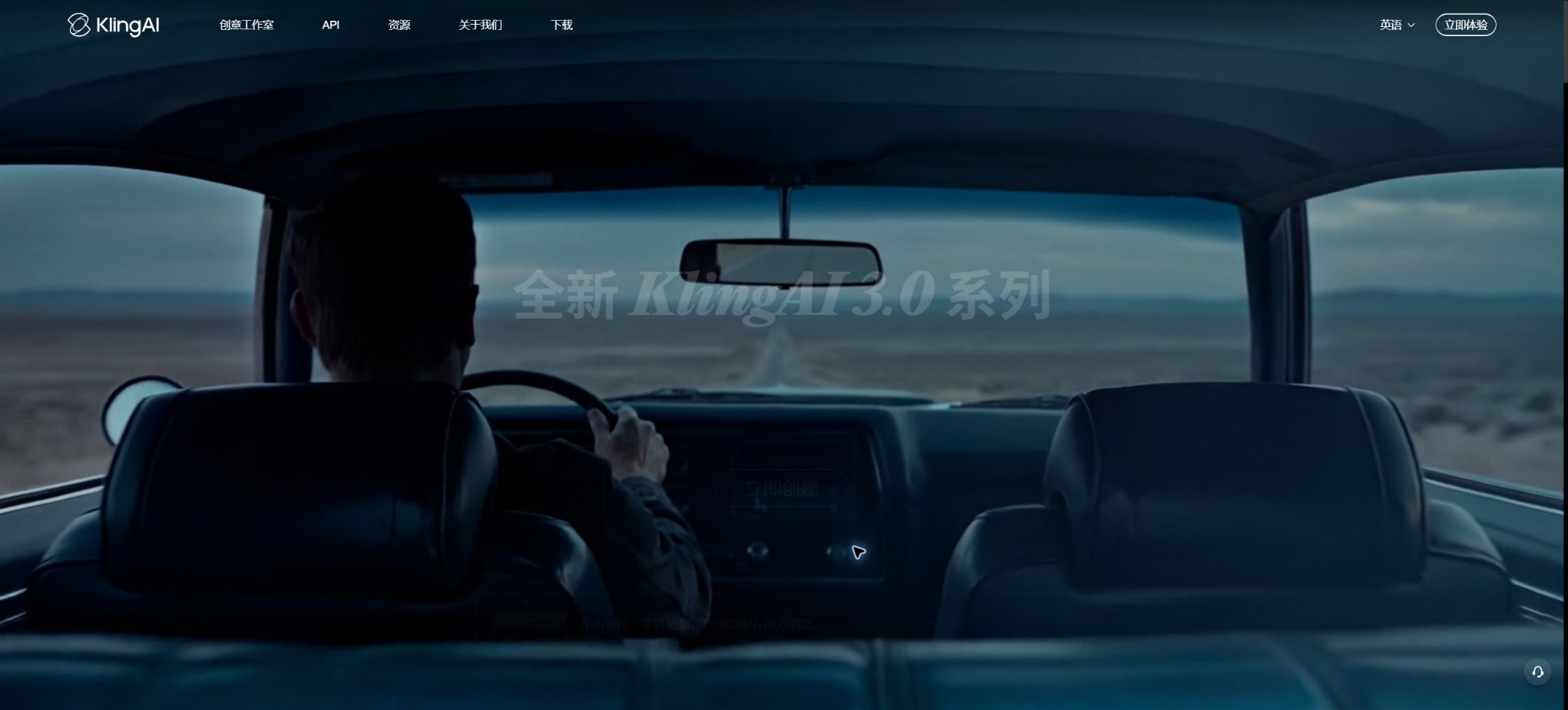
Kling AI is a multi-modal content creation platform launched by Kuaishou; its English name is Kling AI. It offers a comprehensive workspace for creating, editing, and exporting content in the form of videos, images, audio, digital avatars, and visual effects.
The current Kling 3.0 series integrates scripts, reference materials, storyboards, visuals, and audio within a single framework. Users can start from text, images, character references, or existing videos to create advertisements, short films, social media content, and conceptual footage.
Main functions of Ke Ling AI
- Text-to-video generation, with support for describing the subject, actions, scene, camera angles, and sound;
- Convert images into videos, enabling static people, products, or scenes to move in a natural manner;
- Kling 3.0 and 3.0 Omni support a free duration of 3 to 15 seconds as well as intelligent scene segmentation;
- The original audio can be used to simultaneously generate dialogue, ambient sounds, action sounds, and atmosphere.
- Referencing multiple images or video clips of characters can enhance the consistency of characters and objects.
- The first and last frames, video extension, motion control, and camera control facilitate precise creation;
- Image 3.0 supports text-to-image, image-to-image, series generation, and high-resolution output;
- Lip-sync, digital avatars, and timbre capabilities are suitable for voiceovers and character-based content;
- Spirit Animation Cloth is used to organize materials, create nodes, and manage multi-step creative processes;
- The open platform API enables the integration of capabilities such as video, images, and audio into business systems.
Kling 3.0 and 3.0 Omni
Kling 3.0 focuses on native 1080p resolution, videos lasting 3 to 15 seconds, intelligent scene segmentation, and synchronization between audio and video. Kling 3.0 Omni further unifies multi-modal understanding, referencing, generation, and editing, making it suitable for tasks that involve multiple characters, various shots, and complex instructions.
A single 15-second segment does not constitute a complete video; the duration can be increased step by step using Video Extension, with the total length of the video reaching up to about 3 minutes. It is important to maintain the same model and settings when extending the video, in order to avoid issues such as changes in character appearance, lighting, or motion.
Text-to-video and image-to-video
Text-to-video generation is suitable for starting with a concept; the prompts can be organized based on subject, environment, actions, camera angles, lighting, rhythm, and sound. Image-to-video generation uses the first image as a stronger visual guide, making it more appropriate for products, characters, and existing designs.
If the image itself contains malformed limbs, incorrect perspective, or blurry text, these issues are often amplified after it is generated. It is necessary to first correct the static frames, and then gradually increase the level of motion and the complexity of the camera angles.
Original audio synchronized with lip movements
Models related to Video 2.6 and 3.0 enable the simultaneous generation of dialogue, narration, ambient sounds, and action effects while creating visuals. Native generation makes it easier to maintain the right rhythm compared to post-production editing, but multi-person dialogue, foreign language pronunciations, and long sentences still require listening for quality.
Lip-syncing allows existing videos to be matched with text-to-speech or audio synthesis, and it is possible to identify the target faces in multi-person scenes. Before publishing, it is necessary to check the lip movements, sound quality, rights to the dialogue, and sound licensing.
Role references and consistency
All-in-One Reference and Element Library allow the use of images from multiple angles or short video clips of characters to identify the features of people and scenes. They are suitable for series of short videos and brand characters, but obstructions, extreme angles, and rapid changes can still lead to inaccuracies in identifying those elements.
Control of actions, shots, and beginning and ending frames
Motion control is used to drive the character based on reference actions, while camera control enables effects such as pushing in, pulling back, panning, zooming, and rotating. Keyframe animation creates transitions between two specified frames, and it is suitable for use in cuts between scenes, showing changes in products, and conveying visual narratives.
More constraints do not necessarily lead to greater stability; conflicting actions, compositions, and camera instructions can reduce the chances of success. Complex shots should be broken down into several shorter segments, which can then be edited using video editing software.
Image generation and animated layout creation
Image models support the inclusion of text, reference images, various scaling options, and sequential generation; they allow for the creation of characters, scenes, and key frames for videos in advance. LingHua Animation Layout places the relevant materials and generation steps within a visual space, which facilitates experimental approaches and the organization of assets.
Digital humans and creative special effects
The digital human feature allows for the creation of spoken text based on visual materials and audio, making it suitable for use in courses, marketing campaigns, and multilingual content. Template effects enable quick use of popular design approaches, but they result in a high degree of homogeneity; brand-related projects should therefore see further adjustments to their visuals and narratives.
Comparison of Ke Ling AI capabilities
| Ability | Main inputs | Main output | Applicable scenarios |
|---|---|---|---|
| Text-to-video | Script and shot descriptions | Videos with visuals or audio | Concepts, Advertising, and Short Films |
| Tusheng Video | Image and action cues | Dynamic camera angles to maintain visual reference | Products, characters, and poster animations |
| Omni reference | Characters, scenes, multiple images, or videos | More consistent multi-shot content | Series stories and brand characters |
| First and last frames | Initial graph and final graph | Continuous transition between two frames | Transition and change demonstrations |
| Lip-syncing | Videos, scripts, or audio | Video with lip-syncing | Digital humans and character dialogues |
| Video extension | There are already available Ling video clips. | Continuously append segments | Extended lenses and long narratives |
Ke Ling AI membership and inspiration points
Keling AI offers a combination of free trials, membership subscriptions, and top-ups of inspiration points. The names of membership plans, the amounts offered as bonuses, access to fast tracks, and prices may vary depending on whether it is the Chinese version or the international version, as well as whether it is available via website or app stores or as part of certain promotions; the details should always be checked on the official purchase page after logging in.
| Payment methods | Price or rules | Primary uses | Validity period |
|---|---|---|---|
| Free users | Based on account activity and page display | Experience some images, videos, and templates | The free quota is determined in accordance with the rules of the campaign. |
| Individual members | Displayed in real time on the purchase page | Monthly inspiration points, fast track access, high-definition content and watermark removal, among other benefits | Subscription period |
| Teams and enterprises | Package or sales quote | Team space, asset allocation, management, and mass production | Contract or subscription period |
| Top up inspiration points | In the Chinese version, 1 yuan equals 10 inspiration points. | Deduction is made according to the generated tasks. | 2 years from the date of top-up |
| Member’s monthly inspiration score | Included with the package | AI creation during the membership period | 1 month from the date of issuance |
| Daily login inspiration points | During the event, the amount is not fixed. | Experience on the day | It is reset at 24:00 on the same day. |
Inspiration points are deducted at the start of a generation task; if the system determines that the generation has failed, the points are refunded. Different tasks, models, resolutions, durations, and modes require different amounts of inspiration points, and the account will prioritize using those credits with the shortest remaining validity period.
Inspiration points cannot be exchanged for cash or regular membership benefits, nor can they be transferred between individual accounts. Team and enterprise administrators can allocate these assets within the respective areas in accordance with the platform’s rules.
Keiling AI API prices
The open platform uses prepaid resource packages along with a per-unit pricing system; 1 Unit is equivalent to 1 yuan on the Chinese version of this platform, while on the international version it corresponds to 0.14 dollars. The following are the current basic rates for the Kling 3.0 Turbo video API; for other models and functions, it is necessary to consult the current API price list.
| Models and patterns | 720P | 1080P | 4K |
|---|---|---|---|
| Kling 3.0 Turbo with audio | 0.8 Unit/second | 1.0 Unit/second | Not marked yet |
| Kling 3.0 Turbo – silent | 0.6 Unit/second | Refer to the price page. | Refer to the price page. |
| Other video models | By model, pattern, and number of seconds | By model, pattern, and number of seconds | Supported items by price page |
| Images, audio, and editing | Charging by sheet, session, second, or specific function | ||
For example, for 10 seconds of video in 720P with audio at 3.0 Turbo quality, the basic cost is 8 Units; for 1080P, it is 10 Units. This figure does not take into account any discounts or differences related to resource packs. The price of the API is separate from that of the individual creator membership, and it cannot be assumed that the inspiration points associated with membership can be used to offset the costs of using the developer API.
Keling AI Usage Guide
Generate a usable video.
- Determine the target platform, scale, duration, and whether sound is required;
- Write the prompt in terms of subject, scene, action, camera angle, lighting, and atmosphere.
- When there are characters or products, prepare clean reference images from multiple angles first;
- First, test the composition using a shorter duration and moderate movements;
- After a stable version is selected, audio, camera settings, or professional mode can be added;
- Use extensions or storyboarding to create subsequent shots;
- After exporting, check for flickering, lip movements, hand movements, text, copyright information, and platform specifications.
Create a series of short videos with consistent characters
- Create reference images of the character from the front, side, full body, and showing different expressions;
- Maintain consistency in clothing, hairstyle, props, and scene descriptions;
- Add the role to the Element Library or the multimodal reference;
- Break the story into multiple shots of 3 to 15 seconds each;
- Only one main action or camera position is changed at a time;
- Extend using the same model, frame size, and color settings;
- Use video editing software to unify the sound, color, subtitles, and rhythm.
Generate in batches via API
- Complete account creation, authentication, and resource package configuration on the open platform;
- Store the access key in the server’s Secrets;
- Submit the model, prompts, duration, and resolution parameters along with the document;
- Save the task number and poll or receive results asynchronously;
- Retry is supported for failures, timeouts, rate limits, and content filtering.
- Record the Unit consumption and the cost per finished piece for each task;
- After downloading, conduct a quality review before delivering or making it publicly available.
Which users are suitable for Ke Ling AI?
- Short-video creators: Generate storylines, voiceovers, transitions, and special effects materials;
- Advertising and e-commerce team: Creating product videos and marketing concept films;
- Film, television, and animation professionals: Preparing storyboards, shots, and character movements;
- Designer: Convert posters, illustrations, and character designs into dynamic content;
- Education and Training Team: Creates digital voiceovers and explanatory videos;
- Game development team: Evaluates the creativity of scenarios, cutscenes, and character movements;
- Developers and enterprises: Generate and integrate workflows in bulk through APIs.
The advantages of Keling AI
- Videos, images, audio, digital avatars, and editing tools are fairly comprehensive;
- The 3.0 series supports longer single-lens footage, native audio, and intelligent scene segmentation;
- Characters, scenes, and various reference materials help maintain consistency;
- Supports various frame sizes, first and last frames, extension, and motion control;
- Web, mobile, and community templates cover various ways of creation;
- China’s rules regarding inspiration points, as well as the conversion rates for standard top-ups, are quite clear.
- Official open-platform APIs and documentation on pay-per-feature pricing are provided.
Usage restrictions and precautions
- Complex limbs, multiple obstacles, and fast movements can still cause distortions;
- Characters, costumes, lighting, and details may change from one shot to another;
- In original dialogue, there may be mismatches in pronunciation, emotion, or lip movements.
- The consumption per generation is related to the model, duration, audio quality, and resolution;
- The inspiration points granted to members usually expire after one month and cannot be accumulated over time.
- Topping up the inspiration score does not equate to the exclusive member benefits such as high-definition content and watermark-free versions.
- Creating a video still requires post-production editing, color grading, subtitles, and quality checking;
- Materials involving real-person portraits, voices, trademarks, and copyrighted content must be authorized first.
Commercial use, privacy, and content security
Whether the outputs generated by Keling AI can be used for commercial purposes depends on the current user agreements, package benefits, rights to the input materials, and local laws. Platform licenses cannot replace the third-party authorizations required for the use of portraits, voices, music, trademarks, video materials, and data used for training.
The AI-generated results may be similar to existing works, or they may contain elements for which copyright cannot be registered. For high-value advertising, film, and branding projects, it is necessary to keep the prompt words, reference materials, generation records, and any manual modifications, and to conduct legal reviews.
- Only upload images and videos that are your own, licensed, or permitted for use;
- Cloning a real person’s voice or creating misleading digital avatars without explicit consent is not allowed.
- Check for watermarks, identities of persons, trademarks, and sensitive content before publishing;
- Indicate whether the content is AI-generated or synthesized, in accordance with the requirements of the platform and region;
- API keys are stored only on the server, with quotas and access controls in place.
- Before confidential materials are uploaded to the cloud, it is necessary to review the privacy policies and corporate contracts.
API, GitHub, and open-source information
The Keling AI Open Platform offers services such as text-to-video conversion, image-to-video conversion, video extension, lip-syncing, as well as APIs for handling images and other multimedia content; it uses an asynchronous task processing approach. The account types, resources, and pricing structures may vary depending on whether one is a personal member, uses the domestic open platform, or utilizes the international APIs.
The CoreModel 3.0 of KeLing, the online creation platform, and the inference services are not open-source projects. Kuaishou and KeLing’s research team have made some papers and research code available on GitHub, but this does not allow for the private deployment of KeLing’s commercial model.
Frequently Asked Questions
Is Keling AI free?
Some features can be tried out for free; the specific daily or activity limits are indicated on the account page. Advanced models, fast tracking, high resolution, watermark removal, and bulk generation usually require a membership or inspiration points.
How much does inspiration cost?
According to China’s official standards, 1 RMB is equivalent to 10 inspiration points; promotions may offer additional discounts. The actual cost associated with each generation varies depending on the model used, the duration, the quality of the sound, and the level of clarity.
How long can a video be generated by Keling AI at one time?
The Kling 3.0 series can generate clips lasting from 3 to 15 seconds per task; successful clips can be made longer step by step, with the total duration of a project reaching up to about 3 minutes. The actual usable duration is limited by the model and its functions.
Does Keling AI provide APIs?
The platform offered is open-based and includes capabilities for video, images, audio, and editing; billing is done on a per resource package or per Unit basis. Developers should calculate the costs using the real-time API price page.
Is Keling AI open source?
No, the Kling core generation model and the commercial platform are not open source. The paper repository made available by the official research team does not equate to the weights of the Kling 3.0 model or to the full version of the service.
Tools similar to Kling AI




 Guigong Network Security Registration No. 45132202000164