






HeyGen
Create professional videos quickly using AI avatars and video translation.
Tags:AI video toolsWhat is HeyGen?
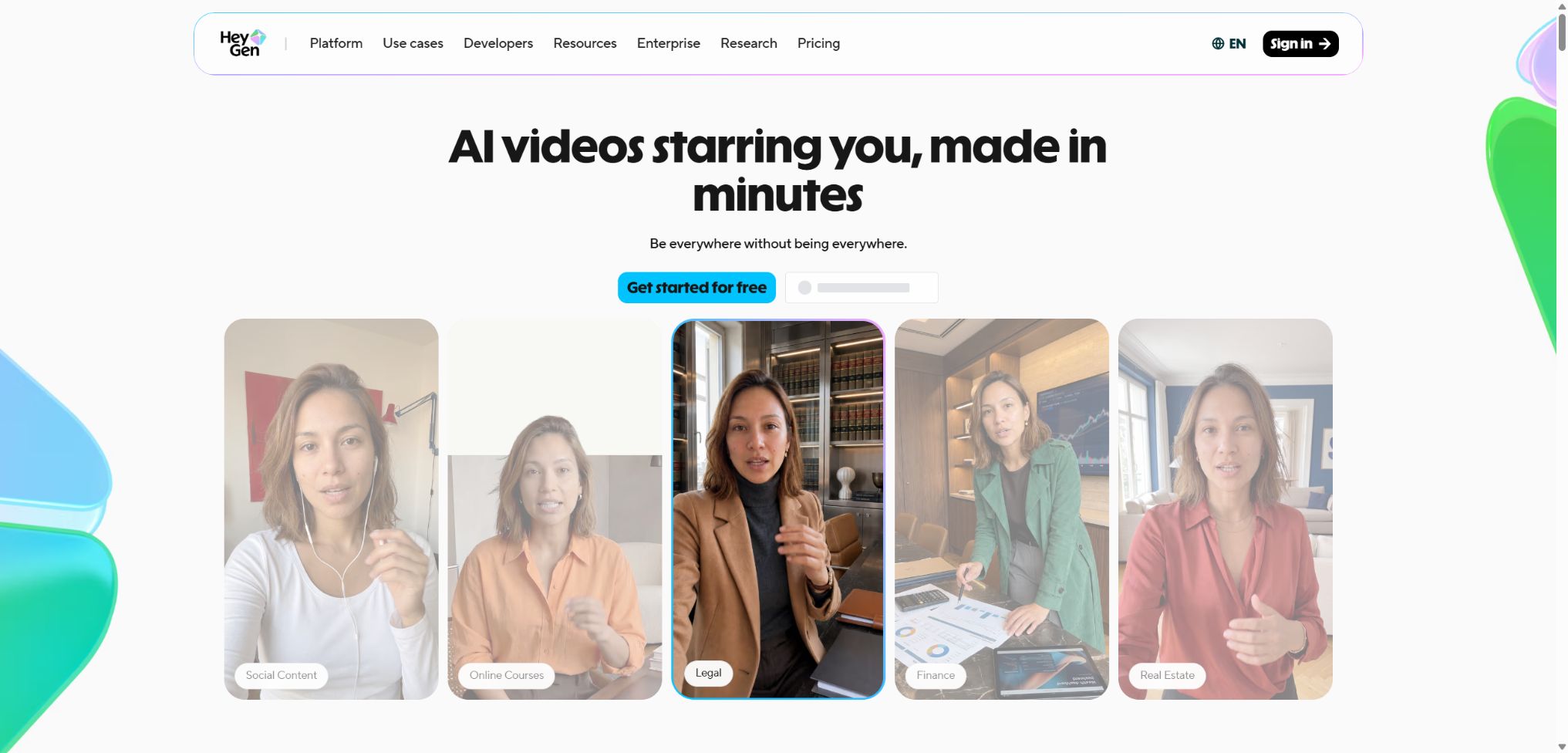
HeyGen is an online video platform that focuses on AI-driven digital avatars, text-to-video conversion, and multilingual localization. Users can create videos for marketing, training, educational purposes, or social media without having to appear on camera or set up a photography studio; they can simply use digital avatars to read scripts and generate the desired videos.
The platform offers AI Studio, Video Agent, video translation, digital avatars, voice cloning, and developer APIs. It is more suitable for individuals and teams that need to update videos in multiple languages on a large scale, rather than for complex film and television projects that require thorough professional post-production.
Main functions of HeyGen
- Use public digital avatars and AI voices to quickly create voice-over videos;
- Create reusable Digital Twins using real-person videos;
- Create digital humans from photos, prompts, or predefined characters;
- Edit scripts, scenes, subtitles, materials, and animations using AI Studio;
- Use Video Agent to automatically generate a complete video from a set of requirements;
- Translate the video while preserving the original speaker’s voice tone and lip movement rhythm;
- Use Voice Mirroring and Voice Director to adjust the pace, tone, and delivery;
- Provide a unified set of brand assets, templates, voiceovers, and digital avatar resources for the team;
- Create interactive videos that include quizzes, branches, and links;
- Automate video generation through REST APIs, CLI, MCP, and SDKs.
AI Studio and digital human videos
AI Studio features scenario-based editing; users can choose from public digital avatars, UGC characters, or personal digital twins, and then add text, images, screen recordings, and music. Once the script is converted into speech, the digital avatar will automatically adjust its mouth shape and expressions accordingly.
Digital Twin and photo-based digital avatars
A Digital Twin learns its appearance, movements, and way of speaking from the real-life footage recorded by the user, and it can generate content using new scripts. Explicit consent must be obtained before creation; it is not allowed to clone someone else’s appearance or voice without authorization.
Digital avatars can be created more quickly, and it’s possible to generate versions with different clothing, backgrounds, and angles. However, issues may still arise regarding large movements, the hands, occlusions, and maintaining consistency over long periods of time.
Video Agent
Video Agent can automatically create scripts, materials, digital avatars, and shot sequences based on themes, target audiences, and style requirements. Once generated, the content can be taken to AI Studio for further refinement; it is suitable for a process that involves producing a preliminary draft first and then making manual adjustments.
Video translation synchronized with lip movements
Users can upload MP4, MOV, or WEBM files, or they can import existing projects. The translation service recognizes speech, generates the text in the target language while trying to preserve the speaker’s voice tone; multiple target languages can be selected for each task.
Audio Dubbing only replaces the sound; the Speed mode is suitable for videos with a clear view and minimal obstructions, while Precision is better suited for side views, multi-person conversations, and frequent cuts between scenes. Professional terms, numbers, brand names, and cultural expressions still require review by a native speaker.
Interactive videos and LiveAvatar
Interactive videos can include clickable links, quizzes, conditional branching, and SCORM export, making them suitable for training and learning management systems. LiveAvatar combines real-time voice with digital avatars, and can be used for customer service, guidance, scheduling, and interactive teaching.
Comparison of HeyGen’s core capabilities
| Ability | Main inputs | Main output | Suitable scenarios |
|---|---|---|---|
| AI Studio | Scripts, digital humans, and assets | Editable digital human videos | Training, courses, and marketing |
| Video Agent | Natural language task description | First draft of the full video | Fast bulk creation |
| Digital Twin | Live video recording is authorized. | Reusable digital avatars | Individual IPs and corporate instructors |
| Video Translation | Videos already available | Translate voiceovers, subtitles, and lip sync | Multilingual localization |
| Interactive Video | Videos and branching logic | Clickable interactive content | Teaching, quizzes, and guidance |
| API and LiveAvatar | Code, scripts, or real-time voice | Automatic video or dialogue digital humans | Product integration and customer service |
HeyGen prices
HeyGen’s current web-based packages are based on a monthly point system; different models and functions incur charges depending on the duration of use or the number of times they are used. The following are the current monthly subscription prices listed on the official website; taxes and prices may vary depending on the region.
| Package | Monthly price | Limit | Primary interests |
|---|---|---|---|
| Free | $ | 3 videos per month | Up to 1 minute per segment, 500+ public digital avatars, 30+ languages, 1 Digital Twin |
| Creator | 29 dollars | 600 points per month | Up to 30 minutes per clip, 1080p resolution, watermark removal, voice cloning, 175+ languages |
| Pro | Starting at $49 | Starting from 1,000 points | 4K export, faster processing, advanced AI models, and translation script proofreading |
| Business | 149 dollars | 1,500 points | 60-minute videos, 5 Digital Twins, SSO, collaboration, SCORM and LMS integration |
| Enterprise | Contact sales | Customization | No fixed limit on the duration of individual sessions, maximum concurrent connections, SCIM, MFA, auditing, and dedicated support available |
The annual subscription for Creator costs $24 per month. For Business plans, an additional seat costs $20 per person per month; additionally, extra packages can be purchased at $0.05 per point, with purchases starting from 100 points.
Creator and Pro can be upgraded in capacity mainly by upgrading their packages or credit levels.
The Unlimited package, which was sold before May 2026, is now considered an older version of the plan; only existing customers who continue to make regular payments can retain it. Once the old plan is canceled or replaced by a new points-based system, it is usually not possible to return to the previous package.
How are points consumed?
| Functions | Current official consumption | Billing unit | Explanation |
|---|---|---|---|
| Avatar III | 3 points | per minute | Studio Standard Digital Human Engine |
| Avatar IV / V | 20 points | per minute | More expressive digital human models |
| Video Agent | 20 points | per minute | Standard prompt generation process |
| Audio Dubbing | 2 points | Per minute per language | No lip-syncing |
| Video translation speed | 5 points | Per minute per language | Includes fast lip-syncing. |
| Video translation Precision | 10 points | Per minute per language | For complex shots, prioritize high-quality lip synchronization. |
Unused points from a monthly subscription can be carried over for an additional month, while points from an annual subscription can be accumulated throughout that calendar year. Cancellation, downgrading, or suspension will result in the points becoming invalid at the end of the period; it is advisable to check the estimated usage before finalizing anything.
How is the HeyGen API billed?
The HeyGen API is billed separately from the Creator, Pro, and Business subscriptions available on the web; developers can purchase API usage credits on a pay-as-you-go basis. The cost for standard 720p or 1080p digital human videos is approximately $1 per minute, while Avatar IV in 1080p costs around $4 per minute. Video translation usually costs about $2 per minute for each source video.
Different endpoints also vary in terms of concurrency, frequency, resolution, and model characteristics; LiveAvatar has its own logic for resource consumption. Before going live, stress testing should be carried out using the real-time cost table available in the developer console.
HeyGen usage guide
Generate the first digital human video
- Define the audience, duration, aspect ratio, and distribution channels;
- Select AI Studio and create a blank project or template;
- Use public digital avatars, photo Avatars, or digital doubles;
- Break the script into short scenes and add pauses;
- Select voice, language, speech speed, and emotion;
- Add subtitles, images, screen recordings, and brand materials;
- First, preview a short segment; once confirmed, generate and export it.
Create a compliant Digital Twin
- Ensure that the person appearing on camera is aware of the purpose and duration of use of their digital avatar;
- Record using high-definition equipment in an environment with stable lighting and a quiet setting;
- Maintain a positive appearance, use natural gestures, and speak clearly;
- Upload the materials and provide real-time consent for video recording as required;
- After training, use the new script to check the face, voice, and movements;
- Set team access permissions and the range of content that is allowed.
- Retain authorization records and disclose that the content was generated by AI in external videos.
Translate a multilingual video
- Upload videos in a single source language with clear voice;
- Confirm the source language and first select a target language for testing;
- Choose Audio, Speed, or Precision depending on the lip-reading requirements;
- Check the proper names, numbers, and technical terms in the automatic transcription;
- Perform the translation after configuring voice, subtitles, and a glossary;
- Check the translation sentence by sentence, as well as the pronunciation, punctuation, and lip movements;
- Generate translations in other languages in bulk after confirming the final duration and cost.
Who is HeyGen suitable for?
- Content creators: Can produce consistent voiceovers without appearing on screen repeatedly;
- Marketing and e-commerce team: Create advertisements, product demonstrations, and UGC videos;
- Corporate training: Rapid updating of multilingual courses and compliance materials;
- Educators: Combine lesson plans, slides, and screen recordings to create videos;
- Localization team: Creates dubbed versions that preserve the original timbre and lip movements;
- Corporate brand: unified digital avatars, voice capabilities, templates, and review processes;
- Developer: Integrate digital human videos, translations, or LiveAvatar into the product.
The advantages of HeyGen
- The learning cost to go from scripts to finished digital human content is low;
- There is a wide range of options for public digital avatars, photo Avatars, and Digital Twins;
- Supports multi-language voiceovers, voice cloning, and lip-syncing;
- Video Agent can quickly produce a preliminary version of a video from a prompt.
- AI Studio retains the possibility for manual adjustments to scenes, subtitles, and brand materials;
- Business and Enterprise include capabilities for collaboration, permissions, SSO, and learning systems;
- Provides APIs, CLI, MCP, SDKs, and reusable official examples.
Usage restrictions and precautions
- Advanced Avatars, Video Agents, and multilingual translation services consume points quickly;
- The free plan is only suitable for testing short videos, with a limited number of videos and features.
- In long scripts, there may be fluctuations in the consistency of lip movements, emotions, and voice.
- Translation can misinterpret names, numbers, abbreviations, and industry terms;
- Digital humans may have flaws in their hands, sides of the face, areas that are obscured, and when performing complex movements.
- Points are not necessarily refunded due to unsatisfactory results in official content creation or high-quality material generation.
- Web members and APIs have separate billing accounts, so the credit limits cannot be shared by default.
- Before releasing anything to the public, it is necessary to verify the facts, portraits, voices, trademarks, and music rights.
Agreement, Privacy, and Security
Creating Digital Twins and cloning voices requires explicit permission from the respective individuals, and the platform demands recorded consent materials. It is not allowed to use digital avatars to impersonate others, bypass authentication measures, commit fraud, or publish misleading content.
HeyGen has achieved SOC 2 Type II certification, and it supports GDPR, CCPA, as well as transmission and static encryption. Customer data is stored on AWS infrastructure in the United States; by default, data from enterprise customers is not used for AI training, and the privacy options related to other scenarios should also be checked individually.
- The purposes, duration, and channels through which the digital avatar can be used should be specified in the contract;
- Restrict team access to digital avatars and brand assets;
- Classify the data first before uploading training, customer, or medical materials;
- When real-time calls are involved, it is necessary to inform the AI of the identity and whether recording is taking place;
- Use SSO, MFA, audit logs, and principle of least privilege to manage enterprise accounts.
API, GitHub, and open-source information
The HeyGen developer platform offers various tools such as digital human videos, templates, Video Agent, video translation, lip-syncing, voice processing, and LiveAvatar. It also provides batch processing, Webhooks, CLI, MCP, and typed schemas to facilitate integration into automated workflows.
The official GitHub repository of HeyGen makes available the Streaming Avatar SDK, Next.js demonstrations, and various example projects; some of these projects are licensed under the MIT license. This does not mean that HeyGen’s web platform, generation models, or hosting APIs are fully open source.
Frequently Asked Questions
Is HeyGen free?
A free trial is available; with the free version, 3 videos can be created per month, each video lasting up to 1 minute. The free version is suitable for functional testing, while advanced models and translation services are only available for a limited trial period.
How much does HeyGen Creator cost?
The Creator plan currently costs $29 per month; when paid annually, the cost is $24 per month. It includes 600 credits, a limit of 30 minutes per video, 1080p export capability, watermark removal, and voice cloning features.
Can HeyGen translate Chinese videos?
Yes, the platform supports Chinese as well as various other languages and dialects. It is recommended to first conduct tests using a single target language, and then carry out the synchronization of voice recording and lip movements on a larger scale.
Can videos generated by HeyGen be used for commercial purposes?
It can be used for commercial content, provided that the terms of the package and services are complied with. The user must possess the necessary rights to the scripts, images, voices, trademarks, music, and any materials uploaded.
Is HeyGen an open-source tool?
HeyGen’s core products and generation models are not open-source projects. The company has made some SDKs and demonstration applications available on GitHub, but they are primarily used to call the hosted APIs.
Tools similar to HeyGen




 Guigong Network Security Registration No. 45132202000164