






Dashwave
Dashwave – makes AI-driven design work more efficient and simpler.
Tags:AI design toolsWhat is Dashwave?
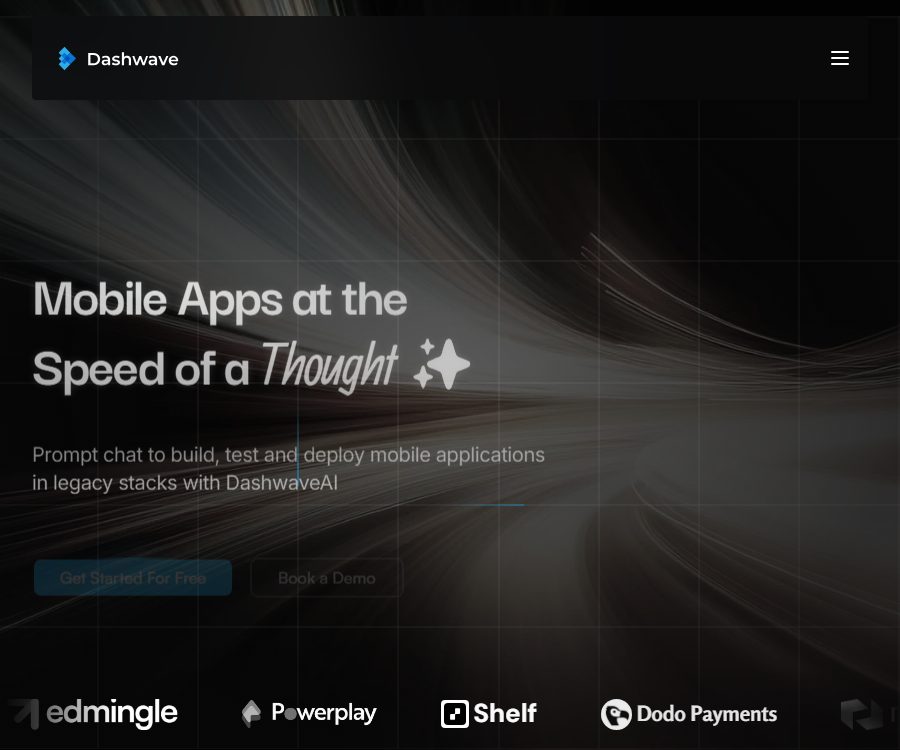
Dashwave is an AI-powered mobile application development platform provided by Dashwave Inc.; users can create or modify applications using natural language, and code editing, building, testing, and distribution take place in the cloud.
It enables the creation of a first version from an application idea, and it can also work with existing codebases; it supports various mobile development frameworks such as Flutter, React Native, Kotlin, Java, and native iOS development.
Main functions
- Dialog-based application development: The interface, components, functions, or the entire application are described through prompts; the AI generates code based on the context, and users can continue the dialogue to make further improvements.
- Existing project collaboration: After connecting to the code repository, the platform retrieves relevant files by means of code embedding, reordering, and dependency mapping, thereby reducing the risk of losing context in large codebases.
- Figma to code: Converts design components into editable mobile code, thereby reducing the time required for the handover between design and development.
- Browser IDE: Allows you to view, modify, and download code in a web-based workspace; the free version provides access to VS Code, while the paid version also offers access to Android Studio.
- Cloud-based building and execution: Builds, scripts, and tests are run using distributed caching and scalable computing, thereby reducing the burden of setting up a mobile development environment locally.
- Mobile simulation and debugging: The Starter plan and higher offer on-demand iOS building and simulation capabilities, while the platform also provides cloud-based building tools for Android development.
- Git and code export: It supports Git, ZIP downloads of code, and synchronization with GitHub, making it easy to integrate the generated projects into existing version control processes.
- Distribution pipeline: Pre-set signatures, keys, and deployment steps; the paid version allows the application to be uploaded to Google Play or the App Store.
- Team collaboration: Team offers multi-user workspaces and Slack integration, while Enterprise adds SSO/SAML, custom integrations, local deployment options, and dedicated support.
Current features and future plans
| Ability | Status | Explanation |
|---|---|---|
| Chat Workspaces | Available now | Create, modify, test, and deploy mobile applications through prompts. |
| Flutter and React Native | Available now | A free plan is sufficient to create the corresponding workspace. |
| Kotlin and Java | Available now | The Starter plan and higher plans come with corresponding workspaces. |
| Native iOS and on-demand building | Available, but restricted by the package plan. | The home page lists native iOS, while the paid features show iOS development, simulation, and deployment. |
| Penrose headless agent | Coming soon | It is used for asynchronous repair of work orders, performance upgrades, and incremental development; it cannot be used as an existing feature. |
Input and output
| Task | Enter | Output | Suitable scenarios |
|---|---|---|---|
| Create an application from scratch | Natural language requirements, page, and interaction instructions | First version of the runnable mobile project | Prototypes, internal tools, and product validation |
| Design to code | Figma components or designs | Flutter, React Native, or native interface code | Design delivery and UI development |
| Maintain existing projects | Git repository, issue description, and instructions for making changes | Code changes, script execution, and debugging results | Functional iterations, bug fixes, and refactoring |
| Construction in the cloud | Projects, dependencies, build configurations, and signing materials | Generate logs, installation packages, or error messages | Reduce local environment configuration and standardize CI. |
| Application distribution | Build outputs, signatures, store accounts, and deployment configurations | Deployment process for Google Play or App Store | Testing, release, and going live in production |
Complete usage process
- Log in using a GitHub or Google account to create a new workspace or import an existing code repository.
- Choose among the technology stacks of Flutter, React Native, Kotlin, Java, or iOS, and describe the target page, features, and constraints.
- Let AI generate the first version, and then add additional details such as status information, data, navigation instructions, and visual requirements throughout the conversation.
- Check the code, dependencies, and project configuration in the browser IDE or a supported Android Studio environment.
- Run cloud building, testing, and simulation, read logs, and resolve issues related to compilation, permissions, networking, and device compatibility.
- Synchronize to GitHub or download a ZIP file; use branches and code reviews to maintain a traceable record of changes.
- Verify signatures, privacy statements, permissions, and store materials using test accounts and test tracks, before proceeding with official deployment.
Prices and packages
The following are the monthly public prices in US dollars. The message volume specified here uses Claude Sonnet 3.7; the page does not indicate the costs associated with additional messages, the time required for processing, storage costs, concurrency limits, or the costs related to iOS resources on demand.
| Package or version | Price | Billing cycle | Core benefits or quota | Suitable for users |
|---|---|---|---|---|
| Free | 0 dollars | Monthly | 50 messages; support for Flutter and React Native workspaces, VS Code, Git, code ZIP files, Figma, and Discord | Learning, prototyping, and initial verification |
| Starter | 20 dollars | Monthly | 100 messages, covering Kotlin/Java, Android Studio, deployment to Google Play, on-demand iOS building and simulation, deployment to the App Store, and email support. | Independent developers and side projects |
| Team | 100 dollars | Monthly | 500 messages, with a maximum of 3 members; an additional fee of $20 per person for extra seats, including Slack support. | Teams that collaborate on the development of production applications |
| Enterprise | Contact sales | Custom quote | Custom integration and fine-tuning, SSO/SAML, local deployment support, and dedicated support | Enterprises with specific requirements regarding identity, deployment, and customization |
Subscription, cancellation, and commercial use
- Paid services are charged automatically on a monthly basis, until the user provides written notification to cancel them.
- Once canceled, the fees for that month that have already been processed or paid will not be refunded, nor will they be adjusted based on the remaining time.
- The price page may not include taxes, additional resources beyond the seats provided, as well as costs related to customizations for enterprises; the actual amount to be paid shall be based on the information displayed on the account page.
- The terms of service specify that Team and Enterprise versions can be used for commercial purposes; the Free and Starter licenses are intended for personal use only and cannot be resold. There is ambiguity regarding the scope of the Starter version, which is meant for individual developers, and written confirmation must be obtained before carrying out any commercial use.
Code, GitHub, and open-source status
Dashwave has a public GitHub organization that includes Android Studio plugins, code mapping tools, mobile templates, deployment tools, as well as several repositories derived from other projects.
The licenses for each repository vary; some forks or examples use MIT or GPL-3.0 licenses, and the Android Studio plugin page does not indicate a specific license. The availability of these components does not mean that the Dashwave cloud platform, AI agents, or the backend are open source.
No general API or official SDK documentation intended for customers was identified this time. The Android Studio plugin is used to connect to cloud-based building services, and it is not equivalent to an open product API.
Platform and development environment
| Platform or tool | Currently supported | Precautions |
|---|---|---|
| Browser workspace | Confirmed | The main entry points for dialogue, IDEs, building, and project management |
| VS Code | Starting from Free | Used to view and edit workspace code |
| Android Studio | Starter start | The official platform provides cloud-based building plugins, but the license information is not displayed on the plugin page. |
| Git and GitHub | Confirmed | Synchronize the repository or download the code ZIP |
| Figma | Confirmed | Convert design components into code |
| Google Play and App Store | Starter start | This refers to the deployment of applications developed by users, not Dashwave’s own mobile client. |
| Dashwave native mobile client | Not confirmed yet | Currently, it is mainly used through web pages and development tools. |
Privacy, security, and coding considerations
- The platform handles account, device, Cookie, payment, and usage data, and may share this information with services responsible for payments, analysis, marketing, and customer support.
- Personal data is retained for as long as it is necessary to provide services and carry out legitimate business activities. Requests to delete such data may be subject to legal obligations, disputes, and requirements related to the implementation of agreements; the specific duration for which security logs are retained is not disclosed.
- The security guidelines include TLS for data transmission, mTLS between services, static AES-256 encryption, access control, encrypted off-site backups, and isolation of containers in cloud environments.
- Importing a code repository means that the platform will handle the source code, dependencies, build logs, key configurations, and the resulting outputs. Minimum-privilege tokens should be used, and production signatures and keys must be stored in a controlled secret management system.
- The authorities have not issued a comprehensive commitment stating that such code shall never be used for model training, nor have they defined separately the copyright and commercial rights related to code generated by AI; sensitive repositories require prior verification of the enterprise’s contracts and data processing agreements.
- Users are responsible for the data they submit; the platform does not claim ownership of such data. However, the generated code may still contain third-party dependencies, similar implementations, or elements subject to licensing restrictions.
Suitable for users and typical use cases
- Product managers and designers: Turn requirements or Figma designs into functional mobile prototypes quickly.
- Developers using Flutter and React Native: Test AI coding and cloud-based development processes with a free workspace.
- Android developers: Use Kotlin, Java, Android Studio, and Google Play for deployment in the paid version.
- Independent developers: They can quickly create the first version of an application, but it is necessary to determine the scope of permissions granted by Starter before releasing it commercially.
- Development team: shared workspaces, Git workflows, build environments, and steps for releasing to the store.
- Enterprises: Evaluate SSO/SAML, custom integrations, on-premises deployment support, and dedicated security contracts.
Capacity limits and risks
- It should be noted that the generated application may still have compilation errors, logical flaws, performance issues, accessibility problems, and device compatibility issues; therefore, real-device testing and manual testing are necessary.
- 50, 100, or 500 messages do not correspond to a fixed number of applications or functions; complex tasks may require the use of multiple messages.
- Store deployment is still subject to developer accounts, signatures, privacy disclosures, review policies, and regional regulations; the platform cannot guarantee approval.
- Penrose’s headless agent is still listed as upcoming, so the current production process cannot be arranged based on previews.
- The costs associated with minutes, storage, concurrency, message resets, and on-demand iOS services are not fully disclosed; for large-scale projects, it is necessary to first assess the actual limitations imposed by the account in question.
Frequently Asked Questions
Can Dashwave be used to create mobile apps for free?
You can use the Free plan to create Flutter and React Native workspaces, which include 50 messages of Claude Sonnet 3.7 per month.
Does the free version support Kotlin or Java?
Not supported. The costs for Kotlin, Java, and Android Studio start at $20 per month for the Starter plan.
Can Dashwave be published to app stores?
The Starter plan and higher plans include options for deployment on Google Play and the App Store, but the developer still needs their own store account, signing credentials, and compliance documents.
Can Starter be used in commercial applications?
The pricing page is intended for independent developers, but the terms specify that only Team and Enterprise licenses are suitable for commercial use. Before a formal commercial release, written confirmation from the service provider must be obtained regarding the Starter license.
Is Dashwave an open-source platform?
It is not an open-source platform that has been officially recognized. The official sources provide repositories for plugins, tools, and templates, but each of these repositories comes with its own licensing terms, so this does not mean that the entire cloud platform is open source.
Is the Penrose agent already available?
The official website still marks it as upcoming, so it cannot be considered a feature that is already available.
Tools similar to Dashwave



 Guigong Network Security Registration No. 45132202000164