






ComfyFlow
ComfyFlow makes AI-driven design work more efficient and simpler.
Tags:AI design toolsWhat is ComfyFlow?
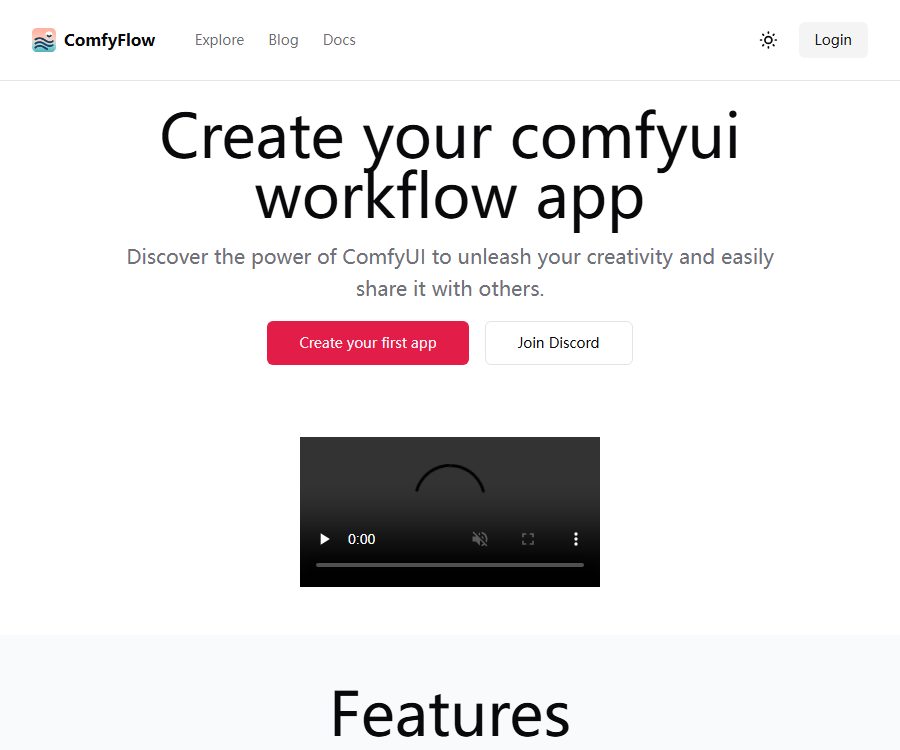
ComfyFlow is a tool for packaging ComfyUI workflows into web applications for distribution and hosting; the open-source version of this tool is called ComfyFlowApp. The creators of the workflows are responsible for designing the logic behind them, while end users only need to enter simplified input values in order to run the applications – they do not need to understand nodes, model installation, or the Python environment.
The product was initiated by GitHub user xingren23; the official website, login page, and app marketplace are still accessible, but the open-source repository has been archived. The last code update to the repository as well as the latest official version v1.4.5 date back to March 2024. Therefore, it is important to distinguish clearly between the fact that the hosting website remains online and the fact that development of the open-source client continues.
Main functions
Convert the ComfyUI workflow into a web application
- The creator first sets up and tests the Stable Diffusion image workflow in ComfyUI, and then selects the inputs and outputs that need to be made available to users.
- ComfyFlowApp creates a simpler user interface for the workflow, allowing users to run it without having to open the node diagram.
- The application can be used for internal collaboration within a company, or it can be published on online services to be shared with friends, customers, or the general public.
- Online applications hide the underlying workflows, but the fact that users cannot see the node diagram does not mean that those workflows are encrypted, copyrighted, or protected against copying in any way.
Managed runtime environment
- The hosting service provides an environment for running ComfyUI, along with some built-in models and common extension nodes, so creators do not need to manage GPU servers on their own.
- The components listed in the historical documents include ControlNet, PhotoMaker, IP-Adapter, InstantID, SAM, as well as various image processing nodes.
- In its last public update issued in April 2024, the platform removed multiple video-related functions and focused its efforts on high-quality image generation and editing.
- The public list of models and extension nodes is outdated; the actual versions available for the current account, as well as the amount of video memory, queues, and execution time limits, should be retested before deployment.
App Sharing and App Plaza
- Creators can publish workflow applications and create access links; other users can enter data via a web page to obtain the resulting images.
- The Application Plaza still displays information on publicly available applications such as portrait editing, image masking, style transformation, stickers, and line art coloring, along with the number of times they have been used.
- The homepage states that outstanding creators can join the revenue-sharing program, but it does not disclose the criteria for participation, the percentage of earnings shared, the payment schedule, or the tax rules.
- Before sharing publicly, keys, private materials, customer data, and unauthorized models should be removed, and testing should be conducted for malicious inputs and very large files.
Input and output
| Type | Supported content | Suitable for tasks | Restrictions or suggestions |
|---|---|---|---|
| Text input | String | Prompt, title, and description | The length should be limited and sensitive data filtered. |
| Numeric input | Float, Integer | Strength, number of steps, size, and seed | It is necessary to set reasonable upper and lower limits. |
| Switches and options | Boolean, SelectOption | Enable features and select a style | The options should correspond to the values allowed for the node. |
| Image input | UploadImage | Image generation, outfit changes, image cropping, and reference images | It is necessary to control the format, resolution, and upload rights. |
| Static output | SaveImage | Create or edit images | Only one output node is selected for each application. |
| Animation output | SaveAnimatedWEBP, SaveAnimatedPNG | Results of simple animations | The platform currently focuses primarily on image processing capabilities. |
The older version of the guidelines suggested that each application should expose no more than about three input fields, in order to simplify the operation for ordinary users. The size of the output images was recommended to be between 1024×1024 and 2048×2048, with 2 to 4 images being an appropriate number; however, these are just suggestions for developers, and not fixed limits imposed on accounts.
Online publishing workflow
- Complete the workflow in ComfyUI to ensure that the model, extension nodes, random seed, input dimensions, and output nodes all function stably.
- Identify the target audience for the application and its primary function, and retain only those input fields that truly need to be adjusted by the users.
- Set a clear name, type, default value, and allowed range for each input, and select a supported output node.
- Log in to ComfyFlow to create an application, import or connect workflows, and check whether the hosting environment contains the required models and nodes.
- Run tests using different images, null values, excessively long texts, and boundary values, to examine the error messages, generation time, and output quality.
- After publication, it should be shared on a limited scale first to monitor the free usage quota, queues, and any charges incurred in case of failures, before deciding whether to launch a broader promotion.
- Continuously save the original workflows, model lists, and custom backups to prevent the inability to migrate in case of changes to the hosting services.
Build your own ComfyFlowApp
The archived repository can still be used for research and self-deployment; Python 3.11 or an earlier version is required. The last Windows installation package is also based on Python 3.11 AMD64. Archiving a repository means that its maintainers have set it to read-only status, so it will not be compatible with newer versions of ComfyUI, PyTorch, models, or extension nodes.
- Prepare a separate environment and install Python, PyTorch, and ComfyUI that are compatible with the graphics card drivers; first, ensure that ComfyUI itself can run the desired workflow.
- Obtain the source code for ComfyFlowApp or its latest official version, and verify the file hashes, dependencies, and the GPL-3.0 license.
- Create a Python 3.11 environment and install the dependencies listed in requirements; do not reuse the global environment that contains sensitive projects.
- Set COMFYUI_SERVER_ADDR to point to a trusted ComfyUI instance; configure STREAMLIT_SERVER_ADDRESS only if network access within a local area is required.
- On Linux, the corresponding startup script is used; on Windows, batch scripts or installation packages are employed. During the first launch, access is allowed only from the local machine.
- Create test accounts and test workflows to verify login, workflow import, file upload, task execution, result download, and permission isolation.
- For deployment on the public internet, the service should be made available only after implementing a reverse proxy, setting up authentication mechanisms, encrypting data in transit, imposing limits on uploads, using a firewall, and ensuring proper backup procedures.
Prices and free quotas
ComfyFlow does not currently have a page showing the verified pricing for its packages. The homepage states that each application published on the platform grants 1000 free runs, and each user can use the applications 5 times for free; however, the validity period of these credits, how failed tasks affect them, the methods for recharging them, and any regional differences are not disclosed.
| Package or version | Price | Billing cycle | Core benefits or quota | Suitable for users |
|---|---|---|---|---|
| Free quota for online applications | Free quota | Not yet made public | The page states that each application can be published 1,000 times, and each user is allowed 5 free uses. | Testing and limited sharing |
| Pay-per-use online | Not yet made public | Run by application | The document states that users will pay for using the app later on, but the price per unit and the conversion rate to points have not been disclosed. | Users who do not want to maintain the GPU |
| Creator Revenue Program | Not yet made public | Not yet made public | For a select group of outstanding creators, the criteria, revenue sharing rules, and settlement procedures have not been made public. | The creator who published the public workflow |
| Self-built open-source version | Software code is free. | No subscription period required | GPL-3.0 source code; GPU, storage, bandwidth, models, and maintenance costs are to be borne by the user. | Technical teams that require local control |
\"Free software code\" does not mean that a complete operating environment can be obtained at no cost, nor does it imply that the hosting platform will always provide the same level of resources. Before deciding to make a payment or to release the software commercially, it is necessary to check on the account settlement page the unit price, fees in case of failure, the validity period of the balance, rules regarding refunds, taxes, and the earnings available to the creator.
Suitable for users and scenarios
- Creators familiar with ComfyUI’s workflow: they package complex node diagrams into simple applications designed for ordinary users.
- Design and content team: Shares knowledge on portrait processing, style transformation, image cropping, product photography, and batch visual workflows.
- Internal corporate teams: Fixed processes are deployed on local networks or private servers, thereby reducing the barriers to use for non-technical users.
- Teaching and demonstration users: Use web forms to show how different inputs can drive ComfyUI workflows.
- Open-source researchers: Read the code under GPL-3.0 to understand how the Streamlit interface is connected to the backend of ComfyUI.
Advantages and capabilities boundaries
- It hides nodes, parameters, and models behind the application interface, making it suitable for repeatedly running already debugged image processing workflows.
- The managed approach reduces the workload associated with GPU maintenance, but models, nodes, and resources are subject to the constraints of the platform environment, which means that not all local workflows can be seamlessly integrated.
- The repository has been archived and no new versions have been released for a long time; therefore, during installation, issues such as expired dependencies, changes in APIs, and the absence of security patches may arise.
- Ultimately, the main areas of public focus are image generation and editing; the ability to upload videos from earlier stages or to generate animations should not be considered as indicating a complete video workflow platform.
- An application allows only one output node; complex, multi-stage results, multiple files, or interactive processes may require the workflow to be rewritten.
- The generated results are influenced by the model, prompts, reference images, randomness, and hardware; the platform does not replace aesthetic evaluation, fact-checking, or manual image editing.
Open-source status and license
| Project | Current status | License or precautions |
|---|---|---|
| ComfyFlowApp source code | Public but archived | GPL-3.0; modifications and distribution are subject to the relevant obligations. |
| ComfyFlow hosting service | The website is still online. | Managed operations, free quotas, and data rules are not automatically covered by GPL. |
| ComfyUI | Independent open-source projects | It is not the original source code of ComfyFlow; it is necessary to check the license separately. |
| Model weights | Provided by multiple parties | Each model may have different commercial, licensing, and redistribution restrictions. |
| Expansion node | Provided by multiple parties | Each license, dependency, and security risk must be checked individually. |
| Public API or SDK | Not confirmed yet | The fact that a warehouse is connected to the backend does not mean that there is a stable third-party development interface available. |
GPL-3.0 applies to the corresponding code in the ComfyFlowApp repository; it does not automatically grant commercial rights to models, assets, fonts, third-party nodes, or online services. If the software is modified and distributed to others, it is necessary to consider obligations such as providing the source code, the license text, and details of the modifications made.
Privacy, security, and commercial considerations
- The login page provides links to the terms of service and the privacy policy, but both of these pages return a 404 error; as a result, it is not possible to determine information regarding the entity responsible for operating the site, data retention policies, the purposes for which data is used in training, procedures for deleting data, or the rules for refunds and dispute resolution.
- Online services may handle account information, workflows, notifications, image uploads, and the generation of results; it is not advisable to upload customer secrets, unpublished works, or sensitive personal images until valid privacy documents have been restored.
- Logging in using GitHub or Discord involves third-party authentication processes; it is necessary to check the requested permissions before granting access, and to revoke connections that are no longer in use on a regular basis.
- Self-deploying users are responsible for ensuring account security, implementing access controls, verifying uploaded files, isolating tasks, managing logs, performing backups, and fixing vulnerabilities.
- Public applications may be called repeatedly or fed with malicious content; therefore, limits should be set on size, file type, request frequency, resource consumption, and the number of concurrent requests.
- Whether workflows, models, and generated images can be used for commercial purposes depends on their respective licenses and the input materials; the creator revenue plans do not constitute a guarantee of copyright protection.
The platform supports the current status.
| Platform | Support status | Explanation |
|---|---|---|
| Web hosting platform | Still accessible | Home, Login, Application Hub, and Online Documents |
| Custom Windows build | There are historical integration packages and scripts. | The final official version is Python 3.11 AMD64 package for 2024. |
| Self-built Linux | There is a startup script. | Dependency, driving mechanisms, and ComfyUI compatibility must be handled by the user themselves. |
| Cloud GPU deployment | Historical documents provide insights. | It can be deployed on GPU-based cloud servers, but the user is responsible for network and security aspects. |
| Native mobile apps | Not confirmed yet | Web applications are primarily accessed through a browser. |
| Browser extensions | Not confirmed yet | The official expansion store version has not been confirmed. |
Summary
The core value of ComfyFlow is to transform the already optimized ComfyUI image workflows into web applications that are easier to use and share. It offers an online hosting option, as well as the possibility to use the GPL-3.0 licensed code for self-hosting; however, the operational aspects, licensing rules, and costs associated with each of these options must be considered separately.
The most significant risks at present are the archiving of warehouse data, the failure to update public information over time, and the invalidity of the terms and privacy pages. It is appropriate to start with small-scale testing using non-sensitive data; however, when client data, payment processes, commercial distribution, or long-term operational activities are involved, it is necessary to wait until the legal documents and settlement rules are clear, or to opt for alternative solutions that can be maintained independently.
Frequently Asked Questions
Can ComfyFlow still be used?
The official website, login page, and application marketplace are still accessible, but the open-source repository was archived in 2024. It is necessary to test the required models, nodes, and resource quotas before using them; being online does not mean that the project is still under maintenance.
Is ComfyFlow a free tool?
The homepage states that each published application comes with 1,000 free usage sessions, allowing each user to use the application 5 times for free. The cost per additional session, the validity period of these sessions, and the rules regarding refunds have not been disclosed yet; the actual benefits shall be as indicated on the account settlement page.
Is ComfyFlow open source?
The source code of ComfyFlowApp is made available under the GPL-3.0 license, but the hosting services, model weights, and third-party nodes are not automatically made open source or granted a unified commercial license as a result. The repository has been archived, and those who use it are responsible for ensuring compatibility and maintaining its security.
Does ComfyFlow support video workflows?
Previous versions included video and animation nodes, but it was later stated that multiple sets of video nodes were removed and the focus shifted to image generation and editing. The current version is more suitable for image-related tasks; for video tasks, the results of testing in a real environment should be taken into account first.
Can customer data be uploaded or used for business projects?
The terms and privacy section currently cannot provide valid documents; the mechanisms for data storage, training purposes, deletion, and refunds are not clear. When dealing with customer data, it is advisable to use non-sensitive test materials or a custom-built environment, and to verify the commercial licenses related to the models, materials, and nodes in question.
Tools similar to ComfyFlow



 Guigong Network Security Registration No. 45132202000164