






Onvo AI
Onvo AI makes AI-driven design work more efficient and simpler.
Tags:AI design toolsWhat is Onvo AI?
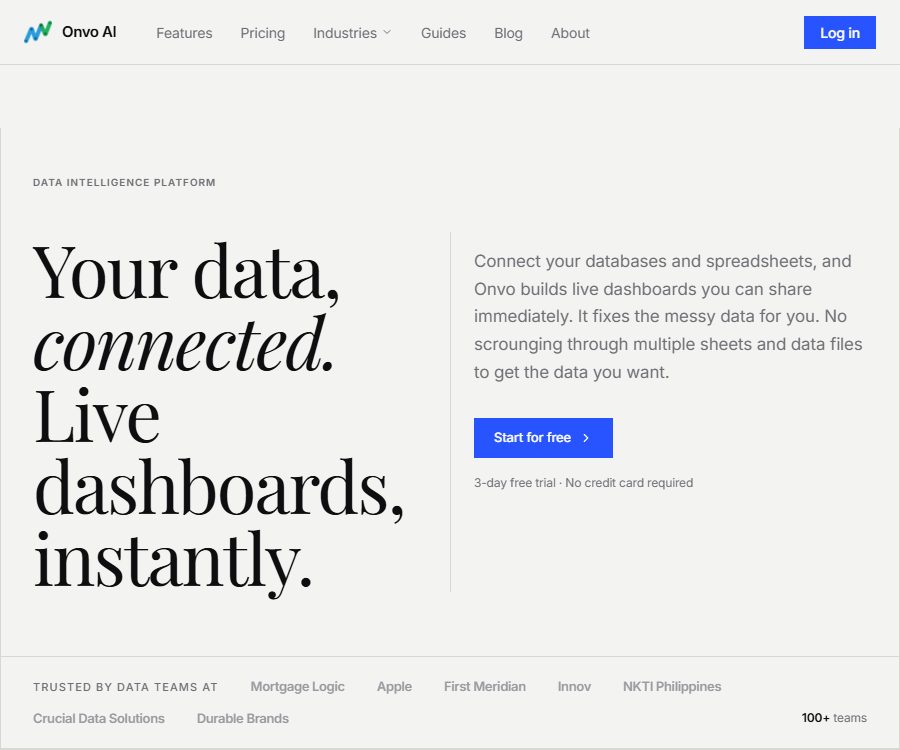
Onvo AI is an AI data analysis and dashboard platform operated by Guidenco Inc. It can connect to databases, spreadsheets, CSV files, and REST APIs, automatically process some dirty data, and generate queries, charts, and real-time dashboards using natural language.
The platform allows internal teams to analyze data directly, and it also enables the integration of dashboards into SaaS products or customer portals. It is not a general-purpose large model; rather, it is a business intelligence tool designed for data connection, cleaning, visualization, sharing, and integration.
Main functions
Connection to multiple data sources
Onvo supports common relational databases, data warehouses, document databases, online spreadsheets, and files. The official website also states that it is possible to connect to other data sources via JDBC or REST.
- PostgreSQL, MySQL, and Microsoft SQL Server
- ClickHouse, Snowflake, and MongoDB
- Google Sheets, Excel, and CSV files
- REST APIs and data sources with JDBC connections
- Refresh data on an hourly, daily basis, or according to a custom schedule
Automatic data cleaning
The platform can detect issues such as merged cells, empty rows, invalid values, inconsistent date formats, and mixed fields, and make corrections before generating the chart. Users can view the changes made by the system, but the original data and audit records should still be retained.
Automatic discovery of table relationships
Onvo analyzes the table structure and determines the relationships between data tables, thereby reducing the need for manual configuration of connections. Automatic inference might mistake fields with the same name or non-unique keys for relationships; therefore, it is necessary for someone familiar with the data model to verify these findings before producing a formal report.
Natural language AI analysis
Users can ask in plain English about changes in sales, performance in different regions, or customer rankings; the system then retrieves the relevant data and generates explanations along with charts. Once useful results are found, those charts can be added to a dashboard for ongoing monitoring.
- Create and modify charts using natural language.
- Explain changes in indicators and display supporting charts.
- Apply corporate terminology, color, and chart standards.
- Add the analysis results to the real-time dashboard
- Export PDF or share a public link
The workspace is isolated from clients.
One account can manage multiple projects or customer workspaces, and different access levels can be set for them. When providing analyses to external parties, it is necessary to properly define the data scope for each user in order to prevent reading data from other customers.
Embedded dashboard
Enterprise supports iFrame and SDK integration, custom branded themes, data isolation per user, as well as separate customer spaces. An official React package is provided, which allows specific dashboards to be loaded within applications, with data access being restricted via user tokens.
Scheduled reports and alerts
Enterprise users can send PDF reports on a daily, weekly, or monthly basis, and they can also set thresholds for various metrics along with alerts for any deviations from those thresholds. Alarm rules should take into account seasonal factors, data delays, and missing values, in order to avoid an excessive number of false alarms.
Price and version
The prices listed below were verified on August 24, 2026, through the website’s package options, and are expressed in US dollars. The Starter plan is priced per user, while the Enterprise plan is based on the size of the team and actual usage; taxes and fees are specified on the settlement page as part of the final contract.
| Version | Monthly payment | Annual payment | Primary interests |
|---|---|---|---|
| Starter | $ | $ | Up to 50 dashboards, 20 data sources, an AI assistant, a reasonable AI quota, style customization, and PDF export |
| Enterprise | Custom quote | Custom quote | No restrictions on dashboards or data sources; 20 times more AI capacity; scheduled reports, alerts, embedding, custom integrations, and multi-channel support |
Annual billing saves each user $36 per year compared to monthly billing. All plans offer a 3-day free trial, and no credit card is required; features, limits, and prices may change, so it is necessary to check them again before making a purchase.
Subscribe and Cancel
- Subscriptions are automatically renewed at the selected interval.
- It can be canceled from the account, and the cancellation takes effect at the end of the current payment period.
- The platform can adjust prices in accordance with legal requirements and send notifications.
- The capacity, support, and deployment requirements for Enterprise should be specified in the contract.
- The terms do not provide any general guarantee of refund; it is necessary to confirm the refund policy and service level before making a purchase.
Onvo AI Usage Guide
- Register for a 3-day trial account and create a test workspace that does not contain sensitive production data.
- Upload a table or connect to the database using read-only credentials.
- Check field types, dates, null values, and the data cleaning modifications suggested by the system.
- Verify the automatically detected primary keys, foreign keys, join conditions, and metric definitions.
- Pose a verifiable question in natural language and compare it with the results of manual queries.
- Add the verified charts to the dashboard, and set the filters, styles, and refresh frequency.
- Configure user permissions, set up public links, enable export functions, and ensure isolation of customer data before sharing.
- When the enterprise is integrated, a user token is generated on the server, and attempts at unauthorized access as well as token expiration are tested.
Which users are it suitable for
- Operations teams that wish to convert databases or tables into dashboards as quickly as possible
- Small and medium-sized enterprises that lack sufficient resources for BI development
- Service providers that need to offer clients an independent space for analysis
- The development team responsible for adding white-label reporting capabilities to SaaS products is needed.
- Business professionals who wish to explore data using natural language
- Management teams that require automatic report generation and threshold alerts
Product advantages
- Connect to various data sources such as databases, files, tables, and APIs
- Place data cleaning, relationship discovery, and visualization within the same process.
- Supports creating and adjusting charts using natural language.
- The dashboard can be refreshed in real time, exported, and shared.
- The Enterprise version offers options for embedding, white labeling, and data isolation per user.
- A 3-day trial is available without a credit card, making it easy to test the core processes.
Restrictions and Precautions
Automatic cleaning may alter the data.
There is not always only one correct way to handle merged cells, formatting errors, and missing values. After automatic correction, it is necessary to review the changes made, and to incorporate cleaning rules into the data governance process.
AI analysis may use incorrect metrics.
Natural language questions can be ambiguous, and the system may choose the wrong fields, aggregation methods, or time ranges. Key metrics such as revenue, profit, and active users need to be defined in advance and calculated through sampling.
Real-time does not mean zero latency.
The dashboard data depends on the update and refresh schedules of the source system. When displaying the “current data,” it is necessary to indicate both the last synchronization time and any abnormal conditions.
Sharing publicly carries a risk of leakage.
Public links, PDF emails, and embedded tokens can all increase the scope of access to data. Sensitive dashboards should employ login requirements, short-lived tokens, a minimum set of fields, and row-level isolation.
The scope of industry compliance is limited.
The official terms state that this service is not designed to meet specific regulatory requirements such as HIPAA, FISMA, or GLBA. Medical, governmental, and financial institutions must undergo separate security and contractual evaluations before accessing it.
Data and Privacy
Account services may handle names, email addresses, phone numbers, job titles, billing information, login details, device information, IP addresses, usage logs, and location data. The connected data sources may also include data related to corporate clients, orders, financial information, or other business-related data; the level of sensitivity of this data depends on the user’s dataset.
According to the official privacy policy, AI models are used solely for writing code for data visualization; they do not receive or access user data directly. The system only reads the data needed to create visualizations and does not retain any sensitive information. Companies should still define the specific data flow through contracts, architecture specifications, and testing.
- Create read-only, minimal table, and minimal field permissions for the database.
- Do not use administrative accounts or long-term shared credentials directly.
- First, test automatic cleaning and AI queries in the masked copy.
- Limit public links, PDF recipients, and the validity period of embedded tokens
- Log data refresh, export, permission, and customer isolation settings
- Export the necessary dashboards before terminating the account, and revoke the data source credentials.
Services and data processing take place in the United States; users outside the country need to consider the implications of cross-border data transfer. The privacy policy does not specify a fixed period for data retention; it is usually kept as long as the account is active and as required by business or legal obligations, after which the data is deleted, anonymized, or stored in isolated backups.
SDK, GitHub, and open-source status
| Project | Current status |
|---|---|
| Onvo platform | Commercial closed-source services |
| React embedding package | Published publicly; can be used to load the Onvo dashboard. |
| Official GitHub | Only the chartjs-chart-map map component is made public. |
| Map component license | MIT License |
| Platform source code | Not disclosed |
| Self-hosting | The official website mentions possible options, but the specific range and prices need to be confirmed with the sales team. |
The fact that a map component is licensed under the MIT license does not mean that the entire Onvo platform, the backend for AI analysis, or the React business services are open source. To use the embedding package, a valid account, token, and corresponding subscription are still required.
Frequently Asked Questions
Is SQL knowledge required for Onvo AI?
Basic analysis can be carried out using natural language, without the need to write SQL first. For generating reports for production use, it is still necessary to understand the fields, table relationships, and the definitions of the metrics in order to verify the results produced by AI.
Which data sources are supported?
It supports PostgreSQL, MySQL, SQL Server, ClickHouse, MongoDB, Snowflake, Google Sheets, Excel, CSV, REST APIs, as well as certain JDBC data sources.
Can my own products be embedded?
Yes, Enterprise offers iFrame, React SDK, custom branding options, as well as isolation based on user data. The specific requirements regarding volume of requests, domain names, support services, and security conditions must be specified in the enterprise contract.
Is Onvo AI free?
Currently, a 3-day trial is available without the need for a credit card; there is no publicly available permanent free option. The Starter plan costs $20 per user per month, which is equivalent to $17 per user per month when paid annually.
Is Onvo AI open source?
It is not open source. The official GitHub repository contains only a map component licensed under MIT; the release of the React packages and SDKs does not mean that the source code of the platform is made available.
Summary
Onvo AI is suitable for teams that wish to quickly establish data connections, perform data cleaning, carry out natural language analysis, and deliver dashboards; it is particularly appropriate for products that require customer workspaces along with embedded analytics. Before putting it into use, it is essential to verify the changes made during data cleaning, the definitions of various metrics, the implementation of access controls, and the handling of cross-border data.
Tools similar to Onvo AI



 Guigong Network Security Registration No. 45132202000164