






Politepost
Politepost, an intelligent tool focused on AI-driven design
Tags:AI design toolsTool Introduction
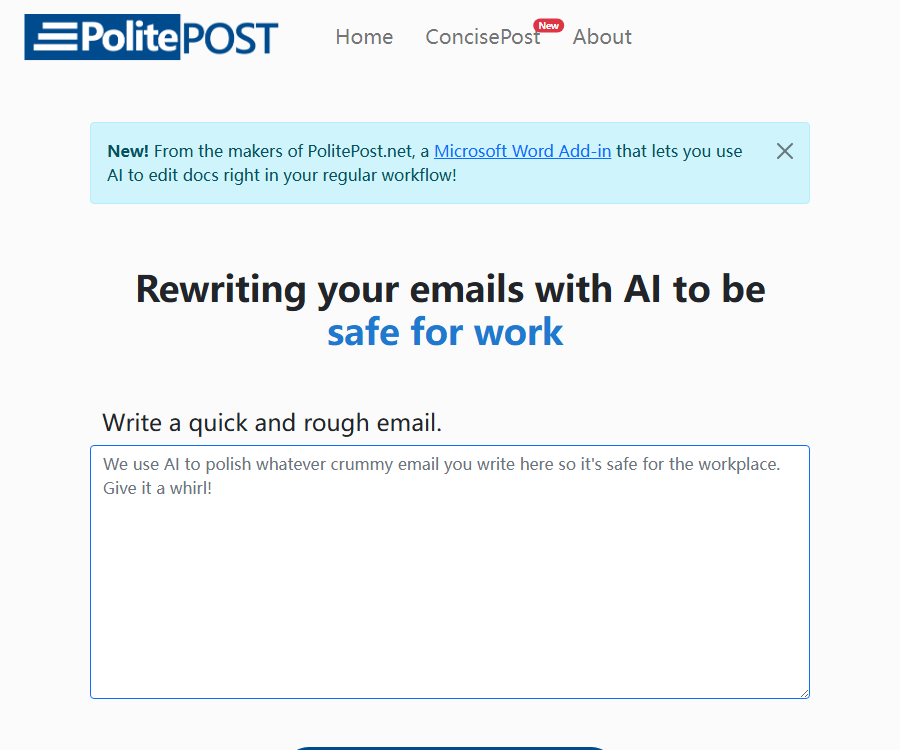
PolitePost is a lightweight AI tool for rewriting emails; it helps to transform casual drafts into more professional, polite texts suitable for use in the workplace. No registration is required, and it is intended for quick polishing of emails, rather than serving as a full-fledged email client or enterprise communication management system.
Main functions
Specialized rewriting
After the user enters the content of the email, the tool adjusts the tone, wording, and structure, removing any casual or offensive expressions that are not suitable for professional communication. The resulting text can be copied to an email for further editing.
- Transform brief, casual, or emotional drafts into polite emails.
- Add common greetings, transitions, and closings to make the text more complete.
- Reduce slang and unnecessary aggression, but full understanding of the context is not guaranteed.
Shorten formal emails
PolitePost also provides a reverse rewriting tool that helps to condense lengthy and overly formal emails into a more concise and readable format. It is useful for eliminating repeated expressions, but key details such as dates and responsible parties still need to be checked manually.
Use for pages without accounts
The web version does not require account creation or email linking, and the input length is limited to 2,000 characters per entry. The official website states that requests are processed by Together AI, and it usually takes a few seconds to get a response.
- It can be used just by opening the browser; no API key is required.
- The website uses backend filters to prevent abuse, limits the length of content, and controls the frequency of requests.
- During peak usage times, queueing, rate limiting, or response failures may occur.
Usage tutorial
- Open the PolitePost website and select either professional rewriting or email shortening based on your needs.
- Paste drafts containing no more than 2,000 characters, and be sure to remove passwords, contract details, and any personal sensitive information first.
- Submit the text and wait for the AI to return the rewritten version.
- Check whether the recipient, facts, dates, amounts, commitments, and tone are accurate.
- Copy it to your email, add a subject, greeting, and signature based on the actual context, and then send it.
Comparison of usage methods
| Version or entry point | Core functions | Costs | Suitable for users | Current precautions |
|---|---|---|---|---|
| Professional rewriting of web pages | Convert the draft into a polite and professional email. | Free; voluntary donations are welcome. | Users who occasionally polish their emails | A maximum of 2,000 characters per entry; the content is processed by external models. |
| Website shortening mode | Compress lengthy formal emails | Free; voluntary donations are welcome. | Users who need to improve simplicity | It is necessary to check whether any key facts have been removed. |
| Chrome extensions | Rewrite in the text fields of web apps such as Gmail and Outlook. | Expansion is free; API costs are borne by the user. | Users who prefer one-click operations | The store version has not been updated since 2023; compatibility and permissions should be assessed before use. |
Which users are it suitable for
- Employees who need to adjust their direct or blunt way of expressing themselves to make it more suitable for workplace communication.
- When writing English emails in a language that is not one’s native language, it is necessary to have access to drafts that help with expression quickly.
- I hope to shorten lengthy emails so that team members can understand requests and action items more clearly.
- Individual users who occasionally need to refine their text and do not wish to register on complex writing platforms.
Prices and fees
The web version of PolitePost is available for free at the moment; there are no public subscription plans or different pricing tiers for paid services. The operators cover the costs associated with processing messages by donating coffee. What is displayed on the official website represents the platform’s own processing costs, not the price charged per message to each user.
- The web version can be used without a credit card or account.
- Free services may control costs through limits on the number of characters, request frequency, and waiting time.
- Older browser extensions required users to provide their own model API keys, with the related calls being billed by the respective service providers.
Product advantages
- The operation is extremely simple – just a few steps are required, from pasting the draft to copying the result.
- No registration is required; it’s suitable for polishing emails on a one-time basis or infrequently.
- It meets both the common needs for more polite and more concise rewrites.
- The official website reveals the inference providers, character limits, and annual operating costs.
Usage restrictions and precautions
- The official website explicitly advises against submitting top-secret or highly sensitive information, as the content of the emails is sent to external AI processing services.
- The cost section on the official website has been updated to Together AI, but the privacy policy still contains the wording from Anyscale’s earlier version; there is a timing difference in the information provided about the suppliers.
- AI may alter the original meaning, the level of commitment, the numbers, or the responsibility assigned; it is not possible to bypass the review process before sending.
- The input limit is 2,000 characters, making it unsuitable for long email threads, attachment analysis, or complex negotiation texts.
- Browser extensions run in the text fields of supported websites; they are older versions, so it is necessary to check permissions and compatibility before installing them.
Platforms, APIs, and open-source status
The core services are available via a web page, along with a Chrome extension provided by the official publisher and a Microsoft Word add-in mentioned on the official website. The PolitePost API, SDKs, or open-source repositories intended for developers are not made available by the official party; moreover, the use of third-party inference models does not mean that PolitePost itself is open source.
Frequently Asked Questions
Is PolitePost completely free?
The web version is currently free of charge and does not require login; users can make voluntary donations. The authorities have not promised that it will remain free forever, and character and frequency limits may change depending on operating costs.
Can I enter emails in Chinese?
The official website does not provide a complete list of the languages that are supported; the tool may be able to handle multiple languages, but this does not guarantee consistent performance for all of them. Important emails that are not in English should be reviewed by someone who is familiar with that language.
Is it suitable for handling confidential emails?
It is not appropriate to submit the original confidential documents directly, as the content will pass through external AI services. Names, account details, contract terms, unpublished business information, and other sensitive data should be removed first.
Tools similar to Politepost



 Guigong Network Security Registration No. 45132202000164