






Tool Introduction
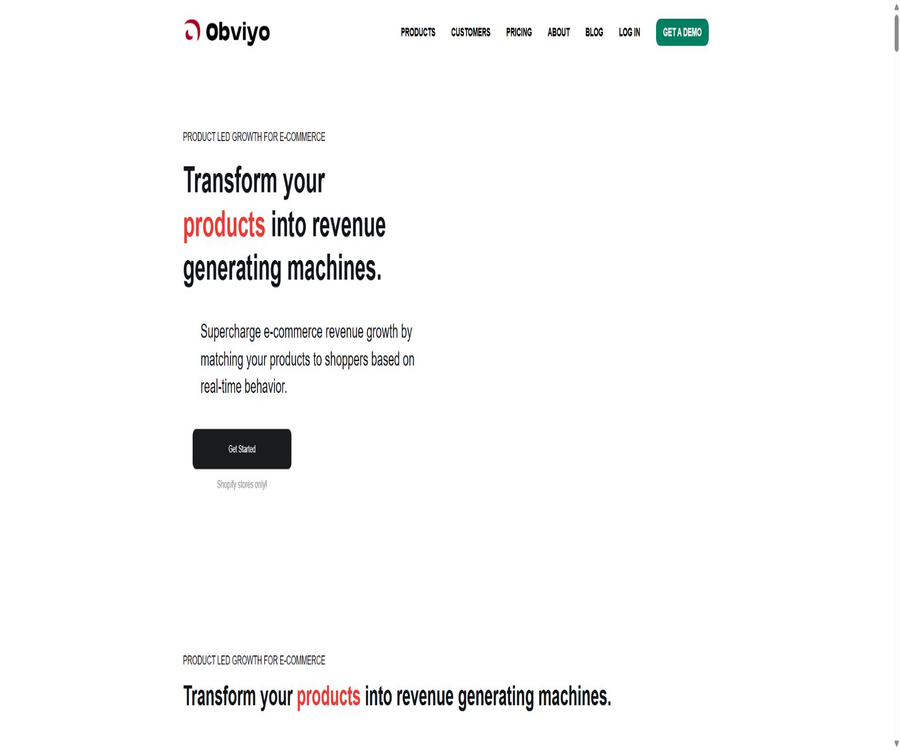
Obviyo is an application for product recommendation and personalized marketing tailored for Shopify stores, provided by Obviyo, Inc. It uses Growth Bots to analyze anonymous behavioral patterns of visitors, thereby displaying more relevant products as well as offers for additional or cross-selling items throughout the shopping process.
Main functions
Real-time product recommendations and personalization
The system adjusts the recommended content based on the current visitor’s browsing and interaction patterns, thereby helping the store to improve the product discovery experience on product pages, in the shopping cart, and elsewhere.
- It supports AI-driven product recommendations, items often purchased together, product add-ons, as well as upselling and cross-selling.
- It is possible to configure display locations such as the shopping cart, checkout page, product page, thank-you page, drawer shopping cart, pop-ups, and announcement bar.
- The components of the free version will retain the Obviyo brand identity.
Growth Bots and product display
Growth Bots are e-commerce components that can be deployed on store pages; merchants can choose different recommendation methods and adjust the rules for displaying content. The paid versions offer additional features such as product presentation and personalized bots.
- Components can be installed and activated from a Shopify app without the need to write front-end code yourself.
- It supports a combination of manual rules and automatic recommendations, enabling merchants to focus on key products.
- It is possible to view metrics such as click-through rate, conversion rate, and the effectiveness of recommendations.
Marketing and ecological integration
The app store currently offers multi-currency and multi-language display options, and indicates that it can be used in conjunction with services such as Klaviyo, Yotpo, Judge.me, and Stamped. The extent of compatibility depends on the store’s theme, checkout permissions, and third-party configurations.
Usage tutorial
- Install Obviyo in the Shopify App Store and authorize it to connect the store’s data with the theme.
- After completing the store mapping and initial configuration, select either Growth Bot or a promotional bar that suits the location on the page.
- Set the recommendation mode, display rules, and component content, then check the appearance on both desktop and mobile devices in the preview environment.
- After going live, monitor click-through rates, conversion rates, and recommendation performance, and adjust the rules gradually while avoiding the deployment of too many components at once.
- Before uninstalling or changing a theme, check for any remaining scripts and component code, and ensure that the page speed returns to normal.
Which users are it suitable for
- Small and medium-sized Shopify merchants who wish to quickly increase the number of product recommendations.
- An operational team is needed to handle additional sales, cross-selling, and components that are often purchased together.
- Brand stores with a high number of page views that wish to take advantage of more advanced personalization features.
- E-commerce teams that need to optimize product placement based on data related to recommendation effectiveness.
Prices and packages
| Package | Current price | Main limits and functions | Suitable for users |
|---|---|---|---|
| Free Starter | Free | Forever free; includes a promotions section, cross-selling robots, and conversion robots, along with the display of the brand logo. | Small shops used to test basic recommendation capabilities |
| Personalize | $ | Up to 500,000 page views per month; additional features such as product display robots, personalized robots, and advanced support; 14-day free trial | Growing brands that require comprehensive, personalized recommendations |
| Enterprise | $ | Up to 2,000,000 page views per month; addition of Amazon Personalize and Success Manager; 14-day free trial | Businesses with high traffic volumes and those that require dedicated support |
| Large sites | Contact sales | A customized quote is provided when the number of page views exceeds the specified limit. | Stores with traffic levels exceeding the standard corporate quota |
The fees are charged in US dollars on a 30-day basis; the app store also indicates that there may be recurring charges as well as charges based on usage. The actual bills, taxes, and available options will be indicated on the Shopify billing page after installation.
Product advantages
- Designed for Shopify use cases, it features a low threshold for installation and basic deployment.
- Recommendations, product display, upselling, and performance analysis are all integrated within the same application.
- A permanent, free access is provided, allowing merchants to first check whether the basic components are suitable for their store.
- The pricing tiers are determined based on the number of page views, which makes it easy to assess costs in terms of traffic volume.
Usage restrictions and precautions
- The current product is designed to serve Shopify stores primarily, and should not be considered a general recommendation platform for websites.
- The starting price for Personalize is high; small shops should first assess the additional revenue that customization can generate.
- Personalized results depend on visitor behavior and product data; their effectiveness may be limited in situations of cold start or sparse data.
- The application processes data related to interactions between stores and visitors; merchants need to review the privacy statements, consent mechanisms, and regulations in their respective regions.
- After installation, theme updates, or uninstallation, it is necessary to check for remaining scripts, display conflicts, and page loading speed.
Platforms and languages
The official app is currently available for Shopify, and the app store indicates that it features an English interface as well as the ability to display content in multiple languages and with multiple currencies. The multi-language support does not mean that the backend interface is fully localized in Chinese; the actual functionality should be tested in the target theme.
APIs, SDKs, and open-source status
The authorities provide developer integration documentation, which covers aspects such as product browsing, clicking on recommendations, adding items to the shopping cart, and making purchases. This documentation does not indicate the existence of any general APIs or official SDKs available to the public; moreover, it is outdated, so it is necessary to consult the authorities to determine the current interfaces before implementation.
The official party has not yet made the open-source licensing terms for the product itself public, nor has any official open-source SDK been identified; Obviyo should be considered a closed-source hosting service. Amazon Personalize is an external cloud service available as part of enterprise packages, and it does not mean that the Obviyo product itself is open source.
Frequently Asked Questions
Is Obviyo free?
Free Starter is a permanently free option, but it has limited features and includes a brand logo. Personalize and Enterprise are monthly subscription plans that offer a 14-day free trial period.
Can it be used without knowing how to program?
The basic installation and deployment of Growth Bots are primarily carried out without the need for coding, but complex scenarios, checkout extensions, or conflicts with third-party applications may require assistance from technical experts.
Is it suitable for websites that are not based on Shopify?
Currently, both the official website and app stores focus their offerings on Shopify stores; no equivalent installation solutions for other website building platforms have been made available by the official team yet.
Tools similar to Obviyo



 Guigong Network Security Registration No. 45132202000164