






Lamatic AI
Lamatic AI, an intelligent tool focused on AI design.
Tags:AI design toolsWhat is Lamatic AI?
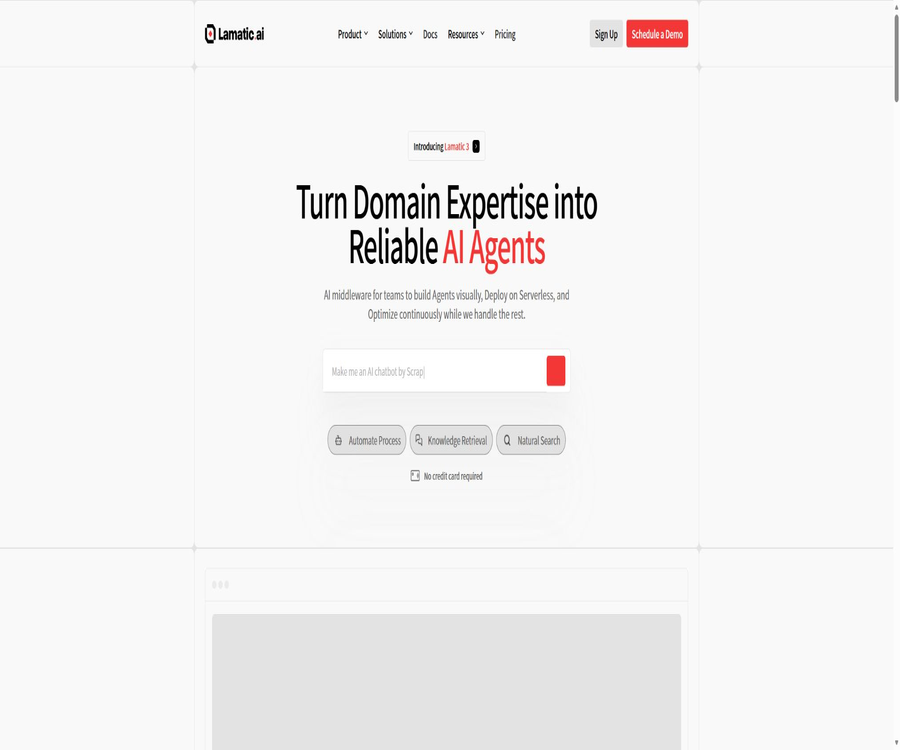
Lamatic AI is a generative AI middleware designed for developers, product teams, and enterprises; it is used to visualize the creation, deployment, and continuous optimization of intelligent agents. Teams can combine models, data, business applications, and logical nodes to form processes, which are then delivered to users through interfaces, web components, or automated tasks.
The platform is operated by Dinner Technologies, and its focus has shifted from simple low-code workflows to managing the entire lifecycle of agent applications. It handles tasks such as model orchestration, retrieval-enhanced generation, data synchronization, serverless deployment, log tracking, and team collaboration.
What problems can it be used to solve?
- Convert business knowledge and multi-step rules into executable AI agents.
- Add chat, search, and Q&A features to websites or SaaS products.
- Build a knowledge base for enhanced retrieval by leveraging cloud storage, databases, and web pages.
- Automate business processes using multiple models, tools, and external applications.
- Publish the visualization workflow as a GraphQL interface, Webhook, or embedded component.
- Manage process versions between development, preview, and production environments.
- Track the node output, latency, model cost, and errors for each run.
Visual workflow builder
Flow Builder presents application logic through node dragging and dropping; it is suitable for quickly creating prototypes, and it also allows developers to add code and custom interfaces. A workflow can include triggers, AI nodes, data nodes, logical controls, external applications, and final outputs.
AI and proxy nodes
- Generate text, structured JSON, and images.
- Classify the input or achieve multimodal understanding.
- Use RAG nodes in combination with corporate knowledge to answer questions.
- Create text proxies, JSON proxies, and multimodal proxies.
- Multiple sub-tasks are coordinated by the Supervisor agent.
- External tools and contexts are invoked through MCP nodes.
- Use document extraction nodes to process unstructured files.
Logic and data nodes
- Usage conditions and branch control determine different processing paths.
- Multiple datasets are processed through loop and batch processing nodes.
- Call another process to reuse complex logic.
- Add wait, variable, and end nodes to control the state.
- Use code nodes to implement processing that is not pre-installed on the platform.
- It performs hybrid search, keyword search, and vector search.
- Search for, add, update, or delete records in the data table.
Prompt, Code, and GraphQL IDE
Lamatic places prompts, code, and interface queries in dedicated IDEs, thereby facilitating editing, testing, and reuse by teams. The Prompt IDE offers variable validation, prompt templates, and AI-assisted optimization, which helps to avoid the problem of prompts being scattered throughout the application code.
| Development tools | Primary uses | Suitable for tasks |
|---|---|---|
| Prompt IDE | Edit, test, and reuse prompts with variables | Suggestions for optimization, version comparison, and team collaboration |
| Code IDE | Write custom node logic | Data conversion, checksums, and special business rules |
| GraphQL IDE | Testing deployed processes and queries | Interface debugging, parameter validation, and response checking |
| Flow Debugger | Check input, output, and errors for each node. | Failure in the positioning process and quality issues |
Models and reliability control
The platform allows connection to hosted models as well as to the model credentials owned by teams, and it enables the use of text, images, embeddings, and multimodal capabilities within processes. The model logic supports fallback, parallel, and experimental strategies, facilitating a choice between cost, speed, and quality.
| Control method | Function | Typical value |
|---|---|---|
| Model switching | Select different suppliers or models for the nodes. | Use more appropriate capabilities depending on the task. |
| Roll back | Switch to the backup model when the main model fails. | Improve the availability of production processes |
| Parallel execution | Run multiple models or branches simultaneously | Compare results or reduce the time required for combined tasks |
| Experiments and feedback | Record user feedback and compare strategies | Continuously improve the quality of responses. |
| Bring your own key | Use the team’s own model account. | Control model procurement and quotas |
RAG and knowledge base
Lamatic includes built-in vector storage and memory storage capabilities; it can split documents, web pages, cloud storage files, or database records into vectors and create indexes for them. During operation, relevant segments are identified using vectors, keywords, or a combination of these methods, and then passed to the model to generate responses.
- Create a project and select either a data connection or a file input method.
- Configure the synchronization scope, field mapping, and update schedule.
- Use extraction and chunking nodes to clean up unstructured content.
- Select the embedding model and write it to vector storage.
- Add search and RAG nodes to the Q&A process.
- Set the number of results to retrieve, the filtering criteria, and the response prompts.
- Use real-world problems to test relevance and refusal behaviors.
- Make chat, search, or Ask components available for users to use.
Application and Data Integration
The platform offers connection points for office applications, cloud storage, databases, automation tools, and development tools. The trigger, read, write, and synchronization actions supported by different integrations vary; it is necessary to check the scope of permissions and the number of integrations included in the package before making any configurations.
| Integrated categories | Representative services | Common uses |
|---|---|---|
| Cloud storage and documents | Google Drive, OneDrive, SharePoint, and object storage | Synchronize files, extract content, and create a knowledge base |
| Database | PostgreSQL, MySQL, and Microsoft SQL Server | Query business data or create indexes on a scheduled basis |
| Collaborative working | Gmail, Google Sheets, Notion, and Airtable | Read content, update records, and send messages |
| Automation | n8n, Webhooks, and external APIs | Trigger cross-system processes and two-way calls |
| Web page processing | Firecrawl | Capture web pages and convert them into model-ready text. |
| Development process | GitHub Action | Trigger the index when the code or documentation changes. |
Agent type
| Agent type | Output format | Suitable scenarios |
|---|---|---|
| Text Agent | Natural language text | Customer service, internal assistants, and content Q&A |
| JSON Agent | Fixed structure data | Form processing, classification, and system integration |
| Multi Modal Agent | Combining inputs such as text and images | Image understanding, data verification, and product recognition |
| Supervisor Agent | Coordinate multiple agents and tools | Complex research, task division, and multi-step automation |
Publication and embedding methods
The workflow can be deployed in a serverless edge environment managed by Lamatic, with the platform taking care of scaling and operating the infrastructure. The product team can choose interfaces, Webhooks, or pre-built components based on user experience, without having to expose the Studio interface directly to end-users.
| Delivery method | Main features | Suitable products |
|---|---|---|
| GraphQL API | Execute the specified process using the project key. | SaaS backend, mobile apps, and internal systems |
| Webhook | Processes are triggered by external events or results are received. | Automation, payments, messaging, and asynchronous tasks |
| Chat Widget | Embed continuous dialogue interface | Customer service, document assistant, and knowledge Q&A |
| Search Widget | Display search results from the knowledge base | In-site search and resource discovery |
| Ask Widget | Supports suggesting questions and asking follow-up questions. | Product assistance, Q&A content, and visitor conversion |
| Scheduled tasks | Execute data or business processes as planned. | Synchronization, reporting, and batch processing |
Environment and version control
Lamatic allows for the isolation of development, preview, and production environments, and it manages project changes through branch mapping. Teams can test new prompts, nodes, and models without affecting users who are using the system, and then merge and deploy the versions that have been validated.
- Create or modify processes in the development environment.
- Submit the version and document the purpose of the changes.
- Run debugging and quality test cases on the test data.
- Merge the version into the pre-release environment.
- Verify the integration credentials, data, and performance under load.
- After approval, it is released to the production environment.
- Monitor logs, costs, and user feedback.
- Roll back to a stable version in case of anomalies.
Monitoring and optimization
The operation logs record each request, the steps taken by the nodes, the input and output data, any errors that occur, as well as the time taken for processing – all of which help developers identify where failures occur. The current log list also shows the cost associated with each execution of a model, making it easier to spot expensive nodes and abnormal usage patterns.
- View the full node tracking upon request.
- Search and filter historical run records.
- View the error messages for a specific node.
- Track latency, request volume, and model consumption.
- Observe long-term performance changes through reports.
- Set up alerts and handle production failures.
- Connect to Langfuse for further observable analysis.
SDK, CLI, and MCP
Developers can use SDKs based on TypeScript, Python, and Go to call the deployed processes, or they can directly use GraphQL requests. The official CLI allows for managing organizations, projects, processes, deployments, contexts, model credentials, and integrations from the terminal.
| Developer tools | Ability | Suitable for users |
|---|---|---|
| TypeScript SDK | Execute the process and integrate it into a JavaScript application | Front-end, Node, and Next.js developers |
| Python SDK | From the Python service invocation process | Data, automation, and backend teams |
| Go SDK | Go language binding for community building | The Go backend team verifies compatibility before use. |
| Lamatic CLI | Manage projects, processes, deployments, contexts, and credentials | Platform engineering and automated operations and maintenance |
| Graph MCP | Convert the deployed processes into tools that can be invoked by AI clients. | Running business processes in a programming assistant |
| Dev MCP | Manage Lamatic’s organizational resources through natural language. | Developers and platform administrators |
| Docs MCP | Search for product documentation in the AI assistant | Learning, troubleshooting, and integrated development |
Prices and packages
The price information was verified on August 23, 2026; the actual amounts, taxes, exchange rates, and discounts may vary, and the final figures will be those displayed on the settlement page.
The public pricing page offers four subscription plans: Starter, Pro, Team, and Enterprise. Some of the features included in the Team plan are the same as those in the Starter plan, and since the detailed comparison table does not list the Team plan, it is necessary to refer to the details on the Studio pricing page or the confirmation of the benefits provided before purchasing the Team plan.
| Package or version | Price | Billing cycle | Core benefits or quota | Suitable for users |
|---|---|---|---|---|
| Starter | Free | Refreshed monthly | 3,000 requests, 3 members, 5 processes, 5 integrations, 1,000 records, and 3 days of logs | Individual developers and prototype validation |
| Pro | 99 dollars | Monthly | 100,000 requests, 3 members, unlimited processes, 10 integrations, 10,000 records, and 30 days of logging | A small team ready to start production |
| Team | 149 dollars | Monthly | The public package card shows an unlimited number of members, but there are duplicates on other pages regarding the usage limits; settlement is required for confirmation. | Teams that require collaboration among multiple people |
| Enterprise | Custom quote | Contractual agreement | Unlimited requests, members, processes, records, and logs; includes local deployment, SLAs, enterprise APIs, and dedicated support. | Large-scale or regulated enterprises |
Additional quantities and extra purchases
| Additional purchase items | Public price | Billing unit | Uses |
|---|---|---|---|
| Additional integration | 20 dollars | Each integration | Add more application or data connections when the maximum number of connections allowed by the package is reached. |
| Additional records | 60 dollars | Every 10,000 records | Expand the context, vector, or data storage scale |
| Additional requests | 10 dollars | Every 10,000 requests | Processing calls for requests that exceed the package limits |
| Custom domain name | 20 dollars | Monthly | Deliver applications or components under the brand’s domain name. |
| Professional services | Get a quote by hour | By service scope | Consulting, project management, and support for generative AI development |
Interpretation of package restrictions
The Starter card specifies 3,000 requests per month and 100 API requests per day, values that are roughly equivalent for regular months. Whether the costs associated with model providers, third-party integrations, and any usage beyond the specified limits are included in the subscription needs to be confirmed by checking the Studio bill along with the specific details of the models.
- The free version keeps logs for only 3 days, making it unsuitable for long-term auditing.
- Although the Pro version has no limits on the number of steps, it still allows only 3 members.
- The Team benefits page contains duplicate fields; it is not possible to rely solely on marketing cards.
- The unlimited quota in the enterprise version shall still be governed by the reasonable use terms specified in the contract.
- Some models may use the customer’s own keys and charge separately.
- Databases, cloud storage, and scraping services may incur third-party fees.
- Taxes and settlement amounts may vary depending on the region.
GitHub and the open-source status
The Lamatic hosting platform, Studio, and cloud-based runtime services are not fully open-source products; however, the official GitHub repository provides SDKs, documentation, MCP tools, and AgentKit. Users should check the license of each repository individually, as it is not possible to consider the entire platform open-source just because some of its components are open-source.
| Project | Main content | License or status | Correct understanding |
|---|---|---|---|
| AgentKit | Deployable proxy applications, templates, and sample kits | MIT license, continuously updated | For the application startup, the Lamatic process and keys are still usually required. |
| lamatic-sdk | TypeScript calls the client side | Apache License Version 2 | The SDK is available openly, without a managed execution platform. |
| Lamatic Python SDK | Python calls the client | MIT License | Open binding; it is not the core proxy engine. |
| Lamatic Docs | Code and content of the product documentation site | MIT License | The openness of documents does not equate to the open sourcing of commercial services. |
| Go SDK | Go bindings for community building | Apache License Version 2 | Check maintenance and version compatibility before adoption. |
| Lamatic Cloud Platform | Studio, hosting, deployment, and management capabilities | Closed-source commercial services | Use by package |
Privacy and data security
The platform ensures that data is encrypted both during transmission and when stored statically, and it offers various enterprise-level functions such as data segmentation, backup, role-based permissions, single sign-on, audit logs, and an IP allowlist. Lamatic has disclosed its SOC 2 Type 2 compliance status and continues to emphasize its adherence to GDPR regulations.
The privacy policy states that personal information and service data may be processed in the United States or in the regions where the service providers are located. Users can export or delete their own data, but certain records may remain stored due to legal obligations, disputes, or legitimate business needs.
- Do not enter unnecessary personal data directly into prompts or logs.
- Use the minimum permissions for models, databases, and application credentials.
- Verify whether the third-party model saves the inputs or is used for training.
- Restrict the access of administrators and visitors to production projects.
- Establish export and audit policies based on the log retention period.
- After deleting an account or project, confirm the approach to handling vectors, files, and backups.
- In regulated sectors such as healthcare and finance, contract and compliance reviews should be carried out separately.
Cancel content rights
Subscriptions can be canceled within the account, and such cancellation usually takes effect at the end of the current payment cycle. The terms do not guarantee a refund in all cases; prices, services, and quotas may also change, so it is advisable to check the payment cycle and current benefits before making a purchase.
Users retain ownership of the content they upload, but must possess the necessary rights to handle the related data, files, and brand materials. Different licensing terms may apply to contributions in public communities, feedback, and project data on commercial platforms, and these should not be confused with one another.
Which users are it suitable for
- SaaS founders who want to quickly test AI features.
- It is necessary to integrate the knowledge base Q&A functionality into the development teams of existing products.
- Automated teams that use low-code methods to connect models with business systems.
- Product teams that require visual collaboration as well as isolation between versions and the production environment.
- Developers who wish to manage AI processes using APIs, SDKs, or MCP.
- Organizations that need logging, cost tracking, and enterprise security controls.
- An AI service provider that delivers multiple agency projects for clients.
Product advantages
- It brings together construction, deployment, integration, and monitoring on a single platform.
- Visual workflows and code nodes balance speed and flexibility.
- It includes built-in capabilities for vector storage, memory, RAG, and data synchronization.
- It supports various types of proxies, models, and external business applications.
- It offers various ways of access, including interfaces, components, SDKs, CLI, and MCP.
- Serverless edge deployment reduces the burden of infrastructure maintenance.
- The official AgentKit provides a reusable, open-source starting point for applications.
Restrictions and Precautions
- Hosting platforms involve supplier lock-in and migration costs.
- Complex processes still require an understanding of data, prompts, and exception handling.
- The free version has limitations on requests, processes, integrations, records, and logs.
- There are inconsistencies in the publicly available information regarding the Team package; it is necessary to verify this before making the payment.
- Third-party models, scraping, databases, and applications may incur additional fees.
- Low-code cannot automatically ensure that the responses are accurate, compliant, or free from errors.
- Claims about edge performance do not mean that low latency will be maintained in every model invocation.
- Open-source SDKs and templates do not provide a complete local alternative platform.
Usage process
- Register for Studio and create organizations and projects.
- Select a template, or start with a blank process.
- Configure model credentials, data connections, and secret variables.
- Add triggers, AI, as well as data and logic nodes.
- Edit prompts, code, and interface queries in the IDE.
- Use a debugger and test cases to verify each node one by one.
- Deploy it to the testing environment and conduct integration testing using components or interfaces.
- Deploy to the production environment and set up logging and alerts.
- Observe latency, quality, and actual model cost.
- Follow the feedback iteration process and retain rollback versions.
Frequently Asked Questions
Is programming required for Lamatic AI?
Simple processes can be implemented primarily using visual nodes, but in production applications it is still necessary to understand interfaces, data structures, permissions, and error handling. Custom business logic can be extended through code nodes, SDKs, and external interfaces.
Is Lamatic AI free?
The Starter plan is free and includes 3,000 requests per month, 3 members, 5 workflows, 5 integrations, 1,000 records, and 3 days of logging. If the limits are exceeded or more capacity is needed, it is possible to upgrade the plan or purchase additional services.
Is it possible to create a RAG knowledge base?
Yes, the platform offers functions for file extraction, chunking, vectorization, vector storage, hybrid search, and RAG nodes. Users can also synchronize content regularly from cloud storage, web pages, and databases.
Are API and SDK supported?
Support is available; the process can be initiated through GraphQL, Webhooks, and component calls, with TypeScript, Python, and community-provided Go SDKs at your disposal. The official CLI and MCP tools can also be used for resource management and proxy calls.
Is Lamatic open source?
It is not a fully open-source platform. AgentKit, certain SDKs, the documentation, and MCP projects have their code and licenses made available publicly, but Studio, the hosting execution environment, and the commercial management services remain closed-source SaaS products.
Can it be deployed locally?
The Enterprise package includes options for on-premises deployment; in such cases, the infrastructure, support, SLAs, and licenses need to be assessed by sales staff. The free version and the standard Pro version rely primarily on the Lamatic hosting environment.
Summary
Lamatic AI is suitable for teams that want to combine models, enterprise data, and business applications into deployable agents; its advantages lie in the visual workflow, RAG, integration capabilities, serverless deployment, and operational monitoring, all of which work together to form a complete closed loop. The SDK, CLI, MCP, and open-source AgentKit also enable developers to integrate these workflows into existing projects.
The free version is suitable for small-scale testing, while the Pro version costs $99 per month and offers a significantly higher limit on requests and storage space. When making a final decision, it is important to consider the benefits associated with using a team account, the cost of third-party models, log retention policies, the area available for data processing, and any risks related to platform locking.
Tools similar to Lamatic AI



 Guigong Network Security Registration No. 45132202000164