






FastBots
FastBots: an intelligent tool focused on AI-driven design.
Tags:AI design toolsA one-sentence summary
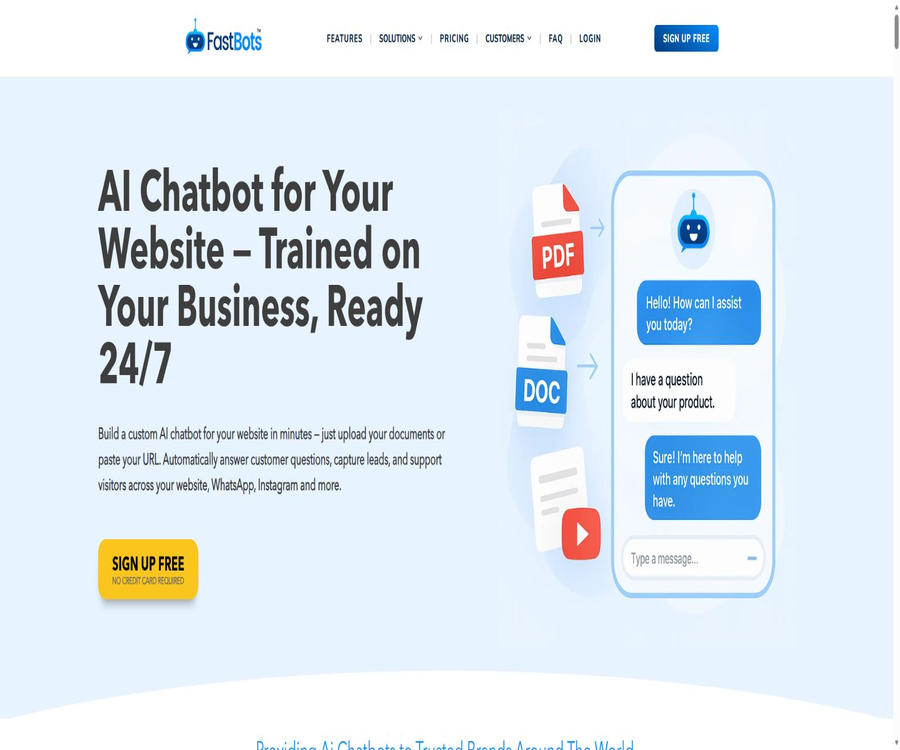
FastBots is a code-free AI chatbot platform designed for businesses; it enables the creation of knowledge base bots based on websites, documents, and tables, which can then be deployed on web pages, social messaging platforms, and team collaboration tools.
Tool Introduction
FastBots is operated by the British company Fast Funnels Ltd; it is designed to handle tasks such as website customer service, lead collection, appointment scheduling, employee training, and multilingual question answering. Users do not need any programming skills – they can configure the robot by scraping web pages, uploading materials, and setting prompts.
The platform integrates various language models from OpenAI, Anthropic, and Google, and charges message credits based on the responses generated by the robots. Different robots can have their own settings regarding knowledge base, tone, role, and deployment method, making it possible to manage multiple brands or business scenarios under a single account.
| Components | Main function | Suitable for tasks |
|---|---|---|
| Knowledge base | Crawl websites and import file, table, and video URLs | Frequently asked questions and customer service regarding company information |
| AI chatbot | Generate answers by combining prompts, knowledge, and language models. | Pre-sales consultation, support, and internal Q&A |
| Web components | Published through scripts, embedded frameworks, or share pages | Website visitor service |
| Message channels | Connect to WhatsApp, Instagram, Messenger, Slack, and Telegram | Omni-channel customer communication |
| AI Actions | Invoke external applications to perform actions within a conversation. | Check orders, make appointments, and send emails |
| Admin dashboard | View history, reports, unknown issues, and manual takeover | Quality management and team collaboration |
Main functions
Website and document knowledge base
FastBots can capture entire websites or site maps, and it can also import information from PDF, DOC, DOCX, CSV, XLS, Google Sheets, as well as video pages. The paid version allows these robots to use not only their own specialized data but also general model knowledge or real-time online data in order to provide answers.
- Website scraping: The number of pages that can be scraped by each robot is limited based on the package plan, and it is possible to train multiple websites.
- Document training: Incorporate product manuals, frequently asked questions, policies, and internal documents into the robot’s knowledge base.
- Automatic retraining: Plans starting with Business allow for regular checks of changes on selected pages.
- Additional information on unknown issues: Knowledge Assistant marks unresolved problems, making it easier for humans to add answers.
- Independent knowledge scope: Each robot can use different data and instructions, thereby preventing confusion between various tasks.
Multi-model selection and integrated billing
Users can choose from models provided by OpenAI, Anthropic, and Google. Standard models cost 1 point per response, while advanced models cost 5 to 10 points per response; therefore, the number of points allocated in a package may not correspond to the actual number of responses.
| Model type | Representative model | Points for each reply | Usage suggestions |
|---|---|---|---|
| Standard Model | Gemini 2.5 Flash, GPT-5 Mini | 1 | Daily customer service and frequent questions and answers |
| Advanced models | GPT-4o, GPT-4.1, GPT-5.2, o3 | 5 | Complex understanding and higher-quality responses |
| Advanced models | Gemini 2.5 Pro | 5 | Complex analysis and processing of long content |
| Advanced models | Claude 4.5 Sonnet | 10 | Writing and reasoning tasks with high requirements |
The list of models and the rules for scoring may change; it is necessary to check which models are available in the account before formal deployment. The free plan includes only basic models, while all other models are available starting from the Essential plan.
Web chat component
Robots can be published through code snippets, embedded frameworks, or separate sharing pages, and they automatically adapt to desktop, mobile phone, and tablet screens. A single robot can be installed on multiple websites and handle multiple conversations at the same time.
- Set the welcome message, avatar, colors, and the appearance of the chat window.
- Define the robot’s identity, tone, boundaries for responses, and ways of utilizing knowledge.
- Use the visitor form to collect names, email addresses, or business leads.
- The brand logo is displayed as needed; Premium allows the removal of the platform’s brand logo.
- If you encounter difficulties during installation, you can request free installation assistance.
Multi-channel customer service
The paid plan allows the same set of knowledge and information to be made available on WhatsApp, Instagram, Facebook Messenger, Slack, and Telegram. This enables consistent responses to be provided through various channels, eliminating the need to maintain separate sets of FAQs for each platform.
Zapier connections can be used with a wide range of third-party applications, and the platform also offers native integrations such as Make. However, the account requirements, message templates, pricing, and approval rules specific to those external platforms still need to be met separately.
95 languages and automatic translation
Chatbots support 95 languages and can respond automatically in the language spoken by the visitor. The Business and higher-tier plans also include a chat translation feature, which is useful for customer service teams based in different locations to read messages from visitors in various languages.
Human takeover
The Business and higher-tier plans allow for manual intervention in those conversations that the robot cannot handle, and it is possible to set specific working hours and notification settings. The robot deals with common issues first, while complex complaints, order exceptions, and sensitive matters are referred to human staff.
Uploading of visitor files and images
The paid plan allows visitors to upload images or files during conversations, which facilitates customer service staff in analyzing screenshots, tables, and documents. Visitors should be prevented from uploading passwords, identification documents, complete bank card information, or any other sensitive files without authorization.
| Type | Supported formats | Typical uses |
|---|---|---|
| Image | JPEG, PNG, WebP, HEIC | Screenshots of errors, product photos, and supporting documents |
| Document | PDF, DOC, DOCX | Instruction manual, application materials, and attached questions |
| Table | CSV | Order list, data samples, and batch records |
AI Actions and business automation
Zapier AI Actions enables robots to invoke external applications during conversations, such as checking orders, scheduling appointments, or sending emails. For high-risk actions such as payments, order cancellations, and permission changes, identity verification and human confirmation are required.
Automatic email reply
Plans Business and above allow robots to draft or send replies to incoming emails based on a knowledge base, and it is possible to set up such processes so that they are reviewed by humans before being sent. This feature is suitable for repetitive inquiries, but complaints, contract-related issues, and refund requests still need to be reviewed manually.
Chat records, reports, and exports
The platform stores chat history, which can be searched, filtered, and exported from the backend; it is also possible to send the conversation records to an email address. The paid version provides monthly reports that allow one to monitor usage levels, visitor issues, and the performance of the robot.
Team and white-label capabilities
Essential, Reseller, and the higher tiers include 3, 5, 10, and 30 team members respectively. Reseller is intended for agents and offers the possibility of customizing the brand name, using a separate domain name, providing customer login capabilities, as well as a white-label platform that can host up to 5 brands.
Complete workflow
- Register an account and create a robot, choosing purposes such as customer service, sales, scheduling, or internal knowledge queries.
- Enter the website or sitemap, upload authorized documents and forms, and check whether the pages have been captured completely.
- Create system prompts to define the tone, scope of responses, conditions for transferring to a human agent, and tasks that cannot be carried out.
- Select a model and test typical problems, incorrect problems, ambiguous problems, and those not covered by the knowledge base.
- Set the welcome message, brand appearance, lead form, file upload options, and privacy notice.
- Embed the robot on a website, or connect the social messaging and team channels that need to be used.
- Configure manual takeover, notifications, and AI Actions, and add confirmation steps for important actions.
- After going live, check the history and reports, fill in any unknown answers, and regularly retrain to update the page.
Usage tutorial
Create the first website customer service robot
- First, create a robot using the free plan; no credit card is required.
- Add a small number of public web pages, and after the crawling is complete, check the page titles and text.
- Specify the brand represented by the robot, the topics for which responses are allowed, and the procedure to follow in cases of uncertainty.
- Test using real customer inquiries, and intentionally enter incorrect order numbers as well as make requests that exceed authorized limits.
- Adjust the length of responses, as well as their creativity and level of knowledge, to ensure that the robot does not treat guesses as facts.
- Copy the installation code to the test website and check how it appears on both computers and mobile devices.
Connect message channels
- Upgrade to the plan that includes Integrations, and select the target channel in the backend.
- Use the administrator account of the corresponding platform to authorize the connection, in order to avoid sharing the password of the main account.
- Set the welcome message for the channel, the hours of available live support, and the rules for forwarding calls when questions cannot be answered.
- Send a test message from another account to check the language, format, attachments, and notifications.
- Enable it for external use only after confirming the channel’s own costs, template approval requirements, and privacy policies.
Configure secure automated actions
- In Zapier, connect only the applications required to complete the task and accounts with the minimum necessary permissions.
- Specify the trigger conditions for each action, the required fields, and the range of data that can be processed.
- Query-related actions can return results directly, while actions related to writing, payment, and deletion require additional confirmation.
- Provide understandable messages for failures, timeouts, and insufficient permissions, along with a way to contact human support.
- By checking the call records from actual conversations, any anomalies are detected and the corresponding actions are disabled immediately.
Which users are it suitable for
- Small and medium-sized enterprises: Use website information to set up round-the-clock customer service quickly, thereby reducing repeated inquiries.
- E-commerce and retail teams: Answer questions related to products, delivery, and returns, as well as handle order inquiry processes.
- Hotels, clinics, and service providers: collect requests, explain the services offered, and assist with making appointments.
- SaaS team: Uses help documents to address issues related to product usage, and routes complex faults to human support.
- Schools and training institutions: organize courses, handle admissions and internal documents, and provide multilingual Q&A.
- Marketing and sales team: Gather potential leads, filter requirements, and arrange follow-up contacts.
- Agents and web designers: Provide white-label bots to multiple clients through the Reseller program.
- Internal operations team: Turns systems, processes, and training materials into knowledge assistants for employees.
Typical use cases
- Pre-purchase consultation on the website: Based on the product page, FAQs, specifications, and purchase process.
- Customer support routing: First, resolve recurring issues, then transfer account, payment, and complaint matters to human agents.
- Scheduled collection: Ask about the type of service, the time, and contact details, then use an external application to create a schedule.
- Multilingual reception: Automatically identifies the language of visitors to provide basic support to cross-border customers.
- Internal knowledge retrieval: Employees use natural language to search for procedures, policies, and training materials.
- Initial email screening: A draft response is generated based on the knowledge base, and it is sent after being reviewed by a staff member.
- Agent delivery: Configure different robots, domain names, and brand interfaces for multiple clients.
Product advantages
- Code-free setup: Those who are not developers can still carry out task import, prompt configuration, and website deployment.
- A wide variety of data types are supported: it can capture information from websites, as well as from documents, tables, and video pages.
- Multiple model options available: You can choose different models based on quality, speed, and energy consumption.
- Complete channel coverage: Websites, major social messaging platforms, and team collaboration tools can all be integrated seamlessly.
- Manual backup is available: Plans above Business level support human intervention as well as controlled email approval processes.
- Supported business actions: Robots can not only answer questions but also carry out tasks through automated connections.
- A white-label solution is available: agents can use their own domain names, brands, and customer login interfaces.
- The free version will be available in the long term: it allows you to test the basic functionality of robots as well as their integration into web pages.
Usage restrictions and precautions
- AI responses may be incorrect, incomplete, or fabricated; medical, legal, financial, and contractual information must be verified manually.
- The free version provides only 50 message credits, and using advanced models can consume multiple credits per reply.
- If a free robot does not engage in any conversations for 14 consecutive days, its training data will be deleted; sending a message will reset the timer.
- File uploading, all models, integration, and reporting are available starting with Essential, while human takeover is available starting with Business.
- The accuracy of the knowledge base depends on the content captured and the settings provided; outdated web pages can result in outdated answers.
- Social media channels are also subject to constraints such as account eligibility on various platforms, regional policies, messaging costs, and approval rules.
- Automated actions may modify external systems; therefore, permissions must be restricted and confirmation required for high-risk operations.
- The chat history is saved, and the party responsible for its deployment must inform visitors about the purpose of collecting it and how it can be deleted.
- Customer data is primarily stored and processed in the United States; currently, there is no option for storing data in the European Union or the European Economic Area.
- Payments made are generally non-refundable; a refund may be granted on a case-by-case basis only if the product does not function as advertised, the support team is unable to resolve the issue, and the request is made within 30 days of purchase.
- After canceling the subscription, it can still be used until the end of the current period, but no refund will be given for the unused time on a proportional basis.
- Plugins and models are updated; the version, model names, and scoring rules in the production environment should be checked regularly.
Prices and packages
The prices listed below were verified on August 22, 2026, and are expressed in US dollars. The annual payment section shows the monthly rate and the total annual cost as displayed on the page; the actual taxes, exchange rates, and available purchase options will be those indicated on the settlement page.
| Package | Monthly payment | Annual payment | Robots and message points | Primary interests | Suitable for users |
|---|---|---|---|---|---|
| Free | $ | $ | 1; 50 points per month | 100 pages of data for extraction, 1 million training characters, a basic model, historical records, and website embedding | Individual testing |
| Essential | 39 dollars per month | $ | 2; 2000 points per month | 2,500 pages per robot, 12 million characters, files, integrations, reports, all models, 3 members | Small team |
| Business | $ | 75 dollars per month, 900 dollars per year | 5; 5,000 points per month | 5,000 pages per robot, 15 million characters, translation, human takeover, automatic retraining, email responses, 5 members | Growing enterprises |
| Premium | $ | $ | 10; 10,000 points per month | 7,500 pages per robot, 20 million characters, brand removed, 10 members | Multi-project team |
| Reseller | $ | $ | 30; 30,000 points per month | 10,000 pages per robot, 25 million characters, custom domain name, white-label platform, 30 members | agent |
| Enterprise | Custom quote | Custom quote | Customize | Security audits, service level agreements, dedicated success managers, and custom restrictions | Large organizations |
Additional purchase items
| Additional purchase items | Monthly price | Annual price | Add content |
|---|---|---|---|
| Additional robots | 10 dollars | 100 dollars | Add 1 robot |
| Additional messages | 10 dollars | 100 dollars | Add 1,000 message points |
| Additional storage | 10 dollars | 100 dollars | Add 5 million training characters |
| Remove the brand | 29 dollars | $ | Remove the platform identifier from the eligible plans. |
| Custom domain name | 49 dollars | 490 dollars | Use your own domain name for embedding and sharing pages. |
Subscriptions can be upgraded, downgraded, or canceled at any time; an upgrade immediately unlocks additional features and quotas. Cancellation does not imply an automatic refund – it is advisable to first test the capturing, answering, and embedding functions using the free version before making a purchase.
Platform support and integration
| Platform or channel | Support status | Explanation |
|---|---|---|
| Web management backend | Support | Browsers on computers and mobile devices can be used to create and manage robots. |
| Website components | Support | Scripts, embedded frameworks, and sharing pages |
| WordPress | Support | The official directory plugin requires a FastBots account and an API key. |
| Support | It is necessary to comply with Meta’s rules as well as the rules related to the account. | |
| Support | Used for automatic replies to private messages | |
| Facebook Messenger | Support | Connect to Facebook page messages |
| Slack | Support | Suitable for team and internal knowledge Q&A |
| Telegram | Support | Deployment through channel integration |
| Zapier | Support | Connect to a large number of third-party applications and execute AI actions. |
| Make | Support | Used for automating processes across applications |
| Native desktop applications | No findings were detected. | It is primarily used through the website’s backend. |
| Native mobile apps | No findings were detected. | It can be managed using a mobile browser. |
APIs, plugins, and open-source status
The FastBots account provides API keys, which are used by WordPress plugins to connect to the robots that have been created. The current public pages do not offer separate interface documentation intended for general developers, along with complete details of the endpoints and an official SDK; therefore, more details on the capabilities for programmatic integration cannot be provided.
The FastBots online platform is a commercial, closed-source service; no verifiable official GitHub repository containing its source code has been found. The FastBots plugin available in the WordPress directory does have its source code made public, but the fact that the plugin is open source does not mean that the platform, the model orchestration tools, or the backend systems are also open source.
WordPress plugin security
The current version of the FastBots WordPress plugin is 1.0.14; it requires WordPress 5.2 or higher and PHP 7.2 or higher. Versions 1.0.12 and earlier suffered from administrator-level stored cross-site scripting issues that affected certain multi-site installations or disabled environments with unfiltered code. The update in version 1.0.13 addressed these problems by implementing input validation and output encoding.
Websites that are still using the old version of the plugin should upgrade to 1.0.14 or a newer version, and ensure that only authorized administrators can modify the robot’s address and identifier. Before upgrading, it is necessary to test the compatibility of the chat component in a testing environment.
Privacy and data security
- The platform handles account information, payment records, usage analysis, stored files, and data related to chats.
- The customer is the controller of its end-user data; it must obtain the necessary authorizations and provide visitors with privacy information.
- Customer data is encrypted both during transmission and when stored statically, and access controls, backups, and confidentiality measures are employed.
- The service is hosted in the Amazon Web Services East US region, and customer data is primarily processed in the United States.
- OpenAI and Anthropic are classified as AI processing sub-processors; the agreement states that they do not store customer data nor use it for training purposes.
- Google is also involved in the analysis and processing using the Gemini model; in addition, it makes use of vector storage services, crawling tools, payment solutions, and analysis services.
- Upon account closure, it is possible to choose to delete the customer data; a complete deletion across all systems may take up to 60 days.
- Requests for end-user data can be submitted through the account support process; the agreement states that such requests are typically processed within 72 hours.
- In the event of a security incident, the platform commits to notifying customers without unnecessary delay once it becomes aware of the situation.
- Sensitive industries still need to determine on their own whether their services meet local regulatory requirements, as well as requirements regarding data retention and auditing.
Before launching a chatbot, it is necessary to avoid importing unnecessary personal data, and clear policies regarding data minimization, retention periods, and deletion procedures should be established. When using session analysis, screen recording, or advertising measurement services, appropriate notifications and consent procedures must also be put in place in accordance with the regulations of the relevant region.
Basic information
| Project | Content |
|---|---|
| Tool name | FastBots |
| Operating entity | Fast Funnels Ltd |
| Location of the company | United Kingdom |
| Tool type | Code-free AI chatbots, knowledge base-based customer service, and automation platforms |
| Price pattern | Free version, subscription, additional items, and enterprise customization |
| Free quota | 1 robot, 50 message credits per month |
| Chinese support | Supported; the platform claims to support 95 languages. |
| Is registration required? | It is necessary. |
| Model provider | OpenAI, Anthropic, Google |
| API | The account provides interface keys; no complete and publicly available development documentation is available. |
| Official SDK | No findings were detected. |
| WordPress plugins | Yes, the current version is 1.0.14. |
| Is it open source? | Online platforms do not have their source code made available; the source code for WordPress plugins is public. |
| Main platforms | Web, website components, messaging channels, and automation integration |
| Main data processing area | United States |
Recommendation score
Recommendation score: 4.3 / 5. FastBots brings together knowledge extraction, multiple models, web components, messaging channels, human intervention, and business actions in a code-free backend; the free version is sufficient for carrying out basic proof of concepts.
The main shortcomings are that advanced features are available only in higher-tier packages, the models consume points at different rates, there is no option for data storage in Europe, and the documentation of the public APIs is not clear enough. Before proceeding with actual deployment, it is necessary to test the accuracy of the knowledge provided, as well as ensure compliance with budget and data regulations.
Frequently Asked Questions
Is FastBots free?
There is a long-term free plan that includes 1 robot, 50 message credits per month, 100 pages that can be scraped, and 1 million characters for training purposes. No credit card is required, but it only provides basic models and website embedding capabilities.
Does 50 message points equal 50 replies?
With the standard model, which consumes 1 point per use, this corresponds to roughly 50 responses. The advanced model may consume 5 or 10 points per use, so the actual number of responses will be lower.
Will the information on free robots be retained forever?
The robot’s configuration will be retained, but if there is no communication activity for 14 consecutive days, the training data of the free robot will be deleted. The platform will send an email in advance, and a new message can reset the timing.
Can multiple websites be trained?
Yes, a robot can be trained using multiple websites, but each package imposes limits on the number of pages a single robot can scrape and on the number of characters it can be trained on.
Is Chinese supported?
Supported. The platform claims that robots can handle 95 languages automatically, and versions Business and above also offer chat translation.
Can it be taken over manually?
Yes, but human takeover is available only with Business and higher plans. It’s possible to set service hours and notifications, so that the robot can ask visitors to contact a human agent when it’s unable to answer questions.
Can visitors upload files?
The paid plan allows visitors to upload common images, PDF files, Word documents, and CSV files. The party responsible for deployment should restrict sensitive data and specify the purpose of these files as well as the procedures for deleting them.
Does FastBots provide an API?
An API key is available in the account, and WordPress plugins use it to connect to robots. However, no fully public universal developer endpoints or official SDK documentation have been found; for complex integrations, it is better to first contact support for confirmation.
Is FastBots open source?
Online platforms are not open-source products, and there is no official repository containing their source code. The code for WordPress plugins is available publicly, but these plugins serve merely to integrate bots from commercial platforms into a website.
Will chat data be used to train models?
The data processing protocol states that OpenAI and Anthropic will not store customer data nor use it to train models. The platform still relies on various infrastructure, analysis, and AI processing services; sensitive users should check the data handling practices and the internal compliance requirements in place.
Can a subscription be refunded?
Refunds are generally not provided, nor is any amount refunded based on the proportion of time that the product was not used. A refund may be granted at the platform’s discretion only in cases where the product does not function as advertised, the support team is unable to resolve the issue, and the request is made within 30 days of purchase.
Are WordPress plugins safe?
Version 1.0.14 or a later version should be used. Versions 1.0.12 and earlier suffer from issues related to storage-based cross-site scripting at the administrator level in certain environments; fix for this problem has been implemented in version 1.0.13.
Summary
FastBots is suitable for teams that wish to quickly turn websites and documents into corporate knowledge robots, covering web pages, social messages, and automated processes. Its packages range from free verification to fully featured white-label proxy solutions; the Business tier represents an important threshold when human intervention, automatic retraining, and email responses are required.
Before going live, it is necessary to estimate the cost of messages based on the actual scale of the model, to manually review the key responses, and to verify the rules regarding data processing in the United States, third-party services, and refund limitations. WordPress users should also keep their plugins up to date to avoid continuing to use older versions that are known to have issues.
Tools similar to FastBots



 Guigong Network Security Registration No. 45132202000164