






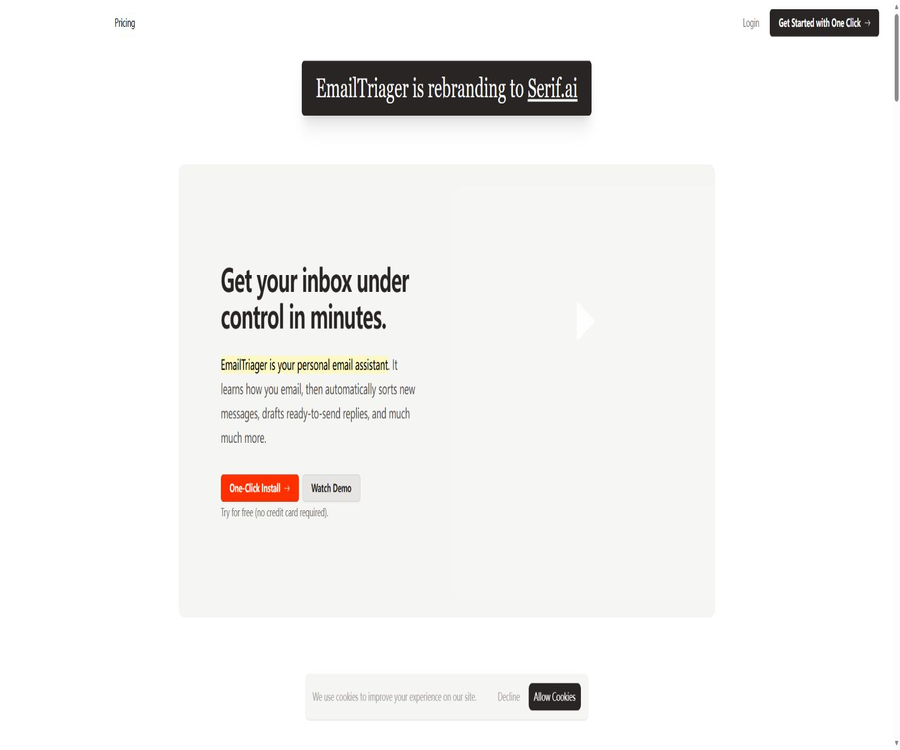
EmailTriager
EmailTriager, an intelligent tool designed with AI in mind.
Tags:AI design toolsA one-sentence summary
EmailTriager is an AI-powered email assistant that connects directly to Gmail; it creates personalized knowledge and tone models based on the user’s past emails, organizes new messages in the background, and generates drafts ready for review, allowing the user to focus on checking and sending emails.
Tool Introduction
EmailTriager is operated by Serif Inc., and its focus is on automating the sorting of emails in the inbox and preparing responses, rather than providing a standalone email client. After installation, drafts appear directly in Gmail, without the user needing to switch applications or install browser extensions.
The system does not send emails on behalf of the user. Regardless of whether the draft comes from past messages, help documents, CSV files, the website, or chat conversations, the recipient, the details, attachments, and any commitments must all be confirmed by the user.
Main functions
Intelligent email sorting
EmailTriager analyzes new emails in the background and routes them accordingly, helping users to determine which messages require a response, follow-up action, or processing. Automatic classification might misjudge the urgency of a message, the identity of the sender, or whether it is spam; therefore, important messages should be checked periodically.
Automatically generate Gmail drafts
When a new email requires a response, the system creates a draft in Gmail that can be viewed directly; according to the website, this draft appears usually shortly after the message arrives. It only creates a draft and does not send it automatically.
True Voice personal tone
True Voice learns the appropriate way to address people, the length of sentences, expression habits, and the ways to conclude messages by analyzing the emails that users have sent in the past. Advanced True Voice, part of the Pro version, allows for more in-depth training using emails from up to two years ago.
One-time historical email training
During setup, the system reads historical emails to create a Knowledge Base; the company states that the original emails read during this training process are not saved. Users can view or delete the Knowledge Base generated as a result of the training.
Context-aware chatting
Essentials and higher versions offer Context-Aware Chat, which allows users to ask questions or make adjustments to drafts in relation to emails, existing knowledge, and current tasks. However, the chat system may still misinterpret references within a conversation thread, old information, or sarcastic tone.
Upload PDF and CSV
Essentials allows the uploading of PDF and CSV files, so that draft documents can refer to product information, policies, or structured data. Before the content of these files is added to the knowledge base, it is subject to checks regarding version control, permissions, and sensitive fields.
Training on public websites
Pro allows one to obtain information about products and services from public websites, thereby reducing the need to upload documents manually. However, website updates, the scope of data extraction, and third-party content can lead to outdated information or the inclusion of unreliable data.
Follow-up Autopilot
Essentials offers automation for follow-up, designed to identify emails that require further contact or a response. Users should set appropriate timing, frequency, and termination conditions to avoid contacting customers again after they have already replied or declined.
Scheduling Autopilot
Pro enhances the automation of schedule management, helping to arrange meeting times via emails. The public version does not list in detail the calendar providers, conflict resolution methods, and time zone rules; it is necessary to verify these details within the account before using it officially.
Multiple accounts and team collaboration
Essentials supports up to 5 personal email accounts, while Pro allows an unlimited number of personal email accounts and enables collaboration with team members. Discounts are available for teams of 5 and 10 members respectively; for teams larger than 20 members, it is necessary to contact sales.
The workflow from letter to draft
- The user authorizes EmailTriager to access a specific Gmail account.
- The system reads historical emails at once to learn an individual’s tone of voice and build a Knowledge Base.
- When a new email arrives, the service determines its category and whether a response is needed in the background.
- When a draft is created, the current thread, True Voice, the knowledge base, and additional materials are combined.
- The generated response is saved in the drafts of the corresponding Gmail thread.
- The user checks the recipient, facts, tone, links, attachments, and commitments.
- Users can modify and send the content themselves, or delete unsuitable drafts.
- The system determines whether it qualifies as an Accepted Draft based on the package rules and includes it in the quota.
Getting started guide
One-click connection to Gmail
- Start a free trial from the official EmailTriager page; no credit card is required.
- Log in using the Gmail account prepared for testing; do not connect to your most sensitive main email account first.
- Read Google’s permission guidelines to confirm the necessary rights for reading, organizing, and saving drafts.
- Let the system train on historical emails and view the resulting Knowledge Base.
- Delete errors, outdated, or sensitive information that you do not want to use in future responses.
- Send several types of representative emails to the test email address, and observe the sorting and draft results.
- After confirming that the service does not send messages automatically, connect more personal email accounts or invite teams.
Review the first batch of automatic drafts
- Find the replies generated by EmailTriager in the Gmail draft folder or in the original thread.
- First, verify that the draft indeed corresponds to the current thread and the correct recipient.
- Check each item: name, amount, date, order, policy, and reference content.
- Confirm that there are no unapproved commitments regarding refunds, discounts, timelines, or legal positions.
- Attach the correct attachments and remove the incorrect description of those attachments.
- After modifying the tone, length, and action items, it is sent by the user themselves.
- Record recurring errors, update the knowledge base, or contact support.
Completely remove the service.
- Disable the draft and sorting features in the EmailTriager account.
- View and delete the Knowledge Base generated from historical emails.
- Revoke authorization from Google Account’s third-party access management.
- Confirm that no new automatic drafts will appear in Gmail.
- Download or save the bills and team configurations that need to be retained.
- Confirm with the authorities the scope and timing of the deletion of accounts, knowledge bases, and logs.
Knowledge base usage guide
Upload PDF and CSV
- List the product, price, policies, and customer fields that are truly needed for responding to emails.
- Only approved and valid PDFs and CSV files should be used; unrelated email exports must not be uploaded.
- Remove ID numbers, complete payment details, passwords, and unnecessary customer privacy fields.
- Use clear names, version dates, responsible persons, and applicable regions for the files.
- After uploading, use real questions to test whether the system can locate the correct fields.
- Check whether the dates, amounts, null values, and customer identifiers in the CSV are interpreted correctly.
- When policies change, delete the old files and retest the representative drafts.
Trained from public websites
- Only the official website controlled by the company, the help center, and the current pricing page are selected.
- Forums, user comments, historical activities, and pages that are no longer maintained are excluded.
- Record the capture range and date, and check whether re-indexing will occur automatically.
- Test high-risk aspects such as product names, prices, refunds, and regional policies.
- Unknown questions are required to be routed for manual processing, so that the system does not attempt to fill in the details on its own.
- After the website is updated, check whether the knowledge base has been synchronized, then restore automatic drafting.
Charging rules for Accepted Drafts
EmailTriager classifies emails that have been sent by the user and in which less than 20% of the text has been modified from the original draft as Accepted Drafts, and it uses the plan’s quota for such emails. Drafts that require significant modifications or complete deletion are not counted toward the Accepted Draft quota.
| Draft handling method | Whether to include Accepted Drafts | Explanation |
|---|---|---|
| Send it as is or with minor modifications. | Include in the calculation | A modification of less than 20% is considered to mean the draft is accepted. |
| Send after modifying by more than 20% | Not included | This indicates that the AI draft was not adopted as the main version. |
| Delete draft | Not included | It will not consume the Accepted Draft quota. |
| Generate only, without sending. | Not included | It is only considered acceptance when the user actually sends it. |
| Systematic classification or scanning of emails | Included in the triage quota | It uses a different measurement standard compared to Accepted Draft. |
This billing method links costs to the actual drafts that are used, but it is also necessary to have clear calculations of the modification percentages as well as a page showing the monthly usage. The team should determine whether factors such as the history of edits, signatures, format, and automatic corrections affect the 20% calculation.
Comparison of package features
| Project | Lite | Essentials | Pro | Pro Unlimited |
|---|---|---|---|---|
| Monthly price | The current public page is not displaying stably. | 20 dollars | 50 dollars | 80 dollars |
| Monthly triage emails | Unverified | Up to 4,000 messages | Up to 7,500 emails | Unlimited expression |
| Accepted Drafts | Unverified | 100 emails per month | 300 emails per month | Unlimited expression |
| Context-Aware Chat | Not confirmed | Includes | Includes | Includes |
| PDF and CSV | Not confirmed | Includes | Includes | Includes |
| Follow-up Autopilot | Not confirmed | Includes | Includes | Includes |
| Scheduling Autopilot | Not included | Not included | Includes | Includes |
| Training on public websites | Not included | Not included | Includes | Includes |
| Personal email account | Unverified | Up to 5 | Unlimited expression | Unlimited expression |
| Support | Standard | Standard | Standards or sales assistance | Dedicated support |
The pricing page clearly states that Essentials includes all the features of Lite, but the current page shows no consistent information regarding the price of Lite or its specific capacity. To avoid errors or assumptions, the details related to Lite should be based on the actual purchase page.
Prices and team discounts
As of August 22, 2026, the publicly listed monthly prices are $20 for Essentials, $50 for Pro, and $80 for Pro Unlimited. A 10% discount is applied when paying annually; a free trial is available without the need for a credit card, though the number of days available for this trial is not specified on the official page.
| Plan | Monthly price | Main limit | Special abilities | Suitable for users |
|---|---|---|---|---|
| Lite | Confirmation on the purchase page | It is not fully publicly available at the moment. | The basic capabilities included in Essentials | Low-frequency individual users |
| Essentials | $ | 4,000 triage letters, 100 Accepted Drafts | Chat, PDF and CSV, follow-up, collaboration, and 5 email accounts | Those who spend a lot of time dealing with emails every day |
| Pro | $ | 7,500 triage letters, 300 Accepted Drafts | Two years of True Voice training, schedule management, website training, and unlimited personal email accounts | High-frequency professionals and entrepreneurs |
| Pro Unlimited | $ | Both Triage and Accepted Draft indicate no limit on quantity. | Exclusive support and early access to new features | Teams and organizations with a high volume of emails |
| Annual payment | 10% discount on the monthly rate | Annual benefits associated with the package | Label indicates 10% savings | Long-term users after verification of stability |
| Team size | Public discount | Explanation |
|---|---|---|
| 1 to 4 people | Team discounts not listed | Settlement is based on the selected package and the actual seats. |
| 5 or more people | 5% | It is necessary to verify whether the applicable plan and annual payment can be used together. |
| 10 people or more | 10% | It is necessary to confirm the rules for changing the billing entity and seats. |
| 20 people or more | Contact sales | Organizational deployment, support, and business terms can be discussed. |
\"Unlimited\" usage still generally requires compliance with rules regarding fair use, system capacity, and prevention of abuse; the public pages do not specify all the boundaries. Before subscribing, it is necessary to clarify matters such as limits on excess usage, reset times, team seats, refunds, downgrades, and how data will be handled after cancellation.
How to choose a package
- Count the total number of emails received each month and the number of emails that truly require a response.
- Estimate the proportion of AI drafts that are sent after minor modifications, rather than focusing only on the number of drafts generated.
- For PDF, CSV, chat, and follow-up needs, start the evaluation with Essentials.
- Choose Pro if you need two years of training in tone management, as well as knowledge of schedules or websites.
- Reassess Unlimited after more than 7,500 triage messages or 300 Accepted Drafts.
- The team first conducts a pilot using a small number of non-sensitive email addresses, and then calculates the total cost of discounts and seats.
- Confirm the trial results, data deletion options, and exit procedures before annual payment.
Which users are it suitable for
- Entrepreneurs and managers: Use Gmail to prepare in advance responses from customers, team members, and partners.
- Consultants and freelancers: Learn to use a personal tone and reduce repetitive communication.
- Sales representative: Organize incoming emails and arrange appropriate follow-ups.
- Customer Success Team: Prepare draft responses by combining product information with CSV records.
- Recruiter: Categorizes candidate emails and assists with scheduling communications.
- Multi-project professionals: Maintain a consistent tone across multiple personal Gmail accounts.
- Small teams: share resources, work together on drafts, and take advantage of team discounts.
Typical use cases
- When a new customer inquires about a product, a draft referencing the current help materials is generated automatically.
- Identify the threads waiting for a response from the other party, and prompt for follow-up at the appropriate time.
- Add plan, date, or order information based on the customer records in CSV.
- Learn advanced personal tone from two years’ worth of historical emails.
- Modify the length, stance, or action items of the chat based on the context of the current email.
- Learn answers to common questions from the public help center.
- Handle new emails uniformly for multiple personal Gmail accounts.
- Collaboratively review responses related to high-value customers or sensitive topics.
Product advantages
- You can directly type the draft into Gmail, without needing to change your inbox or rely on browser extensions.
- True Voice learns an individual’s way of expressing themselves through past emails, rather than relying on fixed templates.
- Only drafts that are actually adopted with less than 20% modifications consume the Accepted Draft quota.
- Keep the manual sending step to prevent the AI from communicating with external parties without confirmation.
- PDFs, CSV files, and public websites can provide additional business knowledge to support the responses.
- Follow-up, scheduling, and contextual chats cover email tasks other than drafts.
- Packages based on an increasing volume of emails are available, as well as group discounts.
- Officials state that it has undergone audit by a third party designated by Google and received CASA Tier 2 recognition.
Usage restrictions and precautions
- The current core integration is focused on Gmail; no official support for Outlook or other email services has been confirmed.
- The system needs to read historical and new emails; therefore, the enterprise must first assess the scope of authorization and the data policies.
- AI drafts may fabricate prices, dates, policies, individuals, attachments, or commitments.
- Automatic classification may miss urgent, security, legal, HR-related, or high-value emails.
- When a knowledge base is created from historical emails, it may retain outdated habits and incorrect facts.
- Uploading PDFs, CSV files, and websites will increase the amount of sensitive data that can access the system.
- The 20% threshold for Accepted Drafts may not always correspond to the quality of the drafts as perceived by users.
- The current price and quota of Lite are not fully displayed in the public retrieval results.
- There is no fixed number of days for the free trial; this should be confirmed on the registration page before starting it.
- Unlimited may still be subject to fair use and anti-abuse restrictions.
- CASA Tier 2 is a specific security assessment for Google Cloud applications; it is not equivalent to SOC 2, ISO, or any industry compliance standards.
Email sending security check
- Verify that the reply is sent to the correct thread, sender, and all recipients.
- Check whether the address, name, position, and company originate from the current email.
- Check the amounts, dates, time zones, orders, as well as policy and legal terms.
- It has been confirmed that no information from other clients, internal chats, or training emails has been leaked.
- Check that the mentioned attachments indeed exist and are in the correct version.
- A second person is required to review matters related to refunds, contracts, personnel, security, and finance.
- Delete any unnatural, repetitive, or unauthorized promises before resending.
Privacy and security
To learn about tone and to generate drafts, EmailTriager needs to read the user’s past emails as well as new email threads. The company states that the emails read during training are not saved or stored; instead, the relevant information is compiled into a Knowledge Base that the user can view and delete.
The official website also states that emails will not be used to train general AI models; individual models are accessible only to the users themselves, and they have received CASA Tier 2 certification as a result of security audits conducted by third parties designated by Google. The public pages do not provide complete information regarding privacy policies, data retention practices, sub-processors, or the locations where data is stored across borders; further details are required when purchasing services from this company.
| Data or control | Official public statement | Still needs to be confirmed. |
|---|---|---|
| Historical emails | Read the original email during training but do not save it. | Temporary processing time, logs, and backups |
| Knowledge Base | Save the information needed for training; it can be viewed and deleted. | Delete completion time and backup clearance |
| New email thread | Used for classification and drafts | Keep the main text, AI service providers, and access scope |
| Generate draft | Written to Gmail for user review | Whether the platform retains copies and for how long |
| PDF and CSV | Used for knowledge training | Storage area, encryption, and team permissions |
| Public website | Pro is trainable | Re-crawling frequency and deletion mechanism |
| General model training | Officials say it will not be used. | Third-party model contracts and exceptions |
| Safety assessment | CASA Tier 2 | Evaluation date, scope, and ongoing validity |
Checks before enabling the enterprise
- Specify the Gmail accounts and departments that are allowed to connect, as well as the categories of data that cannot be processed.
- Review Google OAuth permissions, as well as the processes for administrators to approve and revoke them.
- Request the current privacy policy, terms of service, data processing agreement, and list of sub-processors.
- Specify the retention period for confirmation emails, knowledge bases, drafts, logs, backups, and deletion requests.
- Confirm the country where data is stored, cross-border mechanisms, encryption, and employee access controls.
- Use masked test emails to verify sorting, drafts, deletion, and authorization revocation.
- Establish manual escalation rules for legal, medical, financial, HR, and security emails.
Supported platforms
| Platform or capability | Support status | Explanation |
|---|---|---|
| Gmail | Support | Core connection and draft writing platform |
| Google Workspace | May support | For corporate accounts, it is necessary to verify the administrator permissions and organizational policies. |
| Web backend | Support | Used for account, knowledge base, package, and team management |
| Chrome extensions | It’s not necessary. | The product operates in the background via a Gmail connection. |
| Outlook | Not verified. | The official website currently does not provide any official support instructions. |
| Apple Mail | Not verified. | There are no instructions for public connections. |
| Mobile apps | Not verified. | There are no separate iOS or Android apps. |
| PDF and CSV | Essentials and above | As input for the knowledge base |
| Public websites | Pro and above | Used for training business knowledge |
APIs, GitHub, and open source status
As of the date of verification, the EmailTriager website does not provide any public developer APIs, SDKs, Webhooks, or official GitHub repositories. The email classification projects and AI tools that bear the same name and were found online cannot be considered as the source code for the EmailTriager product.
| Project | Current conclusion | Explanation |
|---|---|---|
| Public API | Not verified. | No endpoint, authentication, quota, or pricing documentation |
| Official SDK | Not verified. | There are no public installation packages or instructions regarding the development language. |
| Webhook | Not verified. | There are no public instructions for integrating events. |
| Official GitHub | Not verified. | The product warehouse maintained by Serif Inc. has not been detected. |
| Product source code | Not open | The backend services of Gmail are proprietary commercial products. |
| Private deployment | Not disclosed | There is no description of self-hosted or local models. |
Basic information
| field | Content |
|---|---|
| Tool name | EmailTriager |
| Operating company | Serif Inc. |
| Tool type | AI email sorting, automatic drafts, and Gmail Assistant |
| Core technology | True Voice and the email Knowledge Base |
| Main platforms | Gmail |
| Installation method | Connect with just one click using a Google account; no browser extensions are required. |
| Automatic sending | Not supported; the user must review it before sending. |
| Price pattern | Free trial, monthly payment, annual payment, and team discounts |
| Public monthly price | Essentials is 20 dollars, Pro is 50 dollars, and Pro Unlimited is 80 dollars. |
| Annual payment discount | 10% |
| Try a credit card | It’s not necessary. |
| Public API | Not verified. |
| Official SDK | Not verified. |
| Official GitHub | Not verified. |
| Is it open source? | No |
Recommendation score
Its rating is 4.2 out of 5 points. EmailTriager allows for sorting and personalized replies to be added to Gmail without the need for any browser extensions; it also enables linking usage data to the actual drafts used, making it suitable for individuals and small teams with a steady volume of emails.
The main drawback is that it only supports Gmail; the details regarding Lite version, trial period, and privacy settings are not clear, and no public API is available. Before connecting to real email accounts, enterprises should first use masked accounts to test aspects such as draft quality, document deletion, authorization revocation, and procedures for handling high-risk emails.
Frequently Asked Questions
What is EmailTriager?
It is a Gmail AI assistant that learns the tone of past emails, sorts new messages in the background, and generates draft replies for review.
Is it necessary to install a Chrome extension?
It’s not necessary. EmailTriager operates in the background via a Google account, and drafts appear directly in Gmail.
Will it send an email automatically?
No. The system only creates drafts; the user must review them, make changes, and then send them manually.
What is an Accepted Draft?
If a user sends a system draft and makes fewer than 20% changes, it is considered an Accepted Draft. Drafts that undergo significant modifications, are deleted, or are not sent at all are not included in this quota.
Is EmailTriager free?
A free trial without the need for a credit card is available, but the official website does not specify the duration of this trial. For long-term use, it is necessary to choose either the Lite version or one of the paid plans available.
How much is Essentials?
Essentials costs $20 per month and includes up to 4,000 triage emails, 100 Accepted Drafts, chat functionality, support for PDF and CSV formats, follow-up services, and 5 personal email accounts.
What is the difference between Pro and Unlimited?
Pro costs $50 per month and includes 7,500 triage messages, 300 Accepted Draft messages, as well as two years of tone training, schedule management, and website training; Pro Unlimited costs $80 per month, with unlimited usage for the two mentioned services.
Are team discounts available?
Supported. For groups of 5 or more people, the discount is 5%; for groups of 10 or more, it is 10%. For groups of 20 or more, it is necessary to contact sales. Whether this discount can be applied in addition to an annual payment should be confirmed before settlement.
Is Outlook supported?
The current official website gives priority and explicit support to Gmail; there is no confirmation that Outlook has been officially integrated. Outlook users should not make purchases until this is verified.
Will historical emails be saved?
Officials state that the original emails accessed during training are not saved; the information needed is stored in a Knowledge Base that can be viewed and deleted. Details regarding complete technical retention and backup procedures still need to be confirmed with the officials.
Will the emails be used to train general models?
The official website states that user emails will not be used to train general AI models, and only users can access their own private models. Companies should demand that this commitment be clearly specified in the data processing agreements.
What does CASA Tier 2 represent?
It indicates that the product has undergone a security assessment of its cloud applications by a third party designated by Google. It is not equivalent to all industry certifications, nor can it replace an organization’s own security reviews.
Are APIs or open-source code available?
Since no public API, SDK, Webhook, or official GitHub repository has been identified, the product should be considered a commercial, closed-source service.
What will happen to Gmail after it is removed?
Officials state that users can remove EmailTriager at any time; thereafter, Gmail will return to normal operation and no new drafts will be created. Users should also revoke the permissions associated with their Google account and ensure that the relevant database entries are deleted.
Summary
EmailTriager integrates email training, intelligent sorting, and personalized drafts directly into the Gmail interface, reducing the need for users to switch between different tools. The pricing model of Accepted Drafts is also a better reflection of the actual value it provides, as it is based on usage rather than just the number of drafts created.
Before making a choice, it is necessary to calculate the appropriate package based on the monthly volume of triaged documents and accepted drafts, and to check the limits applicable to the Lite, trial, team, and unlimited plans. All automatic drafts must undergo checks regarding the content, recipients, attachments, and commitments; in addition, sensitive emails require a thorough assessment of privacy and security.
Tools similar to EmailTriager



 Guigong Network Security Registration No. 45132202000164