






Diaflow
Diaflow: an intelligent tool focused on AI-driven design.
Tags:AI design toolsA one-sentence summary
Diaflow is a code-free platform for AI agents and workflow automation; users can connect models, data, documents, and business applications within a visual interface, and then publish the resulting processes as automated tools, internal applications, public services, chatbots, or callable interfaces.
Tool Introduction
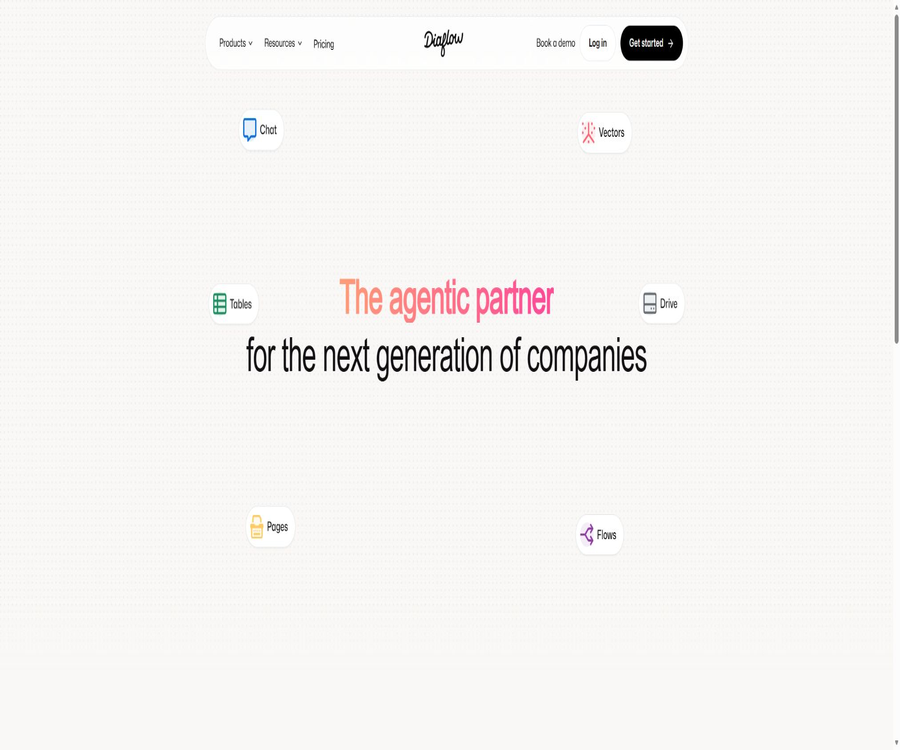
Diaflow is operated by Diaflow Pte. Ltd.; it was founded in 2024. Its products are intended for teams responsible for operations, marketing, sales, human resources, finance, development, as well as for those working on enterprise digitalization. It brings together productivity tools such as Flow Builder, Agentic Chat, along with components like Tables, Pages, Drive, and Vector, in a single workspace.
The platform is suitable for business professionals who do not know how to program; it also allows developers to incorporate Python scripts, external interfaces, and Webhooks. Different pages on the official website use various figures to indicate the number of integrations – such as over 200 native connections or more than 1,000 integrations – and when making a choice, it is important to consider whether the available component library includes the components needed for the specific application.
Core product components
| Products | Main function | Typical input | Output or purpose |
|---|---|---|---|
| Flow Builder | Designing Agents and Automation | Triggers, nodes, conditions, and data | Executable workflow |
| Agentic Chat | Interact with models, data, and multiple agents | Tips, files, images, and knowledge base | Text, images, audio, video, and task results |
| Diaflow Tables | Save structured business data | Form, API, Webhook, and Agent results | Collaborative data tables |
| Diaflow Pages | Pages for editing and generating content | Text, AI content, and process data | Documents and business pages |
| Diaflow Drive | Centralized management of files and media | Documents, images, and process attachments | Workspace file assets |
| Diaflow Vector | Establish a semantic knowledge base | Documents, FAQs, catalogs, and internal knowledge | Search enhancement and context |
| Interfaces | Provide a user interface for operations. | Forms, chats, and custom fields | Internal or public use |
| Workspace | Management Team, Integration, and Governance | Members, roles, keys, and usage | Permissions, auditing, and monitoring |
Main functions of Flow Builder
Visual drag-and-drop canvas
Users can describe triggering, processing, decision-making, looping, and output using nodes and connections, without the need to remember programming syntax. The new version of the canvas features a vertical branching layout, and offers functions such as translation, scaling, automatic organization, and a right-click component library.
Natural language generation process
Users can directly describe the objectives, allowing Diaflow to automatically assemble the workflow nodes. For example, they can specify the requirements for enriching the data upon receipt of a lead, assigning scores, and notifying the team; thereafter, the users can review the connections, fields, and error handling.
Python code node
Developers can add Python nodes to the workflow in order to create custom transformations, calculations, algorithms, or calls to external services. These nodes allow for the use of hand-written scripts or uploaded Python files, and they can reference the outputs of previous nodes.
Parallel and sequential execution
The new version of Flow Builder allows independent models, data queries, or sub-tasks to run in parallel, with the results being aggregated later on. Steps that rely on one another must still be executed in sequence; however, these two types of elements can be combined within the same workflow.
Conditions, loops, and error handling
The process allows for filtering data based on conditions, processing items in loops, and setting strategies for stopping, skipping, or retrying tasks. The external request node currently supports up to 3 retries with intervals of 1 to 5 seconds; for critical operations, it is still necessary to implement idempotent mechanisms and compensatory actions.
Reusable sub-processes
\"Run Another Flow\" allows the parent flow to synchronously invoke sub-flows that have already been published within the same workspace, and to pass on the inputs and outputs. Sub-flows are not allowed to contain restricted nodes such as branches, loops, delays, or further calls to other sub-flows.
Versioning, Auditing, and Governance
The Flow Builder official website lists version control, role-based access, and audit logs, with an emphasis on observability for production environments. Business adds team and role management, as well as Governance and Monitoring Dashboards.
Agentic Chat and multi-agent systems
Diaflow Chat can be connected to knowledge bases, Web searches, files, and various AI models, allowing it to handle text, image, audio, and video tasks within the same interface. The Intelligent Mode selects the appropriate model based on the complexity of the task, while the multi-agent mode divides tasks among roles such as research, writing, and editing.
- Model routing is performed based on task complexity, context, and intent.
- Break down complex goals into sub-tasks and assign different Agents to carry them out in collaboration.
- When necessary, add Human-in-the-loop checkpoints to have humans verify critical steps.
- Upload files or reference the Vector knowledge base to provide business context for the answers.
- Analyze, describe, or summarize images, and it is also possible to create creative content such as images.
- Voice, short videos, and content in various formats can be generated during chats; the specific models required for this purpose consume different amounts of credits.
- The available capacity and the range of data in the workspace can be controlled through personalization and model settings.
Productivity Suite
Diaflow Tables
Tables represent a structured data layer that enables the reading and writing of processes; it can be automatically populated via forms, interfaces, Webhooks, and Agents. Teams can work together in real time, and access to business data is controlled through role-based permissions.
Diaflow Vector
Vector converts documents, FAQs, product catalogs, and internal wikis into vector knowledge bases that enable agents to perform semantic searches. Users can adjust chunking methods, embedding models, and search parameters to suit use cases such as customer service, contract review, or sales support.
Diaflow Drive and Pages
Drive is used for storing documents, media files, and attachments related to processes in a centralized manner, while Pages is used for creating and editing business-related content. The website indicates that features such as change tracking in Drive and secure team sharing are coming soon, so they should not be considered fully available yet.
Supported models and connections
| Category | Examples listed by the authorities | Uses |
|---|---|---|
| Large language models | OpenAI, Anthropic, Google Gemini, Meta Llama, Cohere, Mistral, OpenRouter, and Perplexity | Generation, analysis, reasoning, and Agent tasks |
| Voice and Media | ElevenLabs, Replicate, and video/audio tools | Voice, image, and video workflows |
| Communication | Slack, Microsoft Teams, Telegram, WhatsApp Business, and Discord | Notifications, conversations, and collaboration |
| CRM and customer service | HubSpot, Salesforce, Intercom, Zendesk, and Freshdesk | Automation of customers, sales, and support |
| Documents and storage | Google Drive, OneDrive, Dropbox, Notion, and Google Docs | File and knowledge flow |
| Tables and items | Google Sheets, Airtable, Asana, and Monday | Data, tasks, and collaboration |
| Database | PostgreSQL, MySQL, Microsoft SQL, MongoDB, and Snowflake | Reading and writing business data |
| Finance | QuickBooks and Xero | Accounting and reconciliation workflow |
| Universal connection | Webhooks, external requests, SMTP, and Python | Connecting systems that lack native nodes |
Models and third-party applications are constantly changing, and their presence in the component catalog does not mean that the current package automatically includes costs related to external services. When using public BYOK models, the data is processed by the respective model providers; whereas when using Diaflow’s private model nodes, the data is handled in accordance with their rules regarding hosting and privacy.
The complete manner in which the workflow operates
- Choose from the Automation, Apps & Tools, or AI Agent and Chatbot categories; you can also start using templates or natural language.
- Use configuration forms, scheduled tasks, Webhooks, chat, or application events as triggers.
- Add nodes for models, data, documents, conditions, loops, code, and third-party applications.
- Use variables to reference previous outputs, and distinguish between branches that need to be executed sequentially and those that can be processed in parallel.
- Set credentials, timeout, retry, skip, and failure-stop policies for external services.
- Enter test data in Preview to view Flow Diagnostics and the output of each node.
- It can be released as an internal application, a public application, or an API, with access and password protection in place.
- After going live, check the history, points consumption, errors, permissions, and business results, before proceeding with version updates.
Create the first Diaflow process
Step 1: Select the process type
When creating something new, one can choose between automation, application tools, or AI Agents and chatbots; it is also possible to let AI generate a preliminary draft based on a natural language statement. For the first time, it is recommended to select a small task for which both the input and the output can be easily verified.
Step 2: Configure nodes
- Add a Trigger and define short text, long text, files, options, or other input fields.
- Select a model, data source, or business application from the component library and connect it to the trigger.
- In the downstream nodes, the output from the previous step is referenced through the variable menu, thereby avoiding the need to manually copy fixed values.
- When custom logic is required, add a Python node or use external requests to connect to services that are not available.
- Add an Output and specify the fields, text, files, or media that will be returned to the user.
- Set failure strategies and retry options; after saving, run a set of normal and abnormal tests first.
Step 3: Publish the application
- Check that there are no errors in the canvas, and verify the input, output, and integral consumption in the preview.
- Click Publish, and choose either an Internal App accessible only to logged-in members or a Public App that can be shared.
- Public applications allow for customization of the title, description, icon, cover image, colors, as well as the display of input and output values.
- When it is necessary to restrict access, set a password and avoid exposing internal data on public pages.
- When a program call is required, select Run via API to view examples in Python, JavaScript, or the command line.
- Test with unauthorized visitors and different team roles before officially sharing or integrating with the business system.
Typical example: Video summary process
The official introductory tutorial uses a YouTube summary to demonstrate the entire process: the user enters the video address, the YouTube node extracts the subtitles, the model node generates a summary, and finally the Output section displays the result. This process is applicable only to videos that have extractable subtitles.
- Create a video address input field in Trigger.
- Add a YouTube node and have the address parameter reference the Trigger output.
- Add a model node to have the prompt reference the subtitles generated by the YouTube node.
- In Output, choose to display video information, subtitles, or generate a summary.
- Run and check Flow Diagnostics to verify that the subtitle language and summary are accurate.
- It can be released as an internal, public application, or interface, with usage controlled in accordance with copyright and privacy requirements.
Which users are it suitable for
- Business operations staff: Use visual workflows to connect tables, messages, forms, and internal systems.
- Marketing team: Automatically handles the enrichment of leads, content creation, distribution of campaigns, and summary of results.
- Sales team: Combine CRM events, research, ratings, and Slack notifications into a lead workflow.
- Human Resources team: Handles candidate information, arranges interviews, extracts documents, and responds to employee inquiries.
- Finance team: Connects databases, spreadsheets, and accounting tools to carry out reconciliation and anomaly checks.
- Customer service team: Uses a knowledge base and chat agents to handle common questions and forwards those that require human intervention.
- Developer: Use Python, Webhooks, generic requests, and workflow interfaces to expand the product.
- Enterprise managers: Achieve cross-departmental automation through governance based on roles, versions, auditing, and monitoring.
Typical use cases
- New leads are entered into CRM, where additional information is added, a rating is assigned, and the sales team is notified.
- Extract fields from PDFs and emails, and write them into a Table or an enterprise database.
- Have multiple agents work in parallel to research, write, and review a structured report.
- Build a Q&A assistant for customers or employees using the Vector knowledge base.
- Read financial data at regular intervals, check for any abnormalities, and then send approval notifications.
- Create content in various formats such as marketing copy, images, voiceovers, and short videos.
- Encapsulate internal processes as form applications for reuse by non-technical teams.
- Provide a publishing process interface that allows existing websites or applications to leverage AI processing capabilities.
- Listen to business events via Webhook and synchronize data across multiple systems.
Product advantages
- It offers three methods of construction: drag and drop, natural language, and Python, catering to both business users and developers.
- The new canvas supports parallel branches, making it suitable for multiple model calls and multi-Agent tasks.
- The same platform can be used to create automated applications, interactive applications, and chat agents simultaneously.
- Tables, Drive, Pages, and Vector reduce external dependencies on basic data and knowledge components.
- The public component catalog includes models, communication tools, CRM systems, databases, documentation tools, and financial tools.
- Even in the absence of a native connection, it is still possible to use generic requests, Webhooks, and Python extensions.
- The process can be published as an internal page, a public application, or an API, offering flexible delivery options.
- Business includes teams, roles, governance, and monitoring, and is suitable for multi-user production environments.
Usage restrictions and precautions
- The process of natural language generation still requires manual verification of field mapping, permissions, anomalies, and the risk of repeated executions.
- AI models may produce factually incorrect or unstable outputs; human oversight should be included for critical decisions.
- Points are consumed based on various units such as tokens, characters, images, processing time in seconds, or application requests; it is difficult to estimate the cost of complex processes solely based on the number of executions.
- Monthly points are reset according to the package; once they are used up, it is necessary to purchase additional points or wait until the next cycle.
- Parallel branches reduce waiting times, but they may simultaneously increase the usage of the model, database, and third-party interfaces.
- Public applications may be accessed anonymously; passwords, limits, and data permissions should be used to prevent abuse.
- Sub-processes do not support branching, loops, delays, or nested sub-processes; complex reuse requires redesign.
- Some of the collaboration features in Drive are still marked as upcoming, and do not function as expected in a mature file management system.
- Changes to the interfaces of external applications, expired permissions, and rate limits can cause the process to fail.
- The number of integrations, compliance requirements, and package details vary across different pages of the official website; purchases should be based on the contract and the actual working environment.
How to calculate the integral
| Unit of measurement | Applicable nodes | Main calculation basis | Suggestions for cost control |
|---|---|---|---|
| Token | Text generation models | The input and output Tokens are multiplied by their respective score coefficients. | Shorten the context and limit output. |
| characters | AI nodes with pricing based on text length | Output the integration coefficient multiplied by the number of characters | Set a maximum length limit |
| Image | Image generation node | Integral of a single image multiplied by the number of generations | Preview at low resolution first |
| seconds | Tasks with longer durations, such as audio and video. | Integral per second multiplied by processing time | Trim irrelevant segments |
| Request | Third-party application node | Each execution by a node consumes a fixed amount of points. | Process in batches and reduce redundant calls |
The workspace displays in the component list the nodes and metrics that require points to be spent, and users can also view the usage amount for each process. Additional point packages are available in ranges from 4,000 to 1.2 million; the current price for each package is not clearly stated in the official documentation – the price shown on the payment page should be taken as reference.
Prices and packages
The following are the official annual subscription prices as verified on August 22, 2026; the page indicates that an 20% savings is available with an annual subscription. Basic provides a way to start using the service, but it does not show the exact amount or the full scope of the benefits in the public price information, so it cannot be considered a free subscription package.
| Package | Annual equivalent monthly price | Integration | Processes and storage | Key capabilities | Suitable for users |
|---|---|---|---|---|---|
| Basic | It is not displayed on the public page. | It is not displayed on the public page. | Personal development tools and basic capabilities | A \"Get Started\" option is provided. | First experience |
| Pro Starter | $ | 4,000 points per month | 100 processes, 10GB of file storage | Flow Builder, Vector, Agentic Chat, and advanced models | Individuals and advanced projects |
| Pro | $ | The page offers options for selecting amounts. | 100 processes, 10GB of file storage | Flow Builder, Vector, Agentic Chat, and advanced models | Individual experts and small teams |
| Business | $ | Fixed values are not listed in the public summary. | No process restrictions, 50GB for files, 10GB for vector databases | Includes built-in models, team roles, governance and monitoring, as well as email support. | Medium-sized enterprise team |
| Enterprise | Contact sales | Customization | For scalable complex processes | Advanced governance, management, and customization options | Large organizations |
The official website also offers a monthly payment option, but the text on the current public page does not clearly display the amounts associated with each monthly payment plan. When making a purchase, it is necessary to check the payment cycle, the actual points available, the user’s account status, vector storage options, any excess usage rules, as well as the costs related to third-party models and taxes.
Subscription, trial, and cancellation
| Project | Public rules | Precautions |
|---|---|---|
| Annual payment discount | The page label indicates a 20% savings. | Payment is made on an annual basis rather than being canceled on a monthly basis |
| Extra points | A variety of Credit Packages are available for purchase. | Additional points start to be used only after the monthly points are exhausted. |
| Free trial | Some services may be available. | Charges will be deducted automatically after the trial period ends. |
| Automatic renewal | Subscription is automatically renewed on a recurring basis. | It should be canceled before the next billing date. |
| Cancel | The account or subscription can be canceled at any time. | The terms state that cancellations generally do not entitle the customer to a refund. |
| Unused time | No refunds or exchanges available. | The actual process validation must be completed before annual payment. |
Supported platforms
| Platform | Support status | Explanation |
|---|---|---|
| Web browser | Support | Complete Flow Builder, Chat, workspace, and management capabilities |
| iPhone | Support | iOS 16.4 or higher is required. |
| iPad | Support | iPadOS 16.4 or a later version is required. |
| Mac with Apple chip | Supports running mobile applications | macOS 12.0 or later and an M1 or newer chip are required. |
| Apple Vision | Support | VisionOS 1.0 or a higher version is required. |
| Android | It was not confirmed during this verification in the official app store. | The information on the official website and the current page of Google Play shall prevail. |
| API call | Support | After the release process is completed, examples of usage in Python, JavaScript, and via the command line can be viewed. |
Data privacy and security
The Diaflow website states that Flow Builder features role-based permissions, audit logs, and an SOC 2-ready infrastructure; the help center’s FAQ mentions that GDPR and CCPA are supported by default, while SOC 2 Type II and HIPAA are available for enterprise users. When making a purchase, it is important to distinguish between systems that are \"ready\" for use and those that have already obtained official certifications, and to request current proof of such certifications.
- The private model nodes are hosted by Diaflow in the AWS and Azure environments in the United States, and the company states that it does not share conversation data directly with external model providers.
- The public BYOK model hands the data over to the respective model provider for processing, in accordance with its account rules, regional regulations, and retention policies.
- Business offers teams, roles, governance, and monitoring; Enterprise enables further customization regarding compliance and deployment.
- The workspace stores third-party connection credentials in a centralized location; the least necessary permissions should be used, and these credentials should be rotated regularly.
- The iOS privacy disclosure states that contact information, user content, and diagnostic data may be linked to an individual’s identity.
- Public applications should restrict access to sensitive data, and it is necessary to test whether anonymous users can read internal Vectors or Tables.
- When dealing with medical, financial, or employee data, it is necessary to obtain information regarding the DPA, sub-processors, jurisdictions, as well as the procedures for retention and deletion.
- External requests and Python nodes are able to send data to any service; the organization should exercise control through auditing and code reviews.
APIs and developer capabilities
The Diaflow process can be made available as an API endpoint, and the platform generates examples for calling it in Python, JavaScript, and from the command line for each such process. The workspace also provides API key management, allowing users to view the key’s name, creation date, last usage time, and number of times it has been used.
| Development capability | Current status | Explanation |
|---|---|---|
| Run via API | Support | Integrate the published processes into a website or application |
| API Keys | Support | It is possible to create, view, and delete workspace keys. |
| Webhook Trigger | Support | Start automation from external events |
| Universal request node | Support | Connecting to external services that lack native components |
| Python node | Support | Run custom scripts within the process |
| Call example | Python, JavaScript, and command line | It is an example of an interface and does not constitute a standalone SDK. |
| Public SDK | No verifiable, complete official SDK was found. | Do not mistake the example code for an SDK product. |
Interface release process
- Complete the process and verify the input, output, permissions, and failure behavior in Preview.
- Release the process and select Run via API to view the current interface documentation.
- Create a workspace API key with a clear purpose, and store it only on the server side.
- Submit input according to the example, and handle successful processing, timeouts, limits, and error responses.
- Add authentication, replay protection, rate limiting, and log anonymization to the calls.
- Monitor the last usage time and frequency of the key; if any abnormalities are detected, delete it and generate a new one.
GitHub and open source
The Diaflow.io platform is a commercially hosted service; no complete official open-source repository or product license belonging to Diaflow Pte. Ltd. has been found. The public website, the API interfaces, the Python nodes, and the example calls do not indicate that the source code of the platform is available publicly.
On GitHub, there is a project with the same name, Diaflow, which is designed to enable multiple AI agents to create architecture and UML diagrams; its operators and product scope differ from those described in this entry. The directory should not list this third-party repository as the official source code for Diaflow.io.
Basic information
| Project | Information |
|---|---|
| Tool name | Diaflow |
| Development company | Diaflow Pte. Ltd. |
| Date of establishment | 2024 |
| Tool type | Code-free AI Agents, workflow automation, and internal application development |
| Construction method | Drag and drop, natural language generation, and Python nodes |
| Main products | Flow Builder, Agentic Chat, Tables, Pages, Drive, and Vector |
| Publication method | Automation, internal applications, public applications, chatbots, and interfaces |
| Price pattern | Points for reading, annual payment discounts, additional points, and corporate quotes |
| Public minimum clear price | Pro Starter, with an annual payment, amounts to 16 dollars per month. |
| Mobile version | iPhone, iPad, Macs with Apple chips, and Apple Vision |
| API | Supports publishing process interfaces |
| Official SDK | No complete and publicly available SDK was found. |
| Is it open source? | No |
Recommendation score
Its rating is 4.3 out of 5 points. Diaflow offers capabilities such as visual workflow creation, flow definition via natural language, Python extensions, Agentic Chat, and built-in data components; it also allows the results to be published as applications or APIs, giving it a more comprehensive set of functions compared to single-purpose automation tools.
The main drawback is that the calculation of points is complex; different pages on the official website use varying criteria for integration and compliance, and the pricing information provided does not clearly show the available credit limits for monthly payments, as well as for the Basic and Pro plans. Formal purchases should be verified item by item through the workspace and the contract.
Frequently Asked Questions
What is Diaflow tool?
It is a visualization platform used for creating AI Agents, as well as for automating processes and developing internal applications. Users can connect models, databases, documents, and business applications, and they can build workflows by using drag-and-drop methods, natural language commands, or Python.
Is Diaflow free?
The official website offers a \"Get Started\" option for the Basic version as well as a way to start using it for free; however, the prices listed there do not clearly indicate the cost of the Basic version or the full subscription fee. The catalog should not imply permanent free access – one should check the actual pricing for the workspace after registration.
What is the current lowest explicit payment price?
The Pro Starter plan, when paid annually, costs $16 per month; it includes 4,000 points per month, 100 workflows, and 10GB of file storage. It is billed on an annual basis, so it’s not a plan with a flat monthly fee of $16.
How are points spent?
Different nodes are billed based on the number of tokens, characters, images, processing seconds, or requests. The monthly points are reset according to the package chosen; any additional points purchased will start to be used once the monthly points are exhausted.
Which AI models are supported?
The official list includes OpenAI, Anthropic, Gemini, Llama, Cohere, Mistral, OpenRouter, Perplexity, and ElevenLabs. The available models and their corresponding scoring factors may change depending on the package and updates.
Is it possible to connect one’s own model key?
Business explicitly lists “Connect Your Own AI Models”; some public model nodes also adopt the BYOK approach. Data handled under BYOK is processed by the respective supplier, and this may incur additional costs for custom models.
Can it be released as an API?
Yes, the published processes can be executed via APIs, and examples in Python, JavaScript, and the command line are provided. The caller is still responsible for protecting the keys, limiting the execution rate, and handling errors as well as insufficient credits.
Does Diaflow have a mobile app?
There is an official Apple app available, compatible with iPhone, iPad, Macs equipped with Apple chips, and Apple Vision. A complete workflow design is still more suitable for the web; the specific features of the mobile app should be based on the current version.
Is Diaflow open source?
It is not open-source, and no official complete source code repository for the main platform has been found. The GitHub project with the same name is not the automation platform developed by Diaflow Pte. Ltd.
Will the data be sent to the model provider?
When using Diaflow’s private model nodes, the company states that it will not share data with external model providers; whereas when public BYOK nodes are used, the data goes into the environment of the respective provider. Workflow designers must make distinctions based on the type of node used.
Is it suitable for a production environment?
It can be used for production automation, but version control, permissions, error handling, monitoring, and manual inspection are required. Processes involving payments, deletions, compliance assessments, or customer-sensitive data should not operate in a fully autonomous manner without approval and compensation mechanisms in place.
Summary
Diaflow integrates agents, automation, chat functions, data tables, files, and vector knowledge bases within the same workspace; it allows business users to build applications by dragging and dropping elements, while also preserving the possibility of using Python and various interfaces for expansion. Parallel canvases and multiple agents are particularly suitable for processes that require collaboration among multiple models and systems.
When making a choice, it is first necessary to conduct a brief test to assess integration, accuracy, error handling, and stability; only after that can one decide between Pro Starter, Pro, or Business. For public applications, external models, and sensitive data, separate permissions, notifications, and auditing measures are required – it is not sufficient to rely on the default settings.
Tools similar to Diaflow



 Guigong Network Security Registration No. 45132202000164