






Chatwith
Chatwith, an intelligent tool focused on AI-driven design
Tags:AI design toolsWhat is Chatwith?
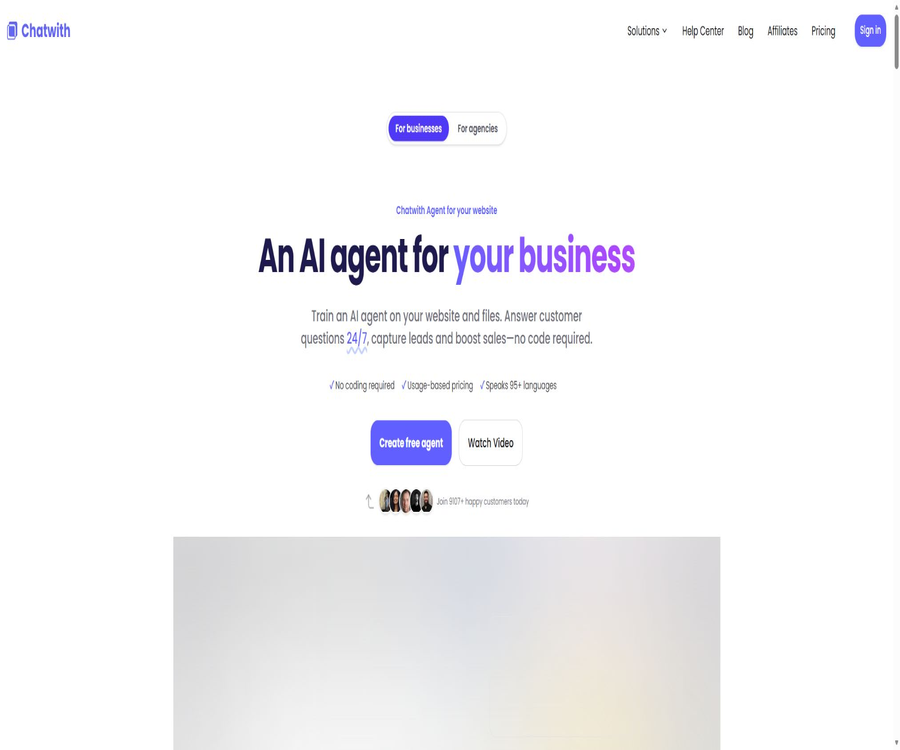
Chatwith is a code-free AI agent platform designed for website customer service, sales conversion, and business automation. Users can use websites, knowledge bases, YouTube videos, and files as sources for training, and then deploy these agents on web pages, messaging platforms, or their own applications.
It not only answers knowledge-based questions but also enables the retrieval of real-time data or the execution of tasks through AI Actions, APIs, Webhooks, MCP, and automation platforms. The product is operated by DiCarlo Software Solutions LLC and is available for use by individuals, businesses, and agents.
A one-sentence summary
Chatwith enables the transformation of corporate data into multilingual AI customer service agents, and it uses website components, Slack, WhatsApp, Telegram, and APIs to connect customers with business systems.
Main functions
Train agents using websites and files
Chatwith can read websites, help centers, knowledge bases, YouTube content, and various file types; the official website specifies formats such as PDF, DOCX, and TXT. The amount of data available for use is Unlimited for all available plans, but the total number of characters that can be processed varies depending on the plan chosen.
| Knowledge materials | Support status | Appropriate content | Precautions |
|---|---|---|---|
| Websites and knowledge bases | Support | Product page, help articles, and policies | Duplicate, expired, and conflicting pages should be deleted. |
| Support | Manuals, reports, and service instructions | The scanned document must first have its text extracted for verification. | |
| DOCX | Support | Internal documents and drafts | Complex formatting may affect paragraphing. |
| TXT and other files | Support | Plain-text knowledge and FAQs | The specific format and size shall be as indicated on the upload interface. |
| YouTube | Support | Tutorials, interviews, and product demonstrations | The quality of the response depends on the accuracy of the subtitles. |
Website chat component
Agents can appear as pop-up bubbles in the corners of a page, or they can be embedded in specific locations on a webpage. The developers provide installation guides for platforms such as WordPress, Webflow, Wix, Shopify, and Framer; usually, all that is required is to add a piece of code.
Over 95 languages
Chatwith supports over 95 languages, making it suitable for providing the same knowledge services to visitors from different regions. The language capabilities depend on the model chosen, the source materials, and industry-specific terminology; Chinese, mixed languages, and professional abbreviations need to be tested separately.
Multiple models and reasoning strength
Administrators can switch models without having to retrain the knowledge materials, and they can set the level of reasoning intensity according to the task at hand. The model selector indicates the capabilities in terms of vision, reasoning, and file handling, and it also shows the relative cost in terms of message processing.
| Current model | Points awarded each time the AI responds | Positioning |
|---|---|---|
| GPT-5.6 Sol | 15 | Complex tasks and high-quality scenarios |
| GPT-5.6 Terra | 10 | The balanced choice between general customer service and sales functions |
| GPT-5.6 Luna | 2 | High-frequency, fast, and cost-sensitive conversations |
| Claude Opus 5 | 15 | For advanced reasoning, attention must be paid to consumption. |
| Claude Sonnet 5 | 10 | A relative balance between quality and cost |
| Grok 4.5 | 5 | Reasoning tasks with moderate cost |
The model name and the multiplier for points may change as the platform is updated; it is necessary to check the real-time list in the account before making a selection. The amount of reasoning effort exerted can affect the response time, but according to the current information, this does not alter the multiplier applied to each reply.
AI Actions and business execution
AI Actions enables querying inventory, generating documents, collecting customer information, or calling enterprise APIs, thus allowing robots to go beyond simple question-and-answer interactions to carry out actual tasks. The platform supports OpenAI Function Calling, and it can be connected to a wide range of applications through services such as Make.com, Zapier, and ActivePieces.
MCP Actions
Chatwith provides a quota for MCP action calls, which enables agents to connect to compatible tool services. Built-in Actions, custom APIs, and Webhook Actions are not included in this MCP call quota; the MCP quota should be managed separately from message credits.
Answer correction and Guardrails
Refinements enable administrators to view actual sessions and adjust the robot’s responses, while Guardrails are used to prevent abuse and unauthorized responses. Companies still need to conduct their own tests for prompt injection, questions related to external information, and high-risk suggestions; they cannot rely solely on the default rules.
Automatic retraining
Auto Train allows the channels to be resynchronized on a monthly, weekly, or daily basis, so that the robot can keep up with any changes on the website. The frequency of synchronization depends on the chosen package; after each update, it is still necessary to check whether prices, policies, and new pages are indexed correctly.
Clue collection and manual transfer
Lead Collection allows for the collection of visitors’ names, email addresses, and phone numbers, while Human Escalation handles complex issues by assigning them to human staff. Before collecting this information, a privacy policy should be provided, specifying which types of questions should not be answered by AI.
Session analysis, notifications, and export
The backend provides conversation records, charts, analyses, email or Webhook notifications, and it is possible to export message logs. Agents can also securely display conversations and analyses to clients through the Client Portal.
White-labeling and team management
Users can customize the name, icon, colors, theme, as well as CSS and JS settings. Advanced versions also offer options for removing the brand identity, using a custom domain name, and providing a white-label customer portal. Teams and customers can access different resources based on their role-based permissions.
How does Chatwith work?
- Enter the website address or create a blank agent, and specify the scope of operations it is responsible for.
- Add websites, files, knowledge bases, or YouTube content to complete knowledge training.
- Select the model, reasoning strength, language, system instructions, and brand appearance.
- Configure Guardrails, lead fields, manual escalation, and allowed domain names.
- Add AI Actions, Webhooks, MCP, or third-party automation connections.
- Use the test window to check for normal issues, data-related problems, and task execution.
- Launch it through components, share links, messaging channels, or APIs, and continuously monitor and analyze it.
Tutorial on creating an AI customer service system for websites
- First, organize the common questions, product information, prices, service policies, and procedures for contacting support.
- Have Chatwith scrape the main website and the help center, then upload the files that are missing from the webpage.
- Remove duplicate channels and ensure that the training characters are not wasted by irrelevant navigation elements or old pages.
- Set the welcome message, brand tone, range of numbers to be ignored, and the procedure to follow when no answer is found.
- Choose low-cost models for initial testing on large scales, and use more advanced models to address complex problems.
- Install pop-up or embedded components, and add the production domain to the Allowlist.
- After going live, use Refinements to correct incorrect answers and set an appropriate frequency for automatic retraining.
AI Action configuration process
- Specify the single task that the Action is intended to carry out, such as checking an order, creating a lead, or scheduling an appointment.
- Choose from built-in integration, automated platforms, Webhooks, custom APIs, or MCP services.
- Define parameters, required fields, authentication, and the data that can be returned to visitors.
- Add a second confirmation step for modifications, payments, cancellations, and shipments.
- Use test accounts to cover scenarios of successful coverage, lack of permissions, timeout, and error responses.
- Restrict key permissions and log calls; disable the Action immediately in case of any abnormalities.
Agent API Integration Tutorial
- Go to the API page in Developer to create or view a dedicated API key.
- Store the key in the server-side Secret Manager; do not save it in the browser frontend.
- First, call the account information or sample chat endpoint to verify that the Bearer authentication is correct.
- List or create Agents as needed, initiate chats, manage knowledge, and view sessions.
- Set up timeouts, retries, rate limiting, logging, and input filtering for calls.
- Regularly rotate keys and check the API permissions and usage limits included in the package.
Which users are it suitable for
- SaaS team: Transform product documentation into intelligent agents for customer service and trial eligibility screening.
- E-commerce companies: Answering questions about products, checking orders, and gathering purchase intentions.
- Real estate and tourism teams: Explain the projects or packages and arrange property viewings and consultations.
- Local service providers: Handle matters related to business operations, appointments, scope of services, and prices.
- Manufacturing and B2B companies: assisting customers in finding specifications, components, and delivery information.
- Development team: Integration via Agent API, Management API, Webhook, or MCP.
- Agent: Delivers to customers using a white-label solution, a custom domain name, and a Client Portal.
Typical use cases
- 24/7 website customer service: Provides immediate responses to frequent questions regarding company information.
- Pre-sales lead collection: Record name, email, phone number, and specific requirements.
- Real-time business queries: Retrieve inventory, order, or reservation status via Action.
- Document Assistant: Allows employees or customers to access product manuals and knowledge bases.
- Multi-channel service: Connect the same agent to Slack, Telegram, or WhatsApp.
- Improvement of dialogue quality: Analyze issues that lead to failures and use Refinements to correct the responses.
- Agent delivery: Displays conversations and operational results to customers via a white-label portal.
Product advantages
- The knowledge materials include websites, documents, knowledge bases, and YouTube, with no limit on the number of sources.
- Multiple models can be switched between at any time, without the need to retrain the knowledge base.
- AI Actions, APIs, Webhooks, and MCP enable the extension from providing responses to carrying out tasks.
- Website components, sharing links, as well as Slack, WhatsApp, and Telegram provide various ways to access it.
- It offers operational capabilities such as Guardrails, Allowlist, Refinements, and manual upgrades.
- It supports automatic retraining, analysis, notifications, team permissions, and session export.
- Agents can use white-labeling, custom domain names, and a Client Portal.
- A free plan is available, and additional packages can be purchased based on messages, characters, Agents, and MCP calls.
Usage restrictions and precautions
- Free offers only 25 message credits per month, which are quickly exhausted when using a high-multiplier model.
- Message points are not simply determined by the number of conversations; one AI response can cost 2 to 15 points.
- There are separate maximum limits for training characters, the number of Agents, and MCP Action calls.
- Multiple channels do not mean an unlimited amount of content; all channels still share the total number of training characters.
- The model name, scaling factor, and inference capability may change, so cost estimates need to be updated regularly.
- AI Action can impact real business operations; write operations require authorization and double confirmation.
- Access to WhatsApp, Slack, and Telegram is also subject to the account requirements and policies of those respective platforms.
- API permissions and rates can be restricted, suspended, or terminated by the platform; they cannot be assumed to remain constant forever.
- AI may provide incorrect answers; industries with high risks must maintain human oversight and upgrades.
- Custom CSS and JS increase maintenance challenges and security risks; testing should be conducted again after upgrading the theme.
Prices and packages
The prices listed below were verified on August 21, 2026; the currency is the US dollar, and local taxes and fees are not included. The official website offers monthly and annual payment options, with the annual plan including two additional months free; the table shows the current monthly price, while the actual amount charged will be as indicated on the settlement page.
| Package | Monthly price | Message points/month | Training characters | Number of agents | Suitable for users |
|---|---|---|---|---|---|
| Free | $ | 25 | 500,000 | 1 | Function and quality of response experience |
| Hobby | 19 dollars | 1,000 | 10,000,000 | 1 | Single-site and low-traffic projects |
| Standard | 99 dollars | 10,000 | 20,000,000 | 3 | Growth-oriented enterprises and multi-scenario operations |
| Business | 399 dollars | 40,000 | 50,000,000 | 5 | High-volume, team, and agency services |
MCP calls and additional packages
The pricing table lists monthly quotas of 250, 1,250, and 5,000 MCP Action calls for the paid tiers, corresponding respectively to Hobby, Standard, and Business plans. Built-in Actions, custom APIs, and Webhook Actions are not included in the MCP quota.
| Additional items | Price | Increase the limit |
|---|---|---|
| Extra Messages | $ | 1,000 message points are added each month. |
| Extra Training Characters | $ | Add 10,000,000 training characters |
| Extra agents | $ | Add 1 Agent slot |
| Extra MCP Actions | $ | An increase of 1,000 MCP calls per month |
The Source option is Unlimited for all packages, but the specific availability of advanced models, Action features, automatic retraining, manual upgrades, API access, white-labeling options, and team support depend on the selections shown in real time on the purchase page. The publicly available text does not display the selection status for each column completely.
Platform support and integration
| Platform or method | Support status | Explanation |
|---|---|---|
| Web management backend | Support | Training, configuration, analysis, and team management |
| Pop-up bubbles on the website | Support | The chat entry located in the corner of the page |
| Website embedded components | Support | Place it in the designated area on the page. |
| WordPress, Webflow, Wix | Support | Provide installation guidelines |
| Shopify, Framer | Support | Provide the corresponding installation method. |
| Slack | Support | Agents can be added to the workspace. |
| Telegram | Support | It can be used as a message bot. |
| Support | It is necessary to meet the requirements of external platforms and phone numbers. | |
| Agent API | Support | Used for chatting, Agents, knowledge, and session operations |
| MCP Server | Support | Connect compatible tools with the client. |
| Native desktop or mobile app | No findings were detected. | It is primarily used through the Web, components, and integration. |
Privacy and data security
The privacy policy was last updated on May 5, 2026. Chatwith handles account and contact information, prompts and selected context, technical logs, as well as the visitor’s name, email address, user identifier, and session context provided by the website owner.
According to the policy, aside from the context selected by the user, no other information from the pages that are open is collected. The service makes use of cloud infrastructure, AI models, payment systems, email services, support mechanisms, and analysis tools; some of these service providers are located outside the European Economic Area, including in the United States.
- The website owner is usually the controller of visitors’ data and is required to provide a privacy notice as well as the legal basis for processing such data.
- Only transmit the visitor identifier required to complete the conversation, in order to avoid feeding the entire customer profile into the Agent.
- Uploaded files and chat records are stored during the subscription period, and they are usually deleted within 30 days after the subscription ends.
- The content of a Free account can be retained for continued use, but it may be deleted if the account remains unused for more than a year.
- Server logs are typically retained for no more than 12 months, while billing and tax records may be kept for 6 to 10 years.
- Cross-border transfers are protected by standard contract clauses and similar measures, but companies should still review the list of sub-processors.
- When conversations, files, and Action outputs contain sensitive data, it is necessary to establish permission settings as well as procedures for manual upgrading and deletion.
- Chatwith offers DPA, but industries with high risks still need to independently verify compliance and the terms related to model data.
API, SDK, and open-source status
The REST API uses Bearer Tokens for authentication; it allows reading account information, listing and creating Agents, initiating conversations, listing and resyncing knowledge, as well as reading sessions. Whether the Management API is available depends on the package chosen, and it may also be subject to restrictions imposed by the platform settings.
As of the time of verification, no official multilingual SDK or a verifiable repository containing the product’s source code was found. The founder’s GitHub profile indicates that the Chatwith project does not represent the publicly available source code of the product, and the terms of service state clearly that customers will not receive the underlying code; therefore, this platform should be labeled as non-open source.
The difference between BYOK and public APIs
BYOK allows users to provide their own OpenAI or OpenRouter keys in order to control the costs associated with using models, while the Agent API enables external applications to interact with Chatwith. These two approaches serve different purposes; having model keys does not replace the need for an Agent interface for managing sessions.
Basic information
| field | Content |
|---|---|
| Tool name | Chatwith |
| Operating company | DiCarlo Software Solutions LLC |
| Company address | Berlin, Germany |
| Tool type | Code-free website AI agents, knowledge base-based customer service, and business automation platforms |
| Training channels | Websites, knowledge bases, YouTube, PDF, DOCX, TXT, etc. |
| Language support | Over 95 languages |
| Price pattern | Free, monthly payment, annual payment, and usage add-ons |
| Minimum payment amount | Hobby costs $19 per month. |
| Free quota | 25 message points, 500,000 training characters, and 1 Agent |
| Primary channels | Websites, Slack, Telegram, WhatsApp, and share links |
| Public API | Yes, REST Agent API. |
| MCP | Yes |
| BYOK | Supports OpenAI or OpenRouter |
| Official SDK | No findings were detected. |
| Official GitHub | No official source code repository for the product was found. |
| Is it open source? | No |
| Applicable Law | German law; the location of the dispute is Berlin. |
Recommendation score
Its rating is 4.6 out of 5 points. Chatwith offers comprehensive capabilities in terms of multi-channel knowledge, various models, AI Actions, MCP, APIs, multi-channel deployment, white-labeling, and team management; it also provides a clear range of pricing options, from free tiers to Business plans.
The main shortcomings are that the message points are affected by the model multiplier, the selection of functions and various individual quotas require careful verification, and advanced models as well as task execution can quickly increase costs. Companies should first test the answers, Action permissions, and monthly usage using actual traffic.
Frequently Asked Questions
Is Chatwith free?
There is a free plan that includes 25 message credits, 500,000 training characters, 1 agent, and an unlimited number of channels. It is suitable for testing purposes, but not for handling ongoing production traffic.
How much is the Hobby package?
Hobby costs $19 per month and includes 1,000 message credits, 10,000,000 training characters, and 1 Agent. The annual subscription comes with two extra months free; the total cost is as indicated on the payment page.
Is the message score equal to the number of messages?
It’s not an exact equivalence. Different models deduct 2 to 15 points per AI response, so the number of responses that can be generated with 1,000 points depends on the model chosen.
Is it possible to train the entire website?
Websites and knowledge bases can be added, and automatic retraining can be enabled. There is no limit on the number of channels, but the total amount of text obtained through scraping is still subject to a limit of 500,000 to 50,000,000 training characters.
Is Chinese supported?
It supports over 95 languages, including the ability to conduct conversations in Chinese. Before its official use, it is necessary to test the performance with regard to technical terms, simplified and traditional character forms, cross-language search, and different models.
Is it possible to place orders or check inventory?
Real-time systems can be connected through AI Actions, APIs, Webhooks, MCP, or automation platforms. Operations involving writing data and making payments require additional permission controls and user confirmation.
Does Chatwith offer an API?
REST APIs are provided for managing Agents, chats, knowledge, and sessions. The keys must be stored on the server side, and the specific rates as well as the permissions for the Management API depend on the chosen package.
Does Chatwith provide an SDK?
No public official language SDKs have been found; developers can use the REST interfaces directly according to the API documentation.
Is Chatwith open source?
Since it is not open source, customers will not receive the underlying code of the platform or a copy of the software. Having public GitHub profiles does not constitute proof that a product is open source.
Can it be integrated with Slack, WhatsApp, and Telegram?
Yes, the official website provides access points or installation guides for these channels. Third-party accounts, approval processes, message fees, and regional availability need to be checked separately.
How long does it take for the data to be deleted after cancellation?
After the paid subscription is canceled, messages, uploaded files, and other content are typically deleted within 30 days; it is also possible to request their deletion sooner in writing. Free accounts may keep such content for continued use, but it can be deleted after remaining unused for more than a year.
Summary
Chatwith is suitable for teams that wish to evolve from website-based Q&A services to multi-channel customer support, business actions, and agent-driven delivery. Its Agent API, MCP, white-labeling options, and customer portal make it more flexible than standard web chat components.
When selecting a package, one should not consider only the number of messages per month; it is also necessary to take into account the model scaling factor, the number of characters to be trained, the count of agents, and the number of MCP calls. Before going live, clear rules must be established regarding the accuracy of responses, action permissions, visitor privacy, and the possibility of manual intervention.
Tools similar to Chatwith



 Guigong Network Security Registration No. 45132202000164