






Chatclient
Chatclient, an intelligent tool focused on AI-driven design
Tags:AI design toolsWhat is a Chatclient?
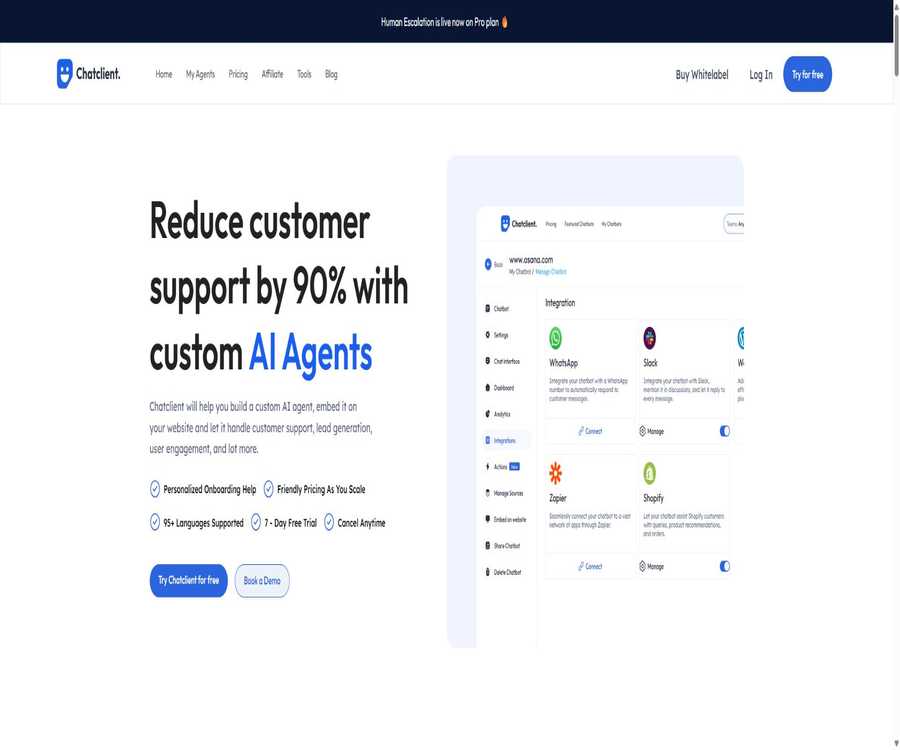
Chatclient is a code-free AI agent platform designed for corporate websites, customer support, and lead conversion. Users can import websites and files to train custom knowledge bases, and then integrate these agents into their business platforms through chat bubbles, embedded frameworks, or APIs.
It brings together knowledge integration, role instructions, customization of appearance, selection of different models, automatic retraining, and manual intervention in a single console. This product is better suited for creating customer service and consultation robots for visitors, rather than general-purpose personal chat assistants.
A one-sentence summary
Chatclient enables companies to quickly create multilingual AI customer service solutions using their own web pages and documents, and to transfer conversations to a human team when the robot is unable to resolve an issue.
Main functions
Import websites and files to train knowledge.
Users can add website links, paste text, or upload PDF, TXT, CSV, and DOCX files. An agent can combine multiple documents, but the number of characters that can be processed, the number of links, and the number of agents available are limited by the package chosen.
| Data type | Support status | Appropriate content | Precautions |
|---|---|---|---|
| Website link | Support | Product page, help center, and policy page | Free allows training of up to 500 links; the paid version offers no limit on the number of links. |
| Support | Manuals, white papers, and service instructions | The scanned document should first be checked for the quality of text recognition. | |
| DOCX | Support | Internal instructions and editing documents | Complex formatting may affect content extraction. |
| TXT | Support | Plain-text knowledge and organized Q&A | Suitable for materials with a simple structure |
| CSV | Support | Products, services, or structured entries | Unnecessary personal information should be removed before uploading. |
| Paste text | Support | Temporary rules, FAQs, and brief explanations | A version check is required when updating. |
Customization of behavior, roles, and appearance
Administrators can set the name of the agent, its personality traits, the instructions for responses, and the language to be used; they can also adjust the visual appearance of the chat interface. Brand customization and the use of custom domain names are more advanced features, and full removal of the platform’s identifiers is available in the Pro version.
Multi-model selection
The current public page divides the models into two categories: Fast and Advanced, listing GPT-4o Mini, Claude 3.5 Haiku, Gemini 1.5 Flash, GPT-4o, Claude 3.5 Sonnet, Claude 3 Opus, and Gemini 1.5 Pro. The list of models may change; the actual options available in the console should be taken as reference when making a purchase.
| Model group | Models listed on the current page | Suitable for tasks |
|---|---|---|
| Fast models | GPT-4o Mini, Claude 3.5 Haiku, Gemini 1.5 Flash | Frequent high-frequency FAQs and customer service that emphasizes response speed |
| Advanced models | GPT-4o, Claude 3.5 Sonnet, Claude 3 Opus, Gemini 1.5 Pro | Complex understanding, long content, and higher-quality responses |
Over 95 languages
Chatclient claims to support over 95 languages, and it allows knowledge materials and user queries to be in different languages. The ability to work across languages still depends on the chosen model, as well as on the quality of specialized terms and materials; for Chinese-related applications, it is necessary to conduct separate tests for both simplified and traditional characters as well as industry-specific terminology.
Automatic retraining
Auto-Retrain allows the agent to resynchronize data according to the settings set, thereby reducing the need for manual maintenance after changes are made to the website content. The public version of the page does not specify the minimum frequency of execution, the number of attempts in case of failures, or the differences between various packages; users must check these details in the backend.
Deployment of websites, applications, and APIs
Websites can deploy agents using embedded frameworks or chat bubbles in the lower right corner; other platforms and mobile applications can connect via APIs. Paid plans allow embedding on an unlimited number of websites, but each site still requires configuration of its domain name, permissions, and privacy settings.
Clue collection and user interaction
Agents can collect and filter potential customers while answering inquiries, in order to carry out pre-sales follow-ups and interact with users. Companies need to explain to visitors the purpose of using their data, and limit the collection of personal information such as names, email addresses, and phone numbers.
Integration with Slack, WhatsApp, and Zapier
The public features page lists integrations with Slack, WhatsApp, Zapier, and other tools; the Standard package includes Integrations and API access. Specific connectors, triggers, message costs, and third-party approval requirements must be checked in the account.
Live transfer
Human Escalation allows visitors to escalate their request to the customer service team when they are not satisfied with the AI’s response; the official page indicates that this feature is available in the Pro package. Companies should set in advance rules regarding duty shifts, waiting times, the end of task handling, and offline processing.
How does a chat client work?
- Register an account and specify the scope of business that the agent is intended to handle, the types of users, as well as the boundaries related to human intervention.
- Import website links, files, or text to enable the platform to create customized corporate knowledge content.
- Set the name, role, language for responses, prohibited items, and the procedure to follow when a question cannot be answered.
- Select a model that meets the requirements regarding speed and quality, and adjust the appearance of the chat component.
- Use real-world questions, incorrect assumptions, and sensitive topics to test the performance of responses and declines to answer.
- Deployed to the target entry point through chat bubbles, embedded frameworks, or APIs.
- After going live, check the conversations and clues, update the knowledge base, and verify the results of automatic retraining.
Tutorial on creating an AI customer service system for websites
- First, organize the frequently used information such as products, prices, scope of services, return and exchange policies, and contact procedures.
- Remove duplicate, expired, or conflicting pages to prevent the knowledge base from providing different answers.
- Create an agent, add website links, and then upload the necessary PDF, DOCX, or CSV files.
- The instructions specify the tone to be used, the manner in which corporate policies should be referenced, and the situations in which human intervention is required.
- Test the accurate-question type, oral-question type, multilingual-question type, and questions that are not present in the material, separately.
- Copy the embedded code to the testing site and check the performance on desktop, mobile devices, and page loading.
- After confirming the clues collection prompts and privacy notices, access is gradually granted to official visitors.
API integration process
- Select a package that includes API access, and check the interface documentation and authentication methods in your account.
- Create a dedicated agent, specifying the knowledge resources it can access and the AI actions it can perform.
- Store the credentials on the server; do not include the keys directly in website or mobile application code.
- First, send the smallest possible request in the testing environment, and record any errors, timeouts, rate limits, as well as the structure of the response.
- Establish server-side logic for user identity, session context, retry, and rate control.
- Apply security filtering to the output, and provide a manual channel for issues that fail or pose a high risk.
- After going live, monitor the message volume and any abnormal calls, regularly rotate credentials, and review permissions.
The Chatclient has confirmed that it provides an API, but the official homepage does not display all the available interface parameters, rate limits, or a list of the languages supported by the SDK. The development team should rely on the documentation available after logging in, rather than attempting to reverse-engineer unofficial interfaces based on the front-end requests of the chat component.
Which users are it suitable for
- SME websites: Quickly set up a customer service system for common questions using existing web pages and documents.
- SaaS team: Handles inquiries related to product usage, accounts, and features, and forwards complex issues to the appropriate personnel.
- E-commerce platforms and service providers: Answering pre-sales questions, gathering leads, and filtering potential customers.
- International team: Uses multilingual agents to serve visitors from different regions.
- Agents and multi-brand teams: Create separate agents for multiple sites and manage them in a unified manner.
- Development team: Integrate corporate knowledge Q&A into applications or custom workflows via APIs.
Typical use cases
- Pre-sales consultation: Explains product capabilities, service scope, and common questions before purchase.
- Customer support: Addressing basic faults and operational issues in accordance with the help documentation.
- Clue generation: Identify needs within the conversation and collect the necessary contact information.
- Multilingual support: Enables users speaking different languages to access the same corporate knowledge base.
- AI character interaction: Create interactive agents with specific themes and personalities.
- Manual upgrade: In cases of complaints, complex contracts, or situations where AI cannot provide an answer, the matter is referred to a human team.
- In-app Q&A: Integrate a knowledge assistant into mobile devices or business systems via API.
Product advantages
- Knowledge can be built from websites, texts, and various files, making it easy to prepare relevant materials.
- It supports both Fast and Advanced models, allowing you to choose between speed and the quality of responses.
- It supports over 95 languages, making it suitable for multilingual customer service and international websites.
- Three deployment options are available: chat bubbles, embedded frameworks, and APIs.
- Automatic retraining helps to synchronize the content of websites that are continuously updated.
- Standard offers integration and APIs, while Pro adds live human switching and brand removal capabilities.
- The paid plan allows the embedding of an unlimited number of websites, making it suitable for deployments with multiple entry points.
Usage restrictions and precautions
- AI may generate incorrect, incomplete, or outdated responses; contracts, refunds, and security-related matters must be reviewed manually.
- Free offers only 15 messages, which is not suitable for assessing the long-term costs under real-world traffic conditions.
- The message quota, the number of agents, and the number of characters per agent all vary depending on the package chosen.
- The current dynamic pricing page does not list any fixed monthly payment cards; the actual monthly cost shall be as indicated on the settlement page.
- Human Escalation is available exclusively on the Pro version; lower-tier plans cannot be assumed to support human intervention.
- The list of models includes the names of versions that may be updated; it is necessary to check the current status in the console before making a purchase.
- The automatic retraining frequency, API rate limits, and specific quotas for AI Actions are not fully detailed in the public documentation.
- Uploaded materials and visitor sessions may contain personal information; sensitive customer data should not be imported directly.
- The privacy policy was updated some time ago; therefore, the purchaser should verify further the sub-processors, the deletion procedures, and the current security measures.
- The terms of service state that AI is not an expert and may make mistakes; therefore, users should not consider its responses as professional advice.
Prices and packages
The information below was verified on August 21, 2026, with the currency being US dollars. The official website offers the option to switch between monthly and annual payment plans, and it states that an annual payment includes two extra months free; the discounted annual price can be confirmed reliably from the public index, while the actual amount for monthly payment will depend on the details shown on the settlement page.
| Package | Current annual price | Converted to a monthly amount | Messages and Agents | Core differences |
|---|---|---|---|---|
| Free | Free | Free | 15 messages, 1 agent | 500,000 characters, up to 500 training links |
| Hobby | 120 dollars per year | About $10 per month | 2,000 messages per month, 5 agents | Each agent: 2,000,000 characters; no limit on training links |
| Standard | $ | About $50 per month | 10,000 messages per month, 20 agents | 3 team members, 6,000,000 characters per agent, integration and API |
| Pro | $ | About $200 per month | 40,000 messages per month, 40 agents | 5 team members, 11,000,000 characters per agent, human transfer, and brand removal |
The monthly amount is calculated by dividing the total annual price by 12; it does not represent the price per month. The page also lists AI Actions/agents, but the available text does not show the exact numbers for each category, so unconfirmed amounts are not included in the main text.
Common functions and version differences
| Ability | Free | Hobby | Standard | Pro |
|---|---|---|---|---|
| Fast models | Support | Support | Support | Support |
| Advanced models | Not confirmed | Support | Support | Support |
| Embedding is allowed on any website. | Not specified | Support | Support | Support |
| Multiple file upload | Not specified | Support | Support | Support |
| Session history | Not specified | Support | Support | Support |
| Clue collection | Not specified | Support | Support | Support |
| Integrations | Not included | Not specified | Support | Support |
| API access | Not included | Not specified | Support | Support |
| Human Escalation | Not included | Not included | Not included | Support |
| Remove the platform identifier | Not included | Not included | Not included | Support |
The official website promotes a 7-day free trial with the option to cancel at any time, while the Free plan comes automatically upon registration and includes 15 messages and 1 AI agent. These two options are not the same; whether a payment is required for the trial and which package applies depend on the registration process.
Platform support and integration
| Platform or method | Support status | Explanation |
|---|---|---|
| Web console | Support | Create, train, test, and manage agents |
| Website chat bubbles | Support | Displayed in the lower right corner of the website |
| Iframe | Support | Embed the full conversation interface in a web page |
| Mobile apps | It can be accessed via API. | No universal official native client was found. |
| Slack | Listed on the official website | The specific packages and connection methods are subject to the backend settings. |
| Listed on the official website | It may involve costs related to third-party accounts and messages. | |
| Zapier | Listed on the official website | It can be used for business automation; triggers need to be confirmed in practice. |
| API | Support | Standard explicitly includes API access. |
| Official SDK | No findings were detected. | No confirmed public language SDKs or packages available. |
Privacy and data security
The last date of modification indicated in the privacy policy is July 28, 2023; the services offered include a website, chat functions, and APIs. The platform may collect names, email addresses, Cookies, IP addresses, information about devices and browsers, as well as data on which pages are visited and for how long.
The policy states that data from users outside the country may be transferred and processed in India, and it mentions the use of contractual protection measures. Personal data is retained for as long as necessary to achieve the intended purposes and to meet legal obligations; however, the specific retention period for individual sessions and the deadline for deleting documentation are not specified quantitatively.
- Before activating the chat component, visitors should be informed about the data controller, the purposes of data processing, and the contact details.
- Only upload the data necessary for the robot’s responses; delete the customer list and sensitive fields.
- When the conversation involves information related to identity, finances, health, or contracts, it should be escalated to a human agent as soon as possible.
- Verify the permissions of team members to prevent everyone from being able to view or export the entire session.
- Before making a purchase, verify the current model provider, sub-processors, as well as the backup and complete deletion procedures.
- The policy does not provide a clear commitment that user content will never be used for model training; such a guarantee cannot be given on its own.
- The platform claims to employ managerial, technical, and physical security measures, but no online transmission is absolutely secure.
API, SDK, and open-source status
Chatclient offers APIs for its own software, and the homepage lists API as one of the deployment options apart from using the website itself. The Standard package includes API access, but the public pages do not provide complete information regarding endpoints, usage rates, Webhooks, versioning policies, and service levels.
As of the time of verification, no official SDK, official GitHub organization, or open-source license for this product could be found. The terms of service prohibit reverse engineering, extraction of source code, creation of proxy APIs, and unauthorized automatic access; therefore, this product should be classified as not being open source.
Basic information
| field | Content |
|---|---|
| Tool name | Chatclient |
| Operating entity | The public policy is presented under the name Chatclient.ai; the company’s legal name is not clearly specified. |
| Tool type | Code-free enterprise AI customer service, knowledge base agents, and lead generation platform |
| Training channels | Website links, pasted text, PDF, TXT, CSV, and DOCX |
| Price pattern | Free, paid subscription, and 7-day trial |
| Free quota | 15 messages and 1 agent |
| Minimum annual public pricing | The hobby subscription costs 120 dollars per year. |
| Language support | Over 95 languages |
| Main deployment | Website bubbles, Iframes, and APIs |
| Live transfer | Pro support |
| Public API | Yes, Standard explicitly includes it. |
| Official SDK | No findings were detected. |
| Official GitHub | No findings were detected. |
| Is it open source? | No |
| Data processing area | The privacy policy states that data may be processed in India. |
| Applicable Law | Indian law |
Recommendation score
Its rating is 4.1 out of 5 points. Chatclient offers comprehensive features such as data import, support for multiple models and languages, automatic retraining, website integration, and API access; it is suitable for teams that wish to quickly set up an enterprise knowledge support system.
The main drawback is that the information available on the current dynamic pricing page is not stable enough; the API documentation, SDKs, limits related to AI Actions, and details regarding data management lack transparency. Live agent assistance is available only in the Pro version, and companies need to evaluate the higher annual subscription costs as well as the arrangements for data processing in India.
Frequently Asked Questions
Is Chatclient free?
There is a free tier: upon registration, users receive 15 messages and 1 agent automatically. The official website also promotes a 7-day free trial, but the terms of this trial are different from those of the permanent free plan.
How much is the lowest priced package for Chatclient?
The current confirmed annual subscription price for Hobby is 120 dollars, which amounts to about 10 dollars per month. A monthly payment option is available, but the actual amount due per month should be checked on the purchase page.
How much credit is available in Hobby?
Hobby includes 2,000 messages per month, 5 agents, with 2,000,000 characters per agent, and allows an unlimited number of training links. It inherits the capabilities of Free and also offers Advanced models.
Which training materials are supported?
It supports website links, text pasting, as well as PDF, TXT, CSV, and DOCX files. For complex tables, scanned PDFs, and dynamically changing web pages, the extraction results should be checked after training.
Is Chinese supported?
The platform claims to support over 95 languages, and it allows content and questions to be written in various languages. Chinese-speaking customer service still needs to be tested regarding terminology, simplified and traditional character forms, dialect expressions, and cross-language search functions.
Can it be added to the website?
Websites can be embedded using Iframe or the chat bubble in the lower right corner; the premium plan allows unlimited website embeds. Before going live, it is necessary to check for issues related to coverage on mobile devices, loading performance, and privacy considerations.
Is live customer support available?
Human Escalation is now available in the Pro package; it allows users who are not satisfied with the AI’s responses to be transferred to the support team. This feature is not available in the Free, Hobby, and Standard packages.
Does Chatclient provide an API?
The Standard package includes API access as part of its features, and the Pro package also has this capability. The public website does not show the details regarding API usage rates and SDKs; it is necessary to consult the documentation available in the account before starting development.
Does Chatclient have an official SDK?
As of the time of verification, no verifiable public official SDKs were found. The existence of APIs does not mean that official clients in JavaScript, Python, or other languages are available.
Is Chatclient open-source?
It is not open source; no official source code or open-source license has been found. The terms of service also prohibit reverse engineering, the creation of derivative sources, and the use of APIs without authorization.
Will user data be used for training?
The current privacy policy does not contain a clear commitment that users’ content will never be used for training purposes. In cases involving sensitive data, written confirmation must be obtained prior to making a purchase, as well as an understanding of the data policies set by the model provider.
Can I get a refund if I cancel my subscription?
Subscriptions are charged automatically on a recurring basis, and the fees are generally not refundable, unless required by law. The website states that cancellation is possible at any time, but such cancellation usually only prevents further charges from being applied.
Summary
Chatclient covers the entire essential workflow for enterprise AI customer service, including knowledge import, role configuration, multilingual responses, as well as website and API deployment. Standard is suitable for teams that need business integration, while Pro is intended for scenarios that require human intervention and a brand-free approach.
Before adopting it officially, it is necessary to first test the functionality related to Chinese-language responses, data updates, and message usage using a free account or a trial quota; thereafter, the monthly pricing, API restrictions, session retention options, and arrangements for cross-border data transfer should be verified. For high-risk queries, a mechanism for manual review and intervention must be in place.
Tools similar to Chatclient



 Guigong Network Security Registration No. 45132202000164