






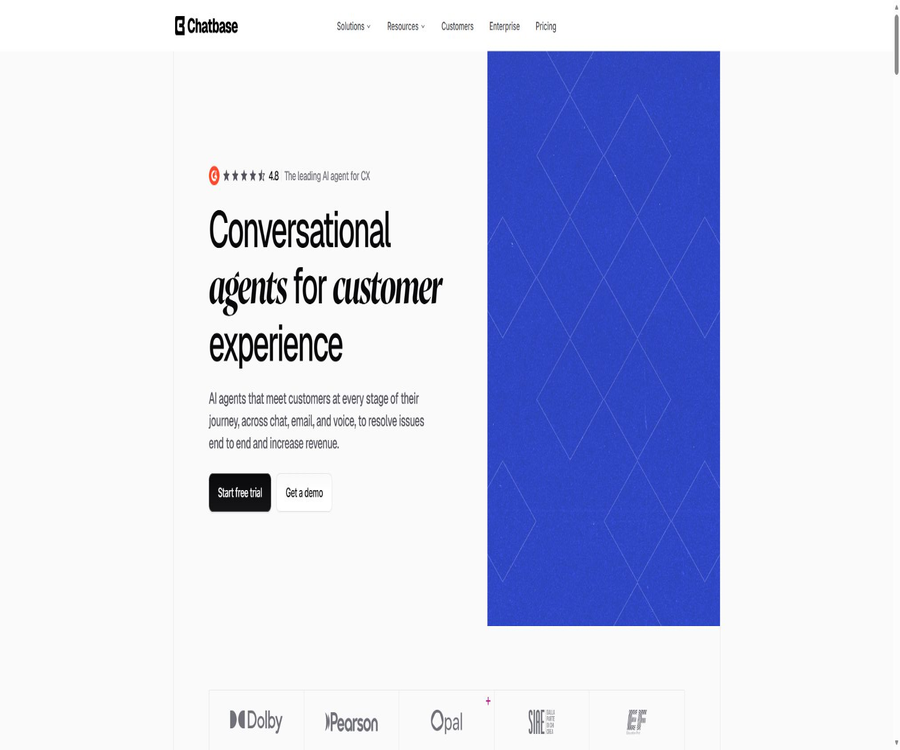
Chatbase: The Leading AI Customer Support Agent Platform
Chatbase: The leading AI customer support agent platform, featuring intelligent tools designed with AI.
Tags:AI design toolsWhat is Chatbase?
Chatbase is an AI-powered platform designed for enhancing the customer experience, providing customer support, and offering pre-sales assistance; it is operated by Chatbase Inc. Companies can train these intelligent agents using websites, documents, text, FAQs, Notion data, and historical ticket information, after which they can be deployed on web pages, emails, phone calls, Slack, and social messaging channels.
Unlike basic robots that answer questions based solely on a knowledge base, Chatbase also offers Procedures, Guardrails, AI Actions, interactive Widgets, a Helpdesk, and analysis capabilities. Teams can define the steps and boundaries for processing tasks, allowing the intelligent agents to retrieve orders, schedule meetings, or escalate requests to human agents.
A one-sentence summary
Chatbase enables the combination of corporate knowledge and business interfaces to create multi-channel AI customer service agents that can not only answer questions but also carry out tasks related to customer support, sales, and product guidance within controlled processes.
Main functions
Corporate knowledge base training
Users can capture the entire website, submit a sitemap, or select individual pages; they can also upload PDF, TXT, DOC, and DOCX files. Text snippets, structured Q&A pairs, and Notion pages can be used to supplement knowledge that requires precise maintenance.
| Data channels | Supported content | Management characteristics |
|---|---|---|
| Website | The entire site, site map, or a specific page | It supports including and excluding paths, as well as allowing the verification of the results of the crawling. |
| file | PDF, TXT, DOC, and DOCX | It is possible to preview the extracted content; upon export, text is obtained rather than the original file. |
| Text fragment | Manually maintained structured content | Supports rich text editing and Markdown export. |
| Q&A pairs | Problem variants and standard answers | It is possible to import data in bulk using Excel and to view the frequency with which each question is asked. |
| Notion | Authorized Workspaces Page | Suitable for reusing and continuously maintaining team knowledge |
| Historical tickets | Zendesk or Salesforce tickets | OAuth integration is required; the capabilities of the package are limited. |
Instructions, processes, and protection rules
The team can define the roles of the agents, the brand’s tone of voice, and the scope of responses, and then use Procedures to outline the customer service steps that need to be followed in sequence. Guardrails are used to set limits on matters such as commitments, refunds, sensitive topics, or any other actions that should not be handled automatically.
AI Actions and external operations
AI Actions enables agents to call pre-established integrations, enterprise APIs, or client code, rather than just generating text. The system can collect parameters from the conversation and then carry out tasks such as order queries, reservations, account management, or lead processing.
- Custom Action: Call the enterprise API to read or submit business data.
- Client Action: Execute controlled front-end code on the web page to connect with the product interface.
- Predefined actions such as Calendly: link scheduling appointments with the conversation process.
- Forms and leads: Collect contact information and pass it on to sales or customer service.
- Enhanced customer service: When the AI agent is unable to handle a request or when relevant rules apply, it forwards the request to a human agent.
- Interactive Widgets: Display order status, buttons, cards, or other components within chats.
Multi-model and testing Playground
Paid plans allow access to advanced models provided by providers such as OpenAI, Anthropic, Google, DeepSeek, Meta, Mistral, MoonshotAI, and Z.ai. The Playground is used for comparing models, instructions, and settings; however, different models require different amounts of message credits per response.
Helpdesk in collaboration with human staff
Plans at Standard and above include a Helpdesk available for both AI and human assistance; the team can view tickets, their status, and information about the requesters within the same session environment. Complex, sensitive, or uncertain tasks should be handled by customer service staff.
Session analysis and optimization
Hobby offers basic analysis, while Pro adds advanced analysis, recommendations for informational materials, and tickets as sources of knowledge. Teams can view conversation topics, emotions, and trends, and then update their materials or adjust their processes accordingly.
Voice and telephone customer service
Plans Standard and above include Voice and Telephony features; calls can be received using Twilio numbers or SIP trunks. The model’s responses during each voice conversation still consume message credits, while telephone service charges and concurrency limits must be checked separately.
How does Chatbase work?
- Create a workspace and an AI agent, specifying whether it is responsible for support, sales, or product guidance.
- Import websites, files, Notion content, FAQs, or past tickets, and remove duplicate and expired items.
- Create role instructions, brand tone, procedures, and guidelines to specify what should and should not be done.
- Select a model and configure AI Actions, Widgets, contact collection, and manual escalation.
- Test normal issues, error messages, prompt injection, and high-risk operations in the Playground.
- Choose from the website, help page, email, phone, or messaging channel to deploy the agent.
- Continuously review conversations, scores, failure cases, and knowledge suggestions, then retrain and release an improved version.
Tutorial on creating an AI customer service system for websites
- Register for Chatbase and create an agent, specifying either a single product or a range of supported services.
- Add an official website or help center to use path inclusion and exclusion filtering for the login page, duplicate pages, and irrelevant content.
- Upload policies and manuals, and then use Q&A pairs to supplement information on refunds, account rules, and key business regulations.
- Set the welcome message, brand colors, font, suggested questions, and privacy notice.
- Configure rules for manually forwarding requests that cannot be answered, complaints, personal information, and high-risk requests.
- Install the website chat component at the testing site, and restrict the domain names from which the component is allowed to be loaded.
- Check the mobile version, attachments, language settings, and conversation history before releasing it officially.
Tutorial for configuring AI Actions
- Choose a well-defined action, such as querying orders; do not start directly with high-risk write tasks.
- Determine the parameters required for the action, the data to be returned, and the methods for user authentication.
- Configure the enterprise interface in Custom Action, or register client actions for the web frontend.
- Use Procedures to define the sequence for collecting information, invoking actions, confirming results, and escalating exceptions.
- User confirmation or manual approval is required for actions such as refunds, cancellations, account modifications, and payments.
- Use test accounts to handle situations such as missing parameters, lack of permissions, timeouts, and malicious input.
- After going live, restrict key permissions, monitor logs, and provide a shutdown switch for abnormal calls.
Data sources and training management
The data source page displays URLs, text, questions and answers, etc., in a unified format, and it also records the training time and data usage. Both Standard and Pro versions support automatic retraining on a weekly basis; however, teams whose websites change frequently should still check to ensure that new content is being captured correctly.
| Management tasks | Chatbase capabilities | Precautions |
|---|---|---|
| Website scraping | Whole site, site map, single-page, and path filtering | The login content and script-rendered pages may not be fully captured. |
| File import | Queue processing of multiple files and content preview | What is exported is the extracted text, not the original file. |
| Batch maintenance for Q&A | Excel allows a maximum of 100 rows per file, with the file size not exceeding 1MB. | The channel and update time should be retained. |
| Q&A export | Export by filtering; a maximum of 5,000 entries are supported. | Changes can be made after export, followed by re-import. |
| Automatic retraining | Standard and Pro are updated on a weekly basis. | The error pages and duplicate content still need to be checked. |
| Knowledge capacity | Limit the size of training content according to the package. | From Free to Pro, the amounts are 1MB, 10MB, 20MB, and 40MB respectively. |
Channels and Integration
| Channels or integrations | Primary uses | Important restrictions |
|---|---|---|
| Website chat component | The website offers a complete AI customer service experience. | Supports advanced features and allows restriction of allowed domain names. |
| iframe | Embed the chat interface in the specified page | Some advanced agent features are not supported. |
| Help Page and Center Stage | Provide a separate help page or a focused dialogue interface. | Custom domain names and advanced configurations require verification of the package. |
| Automated processing of inquiries sent to the designated email address | It is necessary to set rules for manual takeover and error responses. | |
| Slack | Internal knowledge Q&A and team support | Workspace authorization is required. |
| WhatsApp, Messenger, and Instagram | Handling inquiries regarding social messages | A corresponding business account is required, and the platform’s policies must be followed. |
| Phone | Answer calls through Twilio or SIP. | Operator fees may apply, and there are constraints on concurrency. |
| Zendesk and Salesforce | Link to ticketing, customer service, or CRM processes | It represents an advanced integration at the Standard level; the ticket knowledge source is of the Pro type. |
| Shopify and WordPress | Install customer service and e-commerce support portals on the website | Deploy using the official app or plugins |
| Zapier | Connecting to other business applications and automation systems | Third-party tasks may be charged separately. |
Attachments and multimodal messages
End-users can upload PNG, JPG, JPEG images and PDF files within a conversation; the intelligent system will analyze the content and then provide a response. Up to 5 attachments are allowed per message, with each file having a maximum size of 5 MB. PDF files can have up to 5 pages, and there is a limit on the length of the text on each page.
Attachments consume additional points beyond those required for the textual response; images are counted per image, and PDFs are counted per page. If the same message triggers an action, attachments may be processed more than once and subject to multiple charges during both the execution of the action and the generation of the response.
| Message composition | Composition of the score | Methods for controlling costs |
|---|---|---|
| Plain text | Charged based on the multiplier per response for the selected model. | Limit unnecessary long conversations and select the appropriate model. |
| Text with images | Points for text responses are added to the points earned for processing each image. | Only images required for the task are allowed to be uploaded. |
| Text plus PDF | Points for text responses are added to the points earned for processing each PDF page. | Limit the number of pages and split the file first |
| Attachment triggers Action | The action phase and the final response phase may handle attachments separately. | Avoid passing irrelevant attachments in the action workflow. |
How are message points calculated?
The Chatbase package limits the number of responses per month based on message credits; one customer message does not necessarily consume just one credit. The official documentation classifies the models into categories ranging from 1 to 6 credits per response, and the list of models as well as the corresponding credit multipliers may change over time with updates to the platform.
- Most basic models consume 1 point per response.
- Some of the more advanced models consume 2 to 3 points per response.
- Advanced reasoning or high-cost models may consume 4 to 6 points per response.
- Reprocessing of images, PDF pages, and Actions incurs additional costs in addition to the text processing cost.
- The monthly points are updated on the 1st of each month, rather than on the date of individual subscription.
- Once the credits are exhausted, the smart device will indicate that it is temporarily unavailable, unless an upgrade is performed or automatic top-up is enabled.
Prices and packages
The prices listed below were verified on August 21, 2026, and are expressed in US dollars. The monthly pricing is based on the figures shown on the official website; a 20% discount is applied to annual subscriptions. The annual prices shown in the table represent the average monthly cost, with payments generally being made on an annual basis.
| Package | Monthly price | Average monthly price for annual payment | Core limit | Key capabilities |
|---|---|---|---|---|
| Free | $ | $ | 50 points, 1 agent, 1MB of training data, 1 member | Limited model: The intelligence entity will be deleted after 14 days of inactivity. |
| Hobby | $ | 32 dollars per month | 700 points, 1 agent, 10MB of training data, 2 members | Advanced models, 5 actions, integration, basic analysis, and attachments |
| Standard | $ | $ | 4000 points, 1 agent, 20MB of training data, 3 members | 8 Actions, Helpdesk, Voice, Telephone, Outbound Calls, API, Personalization and Advanced Integration |
| Pro | $ | $ | 15,000 points, 1 agent, 40MB of training data, 5 members | 12 actions, advanced analytics, knowledge suggestions, and ticket knowledge sources |
| Enterprise | Contact sales | Customization | Higher limits and flexible pricing | Role permissions, SSO, white labeling, audit logs, SLAs, HIPAA compliance, and zero data retention |
Additional items
| Additional items | Current price | Explanation |
|---|---|---|
| Automatic top-up of points | 40 dollars for every 1,000 points | Replenishment occurs automatically when the value falls below the set threshold; the recharge points do not expire. |
| Additional agent | 25 dollars per month for each one | Increase the number of AI agents in the workspace. |
| Remove the Chatbase brand | $ | Remove the platform brand from the deployed agents. |
The payment page offers a 7-day trial period; whether a payment method is required and what the scope of the trial features is depend on the page where activation takes place. According to the official terms, the obligation to pay cannot be canceled, and no refunds are provided unless explicitly stated in the agreement.
Which users are it suitable for
- SaaS companies: Transform product documentation, account management processes, and technical support into AI-powered customer service within the application.
- E-commerce team: Answers questions regarding products, delivery, and returns, as well as handles order or payment-related data.
- Customer Service Center: Allows AI and human agents to handle conversations separately within the same Helpdesk.
- Sales team: Answers product-related questions, gathers leads, schedules meetings, and drives conversions.
- Cross-border brands: Use multiple languages, emails, phone calls, and social messages to reach customers in different regions.
- Development team: Build custom business processes using REST APIs, Webhooks, and Custom Actions.
- Regulated organizations: Evaluate SSO, auditing, HIPAA compliance, and zero data retention through Enterprise.
Typical use cases
- Order support: After verifying the user’s identity, it allows checking the shipping status, return eligibility, and order status.
- Technical support: Answers questions related to installation and troubleshooting based on the help center and past ticket responses.
- Pre-sales consultation: Understanding customer needs, recommending suitable products, and arranging follow-up sales actions.
- Self-service account management: Handle plan explanations, bill inquiries, and information updates within the scope of the protection rules.
- Telephone reception: Voice bots are used to handle frequent calls, while more complex inquiries are forwarded to appropriate personnel.
- Internal Q&A: Allow employees to access policies, procedures, and product information through Slack.
- Customer insights: Analyze conversation topics, emotions, and knowledge gaps to improve products and documentation.
Product advantages
- A complete process for building intelligent agents is established, ranging from knowledge bases and behavioral instructions to business actions.
- Covers web pages, help pages, emails, phone calls, Slack, and major social messaging platforms.
- It offers a Helpdesk designed for collaboration between AI and humans, rather than just a chat feature.
- Multiple model providers can be selected, and their performance can be compared using Playground.
- Custom Actions and Widgets are suitable for creating orders, making reservations, and performing operations within products.
- The data source supports path filtering, batch maintenance of queries and answers, export, and automatic retraining.
- Developers can manage conversations, agents, sessions, contacts, and analysis data through API v2.
- Expose SOC 2 Type II, GDPR, DPA, and enterprise security capabilities.
Usage restrictions and precautions
- Free offers only 50 points and 1MB of training data, and the agent will be deleted if it remains inactive for 14 consecutive days.
- The response from a model does not necessarily correspond to a score; high-cost models and attachments will significantly increase consumption.
- Complete API, Helpdesk, voice, phone, and advanced integration are available starting from Standard.
- The basic package includes 1 agent by default; additional agents and a brand-free version require extra payment.
- Automatic responses may be incorrect; refunds, medical, financial, and legal issues must be subject to manual review.
- Actions that may modify external business data require authentication, verification, authorization, and auditing.
- Iframes do not support some advanced features, and they cannot be considered equivalent to complete website components.
- Calls, WhatsApp, Zapier, and other third-party services may incur separate fees.
- Advanced models, model scaling factors, channels, and the list of integrations may change; the current status displayed in the console should be taken as the reference.
- Payments are generally non-refundable, and for automatic top-ups, reasonable thresholds and budget alerts should be set.
Data privacy and security
Chatbase states that customer data is not used for training models, and it offers transmission and static encryption, SOC 2 Type II compliance, GDPR support, data processing protocols, as well as information regarding sub-processors. Data hosting and backup are primarily carried out using cloud infrastructure, but companies still retain control over the content uploaded and the permissions associated with their accounts.
HIPAA compliance and Zero Data Retention are part of the Enterprise capabilities; they are not available by default in all workspaces. Medical clients need to carry out compliance settings with Chatbase, and only after the workspace is marked will the corresponding zero data retention measures be activated automatically.
| Security projects | Public availability | Key points for procurement verification |
|---|---|---|
| Data training | State that customer data is not used to train models. | At the same time, verify the terms of the selected model provider and sub-processors. |
| Encryption | Encryption of data in transit and at rest | Confirm keys, backups, logs, and deletion scope |
| SOC 2 Type II | Listed on the official website and the Trust Center | Obtain the current report and coverage area when needed. |
| GDPR and DPA | Provide a privacy policy and data processing agreement | Process for verifying roles, cross-border data transfer, and requests from data subjects |
| HIPAA applies | Enterprise is configurable. | Confirm the BAA, workspace markers, and actual usage boundaries |
| Zero data retention | Enterprise capabilities | Determine which models, logs, and channels are included in the scope. |
APIs and developer capabilities
Chatbase offers REST APIs, with API v2 available starting from the Standard package. Developers can send messages and receive streaming responses; they can also create and configure agents, as well as view sessions, contacts, leads, and analyze data.
- Create an API key in the workspace settings and save it on the server side.
- Copy the Agent ID from the agent settings, and verify the target environment and permissions.
- First, test the endpoints, parameters, error codes, and streaming responses in the interactive Playground.
- When calling the interface on the server, do not store the keys in web pages or mobile clients.
- Establish processing logic for pagination, retries, timeouts, insufficient points, and rate limits.
- After going live, rotate keys, monitor calls and costs, and delete credentials that are no longer in use.
API v2 introduces structured error codes, cursor-based pagination, and SSE streaming responses. The official documentation provides example code for use in JavaScript and Python, but no separately maintained, universal official SDK package is available.
GitHub and open source
The Chatbase platform is not an open-source project; there are no publicly available server source codes nor a self-hostable version of it. The account named ChatBase on GitHub does not contain any public repositories, and there is no sufficient evidence to indicate that it represents the official organization maintained by Chatbase Inc.
Google once had a product with the same name, Chatbase Analytics, as well as related older SDKs; these are not the same product as the current Chatbase customer service bot platform. Third-party API directories and alternative solutions cannot be considered official Chatbase source code or SDKs.
Supported platforms
| Platform or entry point | Support status | Explanation |
|---|---|---|
| Web management backend | Support | Create, train, test, deploy, and analyze agents |
| Website components | Support | The most feature-rich method for web deployment |
| iframe | Support | Simple integration, but lacks some advanced features. |
| Help Page and Center Stage | Support | Used for standalone help centers or focused conversations |
| Email and Slack | Support | For external customer service or internal knowledge Q&A |
| Phone | Standard and above | Through Twilio or SIP connections |
| WhatsApp, Messenger, Instagram | Supports integration | A corresponding platform account and authorization are required. |
| Shopify and WordPress | Support | Provide access to the corresponding application or plugin. |
| REST API and Webhook | The API starts from Standard. | Suitable for custom products and automation |
| Native desktop and mobile apps | No independent official client was found. | It is primarily used through the Web and channel integrations. |
Basic information
| field | Content |
|---|---|
| Tool name | Chatbase |
| Development company | Chatbase Inc. |
| Tool type | AI customer service agents, corporate knowledge bases, and customer experience platforms |
| Core competencies | Knowledge training, Procedures, Guardrails, Actions, Widgets, and multi-channel deployment |
| Price pattern | Free version, monthly or annual subscriptions, corporate quotes, and additional options |
| Free quota | 50 message points per month, 1 agent, and 1MB of training data |
| Language support | Officials claim it supports over 95 languages and performs automatic detection. |
| Registration requirements | Creating and managing agents requires an account. |
| Public API | Yes, API v2 starts with Standard. |
| Official SDK | No standalone, universal SDK was found; code examples and embedding scripts are provided. |
| Official GitHub | No valid official code organization confirmed. |
| Is it open source? | No |
| Enterprise security | SOC 2 Type II, GDPR, DPA; Enterprise version can be configured for HIPAA compliance with zero data retention. |
Recommendation score
The recommendation score is 4.5 out of 5. Chatbase combines a knowledge base, process constraints, external operations, a helpdesk service, voice functionality, and multi-channel deployment in a comprehensive way; it is suitable for companies that wish to move from simple question-and-answer systems to full-scale automated customer service solutions.
The main drawbacks are the complex pricing and point structure, a very low amount of free usage, and the fact that key API functions and customer service capabilities are only available at the Standard tier; in addition, the use of chatbots, brandless options, and third-party channels can increase costs. Before making a decision, it is advisable to conduct a trial calculation based on actual conversations, the scale of the model usage, and the amount of attachments used.
Frequently Asked Questions
Is Chatbase free?
There is a free version that provides 50 message credits, 1 agent, 1MB of training data, and 1 member per month. The free agent is deleted if it remains inactive for 14 consecutive days.
What is the minimum pricing for Chatbase?
The monthly cost for Hobby is $40; the annual rate, when divided by 12 months, amounts to $32 per month. This plan includes 700 points, 10MB of training content, access for 2 users, and basic integration features. The annual price per month does not mean that a charge will be deducted on a monthly basis.
Is one message point equal to one message?
Not necessarily. Each response may cost 1 to 6 points depending on the model, and images, PDF pages, and actions result in additional costs.
What types of files can be uploaded to Chatbase?
Knowledge base training supports PDF, TXT, DOC, and DOCX formats. Attachments in terminal sessions can be in PNG, JPG, JPEG, and PDF formats, with limits on the number of attachments, their size, and the number of pages.
Does Chatbase support Chinese?
It is supported; the official documentation specifies that Chinese is supported, and it states that more than 95 languages are supported as well as automatic language detection. Industry-specific terminology, tone, and cross-lingual knowledge retrieval still need to be tested separately.
Does Chatbase offer human customer service to take over?
Available; versions Standard and above include a Helpdesk that enables AI and human agents to work together within the same session. It is necessary to define in advance the criteria for upgrading, the procedures for notification, and the allocation of responsibilities.
Can Chatbase answer phone calls?
Yes, plans at Standard and above offer voice and telephone functionality, with the possibility to connect to Twilio or SIP. In addition to the points associated with the plan, it is necessary to take into account the costs imposed by the telephone service provider as well as any limits on concurrent calls.
Does Chatbase offer an API?
API v2 is available starting from the Standard version; it offers capabilities such as dialogue handling, agent management, session management, contact management, and analysis. The keys must be stored on the server side.
Is Chatbase open source?
It is not open source; there are no publicly available server-side source codes or self-hosted versions. The availability of public APIs and embedded code does not mean that the product is open source.
Will the data be used to train models?
Chatbase states that it will not use customer data to train models. Companies should still review the data policies of the model providers, integration partners, and subprocessors they choose.
Is Chatbase compliant with HIPAA?
Enterprise offers configurations that comply with HIPAA requirements, and it automatically enables zero data retention in the compliant workspace. Medical organizations still need to finalize the contracts, BAA agreements, as well as verify the permissions and scope of use.
Can I get a refund if I cancel my subscription?
According to the official terms, payment obligations are generally non-cancellable, and no refunds are provided for fees unless otherwise specified in the agreement. It is advisable to try the service before making a purchase and to determine the date of renewal in advance.
Summary
Chatbase is suitable for teams that wish to integrate AI-powered Q&A systems, business processes, and human customer service within the same workflow. It offers comprehensive coverage in terms of data sources, channels, actions, helpdesk services, and development interfaces.
When implementing this approach, it is first necessary to select a scenario with high frequency and low risk, and to measure the resolution rate, error rate, rate of cases transferred to human agents, and the cost per resolution. It is only after all aspects such as knowledge resources, permissions, human backup support, and budget alerts are in place that it is appropriate to expand the scope of automation.
Tools similar to Chatbase: The Leading AI Customer Support Agent Platform



 Guigong Network Security Registration No. 45132202000164