






Buildkeeper
Buildkeeper, an intelligent tool focused on AI-driven design
Tags:AI design toolsA one-sentence summary
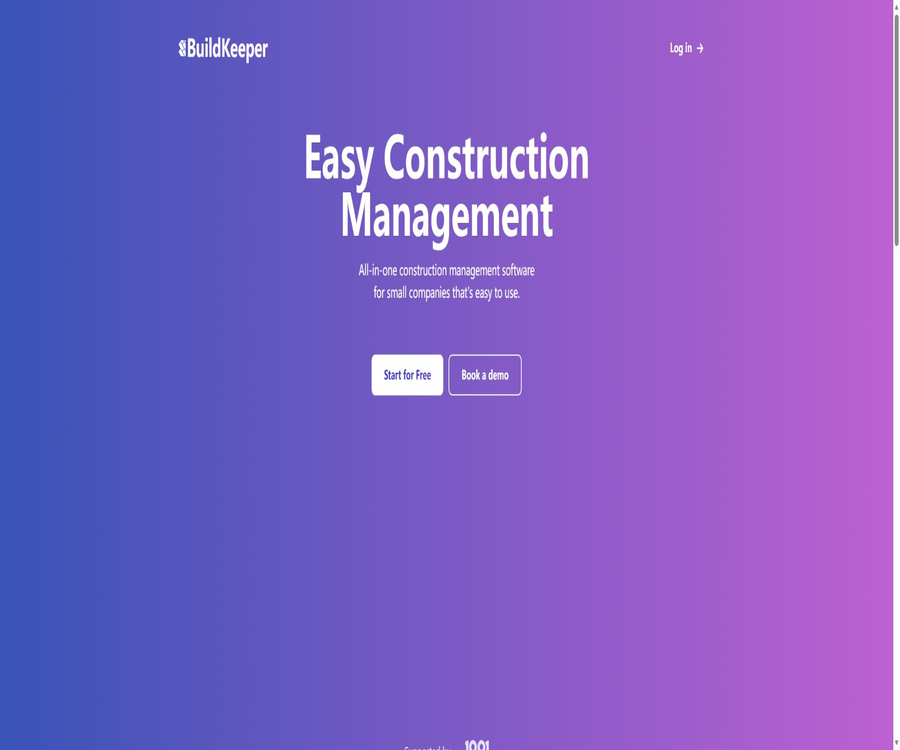
BuildKeeper is an online project management software designed for small construction companies and construction teams; it brings together budgets, costs, construction logs, documents, task scheduling, and customer invoices in one workspace.
Its AI capabilities are primarily used for automatic labeling of logs and the recognition of expense invoices; it is not a tool for automatically generating architectural designs or code.
What is BuildKeeper?
BuildKeeper is designed for the day-to-day management of construction projects and for keeping financial records; it is suitable for small teams that still rely on spreadsheets, messaging apps, and paper documents. Users can organize budgets, expenses, tasks, and on-site records by project, allowing managers to monitor progress and costs.
The product operates on a web-based software platform, so there is no need to install traditional project management programs on the computer. The official website offers a permanently free introductory version, a Professional version at a fixed price, and custom enterprise solutions.
Be mindful of the differences between products with the same name.
There is also a product on the internet that uses a similar name and focuses on managing contractors’ working hours as well as job costing; its official website, features, and packages are all different from those of the subject discussed in this article. This article covers only the small construction project management platform whose official website is listed in the database.
It is also inaccurate for third-party websites to describe BuildKeeper as an AI tool for optimizing code compilation; the official product page clearly shows features related to budgeting, invoicing, logging, costs, and project management.
Main functions
Projects and unified workspace
Teams can create ongoing projects to store construction information, documents, contacts, reports, and internal records in one place. Once a project is completed, it can be archived and retrieved as needed.
Budgeting and cost estimation
The budget module allows for the creation of cost categories and budget lines per project, and it calculates the estimated costs based on quantity, unit, and unit price. The system can also compare estimates with actual expenditures and issue alerts when the budget is exceeded.
Suggestions regarding materials and labor costs in the United States
The official website states that U.S. users can obtain real-time recommendations regarding building materials and labor costs by county. This feature is specifically designed for the U.S. market; other countries and regions cannot be assumed to have similar local cost data.
Expense tracking and multiple currencies
Users can record expenses, income, accounts, trading partners, taxes, and categories, and associate costs with specific items. The expense reports can be filtered and exported in CSV format, which facilitates further reconciliation or analysis.
AI cost identification
BuildKeeper can identify potential expenses from receipts, invoices, and handwritten documents, and provide suggestions on how to handle them. Users need to check the amounts, currency, categories, and corresponding items before deciding whether to accept or reject them; the results identified by BuildKeeper cannot be used directly as accounting records.
Construction log and AI automatic tagging
Feed is used to record progress on construction, accompanying text explanations, and relevant documents, enabling the team to keep track of changes at the site within the same timeline. AI-based auto-tagging can help organize logs and improve search efficiency.
Tasks and Gantt charts
The Jobs module is used to create tasks, assign responsible persons, set start dates and deadline dates, and to track their status. The Gantt chart provides a timeline view; the system also highlights tasks that are past their deadline and alerts users about approaching due dates.
Construction invoice
The platform can generate invoices for construction projects, export them in PDF format for sharing with clients. Users can manage invoice numbers, amounts, and associated details, but they are responsible for checking tax regulations, payment information, and the local requirements regarding invoices.
Contacts, contracts, and payment plans
The current application also provides tools for managing contacts, contracts, investment records, and payment schedules; these tools can be used to organize clients, suppliers, subcontractors, or other project participants. The specific scope of access is determined by the organizational role and project permissions.
Project management workflow
- Create an organization and set the default currency, accounts, budget categories, and team members.
- Create a construction project by entering the address, date, person in charge, and other basic information.
- Enter budget items, quantities, units, and estimated unit prices according to the project phase or cost category.
- Create tasks, assign responsible persons and set deadlines, and use Gantt charts to monitor the sequence of activities and progress.
- Continuously upload construction logs, files, receipts, and invoices to link on-site changes with costs associated with the project.
- Verify the cost estimates identified by AI, and confirm the amount, currency, and category before including it in the actual costs.
- Check budget deviations, overdue tasks, and cost reports; export the data once the project is completed and archive it.
BuildKeeper Getting Started Tutorial
- Register an account and create an organization; first, use a test project to get familiar with the data structure.
- In the settings, create regular accounts, expense categories, and budget categories to avoid inconsistencies later on.
- Invite members who need to collaborate, and control their project and management permissions based on their roles.
- Enter the project budget and key milestones, then add the initial tasks along with their responsible persons.
- Use a non-sensitive test receipt to experience AI recognition, and verify item by item whether the suggestions are accurate.
- Create a test invoice and export it as PDF to check the company details, currency, and customer fields.
- Confirm the process before migrating the actual project; do not import all historical data at once without cleaning it first.
How to use AI to determine construction costs
- Take or upload clear receipts, supplier invoices, or handwritten records of expenses.
- Wait for the system to analyze the image and generate the possible cost items.
- Check the date, amount, taxes, currency, description, and supplier information.
- Select the correct construction project, account, and budget category.
- Once verified, it should be added to the costs; requests that cannot be confirmed should be rejected or reentered manually.
- Check the actual cost changes in the budget report, and retain the original documents for auditing purposes.
Lighting, folds, the quality of handwriting, and the layout of the documents all affect the accuracy of recognition. Purchases of high value, expenses involving different currencies, and tax-related documents must be reviewed by the finance department or the project manager.
How to set tasks and Gantt charts
- Create construction tasks in the target project and specify the verifiable completion conditions.
- Set the start date, target date, responsible person, and current status.
- In the Gantt chart, check whether tasks are concentrated, whether there are any time conflicts, and whether any critical milestones have been missed.
- Update the status to in progress, paused, completed, or canceled based on the on-site situation.
- Handle the tasks marked as overdue by the system in a timely manner, and record the reasons for the delays in the construction log.
- Review the reminders for upcoming tasks on a weekly basis, and adjust arrangements regarding personnel, materials, and subcontractors.
Process for using invoices and reports
- First, ensure that the project, customer, currency, company details, and payment terms are set correctly.
- Create an invoice and fill in the number, item details, amount, and any necessary tax information.
- Preview the PDF to check numbers, spelling, payment details, and customer address.
- Share the final file with the client, and keep internal records of the status of delivery and payment.
- Filter expenses and revenues by project or date, then export the CSV to the financial system or accounting staff.
- After completing the monthly reconciliation, lock down the internal processes to prevent the same invoice from being entered repeatedly.
Which users are it suitable for
- Head of a small construction company: Monitor project progress, budgets, and expenses in a centralized manner.
- Project manager: Assign tasks, identify delays, and maintain the construction log.
- On-site manager: Upload photos, documents, receipts, and updates on the day’s progress.
- Financial and administrative staff: Organize expenses, accounts, invoices, and generate reports.
- Decoration and professional subcontracting teams: based on project management costs, milestones, and communication materials with the client.
- Investment or development project team: manages contacts, contracts, payment schedules, and project updates.
Typical use cases
- Home renovation: Tracking material budgets, construction milestones, changes, and customer invoices.
- Small-scale commercial projects: Allow the site, project managers, and the office to share task and cost records.
- Multiple project management: The Professional version allows for the management of up to 10 active projects at the same time.
- Digitalization of invoices: Converting paper receipts and handwritten records into expense proposals awaiting verification.
- Budget warning: Compare estimated costs with actual costs to identify areas where spending exceeds the budget in a timely manner.
- Periodic reporting: Compile progress reports for the client or internal use by utilizing construction logs, documents, and CSV files.
- Project closure: Export cost data, organize invoices and documents, and then archive the completed project.
Product advantages
- It organizes budgets, tasks, logs, costs, and invoices around the building construction process, and its structure is more suited to engineering teams than that of general task management tools.
- The free plan includes all the core functions; it only imposes limits on the number of active projects and users to define the scale for beginners.
- AI-based cost identification and automatic labeling are used in the specific data organization process, and users do not need to learn complex prompts.
- Gantt charts, overdue status, and automatic reminders help to compare on-site records with the construction plan.
- It supports multiple currencies, cost estimation, budget comparison, and CSV export, making it suitable as a replacement for certain scattered tables.
- The web version can be used in computer and mobile browsers, so on-site personnel do not need to install any traditional desktop software.
- The Professional plan offers a fixed monthly price, allowing teams to assess in advance whether the resources and seats required for the project are sufficient.
Usage restrictions and precautions
- AI recognition may misread amounts, currencies, or handwritten text; therefore, all fees should be verified manually.
- The recommendations regarding material and labor costs in the United States in real time do not reflect market prices in other regions.
- The free version allows only 1 active project and 1 user; for multi-user collaboration, an upgrade is required.
- Professional supports only 10 active projects and 5 users; larger teams require a quote from the enterprise.
- The official website does not disclose the file formats supported by AI recognition, the file sizes, the number of times it can be used, nor any guarantees regarding accuracy.
- At present, no complete and publicly available help center is available; for complex import processes, permission settings, and data migration, it is necessary to consult the support team first.
- Native mobile apps are still marked as upcoming; at this stage, their usability on-site should be evaluated using a mobile browser.
- AI-based automatic labeling and cost identification are not equivalent to full intelligent scheduling, risk prediction, or financial auditing.
- When it comes to contracts, payments, taxes, and investor information, access must be restricted in accordance with the organizational policies, and the original documents must be retained.
- The official terms and privacy policy were updated some time ago; therefore, companies should verify the current details regarding data processing and the terms of the contract before making any purchases.
Prices and packages
As of August 20, 2026, the official website offers three plans: Initial, Professional, and Corporate. All three include online support and all features; the main differences lie in the number of active projects and users.
| Package | Price | Active projects | Number of users | Core rights and interests | Suitable for users |
|---|---|---|---|---|---|
| Initial | Permanently free | 1 | 1 person | Online support, all features | Personal experiences and single project management |
| Professional | $ | 10 | 5 people | Online support, all features | A small construction team in the process of growing. |
| Corporate | Custom quote | No restrictions | No restrictions | Online support, all features | Large teams and corporate needs |
The official website does not disclose the discount for annual payments, the price per additional user, the charges associated with AI usage, nor the costs involved in enterprise implementation. Companies need to contact sales to obtain information regarding prices, permissions, services, and the scope of data migration.
How to choose between the free version and the paid version
| Selection criteria | Suggested solution | Reason |
|---|---|---|
| There is only one project under construction, managed by a single person. | Initial | All core functions are available to use, with no monthly fee. |
| 2 to 10 active projects, requiring collaboration from up to 5 people | Professional | A fixed monthly price is available, suitable for common team sizes. |
| There are more than 10 projects or more than 5 members. | Corporate | Only the Enterprise version of the public plan supports unlimited scale. |
| Custom permissions, migration, or contractual safeguards are required. | Consult Corporate first. | The official website does not disclose the standard scope of these services. |
| I just want to test AI bill recognition. | Use Initial first. | The free version includes all functions. |
Supported platforms
| Platform | Support status | Explanation |
|---|---|---|
| Web page version | Support | It mainly manages the entry point, and can be used directly through a computer browser. |
| Mobile browser | Support | The official website indicates that it can be used on mobile devices, making it suitable for data entry on-site. |
| Native iOS apps | It has not been officially announced yet. | The official website still indicates that the mobile app is about to be released. |
| Native Android apps | It has not been officially announced yet. | Web page adaptation cannot be written as a native client that has already been released. |
| Windows and macOS | Supported through browsers | No standalone desktop installation package was found. |
| CSV export | Support | The costs and reports can be filtered before downloading. |
| PDF invoice | Support | It is possible to generate and share invoices for construction services. |
APIs, integration, and open source status
The current official website does not provide public API documentation for developers, official SDKs, instructions regarding Webhooks, or a developer console. The application contains request routes for its own web functions, but these internal endpoints cannot be considered as integrated services that are available to external users.
As of the time of verification, no official GitHub organization or code repository for BuildKeeper was found; the product specifications only describe an online service, and there is no open-source license available. Therefore, this product should be classified as closed-source commercial software.
| Project | Current status | Explanation |
|---|---|---|
| Public API | Not disclosed | There are no verifiable official development documents or certification methods. |
| Official SDK | No findings were detected. | The supported languages or software packages have not been disclosed. |
| Webhook | Not disclosed | It is not possible to infer external functions based on the internal implementation of the site. |
| Accounting software integration | No current public explanation available. | CSV export can be used for manual import into other systems. |
| Official GitHub | No findings were detected. | Projects with the same name or similar names cannot be considered official repositories. |
| Open-source product | No | No source code or open-source license available |
Data and Privacy
The data listed in the privacy policy includes name, email address, contact information, payment and billing details, usage activity, and communication content. The platform uses this information to provide functions such as budgeting, task management, logging, cost tracking, file storage, and invoicing, as well as to handle subscriptions and customer support.
Officials state that personal information will not be sold, traded, or leased, but it may be shared with trusted service providers who assist with operation, payment, and delivery of services. The data could be transferred to the United States or other countries with different privacy laws.
- The platform claims to use encryption, access control, and regular security assessments to protect information.
- Service providers are bound by confidentiality obligations and must not use the information for other purposes.
- Personal information will be retained for as long as it is necessary to provide services and achieve policy objectives.
- Users can update their information in their account settings, and they can contact the support team to request the deletion of their account and related data.
- Browser cookies are used to operate and improve the services; disabling them may prevent certain functions from working properly.
- The platform is not intended for individuals under 18, and it states that it does not collect personal information from children intentionally.
- The privacy policy was last updated on August 16, 2023; it does not provide detailed information regarding the AI suppliers, the purposes for which the data is used, or the duration for which the data is retained.
Terms of Service and Account Risks
The Terms of Service were last updated on May 9, 2023, and are governed by the laws of Delaware, United States. These terms allow the platform to modify its rules, and it may terminate or suspend access immediately in cases where users violate these terms or under other circumstances.
The terms impose restrictions on liability regarding indirect losses, lost profits or data, third-party content, and unauthorized access. Since the public terms do not provide detailed information on refunds, renewals, data export, and service levels, paying companies should request a more complete contract before making a purchase.
Pre-launch checklist
- Ensure that the number of active projects and members does not exceed the limits set by the package.
- Set the default currency, budget categories, and account naming rules to avoid inconsistencies across different projects.
- Assign the minimum necessary permissions to administrators, project managers, field staff, and finance personnel.
- Use test cases to verify AI recognition, invoice generation, CSV export, and project archiving.
- It specifies the responsibilities for keeping the original documents, reviewing costs, approving invoices, and backing up data.
- Check with the support team regarding the rules for refunds, renewals, migrations, deletions, and fault response.
- When dealing with customer, contract, or investor data, conduct local privacy and industry compliance reviews.
Basic information
| field | Content |
|---|---|
| Tool name | BuildKeeper |
| Tool type | Construction project and construction management software |
| Core users | Small construction companies, project managers, and construction teams |
| Core module | Budget, costs, logs, tasks, invoices, and documents |
| AI features | Automatic logging of tags and identification of expense documents |
| Price pattern | Permanent free version, monthly subscription, and enterprise quote request |
| Free restrictions | 1 active project and 1 user |
| Team plan | $ |
| Is registration required? | It is necessary. |
| Main platforms | Web desktop and mobile browsers |
| Native mobile apps | It is still marked as upcoming at the moment. |
| Public API | Not disclosed |
| Official SDK | No findings were detected. |
| Is it open source? | No |
| Chinese support | The official website does not specify this; the current public interface is primarily in English. |
Recommendation score
The recommendation score is 4.0 out of 5. BuildKeeper aggregates budgeting, costs, logs, tasks, and invoices that are commonly used by small construction teams; the free version includes all these functions, making it suitable for testing a real project at a low cost.
The deductions are mainly due to the limited availability of documentation and information on developers’ capabilities, the fact that no native mobile applications have been released yet, insufficient details regarding AI and data processing, as well as the limits on the number of projects and users allowed under the Professional plan. Complex enterprises should first conduct demonstrations and verify the contracts.
Frequently Asked Questions
Is BuildKeeper free?
A permanent, free Initial plan is available, including all core functions, 1 active project, 1 user, and online support. An upgrade is required if more projects or users are added.
How much is the Professional package?
The current official price is $70 per month, which allows for the management of 10 active projects and 5 users. The website does not disclose any discounts for annual payments or the price per additional user.
Is BuildKeeper suitable for large construction companies?
The Corporate plan offers an unlimited number of active projects and users, but a customized quote is required. Large enterprises should further clarify the aspects related to permissions, auditing, service levels, migration, and security agreements.
Can it automatically identify receipts?
It can identify receipts, invoices, and certain handwritten notes, and provide suggestions regarding costs. However, this identification is not a final accounting process; the user still needs to verify the amounts, categories, currency, and items involved.
Can it automatically create a construction budget?
The platform offers estimation tools that allow for calculations based on quantity, unit, and unit price, as well as alerts for any overspending. In the United States, suggestions regarding material and labor costs are also available, but the final budget still needs to be determined by a professional who takes into account the blueprints, the site conditions, and the contract terms.
Is Gantt chart support available?
It supports task Gantt charts, allowing users to view the task timeline, responsible person, status, and any delays. The public information does not mention advanced features such as complex dependencies, resource balancing, or critical paths.
Are there iPhone or Android apps?
The official website still lists the native mobile app as soon to be released; for now, it is possible to use the web version through a mobile browser. Do not describe the mobile web version as an app that has already been uploaded to app stores.
Is it possible to export data?
The costs and reports can be exported in CSV format after filtering, and invoices can be generated in PDF format. Complete account backups, batch import, and other data formats are not detailed on the public page.
Are APIs or SDKs available?
At present, there are no public official API documents, official SDKs, or instructions regarding Webhooks available. Teams that need to integrate deeply with accounting, ERP, or other systems should first contact the authorities for confirmation.
Is BuildKeeper open-source software?
No. The developers have not released the source code, an open-source license, or a verifiable GitHub repository; the current product is an online commercial software.
Will the data be used to train AI?
The privacy policy for 2023 does not specify separately the providers of AI models, the purposes for which they are trained, or the duration for which AI data is retained. Before processing sensitive documents or contracts, it is necessary to obtain the latest guidelines on data processing from the relevant authorities.
Are BuildKeeper and the time-tracking software with the same name the same product?
No. There are other products on the Internet with similar names such as Job Costing and mobile time cards for tracking working hours; this entry refers to a budgeting and construction management platform designed for small construction companies.
Summary
BuildKeeper is suitable for small construction teams that wish to use a lightweight web-based system to manage construction budgets, on-site logs, expense invoices, task scheduling, and customer invoices. AI-driven recognition can reduce the need for manual data entry, but it is still necessary to keep records and carry out manual reviews.
Individuals or single projects can first test the permanent free version; teams with up to 5 members and multiple projects should consider the Professional version. Before making a purchase, businesses should pay close attention to the capabilities related to mobile use, data processing, renewal and refund options, migration, and external integration.
Tools similar to Buildkeeper



 Guigong Network Security Registration No. 45132202000164