






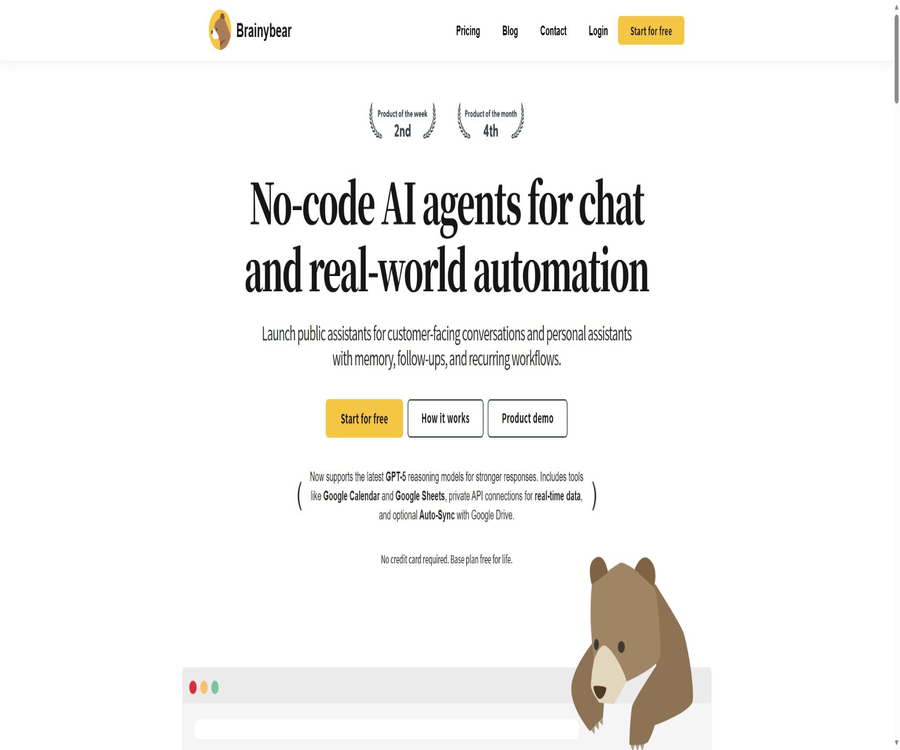
BrainyBear
BrainyBear, an intelligent tool focused on AI-driven design.
Tags:AI design toolsA one-sentence summary
BrainyBear is a code-free AI agent platform that allows users to train public or personal assistants using web pages, files, and external data; these assistants can then be deployed on websites and messaging platforms, and used to carry out tasks through calendars, tables, scheduled tasks, and private APIs.
Tool Introduction
Initially, BrainyBear was primarily a chatbot based on a website knowledge base; its scope has since expanded to include chatting, task handling, and the automation of real-world workflows. Users can create public assistants for serving customers, as well as personal assistants that have memory functions, capabilities for follow-up actions, and support for scheduled tasks.
The platform operates on a hosted, code-free basis; users are responsible for setting the name, prompts, knowledge base, models, tools, and channels, without having to manage the model servers themselves. The free version provides a limited number of monthly message credits, while the paid versions offer more capabilities depending on the number of agents, the size of the knowledge base, the number of training pages, and the permissions related to the models.
Main functions
Building code-free intelligents
The creation process focuses on identity, objectives, tone, knowledge, and tool configuration; the official website describes it as three stages: creation, training, and integration. It is suitable for teams that do not want to set up their own vector databases, model invocation systems, or messaging channels.
Training in web and file knowledge
Agents can scan website pages and upload files to create a knowledge base; various packages impose limits on the number of websites that can be used for training as well as on the size of the knowledge files. The structure, timeliness, and permissions of the input data directly affect the quality of the responses.
Google Drive Auto-Sync
The optional Auto-Sync feature downloads files from Google Drive to BrainyBear’s vector storage, thereby keeping the knowledge up to date. The privacy policy specifies that data from the Google Workspace API is not used for developing, improving, or training general AI models.
Multi-model selection
The current price page lists GPT-5 nano, GPT-5 mini, o3-mini, o3, GPT-5.2, as well as several Legacy models. Different models require 1 to 20 credits per message, and the package quota is not equal to a fixed number of messages.
Website embedding
All packages include unlimited website integration; users can copy the code snippets and add the chat interface to WordPress, Shopify, Wix, Webflow, and other websites. Responsibility for informing visitors, as well as for handling cookies, data collection, and authentication, still lies with the user.
Message channels
The platform lists publicly various communication channels such as Webchat, Facebook Messenger, Telegram, WhatsApp, Slack, and email. The specific channels available may be subject to restrictions related to packages, third-party accounts, region, template approval, and message costs.
Memory and personal assistant
Personal assistants can retain preferences, default settings, and long-term context for subsequent follow-ups. The memory function should allow for clear viewing, modification, and deletion of rules, and sensitive information should not be saved automatically.
Scheduled tasks and reminders
Smart Scheduling enables the creation of reminders, checks, or recurring tasks from conversations, and it can be integrated with Google Calendar. The Business version explicitly lists this feature; before carrying out such actions, it is necessary to confirm the time zone, repetition rules, and failure notifications.
Update to Google Sheets
Sheet Updates allows agents to write authorized information into Google Sheets, which is useful for storing leads, appointments, and operational records. Tools for writing data must limit the range of sheets, fields, and rows, and they should use idempotency to prevent duplicate data.
Private APIs and Custom Tools
BrainyBear can connect to private APIs in order to obtain real-time information on inventory, account status, or business data; it can also be used to submit controlled tasks. Custom Tools are listed explicitly under the Business package, while more advanced connections to enterprise databases require a customized quote.
Automatic lead collection and manual intervention
The Growth tier now includes Auto Lead Capture and Step-in Message features, which are used to collect information about visitors or to have human agents join the conversation. It is necessary to explain the purpose of collecting such data and obtain the required consent; moreover, it is important to prevent the AI from gathering information that goes beyond what is needed for business purposes.
Process for creating agents
- Register for a free account, and first choose whether to use the public customer service assistant or the personal task assistant.
- Fill in the name, role, goal, tone, allowed range of responses, and questions that need to be rejected.
- Add approved websites, files, or Drive contents, and set the content owner and update frequency.
- Select the models permitted by the package, and create test combinations based on quality, response speed, and cost per point.
- Configure the necessary tools such as web pages, messaging channels, calendars, tables, or private APIs.
- Use real but anonymized questions to test facts, channels, permissions, memory, and tool invocation.
- First, release it internally or restrict access to a small group of users in order to observe errors, misses, and points consumption.
- After passing the acceptance test, deployment is expanded, and knowledge is updated regularly, along with credential rotation and audit operations.
Website embedding tutorial
- Configure knowledge, welcome messages, colors, models, and failure handling in the agent’s backend.
- Copy the embedding code generated by the platform; do not include the private API keys directly in the frontend code.
- Add the code to the designated area in WordPress, Shopify, Wix, Webflow, or a tag manager.
- At the testing station, check the position of the desktop and mobile versions, their loading speed, accessibility, and any issues related to obstructions.
- Test unknown issues, malicious prompts, cross-page context, human intervention, and message quota exhaustion scenarios.
- Update the website’s privacy notice to address chat data, third-party processing, cookies, and deletion options.
- After going live, monitor responses, leads, errors, and conversions, while also keeping the option to revert to the previous version of the component at any time.
Configuration of private API tools
- Specify the single task that the agent needs to read or perform; do not grant it full access to the entire business system.
- Create dedicated credentials on the server side, and set restrictions on endpoints, fields, objects, environments, as well as the frequency of calls.
- Define the tool name, input format, identity requirements, error formats, and the fields that can be returned to the user.
- Add clear confirmation steps for write operations such as placing orders, making reservations, sending emails, and modifying records.
- Use test data to verify timeout, repeated calls, partial failures, cancellation, and audit logs.
- Prevent knowledge documents or user messages from altering the tool’s permissions and target addresses through prompt injection.
- After going live, monitor for abnormal calls; in the event of credential leakage, revoke them immediately and replace them.
Which users are it suitable for
- Small businesses: Use existing website content to quickly create tools for handling common questions and collecting feedback.
- E-commerce team: Answers questions regarding products and uses private APIs to check inventory or order status.
- Customer service team: Deploy knowledge-based Q&A systems on web pages and messaging channels, with human intervention when necessary.
- Sales and marketing staff: Collect information on potential customers, schedule meetings, and record it in forms.
- Content and Knowledge Administrators: Maintain agent data through synchronization using web pages, files, and Drive.
- Individual users: Create an assistant with capabilities for memory, reminders, periodic checks, and follow-up.
- Operations team: Connect calendars, Sheets, and custom tools to repetitive workflows.
- Agents and service providers: Deploy independent agents for customers through brand-removal or white-label solutions.
Typical use cases
- Website customer service: Answers visitors’ questions based on the product pages and documentation.
- WhatsApp booking: Collect preferred times and use a calendar tool to create or update appointments.
- Telegram personal assistant: Save preferences, send follow-up messages, and set up recurring reminders.
- Lead records: After collecting the name and requirements, they are entered into the designated Google Sheet.
- Inventory query: Reads the real-time quantity of products via a private API and returns the relevant fields.
- Knowledge synchronization: Continuously update policies or manuals from Drive into the vector knowledge base.
- Manual takeover: When the issue falls outside the scope or per the user’s request, have a person join the session.
- Multi-site deployment: Use the same agent code to serve multiple authorized websites.
Product advantages
- The free tier does not require a credit card; it allows testing of the basic models and the effectiveness of the knowledge base through actual integration processes.
- It supports both public customer service and personal assistants with long-term context, offering a wide range of applications.
- The hosting platform integrates web pages, messages, notes, scheduled tasks, and tool connections.
- The package reveals the number of intelligent agents, message points, the number of web pages, and file capacity, making it easy to make estimates.
- A variety of GPT and inference models are available, along with clear indication of the points consumed per message.
- It supports practical functions such as automatic synchronization with Drive, Calendar, Sheets, and private APIs.
- One-time point packages, brand removal, an enterprise knowledge base, and white-label options are available.
- The official website states that it has passed the CASA Tier 2 security assessment conducted by App Defense Alliance.
Usage restrictions and risks
- The free plan provides only 50 points per month, and fewer messages can be sent when using models with 2 points or more.
- The advanced GPT-5.2 consumes 20 points per message, and 3,000 points with Growth correspond to approximately 150 such messages at most.
- The platform is based on session agents, and it is not a complete multi-agent system with multiple agents working together autonomously.
- Web scans and file information may become outdated, inconsistent, or contain malicious instructions, requiring manual intervention.
- Private APIs, calendar, and spreadsheet tools carry out actual operations, and errors can lead to issues with appointments, orders, or data.
- Message channels are subject to account, regional, and policy restrictions imposed by Meta, Telegram, Slack, and email services.
- Statements on the official website such as “solving up to 80% of problems” are marketing goals and cannot be regarded as guarantees for any services.
- The price page will change depending on the model and version; the Legacy models may continue to be phased out or their costs may change.
- The privacy policy sets out limitations regarding the use of Google Workspace data for training purposes, but it does not provide equally clear guidelines for all types of input data.
- DPA states that customer data is deleted within 30 days after the account is closed; the privacy page mentions that Drive data is removed automatically when the account is deleted, but this point needs to be confirmed.
- There are inconsistencies in the operating entities, company names, and applicable versions of the terms of service and privacy policy.
- The terms regarding automatic renewal, non-refundability, and certain legal provisions should be read carefully before making a payment.
Prices and packages
The following are the current prices on BrainyBear’s official website as of August 20, 2026. On the annual payment page, the costs for Basic, Growth, and Business plans are shown as $32, $75, and $158 per month respectively; it is stated that this represents a 16% savings compared to monthly payments, though payment has to be made on an annual basis.
| Package | Monthly payment | Monthly price equivalent to annual payment | Message points | Agent | Web pages and knowledge capacity | Suitable for users |
|---|---|---|---|---|---|---|
| Free | $ | $ | 50/month | 1 | 50 web addresses; 2MB | Experience Q&A on ultra-low frequency websites |
| Basic | 38 dollars per month | 32 dollars per month | 1,000/month | 3 | 100 web addresses; 10MB | Small websites and basic messaging channels |
| Growth | $ | 75 dollars per month | 3,000/month | 5 | 200 web addresses; 25MB | Clues, WhatsApp, and advanced model users |
| Business | $ | $ | 10,000/month | 10 | 500 web addresses; 50MB | Automation, Slack, and multi-agent business deployment |
Free is a long-term free plan that grants 50 message credits per month; no credit card is required. Prices, taxes, the total annual cost, and settlement methods may vary, and the details shall be as indicated on the purchase page.
Comparison of package features
| Ability | Free | Basic | Growth | Business |
|---|---|---|---|---|
| Website embedding | No restrictions on websites | No restrictions on websites | No restrictions on websites | No restrictions on websites |
| Basic GPT model | Provide | Provide | Provide | Provide |
| o3-mini and o3 | Not available | Provide | Provide | Provide |
| GPT-5.2 and the Growth model | Not available | Not available | Provide | Provide |
| Message app integration | Not listed | Provide | Provide | Provide |
| Mute Thread | Not listed | Provide | Provide | Provide |
| Automatic lead collection | Not listed | Not listed | Provide | Provide |
| Step-in Message | Not listed | Not listed | Provide | Provide |
| Not listed | Not listed | Provide | Provide | |
| Smart Scheduling | Not listed | Not listed | Not listed | Provide |
| Sheet Updates | Not listed | Not listed | Not listed | Provide |
| Custom Tools | Not listed | Not listed | Not listed | Provide |
| Slack | Not listed | Not listed | Not listed | Provide |
| Go to brand | Need to purchase additionally | Need to purchase additionally | Need to purchase additionally | The package listing includes |
Model integration consumption
Points are deducted for each message, and the amount consumed varies significantly depending on the model. The table below shows only the values listed on the current pricing page; it does not mean that the model providers will retain these names or capabilities indefinitely.
| Model | Points per message | Minimum available package | The theoretical maximum number of messages is 10,000 points. |
|---|---|---|---|
| GPT-5 nano | 1 | Free | 10,000 pieces |
| GPT-5 mini | 2 | Free | 5,000 items |
| GPT-4o-mini Legacy | 2 | Free | 5,000 items |
| o3-mini | 5 | Basic | 2,000 pieces |
| o3 | 10 | Basic | 1,000 pieces |
| GPT-5.2 | 20 | Growth | 500 items |
| GPT-4o Legacy | 10 | Growth | 1,000 pieces |
| GPT-4 Turbo Legacy | 20 | Growth | 500 items |
The theoretical upper limit is simply the package points divided by the cost per message; it does not take into account other potential costs, failed requests, or future changes in pricing. The actual budget should be estimated based on the average number of messages per session, the combination of models used, and the traffic volume from various channels.
Additional purchases and one-time points
| Project | Current price | Validity period or content | Suitable situations |
|---|---|---|---|
| Go to brand | $ | Remove the BrainyBear brand from all agents. | To move from Free to Growth, it is necessary to have a separate brand. |
| 1,000 points | 50 dollars | Valid for one year after purchase | Temporary excess of the monthly limit |
| 12,000 point package | 500 dollars | Valid for one year, includes Growth-level models | Periodic high usage when there is no desire to upgrade the subscription. |
| 45,000 point package | 1,500 dollars | Valid for one year, includes the Growth model and a brand-free version | Larger single-use quantity |
| Corporate knowledge base | Contact sales | Connect to the internal database | Companies that need their own real-time data sources |
| White label | Contact sales | Custom logos, domain names, and dedicated infrastructure | Agents or branded platforms |
One-time credits are valid for one year; the rules regarding refunds for expired credits or any remaining balance are not detailed on the pricing page. Before purchasing a large amount of credits, it is necessary to check the permissions associated with the package, the duration for which it remains valid, and how any remaining balance will be handled after the account is closed.
Subscription, cancellation, and refunds
The terms of service state that paid subscriptions are automatically renewed on a monthly basis, with charges deducted from the registered card; bill receipts can be downloaded from the backend. A request to cancel a monthly subscription may take 24 hours to be processed, and after cancellation it is still possible to use the service until the end of the currently paid period.
Any fees that have been deducted previously cannot be refunded, and payment failures may result in the cancellation of the subscription and access. The information provided on the annual payment page and in the terms does not fully cover all such scenarios; annual subscribers should confirm the renewal date before making the payment, as well as understand the procedures for canceling the subscription in advance or for handling unused months.
| Project | Public rules | Precautions |
|---|---|---|
| Monthly renewal | Automatic monthly renewal | Time must be reserved before the next deduction to carry out cancellation. |
| Cancel in the background | Operations on the Billing page | Once canceled, it will remain in use until the end of the current cycle. |
| Customer service cancellation | If you are unable to log in, please contact support. | The request may take up to 24 hours to be processed. |
| Refund | Past expenses are non-refundable. | There is generally no public 30-day refund guarantee. |
| Payment failed | Subscription and access may be canceled. | The costs that have already been incurred remain the responsibility of the user. |
| Annual payment | The page offers a 16% discount. | The total amount, renewal, and early termination are subject to the settlement and supplementary agreements. |
Channel and platform support
| Channel or platform | Support status | Primary uses | Restrictions |
|---|---|---|---|
| Webchat | Support | Website customer service and public assistants | All profiles can be embedded, and their functionality is limited by quotas. |
| Facebook Messenger | Listed on the price page | Social messaging Q&A | A Meta account and permissions are required. |
| Telegram | Support | Public or personal assistant | Subject to the rules of Telegram bots. |
| Growth begins | Customer chats, appointments, and follow-ups | Templates, numbers, regions, and third-party fees may apply. | |
| Slack | Business | Team knowledge and task assistant | Workspace administrator authorization |
| The official website lists multiple channels. | Reminders and follow-ups | Email domain, consent, and anti-spam rules | |
| Google Calendar | Tool connection | Schedule meetings and set reminders | Time zones, permissions, and conflict resolution |
| Google Sheets | Business | Write clues and operation records | Restrict tables, worksheets, and fields |
| Independent mobile apps | No findings were detected. | Available via messaging channels or web pages | No official native app instructions available. |
Data privacy and security
The privacy policy states that the platform is owned and operated by Webworks Pte Ltd; it collects names, email addresses, phone numbers, billing information, and other necessary data during registration, purchases, form fills, surveys, and online chats. It also makes use of cookies and third-party services.
Data from Google Drive is uploaded to BrainyBear’s vector storage system for retrieval purposes; the policy clearly states that data from the Google Workspace API shall not be used for training general AI or machine learning models. This restriction should not be extended to mean that all chat, file, and API data cannot be utilized in any way for improvements.
DPA regards the customer as the controller and BrainyBear as the processor, stipulating that customer data shall be deleted in accordance with the backup policy within 30 days after the account is terminated. The privacy page states that Google Drive data is automatically and securely erased after the account is deleted; companies should specify in the contract the exact timelines for retention, backing up, and deletion of data.
- Only the Drive folders required to complete the task are synchronized; the entire personal cloud storage is not authorized.
- Use the minimum-privilege credentials for web pages, channels, calendars, Sheets, and private APIs respectively.
- Disable unnecessary long-term memories, and allow users to view, correct, and delete saved preferences.
- Explain to visitors the processing of data related to chats, clues, cookies, third-party models, and messaging channels.
- Verify the user’s identity and require final confirmation before writing to orders, calendars, or tables.
- The tests check for injection attempts, unauthorized use of tools, reflection of sensitive fields, and content used for training malicious web pages.
- After the account is deleted, a confirmation of deletion is requested for data, vectors, backups, logs, and third-party copies.
Security certification and compliance boundaries
The official website states that BrainyBear has passed the CASA Tier 2 cloud application security assessment conducted by App Defense Alliance, and this is relevant as a reference for integration within the Google ecosystem. However, the CASA assessment does not guarantee compliance with all industry regulations applicable to businesses, nor can it replace the customer’s own reviews of their architecture and permissions.
The platform provides information on DPA and GDPR, but old terms, duplicate numbers, or content of a product-oriented nature can still be found in the Cookie, DPA, and privacy documents. Purchasers should request the official versions regarding the current company entity, sub-processors, data storage locations, procedures for handling security incidents, and data requests.
APIs, tools, and developer capabilities
BrainyBear allows private APIs to be configured as agent tools for real-time retrieval or submission of business data; it also states that API endpoints can be used to delete individual user profiles. At present, there are no publicly available API references, unified rate limits, or self-service SDK documentation.
Companies can contact the authorities to have custom internal database knowledge bases and white-label infrastructure created for them. Teams that need system integration should take into account aspects such as authentication, networking, request signing, idempotency, concurrency, timeouts, logging, environment isolation, and tool approval.
| Development capability | Current status | Primary uses | Restrictions |
|---|---|---|---|
| Private API Connections | Support | Read inventory, account, and real-time business data | It is configured according to the agent tools, and not based on a public platform API. |
| Custom Tools | Business | Execute custom tasks | Permission and error handling are designed by the user. |
| Google Workspace APIs | Support | Drive synchronization, Calendar, and Sheets | Subject to Google’s permissions and policies |
| Data deletion endpoint | Mentioned in the privacy policy | Delete individual user profile | The full document and certification are not available publicly. |
| Enterprise database connection | Customization | Retrieve internal data | Contact sales for a quote |
| Official SDK | No findings were detected. | No public language software packages available | Do not refer to embedded scripts as SDKs. |
Is it open source?
BrainyBear is a closed-source commercial platform, and its terms of service prohibit decompilation, mirroring, scraping, and unauthorized copying. The official website does not provide the source code for agent orchestration, vector storage, channel integration, or hosting services.
No publicly available GitHub product repositories that have been authenticated by the official website, nor any open-source SDK licenses, were found. The presence of embedded code on the website, private API tools, and third-party integrations does not mean that the platform itself is open source.
Basic information
| field | Content |
|---|---|
| Tool name | BrainyBear |
| Operating entity | The privacy policy is written by Webworks Pte Ltd. |
| Tool type | Code-free AI agents, website customer service, and task automation platforms |
| Core competencies | Knowledge Q&A, long-term memory, scheduled tasks, multiple channels, and tool invocation |
| Knowledge materials | Websites, files, Google Drive, and custom databases |
| Basic channels | Message applications corresponding to Webchat and packages |
| Free version | Yes, 50 points per month, along with 1 agent. |
| Paid plans | Basic, Growth, and Business |
| Price pattern | Monthly, annual, one-time point purchases, as well as brand- and company-specific options |
| Chinese support | Models that support Chinese can be used; the interface and quality need to be tested in practice. |
| API | Private API tools are supported; no complete public platform APIs were found. |
| Official SDK | No findings were detected. |
| Official GitHub | No warehouse for certified products was found. |
| Is it open source? | Not open source |
| Data training | The data from the Google Workspace API is not used for training general AI; other types of data require verification. |
| Safety | The official website states that it has passed the CASA Tier 2 assessment. |
Recommendation score
The recommendation score is 4.0 out of 5. BrainyBear integrates knowledge training, website embedding, multiple messaging channels, long-term memory functions, scheduled tasks, and connections to practical tools within a no-code platform; moreover, its pricing and model points are more transparent compared to many similar products.
The points lost are mainly due to the rapid consumption of integration resources by advanced models, the concentration of key automation functions in the Business area, the lack of consistency in the terminology related to privacy and DPA, as well as the absence of public, complete platform APIs and SDKs. When working with actual business data, it is necessary to establish proper permissions, carry out verification processes, and ensure audit trails.
Frequently Asked Questions
What is BrainyBear?
It is a hosted, code-free AI agent platform that enables the creation of website customer service systems and personal assistants, and it allows for the integration of knowledge bases, messaging channels, calendars, spreadsheets, and private APIs.
Is BrainyBear free?
There is a long-term free plan that provides 50 points per month, 1 agent, 50 training URLs, and 2MB of storage space for knowledge, with the possibility of integrating it into a website.
Does 50 points equal 50 messages?
Theoretically, when using GPT-5 nano, which costs 1 point per query, this equates to 50 queries. Other models require 2 to 20 points per query, so the actual number of queries will be lower.
What is the annual price?
The monthly rate equivalent to an annual payment is $32 for the Basic plan, $75 for the Growth plan, and $158 for the Business plan; the page states that this represents a 16% savings. The payment is actually made on an annual basis.
Which channels can it be deployed to?
Public information lists websites, Facebook Messenger, Telegram, WhatsApp, Slack, and email. Different channels and functions are subject to the terms of the plans as well as third-party platforms.
Can it be synchronized with Google Drive?
Auto-Sync can be used to synchronize authorized Drive files into the vector knowledge base. Only the necessary folders should be selected, and the deletion and update rules must be confirmed.
Does it support long-term memory?
Personal assistants take into account preferences, default settings, and the context of past interactions. Sensitive information should not be saved automatically; companies must provide mechanisms for viewing, correcting, and deleting such information.
Can reminders and meetings be scheduled?
Reminders and scheduling can be managed using tools such as Smart Scheduling and Google Calendar; the Business plan specifies these capabilities clearly.
Is private API support available?
It is possible to connect private APIs to agent tools for real-time data retrieval or task execution. The complete set of public platform APIs and related rate documentation are not available publicly.
How much does it cost to go with a brand?
The standalone version of the brand currently costs 59 dollars per month; the Business package also includes this brand. Before making a purchase, it is necessary to verify that it covers all channels and agents.
Do one-time points expire?
Yes. Currently, the 1,000, 12,000, and 45,000 point packages all state that they are valid for one year from the date of purchase.
Can it be canceled at any time?
Cancellation can be done on the Billing page or by contacting support; processing may take up to 24 hours. Past charges are not refundable, and the service generally continues until the end of the paid period.
Are customer data used to train models?
The privacy policy specifies that the data obtained through the Google Workspace API is not used for developing or training general AI models. As for the data from chats, files, and other tools, it is necessary to consult the official sources to determine how such data is used for training purposes.
How long does it take for data to be deleted after an account is removed?
The DPA write accounts are deleted within 30 days after termination; the privacy page states that Drive data is automatically erased once the account is deleted. Enterprises should establish uniform contractual guidelines regarding the timing for data creation, backup, and logging.
Is BrainyBear open source?
It is not open source. No official source code repository or open-source SDK has been found; the presence of embedded code and API tools does not mean that the core platform’s source code is available publicly.
Tools similar to BrainyBear



 Guigong Network Security Registration No. 45132202000164