






Blueberry
Blueberry: an intelligent tool focused on AI-driven design.
Tags:AI design toolsWhat is Blueberry AI?
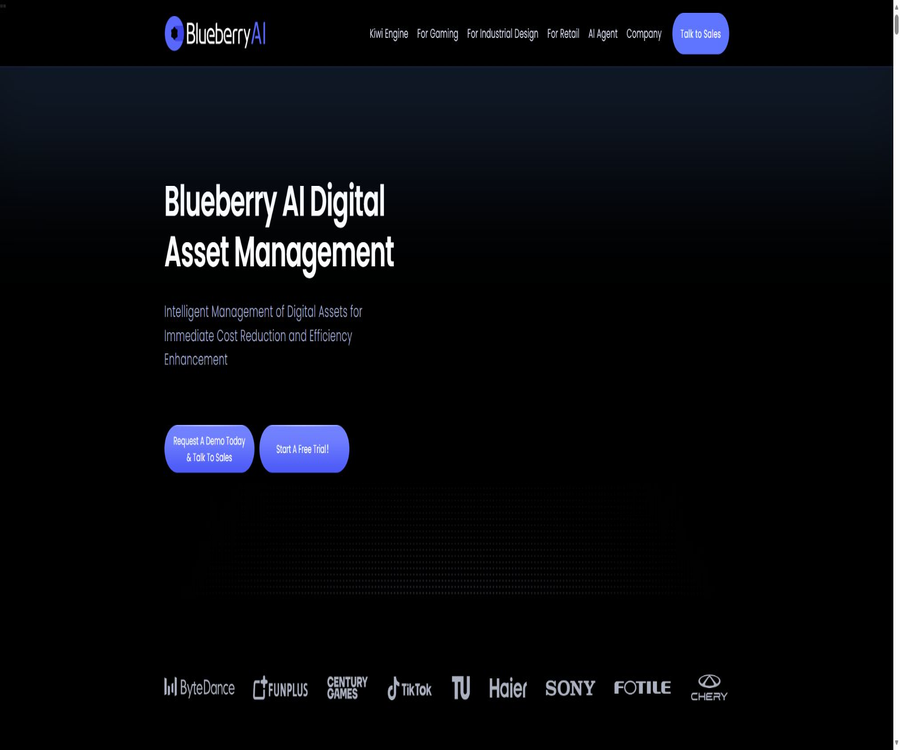
Blueberry AI is an AI-based digital asset management platform developed by Share Creators Software Inc. It is designed to serve teams in the fields of game development, industrial design, advertising, and other areas that require managing large quantities of images, videos, audio files, and 3D files. It integrates functions such as asset storage, retrieval, previewing, version control, approval processes, sharing, and access management within a single workspace.
The focus of this product is not on generating an image or answering a question, but rather on enabling companies to continuously accumulate, search for, reuse, and review their production assets. The official website also uses names such as Blueberry, Blueberry AI, Blueberry DAM, and Share Creators; it is necessary to verify the exact list of products and modules included in the contract at the time of purchase.
Product composition and current status
| Product or module | Current location | Open state | Primary uses |
|---|---|---|---|
| Blueberry AI DAM | Core digital asset management platform | Trial and sales are now available. | Centralized management, retrieval, previewing, collaboration, and protection of digital assets |
| Kiwi Engine | 3D preview and technical information engine | It has been presented as a product feature. | View professional 3D formats in a browser and examine the model structure. |
| Catalog | Product entry point for the asset catalog | The official website currently provides a access link. | Organize and present a team’s digital assets |
| Smart Search | An intelligent search application for cross-cloud storage and emails | The official website provides access options for Windows and macOS. | Search for profiles in Google Drive, Dropbox, Gmail, and Blueberry AI |
| AI Agent | Shopping and Design Research Assistant | Waiting list | Compare products or study competitors, trends, and market feedback |
| AWS AMI | Version that can be deployed to the customer’s AWS account | Available on AWS Marketplace | Run Blueberry instances in the customer’s cloud environment |
The AI Agent page currently requires users to be added to a waiting list; therefore, it can only serve as a preview of its capabilities. Descriptions such as product price comparison, research on design trends, and editable presentations should not be considered official DAM functions that are already available to all Blueberry customers.
Main functions
Centralized digital asset repository
Teams can manage images, videos, audio files, documents, design source files, and 3D models in a centralized manner, by project, folder, and permission. A centralized repository helps to avoid the problem of files being scattered across personal computers, messaging tools, and external hard drives.
AI semantic search and similar content retrieval
Blueberry supports semantic search using natural language, keyword and metadata-based searches, filtering, as well as image search by similarity; it allows assets to be found based on their content or visual similarities when the exact file name is not known. Automatic tagging helps in creating indexes, but visual tags can be inaccurate, so it is still necessary for humans to maintain professional glossaries and key metadata.
Online preview in multiple formats
The official website states that the platform allows for online previewing of over 100 different file formats, including images, videos, audio files, Office documents, animations, and professional 3D files. Reviewers can view the content directly in their browsers, thereby avoiding the need to download files or install separate software applications for each type of file.
Kiwi Engine 3D review
Kiwi Engine supports browser preview in formats such as Maya, 3ds Max, Blender, FBX, OBJ, Alias, and various CAD-related formats. The control panel offers viewing tools including rotation, grid and material lists, wireframe mode, dual-sided display, screen space reflection, and UV checking.
Version management and local workspace
The platform can keep track of asset versions and identify new or modified files between the local workspace and the remote repository, thereby assisting teams in comparing changes and resolving conflicts. It cannot replace a full source code version control system; for large 3D files and projects with frequent iterations, it is still necessary to verify the synchronization strategies and recovery capabilities.
Comments, annotations, and external collaboration
Members can view, comment on, share, and provide feedback regarding assets, while the guest mode is used to make controlled content available to customers, contractors, or other external parties. Administrators should assign minimal permissions to guests, set a valid period for their access, impose limits on downloads, and regularly remove any shared content that is no longer needed.
Permissions, operation logs, and secure sharing
Blueberry offers controls such as folder permissions, user management, operation logs, and sharing records, which are used to keep track of who has viewed, modified, or shared resources. Companies should still verify through actual demonstrations whether the level of role segmentation, log retention, audit export capabilities, and anomaly alerts meet their own requirements.
Integration of creation tools with collaboration platforms
The official website lists the integration options for Adobe, Autodesk, Blender, Figma, Maya, Rhino, Slack, Lark, DingTalk, WeChat, and Microsoft, and it also shows plugins for Photoshop and Chrome. Some pages indicate that Substance, Shotgun, Unity, and TvPaint will be available soon; however, their actual usability depends on the account and contract in use.
AIGC and automated processing
The platform overview covers areas such as AI-generated content, automatic tagging, transcoding, size adjustment, and workflow automation; it enables the integration of creation, review, and approval processes into the asset management workflow. There are no unified public guidelines regarding specific models, generation quotas, commercial licensing, or whether enterprise data is used in training – these details must be confirmed individually during the trial period or in the contract.
Supported asset types
| Asset type | Example | Available capacity | Key points of verification |
|---|---|---|---|
| Images and design drafts | PNG, JPG, and design source files | Preview, search, tags, versions, and sharing | Color, layers, fonts, and source file compatibility |
| Video and audio | Videos, animations, recordings, and music scores | Online playback, searching, commenting, and versions | Codec, long-file preview, transcoding, and subtitles |
| Office documents | Presentations, text documents, and PDFs | Online preview, content search, and collaboration | Complex formatting, permission inheritance, and full-text indexing |
| Universal 3D files | FBX, OBJ, STL, etc. | Browser preview, rotation, material and structure inspection | Textures, animations, coordinates, and large model performance |
| Professional 3D and CAD | Maya, 3ds Max, Blender, Alias, and various engineering formats | Direct viewing of Kiwi Engine and extraction of technical metadata | Software versions, plugins, assemblies, and proprietary formats |
| Project information | Refer to the diagrams, requirements, review drafts, and delivery packages. | Group by project, search, share, and keep a record | Directory rules, version naming, and archiving strategies |
Digital asset management workflow
- Inventory the existing document library, creation tools, project structure, asset owners, and confidentiality levels.
- Select representative images, videos, documents, and 3D files to create a dataset for testing.
- Design folders, projects, tags, versions, approval statuses, and a glossary of terms.
- Upload or sync assets to Blueberry, and check the preview, technical metadata, and auto-tags.
- Set viewing, editing, downloading, and sharing permissions by team, vendor, and customer.
- Have real users test semantic search, image search by image, version comparison, and online reviews.
- Adjust the tag and catalog rules, then migrate the cleaned official assets in batches.
- Ongoing audit of shared items, duplicate files, expired assets, versions, and access logs.
Tutorial on creating a searchable asset library
- First, define the roles, projects, asset types, and business metadata that must be retained.
- Create top-level projects and folders to avoid directly copying the chaotic directories that have accumulated over the years.
- Upload a small number of actual assets to verify that the files are complete and that the thumbnails and online previews work properly.
- Check the labels generated automatically by the system, and add information regarding the brand, product, usage scenario, and expiration date of the authorization.
- Conduct search tests using natural language, keywords, filtering, and reference images respectively.
- Record missed detections, false detections, and duplicate results to adjust label rules for specialized terminology.
- Establish approval, archiving, and retirement statuses to prevent unfinished versions from appearing in search results.
- After team training, expand the scope of implementation and conduct regular checks on search quality.
3D File Review Tutorial
- Verify the model format, software version, textures, materials, external references, and assembly relationships.
- Upload the test model and wait for the processing to be completed, checking for any missing materials or structural errors.
- Rotate models in Kiwi Engine, and switch between grids, materials, wireframes, and double-sided display.
- UV inspection and display controls are used to identify areas that require review by the designers.
- Leave comments on the corresponding assets or versions to prevent feedback from getting scattered in chat messages.
- Upload the revised version and compare the changes to ensure that the old version can still be traced and restored.
- After approval, the delivery version is locked down, and then shared with customers or external teams based on their permissions.
Smart Search usage process
- Download the Smart Search application compatible with the operating system from the official website and complete its installation.
- Connect only to the Google Drive, Dropbox, Gmail, or Blueberry AI accounts that are truly necessary for your current work.
- Read the permission scope to ensure that the application is granted only acceptable read-only access to files and metadata.
- Select the locations for which indexes should be created, and exclude sensitive directories such as those related to human resources, finance, and keys.
- After the indexing is complete, test the searches using criteria such as file name, content, format, and time.
- Preview the results and return to the original service to verify the file version; do not rely solely on summaries when dealing with critical information.
- Disconnect from a data source when it is no longer in use, and delete the local index as needed.
Team deployment and migration steps
- Decide whether to use SaaS, a customer-owned cloud environment, or a fully private deployment, and clarify the responsibilities for maintenance.
- Suppliers are required to list all costs related to storage, bandwidth, seats, visitors, plugins, implementation, and support.
- Use real files to verify format compatibility, upload speed, preview performance, search accuracy, and permissions.
- Design identities, single sign-on, roles, external access, and logging and data retention rules.
- Migrate assets in batches, while retaining the export files from the original system, the verification values, and backup options for rollback.
- Have the personnel in charge of design, production, management, legal affairs, and information security carry out the acceptance processes separately.
- After going live, verify the quantity, version, sharing settings, tags, and permissions, and then close the old write interface.
Which users are it suitable for
- Game art and development team: Manages characters, scenes, materials, animations, and multiple versions of assets delivered by external parties.
- Industrial design and engineering team: Centralizes CAD files, models, reference materials, and project review records.
- Advertising and Brand Team: Locate past creative works, manage approved versions, and reuse assets across different channels.
- Film, television, and animation team: manages videos, audio files, storyboards, 3D models, and large-volume production files.
- Retail and e-commerce team: Manages product images, 3D models, promotional videos, and brand content.
- Creative agencies: Separate data by client and project, and collaborate securely with external reviewers.
- Corporate knowledge and IT teams: Enable unified retrieval of files across multiple clouds, or plan an infrastructure for private digital assets.
Typical use cases
- Use natural language to search for historically significant images, videos, and 3D models that do not have standardized names.
- Upload reference images to locate visually similar, reusable content from a large asset library.
- Allow managers without Maya or 3ds Max licenses to review models in the browser.
- Restrict contractors to designated folders and projects, and keep track of versions and feedback in a centralized manner.
- In creative workflows such as Photoshop, assets are invoked and the modified files are returned.
- Record the shared object, time, and status, and disable expired external links before publishing.
- Use Smart Search to find personal work materials in cloud storage, emails, and Blueberry in one place.
- Deploy DAM to the customer’s AWS account or an isolated environment, thereby reducing the extent to which sensitive assets leave the controlled area.
Product advantages
- It also supports images, videos, documents, and complex 3D assets, not limited to marketing image libraries.
- Semantic search, visual similarity search, and automatic tagging can complement traditional file name retrieval.
- Kiwi Engine allows various professional 3D files to be viewed and checked directly in the browser.
- The version, comments, visitors, and permissions features link asset reviews to the files themselves.
- It offers integration options for Photoshop, Chrome, and a variety of tools for creation or communication.
- It offers both managed subscriptions as well as options for customer cloud and on-premises deployment.
- Smart Search integrates cloud storage, emails, and DAM assets under a single search interface.
- The pricing page offers a free individual plan, allowing users to test the basic asset management process first.
Usage restrictions and precautions
- Automatic labeling and visual search yield probabilistic results, while professional 3D classification and authorized metadata require manual verification.
- The efficiency improvement figures published on the official website come from the manufacturers themselves, and should not be considered as results that every team can achieve.
- The package names, storage quotas, and prices vary depending on the page; a formal quote must be obtained before making a payment.
- Large 3D models, complex assemblies, textures, and special plugin formats require testing using actual samples.
- The integrated page still marks some tools as upcoming, so it cannot be assumed that all connections are already available.
- The AI Agent is still in the pending stage and should not be considered a guaranteed benefit for purchasing the current DAM.
- The specific numbers regarding the number of files in the free version and the duration of the trash bin are not indicated on the pricing page.
- The terms of Smart Search limit desktop application licensing to personal, non-commercial use; separate authorization is required for corporate use.
- Sharing, visitors, and cloud indexing increase the scope of data exposure; sensitive directories should be granted minimal permissions and have their data removed upon expiration.
- The platform does not provide a public, universal SDK or comprehensive developer documentation; for deep integration, it is necessary to consult the sales team.
Blueberry AI prices and packages
The following are the publicly available details shown on the website’s Annual Prices page as of August 20, 2026. The page is titled “Annual Prices,” but options for Small Team, Standard, and Pro are all listed as being charged on a monthly basis per seat; the actual billing cycle, taxes, and discounts shall be based on the purchase page or official quote.
| Package | The prices are shown on the official website. | Storage and accounts | Primary interests | Suitable for users |
|---|---|---|---|---|
| Casual Single User | Free | 5 GB of personal cloud storage; the exact number of files and the duration of the trash folder have not been specified. | Blueberry: 51 basic functions | Personal experiences and small databases |
| Small Team Basic | The page currently shows $0.5 per seat per month. | 50 GB of personal cloud storage | Basic functions, user management, Rhino format, and user operation logs; guest mode is not included. | Small teams that need to first validate their team processes |
| Team Standard | $ | 200 GB of personal cloud storage; 1 visitor per account, with a cost of $6.90 for each additional visitor | 3D project preview, PC Local, Mac Local, and folder permissions | Teams that require local synchronization and 3D review |
| Team Pro | $ | 500 GB of personal cloud storage; the rules for visitors are the same as above. | 3D preview, Chrome plugins, Photoshop resources and image masking plugins | Professional teams that use creation plugins frequently |
| Enterprise | Contact sales | No limit on the number of seats or visitors; private deployments offer unlimited storage options. | Highly customized solutions, technical support, and customized onboarding | Large enterprises and projects involving sensitive assets |
The price of $0.50 for Small Team Basic is significantly lower than that listed on the old version of the official website as well as on other sales platforms; however, this is indeed the price shown on the current official annual pricing page. To avoid mistaking a page error or a temporary promotion for the permanent price, it is necessary to obtain written confirmation from the seller regarding the currency, duration, minimum number of licenses required, and the amount due for renewal.
AWS deployment version pricing
| Channel or version | Current public billing | Deployment location | Other possible costs | Suitable for customers |
|---|---|---|---|---|
| AWS Marketplace AMI | The software usage cost for the recommended instance m5a.2xlarge is 34.25 dollars per hour. | Customer’s AWS account | EC2, storage, traffic, backup, and operational costs | Companies that wish to run their operations in their own AWS environment |
| 365-day contract | The page offers contract options; the specific amount must be confirmed within the purchase options. | Customer’s AWS account | Infrastructure and overuse | Organizations wishing to lock in long-term procurement terms |
| Blueberry Enterprise | Custom quote | For managed clouds, customer-owned clouds, or private environments, negotiation is required. | Implementation, migration, customization, plugins, support, and capacity | Customers who need a comprehensive corporate solution |
The cost of AWS AMIs differs from the subscription model offered on the official website; therefore, they cannot be considered as part of the same package. The AMI page also indicates that additional costs related to AWS infrastructure will arise, and businesses should calculate the total cost based on the expected duration of operation, the number of instances, storage requirements, and maintenance needs.
Platforms, plugins, and integrations
| Platform or connection | Support status | Corresponding product | Precautions |
|---|---|---|---|
| Web browser | Support | Blueberry AI DAM and Kiwi Engine | Professional 3D preview is promoted primarily as a feature available in Chrome. |
| Windows | Support | PC Local and Smart Search | The Local feature is listed starting from Team Standard. |
| macOS | Support | Mac Local and Smart Search | The Local feature is listed starting from Team Standard. |
| Mobile version | Support for annotations on the Smart Search page | Smart Search | No clear official store version or system requirements were found. |
| Chrome extensions | Listed in Team Pro | Blueberry AI DAM | Used for processes such as taking screenshots and collecting reference materials |
| Photoshop plugins | Listed in Team Pro | Blueberry AI DAM | Includes plugins related to resources and image masking. |
| Creation tools | The official website lists several items. | Adobe, Autodesk, Blender, Figma, Maya, Rhino, and others | The specific version and two-way operations require demonstration for verification. |
| Communication tools | The official website lists several items. | Slack, Lark, DingTalk, WeChat, and Microsoft, etc. | It is necessary to determine the scope of feedback and notifications to be received. |
| AWS AMI | Support | Private deployment version | The customer is responsible for the cloud resources and operations. |
| Linux desktop version | Not disclosed | No official client was found. | The server environment is not the same as Linux desktop applications. |
Data, Privacy, and Security
According to Blueberry’s official privacy policy, the company collects the name, email address, phone number, company information, and account details provided by users; it also automatically records IP addresses, browser information, device details, pages visited, time stamps, referral pages, and Cookie-related data. This information may be processed outside the country where the user resides, and the specific protective measures in place need to be verified by referring to the company’s contracts.
The terms of service state that users retain the right to their uploaded content, while granting the platform a limited license to use it for purposes of provision, maintenance, improvement, secure handling, and responding to legitimate requests. Users must ensure that the files they upload are legal and are responsible for respecting copyright laws, as well as ensuring privacy, accuracy, and appropriateness.
- Companies should demand a data processing agreement, a list of sub-processors, information on storage locations, as well as commitments regarding backups and deletion.
- High-value design documents require verification in terms of transmission and static encryption, key management, log retention, and incident response.
- Outsourcing and guest accounts require minimal permissions, a limited validity period, download restrictions, and procedures for reclamation upon departure.
- Automatic labeling, transcription, and generation capabilities may rely on AI for processing; it is necessary to verify whether the data is retained or used for training purposes.
- Smart Search states that cloud files are used for searching, indexing, and previewing in read-only mode, and the content of these cloud files is not retained after the request has been processed.
- The local index of Smart Search remains on the device until the user deletes or uninstalls the app.
- Smart Search may transmit only the minimum necessary queries and file metadata for the server-side AI functions.
- Even if the device is lost or the local account is stolen, index information can still be exposed; therefore, users need to protect their devices and credentials.
APIs, SDKs, and open-source status
The integration page states that Blueberry offers an open API that can be used to connect with communication or professional creation tools that also have APIs, but the official website does not provide complete information on the interfaces, authentication methods, rate limits, or universal SDKs. Teams that need automated data import, metadata synchronization, or advanced workflow integration should request the developer documentation and a sandbox environment before making a purchase.
As of the time of verification, no publicly available GitHub organizations, DAM source code repositories, or SDK repositories that have been officially recognized by Blueberry AI or Share Creators were found. The product terms describe the software as being available for licensed use while prohibiting reverse engineering; therefore, the Blueberry AI platform should be classified as non-open source, rather than being labeled as open source just because it provides open APIs.
Pre-purchase verification checklist
- Ask the sales team to provide written confirmation of the current price of Small Team Basic, the minimum number of seats required, the annual payment cycle, and the rules for renewal.
- Verify previews and metadata using actual Maya, 3ds Max, CAD, video, and design files.
- Test the precision and recall for natural language, keywords, similar images, and multi-condition filtering.
- Confirm whether storage is allocated per seat or per workspace, as well as the limits on the number of files, bandwidth, and the recycle bin.
- List whether visitors, plugins, APIs, SSO, migration, training, and support are charged separately.
- Check version restoration, sharing cancellation, log export, as well as backup and disaster recovery capabilities.
- Distinguish between official integrations, custom integrations, and connections that are still marked as upcoming.
- Verify data ownership, AI training, deletion, cross-border transfer, and complete export after contract termination.
- For private deployments, it is also necessary to assess responsibilities related to servers, upgrades, monitoring, security patches, and disaster response.
Basic information
| field | Content |
|---|---|
| Tool name | Blueberry AI |
| Common names | Blueberry, Blueberry DAM |
| Development company | Share Creators Software Inc. |
| Tool type | AI digital asset management, 3D asset management, and team collaboration |
| Core engine | Kiwi Engine |
| Primary users | Games, industrial design, advertising, animation, retail, and creative teams |
| Price pattern | Personal free version, subscription by seat, enterprise quote, and AWS pay-as-you-go pricing |
| Is registration required? | Account is required for official use, trial, and asset storage. |
| Chinese support | The official website is primarily in English; the quality of the product interface and Chinese search functions needs to be verified through trial use. |
| Main platforms | Web, Windows, macOS, plugins, and AWS AMI |
| API | The official website claims to offer an open API, but no complete documentation is available. |
| Official SDK | No public SDK was found. |
| Official GitHub | No certified public organizations or warehouses were found. |
| Is it open source? | Not open source |
| AI Agent status | The candidate list cannot yet be considered a formal, standard feature. |
Recommendation score
The comprehensive recommendation score is 4.3 out of 5 points. Blueberry AI offers significant value to organizations that need to manage complex 3D formats, carry out cross-team reviews, and work with large volumes of creative assets; Kiwi Engine, semantic search, and various deployment options are its main distinguishing features.
The main shortcomings are version differences between the prices and the information on the product pages, limited availability of public API documentation, and the fact that some integration options and AI Agents have not yet been made available officially. It is recommended to start with a small-scale pilot using real assets, and to include details regarding prices, formats, permissions, data, and exit procedures in a formal contract.
Frequently Asked Questions
Is Blueberry AI a image generator?
No. Its main purpose is the management of AI-based digital assets, enabling storage, retrieval, previewing, version control, and collaborative work; AIGC is merely one type of additional functionality mentioned in the platform’s description.
Can Blueberry AI be used for free?
The price page on the official website offers a free Casual Single User plan, which includes basic functions as well as 5 GB of personal cloud storage. The exact numbers regarding the number of files allowed, the retention period for the trash folder, and other restrictions are not specified.
Why does the price of Small Team Basic seem so low?
The Annual Price page on the official website shows a cost of $0.50 per seat per month, but other pages and channels provide different figures. This could be due to a promotion, a page error, or specific billing conditions; it is necessary to refer to the settlement page or the written sales quotation for accurate information.
Which 3D files are supported?
The official website lists Maya, 3ds Max, Blender, FBX, OBJ, Alias, Rhino, as well as various CAD-related formats, stating that a total of over 100 professional formats are supported. The compatibility of specific software versions, textures, and assemblies must be tested using actual files.
Is it necessary to install professional 3D software in order to preview?
The main advantage of Kiwi Engine is the ability to preview and examine 3D files in a browser; reviewers generally do not need to install the software used for creating those files. Editing the original models, however, still requires professional tools.
Does Blueberry AI offer APIs?
The official website’s integration page states that open APIs are available, but no complete developer documentation or universal SDKs are provided. Information regarding the scope of the interfaces, authentication procedures, quotas, and prices must be obtained from sales.
Is Blueberry AI open source?
It is not open source. No official publicly available source code for the product or SDK repositories have been found; providing APIs and AWS AMIs does not equate to making the code open source.
Can AI Agents be used already?
It cannot yet be considered widely available. The AI Agent page on the official website currently requires users to add themselves to a waiting list; the exact time it will become available and which packages will be offered remain undisclosed.
Does Smart Search save files on the cloud storage?
Its privacy policy states that the content of files stored in the cloud is processed temporarily only when a user makes a request; it is not retained after such processing. Local indexes remain on the device until they are deleted or the device is uninstalled. Companies should still assess the transmission of metadata and the security of the devices.
Is it suitable for individual users?
Individuals can use the free version to experience basic asset management, but the main advantages of this product lie in team permissions, 3D review capabilities, version collaboration, and enterprise-level deployment. Those who only need to manage a small number of ordinary images may not require all of these advanced functions.
Can the assets that are created or managed be used for commercial purposes?
The platform does not obtain the rights to third-party materials on behalf of users. Users must ensure that the content they upload and create comes with the appropriate copyright, trademark, portrait, and contractual permissions, and they must also comply with the commercial terms related to AIGC as specified in their subscription agreement.
Tools similar to Blueberry



 Guigong Network Security Registration No. 45132202000164