






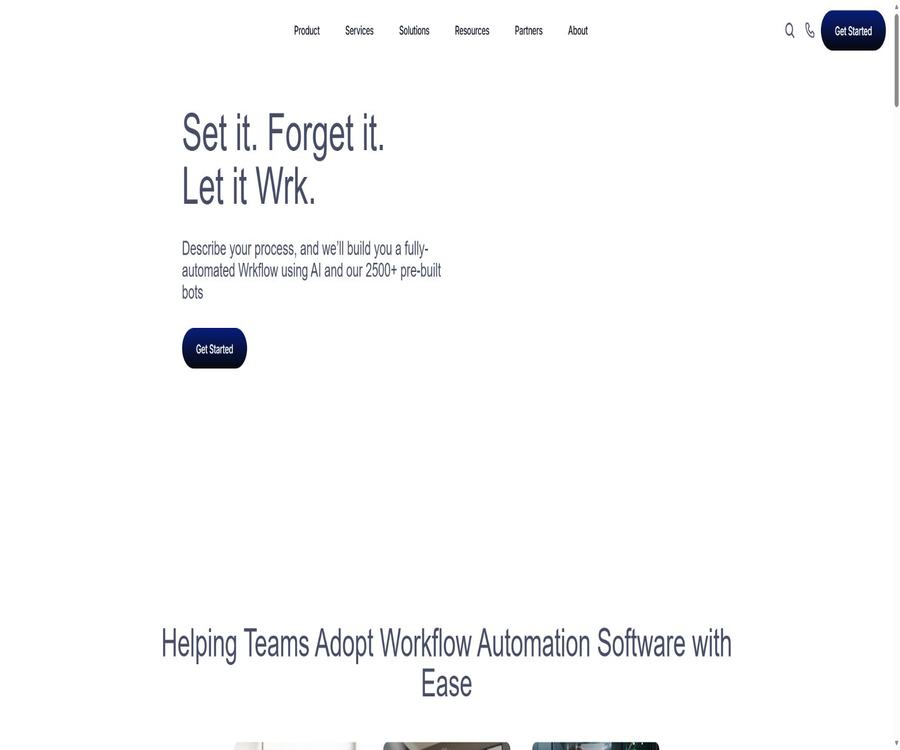
AI Workflow Automation Software & Business Solutions
AI Workflow Automation Software & Business Solutions – intelligent tools designed with AI in mind
Tags:AI design toolsWhat is Wrk?
Wrk is an automation orchestration platform designed for end-to-end business processes in enterprises. It combines API connectors, RPA, OCR, AI models, manual processing, and workflow control within a single process.
The platform offers a low-code designer, as well as automated consulting services and expert-led development services. Companies can start with a single process and then use credits based on their actual usage level.
A one-sentence summary
Wrk handles business processes in an automated manner that is most suitable for each step, and introduces manual review or execution when machines are unable to complete the tasks reliably.
Core functions
- Low-code workflow designer.
- API connector for third-party applications.
- Desktop RPA and operations on legacy systems.
- PDF and image OCR extraction.
- Generative AI for classification, extraction, summarization, and generation.
- Manual review, approval, and structured input.
- Start the process via schedule, email, Webhook, or API.
- Execute monitoring, view logs, and inspect data.
- Pre-built processes and action libraries.
- Expert consultation, development, and ongoing maintenance.
Automated orchestration
The focus of Wrk is not merely to connect two applications, but rather to enable seamless flow of data between multiple systems and rules. The orchestration engine organizes different types of actions into a coherent workflow, in accordance with sequence, conditions, and exception handling.
Low-code designer
- Arrange the actions and their sequence on the canvas.
- Set input, output, and field mappings.
- Add conditions, branches, and manual nodes.
- Configure failure handling and subsequent paths.
- View the operation data and adjust the points consumption.
- Update the automated processes that are already in use.
- Call the process as a protected interface endpoint.
API connector
When the target system provides a stable API, Wrk can read from or write to data through this API. The API approach is generally more stable than simulated interfaces, but it still requires handling issues such as permissions, pagination, rate limiting, changes in field structures, and failures on the part of third-party services.
RPA capabilities
- Simulate mouse clicks and keyboard input.
- Operating a desktop or web system that does not have an API available.
- Read information from the interface and enter the results.
- Connects traditional software with modern cloud applications.
- Tasks with clear processing rules and a high frequency of repetition.
- Recheck the positioning rules after the interface changes.
OCR document processing
- Extract text from PDFs and images.
- Identify tables, label fields, and row items.
- Process invoices, receipts, and business forms.
- Pass the extracted results to the accounting or business system.
- Manual inspection is added for fields with low confidence levels.
- Retain the original document for auditing and review.
Generative AI and AI Agents
- Classify texts and records.
- Extract fields from unstructured content.
- Summarize feedback, emails, and documents.
- Generate replies, reports, or draft content.
- Determine the next action based on the context.
- Combine artificial nodes to control high-risk decisions.
- Set the format and validation rules for the model’s output.
Human involvement in the process
Wrk allows processes to be paused and requests for manual review, approval, or the addition of structured information. Human agents are suitable for handling exceptions, documents with low confidence levels, sensitive decisions, and steps that must be confirmed by authorized personnel.
- Review the results extracted by AI or OCR.
- Approve payments, refunds, or customer actions.
- Handle exceptions that the processing robot cannot recognize.
- Fill in the missing business information.
- Identify clear responsible persons at the compliance points.
- Use the correction results to improve subsequent rules.
How to start a workflow
- It is manually started by the user in the console.
- It operates at fixed intervals or periods.
- Triggers upon receiving the specified email.
- Receive external events via Webhook.
- Through synchronous or asynchronous API calls.
- It is initiated by an upstream workflow or application event.
Pre-built Wrkflow library
Wrk offers pre-built automations that can be filtered by department, process type, and application. Examples include extracting invoice line items, cleaning CRM data, enriching lead information, conducting company research, and creating QuickBooks bills.
Financial automation
- Extract the invoice and receipt fields.
- Create or update accounting system invoices.
- Generate monthly and management reports.
- Verify the supplier and payment details.
- Submit suspicious transactions for manual review.
- Retaining process records supports auditing.
Sales and CRM automation
- Enrich contact and company information.
- Verify the email addresses and remove duplicate records.
- Rate and assign leads.
- Generate a research summary based on company information.
- Create tasks, notes, and activities in CRM.
- Synchronize data from different sales tools.
Automated customer service
- Classify tickets and identify their urgency.
- Summarize past conversations and customer questions.
- Generate a draft response for customer service approval.
- Forward complex issues to the appropriate team.
- Update tickets, CRM, and knowledge systems.
- Statistical processing time and common causes.
Human resources automation
- Handle employee onboarding and offboarding lists.
- Create or deactivate accounts in multiple systems.
- Collect forms and supporting documents.
- Send training, reminders, and approval tasks.
- Synchronize personnel information and check for missing fields.
- Manual approval is retained for sensitive personnel decisions.
Market and operations automation
- Aggregate surveys, reviews, and social feedback.
- Monitor public information and generate summaries.
- Organize the list of participants and the relevant data.
- Generate regular operational reports.
- Simultaneous recording in multiple systems.
- Route exceptional tasks to the responsible person.
Wrk Basic Usage Tutorial
- Choose a business process that is rule-based, stable, and quantifiable.
- Record trigger conditions, systems, data, rules, and manual exceptions.
- Confirm technical feasibility and estimated usage with Wrk experts.
- Combine connectors, RPA, OCR, and AI actions in the designer.
- Add artificial nodes for sensitive or low-confidence steps.
- Use masked samples to test normal and abnormal paths.
- After going live, monitor the success rate, cost, and processing time.
- Adjust the rules based on the logs and gradually increase the processing volume.
Tutorial on designing automated processes
- Specify the input that needs to be provided for each execution.
- Break down the process into verifiable minimal actions.
- Give priority to using stable APIs, and then consider RPA.
- Set format validation for OCR and AI outputs.
- Add retry, timeout, alerting, and manual fallback mechanisms.
- Record the input, output, and responsible person for each step.
- Execute acceptance testing using real-world boundary cases.
Tutorials for going live and ongoing optimization
- Run it first on a small scale with non-critical data.
- Compare the time, cost, and error rate before and after automation.
- Check the rate limiting and permission scope of third-party systems.
- Create a manual processing queue for failed processes.
- Run regression tests after each application or interface update.
- Regularly review point consumption and unused balance.
- Expand to more processes after achieving the goal.
Which companies are suitable?
- Companies whose processes span multiple cloud applications and traditional systems.
- Small and medium-sized enterprises that lack an in-house automation engineering team.
- Business departments that require expert construction and ongoing maintenance.
- A team that handles a large volume of invoices, forms, and documents.
- Organizations that require both AI and human effort to carry out processes.
- Companies that wish to expand automation based on the volume of transactions.
- Industry clients with specific requirements regarding security and auditing.
Typical use cases
- Invoice extraction, approval, and booking.
- Rich CRM leads, along with processing and allocation.
- Customer onboarding, data verification, and system record creation.
- Reading of email attachments and entry of business data.
- Generation of regular reports and synchronization across systems.
- Ticket classification, summarization, and escalation.
- Processes for employee onboarding, offboarding, and permission management.
It’s not very suitable for which situations
- It only requires individual users who connect two simple applications.
- Businesses whose process rules change daily and cannot be standardized.
- Projects without a process owner or defined data criteria.
- Teams that cannot afford the expert setup fee and a twelve-month subscription are not acceptable.
- A strictly isolated environment that requires operation entirely offline.
- Technical teams that need to deploy a complete open-source platform on their own.
- Organizations that are unable to arrange for manual review of high-risk decisions.
Price pattern
Wrk uses a billing model that combines a one-time fee for expert setup, a twelve-month subscription fee, and usage credits. The amounts are displayed in US dollars; separate quotes are required for corporate accounts and custom projects.
| Package | One-time setup fee | Subscription fee | Monthly points | Main positioning |
|---|---|---|---|---|
| Essential | 1,000 dollars | $ | Equivalent to 250 dollars | A single common business process |
| Advanced | $ | $ | Equivalent to 250 dollars | Complex processes across multiple systems |
| Expert | 10,000 dollars | $ | Equivalent to $1,000 | Widespread and in-depth multi-process automation |
| Enterprise | Customization | Customization | Customization | Large-scale and special needs |
Comparison of package features
| Functions | Essential | Advanced | Expert |
|---|---|---|---|
| Expert construction | 1 business process | More development hours | 100 hours |
| Business hours supported | Includes | Includes | Extended support |
| Stable phase | Follow the plan. | 2 months | Ongoing monitoring |
| Premium API | Not included | Not included | Includes |
| Proactive monitoring | Foundation | Enhance | All workflows |
| Access to low-code platforms | No time limit | No time limit | No time limit |
How are points billed?
Points are used to run automated tasks and purchase support services; unused points do not expire and can be accumulated on a monthly basis. The prices of specific actions may change, so it is necessary to use the current prices available in the account when creating a budget.
| Example results | Example consumption on the official website |
|---|---|
| Data synchronization | 3 points per record |
| CRM data cleanup | 20 points per contact |
| Invoice automation | 70 points per invoice |
| Report generation | Approximately 1.80 dollars per portion |
Reward points
- Essential currently includes 80 dollars in reward points.
- Advanced currently includes 250 dollars in reward points.
- Expert currently has 2,410 reward points.
- The larger the purchase volume, the higher the reward percentage may be.
- The rules for activities and rewards may change with updates to the pricing page.
- Before making the payment, it is necessary to confirm that the reward has been credited and understand its scope of application.
How to choose a package
- A single, clear process can be used to first evaluate Essential.
- For use across multiple systems and when a longer period of stability is required, Advanced can be considered.
- Multiple processes, Premium APIs, and the need for proactive monitoring are suitable for Expert.
- The score is estimated by multiplying the monthly transaction volume by the action consumption.
- Include third-party application licensing and manual review in the total cost.
- Allocate a maintenance budget for projects with frequent process changes.
- Confirm the scope of delivery, acceptance criteria, and support response prior to signing.
Refunds and feasibility guarantees
The pricing page offers a guarantee of refund in case automation is deemed not feasible: if it is determined that automation is not possible within the first 30 days, Wrk will refund the costs associated with the implementation. This guarantee applies only to cases where automation is found to be unfeasible; it does not mean that refunds can be obtained without condition for all projects that do not function as desired.
- Feasibility is assessed within the first 30 days.
- The construction costs are refunded if it is determined to be unfeasible.
- Subscriptions, points, and third-party fees shall be accounted for separately as stipulated in the contract.
- Changes in scope may affect whether it falls under the original guarantee.
- Before signing the contract, keep the procedure instructions and acceptance criteria.
APIs and developer capabilities
Wrk offers basic APIs and Premium APIs that can be used to create, manage, and initiate workflows. Workflows can also be turned into protected API endpoints, which can be called synchronously or asynchronously by external systems using specific parameters.
- Access authorized resources using an API key.
- Create and manage connected accounts.
- Create or query automated workflows.
- Start the process and read its execution status.
- Receive or trigger events via Webhook.
- The Expert plan includes access to Premium APIs.
Developer security recommendations
- API keys are stored only in the server-side key system.
- Grant the minimum permissions necessary for automating accounts.
- Third-party tokens are rotated on a periodic basis.
- Verify the origin of the Webhook and prevent duplicate executions.
- Set idempotent keys and approvals for write operations.
- Log access to sensitive fields and administrator changes.
- Verify the impact of application upgrades in a testing environment.
Safety and compliance
The Wrk official website states that it has achieved SOC 2 Type II certification, and claims to comply with HIPAA and PIPEDA requirements; it also mentions GDPR and CCPA. Companies should still obtain the current reports, scope of coverage, information on subcontractors, and data processing agreements from the Trust Center when making purchases.
- Confirm the products, regions, and services covered by the certification.
- Verify the arrangements for data storage and cross-border transmission.
- Sign the applicable business agreement for medical information.
- Limit the data visible to manual processors.
- Requirements are set for logging, backup, and deletion cycles.
- Regularly review connected accounts and administrator permissions.
Automation risks
- Incorrect rules may write erroneous data in bulk.
- Changes to third-party APIs can cause the process to fail.
- RPA is vulnerable to changes in the interface layout.
- OCR may misread amounts, dates, and line items.
- AI may generate incorrectly classified or summarized content.
- Unlimited retries can lead to repeated operations and additional costs.
- Key nodes require manual approval and rollback plans.
Product advantages
- It also coordinates APIs, RPA, OCR, AI, and human intervention.
- It can cover both old systems and modern cloud applications.
- Expert construction services are available to reduce the initial technical barriers.
- The low-code designer makes it easy to view and adjust processes.
- The points do not expire and can be accumulated on a monthly basis.
- Provides pre-built processes and a rich library of actions.
- It supports various startup methods and developer APIs.
- The information on security compliance is relatively comprehensive and available publicly.
Product restrictions
- It requires an initial setup cost as well as ongoing subscription fees.
- The price is higher than that of simple personal automation tools.
- The price of the action may change, and operating costs need to be monitored continuously.
- Complex processes still require thorough analysis and verification.
- RPA and third-party integrations are affected by external changes.
- AI and OCR cannot replace human quality control.
- The Premium API is only included in the advanced plans.
- The platform is not an open-source project, so it cannot be deployed completely on one’s own.
GitHub and the open-source status
The Wrk automation platform does not have any verifiable official open-source product repository, and the GitHub field in its official website database is also empty. The high-performance network stress testing tool with the same name, wrk, is a separate project that has no connection to Wrk Technologies’ business automation platform.
Basic information
| Project | Content |
|---|---|
| Tool name | Wrk Automation |
| Development company | Wrk Technologies Inc. |
| Tool type | Automation and orchestration of enterprise workflows |
| Automated method | API, RPA, OCR, AI, and human labor |
| Price pattern | Setup fee, 12-month subscription, and usage credits |
| Low-code designer | Support |
| API | Basic API and Premium API |
| Safety | The official website indicates SOC 2 Type II, among other things. |
| Open-source status | Not open source |
Recommendation score
Recommendation score: 4.3 / 5. Wrk is suitable for enterprises that need end-to-end automation across different cloud platforms, as well as in relation to older systems and manual processes; the main differences lie in the expert-led setup and hybrid orchestration features.
Before making a purchase, it is essential to carefully consider the setup costs, the 12-month subscription fee, action points, the scope of maintenance, and the costs associated with handling exceptions.
Frequently Asked Questions
Is Wrk a no-code tool?
It offers a low-code designer and expert development services, but complex integrations still require technical setup, business rules, and testing.
Can Wrk connect to old systems?
Yes, RPA can be used to simulate interface operations when there is no suitable API available.
Is OCR supported?
Supported: It is possible to extract text, tables, and label fields from PDFs and images.
Can manual review be added?
Yes, the process can be paused to request manual review, approval, or structured input.
Do the points expire?
The price page on the official website states that points do not expire and are automatically accumulated over subsequent months.
Does Wrk provide an API?
Basic APIs and Premium APIs are available; the advanced Expert version includes the Premium API as well.
Is a refund possible if automation is not feasible?
If Wrk determines that the application process is not feasible within the first 30 days, the price page guarantees a refund of the construction costs.
Is Wrk suitable for individuals?
It is generally not suitable; its building services, subscription models, and enterprise process capabilities are designed more for organizations.
Is Wrk open source?
It is not open source; do not confuse it with the network stress-testing tool of the same name available on GitHub.
Tools similar to AI Workflow Automation Software & Business Solutions



 Guigong Network Security Registration No. 45132202000164