






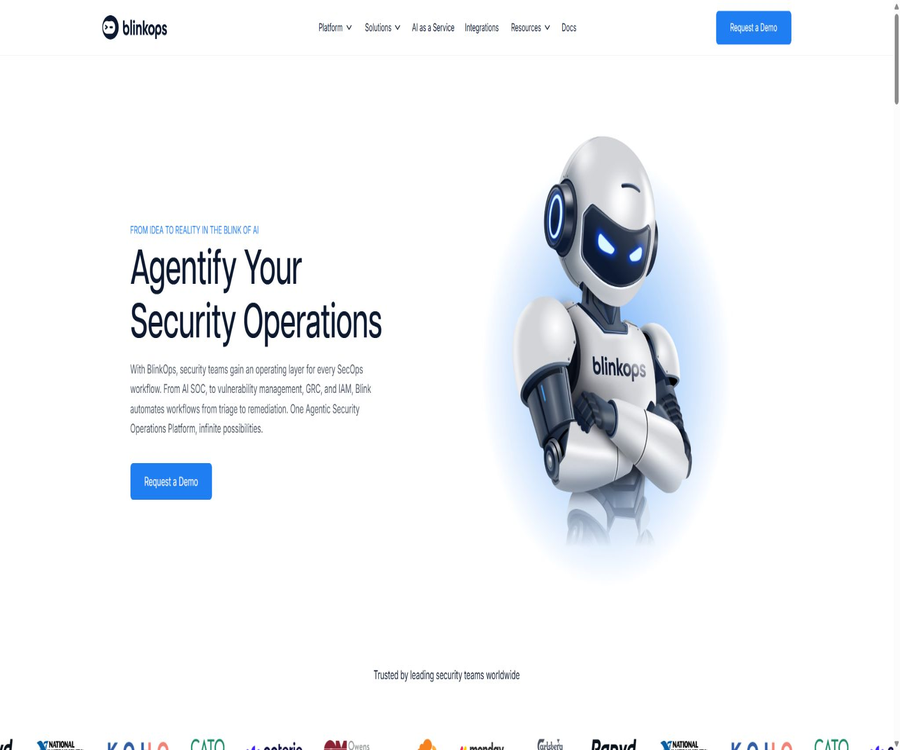
Agentic Security Operations Platform
Agentic Security Operations Platform – an intelligent tool designed with AI in mind.
Tags:AI design toolsWhat is BlinkOps?
BlinkOps is an Agentic Security Operations Platform designed for security operations teams; its product name is Blink. It brings together AI agents, deterministic workflows, case management, data tables, dashboards, and enterprise integrations within the same operational framework.
The platform can investigate alerts in the manner of an AI SOC, as well as carry out predefined response actions similar to a SOAR tool. The security team can decide which agents should operate automatically and which actions require human approval, while also keeping track of evidence and audit records.
Core functions
- Receive and investigate alerts from SIEM, EDR, cloud, identity, and email systems.
- Create secure agents with roles, capabilities, and constraints using the no-code Agent Builder.
- Use Workflow Studio to orchestrate deterministic security and IT processes.
- Combine Agents, workflows, cases, tables, and dashboards through Solution Studio.
- Manage alerts, evidence, observable objects, attachments, and tasks in unified cases.
- Generate summaries and assist with investigations using Analyst Copilot.
- Connects over 30,000 security, IT, cloud, development, and GRC actions
- Execute automation using cloud or self-hosted runners.
- Control risks using RBAC, approval gates, credential isolation, and comprehensive logging.
Platform composition
| Components | Main function | Typical user |
|---|---|---|
| Agent Studio | Create a dedicated Agent with reasoning and invocation capabilities. | SOC, IAM, VM, and GRC teams |
| Workflow Studio | Conduct investigations and responses through deterministic steps | Safety Engineering and Automation Team |
| Solution Studio | Assemble the Agent, workflows, and operational interface into a complete solution. | Platform leaders and security operations team |
| Cases | Unified tracking of events, evidence, tasks, and status | Analysts and incident response personnel |
| Dashboards and Tables | Display metrics and maintain operational data | Managers, analysts, and auditors |
| Connectivity Mesh | Connect enterprise tools and actions | Integration and Platform Team |
| Runners | Execute workflow actions in the cloud or in the customer’s environment | Infrastructure and Security Teams |
AI Agent Builder
Agent Builder offers a visual interface for defining the name, role, responsibilities, capabilities that can be invoked, and behavioral constraints of an Agent. When an Agent needs to perform external actions, it causes the Blink Workflow Engine to execute the authorized workflows, rather than holding credentials directly.
- Define clear security domains and task scopes for each Agent.
- Using approved workflows as capabilities that can be invoked by agents
- Define input, desired output, and failure states.
- Configure automatic execution, manual confirmation, and action prohibition.
- Connect downstream workflow steps using structured results
- Run single or sequential tasks in an isolated session
- Record the reasoning, evidence, capabilities utilized, and the final outcome.
Agent execution mechanism
The Agent determines the next step based on the role, task, and available capabilities, and invokes a controlled workflow when necessary. Once the workflow is completed, its results are returned to the Agent as a new context, until the task is successful, fails, or the stopping conditions are met.
- First, read the Agent configuration, task instructions, and current context.
- Determine whether a conclusion can be drawn directly.
- Select an authorized capability when external information or actions are required.
- The specific tool steps are executed by the workflow engine.
- Add the step output to the current session context.
- Upon achieving the goal, it returns success, failure, and evidence.
- By default, a new task uses an independent session each time to reduce context interference.
Workflow Studio
Workflow Studio combines AI-based reasoning with strict logical execution; it allows for the creation of initial processes using natural language via Copilot, and these processes can be modified using no-code, low-code, or full-code methods. The key action steps are still determined by clear procedures, conditions, and approval mechanisms.
- Trigger the process using events, schedules, or manual actions.
- Drag and drop integration actions and configure inputs and outputs.
- Addition of conditions, loops, branches, retry, and error handling
- Invoke the security agent to carry out dynamic investigation tasks.
- Run scripts in isolated terminals or plugins
- Manual approval is required for blocking, isolating, and changing permissions.
- Monitor results through operation logs and dashboards to save time
Solution Studio
Solution Studio is a solution assembly layer designed for operations personnel; it allows users to start with templates such as Agentic SOC, IAM, Cloud Security, or to create solutions from scratch. Each solution can include workspaces, cases, dashboards, tables, Copilot, and self-service applications.
- Select a preset template or create a custom solution based on the security area.
- Combining multiple micro Agents with deterministic workflows
- Provides a unified operational interface for front-line analysts
- Maintain assets, reference data, and processing status through tables.
- Use a dashboard to display throughput, latency, risks, and ROI.
- Allow external users to initiate controlled processes from self-service forms.
- Continuous iteration of plan versions, feedback, and audit records
Agentic SOC
Blink Agentic SOC can receive alerts from various detection tools, and it conducts investigations by taking into account threat intelligence, assets, identities, and historical context. The results are returned in the form of cases, which include a summary, a severity assessment, evidence, and recommended actions.
- Remove duplicates from alerts, merge them, and create investigation stories.
- Query terminal, identity, cloud, and email context
- Enriched IPs, domain names, file hashes, and other IOCs
- Reassess the severity and explain the basis for the judgment.
- It is recommended to take further actions such as isolating, banning, resetting, or shutting down.
- Automated execution or manual approval is determined based on confidence level and risk.
- Save the complete investigation history in a unified case.
Case management
The case interface connects to data tables such as Cases, Alerts, Attachments, Observables, and Tasks, and it supports task assignment, status changes, batch operations, and timeline tracking. Copilot can generate summaries of cases, while analysts can still edit and verify the original evidence.
- View alerts, evidence, entities, and related tasks in one place.
- Filter by team, owner, severity, and status
- Batch assign, close, or update multiple cases.
- Record manual investigations, Agent actions, and approval decisions.
- Gain a quick understanding of the key points of a case through AI summaries.
- Use custom fields to align with the organization’s processing standards.
- Use the information on final disposal and post-mortem analysis for subsequent improvements.
Scope of safe operation coverage
| Domain | Automatable content | It needs to be closely controlled. |
|---|---|---|
| SOC | Alarm routing, investigation, enrichment, and response | Disabling false alarms and handling high-risk situations |
| Incident response | Evidence collection, isolation, notification, and review | Integrity of evidence collection and business impact |
| IAM | Onboarding/offboarding, permission review, handling of abnormal identities | Separation of privileged accounts from approval processes |
| Vulnerability management | Discover merging, prioritization, assignment, and verification | Asset importance and repair window |
| GRC | Evidence collection, control testing, and reporting | Control interpretation and audit signing |
| AppSec | Identified duplicate removal, reachability verification, and draft fixes | Code review and production changes |
| Cloud security | Configuration checks, risk enhancement, and repair orchestration | Cross-account permissions and rollback |
| Email security | Fishing analysis, IOC extraction, and isolation | User false reports and scope of email deletion |
Agentic AppSec
Agentic AppSec connects SAST, DAST, SCA, secret scanning tools, container utilities, code hosting services, and CI systems. It enables the removal of duplicates across different tools, the verification of vulnerability accessibility, the identification of the team responsible for addressing those vulnerabilities, and the preparation of fixes; however, developers still need to review the code before it is merged.
- Merge reports from multiple scanners regarding the same issue
- Determine whether the vulnerability is actually exploitable by considering the operating environment.
- Route it to the appropriate team based on code ownership.
- Provide questions and repair suggestions in the collaboration tools
- Generate a repair draft or pull request for manual review
- Trigger a re-scan to verify the results of the repair.
- Maintain the complete history from discovery to closure in the case.
IAM and permission management
- Automatically handle tasks related to employee onboarding, job transfers, and departures.
- Compare permissions in identity sources, directories, and SaaS applications
- Accounts that have not been used for a long time, are isolated, or possess abnormally high permissions were identified.
- Initiate an access review and track the responsible person’s response.
- Revoke an account or specific permissions after approval
- Dual approval and documentation are required for privileged operations.
- Synchronize the processing results to ITSM and audit systems.
Vulnerabilities and cloud security operations
- Aggregation of findings from scanners, cloud platforms, and asset management systems
- Rank based on severity, availability, and business importance
- Remove duplicates and assign owners to assets.
- Automated creation of tickets, notifications, and deadline for repairs
- Execute the approved configuration or remedial actions.
- Verify the fix and close the corresponding case.
- Track backlogs, SLAs, and risk trends via dashboards
GRC and audit scenarios
- Regularly collect control evidence from cloud, identity, and security tools.
- Check the completeness of the evidence and mark any missing items.
- Link controls, assets, responsible persons, and test results.
- Automatic reminder to prompt the owner to replenish materials
- Generate audit preparation summaries and status dashboards
- Retain evidence of the source, time, and automated operation logs
- The final interpretation and signing are carried out by the compliance officer.
Integration capability
Blink claims to offer more than 30,000 built-in integration actions, covering areas such as security, IT, cloud, identity management, DevOps, communications, and GRC systems. The number of integrations indicates the range of available connections and actions; it does not mean that each connection requires no configuration or that it is suitable for all versions.
| Integration type | Primary uses | Representative systems |
|---|---|---|
| SIEM | Receive alerts, query logs, and update events | Splunk, Microsoft Sentinel, and others |
| EDR | Investigate the terminal and implement isolation measures. | CrowdStrike, SentinelOne, and others |
| Identity | Query users, disable accounts, and manage permissions | Okta and enterprise directories |
| Cloud platform | Read resources, check configurations, and address risks. | AWS, Azure, Google Cloud |
| ITSM | Create, update, and close tickets | ServiceNow, Jira |
| Collaboration | Notifications, interactive approvals, and self-service requests | Slack, Microsoft Teams |
| Threat intelligence | Enriched IOC and risk assessment | Commercial and open-source intelligence services |
Runner deployment method
By default, workflows can be executed by the Blink cloud-based Runner; companies can also deploy Self-Hosted Runners on-premises, in a private cloud, or within a VPC. Self-hosted Runners are suitable for connecting to systems, databases, secret managers, and internal services that are behind firewalls.
| Deployment method | Advantages | Evaluation is required. |
|---|---|---|
| Blink Cloud Runner | It starts up quickly and requires little maintenance. | Network exits, data flows, and allowed actions |
| Docker self-hosted Runner | Suitable for local development and light workloads | Host permissions, container isolation, and upgrades |
| Kubernetes Runner | Supports scaling, isolation, and high availability. | Cluster permissions, Helm configuration, and monitoring |
| Runner Group | Parallel execution of multiple instances to reduce single-point failures | The secret configuration remains consistent with the network accessibility. |
| Hybrid deployment | Control execution and credentials while retaining SaaS management. | Clarify the data flows for control planes, logs, and task outputs. |
Credential and secret management
Blink carries out integration tasks through Runners and plugins; the Agent itself does not store credentials directly. A self-hosted environment can be connected to the secret systems managed by the customer, and Credentials Jail is used to prevent any script from accessing sensitive credentials.
- Use a separate service identity for each integration.
- Grant only the minimum permissions necessary based on the workflow.
- Prioritize obtaining credentials dynamically from the enterprise secret manager.
- Restrict custom code from reading or printing secrets.
- Regularly rotate keys and check for idle connections.
- Log credential calls without logging the secret values.
- Implement stricter approval and monitoring for connections with high permissions.
Work area and permissions
A Workspace is an environment that separates automated resources from teams, with each workspace being independent of the others. Access is controlled by role permissions, making it suitable for defining responsibilities based on SOC, IAM, GRC, region, or business unit.
- Create separate workspaces based on teams and business boundaries.
- Use RBAC to restrict permissions for viewing, editing, executing, and managing.
- Reduce the need for individual authorization by using user groups.
- Limit the visibility of resources, workflows, connections, and cases
- Regularly review administrators and roles with high permissions
- Avoid deploying unattended production processes in personal work areas.
Applicable scenarios
- SOC alert routing, investigation, enrichment, and response
- Phishing email analysis and handling of malicious entities
- Onboarding/offboarding of users, permission review, and handling of abnormal accounts
- Duplicate vulnerability removal, prioritization, assignment, and repair verification
- Cloud security detection, investigation, and configuration remediation
- AppSec identifies the collaborative process for code fixes
- GRC evidence collection, control testing, and audit preparation
- Self-service across security, IT, DevOps, and business systems
Which companies are suitable?
- Large and medium-sized enterprises that possess multiple security tools and have processes that span different systems
- SOCs with a high volume of alerts and a desire to enhance the capacity of their analysts
- Teams that need to upgrade from traditional SOAR to agent-based operations
- Organizations that place emphasis on local execution, credential isolation, and audit tracking
- Hope for a unified platform team that can automate SOC, IAM, VMs, GRC, and AppSec.
- Companies that are capable of maintaining security processes, integration mechanisms, access controls, and approval procedures.
BlinkOps prices
The BlinkOps official website currently focuses on requests for demonstrations and business sales; it does not disclose any fixed package names, prices per user, or uniform rates based on usage volume. The actual pricing is usually determined depending on the use case, the scale of automation, integration needs, the number of Runners required, support services, and the duration of the contract.
| Purchasing items | Public price | Factors that may be taken into account when quoting a price |
|---|---|---|
| Blink Agentic Security Operations Platform | Company quote request | Users, workspaces, usage volume, and solution scope |
| Agentic SOC | Company quote request | Daily number of alerts, data sources, scope of investigation and response |
| Agentic SOAR and Workflow Studio | Company quote request | Number of workflows, action execution, and integration complexity |
| Agentic IAM, VM, GRC, or AppSec | Company quote request | Domain modules, asset scale, and processing procedures |
| Self-hosted Runners and Hybrid Deployment | Company quote request | Environment, scale, high availability, and support requirements |
| Professional services and FDE support | Confirmed per contract | Design, integration, migration, training, and continuous optimization |
The terms of service allow for charging in accordance with the price list or order form; additional fees may be applied to any usage that exceeds the specified limits. Before making a purchase, it is necessary to specify the quantity allowed, the rules regarding excess usage, renewal options, as well as the procedures for ending the service in the order.
Application and launch tutorial
- Select the first high-value use case, such as alarm investigation, IAM, vulnerabilities, or GRC.
- Statistically track the current processing volume, manual effort required, error rate, and service objectives.
- Apply for a demonstration and use real, anonymized samples to verify the platform’s capabilities.
- Confirm the required integrations, data flows, Runners, and methods for secret management.
- Configure users, roles, and minimum-privilege connections in the standalone workspace.
- First, make read-only surveys and recommended actions available, and then add controlled responses.
- Verification errors, timeouts, duplicate events, rollback, and manual intervention.
- Expand to other scenarios gradually based on security results and operational metrics.
Tutorial on Creating a Secure Agent
- Define a single, clear role, tasks, and boundaries of responsibilities for the Agent.
- List the data that can be read, the capabilities that can be invoked, and the actions that are prohibited.
- Encapsulate external actions as tested, deterministic workflows.
- Define the input fields, output structure, confidence level, and termination conditions.
- Add approval steps for actions such as isolating terminals and disabling accounts.
- Testing is carried out using normal, malicious, missing, and conflicting samples.
- Check whether the Agent’s ability to make choices, the evidence used, and the final conclusions are reasonable.
- Continuously review errors, manual overrides, and business impacts after deployment.
Tutorial on building workflows
- Choose between event-based, scheduled, or manual triggering.
- Define the input, the final result, and each intermediate state.
- Add query, analysis, and response actions from the integrated library.
- Conditions for joining, parallelism, loops, retries, and error branches.
- Call the restricted Agent based on dynamic position determination.
- Configure manual approval and timeout handling for high-impact steps.
- Verify each path using test connections and test data.
- Publish after enabling logging, alerts, version management, and the performance dashboard.
Effect evaluation
| Indicators | Key points of evaluation | Suggested method |
|---|---|---|
| Survey accuracy rate | Are the conclusions and severity levels correct? | Comparison between sampling and analyst conclusions |
| Automatic processing rate | Proportion of cases that do not require manual handling | Statistical analysis by risk and type respectively |
| Average response time | Time from alert to recommendation or action taken | Compare the medians before and after going live |
| Artificial coverage rate | Proportion of analysts who modify Agent results | Classify by cause and conduct regression testing |
| Failure rate of actions | Integration, permission, and external service errors | Monitor every step and connection |
| Security incidents | Does automation lead to incorrect blockings or service disruptions? | Establish a review process for serious incidents |
| Save working hours | Effective human working time replaced by automation | Use sampled working hours rather than promotional figures. |
Product advantages
- Place Agent reasoning and deterministic workflows on the same platform.
- Covers IAM, VM, GRC, and AppSec use cases beyond SOC.
- Over 30,000 integrated actions to simplify connections between different systems
- The capabilities of the agent are provided through controlled workflows, rather than by directly exposing credentials.
- Cases, forms, dashboards, and self-service applications together constitute a complete operational interface.
- Supports connecting to private infrastructure via cloud-based and self-hosted Runners.
- Provides RBAC, manual approval, and comprehensive audit logs.
- You can start with templates and customize Agents and workflows in depth.
Usage restrictions and precautions
- The official website does not disclose a fixed price; costs for procurement and renewal must be queried separately.
- The presence of over 30,000 integrations does not mean that all actions are compatible with the existing configuration.
- Going live requires investment in security engineering, process design, and access control.
- The Agent may misjudge the severity, evidence, or next steps.
- Actions such as automatic isolation, disabling, and deletion can affect normal business operations.
- Self-hosted Runners still rely on proper containers, networking, and upgrade management.
- For hybrid deployment, it is necessary to clarify the data flows related to the control plane, logs, and step outputs.
- A large number of custom workflows create challenges related to versions, ownership, and maintenance.
- Customer cases and the official automation rate cannot be regarded as universal results.
- The core code of the platform is proprietary and not available for public use; it is therefore not possible to deploy a complete version of the product by relying on public repositories.
GitHub and open source
BlinkOps’ Blink platform, Agent Builder, Workflow Studio, and case management are commercial, closed-source SaaS solutions; the service terms also prohibit access to the source code of these platforms. No official open-source repository that allows for the self-deployment of the full Blink platform was found in this investigation.
The open-source note-taking project Blinko, which has a similar name on the internet, is not related to BlinkOps and cannot serve as a GitHub source for this security platform. Open integrations, Runner deployment packages, or documentation also do not indicate that the core product is open source.
| Components | Status | Explanation |
|---|---|---|
| Blink platform | Commercial closed-source | Through corporate licensing |
| Agent Builder | Commercial closed-source | Configure in the Blink workspace |
| Workflow and Solution Studio | Commercial closed-source | The core orchestration and operation capabilities do not have their source code made public. |
| Self-Hosted Runner | Components for deploying in the customer’s environment | It can be executed locally, but this does not mean that the entire platform is open source. |
| Blink Library and Integrations | Reusable content and connections | Its scope of use is governed by the platform and licensing terms. |
| Official full open-source version | Not provided | It is not possible to self-host a complete set of products based solely on publicly available information. |
Basic information
| field | Content |
|---|---|
| Tool name | BlinkOps |
| Platform name | Blink |
| Tool type | Agentic Security Operations Platform |
| Core areas | SOC, SOAR, IAM, VM, GRC, AppSec, and cloud security |
| Integration scale | Officials say there are over 30,000 integrated actions. |
| Deployment method | SaaS control panel with cloud-based or self-hosted runners |
| Price pattern | Custom quotes for businesses |
| Free version | No public, free self-service solutions were found. |
| Trial method | Apply for a product demonstration |
| Is it open source? | No, the core platform is a commercial, closed-source product. |
Recommendation score
4.7 / 5. BlinkOps is suitable for medium to large enterprises that wish to connect Agentic SOC, SOAR, and various security operations functions through a unified platform; it offers comprehensive integration, execution, governance, and operation components. However, its pricing is not transparent, and the quality of implementation depends heavily on the processes in place, the permissions assigned, and ongoing maintenance.
Frequently Asked Questions
What is BlinkOps mainly used for?
It enables security teams to use AI Agents to investigate issues, and to carry out controlled responses within security, IT, and cloud tools through deterministic workflows.
Is BlinkOps an AI SOC or a SOAR?
Both are. Agentic SOC is responsible for reasoning and investigation, while Agentic SOAR is responsible for reliable orchestration and execution; they share capabilities in integration, case management, and governance.
What scenarios is BlinkOps capable of supporting?
It primarily covers SOC, incident response, IAM, vulnerability management, GRC, AppSec, cloud security, email security, and ITSM.
How much is BlinkOps?
The official website does not disclose fixed package prices; a quote from the company is required, based on the number of alerts, automation levels, modules, as well as requirements for deployment and support.
Can BlinkOps be deployed locally?
Self-Hosted Runners can be deployed on-premises, in a private cloud, or within a VPC; however, the platform control interface and the overall deployment boundaries are subject to the terms specified in the contract.
Can the agent access passwords directly?
The official design allows agents to utilize workflow-based invocation capabilities, and it employs secret management and Credentials Jail to reduce the risk of credentials being exposed directly.
How many integrations does BlinkOps have?
Officials currently state that there are over 30,000 built-in integration actions available; it is still necessary to verify the required system, version, and specific actions before making a purchase.
Does BlinkOps support manual approval?
Supported: It is possible to set up a Human-in-the-Loop approval process for high-risk actions, while retaining both the Agent’s suggestions and the human decision.
Is BlinkOps open source?
It is not open source. The core platform is a commercial product; self-hosted runners and public documentation do not equate to the release of the complete platform’s source code.
Tools similar to the Agentic Security Operations Platform



 Guigong Network Security Registration No. 45132202000164