






AgentQL
AgentQL, an intelligent tool focused on AI-driven design
Tags:AI design toolsWhat is AgentQL?
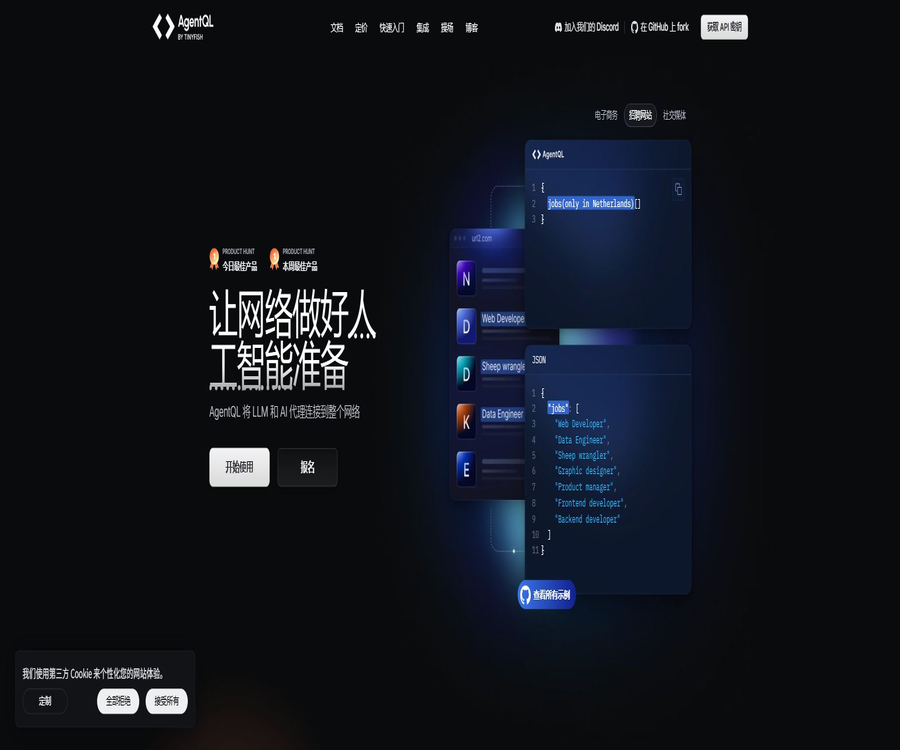
AgentQL is an AI-based web querying language and development toolkit launched by TinyFish; it allows one to describe the desired data or page elements in natural language. It is suitable for creating tools for extracting data from web pages, automating browser tasks, developing testing procedures, and creating AI agents that can interact with websites.
Unlike scripts that rely on fixed CSS or XPath selectors, AgentQL locates elements based on their meaning, context, and the structure of the query. When the page layout changes, semantic queries are generally easier to reuse than position-based selectors; however, testing and exception handling are still necessary to ensure reliability in production environments.
Core functions
- Use natural language field names to locate web elements and data.
- Return nested objects or lists according to the query structure.
- Automate web operations using Playwright in Python and JavaScript
- Perform data queries from any programming language via REST API
- Use a remote browser to execute tasks that require sessions and interaction.
- Extract structured content from web pages, PDFs, and images
- Use the Debugger extension to debug queries on actual web pages.
- Test prompts via Playground and export the script.
- Connect to automation ecosystems such as LangChain, Zapier, and MCP.
AgentQL query language
AgentQL queries define what needs to be searched for and what the resulting format will be, based on the field structure; the names of these fields carry semantic meaning. Lists, nested objects, and additional explanations can be used together to ensure that the output structure is clear even before execution.
| Query capability | Function | Example uses |
|---|---|---|
| Semantic fields | Identify elements based on name and context. | Position the search box, price display, or next page button |
| List | Return multiple items of the same type | Extract a list of products, articles, or reviews |
| nested structure | Express the relationships between fields within a project. | Each product includes a name, price, and rating. |
| Natural language instructions | Add location, meaning, or filtering criteria | Limit titles in the main text or specific cards |
| Data conversion | Organize the extracted results by target type. | Organize the prices as numerical values. |
| Prompt query | Infer the data structure from a complete description. | Quickly explore pages that have not yet been modeled. |
The way semantic positioning works
- Understand the business meaning of field names on the current page.
- Determine the target by considering the surrounding text, tags, and page hierarchy.
- Developers do not need to know the specific DOM path in advance.
- Similar websites can try to reuse the same query structure.
- Elements with the same meaning can still be found after the page is rearranged.
- When there is a high degree of ambiguity, more specific natural language explanations can be added.
Web data extraction
Developers can use SDKs or REST APIs to extract structured data from public and authorized web pages. The structure of the output is defined by the query, which helps reduce the amount of work required for subsequent data processing; however, null values, duplicates, and page status still need to be handled in the application code.
- Collection of product name, price, inventory, and reviews
- Organization of news headlines, dates, authors, and text.
- Extraction of search results, catalogs, and paginated lists
- Authorized collection of backend data after logging in
- Dynamic loading and infinite scrolling page handling
- Unified field output across similar sites
Browser automation
The Python and JavaScript SDKs for AgentQL are built on top of the Playwright workflow, and they can provide access to page elements that can be clicked, filled out, and read. Developers can still make use of Playwright’s capabilities for waiting, managing browser contexts, handling network requests, and performing assertions.
- Open the web page and locate the input fields, buttons, and menus.
- Fill out forms, select options, and submit tasks
- Disable Cookie prompts or pop-ups
- Flip pages, scroll, and wait for asynchronous content to appear
- Perform authorized operations within the login session
- Write the extraction results to the subsequent data workflow.
Python and JavaScript SDKs
| Method | Key capabilities | Suitable for users |
|---|---|---|
| Python SDK | Playwright for automation, element querying, and data extraction | Data engineering, research, and Python Agent developer |
| JavaScript SDK | Playwright for automation, element querying, and data extraction | Front-end, Node.js, and testing engineering teams |
| REST API | Directly query web pages, documents, and remote browsers | Integration with other languages or lightweight services |
| Debugger extension | Test the query in the browser’s developer tools. | Debugging and identifying query ambiguities |
| Playground | Test queries, obtain optimization suggestions, and export scripts. | Prototype verification and learning |
| CLI | Initialize the environment and create a script template. | Quickly set up local projects |
REST API and document extraction
The REST API can be authenticated using API keys and returns structured data; it enables the retrieval of web pages as well as the processing of PDF and image files. Document queries are performed page by page or per image, so for large files it is necessary to estimate the number of requests required.
- Can be invoked from any language that supports network requests
- Use Query to specify the structure precisely, or use Prompt to describe the target.
- Choose between quick or standard extraction mode.
- Create a remote browser session to carry out interactive tasks.
- Configure browser settings and proxy location
- Track executions and errors through request identifiers
Remote browser
The AgentQL package includes a certain amount of time for using a remote browser as well as a limit on the number of concurrent sessions, and it can be used to execute dynamic web workflows in the cloud. There are significant differences between the time limits, overage fees, and maximum numbers of concurrent sessions provided by the Starter and Professional versions.
- Running pages that require JavaScript in a hosted environment
- The browser session required to maintain multi-step interactions
- Configure supported proxy exports by region
- Choose a browser configuration that is lightweight or one that places more emphasis on avoiding detection.
- Set an inactivity timeout to prevent leftover sessions from consuming excessive time.
- Isolate cookies, logins, and local storage by task.
Debugger and Playground
The Debugger extension adds an AgentQL panel to the browser’s developer tools, allowing users to test queries directly on the current webpage and highlight the elements that match those queries. The Playground is more suitable for exploring queries, obtaining optimization suggestions, and generating scripts that can be further developed.
- Switch between element query and data extraction modes
- View the page area where the query matched
- Check whether the list and nested structure meet the expectations.
- Add natural language context to ambiguous fields
- Quickly verify the target website before entering the code.
- Migrate the verified results to the SDK or API.
Applicable scenarios
- Create an AI Agent that can access web pages and carry out tasks.
- Crawling e-commerce, news, catalogs, or publicly available research data
- Automatically fill out forms on internal systems and partner portals
- Monitor changes in fields, prices, status, or content on the page
- Provide more maintainable semantic positioning for test scripts.
- Extract fixed structural information from PDFs and images
- Collect data from multiple websites with different structures but similar semantics.
- Integrate web page information into LangChain, Zapier, or internal processes
Which users are it suitable for
- AI engineers who need to develop web agents quickly
- Python and Node.js developers who maintain Playwright automation
- Data and research teams that require structured web data
- Test engineers who wish to reduce the costs associated with maintaining selectors
- The backend team that needs to use REST APIs to access web page data
- Enterprise customers that require a private cloud or on-premises deployment
AgentQL price
AgentQL offers a free trial as well as Starter, Professional, and Enterprise plans. The public prices are displayed on a monthly basis; the API and remote browser services are charged separately based on usage, in addition to any allocated quotas.
| Plan | Monthly fee | API quota and excess fees | Remote browser | Concurrent sessions |
|---|---|---|---|---|
| Free trial | $ | 300 times in total; 10 times per minute | 1 hour | 1 |
| Starter | $ | 50 times per month; $0.02 for each additional time | 10 hours are included; an additional charge of $0.12 per hour applies for any extra time. | 5 |
| Professional | 99 dollars | 10,000 times per month; $0.015 per additional time | Includes 500 hours; $0.10 per additional hour | 100 pieces |
| Enterprise | Custom quote | As agreed per the enterprise’s requirements | Dedicated cloud or on-premises deployment | In accordance with the plan’s provisions |
The free trial does not require a credit card, and it is ideal for testing queries as well as remote browsing before making a final decision. Whether taxes, fees for agents, professional services, or enterprise delivery costs are additional is specified on the settlement page and in the order details.
Suggestions for package selection
| Demand | Suggested solution | Reason |
|---|---|---|
| Short-term verification | Free trial | 300 calls and 1 hour of browser usage facilitate evaluation. |
| Personal prototype or low-frequency tasks | Starter | No monthly fee required, and scalable based on usage |
| Stable data workflow | Professional | Higher call volume, longer browser session duration, and more concurrent connections |
| Large-scale or sensitive data | Enterprise | Managed data, dedicated cloud, or on-premises deployment are available. |
Quick Start Tutorial
- Register a developer account and create an API Key.
- Install the Debugger extension and open the developer tools on the target webpage.
- First, use simple fields to query and locate a specific element.
- Define the complete output using lists and nested structures.
- Check the elements and data results separately in the debugger.
- Install the Python or JavaScript SDK and initialize the project.
- Add the validated query to the Playwright script.
- Add handling for waiting, retrying, null values, and exceptions before going live.
Data extraction tutorial
- Confirm the usage permissions for the target data and the website terms.
- List the fields that need to be returned, their types, and the hierarchical relationships.
- Use a list for repeated items and create a nested structure for sub-fields.
- Select representative pages to test for both existing and missing fields.
- Handle pagination, infinite scrolling, and dynamic loading states.
- Verify duplicates, null values, types, and character encoding.
- Set frequency limits, caching, and retry on failure.
- Regular sampling of the original page is carried out to detect any changes in quality.
Production Deployment Tutorial
- Estimate the number of web pages and document pages per month, as well as the hours of use of remote browsers.
- Choose the appropriate plan based on the concurrency and rate limits.
- Store the API Key in a key management system and restrict access to it.
- Isolate browser contexts for login sessions and different customers.
- Set clear statuses for timeouts, verification codes, bans, and page changes.
- Record the request identifier, target, duration, result, and reason for any error.
- Set alerts for call volume, browser usage time, and costs.
- Arrange manual review of high-impact data and automatic processing.
Query design suggestions
- Use field names with clear and stable business meanings.
- Add descriptions of location and appearance only when necessary.
- Use nested structures to represent the actual relationships between data.
- Use a list explicitly for multiple items.
- Break down complex pages into verifiable small queries
- Accept null values for optional fields and record the reason for their absence.
- Establish regression tests using representative pages and abnormal pages.
Reliability and quality assessment
| Indicators | Evaluation content | Suggested method |
|---|---|---|
| Field accuracy | Are the extracted values consistent with those on the page? | Manual sampling by field |
| Completion rate | Are there any missing target items or fields? | Compared to the total number of pages |
| Repetition rate | Whether the same record is returned multiple times | Establish a business primary key to eliminate duplicates. |
| Positioning success rate | Whether the interactive elements are hit reliably | Regression testing across layouts and states |
| Task success rate | Has multi-step automation been completed? | Record the status step by step. |
| Unit cost | Costs associated with calls and browser usage time | Calculated based on successful records |
| Page change recovery time | Impact of site updates | Monitoring fails; a backup process is retained. |
Safety and compliance
- Only access public or authorized pages and accounts.
- Comply with the website’s terms, access frequency, and data usage restrictions.
- Do not expose API keys in queries, logs, or code.
- Isolate and encrypt cookies, sessions, and downloaded files.
- Avoid collecting personal or sensitive information that is not related to the business.
- Manual confirmation is required for high-impact operations such as submission, purchase, and deletion.
- Set rates, budgets, and a list of allowed domain names for automation.
- Prepare verification codes, implement access blocking, and set up manual intervention procedures.
Product advantages
- Natural language positioning is easier to understand and maintain than fixed DOM paths.
- The query itself defines a structured output, thereby reducing the need for post-processing code.
- The same tool handles both data extraction and web interaction.
- Python and JavaScript SDKs integrate directly with Playwright.
- REST APIs facilitate integration with other languages and stateless tasks.
- Provides a debugger, Playground, CLI, and numerous examples
- It can retrieve information from various sources such as web pages, PDFs, and images.
- The core SDK and examples are available on GitHub under the MIT license.
Usage restrictions and precautions
- Semantic positioning may still lead to the selection of incorrect elements on ambiguous pages.
- Website login, verification codes, and anti-automation mechanisms may interrupt the process.
- Dynamic pages require appropriate waiting time; one-time queries alone are not sufficient.
- Errors in the page content will directly affect the extraction results.
- API calls and remote browsers generate costs based on their respective usage.
- PDFs are processed on a page-by-page basis; the cost of large files increases rapidly.
- Before performing cross-site query reuse, it is still necessary to verify the semantics of fields at each site individually.
- Automation should not circumvent website security measures or access restrictions.
- Unlike open-source SDKs, cloud services require more than just self-hosted repositories to function as a complete platform.
GitHub and open source
The official AgentQL GitHub repository provides Python and JavaScript integrations, examples, and development resources, and is licensed under the MIT license. The hosted API, remote browser, developer portal, and enterprise services remain part of the commercial platform; therefore, they should not be considered as fully open-source cloud services.
| Components | Status | Explanation |
|---|---|---|
| AgentQL official repository | MIT open source | Includes SDK integration, examples, and related tool code. |
| Python SDK | Official development tools | Use Playwright for extraction and automation. |
| JavaScript SDK | Official development tools | Designed for Node.js and Playwright workflows |
| REST API | Commercial hosting interface | Charged based on package and usage volume |
| Remote browser | Commercial hosting services | Charged based on duration of use and any excess usage. |
| Enterprise | Commercial delivery | Private cloud or on-premises deployment is available. |
Basic information
| field | Content |
|---|---|
| Tool name | AgentQL |
| Development company | TinyFish |
| Tool type | AI web search, data extraction, and browser automation |
| Primary language | Python, JavaScript, and REST API |
| Fundamentals of Automation | Playwright |
| Supported content | Websites, PDFs, and images |
| Free plan | There is a free trial and a Starter version. |
| Enterprise deployment | Private cloud or on-premises deployment is available. |
| Is it open source? | The core SDK and examples are licensed under the MIT license; the hosting platform is a commercial service. |
Recommendation score
4.6 / 5. AgentQL is suitable for developers and agent teams that wish to reduce the effort required for maintaining web selectors through semantic queries; it offers a complete set of tools, integration with Playwright, and clear pricing. However, in production environments, issues such as page ambiguity, access restrictions, quality monitoring, and cost-based billing still need to be addressed.
Frequently Asked Questions
What is AgentQL mainly used for?
It uses natural language queries to locate web page data and elements, and employs SDKs or APIs to carry out structured extraction as well as browser automation.
What is the relationship between AgentQL and Playwright?
The AgentQL SDK adds semantic querying capabilities to Playwright workflows, while the existing functions for browser control, waiting, and assertions remain available for use.
Can AgentQL be used for free?
Yes. The free trial offers 300 calls, while the Starter plan provides 50 free calls per month and allows payment based on usage.
How much is Professional?
The public price of Professional is $99 per month, which includes 10,000 API calls and 500 hours of remote browser usage.
Can AgentQL extract PDFs?
Yes, the REST API supports PDFs and images; API calls for PDFs are typically made on a per-page basis.
Which languages is AgentQL compatible with?
Official Python and JavaScript SDKs are provided; other languages can be integrated through REST APIs.
Can AgentQL handle the login page?
The pages that appear after logging in can be processed within an authorized browser session, but it is necessary to protect the credentials and comply with the website’s rules.
Is AgentQL open source?
The official code repository is licensed under the MIT license, but the hosted APIs, remote browsers, and enterprise services remain commercial products.
Will semantic selectors remain stable forever?
No. It reduces the maintenance burden associated with changes in the page structure, but ambiguity, content changes, and access status can still lead to failures.
Tools similar to AgentQL



 Guigong Network Security Registration No. 45132202000164